Generate accurate subtitles with AI.
Fast and free in your browser.
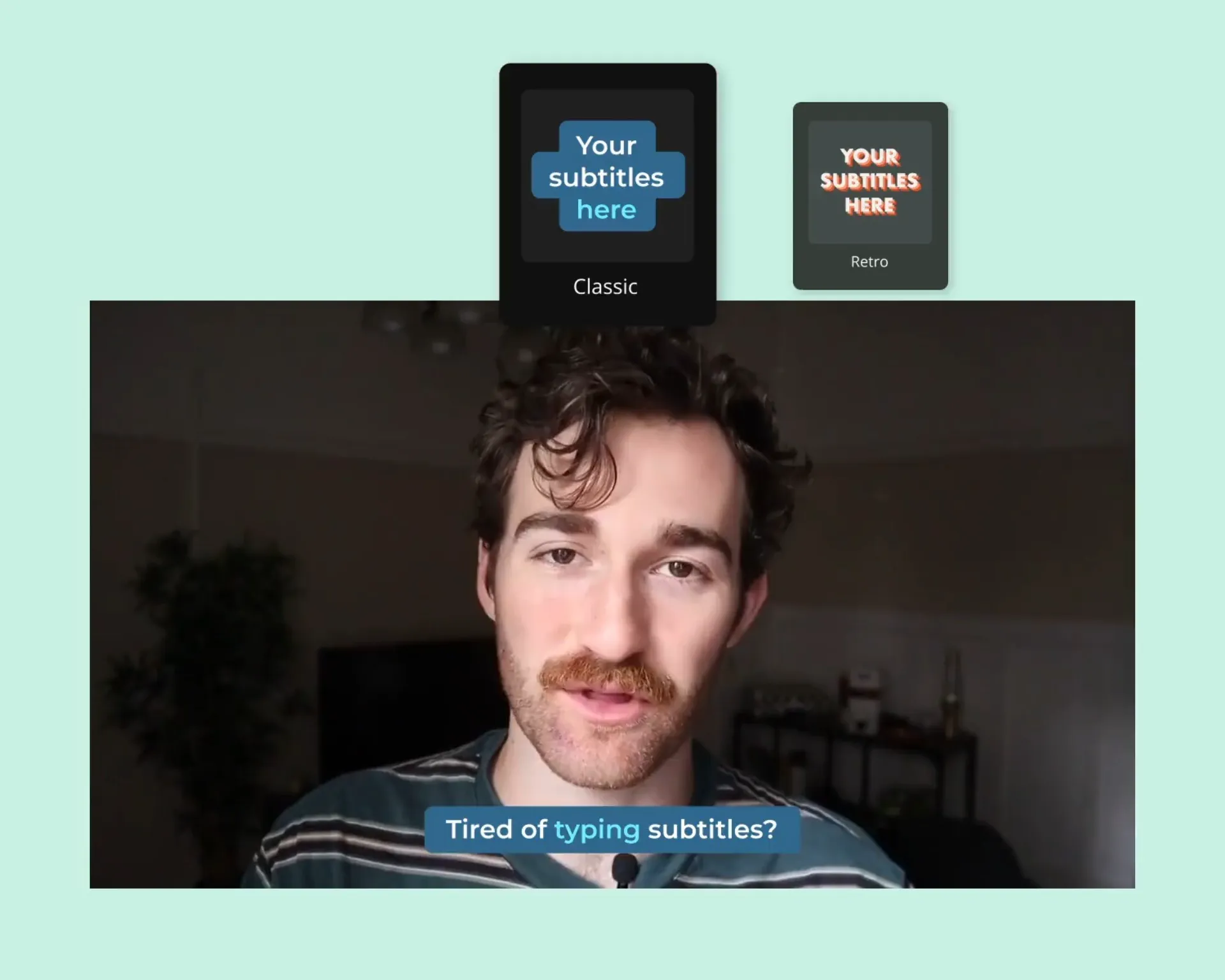
99% accurate subtitles, generated in seconds
Fully online. Free to start.
Accurate subtitles — no extra edits needed
Upload any video or audio file — including an MP4, MOV, MP3, or YouTube link — to add subtitles to your video automatically. Kapwing’s AI subtitle generator creates word-by-word subtitles and a fully editable transcript, so you can correct terms, adjust timing, and customize how the text appears.
Kapwing's Automatic Subtitle Generator delivers industry-leading accuracy and streamlines subtitle creation for teams and creators — built for everything from short social clips to entire content libraries.
Export your video with hardcoded subtitles, or download subtitles separately as an SRT, VTT, or TXT file.
.webp)
Improve engagement and accessibility — instantly
Save hours on manual transcription, make every video accessible, and prime your content for global localisation.
Subtitles are especially valuable for product demos, tutorials, and instructional videos, where following along helps viewers better grasp technical terms and step-by-step instructions.
For creators producing in-depth explainers, Kapwing's auto-subtitles transform passive watching into active learning. Even with long video uploads, auto-captions are processed in under 2 minutes.
.webp)
Kapwing by numbers
35M
creators use Kapwing
100,000+
videos created every day
99%
accurate subtitles
Start with a Template
Modern caption styles inspired by popular creators
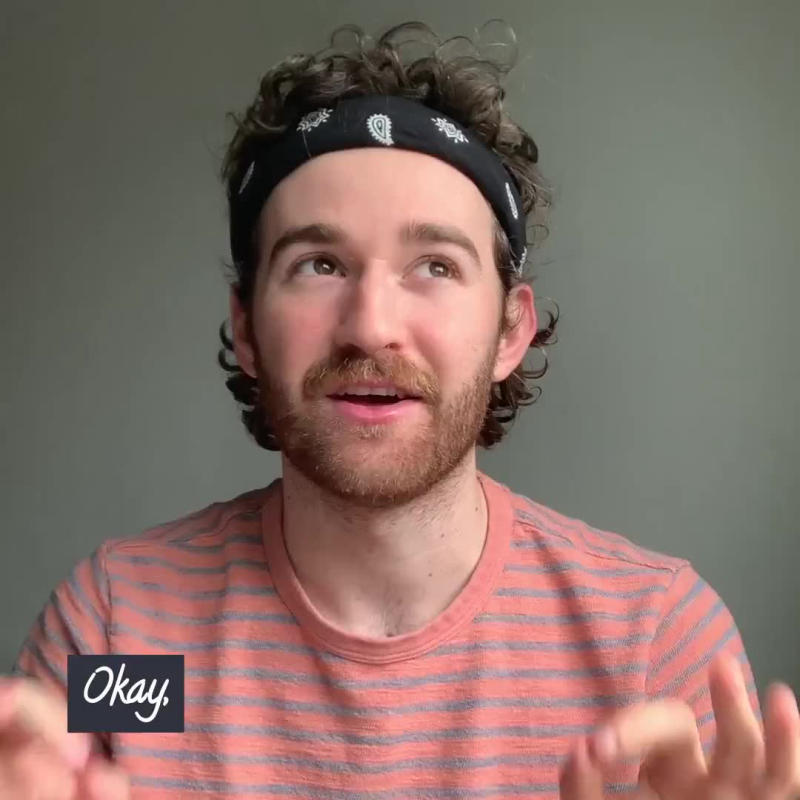
Enhance clarity and keep viewers engaged
Fully online. Free to start.
Customize every subtitle detail to match your brand
Use the built-in subtitle editor to correct the transcript, adjust timing, and customize your subtitle font, color, size, background, placement, and animation. Start with over 100 preset styles and templates, or create your own to match your brand.
Apply different styles for multiple speakers, fine-tune spacing and timing, and upload your own fonts to keep everything on brand.
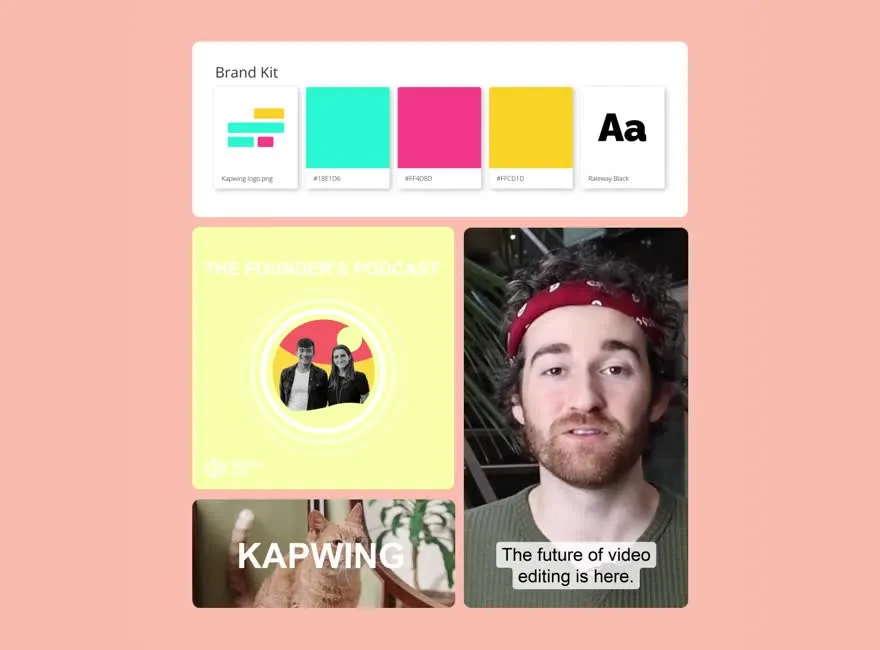
For cross-team consistency, the Brand Kit stores your preferred colours and fonts in one place, so every video your team produces looks and feels like yours.
Translate subtitles into 100+ languages without leaving the editor
Use Kapwing’s subtitle translator to generate English subtitles or translate existing subtitles into 100+ languages, including Spanish, Chinese, French, Hindi, and Arabic.
Skip the cost of expensive translation services and use Kapwing to connect with native speakers worldwide — perfect for translating YouTube videos, webinars, ads, podcasts, and e-learning content.
.webp)
How to Add Subtitles to Videos
- Step 1Upload video
Upload a video to the editor from any device or paste a link from a published video URL.
- Step 2Add subtitles
Open the Subtitles tool and select Auto Subtitles. Kapwing generates captions automatically, then lets you edit the transcript, fix timing, and customize the subtitle design.
- Step 3Export or download
Select the "Export Project" option in the top-right corner to hardcode your subtitles into the video and download the final file. Alternatively, click the download icon above the subtitle editor to save a transcript in formats like SRT, VTT, and TXT.
Subtitle Guides
Tips, templates, and deep dives to help you create faster and share with confidence.
View all


Already transforming video creation across industries
Hear directly from the teams who publish faster, collaborate better, and stay ahead.


Add captions to any video with AI
Join millions of creators improving video content with Kapwing's caption generator

Tutorials & How-tos
Creators use auto-subtitles to add accurate captions to tutorials and how-to videos, making content easier to follow, more accessible, and easier to discover on platforms like YouTube

Social Media Videos
Social teams use automatic subtitles to speed up editing for short-form videos on Instagram, TikTok, and LinkedIn, while making content easier to watch with sound off
.webp)
Online Courses & Training
Educators and teams use subtitles to improve comprehension in lessons, onboarding, and training content. They can quickly correct key terms and export transcripts for notes, documentation, or internal reference.

Product Demos & Webinars
Marketing and product teams use auto-captions to subtitle demos, walkthroughs, and webinars, then edit the transcript for reuse across blog posts, help docs, and campaign content
All-in-one localization for global reach
Free AI caption generator, dubbing, and lip-sync in one
Kapwing’s Translation Studio provides creators with everything they need for comprehensive content localization, all within one online browser. Each AI-powered tool is designed for ease of use, making it accessible to professionals of all skill levels.
With subtitle translations in over 100 languages and a complete dubbing workflow supporting 40+ languages, Kapwing empowers teams and marketers to connect with new audiences worldwide. Generate AI-powered voice overs that clone the original speaker’s tone naturally, or choose from 180 unique AI voices to find the perfect fit for your content.
Enhance your content with Automatic Lip Syncing, ensuring on-screen speech aligns naturally with translated audio for a more immersive viewing experience.
Whether reaching 300 million users on RedNote through Chinese subtitles, localizing online courses for global learners, or creating culturally relevant marketing campaigns, Kapwing makes it easy to expand your content’s impact across international markets.

Edit and enhance footage 10x faster
From first draft to polished final cut with an AI-powered toolkit
Instantly translate the audio in your video using lifelike AI voices or a cloned version of yourself

Frequently Asked Questions
We have answers to the most common questions that our users ask.
Is the Auto-Subtitle Generator free and is there a watermark?
Yes, it is free for all users to try the Auto-Subtitle Generator, although this includes a limited number of minutes. With a Pro Account upgrade, you’ll get extended monthly minutes for subtitles, translated subtitles, auto-dubbing, and lip sync, alongside access to Voice Cloning.
If you are using Kapwing on a Free account then all exports — including from our subtitles maker — will contain a watermark
How do I download subtitles or transcripts from my videos?
Kapwing's AI Subtitle Generator provides an editable and downloadable transcript alongside your auto-generated subtitles. Generate or upload your subtitles, then click the download icon above the subtitle editor. You can download subtitles as an SRT or VTT file for use on video platforms and media players like Facebook and X (Twitter), or as a TXT file if you only need the transcript.
You can also export the entire video with the subtitles hardcoded, adding SRT to MP4 so the text remains visible wherever the video is uploaded or played.
How do I translate video subtitles?
Kapwing provides an in-built video translator that can translate to and from over 100+ different languages, including English, Spanish, Russian, and Arabic. Here's how: Upload your video and use the "Auto subtitles" functionality to generate subtitles. Then, select the translate icon above the subtitle editor and select the foreign language you'd like to translate to. Kapwing will translate your subtitles and automatically update your video.
How to upload your own SRT file for captions
If you already have an SRT file, you can easily add it to your video in Kapwing. Follow these steps to upload and customize your captions:
- Upload a video file via a URL link or the files folder.
- Open the "Subtitles" tab in the left-hand toolbar. Then, select "Upload SRT/VTT" to upload your own captions file.
- Once your SRT subtitles are uploaded, proofread and customize. When you’re finished editing, click "Export Project" and download your video with embedded subtitles.
How to edit subtitles and customize styles
Editing subtitles is done through the text transcript on the left-hand side of the screen. Simply click on the transcript to manually edit the subtitle text or adjust its duration. To customize the style, use the right-hand panel to choose a font, size, color, background, animation, and transition.
What to do if your subtitles are out of sync
When you generate subtitles in the Kapwing Studio, they are automatically synced using AI. If you need to fine-tune your subtitle timing or fix alignment issues from an uploaded SRT or VTT file, you can use Kapwing's Sync Subtitles tool. You can manually adjust the timing of each subtitle line by editing the transcript on the left-hand side of the screen. Here, you'll find start and end time columns that allow you to fine-tune the duration of each subtitle for perfect alignment. You can also regenerate your subtitles to perfect the timing.
How long does it take to auto-generate subtitles?
Kapwing's subtitles workflow ensures videos under 30 seconds generate captions within a few seconds, while short-form videos take 1-2 minutes and longer videos (60 minutes or more) may take a few minutes to process.
Can subtitles be applied to multiple speakers?
Yes, Kapwing's AI Subtitle Generator automatically detects multiple speakers and separates them into individual subtitle sections, allowing you to edit each one separately. You can customize the color, speed, fonts, and other visual elements of each individual speaker.
Can Kapwing also create closed captions?
Yes, in addition to subtitles, Kapwing also supports full closed caption creation. That means you can include non-spoken audio, speaker labels, and other accessibility features — ideal for meeting legal requirements like the European Accessibility Act.
How to add subtitles to videos
To add subtitles to your files, start by creating a new project in the Kapwing Studio. Click or use drag-and-drop to upload your video or audio file. In the left sidebar, click "Subtitles," then choose
What is a subtitle?
A subtitle is timed on-screen text that represents the dialogue in a video. Subtitles can be written in the same language as the original audio or translated into another language, helping viewers understand speech when they cannot hear or understand the audio.
Subtitles can be added directly to the video or downloaded as a separate SRT or VTT file that compatible platforms and video players display during playback.
Get started with your first video in just a few clicks. Join over 35 million creators who trust Kapwing to create more content in less time.