Add color, brighten, enhance, and revitalize old pictures
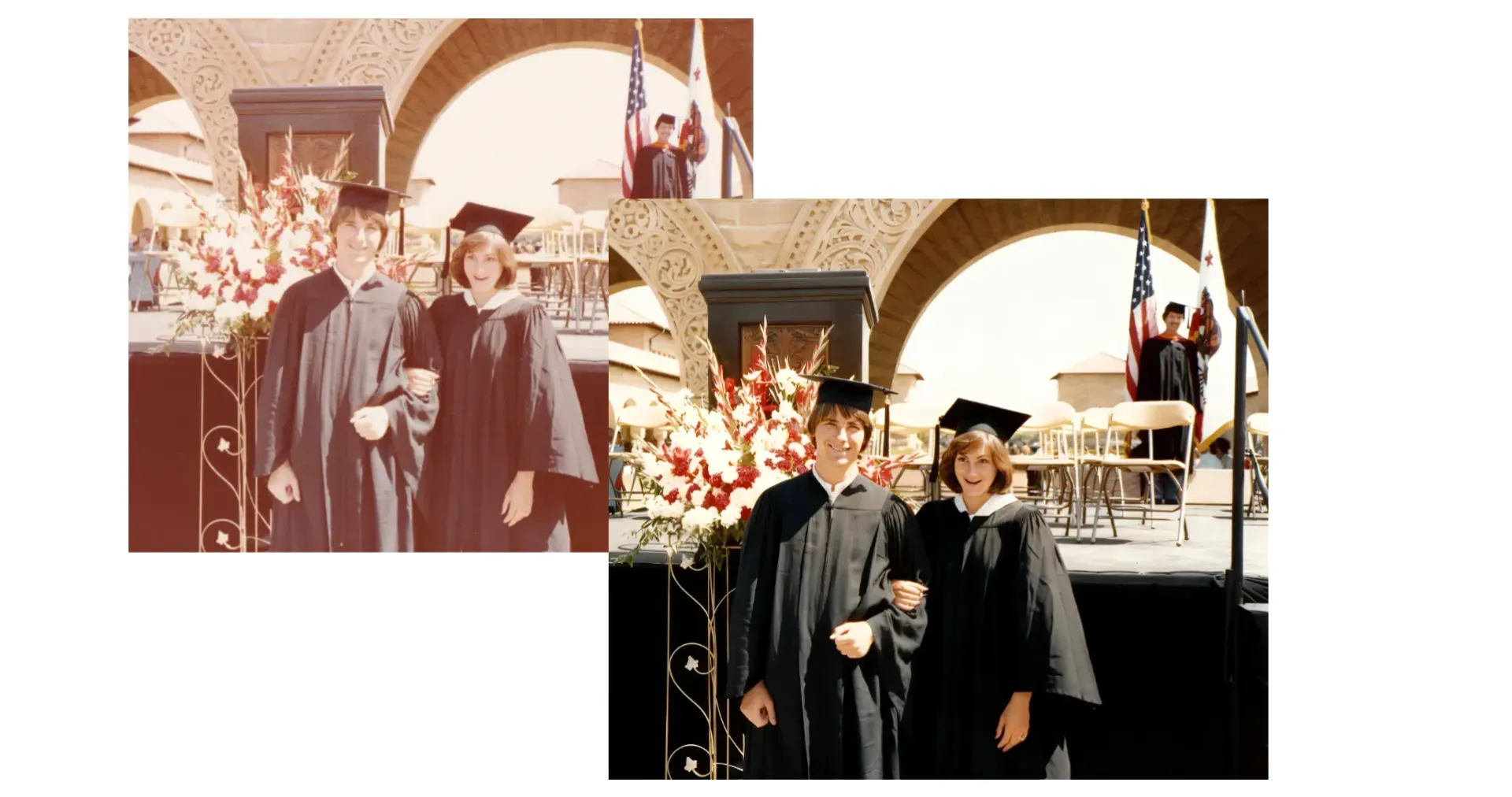
Revitalize your photos in seconds
Bring a damaged, degraded, or old images back to its original condition — or better
Fix damaged images instantly
Physical damage like tears, water stains, creases, and digital damage (noise, blur, JPEG artifacts) can impact your most-treasured photos.
Kapwing's AI-powered erasers and generative tools fill in spots, inpaint, remove scratches, and return pictures back to their original quality in seconds.
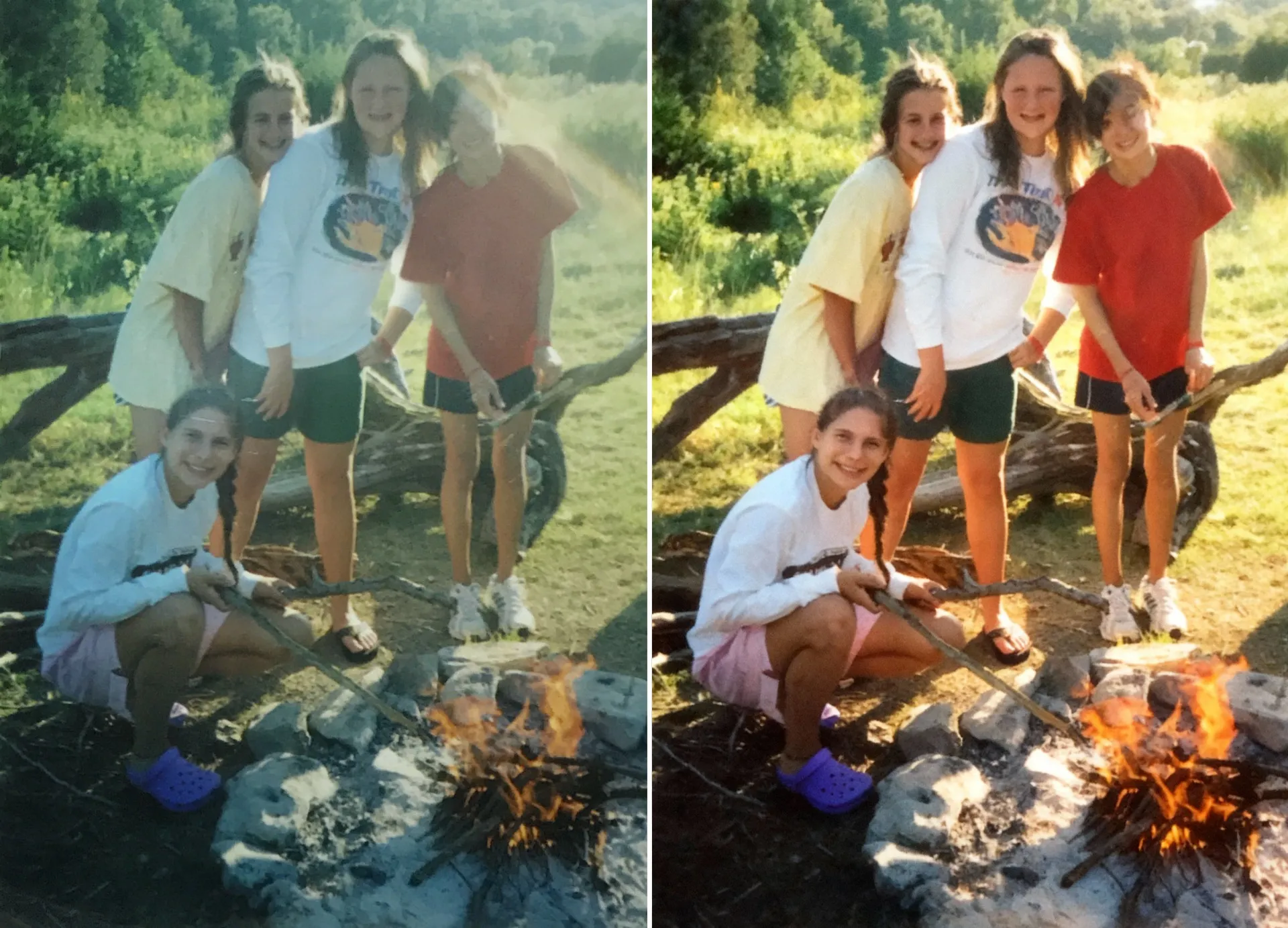
Improve color and resolution
Revive faded or sepia-toned images, or (optionally) bring authentic, lifelike color to black-and-white photos. Revive faded or sepia-toned images, or (optionally) bring authentic, lifelike color to black-and-white photos.
Our AI automatically corrects exposure and contrast to restore midtones and detail — then upscales your image for crisp results, ready for sharing or printing.
.webp)
Denoise and deblur
Recover detail from slightly blurry or noisy shots and fall in love again with photos you thought were beyond repair.
Apply sharpening tuned for faces and text, then reduce grain and compression artifacts to improve readability and skin tones. You can even preview changes and adjust intensity to avoid over-sharpening.
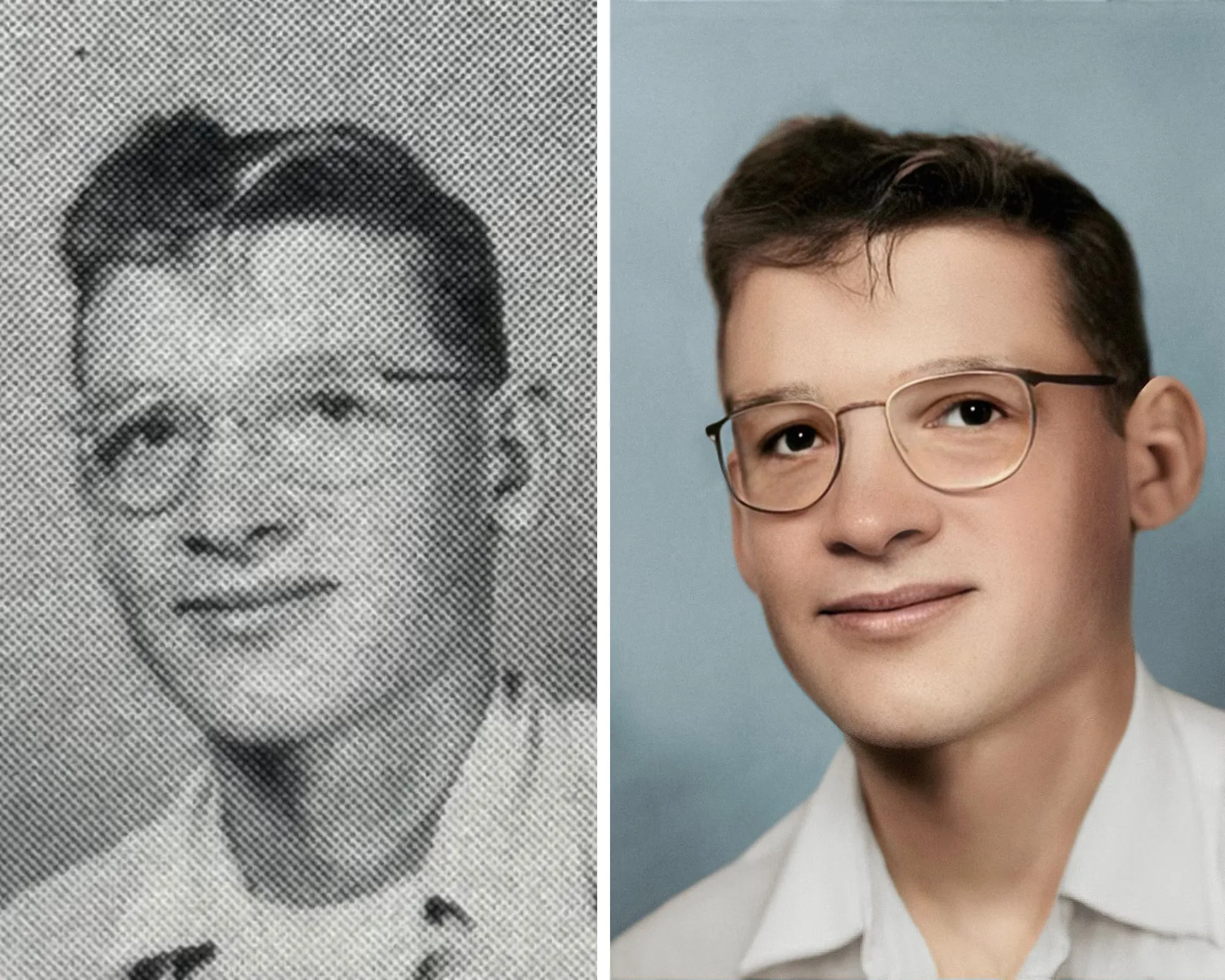
Instant Picture Restoration
Bring your images back to their former glory with Kapwing's AI-powered tools

Family Portraits
Take oldies, vintage pictures, and childhood photos and bring them into the modern era. Add colors in to sepia and grayscale images or animate them.

Worn, Damaged Photos
Correct glare, water stains, scratches, fingerprints, marks, wrinkles, and blur with Kapwing's restorative tools and repair suite

Blemished Records
Remove stray objects in the frame, crop out photo bombers, fix stains, reduce pixelation, and erase trouble areas

Marketplace Listings
Clean up vintage product photos and upscale for clear thumbnails
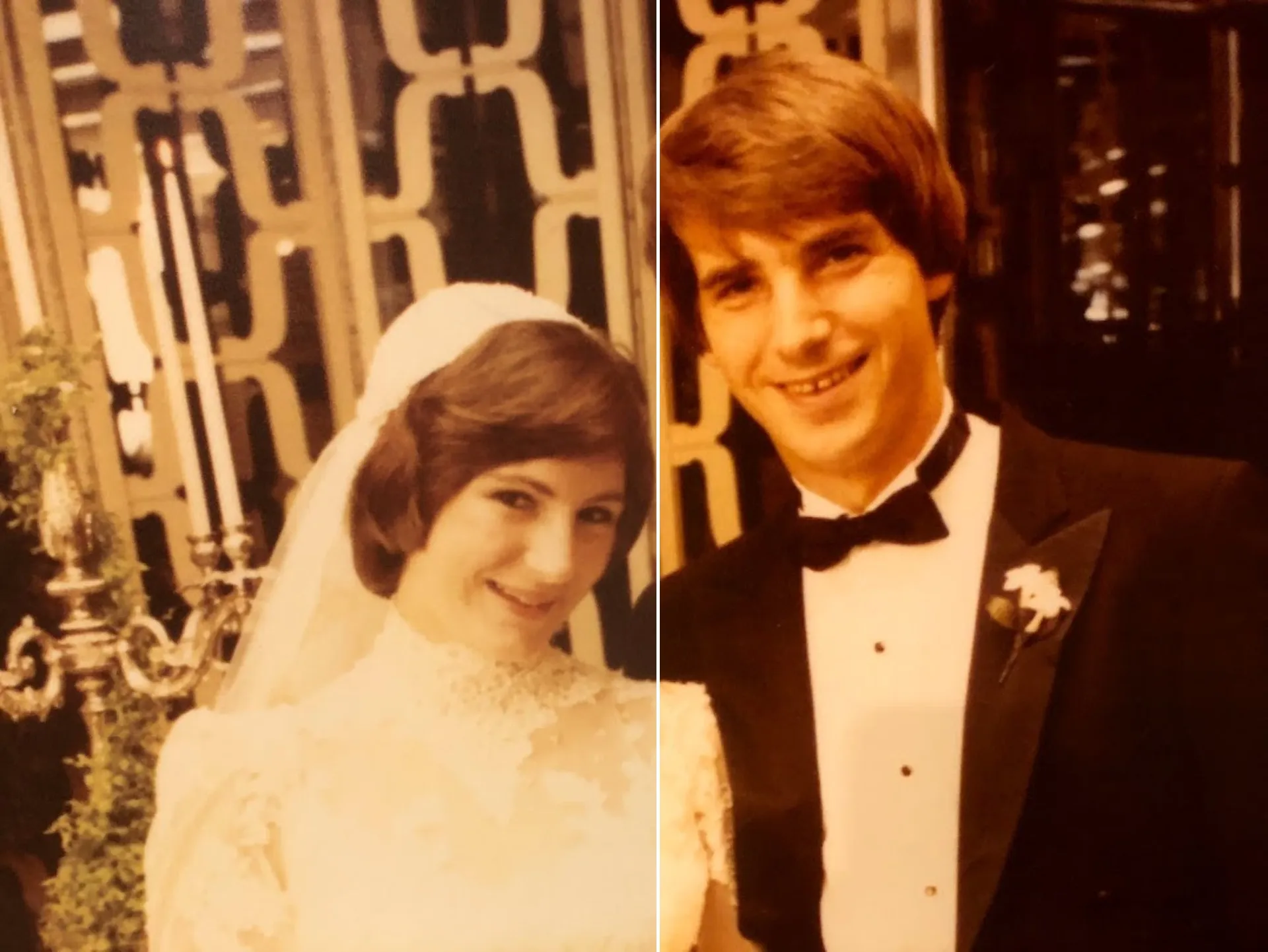
Event Photos
Enhance blurry, low-resolution images from weddings, births, and celebrations with magic upscaling. Give your images sharper edges and more vivid colors.
How to Restore a Photo
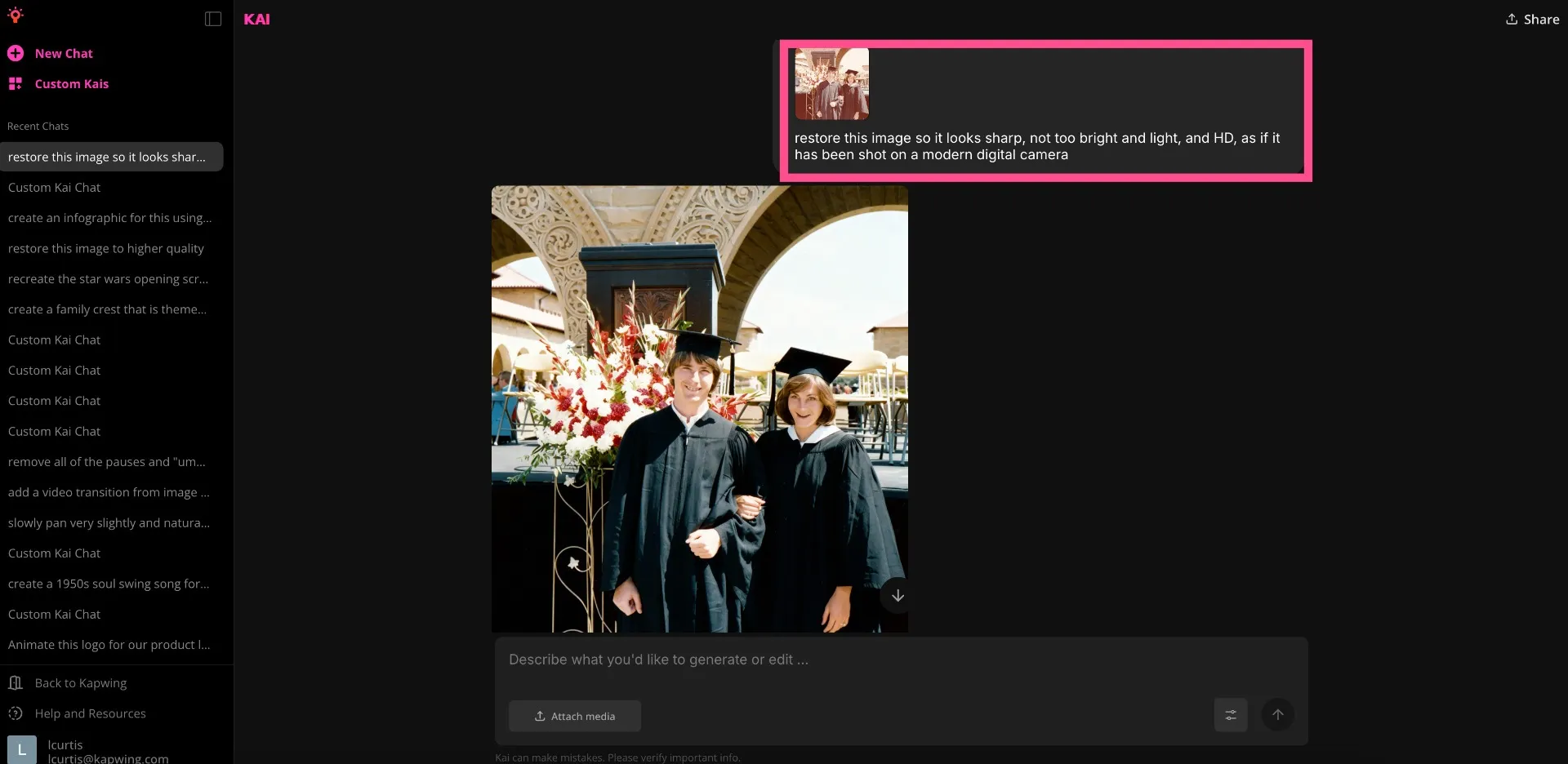
- Step 1Upload image
Start by uploading the image you want to restore to Kapwing.com.
- Step 2Restore and enhance
Ask the AI Assistant to restore your image by entering a text prompt. Use words such as; enhance, restore, sharp, HD, or phrases like "as if it's been shot on a modern camera."
- Step 3Edit and export
Kapwing will generate the restoration. Once you've finalized the restored image, edit in the studio if needed to make further changes. Export and download.
Already transforming video creation across industries
Hear directly from the teams who publish faster, collaborate better, and stay ahead.


What's different about Kapwing?



Frequently Asked Questions
We have answers to the most common questions that our users ask.
What types of damage can an photo restorer fix?
AI tools handle common issues like fine scratches, dust, fading, mild stains, low contrast, and slight blur with inpainting, or filling in an area with generative content. Many Restore Photo tools can also denoise, sharpen faces, and correct color casts to restore faded photos and scanned prints.
Can AI unblur a heavily blurred photo?
AI deblur works best on mild motion blur or softness from focus or compression. For severe motion trails or heavy camera shake, recovery is limited — try gentle sharpening plus denoise, then upscale to improve perceived detail.
How do I prepare a photo scan for best results?
Scan at 600 DPI for small prints (300 DPI minimum for larger prints). Keep the photo flat, wipe the scanner glass, and scan in color even for B&W to capture more tonal data. Save a lossless copy (PNG/TIFF) before you start. The Google Photos "Photo Scan" app can also help avoid glare and add your scan directly to their Cloud Service. After scanning, use Photo Enhancement tools to Restore and Upscale historic photos back to original quality.
How big can I print after upscaling?
As a rule of thumb, divide pixel dimensions by 300 for inches at photo-quality print. For example, a 3000×2400 image prints well at ~10×8 inches; 2× upscaling can push to ~20×16 inches if noise is controlled.
How does photo restoration differ from enhancement?
Restoration focuses on repairing defects (scratches, dust, fading, blur), while enhancement improves overall quality (exposure, color, contrast, upscaling). Most workflows, including Kapwing's Image Enhancer, combine both for best results.
Is the AI Image Restore tool free?
Yes, anyone can try Kapwing’s AI Image Restore tool for free. All our AI tools run on a credit system, with each feature costing a set number of credits. For maximum creativity and the best value, upgrade to a Pro account to unlock the full power of AI-driven content creation.
Which AI models does Kapwing use?
Kapwing supports several advanced AI image models including ChatGPT, Google Nano Banana, and Seedream. These models power tasks like inpainting, object replacement, background edits, and generative image creation directly inside the Kapwing editor
Discover Resources
Tips, templates, and deep dives to help you create faster and share with confidence.
View all

Get started with your first video in just a few clicks. Join over 35 million creators who trust Kapwing to create more content in less time.