Invert Image Colors
Invert colors on images with AI.
Works in your browser. No watermark.
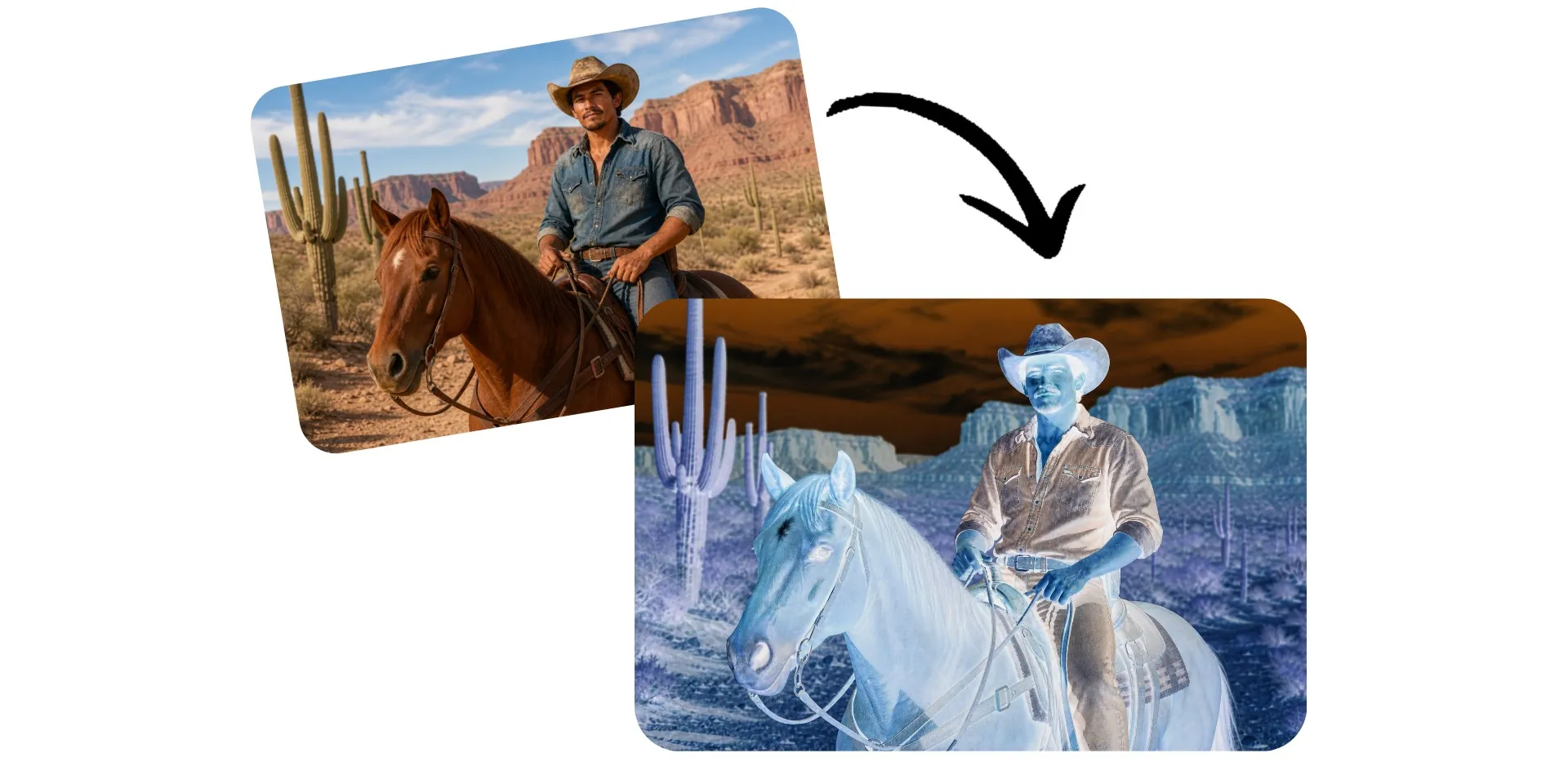
Invert colors in seconds with AI
Start for free in your browser. No watermarks.
Flip image colors — no prompt needed
Go from photo to negative in seconds with Kapwing's image color inverter. Upload your image and invert colors with a single click — no prompts, design experience, or complicated editing tools required.
Use your negative image to create eye-catching social media posts, unique profile pictures, creative advertising, album artwork, or experimental digital art. Invert colors on a picture for fun or to make bold visual content, then download as watermark-free JPEG to share anywhere.
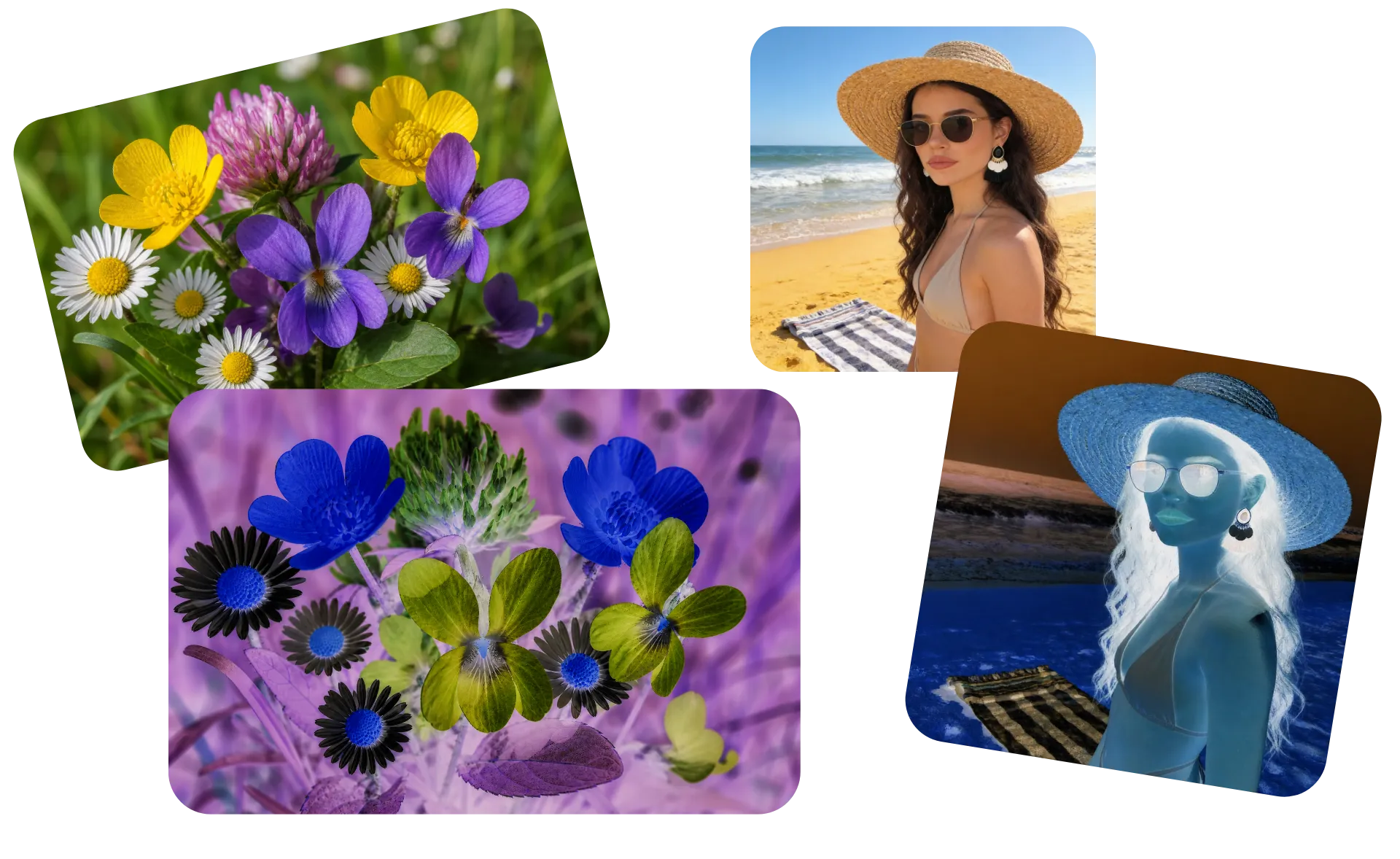
Turn your photo negative into a finished design
Invert your image in one click, then continue editing in the Kapwing Studio. Fine-tune brightness, contrast, saturation, temperature, and other color settings using sliders. Crop and resize with presets to match any platform.
Once your edit is complete, add text, borders, stickers, or GIFs to create social posts, ads, thumbnails, and more. You can also use AI-powered tools to enhance your image or remove the background, all without leaving the editor.

Already transforming video creation across industries
Hear directly from the teams who publish faster, collaborate better, and stay ahead.


How to Invert Colors on Images
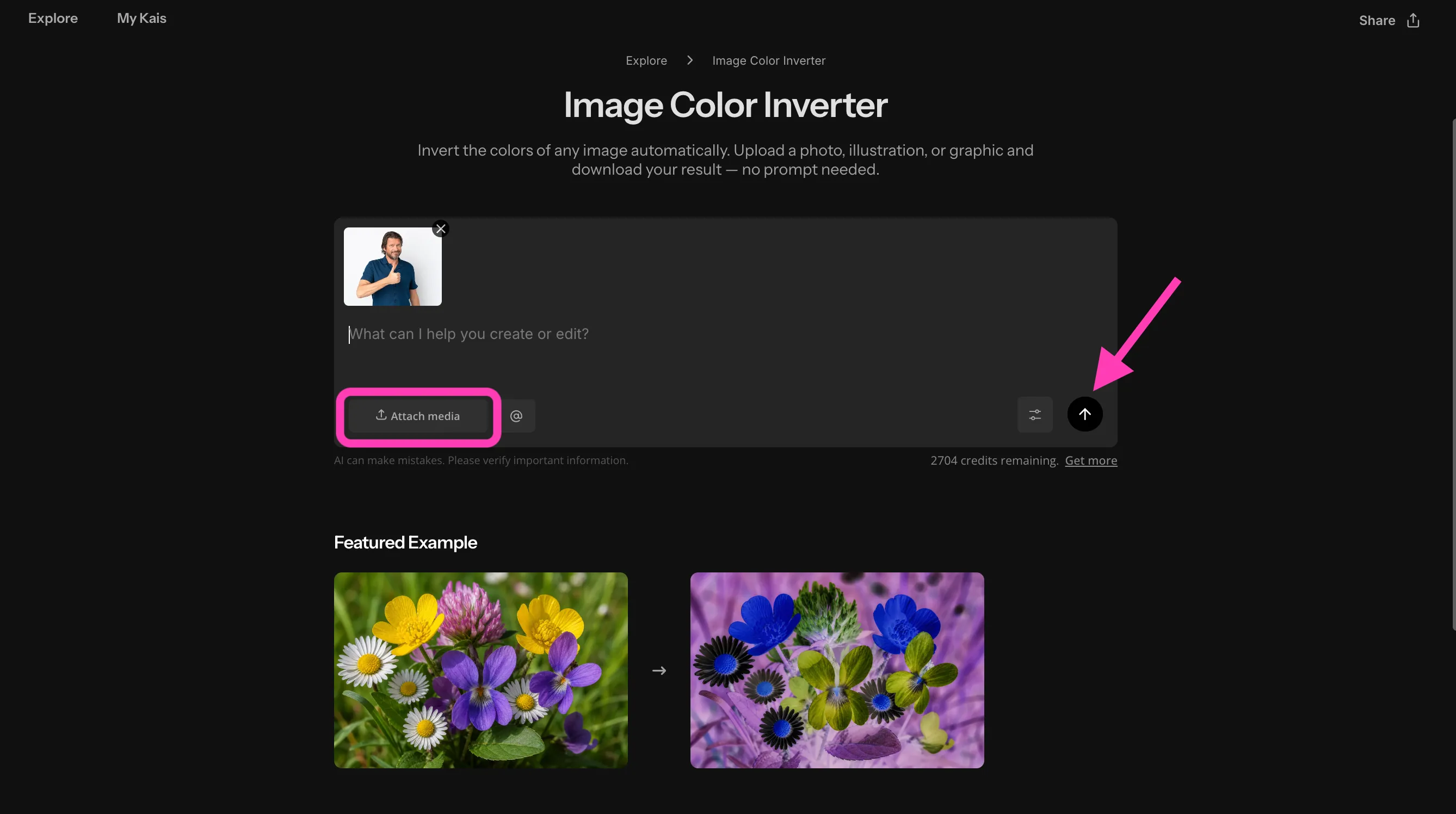
- Step 1Upload image
Create a new chat with Kapwing AI and click "Attach media" to upload your picture.
- Step 2Invert colors
Click the arrow to turn your photo to negative colors.
- Step 3Edit and download
Download your image as JPEG, or move it to the Studio to keep editing.
What's different about Kapwing?



Frequently Asked Questions
We have answers to the most common questions that our users ask.
Is the Invert Image Colors tool free?
Yes, anyone can try Kapwing’s AI toolkit for free without watermarks. Our AI tools run on a credit system, with each feature costing a set number of credits. For maximum creativity and the best value, upgrade to a Pro account to unlock the full power of AI-driven content creation.
How to invert colors
To invert colors using Kapwing, create a new chat with Kapwing's Invert Image Colors tool. Click "Attach media" or use drag-and-drop to upload your image, then click the arrow or press enter to generate. Once your inverted color image is ready, you can click to download it as a watermark-free JPEG or move it to the Studio to complete your design with professional image editing tools.
Can I invert colors from my phone or tablet?
Yes, Kapwing's image color inverter works in your web browser, so you can invert image colors from your iPhone, Android phone, iPad, or tablet without downloading an app. Create a new chat with the photo color inverter, upload your photo, apply the color inversion effect, and download the finished image to your phone in a few taps.
What does inverting image colors mean?
When you invert image colors, every color in your photo is replaced with its opposite on the color spectrum. Black becomes white, blue becomes yellow, red becomes cyan, and so on. The result often looks like a photographic negative or a surreal, high-contrast version of the original image.
People invert colors on an image for both creative and practical reasons. Designers use inverted visuals for eye-catching graphics, photographers experiment with artistic effects, and social media creators use them to make posts stand out in crowded feeds. A simple image color inverter lets you achieve this effect instantly without manually editing every color.
What's the difference between color inversion, color correction, and coloring grading?
Although they're all image editing techniques, they serve very different purposes. Color correction fixes technical issues like poor white balance, inaccurate colors, or incorrect exposure so a photo looks natural. Color grading is a creative process that changes the mood or style of an image using color palettes, contrast, and tone.
Invert colors is a special effect rather than a correction. Instead of improving realism, a photo color inverter flips every color to its opposite, creating a bold negative effect. If you're looking for a dramatic transformation rather than subtle enhancements, an invert color image tool is the fastest way to get there.
How can I use inverted color images?
There are plenty of creative reasons to invert colors on a picture. The effect can make familiar scenes feel futuristic, mysterious, or psychedelic, making it popular for album artwork, digital art, and experimental photography, and posters.
Content creators also use invert picture color effects for social media trends, attention-grabbing ads, YouTube thumbnails, and memes. Since inverted colors immediately stand out while scrolling, they're a simple way to make visual content feel fresh and unexpected.
Is a negative image the same as an inverted image?
Yes, a digital negative is typically created by inverting every color in the image. That's why you'll often see tools described as a negative image converter, negative image maker, or photo to negative editor — they all perform essentially the same transformation.
Historically, photographic film produced negatives before prints were developed. Today, you can recreate that classic look digitally with a negative photo filter or by using an online tool like Kapwing to turn a photo negative using AI.
Will inverting colors reduce image quality?
No, photo color inverters only change the color values of each pixel. They don't reduce the resolution or remove detail from the original image. Your exported photo will maintain the same dimensions and clarity as the source file.
Image quality ultimately depends on the export settings you choose. Saving your invert color image in a high-quality format like PNG or a high-resolution JPEG helps preserve the best results.
What kinds of images work best for color inversion?
Images with bold colors, strong lighting, and clear contrast tend to produce the most dramatic results when you invert colors. Landscapes, portraits, architecture, abstract artwork, and neon photography can all create striking inverted versions.
If you're experimenting creatively, try applying a negative photo filter to colorful travel photos, city skylines, or product shots. The unexpected color combinations often reveal details and visual patterns that aren't obvious in the original.
Discover Resources
Tips, templates, and deep dives to help you create faster and share with confidence.
View all

Get started with your first video in just a few clicks. Join over 35 million creators who trust Kapwing to create more content in less time.