YouTube to Instagram
Turn YouTube videos into Instagram Reels, Stories, and Posts
.webp)
YouTube video to scroll-stopping Instagram Reel
Instantly double your reach — without creating new videos
Effortlessly resize videos from YouTube to Instagram
YouTube videos are horizontal (16:9), while Instagram Reels and Stories use a vertical format (9:16). Kapwing’s free converter makes it easy to adapt your content by automatically resizing your YouTube videos in seconds.
You can crop to highlight the main subject or add margins to fit the vertical frame perfectly, saving time and effort compared to manually reformatting your content for each platform.
.webp)
Expand your social strategy with Instagram-ready clips
Use Kapwing’s YouTube to Instagram converter to keep your social media calendar full of shareable clips. Our YouTube Clip Generator eliminates the hassle of manually finding and cutting segments from long videos, saving you hours with AI-powered clip detection.
The tool analyzes video transcripts to identify potential viral highlights, delivering clips optimized for Instagram Reels, Stories, and Posts — in any length you choose. Whether you’re a marketing professional, social media manager, or influencer, you can double your content output in minutes and reach your audience more efficiently.
.webp)
Keep active speakers centered in-frame
If resizing a YouTube video with multiple speakers is a challenge, then you're using the wrong tools. Kapwing’s Auto Speaker Focus automatically centers the active speaker’s face, ensuring a polished horizontal-to-vertical conversion every time.
Best of all, the intuitive one-click tools make it easy for anyone to use — no video editing experience required.
.webp)
Already transforming video creation across industries
Hear directly from the teams who publish faster, collaborate better, and stay ahead.


Think YouTube. Think Instagram.
Millions of creators adapt long YT videos into Posts, Reels, and Stories

Mini-Vlogs
YouTube vloggers quickly make Instagram Reels and Stories from long-form videos to quickly reach their audience without manual editing

Microlearning Posts
Online course creators convert instructional YouTube videos into bite-sized, visually engaging Instagram Reels and posts, complete with subtitles for improved accessibility

E-commerce Demos
E-commerce brand managers repurpose longer product demos and unboxing videos to push product awareness and drive sales for free

Event Recaps & Previews
Conference and concert organizers make Instagram Reels from YouTube videos to emphasize key moments in event recaps or boost awareness of upcoming dates
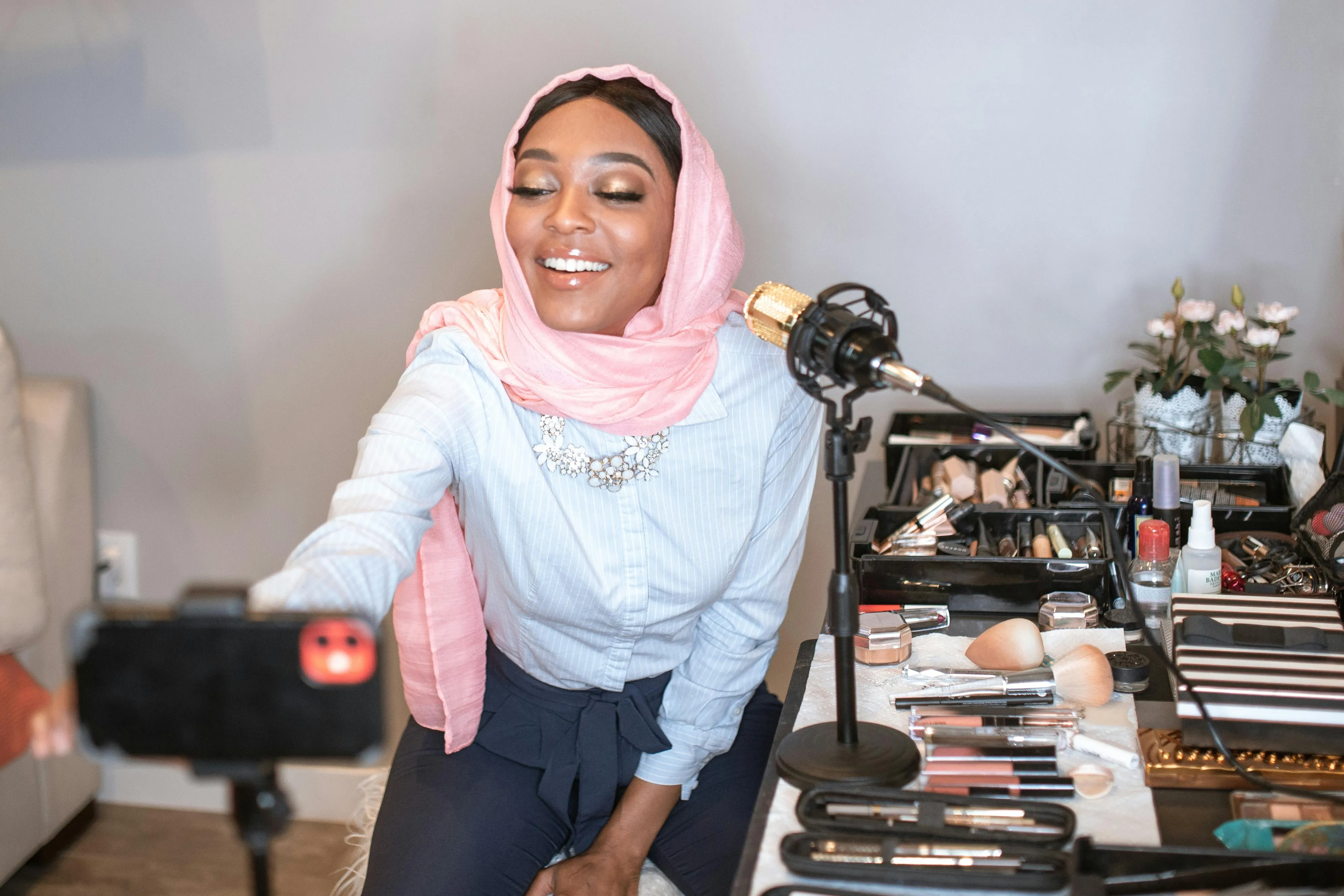
Makeup & Skincare Videos
Kapwing's YouTube video to Instagram converter helps beauty influencers convert makeup and skincare content into short clips

Reviews & Testimonials
Social media managers leverage user-generated testimonials and product reviews on their brand's YouTube channel to make Instagram-ready Reels, Stories, and feed posts
How to Share YouTube Videos to Instagram
- Step 1Upload YouTube video
Upload your video to Kapwing.com.
- Step 2Resize and edit
Click "Resize project" in the right-hand toolbar and resize your YouTube video to vertical (9:16) format and choose from "Fill and crop" or "Fit to center"
- Step 3Export and post
Make any final edits, such as trimming, splitting, and cutting the video into shorter clips. Export and download the file as an MP4, then post the clips to Instagram.
*To use AI to automatically find and resize clips within your video, add the YouTube video to Kapwing's AI Clip Generator and follow the steps.
Edit Instagram videos 2x faster
Let Kapwing's AI handle your tedious editing tasks
Customize your video with styles tailored to Gen-Z
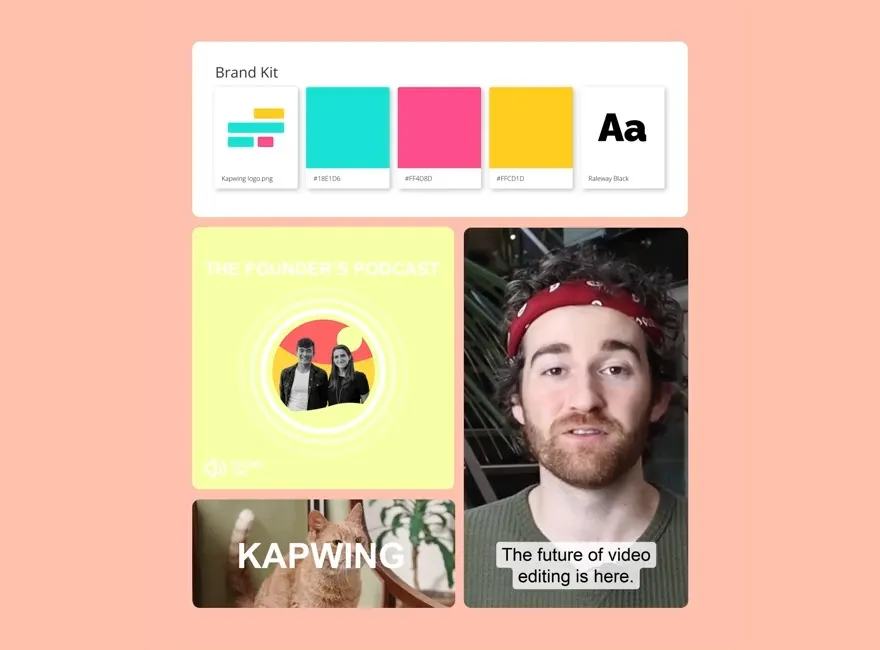
Even if you're only looking to quickly convert YouTube content to Instagram, you should recognize the app's core Gen Z audience and their stylistic preferences. Kapwing's Brand Kit allows you to store logos, fonts, colors, and presets, ensuring an easy switch from one style to another.
Whether you're an influencer, part of a marketing team, or collaborating on a project that combines both, Kapwing’s platform helps you create clips featuring the latest Gen Z design trends, including emojis, stickers, and memes.
Increase engagement with auto-subtitles on every video
Adding captions can significantly increase watch time and engagement. If your YouTube video doesn’t already have subtitles, it’s essential to add them before sharing on Instagram.
With Kapwing, you can auto-generate subtitles and customize them with fonts, colors, and animations that match your brand. Unlike YouTube’s auto-captions, Kapwing’s subtitle and translation tools offer up to 99% accuracy, ensuring your message is clear across any platform.

What's different about Kapwing?



Frequently Asked Questions
We have answers to the most common questions that our users ask.
Is the YouTube to Instagram tool free?
Yes, Kapwing's YouTube to Instagram tool is free for all users. The free plan includes some limitations to other editor features and applies a small watermark to the final video.
Is there a watermark on exports?
If you are using Kapwing on a Free account then all exports — including the convert YouTube to Instagram tool — will contain a watermark. Once you upgrade to a Pro account the watermark will be completely removed from your creations.
How do I format a YouTube video for Instagram?
To format a YouTube video for Instagram, you need to change the aspect ratio from 16:9 to 9:16. Shorter videos perform better on Instagram, so making focused clips between 15 and 60 seconds is ideal. Lastly, make sure to add subtitles to improve watch times.
You can manage all of these tasks in a single workflow with Kapwing. Just paste your YouTube video link, and our Repurpose tool will auto-generate perfectly formatted clips to choose from and edit.
How do I extract and edit parts of a YouTube video for an Instagram post?
Instagram users generally prefer short and snappy content over full-length videos. To extract the best moments from your YouTube video, simply add the video to Kapwing’s AI Clip Generator.
Kapwing goes to work sourcing clips that are 15 seconds to a few minutes in length. Clips are automatically converted to an Instagram-perfect aspect ratio (9:16) with subtitles included. Select your favorite clips and customize them further.
How long can an Instagram video be?
Instagram Story videos can be up to 60 seconds (split into 15-second segments), Instagram Reels can be up to 90 seconds, and Instagram feed posts can be up to 60 minutes long.
However, just because you can upload long videos doesn’t mean you should. Shorter, engaging clips often perform better, so consider using a tool like Kapwing to automatically generate videos formatted perfectly for Instagram.
Can you do an Instagram carousel post with video?
Yes, you can create an Instagram carousel post with up to 20 videos or a combination of both videos and images. With carousels, you can even use Instagram to post fairly long-form video content, as users can easily swipe to continue watching.
Does Kapwing have Instagram reel templates?
Yes, Kapwing has a selection of customizable Instagram reel templates — and a reel cover template — for you to use as a launchpad for perfecting your video content.
Whether you’re a travel vlogger, want to create a cooking profile, or are just looking to make a special happy birthday reel, a template is a great starting point to build from with brand imagery, video clips, stickers, GIFs, and much more.
Why should I convert a YouTube video into Instagram content?
There are many reasons to convert a YouTube video into Instagram content, but a few critical ones stand out:
- Reach New Audiences: While there is overlap, YouTube and Instagram do attract different viewers. Repurpose YouTube videos to tap into a new audience on Instagram.
- Maximize Efforts: Creating content for a bunch of platforms eats up a lot of time. Convert YouTube videos into Instagram-friendly formats to spend less energy and make your content go further.
- Cross-Promote: When you're launching new YouTube videos, making Instagram clips of key moments helps you cross-promote and build buzz around new uploads, sending Instagram users to your YouTube channel.
What aspect ratios can the Clip Maker resize to?
Kapwing's YouTube to Instagram tool is built for social media, allowing you to easily resize content to fit any platform.
- 9:16 (TikTok, YouTube Shorts, Instagram Reels, LinkedIn Short-form videos)
- 16:9 (YouTube)
- 1:1 (Instagram post square)
- 4:5 (Instagram post portrait)
Read our social media aspect ratios blog to discover the best video sizes for every platform.
Discover Resources
Tips, templates, and deep dives to help you create faster and share with confidence.
View all


Get started with your first video in just a few clicks. Join over 35 million creators who trust Kapwing to create more content in less time.