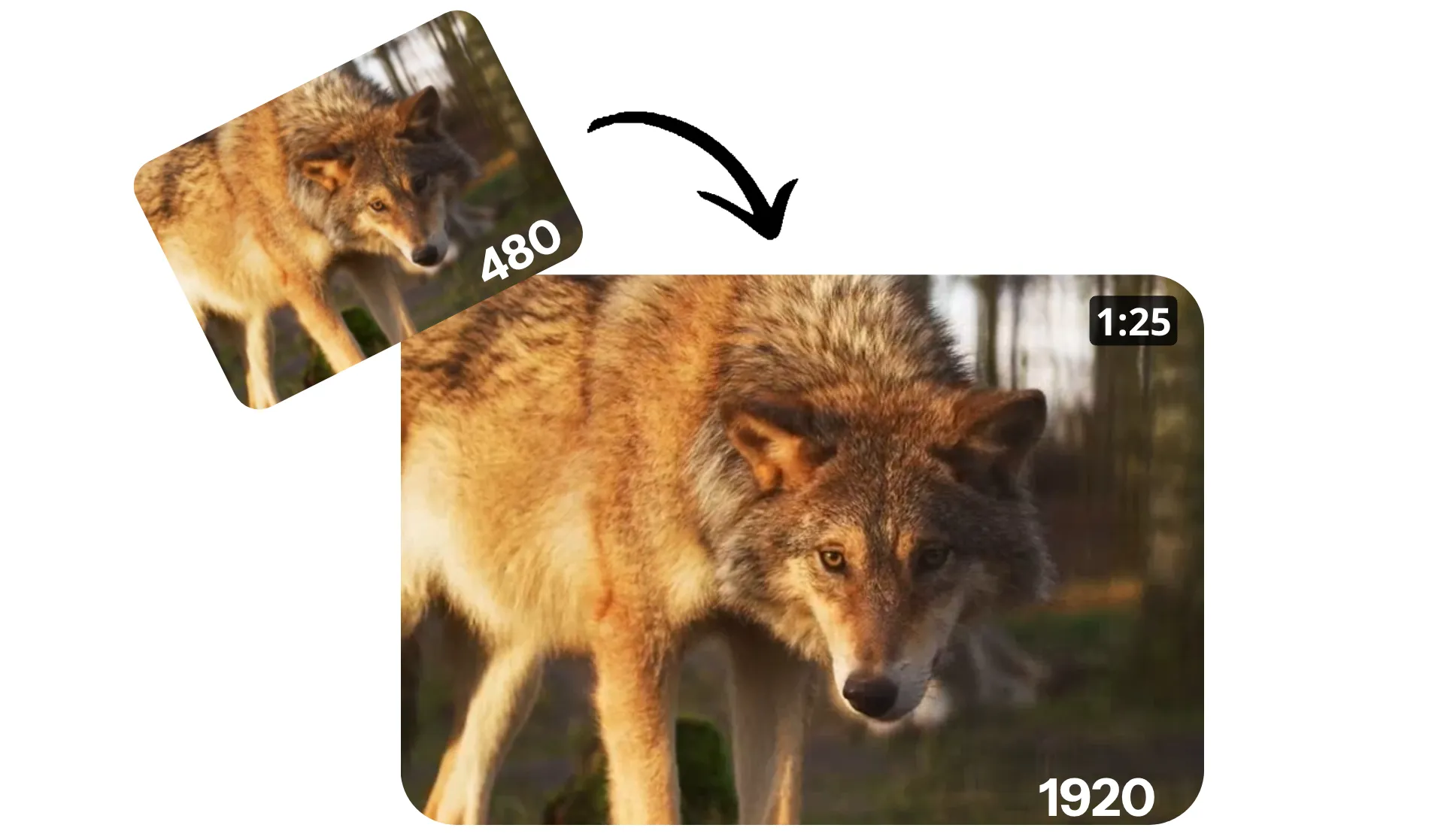
4x your video resolution in seconds
Sharpen and clarify videos up to 4K online with intelligent AI upscaling
Smart video upscaling powered by AI
Increase video resolution to 1080p or 4K with Kapwing's Upscale Video tool. Improve video quality, reduce blur, and maintain accurate details — in seconds.
Upload lower resolution video, upscale up to 4x, then download as clear, high-quality, all without entering a single prompt. Built for content creators, marketers, and video professionals, Kapwing's AI upscaling intelligently enhances resolution on any video.
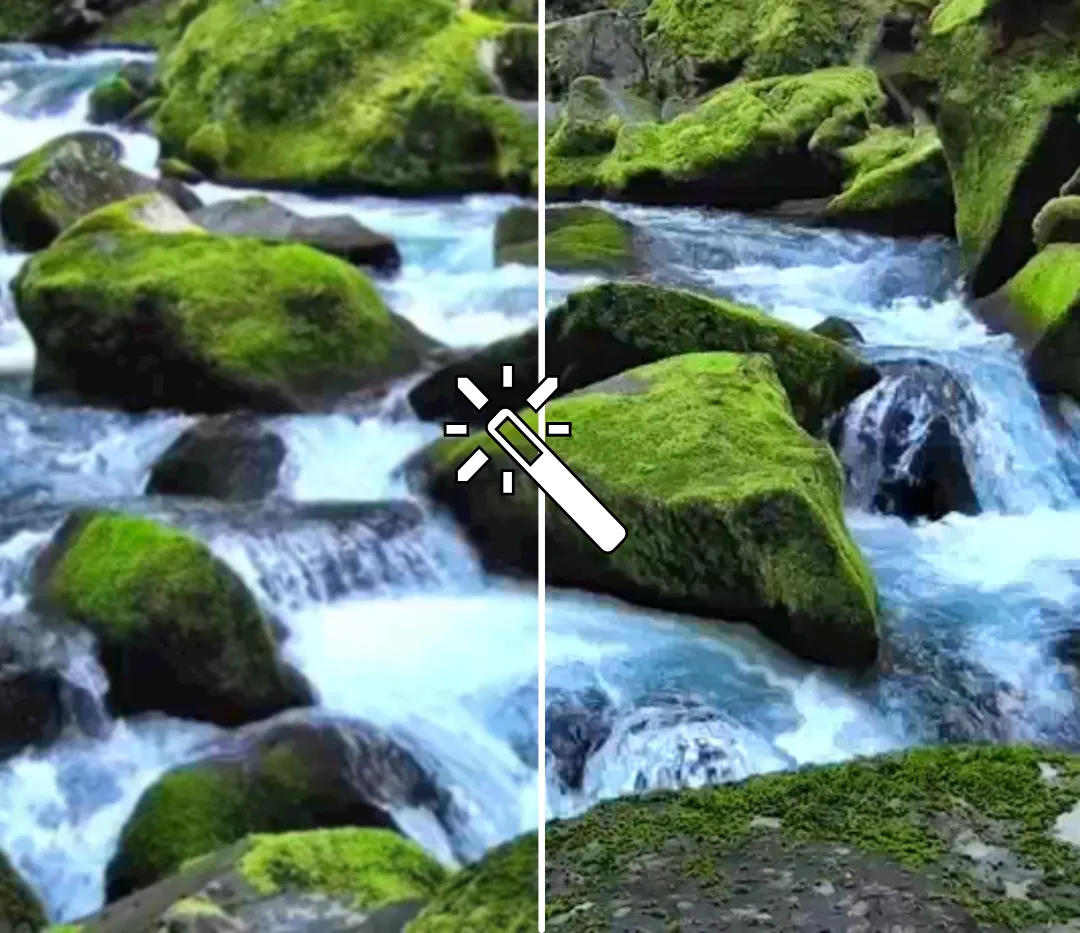
Save time and money with instant upscaling
Replace expensive reshoots with a fast, intuitive video upscaler that instantly sharpens your recordings. Upscale videos for higher resolution platforms and company websites. Optimize blurry webcam footage and grainy older videos to match newer clips.
No technical skills, downloads or extra software. Kapwing’s Upscale Video tool works quickly in your browser, allowing you to increase video resolution from anywhere on your phone, tablet, or computer.

Built into a professional video editing suite
Transform blurry footage into polished, platform-ready content with Kapwing's complete video enhancement suite. Upscale with AI, then move to the editing studio.
Adjust saturation and contrast with sliders, then turn your video into eye-catching content with transitions, subtitles, sound effects, and smart resizing.

What's different about Kapwing?



Built for every video workflow
Millions of creators increase video resolution with Kapwing
Social Media Publishing
Social media managers and influencers upscale video to meet platform quality expectations, using the browser-based video quality enhancer to publish sharper, more professional posts

Repurpose Old Footage
Bring older clips shot in 360p or 480p up to modern standards with the AI video upscaler, allowing you to increase video resolution and reuse valuable content without re-recording

Podcast Video Clips
Podcasters and vloggers rely on AI upscaler video tools to change video resolution and create crisp visuals for YouTube Shorts, LinkedIn, and Instagram

Marketing Campaigns
Use the upscaler to increase video resolution on marketing assets pulled from different sources, maintaining consistent quality across promos, ads, and landing page videos

Internal Training
L&D teams and HR departments use AI video upscaling software to enhance clarity in instructional videos, ensuring on-screen text and visuals are easier for employees to follow

E-learning creators
Educators and online coaches enhance lesson recordings by using an AI video upscaler to improve readability of slides, diagrams, and on-screen notes
How to Increase Video Resolution
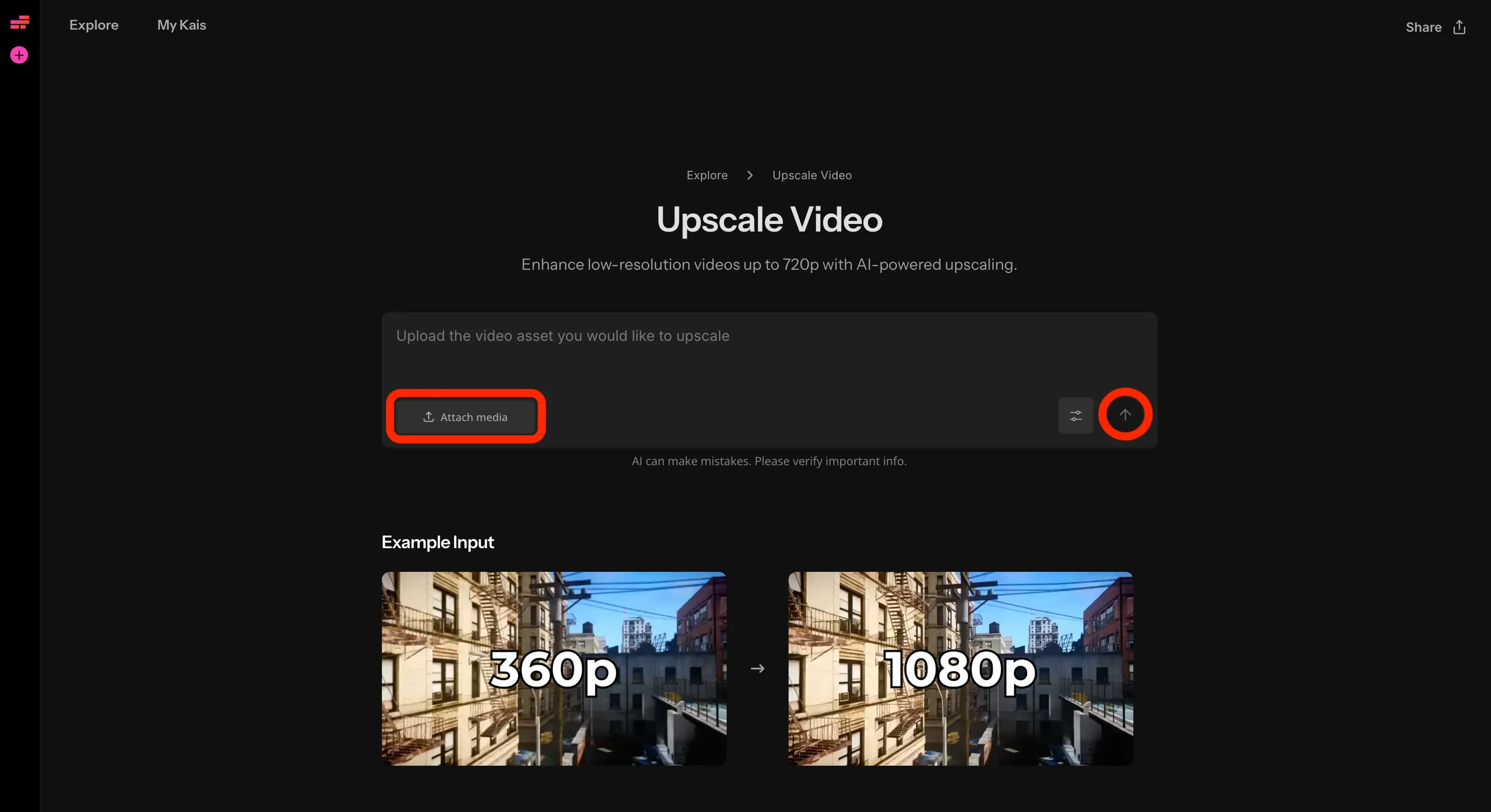
- Step 1Upload video
Create a new chat with Kapwing AI and upload your video.
- Step 2Upscale
Click the arrow on the right to upscale your video.
- Step 3Download
View your upscaled video, make any edits, and download in high resolution.
Already transforming video creation across industries
Hear directly from the teams who publish faster, collaborate better, and stay ahead.


Frequently Asked Questions
We have answers to the most common questions that our users ask.
Is the Upscale Video tool free?
Yes, anyone can try Kapwing’s AI Toolkit for free without watermarks. Our AI tools run on a credit system, with each feature costing a set number of credits. For maximum creativity and the best value, upgrade to a Pro account to unlock the full power of AI-driven content creation.
How much can I upscale my videos?
Kapwing supports upscaling up to 4x the original resolution. If you upload a 360 pixel video, you can scale it 4x to 1440. If you upload a 480 pixel video, you can upscale to 1920. And if you upload a 720 pixel video, you can upscale it 2x to 1440 pixels. And if you upload a 1080p video, you can upscale it to 4K.
How to upscale a video with Kapwing
Create a new chat in Kapwing's Upscale Video tool, then upload your video. Click the arrow at the right to generate your upscaled video. When it's ready, you can download it to your computer, share directly to social media, or move it to the studio to use Kapwing's extensive video editing tools to create a polished finished project. Finally, export your upscaled video as MP4, MOV, or WEBM.
Can I increase the resolution on videos using my phone?
Yes, you can use the Upscale Video tool on your phone or tablet, including iPhone and Android devices, by creating a new chat with Kapwing AI on your mobile browser.
From there, click to upload your video, then click the arrow at the right to upscale your video. Once Kapwing AI has increased your video resolution, you can download it to your phone or move it to the studio for further editing.
What resolution of videos can I upload?
You can upload videos at up to 1440p for upscaling. For example, upload a video at 360, 480, 720, 1080, or 1440p, then upscale it 2-4x, up to 4K resolution.
What is video upscaling?
Video upscaling is the process of increasing a video’s resolution, making it look sharper and more detailed on higher-resolution screens.
It works by taking the original video and creating extra pixels to reach a larger size (for example, converting 720p to 1080p or 1080p to 4K). Although upscaling can be done with basic resizing methods, Kapwing uses AI upscaling, which intelligently restores missing detail and reduces blur, noise, and compression artifacts.
What file types does Kapwing support?
Kapwing supports major video file types like MP4, MOV, and WebM. You can download your upscaled video as an MP4 or export it from the studio as MOV or WebM.
Do I need to write an upscaling prompt?
No, Kapwing's Upscale Video tool works without a prompt. All you need to do is upload your video and click to generate the upscaled version.
Discover Resources
Tips, templates, and deep dives to help you create faster and share with confidence.
View all

Get started with your first video in just a few clicks. Join over 35 million creators who trust Kapwing to create more content in less time.