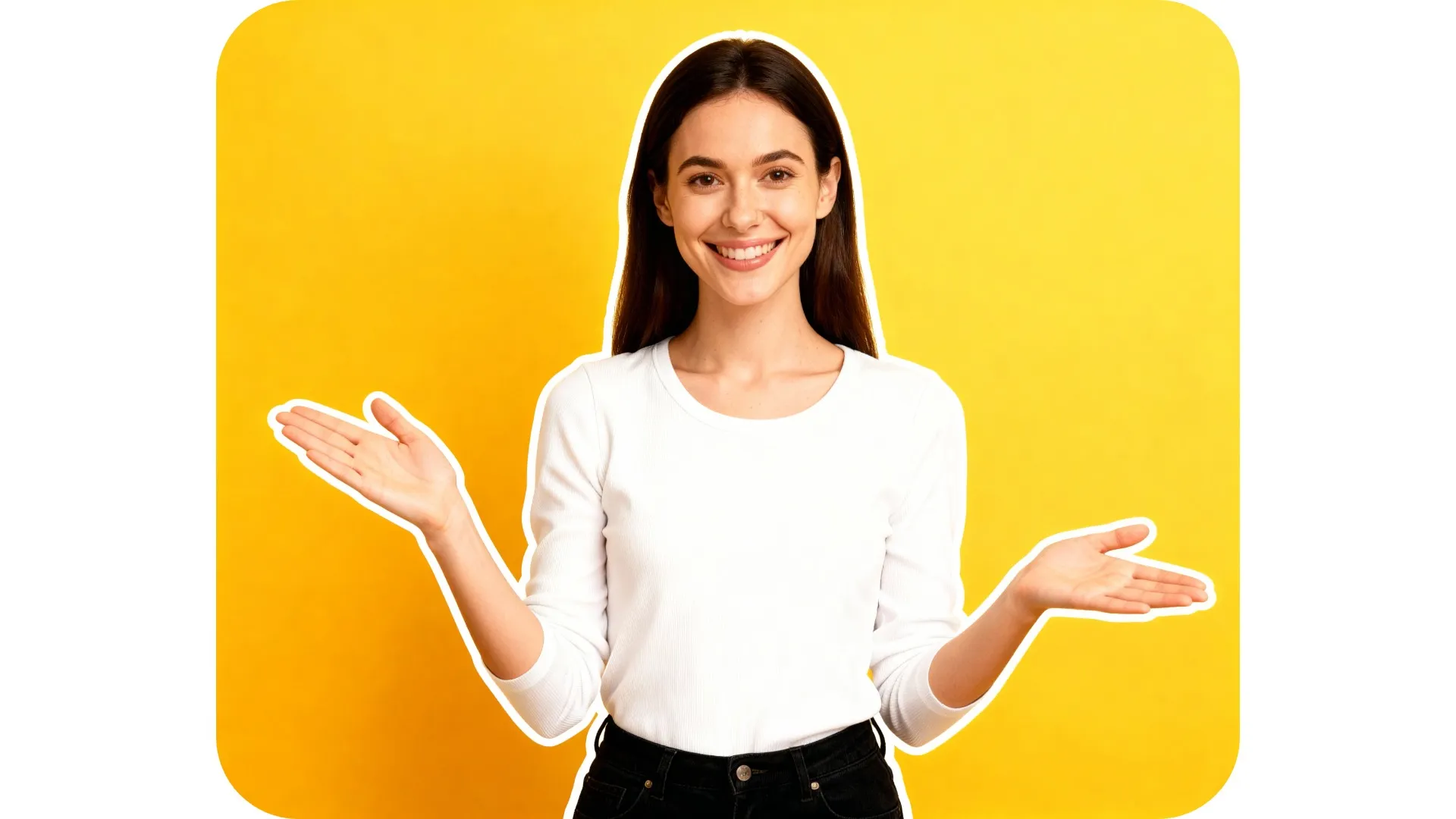
Make images stand out with smart outlines
Outline your subject with a single AI prompt
Highlight your subject in seconds, no editing needed
Make images impossible to ignore with a smart subject highlighter, no design experience necessary. Kapwing's AI image outliner adds crisp white or black outlines to your photos in seconds, intelligently following subject contours without masking or manual edits.
Outline your image, then automatically remove the background to drop into any project as a versatile sticker or graphic. Outlined images cut through cluttered feeds and perform better on small screens — boosting engagement in YouTube thumbnails, TikTok covers, ads, and social posts.

Outline and refine images in one online studio
Outline an image with a single prompt, then move to the image editing studio for access to Kapwing's full range of professional tools. No matter what you're designing, Kapwing helps you produce polished images at speed.
Add custom text overlays and stickers, adjust colors, and apply filters, all with one-click tools. Automatically resize for any platform, then share directly to social media, all without leaving your browser.

Already transforming video creation across industries
Hear directly from the teams who publish faster, collaborate better, and stay ahead.


How to Outline an Image
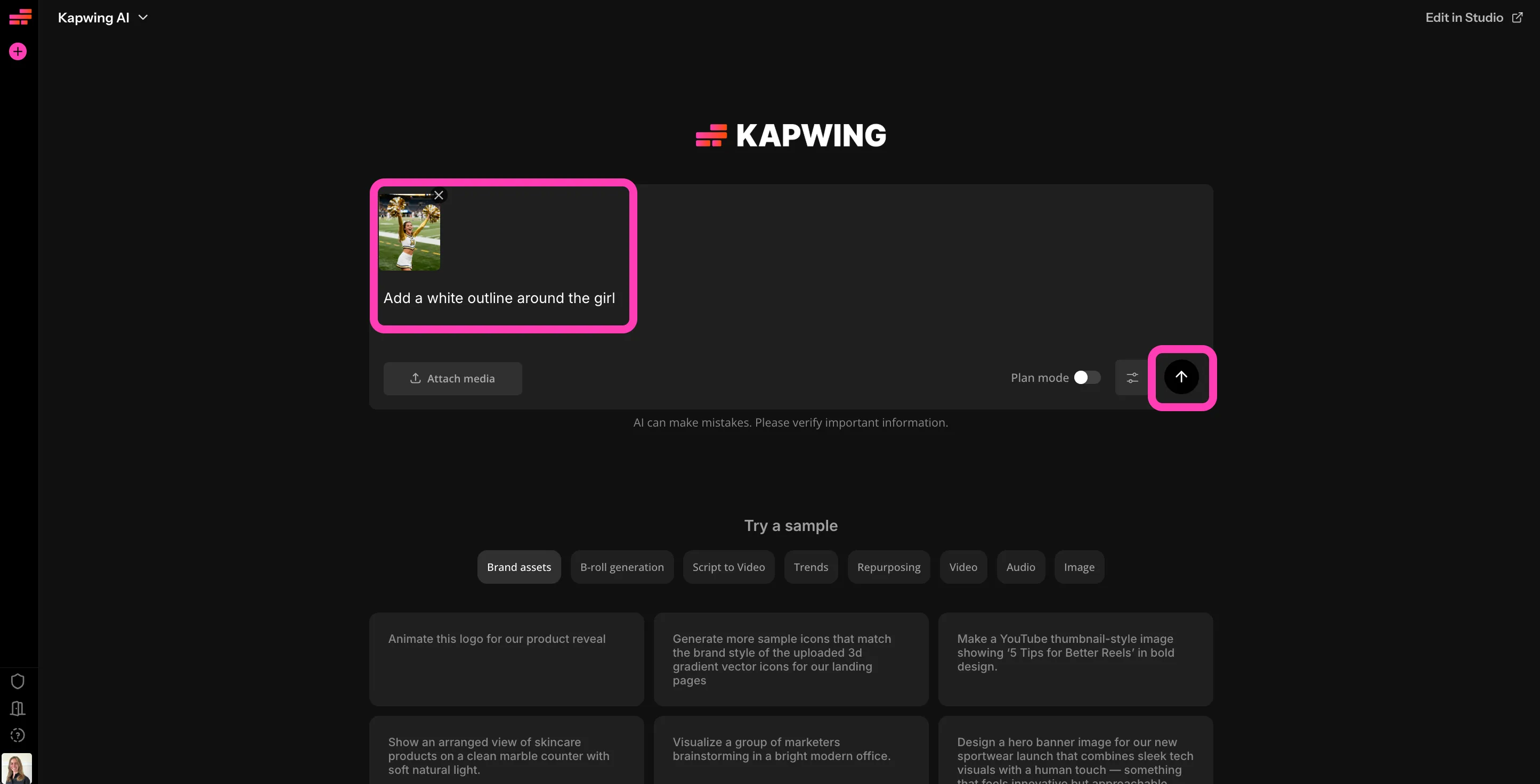
- Step 1Upload image
Create a new project in the Kapwing studio, then click to upload your image.
- Step 2Add outline
Prompt the AI to "Add an outline around the subject", specifying the color.
- Step 3Download
Continue chatting to adjust your outline, or click to download your photo.
What's different about Kapwing?



Frequently Asked Questions
We have answers to the most common questions that our users ask.
Is the Outline Image tool free?
Yes, anyone can try Kapwing’s AI Toolkit for free without watermarks. Our AI tools run on a credit system, with each feature costing a set number of credits. For maximum creativity and the best value, upgrade to a Pro account to unlock the full power of AI-driven content creation.
Do I need design or editing skills?
No, anyone can easily add outlines to images with Kapwing's image outliner. Just upload your image, describe the outline you want, and download. No manual masking or complex tools required.
What kinds of images work best for outlining?
Photos with clear subjects—people, products, animals, or objects—work great. The Outline Image tool can handle many kinds of backgrounds, although you will get the best results if your subject strongly contrasts with the background.
What can I used outlined images for?
Adding outlines to images is ideal for thumbnails, social posts, ads, stickers, product images, and video or motion graphics assets. You can create scroll-stopping YouTube thumbnails, stand-out images for your website or Instagram profile, and more.
Can I control the outline style?
Yes, you can prompt the AI to use different colors and thicknesses for your image outlines.
Can I continue editing my images after I outline them?
Absolutely, you can prompt the AI Image Editor to make additional changes or move your image into the studio for complete control. Adjust colors and lighting, apply filters, and overlay text and stickers. Crop or resize automatically for any platform.
Discover Resources
Tips, templates, and deep dives to help you create faster and share with confidence.
View all
Get started with your first video in just a few clicks. Join over 35 million creators who trust Kapwing to create more content in less time.