Scarica i Sottotitoli di YouTube
Aggiungi qualsiasi video YouTube — estrai i sottotitoli come file SRT, VTT o TXT
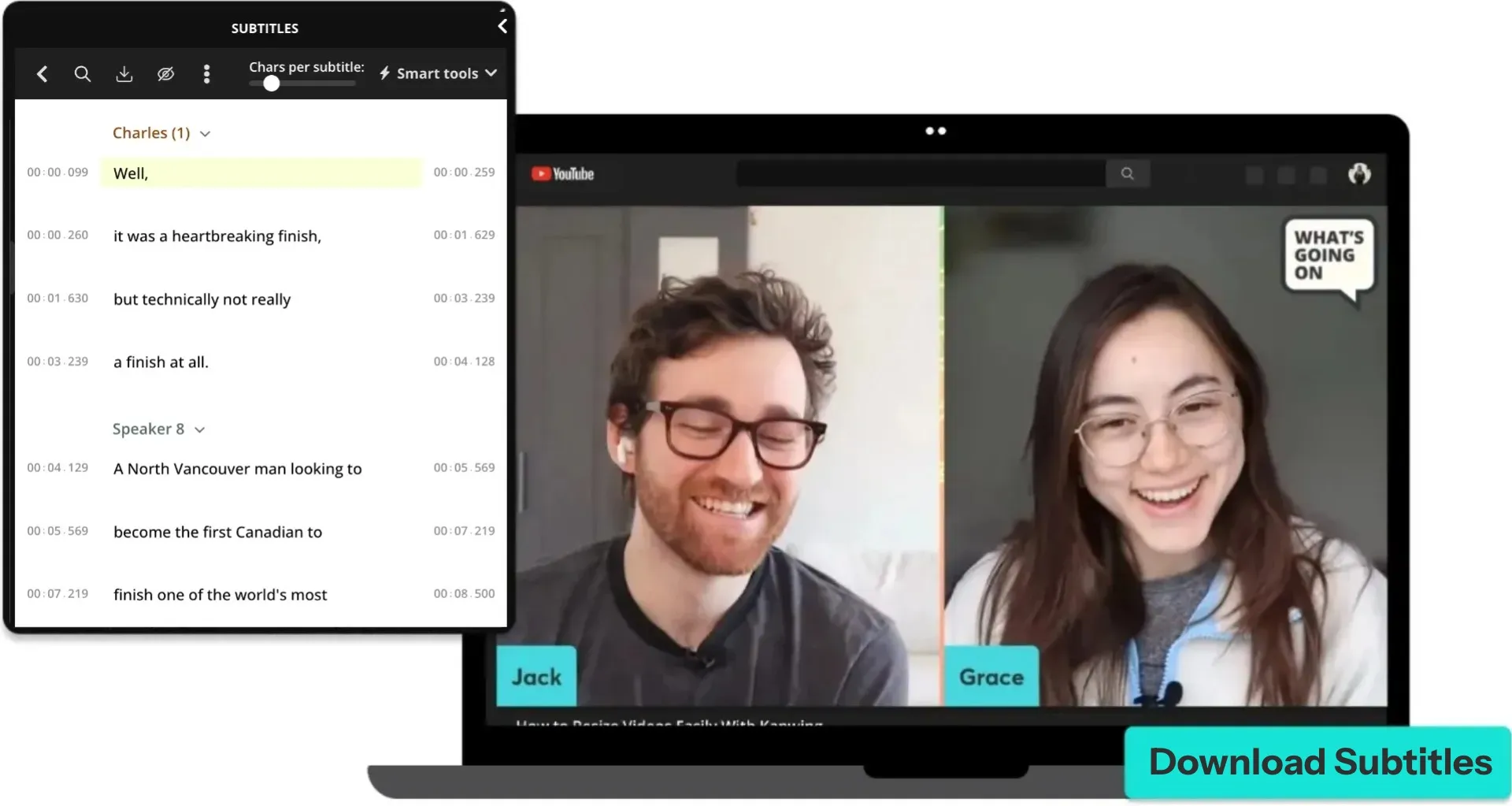
Ottieni il file dei sottotitoli da qualsiasi video YouTube
Scarica all'istante — in qualsiasi formato o lingua
Estrai ed esporta i sottotitoli di YouTube in pochi secondi
Kapwing genera i sottotitoli dall'audio del tuo video, quindi puoi scaricare i sottotitoli anche quando un video YouTube non li ha.
Incolla un link YouTube per estrarre i sottotitoli al volo, oppure carica direttamente un file video (MP4, MP3, MOV e altri). Content creator, social media manager ed educatori usano Kapwing per estrarre, modificare ed esportare sottotitoli — tutto in un'unica piattaforma.
Scarica il tuo file di sottotitoli come SRT, VTT o TXT e passa facilmente tra piattaforme, editor e flussi di lavoro di pubblicazione.
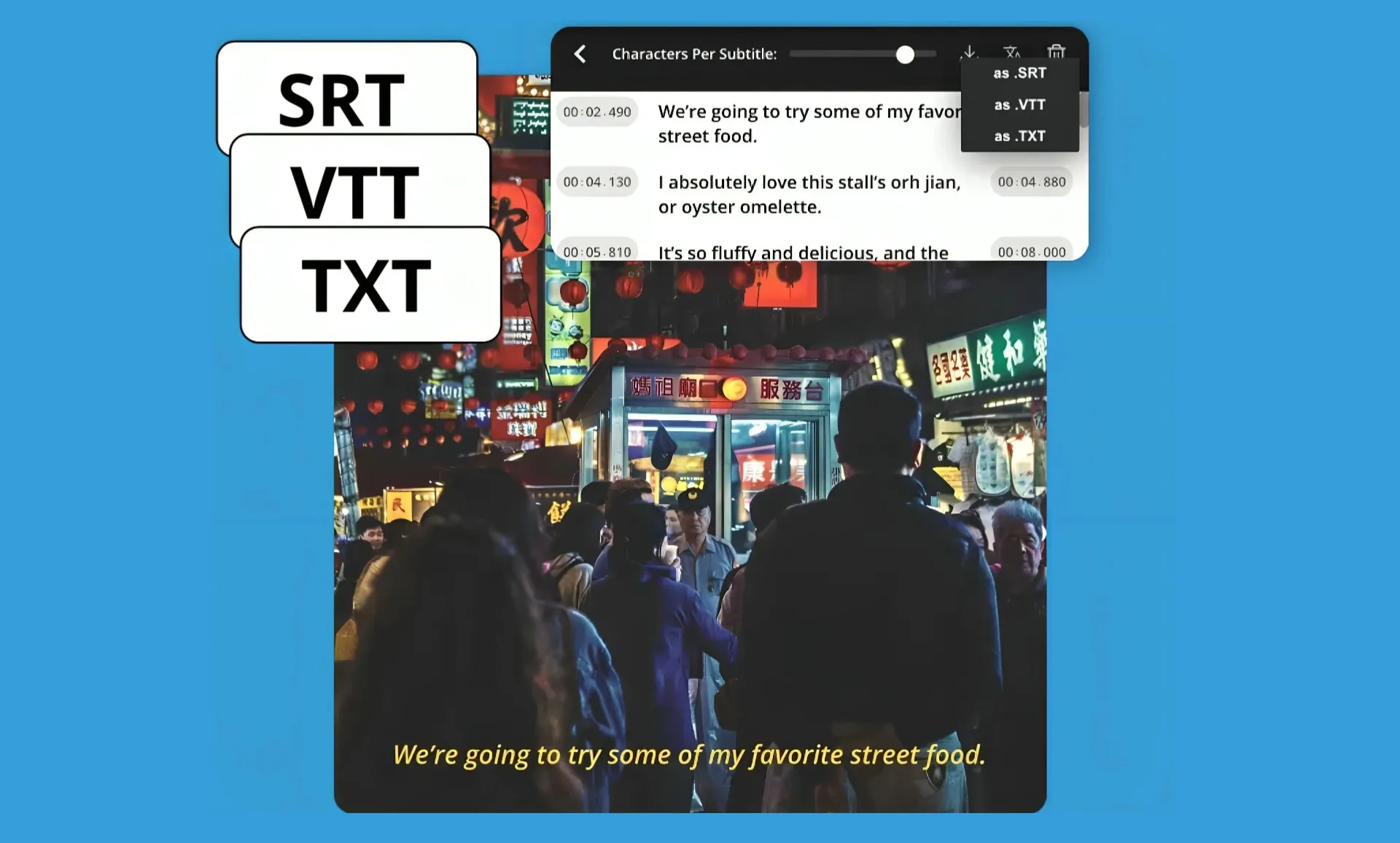
Scarica i sottotitoli di YouTube in oltre 100 lingue
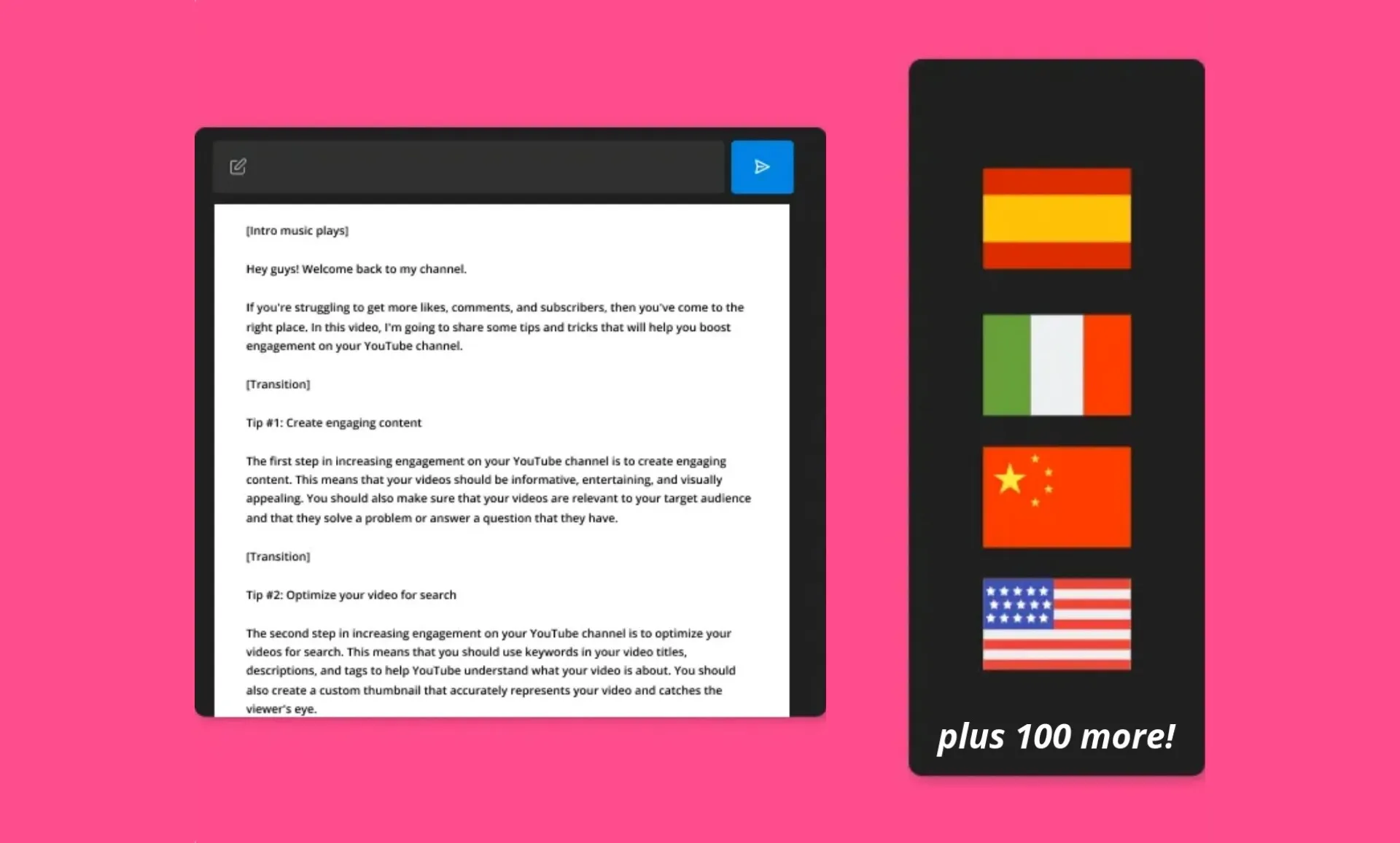
Need subtitles in a different language? Generate accurate captions in over 100 languages using Kapwing's AI-powered transcription and translation tools.
Switch languages instantly, edit the text if you need to, and download your subtitle file.
Perfect for podcasters and YouTubers reaching an international audience without expensive translation services or juggling multiple tools — just upload, translate, and download.
Nessuna installazione o configurazione complicata
The YouTube Subtitles Downloader works completely in your browser — on laptop, tablet, or mobile. It was created for freelancers, marketers, and small teams who need subtitles fast without complicated software.
Every project includes a shareable link with live updates, making collaboration with sponsors, partners, or brands super easy.
Need proof of what was said? Downloaded subtitles give you a clear, shareable record.
Controllo completo su timestamp e formattazione
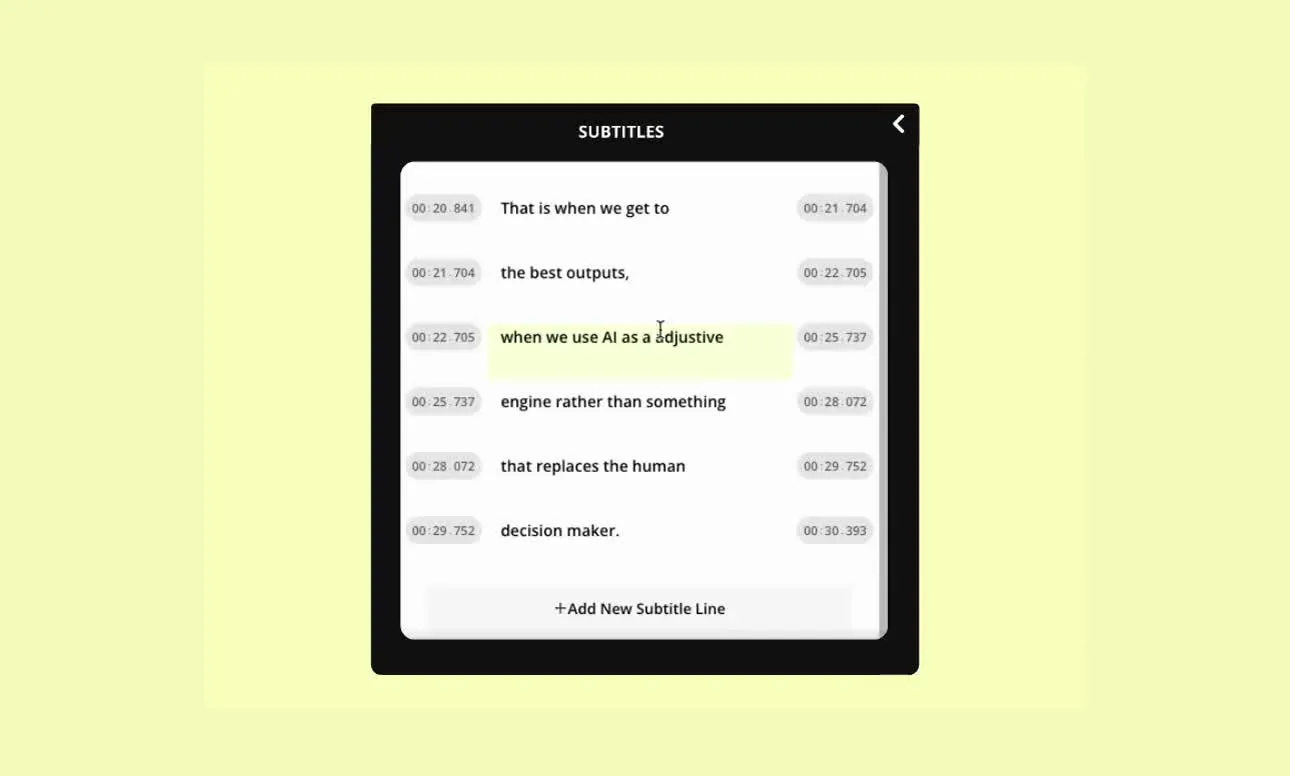
I sottotitoli includono una formattazione pulita e timestamp precisi, pronti per la pubblicazione o il trasferimento.
Regola i codici temporali, modifica le etichette dei relatori e perfeziona le interruzioni di riga per adattarsi a qualsiasi piattaforma o standard di accessibilità.
Chiunque può ottenere file pronti per la pubblicazione senza il fastidio della pulizia manuale.
Già rivoluzionando la creazione di video in diversi settori
Ascolta direttamente dai team che pubblicano più velocemente, collaborano meglio e rimangono sempre avanti.


Come Scaricare i Sottotitoli da YouTube
- Step 1Carica video YouTube
Incolla un link di YouTube in Kapwing o carica il file video direttamente. Kapwing supporta tutti i formati comuni, quindi puoi lavorare da un URL o da un file scaricato.
- Step 2Genera sottotitoli
Apri "Sottotitoli" dalla barra degli strumenti a sinistra, poi seleziona "Sottotitoli automatici" per generare i sottotitoli per il tuo video o audio.
- Step 3Modifica ed esporta
Rivedi e perfeziona i sottotitoli regolando i codici temporali, i caratteri per riga o le etichette dei relatori. Quando sei pronto, fai clic su "Download" per esportare i tuoi sottotitoli YouTube come file TXT, SRT o VTT.
Che cosa rende Kapwing diverso?



Domande Frequenti
Abbiamo le risposte alle domande più comuni che i nostri utenti ci fanno.
Is the YouTube Subtitle Downloader free?
You can generate and extract subtitles from uploaded video files for free. To extract subtitles directly from a pasted link, you'll need a paid Kapwing account. Paid plans come with extra perks like higher export limits and access to advanced editing tools.
What file formats are supported?
Kapwing supports both video uploads and subtitle exports. You can upload common video and audio files like MP4, MOV, WEBM, MP3, WAV, and more, or paste a YouTube link directly. For downloads, subtitles can be exported as SRT, VTT, or TXT files.
Can you upload content via pasted YouTube links?
Yep, you can just paste a YouTube URL straight into Kapwing to pull out the captions right away.
Come scaricare i sottotitoli da YouTube
Incolla un link di YouTube o carica un file video su Kapwing, poi usa lo strumento Subtitles per generare i sottotitoli. Rivedi o modifica i sottotitoli se necessario, e scaricali come file SRT, VTT o TXT.
Can I download subtitles in different languages?
Kapwing supports generating and translating subtitles in over 100 languages. You can change the language anytime, edit the translated text, and download the subtitle file in your preferred format.
Can I download subtitles even if the original YouTube video doesn't have them?
Yep, Kapwing can automatically whip up captions for you using speech recognition, even if the original YouTube video doesn't have them.
Does the tool download timestamps along with the subtitles?
Sì, i file di sottotitoli scaricati includono timestamp accurati che si allineano con l'audio del video.
What's the difference between subtitles and a transcript?
I sottotitoli sono testi codificati nel tempo progettati per essere visualizzati sullo schermo in sincronia con il video, mentre una trascrizione è testo semplice senza timestamp. I sottotitoli vengono utilizzati per l'accessibilità e la pubblicazione di video, mentre le trascrizioni vengono spesso utilizzate per la lettura, la documentazione o il riutilizzo dei contenuti.
What's the difference between SRT, VTT, and TXT?
- SRT è il formato di sottotitoli più comune e funziona sulla maggior parte delle piattaforme video.
- VTT è un formato basato sul web comunemente utilizzato per i lettori HTML5 e i browser moderni.
- TXT è testo semplice senza timestamp, utile per script, note o riutilizzo di contenuti.
Scopri le Risorse
Consigli, modelli e approfondimenti per aiutarti a creare più velocemente e condividere con sicurezza.
Visualizza tutto


Inizia con il tuo primo video in pochi click. Unisciti a oltre 35 milioni di creator che si fidano di Kapwing per creare più contenuti in meno tempo.