Aggiungi un Bordo all'Immagine
Carica immagine — aggiungi bordo gratis
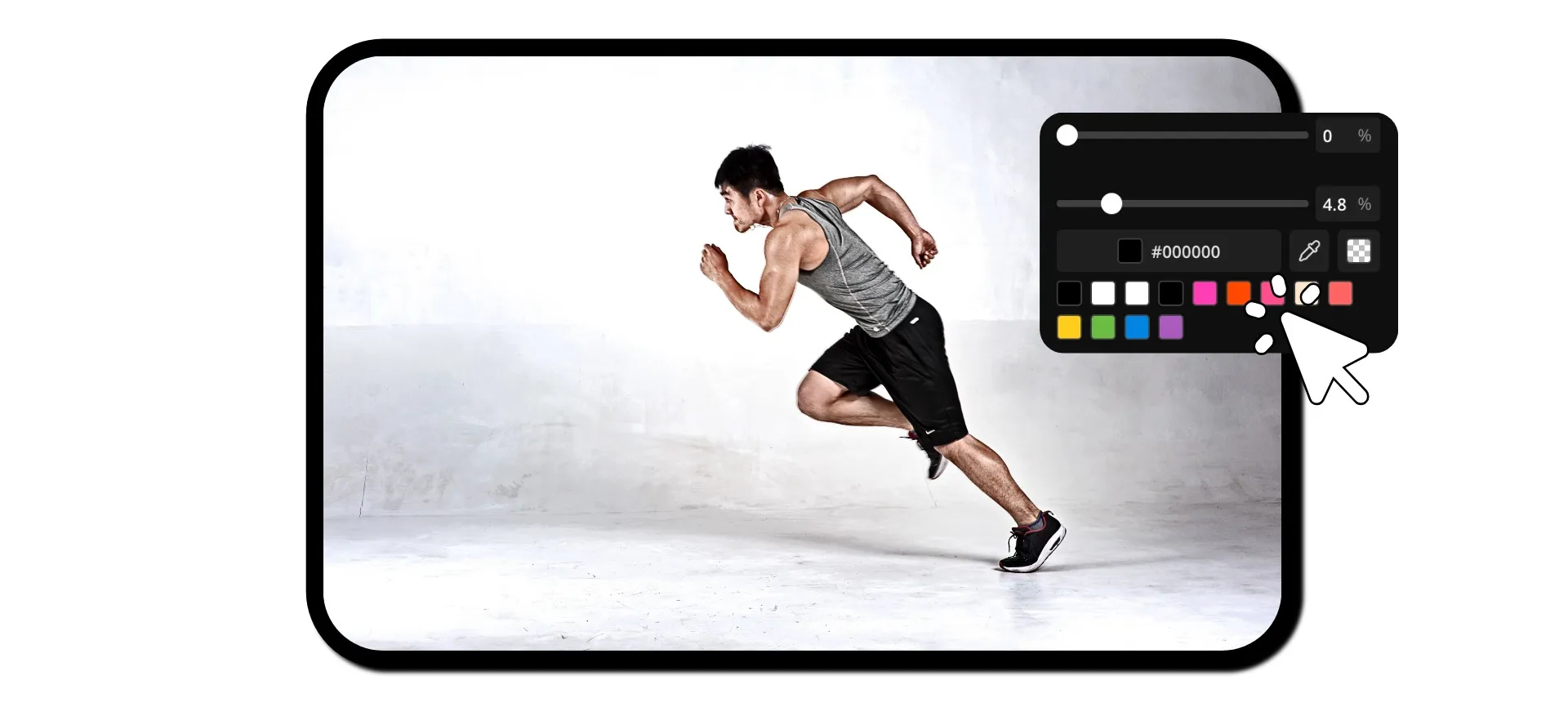
Bordi professionali per le immagini con un solo clic
Aggiungi bordi e spaziatura gratuitamente — completamente online
Perfect photos in just a few seconds
Turn any image into a polished visual masterpiece with Kapwing's free Add Border to Image tool. Create a cohesive, branded look for your website or Instagram grid. Add white borders for flawless e-commerce ads. Build in extra space for captions, meme text, subtitles, and stickers.
No design skills, no heavy software, no fuss: just upload your image, adjust the sliders, and download for free.
Get precise control over border size, color, and corners without layers, presets, or guesswork. The result is a sharp, framed image that looks intentional anywhere it's used, saving you time and instantly boosting your visual content.
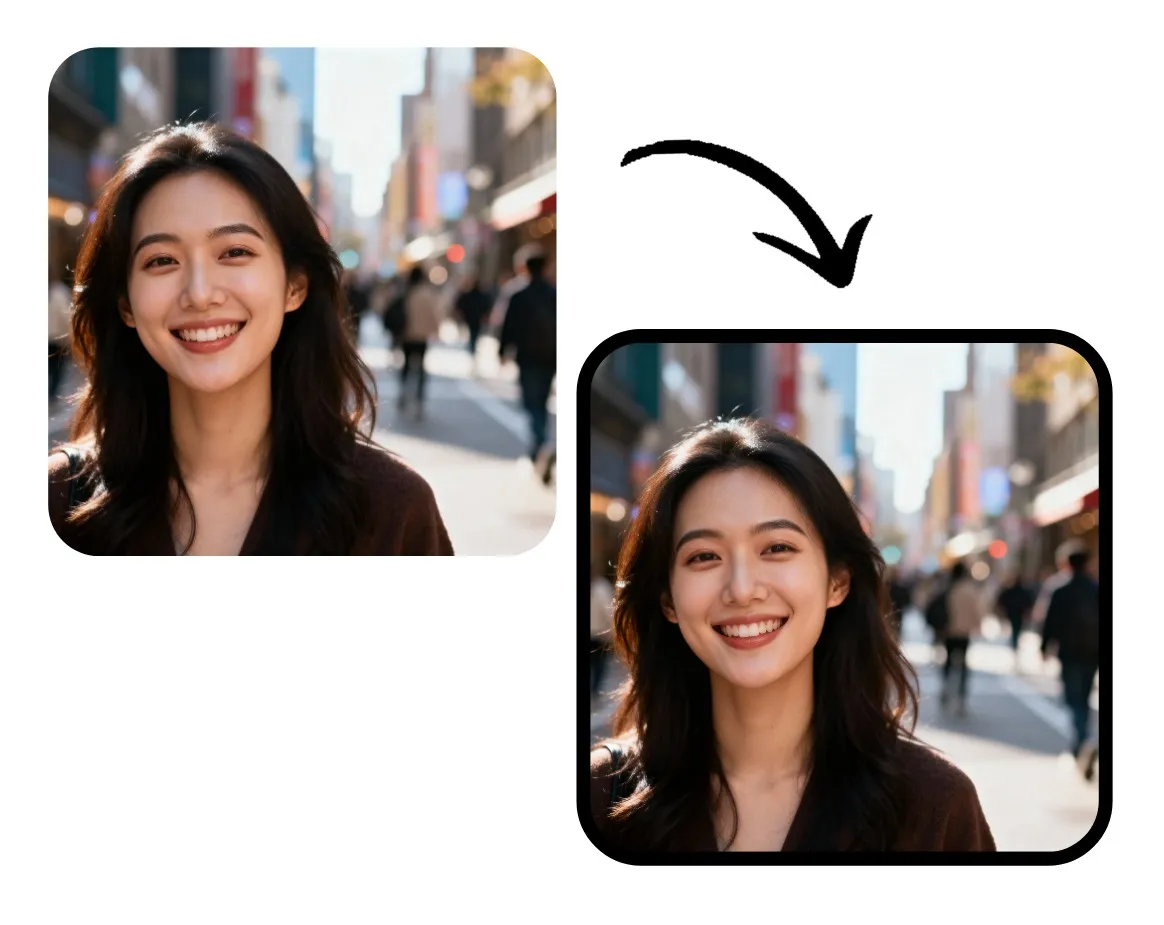
Centinaia di strumenti per modificare le immagini, tutto in un unico studio
Lo strumento Add Border di Kapwing è integrato in uno studio di editing potente. Personalizza il bordo della tua immagine, poi usa un'ampia gamma di strumenti di editing per trasformare foto grezze in contenuti raffinati.
Aggiungi filtri, sovrapponi testo e sticker, regola i colori e l'illuminazione. Oppure usa strumenti con un solo clic per migliorare la risoluzione, tradurre il testo dell'immagine o rimuovere lo sfondo.
Poi scarica o condividi la tua immagine direttamente sui social media, il tutto senza lasciare il tuo browser.

Già rivoluzionando la creazione di video in diversi settori
Ascolta direttamente dai team che pubblicano più velocemente, collaborano meglio e rimangono sempre avanti.


Come Aggiungere un Bordo a un'Immagine
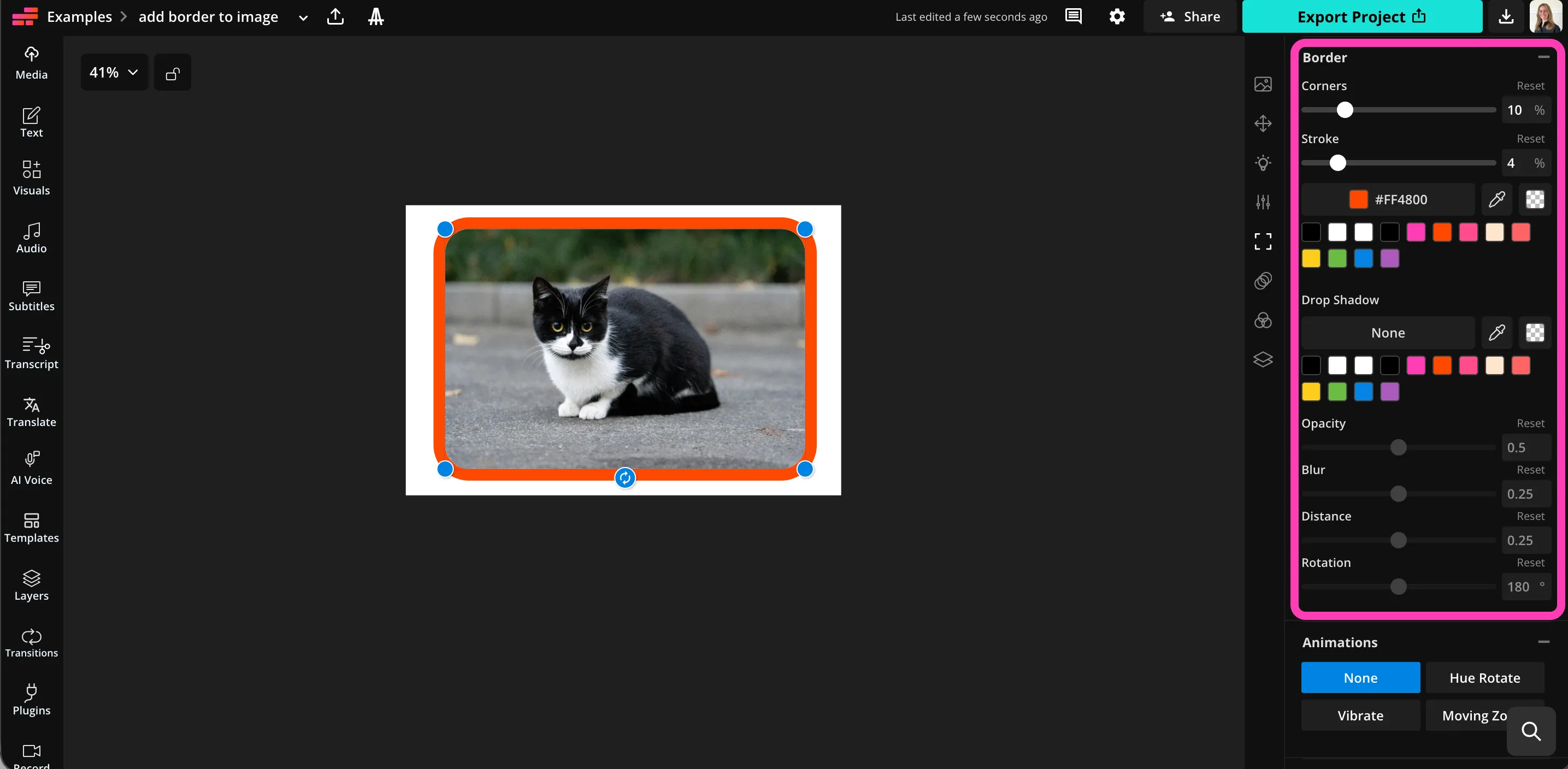
- Step 1Carica immagine
Crea un nuovo progetto in Kapwing studio, poi clicca per caricare la tua immagine. Assicurati che il canvas sia più grande della tua immagine.
- Step 2Aggiungi bordo
Con la tua immagine selezionata, scorri fino a "Bordi" nella barra degli strumenti a destra. Trascina il cursore "Tratto" per aggiungere un bordo.
- Step 3Regola
Trascina il cursore per regolare la dimensione del bordo e gli angoli. Seleziona un colore del bordo e regola l'ombra.
Che cosa rende Kapwing diverso?



Domande Frequenti
Abbiamo le risposte alle domande più comuni che i nostri utenti ci fanno.
Is the Add Border to Image tool free?
Yep, Kapwing's Add Border to Image tool is totally free for everyone!
Is there a watermark on exports?
If you're using Kapwing with a free account, then all exports — including Add Border to Image — will have a watermark. Once you upgrade to a Pro account, the watermark gets completely removed from your content.
Come aggiungere bordi alle immagini
To add a border to your image on Kapwing, create a new project in the studio and upload your image. Make sure your canvas is bigger than the image. You can drag to expand the canvas, choose a preset size, drag to resize the image, or click "Expand Padding" in the toolbar on the right to add white space around your image.
Select the image on the canvas, then scroll down to "Borders" in the toolbar on the right. Drag the "Stroke" slider to add a border and fine-tune the size by typing in a percentage value. Once the border looks right, you can add rounded corners to your image and border by dragging the "Corner" slider. Pick the border color from the color palette just below the slider. Add and customize a drop shadow using the sliders and color options.
When you're ready to download your edited image, click "Export Project" in the top right, then choose your file type and resolution in the "Image" tab. Click the "Export as" button to export and save your image.
Quali tipi di file immagine sono supportati?
Kapwing supports all the most popular image file types, including JPEG, PNG, and WebP. You can download your bordered image in any of these formats by clicking on "Export Project".
Are the borders adjustable?
Yeah, you can tweak your borders however you like. Change the border width, corner radius, color, and drop shadow using intuitive sliders and buttons.
Can you add borders to photos on iPhone?
Yep, you can add borders to images on your iPhone or Android device, including phones and tablets, by opening Kapwing studio in your mobile browser. Upload your image, then add padding or resize the image so it's smaller than the canvas.
With the image selected, click on "Border" in the toolbar at the bottom. Then slide the "Stroke" slider to the right to add a border. Adjust the corners, stroke size, color, and shadow using the easy-to-use settings.
Can I use Kapwing to edit or resize my image?
Certo, lo strumento Add Border to Image è integrato nell'editor di immagini e video di Kapwing. Puoi ritagliare, applicare filtri, regolare i colori e ridimensionare automaticamente le tue immagini. Puoi anche aggiungere sovrapposizioni di testo o adesivi, e persino aggiungere animazioni e musica con un solo clic.
Scopri le Risorse
Consigli, modelli e approfondimenti per aiutarti a creare più velocemente e condividere con sicurezza.
Visualizza tutto


Inizia con il tuo primo video in pochi click. Unisciti a oltre 35 milioni di creator che si fidano di Kapwing per creare più contenuti in meno tempo.