Upload a selfie — join the Scream 7 Ghostface AI Trend
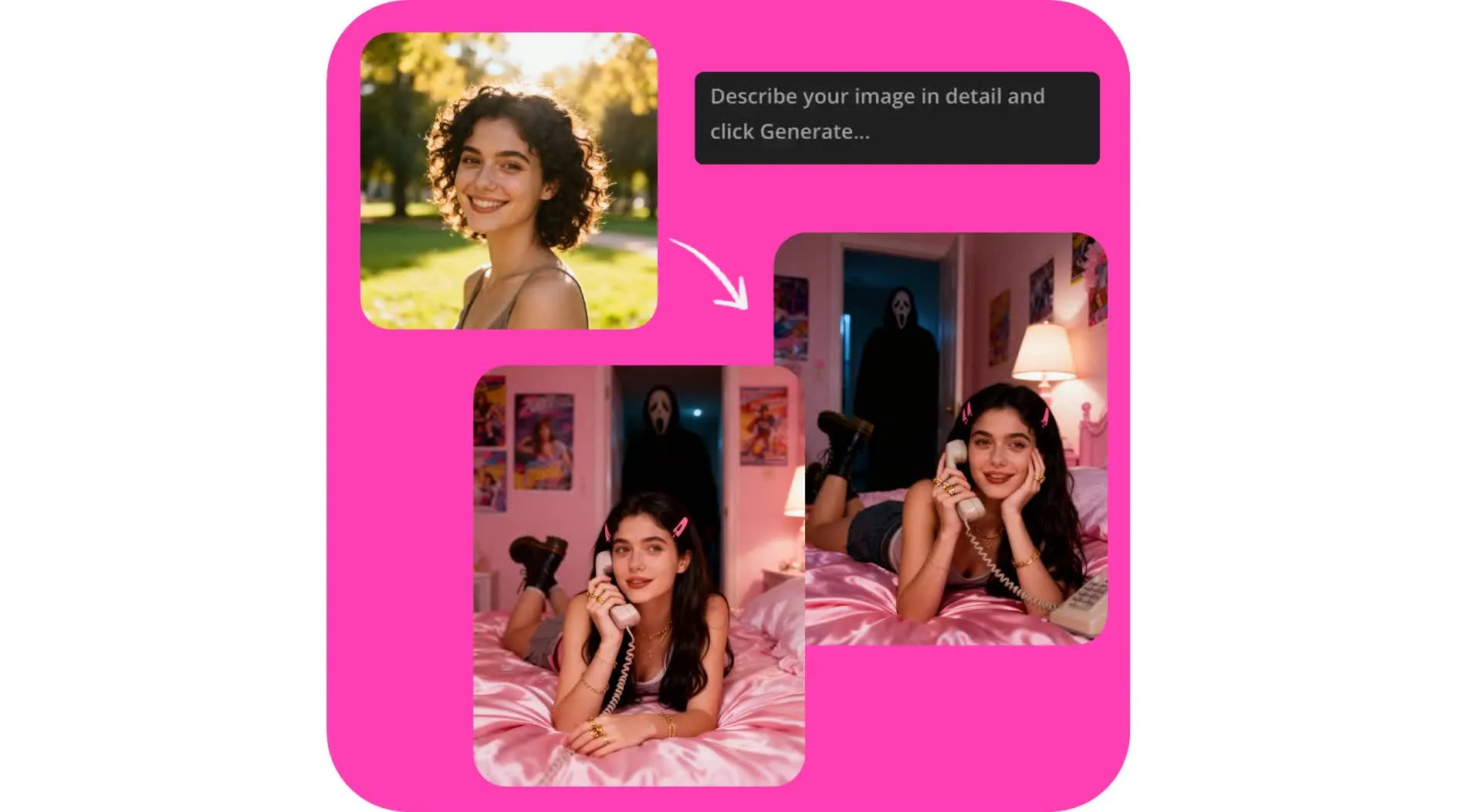
Realistic Ghostface photos in seconds
Turn selfies into spine-tingling Scream 7 photos and videos
Create instant Ghostface images
Join the viral Gemini Ghostface AI trend and celebrate the relase of Scream 7 with Kapwing's Ghostface AI Generator. Upload a picture, customize an AI Ghostface prompt, and create ready-to-share Scream pictures in seconds.
Generate, edit, and resize for any platform, all in one easy online tool. Designed for Halloween fun but powerful enough for professional content or marketing campaigns.
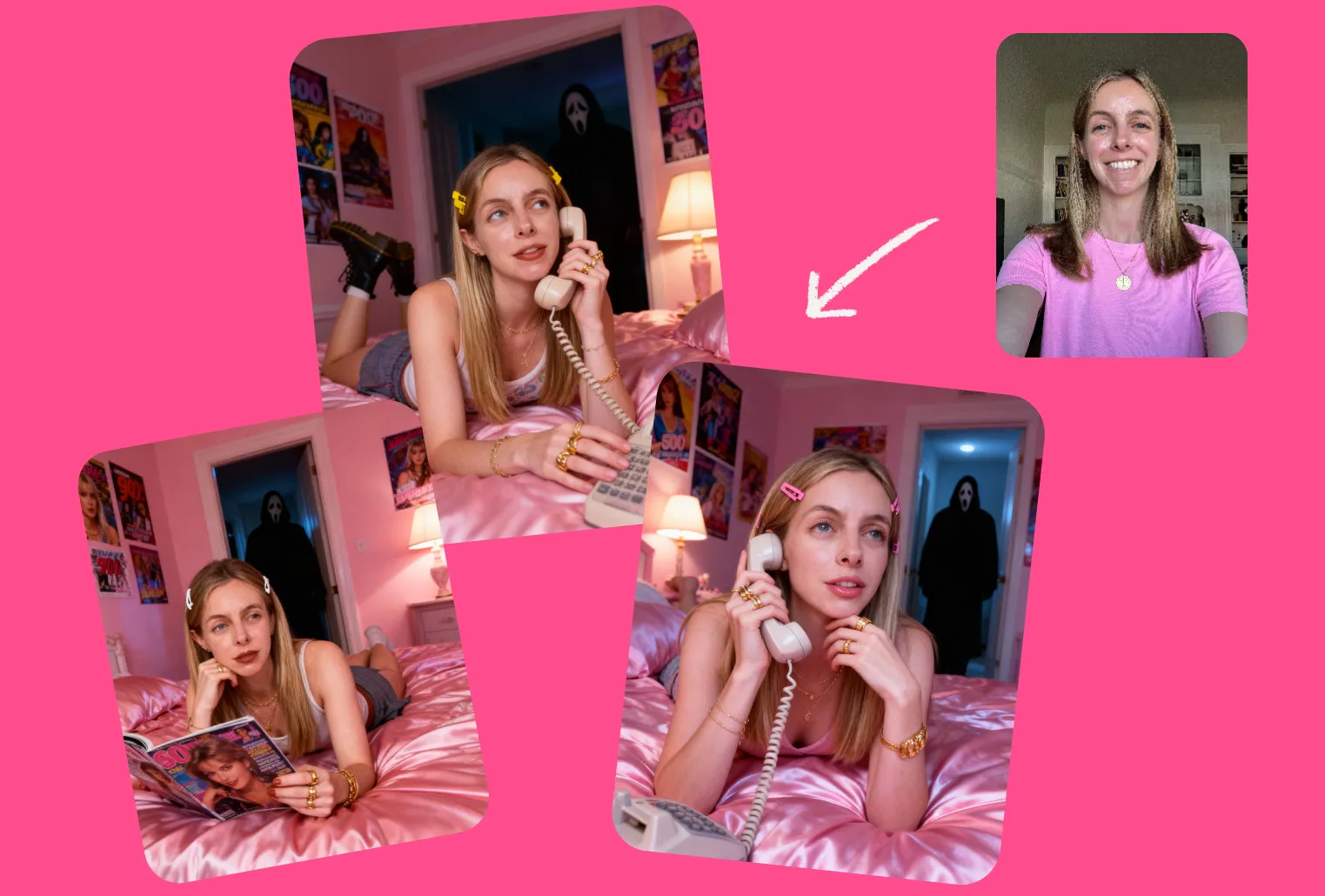
Turn into Scream-worthy video
Supercharge your content by turning any Scream image into a heart-stopping video. Use Kapwing's Image to Video Generator to bring your Ghostface AI portraits to life.
Then use the video editing studio to customize for TikTok or Instagram. Easily add text overlays, transitions, or audio.
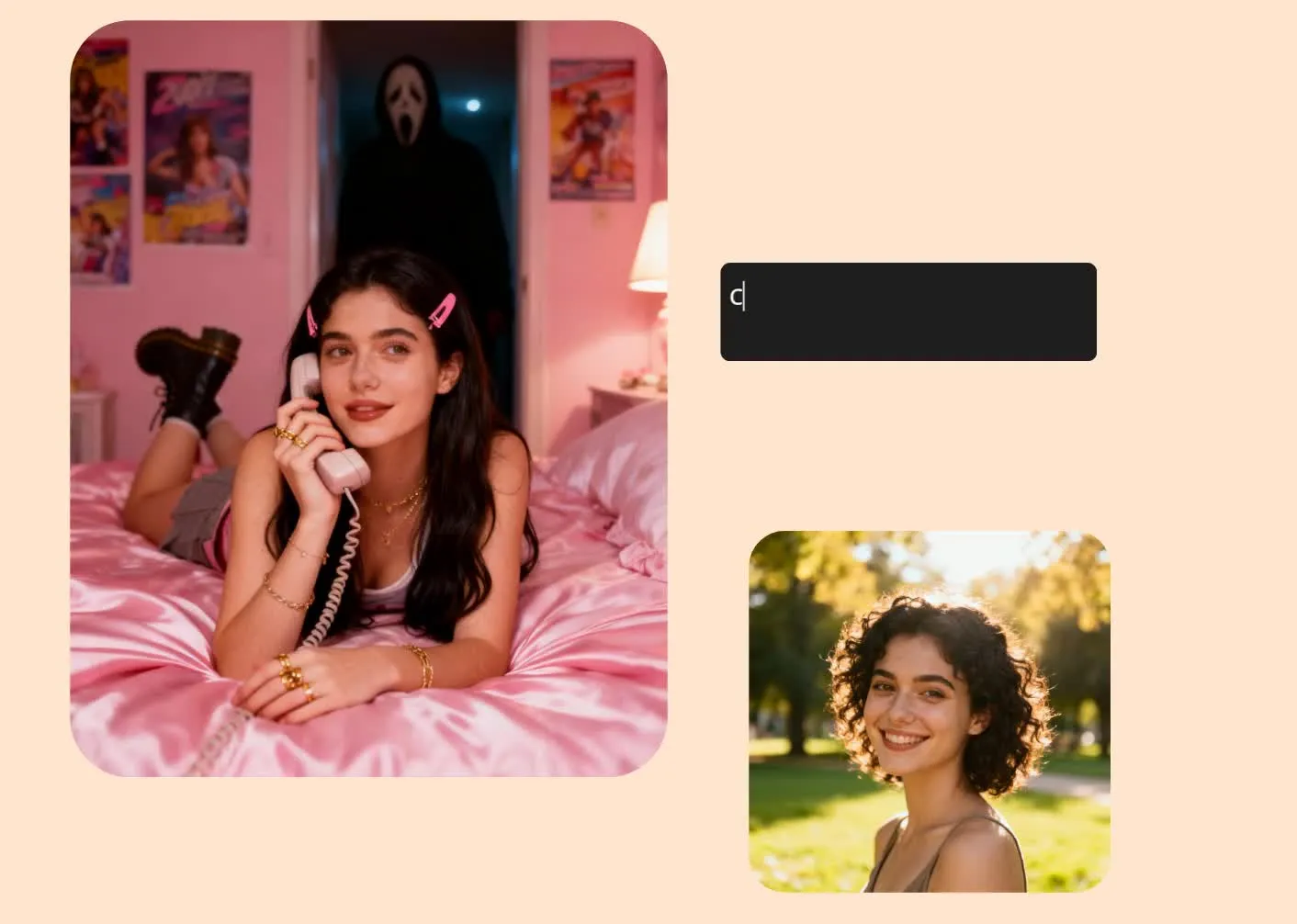
How to do the AI Ghostface Trend
Here's how to do the AI Ghostface Trend using Kapwing:
- Upload a clear image of your face to the AI studio.
- Enter an AI Ghostface prompt (see examples below).
- Generate your Halloween portrait, then tweak your prompt as much as you want.
- Share your AI Ghostface posts directly to TikTok or Instagram, without leaving your browser.
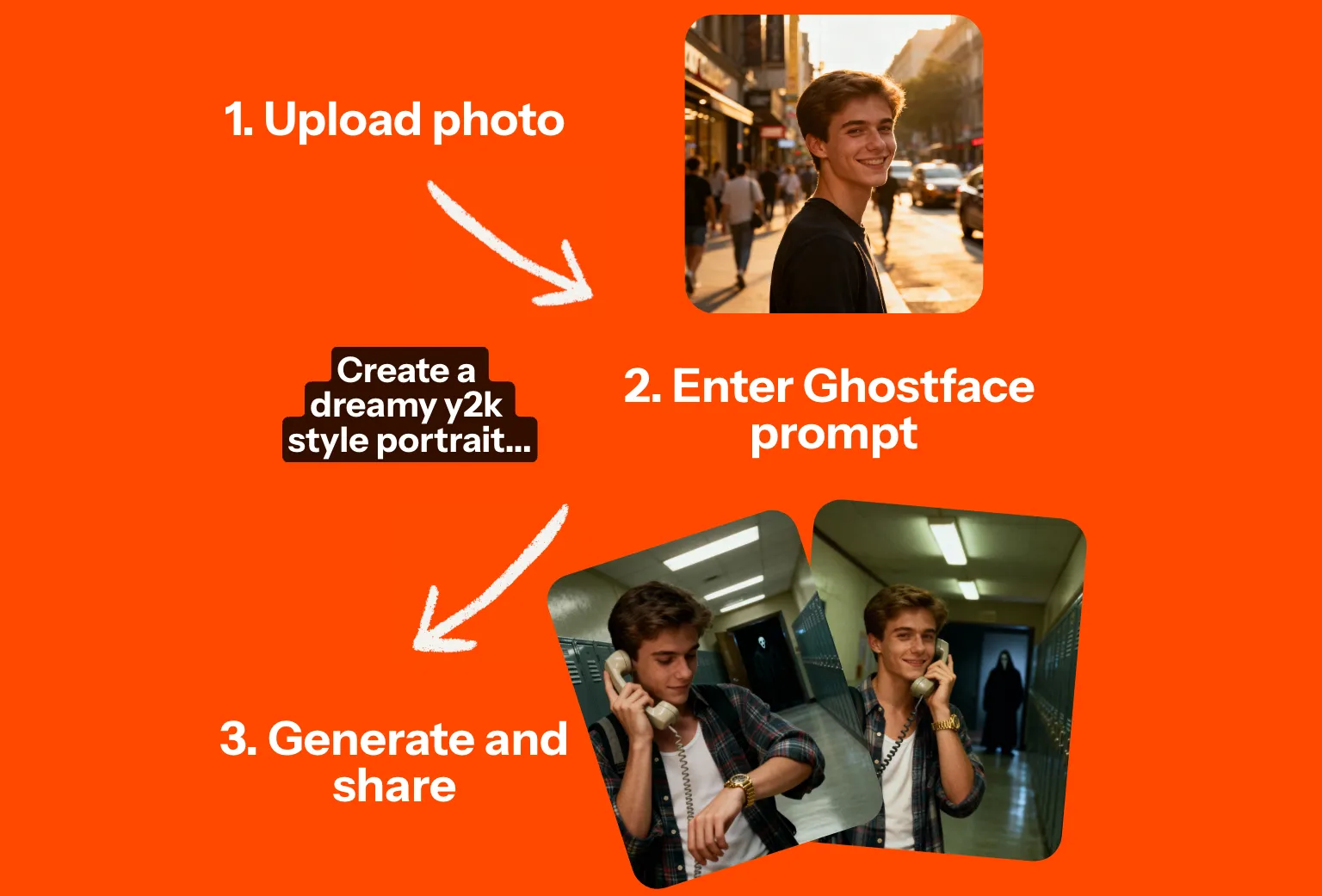
AI Ghostface Prompts
Copy and edit in the Ghostface AI generator
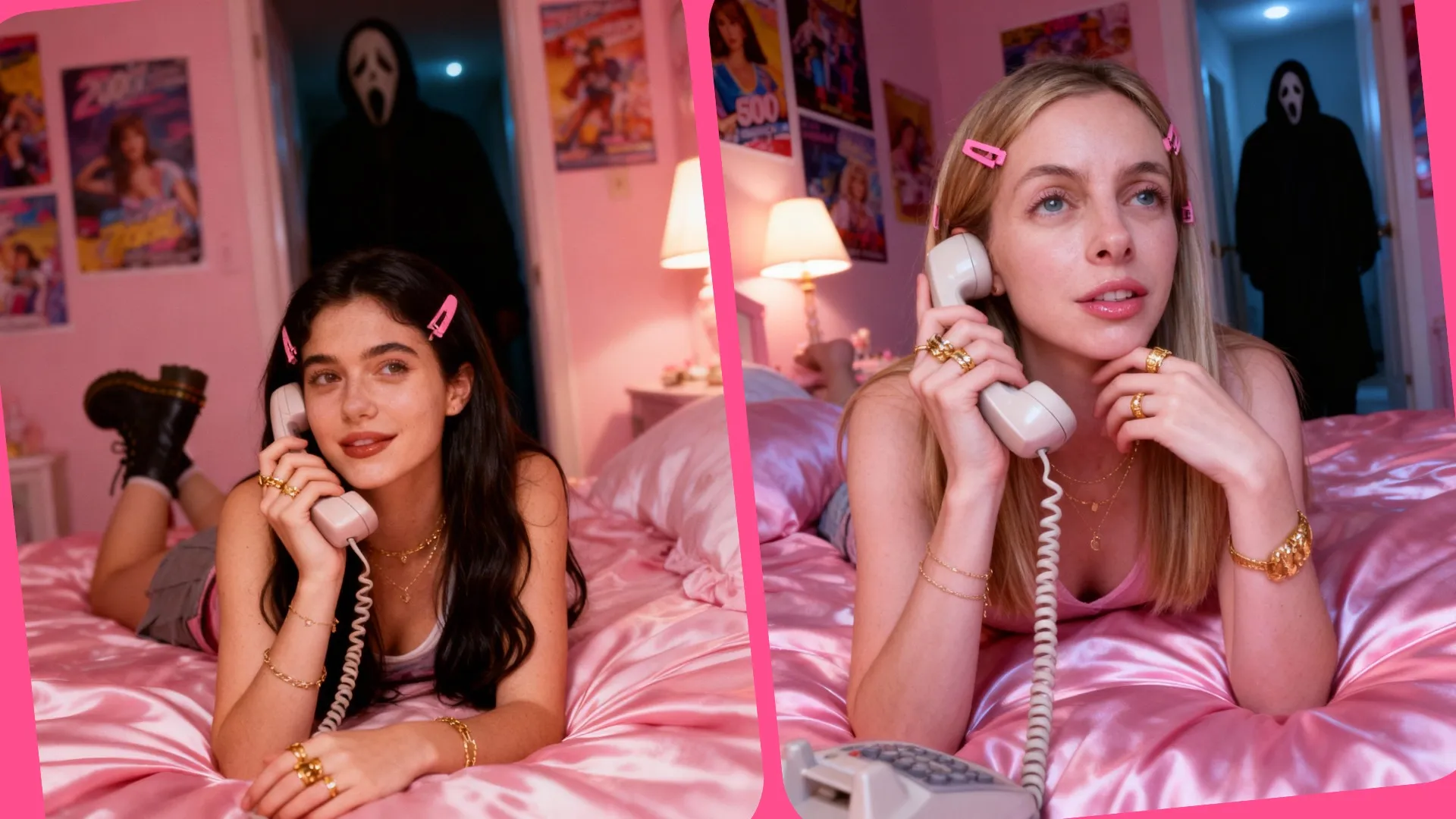
Girl in bedroom
Create a dreamy y2k style portrait of me lying on pink satin bedding holding a large 90s style corded phone and in a thoughtful daydreaming pose. Her long dark hair falls freely in waves with pink clips on each side. She wears delicate jewelry including dainty gold necklaces and accessories and gold chunky rings. She is wearing a tank top and mini skirt with Doc Martens boots. The room behind her is girly, pink, and daydreamy with 90s posters. Her makeup is simple yet glamorous with brown lipgloss and brown lip liner. The photo should have a grainy 90s style to it with a light source like a lamp in a dimly lit room at night. The ghostface killer should be behind her staring at her, his body should be dimly lit, and he should be standing in the doorway of a dimly lit hallway. The background behind her should be slightly dark and ominous.
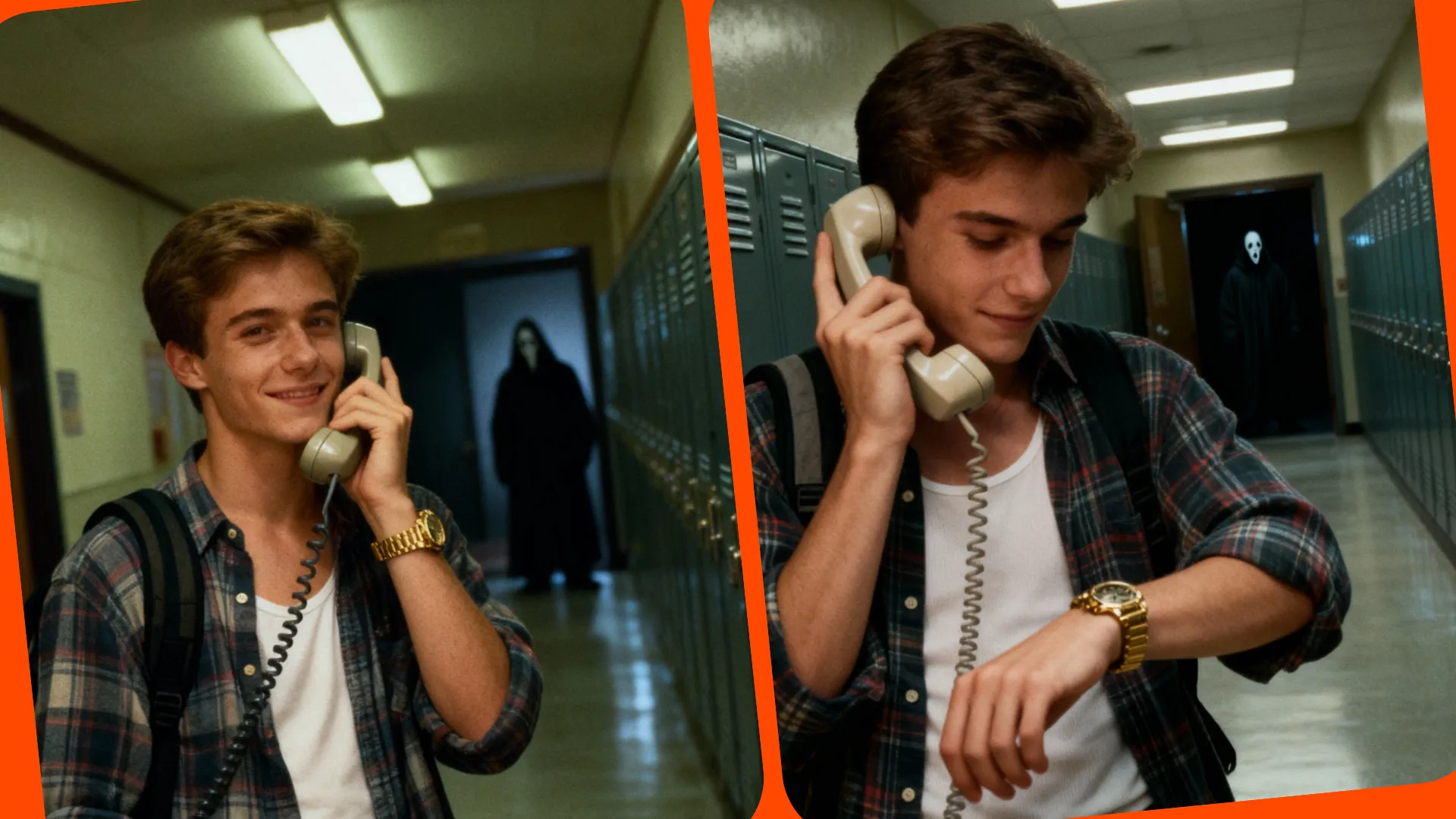
Boy in school hallway
Create a dreamy y2k style portrait of me standing in a dimly lit school hallway holding a large 90s style corded phone to his ear and in a thoughtful daydreaming pose, down at his watch. His other hand is not visible. He wears a chunky gold watch and a backpack slung over one shoulder. He is wearing a plaid button-up shirt with a white tank top underneath. The hallway behind him is lit by dim overhead fluorescent lights and has a line of lockers on one side. The photo should have a grainy 90s style to it. The ghostface killer should be behind him staring at him, his body should be dimly lit, and he should be standing in the doorway at the end of the hall. The background behind the subject should be slightly dark and ominous.
Already transforming video creation across industries
Hear directly from the teams who publish faster, collaborate better, and stay ahead.


Frequently Asked Questions
We have answers to the most common questions that our users ask.
Is the Ghostface AI Trend Generator free?
Yes, anyone can try Kapwing’s AI Toolkit for free. Our AI tools run on a credit system, with each feature costing a set number of credits. For maximum creativity and the best value, upgrade to a Pro account to unlock the full power of AI-driven content creation.
What is the Ghostface AI Trend?
The Gemini Ghostface AI trend originated using Google's Nano Banana image generator. It involves creating grainy, 90s-style portraits of yourself daydreaming and using a chunky landline phone while the masked Ghostface character from the Scream horror movie franchise stares at you from a dimly lit doorway. This popular TikTok trend turns pretty, nostalgic portraits into eerie, scroll-stopping images, just in time for Halloween and the 2026 release of the latest Scream movie, Scream 7.
How do I write an effective AI Ghostface prompt?
To create an iconic Scream photo, start with an AI Ghostface prompt like this example:
Create a dreamy y2k style portrait of me lying on pink satin bedding holding a large 90s style corded phone and in a thoughtful daydreaming pose. Her long dark hair falls freely in waves with pink clips on each side. She wears delicate jewelry including dainty gold necklaces and accessories and gold chunky rings. She is wearing a tank top and mini skirt with Doc Martens boots. The room behind her is girly, pink, and daydreamy with 90s posters. Her makeup is simple yet glamorous with brown lipgloss and brown lip liner. The photo should have a grainy 90s style to it with a light source like a lamp in a dimly lit room at night. The ghostface killer should be behind her staring at her, his body should be dimly lit, and he should be standing in the doorway of a dimly lit hallway. The background behind her should be slightly dark and ominous.
Change anything you want, including the outfit, makeup, background, lighting, and overall setting. Try putting yourself in a spooky kitchen, school hallway, or train station. You can also experiment with other characters from Scream or your favorite horror movies. Then enter the prompt into Kapwing's AI generator and download ready-to-share pictures with Ghostface that look just like you.
What kind of image should I upload for good results?
The best images to create sharable AI Scream pictures will show your full face in good lighting and without impediments like hats and sunglasses. Kapwing works with most popular image types, including JPEG and PNG.
Will my Ghostface AI photo look like me?
Yes, Kapwing's Ghostface AI Trend Generator produces nostalgic Scream photos that look exactly like you, just in a different style and setting. You can easily change the background, hair, and makeup to make sure your images look just right.
Can I turn my Ghostface AI portrait into a video?
Absolutely, Kapwing's Image to Video Generator can instantly bring your Scream picture to life. Shape your video by choosing the style, camera movement, and duration. Have Ghostface sneak up behind you — or catch him in the act.
Can you include other horror movie characters?
Yes, you can easily prompt the AI generator to include your favorite scary movie characters like Chucky, Michael Myers, Freddy Krueger, or Pennywise. Just replace "Ghostface" with the character's name in your prompt.
Discover Resources
Tips, templates, and deep dives to help you create faster and share with confidence.
View all


What's different about Kapwing?



Get started with your first video in just a few clicks. Join over 35 million creators who trust Kapwing to create more content in less time.