.webp)
Customize image grids online — for free
Capture attention with editable photo grid templates
Create polished photo grids in seconds
Create photo grids for social media, company websites, or advertisements with Kapwing's free online photo grid maker. Choose from hundreds of photo grid templates, including simple 2x2 or 9x9 grids and professionally designed mosaics.
Upload images to fill out your grid, or browse the royalty-free stock photo library. Then make the design your own by adding borders and fine-tuning corner rounding.
Build an Instagram grid without the trial and error. Turn a photoshoot into a ready-to-publish collage advertisement. No matter what you're making, Kapwing's picture grid maker lets you create engaging grids without design experience.
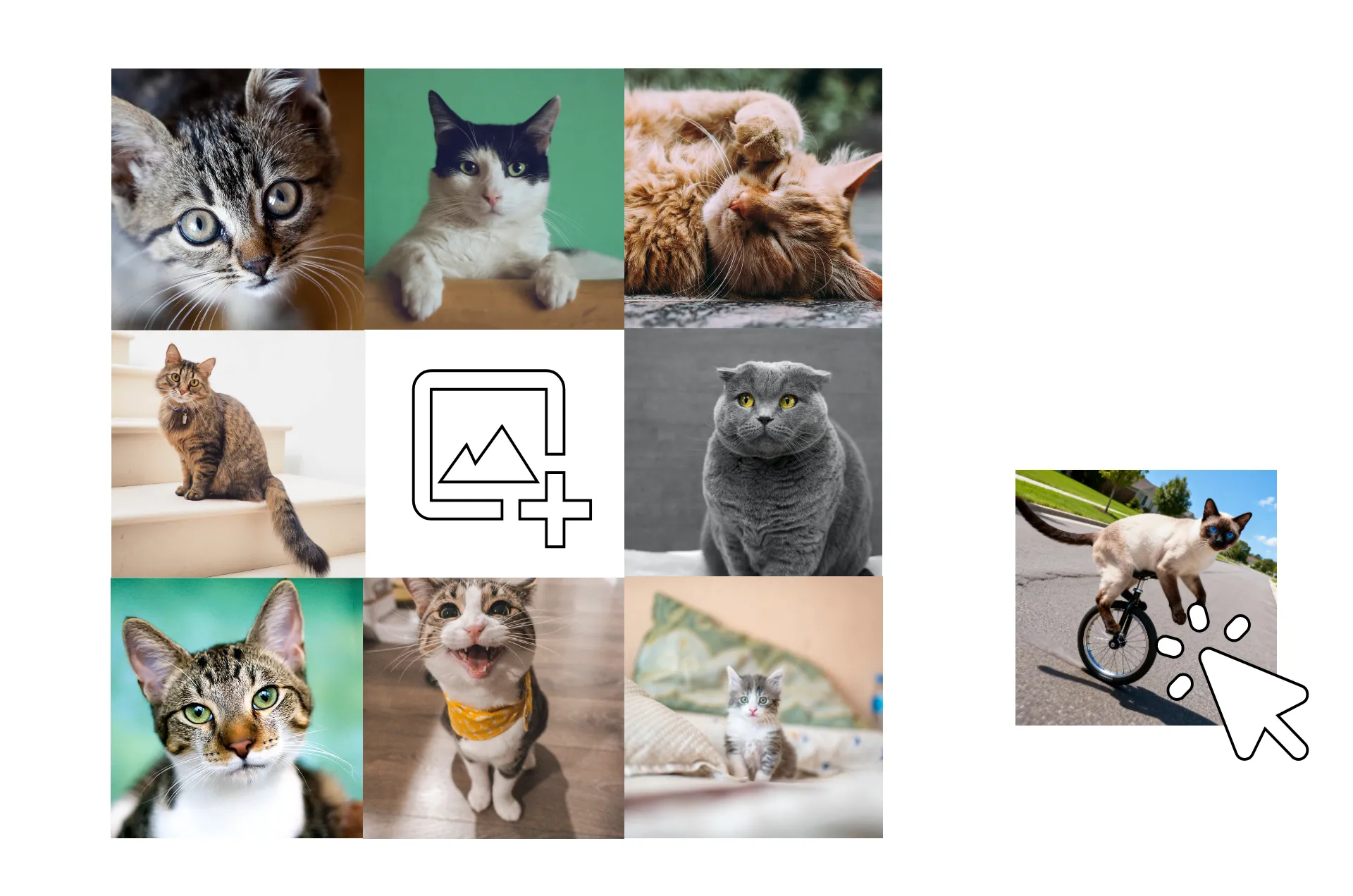
Built into a powerful editing studio
Kapwing's Photo Grid Maker comes with a complete image editing suite. Create your grid layout, then polish every detail with professional-grade image tools, all in one place.
Overlay stickers, callouts, and custom text. Apply filters and adjust color and saturation with sliders. Automatically resize your grid for any platform.
When you're ready, export your grid or publish straight to social platforms, no extra apps needed.

Already transforming video creation across industries
Hear directly from the teams who publish faster, collaborate better, and stay ahead.


How to Make a Photo Grid
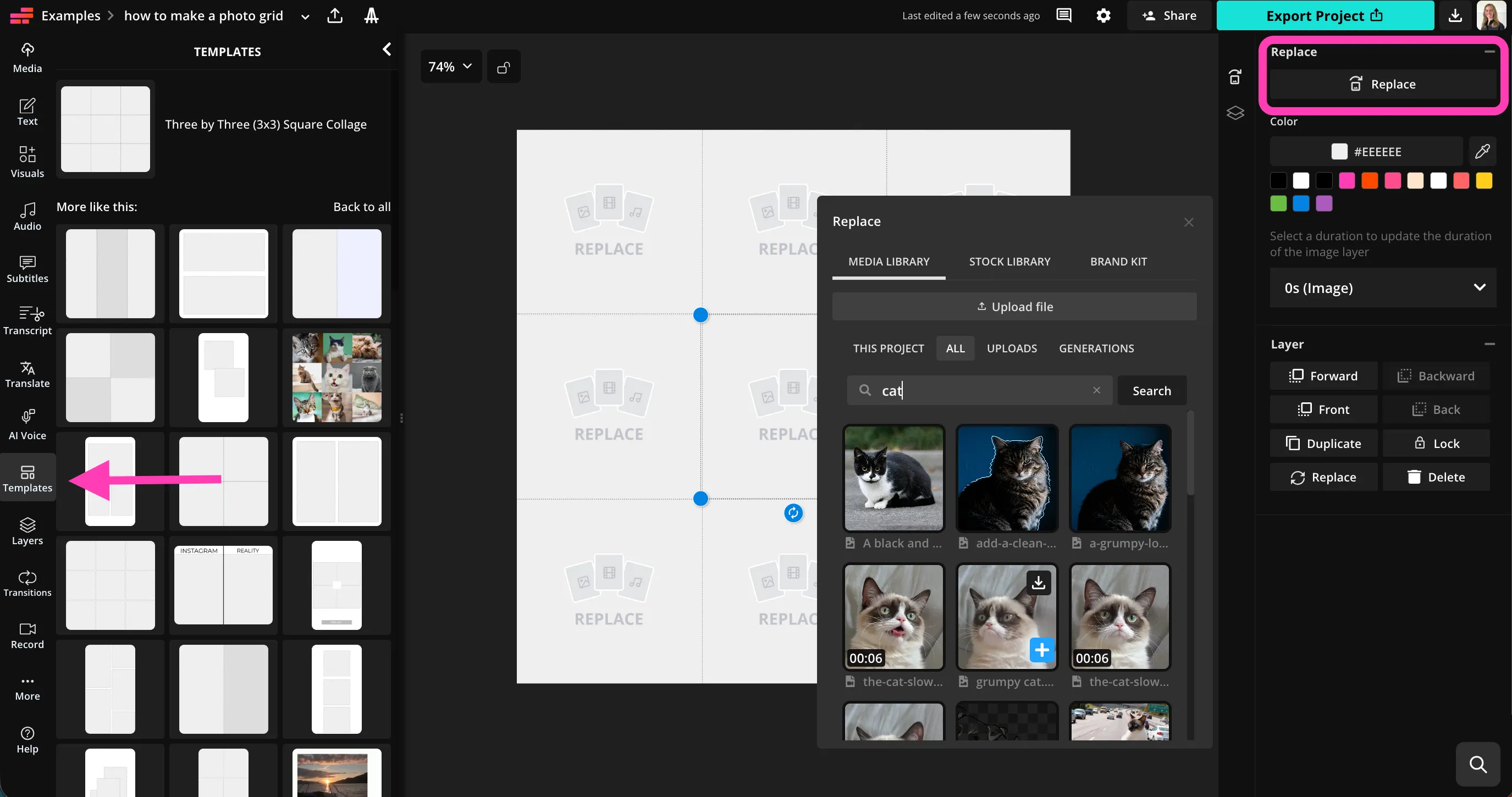
- Step 1Choose grid template
Create a project in Kapwing, then click "Templates" in the right sidebar. Search for a grid template, then click to import.
- Step 2Insert images
Click on a placeholder image, then click "Replace" at the top right. Insert each of your images.
- Step 3Edit and download
Edit your grid layout and images with the studio, then click "Export Project" to download your photo grid as JPG, PNG, or WebP.
What's different about Kapwing?



Frequently Asked Questions
We have answers to the most common questions that our users ask.
Is the Photo Grid Maker free?
Yes, Kapwing's Photo Grid Maker is free for all users.
Is there a watermark on exports?
If you use Kapwing on a Free account, then all exports — including the Photo Grid Maker — contain a watermark. Once you upgrade to a Pro account, the watermark is completely removed from your creations.
What is a photo grid?
A photo grid is a layout that organizes multiple photos into a structured grid of images, such as rows and columns, creating one clean visual. Instead of sharing photos individually, a photo grid collage combines them into a single image, making it easier to tell a story, compare visuals, or showcase products. Many creators use a photo grid template or photo grid maker to quickly arrange photos without design skills.
You can create a photo grid for social media platforms like Instagram (including an Instagram photo grid or carousel), Facebook, Pinterest, TikTok covers, online stores, blogs, and presentations. A grid photo maker or photo grid generator lets you upload photos, adjust spacing or layout, and download a high-quality image. Tools like Kapwing's photo grid maker make it easy to create a polished image collage and share it anywhere online.
How to create photo grids
To create a custom photo grid with Kapwing, start by creating a new project in the studio. In the lefthand sidebar, click "Templates," then use the search bar to find your preferred grid type. Click to import your template. Upload your images using the "Media" tab, or browse the stock image library for royalty-free photos.
Click the image placeholder, then click "Replace" in the upper right. Click to place your photo into the template. Once you've filled in the photo grid, you can adjust each image, change the overall background, or resize for different platforms. When you're ready, click "Export Project" at the top right to download your photo grid as PNG, JPEG, or WebP.
Can I make a photo grid on my phone?
Yes, you can make photo grids on your phone or tablet, include iPhone and Android devices, by opening the Kapwing studio in your mobile browser. Click "Templates" in the bottom toolbar and search to browse the extensive library, then click to import your grid template.
Upload your images, select a square on your grid, and click "Replace" to insert. Adjust image cropping and position, then continue filling in your photo grid. When you finish designing a polished image grid, click "Export Project" at the top to save your photo grid to your mobile device.
What file formats can I upload?
Kapwing supports all popular image file formats, including JPEG, PNG, and WebP.
Can I create a photo grid for social media?
Yes, Kapwing's photo grid maker can help you quickly design clean, eye-catching grids for social media platforms like Instagram, Facebook, Pinterest, and more. Upload your photos, choose a layout, and create a polished grid of images that’s perfect for posts, carousels, or profile content. Start with a photo grid template to maintain a consistent look while showcasing multiple photos in a single design.
Whether you’re creating an Instagram photo grid, a product collage, or a before-and-after comparison, you can adjust spacing, borders, and image size to match each platform’s requirements. The finished photo grid collage is ready to download in high quality, making it simple to share professional-looking visuals without design experience.
Discover Resources
Tips, templates, and deep dives to help you create faster and share with confidence.
View all


Get started with your first video in just a few clicks. Join over 35 million creators who trust Kapwing to create more content in less time.