_V1.webp)
In only a few clicks, you can make a looping video to replay highlights or to emphasize the content in your video. Your workflow has never been as seamless as this without Kapwing’s loop video capabilities.
Make your video replay as many times as you want with a simple copy and paste in Kapwing. Start creating video loops to add flare to your social media posts, group chat messages, or even your coworkers.

How to Make a Video Loop
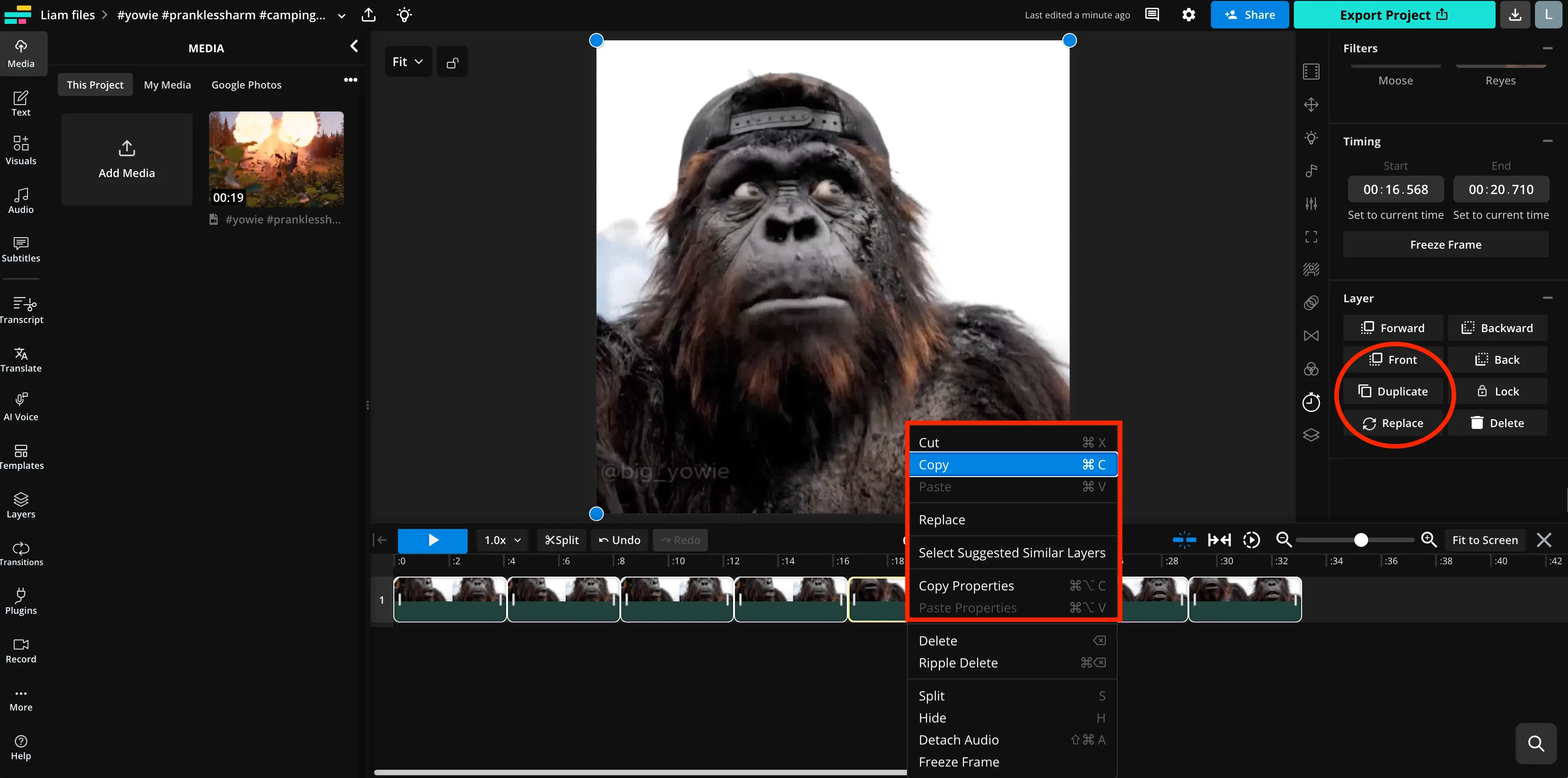
- Step 1Upload video file
Open a new project and upload your video file in Kapwing. Drag and drop the video file or paste a video URL link to upload.
- Step 2Loop video
Select your video layer in the editor and then right-click to copy and paste. Line the video up in the same layer to repeat multiple times, and they'll loop back to back. Alternatively, use the "duplicate" button on the right toolbar.
- Step 3Download video
Click on “Export Project” in the top right of the editor to download your video as an MP4 file.
Make your video repeat over and over
The magic behind a perfectly looped video is only a few clicks away. Get more likes and shares across social media with your own repeating videos made with Kapwing’s online video editor. In only a few seconds, create infinite loops for eye-catching cinemagraphs or loop your favorite YouTube video.
No need to install and launch an editing software. Get started by uploading your video or pasting a video URL link from a site like TikTok to Kapwing. Use Kapwing to loop videos on any device with a browser such as an iPhone, Android, PC, or tablet. Copy and paste the videos to create repetition as short as 2x for a short video or even 10x or 20x for a longer video. As you increase loops, the duration of the video increases. Let’s admit it: sometimes we need things to be repeated until we understand the premise, and that’s okay. Today, let us do the heavy lifting for you.
When you're satisfied with your video, download the MP4 to your device or post it directly to Instagram, Twitter, or Facebook. Use Kapwing to create your own mesmerizing content for YouTube, Instagram Story, TikTok, or even in Google Slides.

What's different about Kapwing?



Already transforming video creation across industries
Hear directly from the teams who publish faster, collaborate better, and stay ahead.


Discover Resources
Tips, templates, and deep dives to help you create faster and share with confidence.
View all


Get started with your first video in just a few clicks. Join over 35 million creators who trust Kapwing to create more content in less time.