
Kapwing vs Veed: Comparison for Video Creators in 2026
A hands-on comparison of two leading AI video editors.
Kapwing and VEED are two of the most popular online video editors available in 2026. Both platforms let creators edit videos, generate subtitles, and create content directly in the browser without downloading software.
However, they focus on different areas of video production. Kapwing is especially strong for content repurposing, team collaboration, and video translation workflows, while VEED is known for AI avatars, voiceovers, and fast, easy-to-learn editing tools.
In this comparison, we’ll compare Kapwing and VEED across the areas that matter most to modern creators, including video editing, AI features, subtitle generation, collaboration, content repurposing, and social media workflows. By the end, you’ll have a clear understanding of where each platform excels and which editor is the better fit for your content strategy.
Table of Contents
- What's the Difference Between Kapwing and VEED?
- Kapwing vs VEED: Video Editing Features
- Kapwing vs VEED: AI Tools and Automation
- Kapwing vs VEED: Collaboration and Team Features
- Kapwing vs VEED: Which Is Better for Different Types of Creators?
- Frequently Asked Questions
What's the Difference Between Kapwing and VEED?
Which AI video editor fits your workflow?
A quick comparison, updated for 2026.
| Category | Kapwing | VEED |
|---|---|---|
| AI Avatars | ✓✓ | ✓✓✓ |
| Auto-Subtitles | ✓✓✓ | ✓ |
| Transcript Editing | ✓✓✓ | ✓✓ |
| AI B-Roll | ✓✓ | ✓✓ |
| Content Repurposing | ✓✓✓ | ✓✓ |
| Team Collaboration | ✓✓✓ | ✓ |
| AI Tools | ✓✓✓ | ✓✓✓ |
Kapwing vs VEED: Online Video Editing Features
Both Kapwing and VEED allow you to edit videos in your browser, but after spending time in both editors, I found that they optimize for different workflows.
The Kapwing studio feels closer to a "traditional"full-featured video editing platform. The timeline is flexible; projects can support multiple layers of video, images, audio, captions, and AI-generated assets.
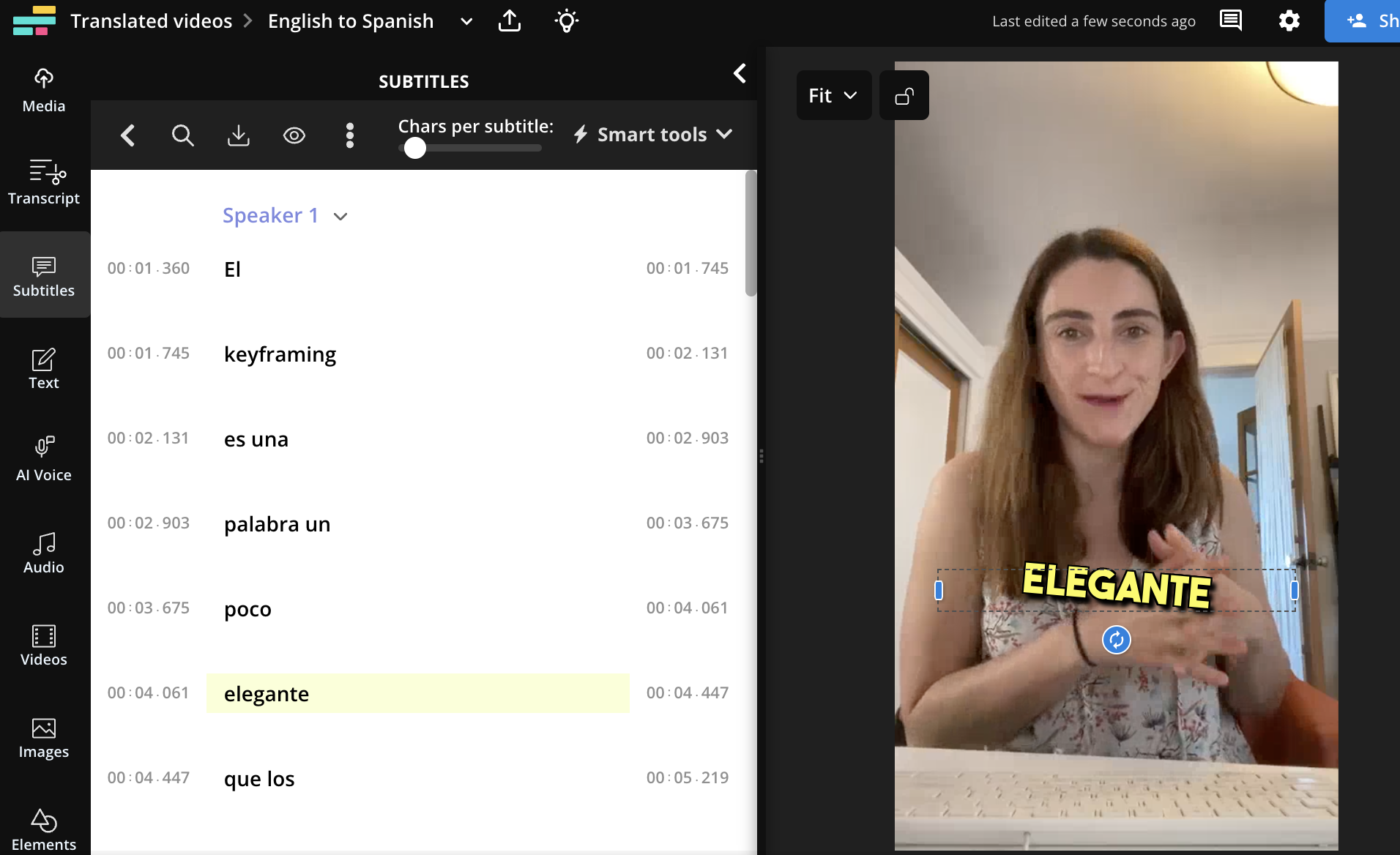
A standout feature of the studio is the automatic subtitle feature. Kapwing supports automatic subtitles and translation across more than 100 languages, and the caption editor is one of the most polished parts of the platform.
Editing transcripts, adjusting timing, styling captions, and repurposing subtitle-heavy content feels intuitive.
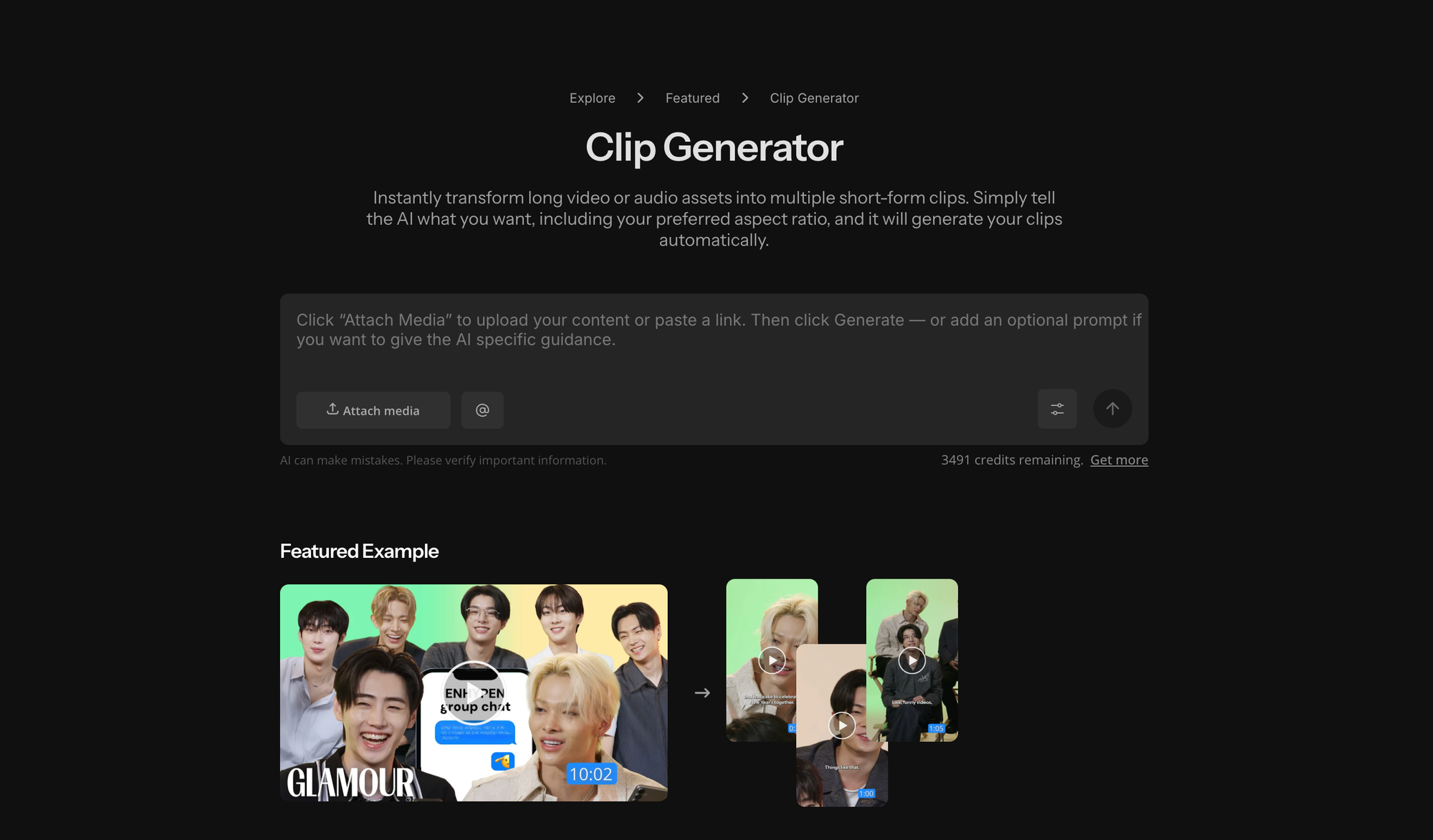
Another feature I frequently trialled was the Clip Generator, which is designed to help creators turn long-form content into short-form assets for platforms like TikTok, YouTube, Instagram, and LinkedIn.
For example, a creator can upload a long podcast episode and quickly repurpose it into multiple shorter clips about specific topics. Those clips can then be edited, captioned, resized, and customized inside the studio. Compared to manually creating social edits from scratch, the workflow was much more efficient.
However, while its video editing capabilities are extensive, I found Kapwing's studio image editing tools less developed than its video workflows. You can generate and edit images, remove backgrounds, and make basic adjustments, but if I needed more advanced image manipulation, I would still reach for a dedicated design tool.
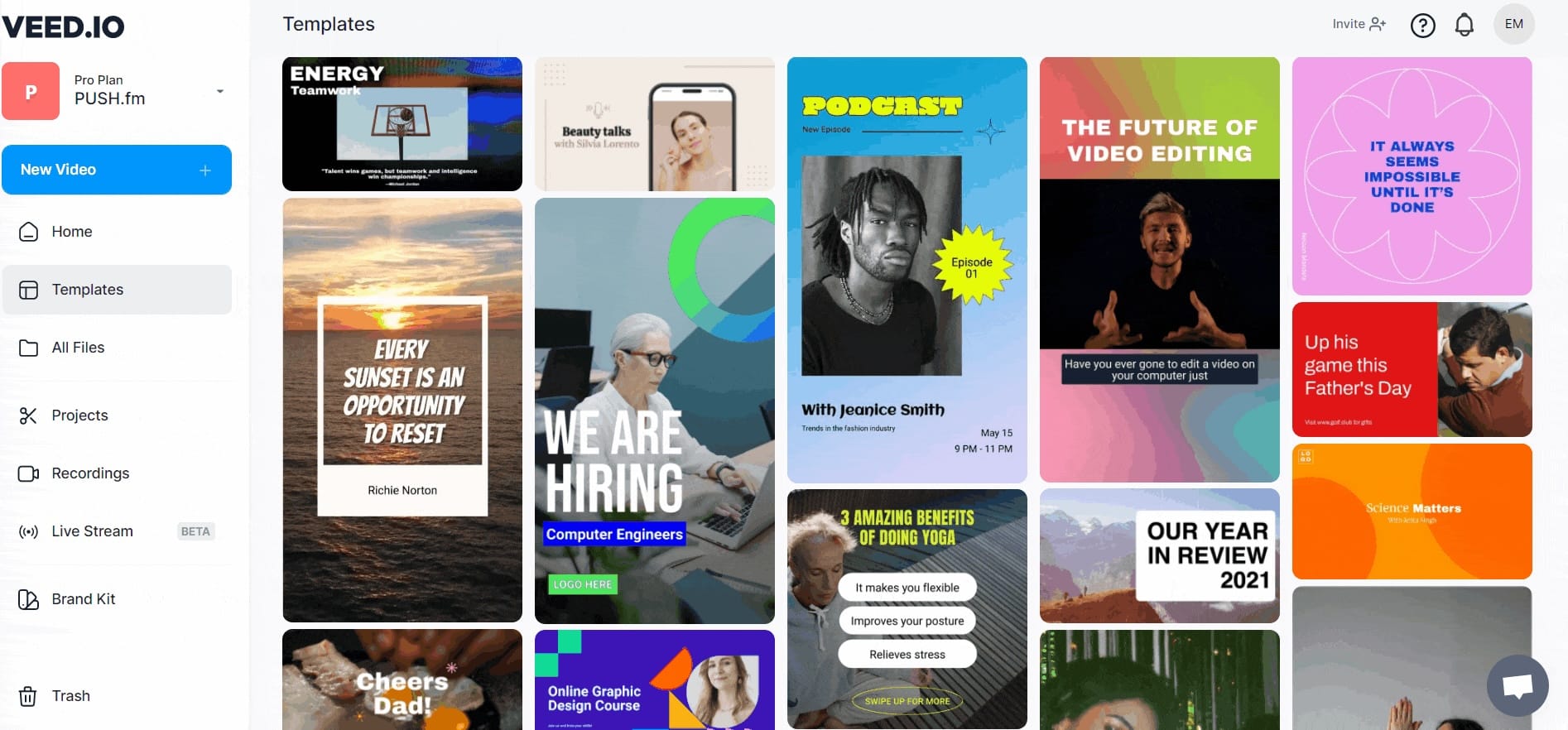
VEED takes a more streamlined approach. The first thing I noticed was how little onboarding the platform requires. Within a few minutes, I was uploading footage, trimming clips, and exporting videos without needing to explore or learn much about the interface. Compared this with Kapwing's Studio, which feels more like a complete content production environment.
VEED feels especially well-suited to quick, solo editing workflows. It works well for talking-head videos, tutorials, reaction content, and social media clips because the tools those formats rely on are easy to find in the editor.
For example, filler word removal, audio cleanup, B-roll, screen recording, and resizing tools are all surfaced prominently.
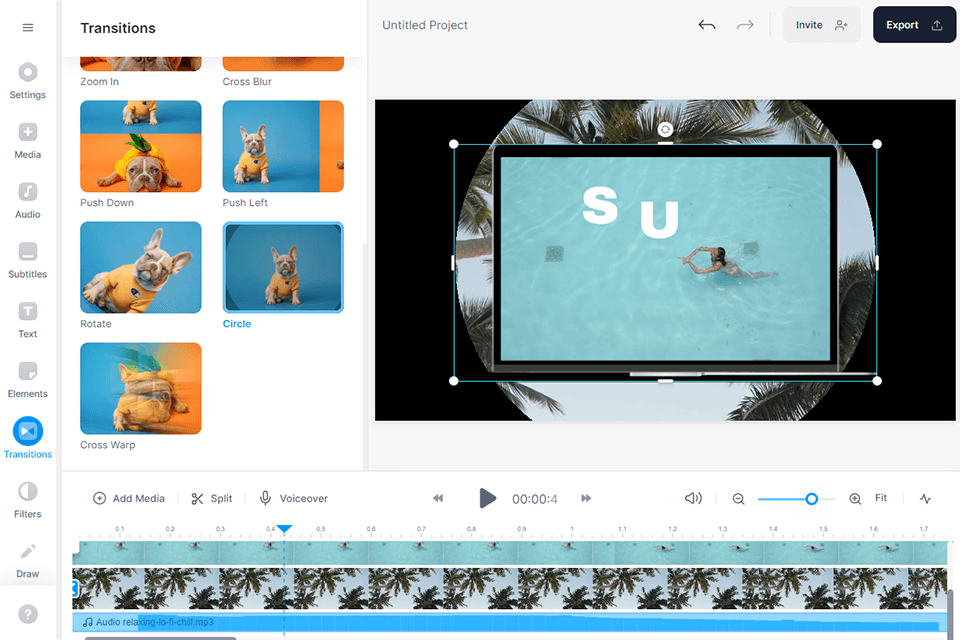
Another advantage of VEED's editing experience is its built-in library of templates, stock footage, stock images, and audio assets. While Kapwing also offers templates and AI-generated assets, VEED's stock media ecosystem feels more central to the editing experience.
I also noticed that the interface encourages quick decisions. There are fewer panels, settings, and customization options competing for attention compared to Kapwing's Studio.
For experienced editors, that may feel limiting at times. The tradeoff is that VEED can feel more limiting as projects become more involved.
Kapwing vs VEED: AI Tools and Automation
Both Kapwing and VEED offer comprehensive suites of AI-powered video creation and editing tools. At a feature level, there is significant overlap. Both platforms offer image and video generation, AI avatars, voice cloning, translation, subtitle generation, and automated editing tools.
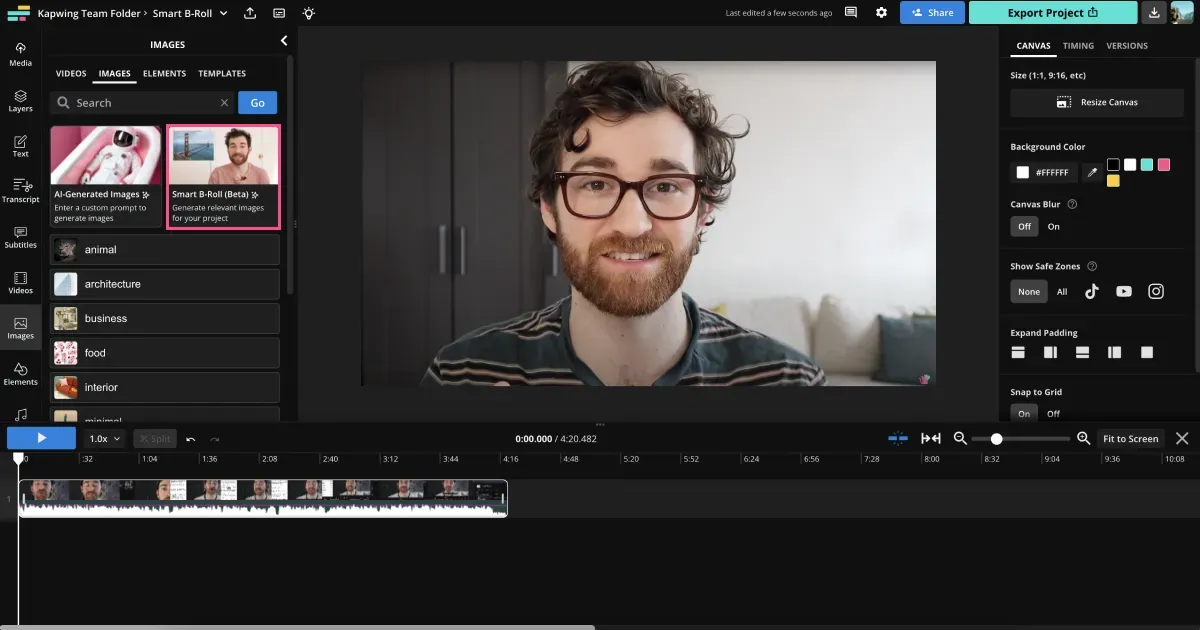
One thing I personally liked about Kapwing is that Kapwing AI doesn't exist in a separate workflow from its studio. It's easy to move between editing and generating content without switching tools – you can add a generated asset into the studio and work on projects from a side screen.
In practice, this makes it easier to refine AI-generated outputs rather than treating them as finished assets.
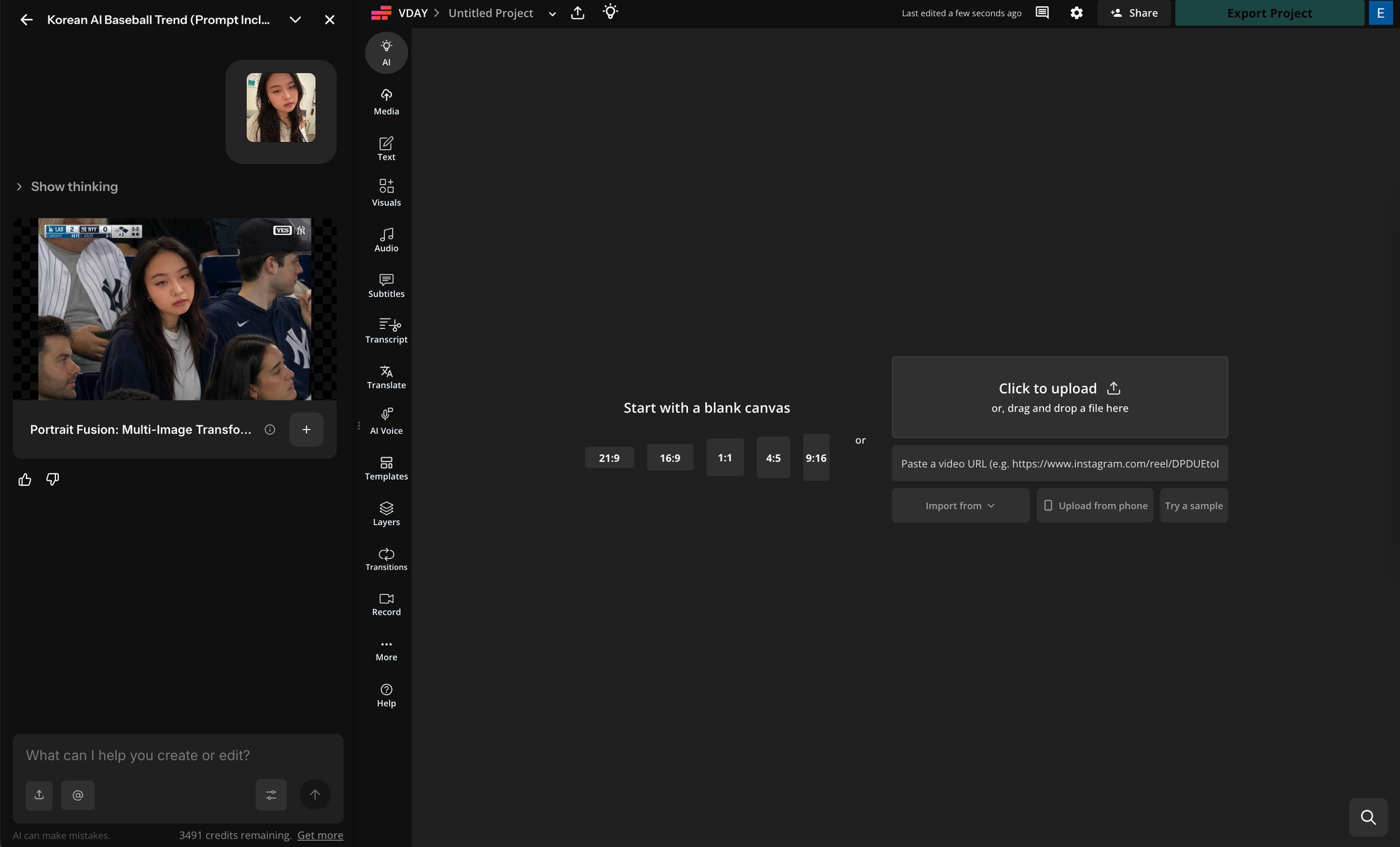
I was also impressed by the AI B-Roll Generator. Rather than manually searching for supporting footage, Kapwing can suggest and generate visual assets based on your script or video content.
For creators producing explainers, tutorials, educational videos, or marketing content, this can eliminate one of the most time-consuming parts of the editing process.
Another feature that stood out to me was a section called "Custom Kais".
It's a library of over 300 pre-built AI templates that creators can use to replicate AI video and image trends without needing to write a prompt from scratch.
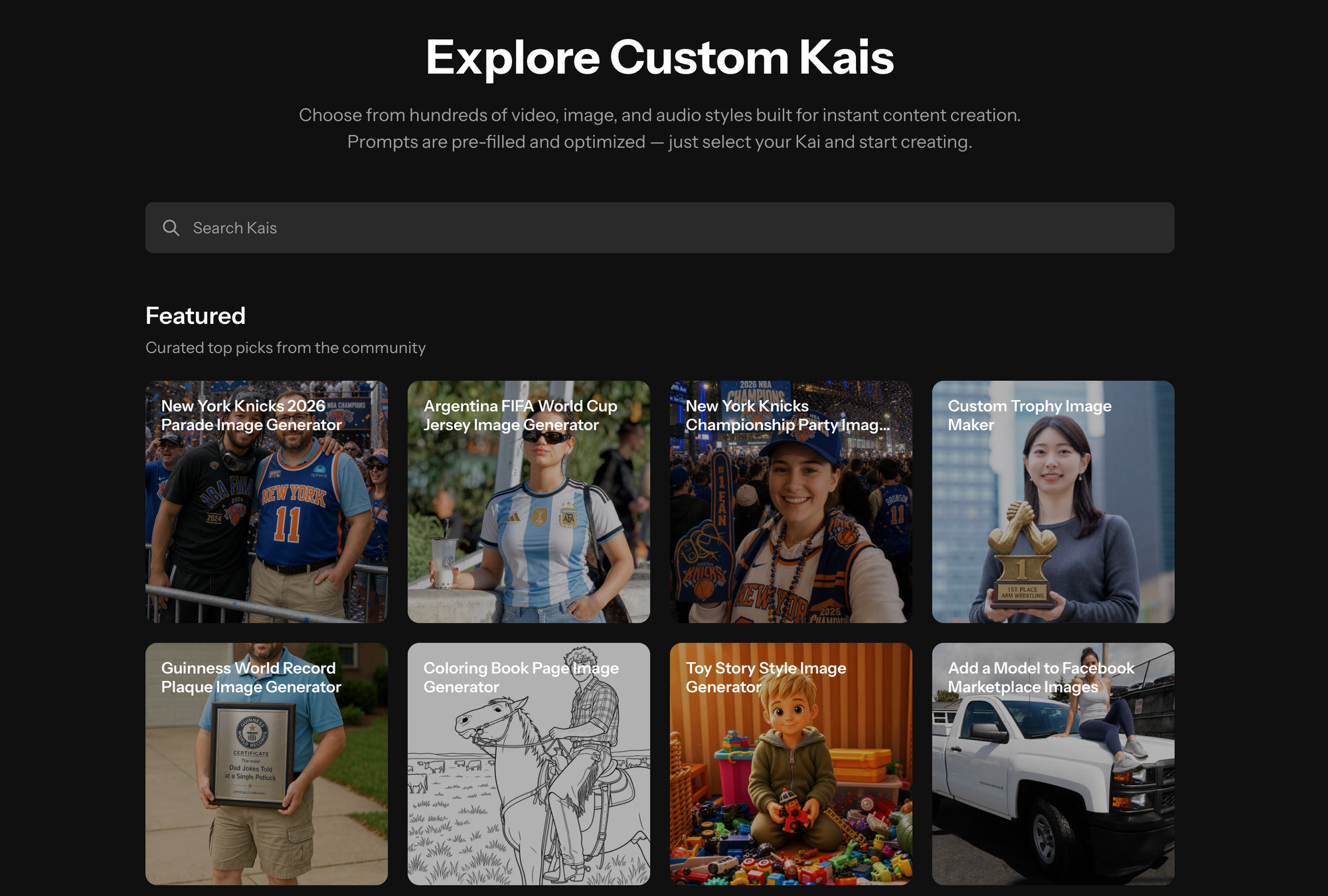
After experimenting with a few, it became much clearer how they could fit into a real content workflow.
Alongside the template library, users can create and save their own Custom Kais by storing instructions, prompts, or repeatable workflows in the AI system.
For example, a marketing team could create a Custom Kai that generates product videos in a specific brand voice, while a creator could build one that consistently turns blog posts into social media clips.
Casual creators may not use Custom Kais every day, but they were one of the more unique AI features I encountered during testing. Unlike most AI tools, they focus less on generating one-off pieces of content and more on building repeatable AI systems around content creation.
VEED offers many of the same AI capabilities, including AI video generation, avatars, voiceovers, dubbing, and voice cloning.
However, while Kapwing’s AI tools feel tightly integrated into the main Studio editor, VEED often presents its AI features as separate creation tools with more structured workflows.
During testing, I found it easier to jump directly into tasks, like creating a character or training video, without spending much time configuring the project first.
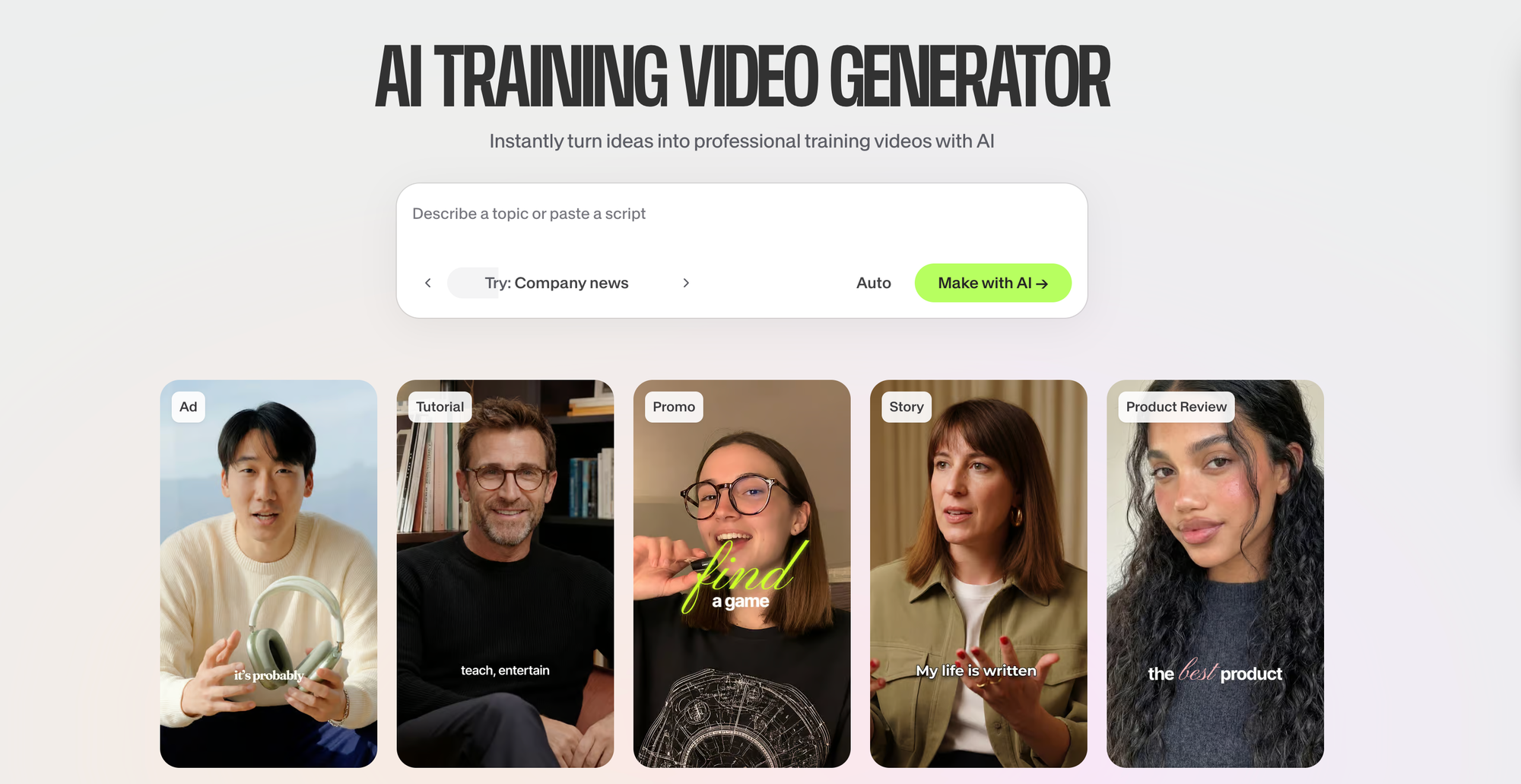
For most workflows, you just have to enter a prompt. The AI training video creator is a good example.
When creating a training video, which can be a more complex process, VEED offers a wide variety of stock avatars, as well as video templates. This led to a much faster video creation process.
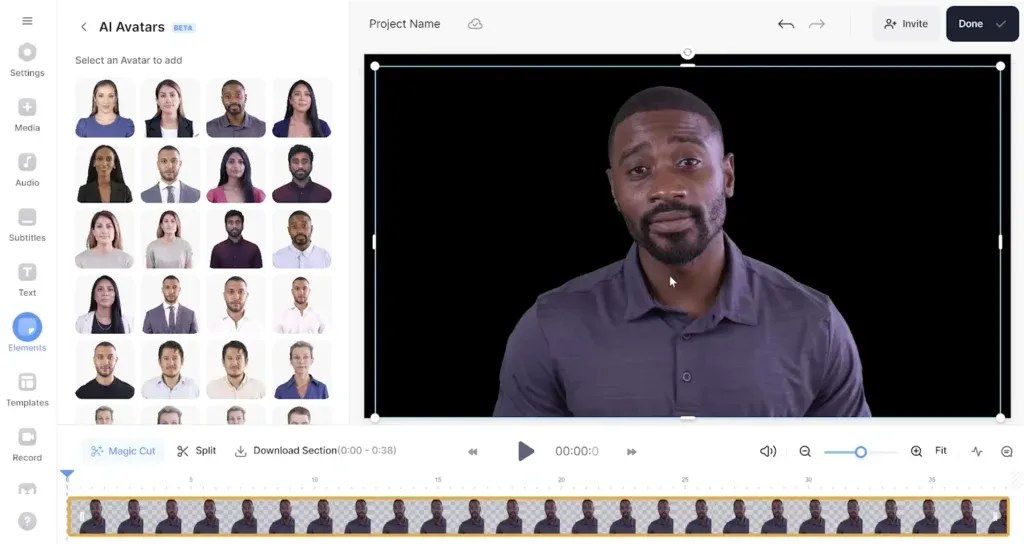
The AI avatar library is also one of VEED's strongest AI features. There is a wide variety of stock presenters across different ages, appearances, and speaking styles, making it easier to find an avatar that feels appropriate for a particular audience or use case. During testing, I found the avatars looked polished and production-ready.
The downside is that the outputs can sometimes feel more templated. As projects became more customized or required multiple iterations, I found myself seeking greater flexibility.
VEED excels at helping creators generate content quickly, but Kapwing generally gave me more control over how AI-generated assets fit into a larger project.
Kapwing vs VEED: Collaboration and Team Features
Collaboration is one of the biggest differences between Kapwing and VEED. If you're a solo creator, it may not matter much. But for marketing teams, agencies, educators, and businesses producing content regularly, collaboration features can have a major impact on efficiency.
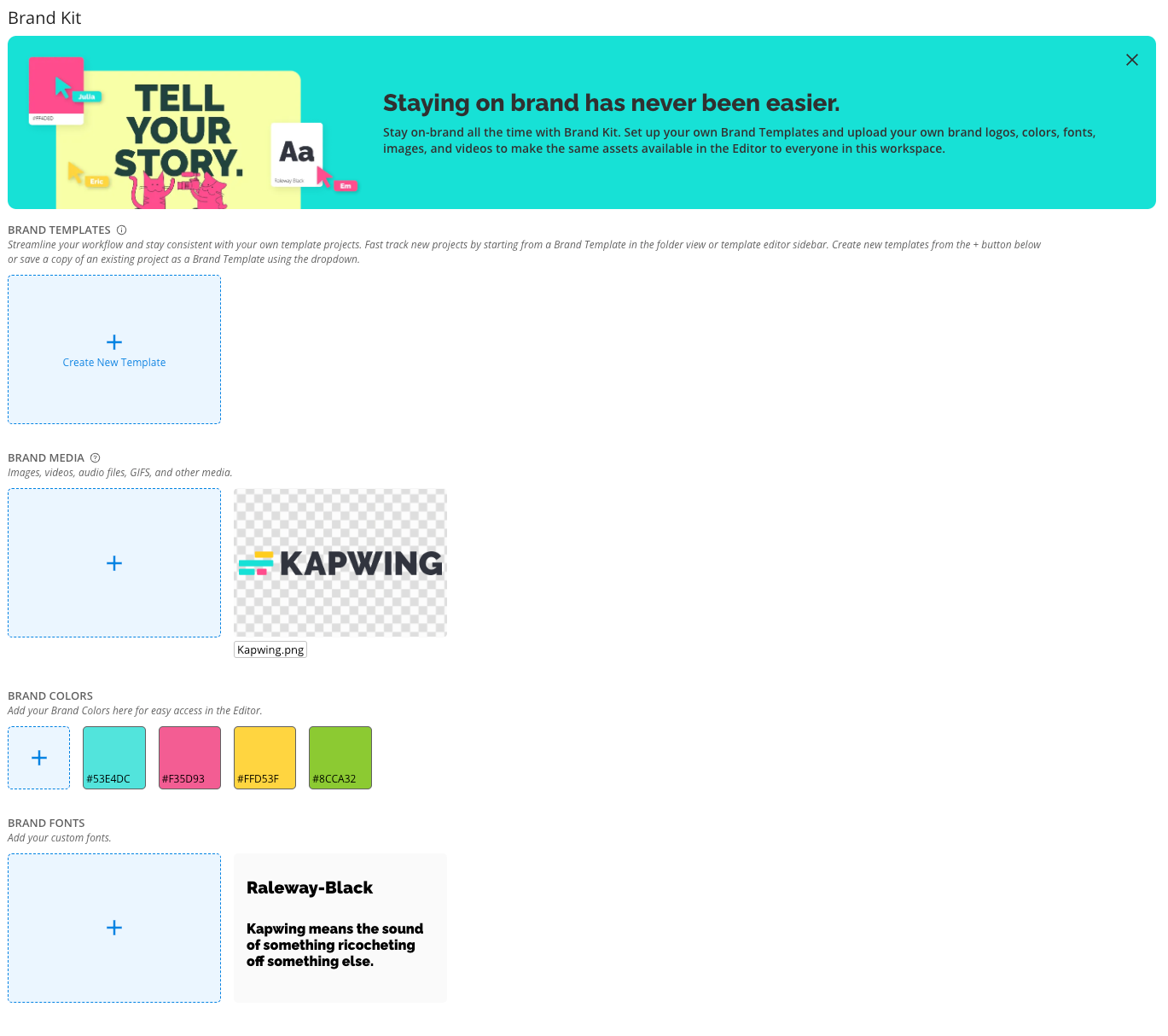
Kapwing has a more mature collaboration system. Team members can work from the same project files, reuse approved assets, and maintain consistency through shared brand kits.
What stood out to me was how well Kapwing supports repeatable content workflows. For example, a social media team could create a library of branded templates for YouTube Shorts, TikTok, and Instagram Reels, allowing different team members to produce content while maintaining a consistent look and feel.
VEED offers team collaboration features as well, including shared workspaces, brand management tools, and team accounts. However, I found myself relying on those features primarily for project sharing rather than workflow management.
VEED's space is built around sharing and accessing projects rather than building repeatable production workflows.
For small teams creating videos occasionally, this may not matter much. But for organizations producing content at scale, the difference becomes more noticeable over time.
Kapwing vs VEED: Which Is Better for Different Types of Creators?
Both Kapwing and VEED have reached a point where feature parity is surprisingly high, and most creators won't choose one over the other because of a single capability. The decision comes down to how you approach content creation.
VEED is at its best when speed is the primary goal. Throughout testing, I consistently found myself reaching a finished asset faster in VEED. The interface is approachable, the AI tools are easy to discover, and the workflows require little setup. For creators producing talking-head videos, product demos, training content, or social media clips, that simplicity can be a significant advantage.
However, I found that the advantage became less meaningful as projects increased in complexity. Once content needed several deliverables, team collaboration, or repurposing across platforms, VEED's streamlined experience started to feel more limiting. The platform is excellent at helping creators make videos, but it feels less focused on managing the broader content lifecycle.
```html id="u6wd7p"Choose VEED
VEED is ideal for creators who want to move from raw footage to a finished video as quickly as possible. Its streamlined interface and guided AI tools make it easy to create social clips, talking-head videos, demos, and training content with minimal setup.
What impressed me most about Kapwing was how well the platform supports ongoing content production. The Studio is designed around the reality that most creators rarely publish a video only once. A podcast becomes Shorts, Reels, and LinkedIn posts. A marketing video gets translated into multiple languages and resized for different platforms. Throughout testing, Kapwing consistently handled these workflows more naturally.
I also found Kapwing's AI tools more valuable over time because they were integrated into the broader editing experience. Features like transcript-based editing, Smart Cut, clip generation, dubbing, translation, and AI-generated assets felt connected rather than isolated. As projects became larger and more iterative, that integration became increasingly useful.
That's not a criticism of VEED. In fact, many creators will prefer its focused approach. But after comparing the two side-by-side, I came away feeling that Kapwing is better positioned for creators and teams building long-term content systems rather than individual videos.
```htmlChoose Kapwing
Kapwing works best when content doesn't stop after publishing. It's built for creators and teams who regularly repurpose videos into Shorts, Reels, translated versions, clips, and multi-platform campaigns.
Frequently Asked Questions
Does Kapwing have the same AI tools as VEED?
For the most part, yes. Both platforms offer AI video generation, avatars, voiceovers, voice cloning, dubbing, translation, automatic subtitles, and AI-powered editing tools. The biggest difference isn't the feature list—it's how those features fit into the overall editing experience.
Which online video editor is easiest to learn?
Among AI-powered video editors, VEED is one of the easiest platforms for beginners. Its streamlined interface and guided workflows make it accessible even for users with little editing experience.
Is Kapwing or VEED better for YouTube creators?
For creators producing long-form content and repurposing it into Shorts, clips, and social media assets, Kapwing is generally the better choice. Features like transcript editing, clip generation, subtitles, and content repurposing workflows are particularly useful for YouTube-centric content strategies.
Is Kapwing or VEED better for TikTok and Reels?
Both platforms work well for short-form content, but VEED's simplicity and fast editing workflow make it especially appealing for creators focused on TikTok, Instagram Reels, and other social-first formats.





