How to Turn Text Messages Into Songs
The “turn text messages into songs” trend is taking off, with top videos surpassing 1 million likes.
Text messages already have everything a good song needs: drama, timing, repetition, inside jokes, and emotional stakes. That’s why one of the funniest AI trends right now is turning everyday conversations into full songs.
The format is simple: take a real or fictional text conversation, turn the messages into lyrics, choose a music style, and generate a complete song with vocals and instrumentation. The result can be funny, dramatic, emotional, or surprisingly catchy.
In this guide, you’ll learn how to turn text messages into songs with AI using Kapwing, including how to format your messages, write a better AI song prompt, generate the audio, and turn the result into a short-form video for TikTok, Instagram Reels, or YouTube Shorts.
How To Turn Text Messages Into A Song
Turning text messages into songs means using the content of a text conversation as the foundation for an AI-generated song. Instead of writing a song from scratch, you use the natural rhythm, emotion, and humor of the messages to create a track.
For creators, the format is also easy to replicate. You can create a text message song in Kapwing by preparing your conversation, generating the song with AI, and editing the final audio into a social video.
Step 1: Choose a text conversation
Start by choosing a conversation with a clear emotional or comedic angle. The best text message songs usually have a simple setup and a memorable punchline.
Good examples include:
- A funny text from a parent
- A dramatic breakup message
- A friend overreacting to a minor problem
- A passive-aggressive reply from an ex
Shorter conversations usually work better than long ones. Aim for 12-24 lines of text. This gives the AI enough material to create a verse and chorus without making the song feel unfocused.
In the viral example below, the creator chose a chaotic conversation between her and her friend, with 20 lines of text.
@space_frogz DEEEEJAAAAHHHHHHH!!!! 🤣🤣 #VIRAL #TRENDING @a3r1n #helphelphelp ♬ original sound - LollyPoppin
Step 2: Remove private information
Before turning any real conversation into a song, remove personal details. This is especially important if you plan to publish the video. Remove or blur any information that could identify someone without their permission. This includes:
- Full names
- Phone numbers
- Profile photos
- Addresses
- Locational details
- Private relationship details
If the conversation involves another person, get their permission before posting.
Step 3: Format the messages as lyrics
AI song generators perform better when the input is clean and easy to follow. Copy the text messages into a note or document and remove extra metadata such as timestamps, sender labels, emojis that do not matter, and repeated notifications.
For example, instead of pasting:
Mom, 8:42 PM: Where are you??
Me, 8:43 PM: I’m outside
Mom, 8:43 PM: OUTSIDE WHERE
Mom, 8:44 PM: I do not see you
Mom, 8:44 PM: This is why we leave early
Format it like this:
Where are you?
I’m outside.
Outside where?
I do not see you.
This is why we leave early.
You can keep some imperfect grammar or phrasing if it makes the conversation funnier. The goal is to make them clear enough for the AI to transform into a song. If you're concerned about privacy, you could write a fictional exchange, or generate lyrics to sound like text messages.
Step 4: Pick a music genre
The genre is one of the most important parts of the text message song format. A good genre choice makes the conversation feel more dramatic, funny, or unexpected. Here are strong genre pairings to try:
- Minor inconvenience: emo ballad
- Parent text: gospel song or power ballad
- Breakup message: country song or piano pop
- Passive-aggressive exchange: musical theater
- Friend group drama: EDM
- Food order: opera
Be specific when choosing the style. “Make this a song” is less effective than “Turn this into a dramatic 2000s pop-punk song with emotional vocals, distorted guitars, and a catchy chorus.”
The more specific you are, the more your product will sound like a streamable, "authentic" song. For example, in this viral RnB song example, many of the comments praise the song for sounding like something Drake or Chris Brown would write.
@iqvvss i had soo much fun making this 😂😂 #ex #song #foryoupage #viral #blowthisup ♬ original sound -
Step 5: Generate the song with Kapwing AI
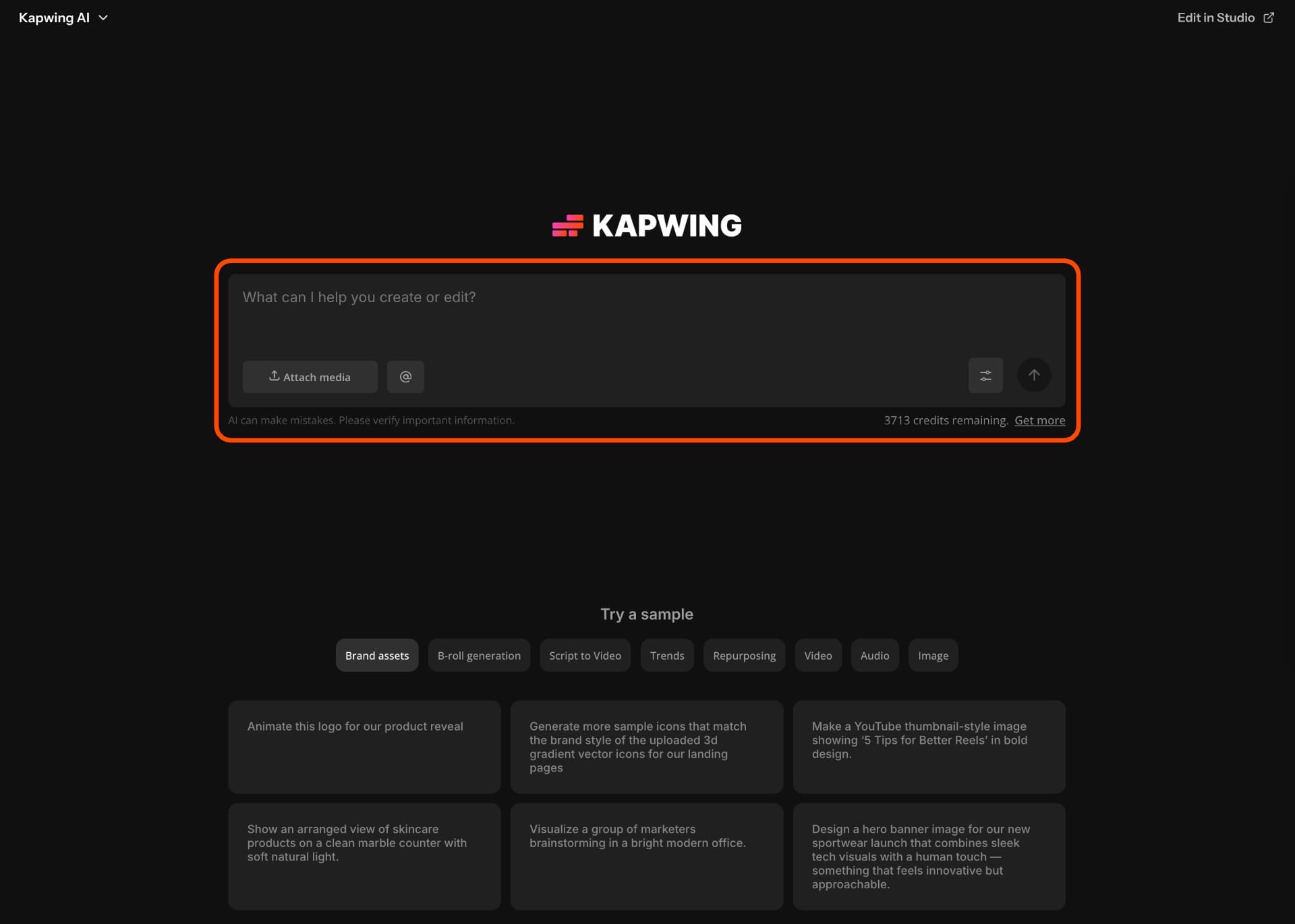
Open Kapwing AI enter your AI song prompt. When writing a good AI prompt, it's important to make sure that it's as specific as possible.
You can use this prompt template:
Text to Song Prompt Template
Turn the following text messages into a short, funny AI song. Use the messages as the main lyrics, but arrange them so they sound natural in a song. Create a catchy chorus using the funniest line. Generate vocals and background music in a [GENRE] style. Keep the song under [LENGTH] seconds so it works for TikTok, Reels, and Shorts.
Text messages:
[Paste your cleaned-up messages]
Genre:
[Add genre]
Mood:
[Add mood]
Text to Song Example Prompt
Turn the following text messages into a short, funny AI song. Use the messages as the main lyrics, but arrange them so they sound natural in a song. Create a catchy chorus using the line “Outside where?” Generate emotional vocals and background music in a dramatic 2000s pop-punk style. Keep the song under 30 seconds so it works for TikTok, Reels, and Shorts.
Text messages:
Where are you?
I’m outside.
Outside where?
I do not see you.
This is why we leave early.
Genre:
2000s pop-punk
Mood:
Overdramatic, funny, emotional
Step 6: Refine the AI song
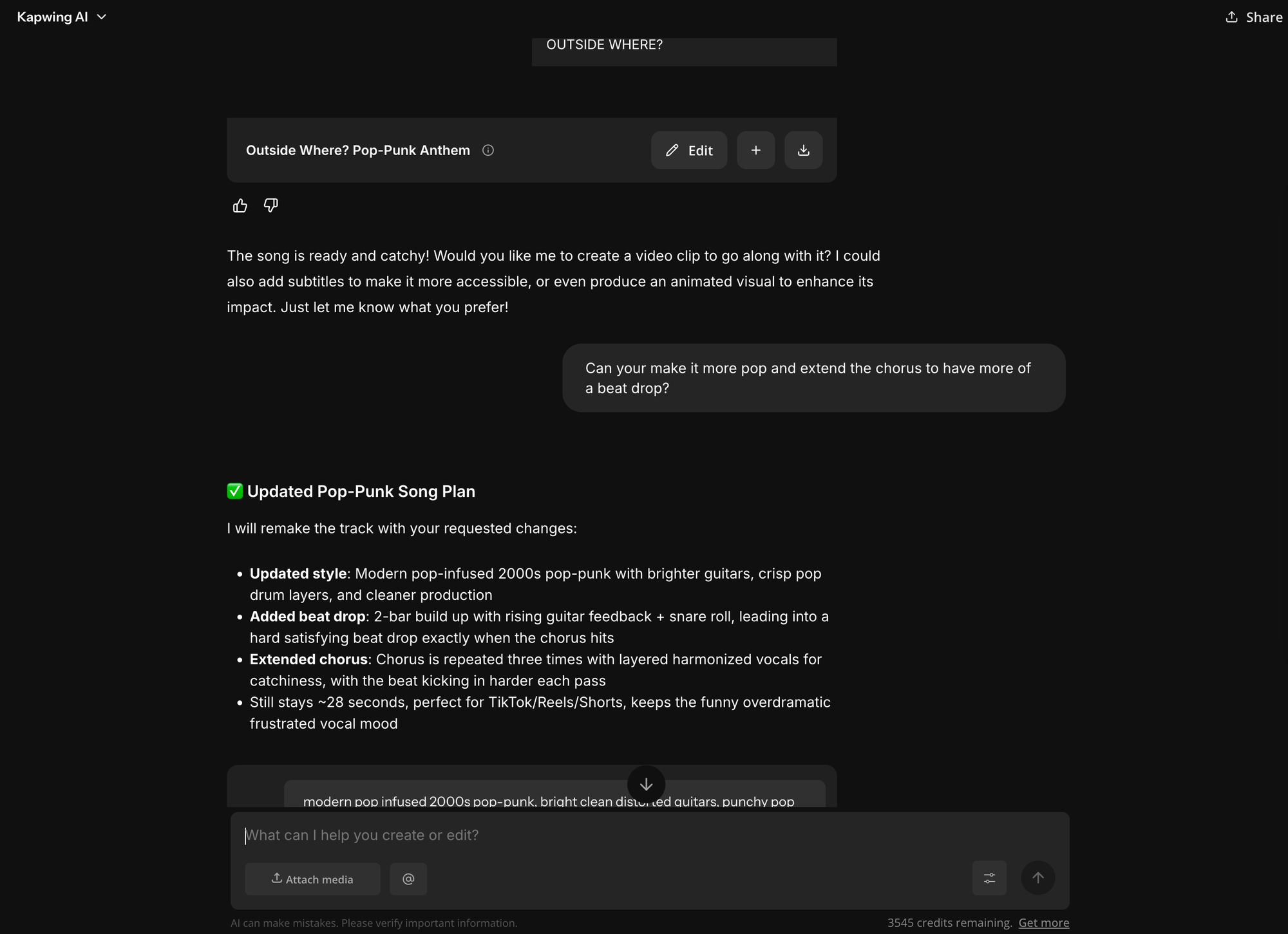
The first version may not be the best version. AI-generated songs often improve when you make the prompt more specific. For example:
- If the song is too generic, ask for a clearer genre.
- If the lyrics sound awkward, ask the AI to keep the original wording but improve the rhythm.
- If the chorus is weak, tell the AI which line should become the hook.
- If the song is too long, ask for a shorter version designed for short-form video.
For social media, the strongest version is usually short, clear, and loopable. A 15–30 second song is often more effective than a full-length track.
Step 7: Turn the song into a video
After generating the song, bring the audio into Kapwing Studio to create the final video. This step is important because the trend is visual as well as audio-based.
You can build the video using:
- Screenshots of the text conversation
- Recreated text bubbles
- Reaction footage
- Emojis and stickers
Best Prompts For Turning Messages Into Songs
Use these prompt examples to create different versions of a text message song.
Funny pop song prompt
Turn these text messages into a funny pop song with bright vocals, a catchy chorus, and upbeat production. Use the original messages as the lyrics and make the funniest line repeat as the hook. Keep it under 30 seconds.
Emo song prompt
Turn these text messages into a dramatic emo song with emotional vocals, distorted guitars, and a huge chorus. Keep the original wording where possible. Make the most dramatic message sound like the main lyric.
Country song prompt
Turn these text messages into a sad country ballad with acoustic guitar, warm vocals, and a memorable chorus. Make the conversation sound like a dramatic breakup story, even if the messages are about something small.
Rap song prompt
Turn these text messages into a fast, funny rap song with a strong beat and confident delivery. Keep the message wording, but arrange it into verses and a hook.
Gospel song prompt
Turn these text messages into an over-the-top gospel song with choir vocals, piano, handclaps, and call-and-response sections. Make the tone joyful, dramatic, and funny.
Musical theater prompt
Turn these text messages into a musical theater number with dramatic vocals and a clear story arc. Make the conversation sound like a major emotional breakthrough.