Generatore di Storyboard AI
Trasforma script e idee in storyboard con l'IA.
Passa dallo storyboard al video nello stesso studio online.
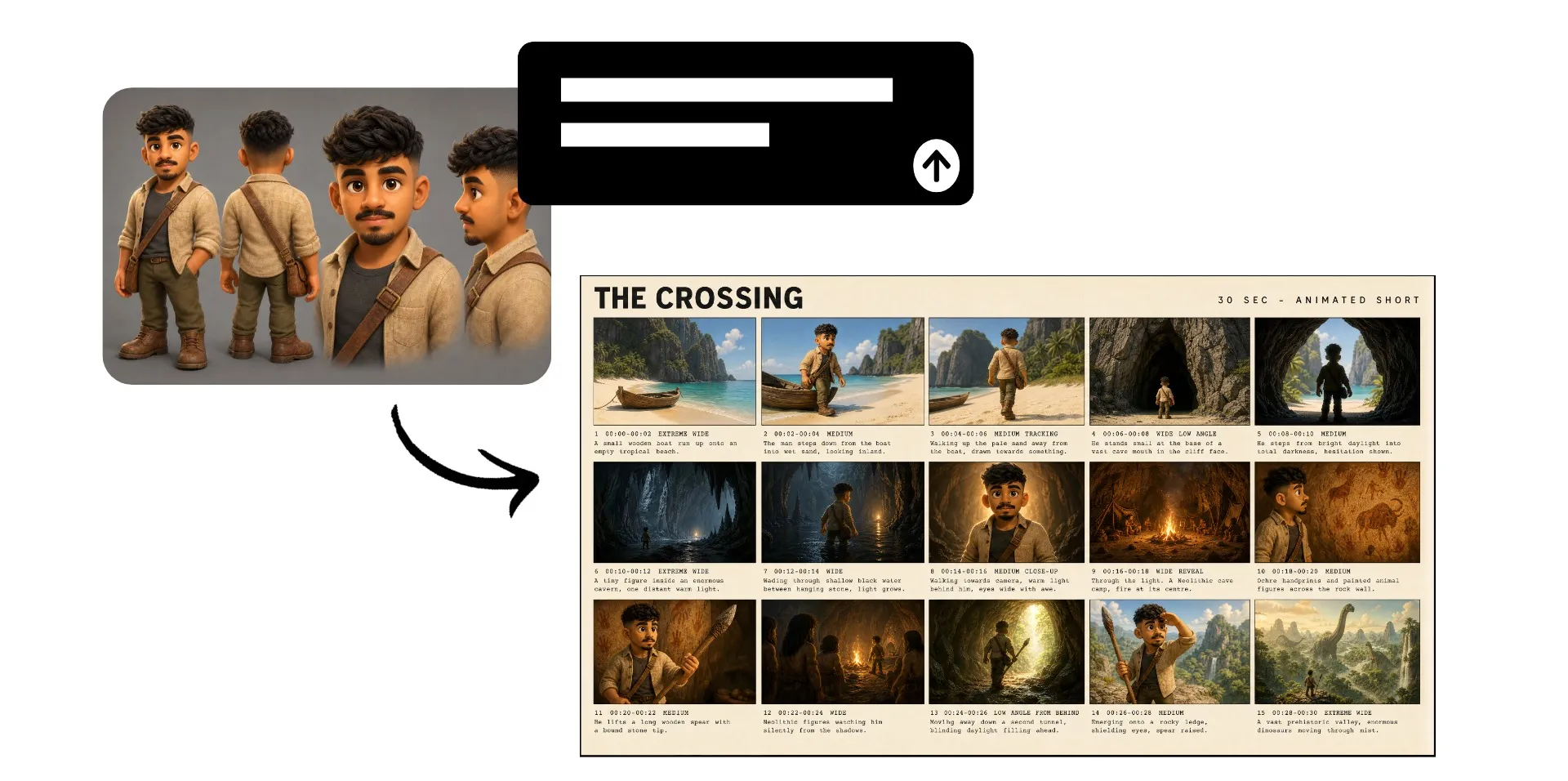
Trasforma gli script in storyboard visivi con l'AI
Pianifica ogni ripresa prima della produzione
Vedi la tua storia prima di crearla
Trasforma uno script, un prompt o un'idea video grezza in uno storyboard pronto per la produzione con intelligenza artificiale. Storyboard Generator di Kapwing mappa personaggi, ambientazioni, angoli di telecamera e scene della storia così puoi vedere il tuo concept prender forma prima di generare il video completo.
Pianifica un cortometraggio con intelligenza artificiale, abbozza un video pubblicitario, o visualizza una campagna social in pochi minuti. Prova angoli di ripresa diversi, individua buchi nella storia e stabilisci una direzione visiva coerente prima di dedicare tempo e crediti alla creazione del tuo video.
Esporta il tuo storyboard finito come JPEG senza watermark da condividere o usare in produzione, oppure portalo direttamente su AI Video Generator come riferimento visivo per il tuo video.
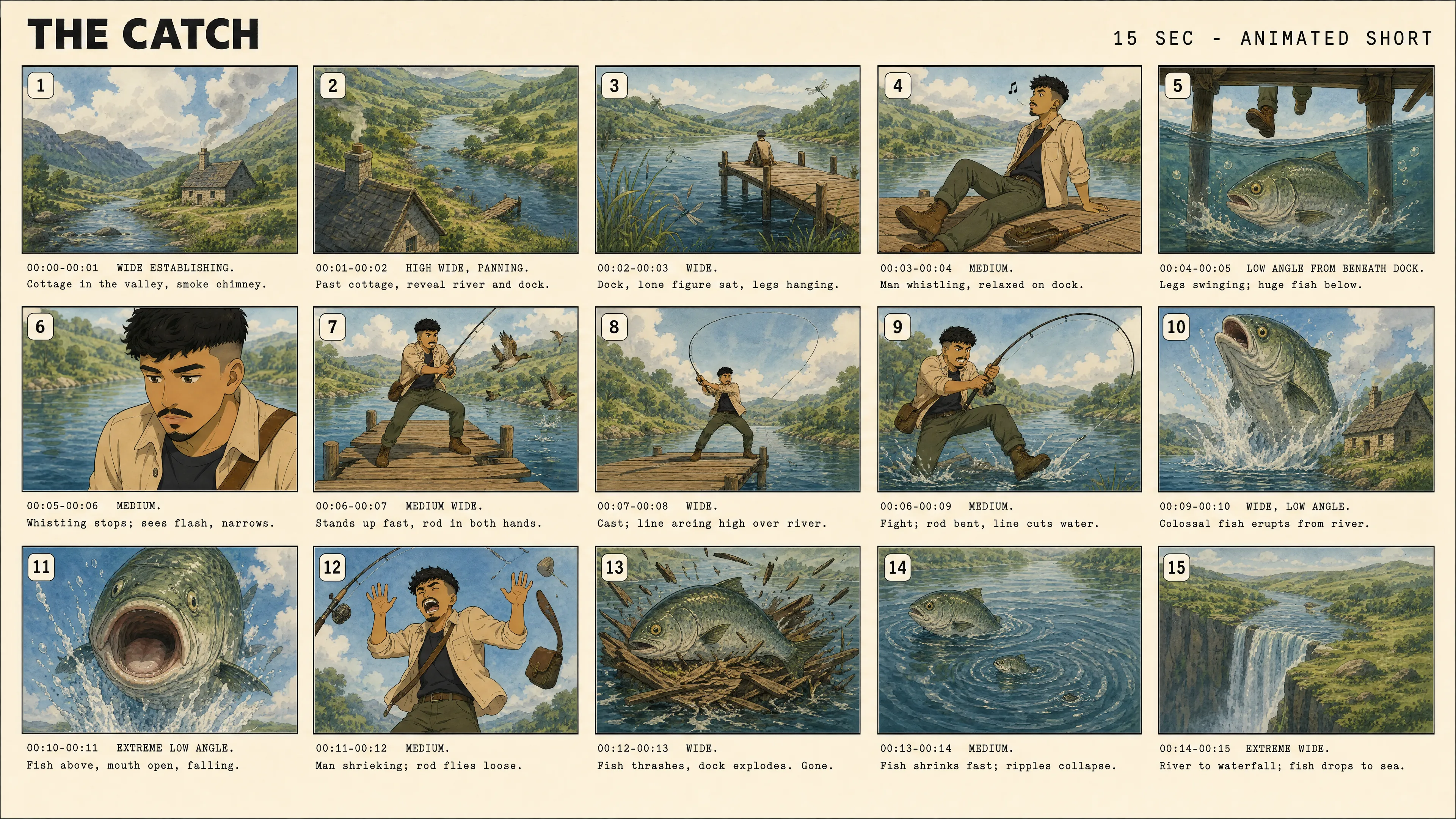
Crea uno storyboard in tre passaggi
Nessun download o software aggiuntivo. Esporta in alta risoluzione senza filigrane.
Prompt
Kapwing AI per creare uno storyboard dal tuo script o dalle tue idee video


Genera
il tuo storyboard AI e perfeziona i tempi, gli scatti e la composizione con i prompt di follow-up
Esporta
il tuo storyboard come JPEG, oppure usalo come riferimento per la generazione di video con IA
Crea uno storyboard per qualsiasi idea di video
Visualizza le storie, perfeziona gli scatti e stabilisci le direzioni creative
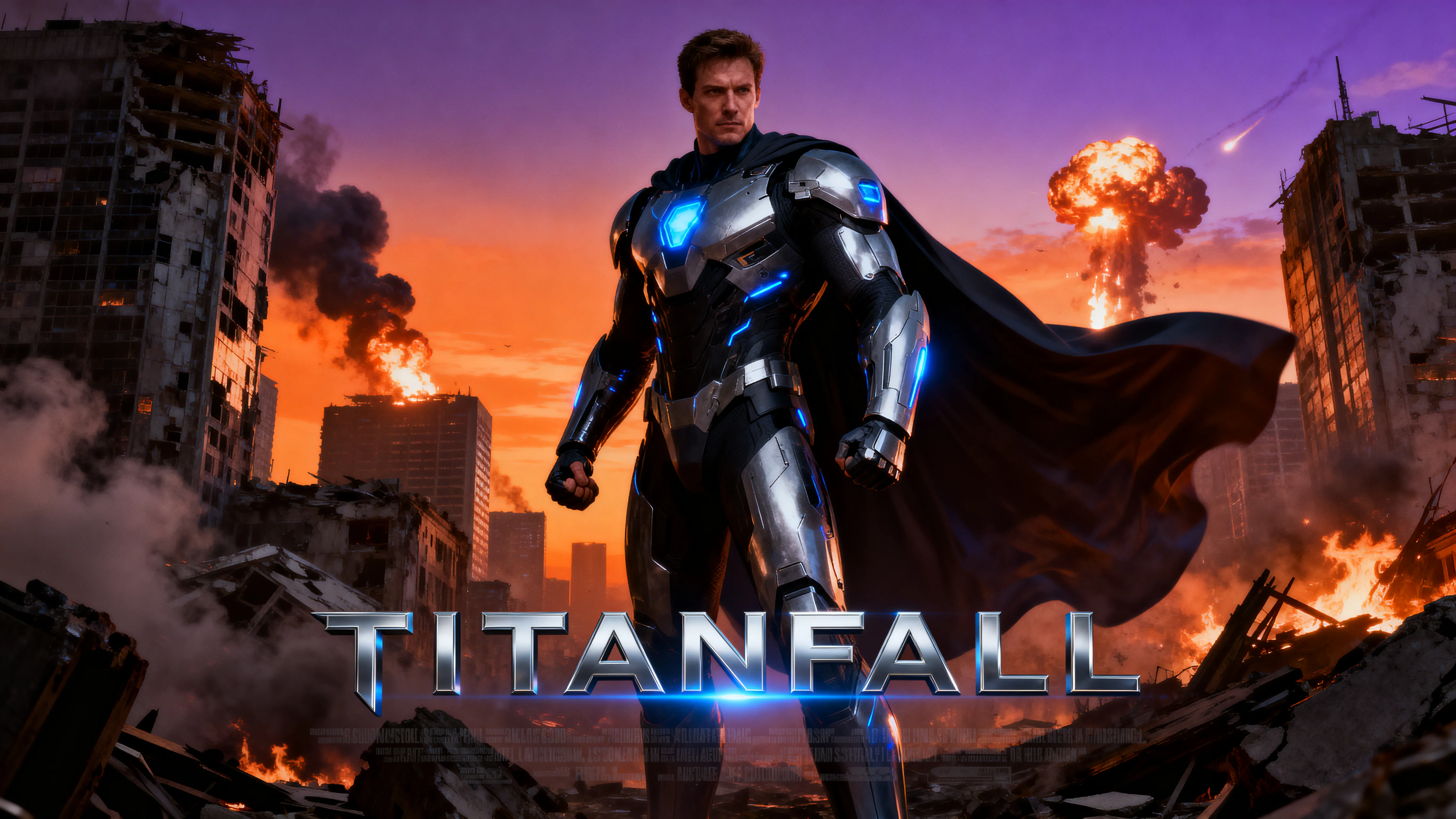
Film Pendek AI
Pianifica i personaggi, le location, gli inquadrature e i momenti della storia prima di generare un film multi-scena. Mantieni coerente la narrazione e la direzione visiva da una scena all'altra.
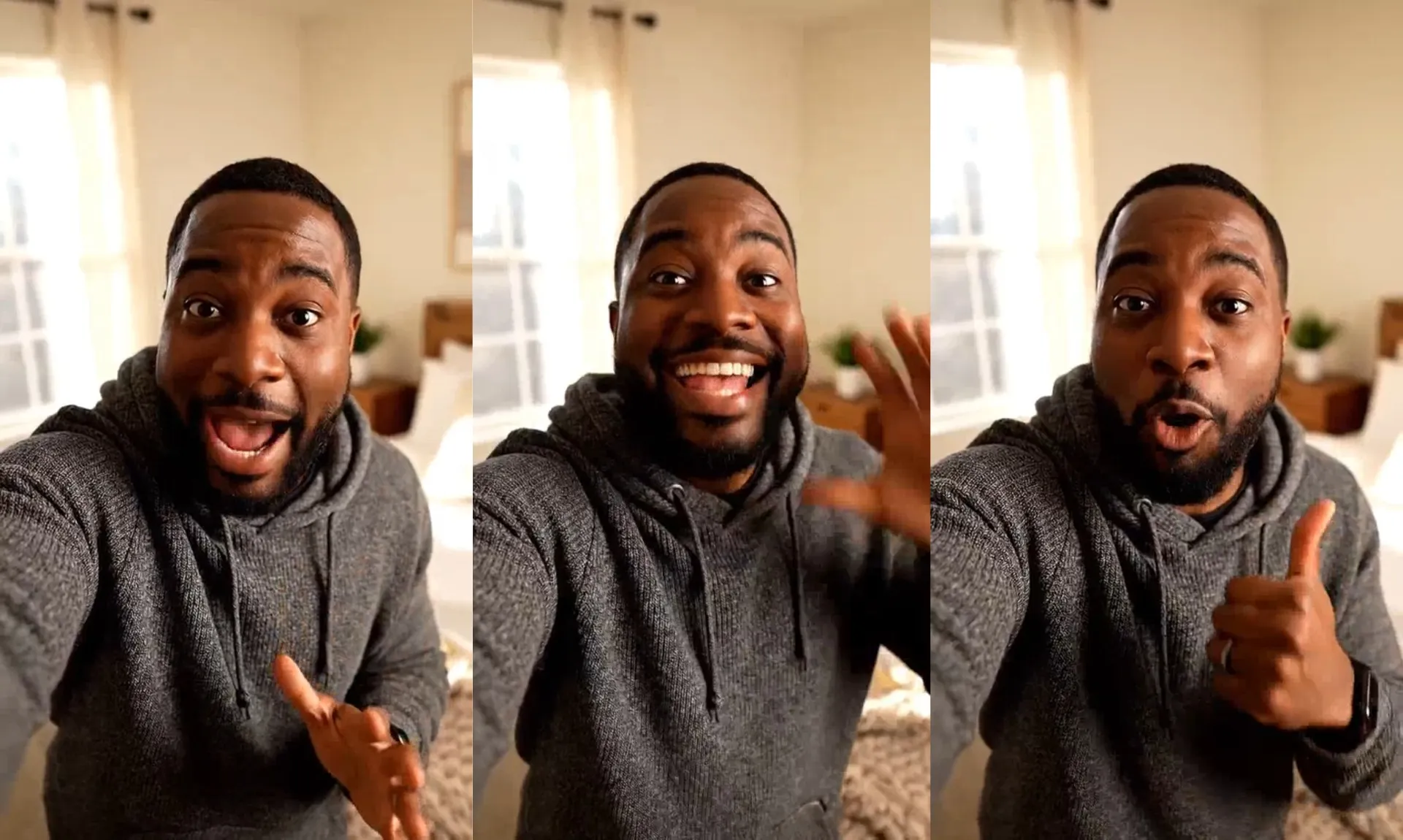
Campagne sui Social
Pianifica gli scatti e il ritmo per TikToks, Reels, Shorts e campagne multi-video. Dai al tuo team una direzione visiva da seguire in ogni pezzo di contenuto.
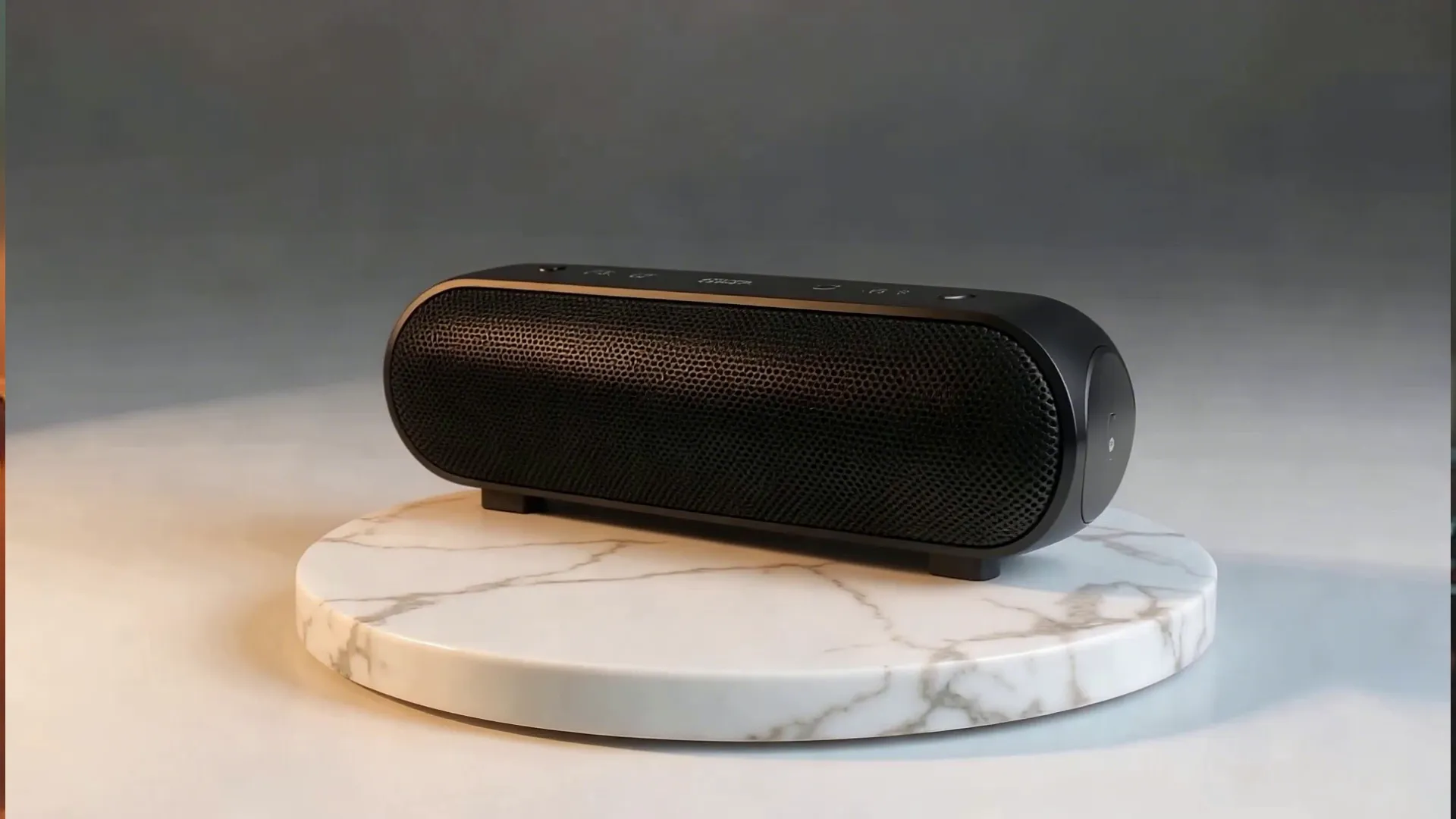
Annunci Video
Pianifica l'apertura, la presentazione del prodotto, il beneficio principale, la dimostrazione, la prova sociale e la call to action prima di generare il tuo annuncio. Confronta diverse aperture o sequenze di inquadrature.
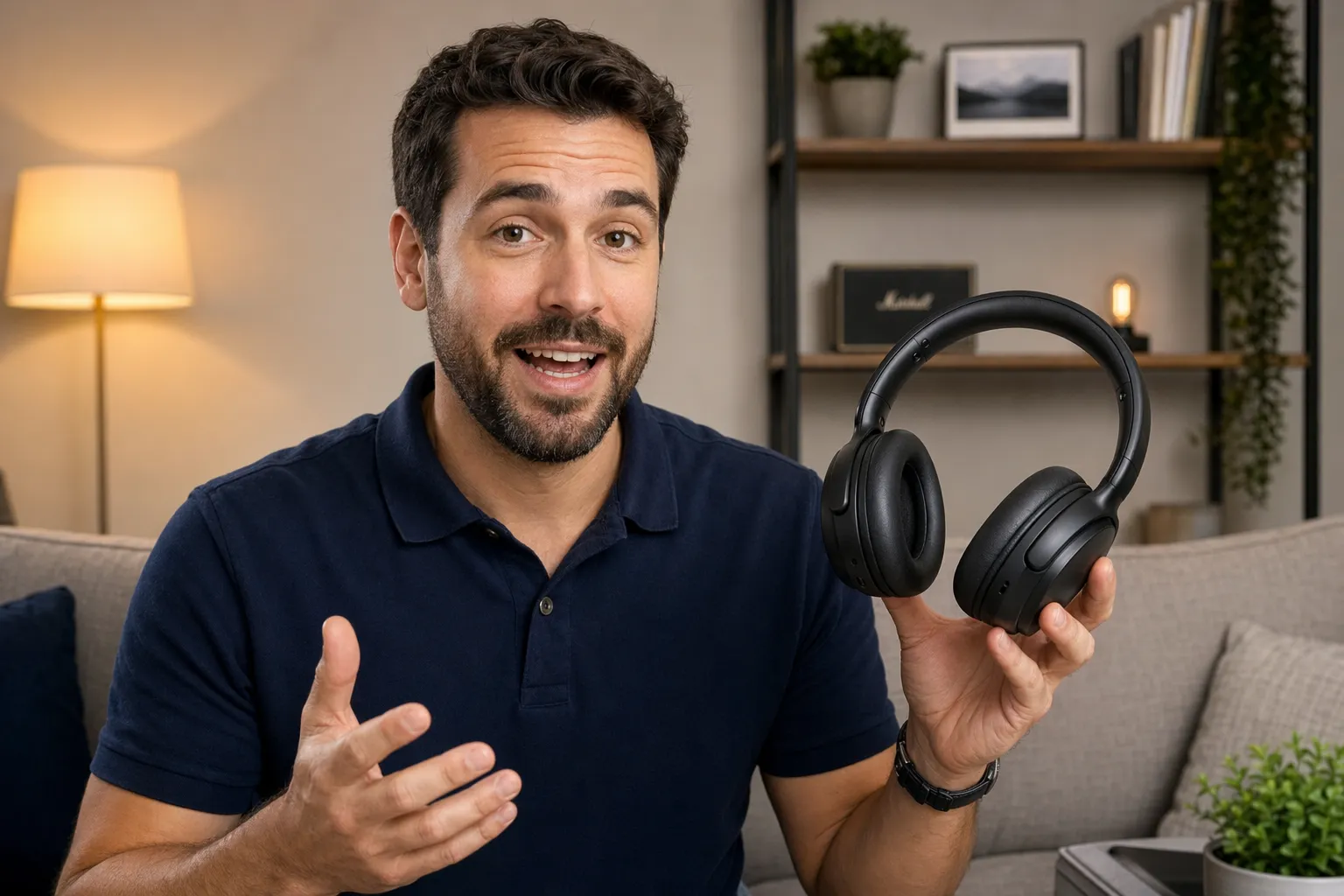
Demo dei Prodotti
Visualizza primi piani, dimostrazioni di prodotti, scene di lifestyle e transizioni prima di creare il video. Perfeziona come e dove il tuo prodotto appare in ogni inquadratura.
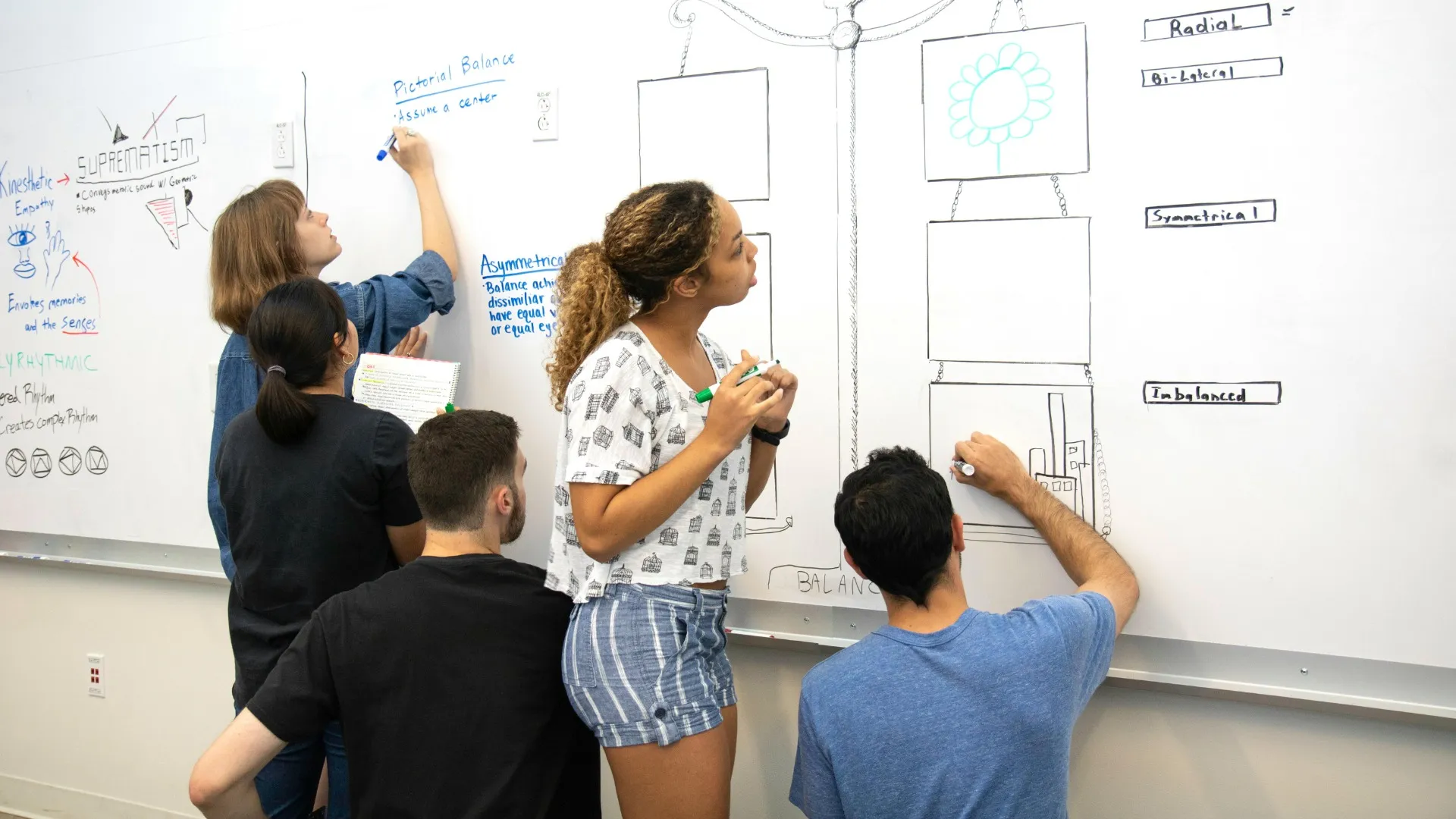
Proposte & Concetti
Trasforma un'idea video iniziale in una sequenza visiva che clienti, colleghi e stakeholder possono revisionare. Comunica il concetto, raccogli feedback e allineatevi sulla direzione prima della produzione.
Crea uno storyboard pronto per la produzione
Pianifica i tuoi contenuti visivi con uno storyboard, poi genera e modifica tutto nello stesso posto
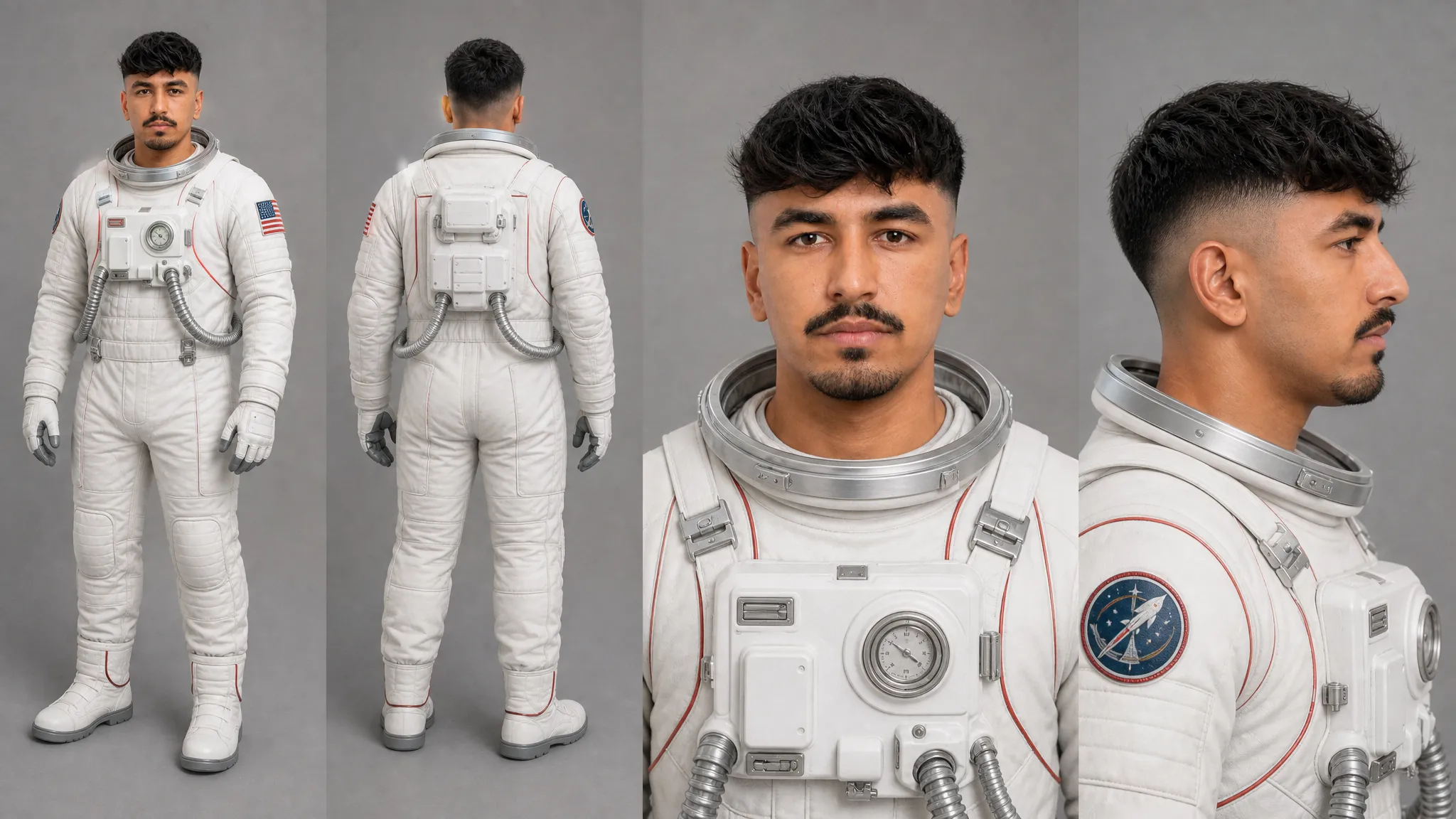
Mantieni i personaggi coerenti nelle scene dello storyboard
Crea un foglio di riferimento dei personaggi prima di costruire il tuo storyboard per stabilire come dovrebbe apparire il tuo personaggio da angolazioni e pose diverse. Usa questi riferimenti mentre generi scene per mantenere i tratti del viso, l'abbigliamento, i capelli, le proporzioni e altri dettagli caratteristici in tutto lo storyboard.
Gli strumenti AI Character Consistency di Kapwing ti aiutano a riutilizzare lo stesso personaggio in nuove scene, ambientazioni e composizioni. Porta il riferimento del personaggio nella generazione video insieme al tuo storyboard finito per dare all'AI un contesto visivo coerente dal primo fotogramma al video finale.
Perfeziona le inquadrature prima di generare i video
Usa il tuo storyboard AI per prendere decisioni creative, individuare i problemi e confrontare i piani. Regola gli angoli della telecamera, la composizione dell'inquadratura, il posizionamento dei personaggi, gli scenari e lo stile visivo, quindi verifica come ogni scena si collega a quella successiva.
Per i progetti di team, sposta il tuo storyboard in un progetto Kapwing condiviso per rivedere e modificare insieme in tempo reale. I compagni di squadra e gli stakeholder possono lasciare commenti o utilizzare lo strumento Disegna per annotare i fotogrammi con feedback visivo, rendendo più facile allinearsi sugli inquadrature e la direzione creativa prima di generare il video completo.
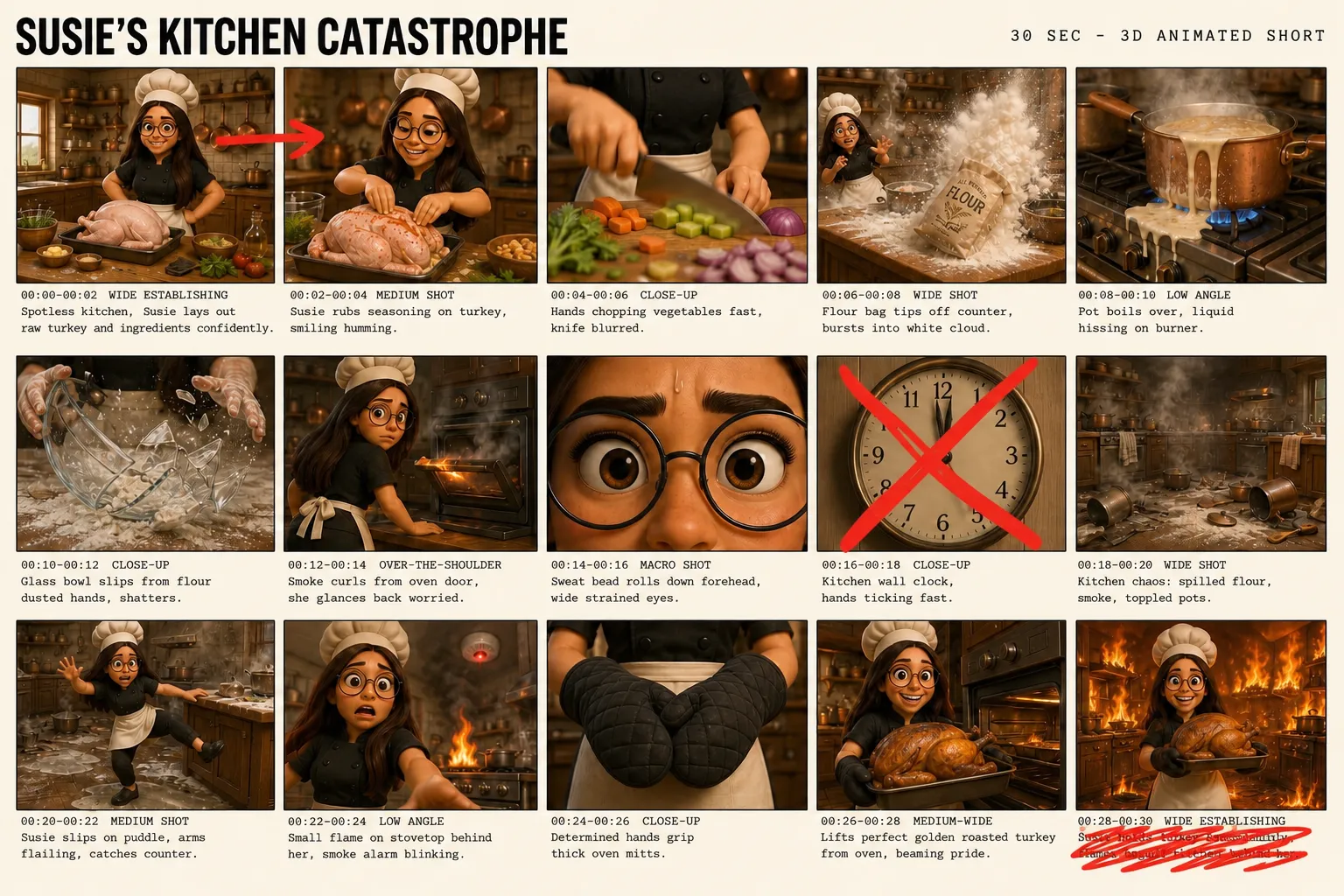
Trasforma i storyboard in video
Usa il tuo storyboard finito come riferimento visivo per modelli di video AI come Seedance 2.5 o MiniMax H3. Invece di generare solo da un prompt di testo, dai al modello una sequenza visiva da seguire così il tuo video rimane più fedele ai personaggi, ambientazioni, composizioni e beat della storia che hai già pianificato.
Lo storyboard aiuta Kai, l'Assistente Video AI di Kapwing, a sviluppare e collegare ogni scena mantenendo la storia completa in contesto. Abbinalo alla tua immagine di riferimento del personaggio, poi chiedi a Kai di generare il video, apportare modifiche o perfezionare momenti specifici attraverso prompt di follow-up senza ricominciare da capo.
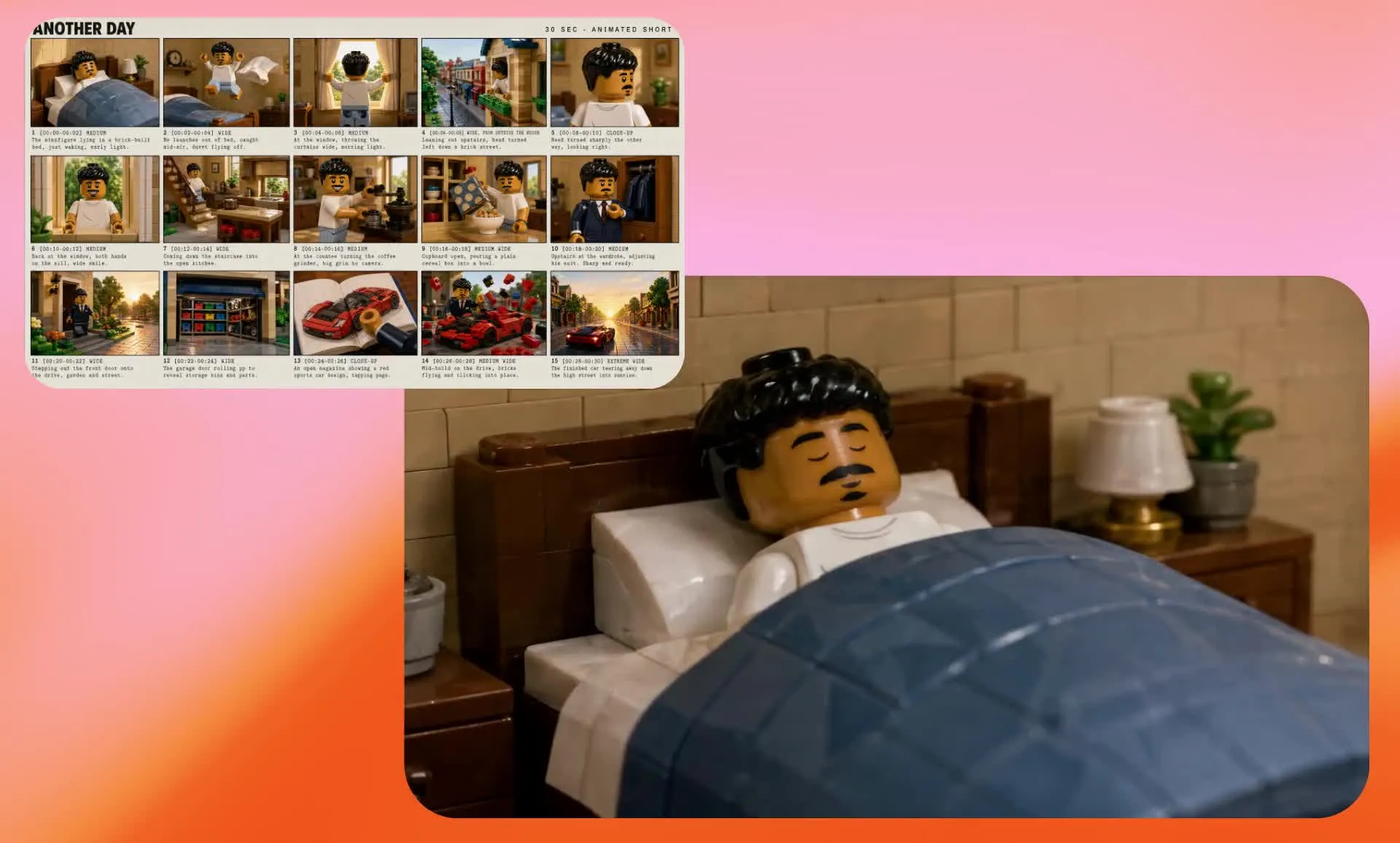
Come creare uno storyboard con l'AI
- Step 1Scrivi prompt
Crea una nuova chat con Kai e fai clic per allegare un foglio di riferimento dei personaggi se necessario. Inserisci un prompt dettagliato richiedendo uno storyboard di produzione cinematografica e descrivendo ogni scena, inclusi i timestamp, i tempi, i personaggi e lo stile visivo.
- Step 2Genera storyboard
Fai clic sulla freccia per generare il tuo storyboard. Inserisci i prompt di follow-up per regolare elementi come angoli di camera, ritmo, ordine delle scene e stile generale.
- Step 3Scarica
Fai clic per scaricare il tuo storyboard come JPEG. Puoi anche chiedere a Kai di trasformare il tuo storyboard in un video completo usando Seedance 2.5.
Già rivoluzionando la creazione di video in diversi settori
Ascolta direttamente dai team che pubblicano più velocemente, collaborano meglio e rimangono sempre avanti.


Domande Frequenti
Abbiamo le risposte alle domande più comuni che i nostri utenti ci fanno.
Cos'è uno storyboard video AI?
Un storyboard AI è una sequenza visiva di scene generate da uno script, un prompt o un'idea video. Ti aiuta a pianificare personaggi, ambientazioni, angolazioni della telecamera, composizione e i momenti chiave della storia prima di creare il video completo. A differenza di uno storyboard tradizionale disegnato a mano, uno storyboard AI può generare i visivi iniziali per te e fornire un riferimento per la successiva generazione di video AI.
È gratuito il generatore di storyboard di Kapwing?
Sì, chiunque può provare gratuitamente il Generatore di Storyboard AI di Kapwing senza filigrane. I nostri strumenti AI funzionano con un sistema di crediti, ogni funzione costa un numero fisso di crediti. Per massima creatività e il miglior rapporto qualità-prezzo, passa a un account Pro per sbloccare l'intera potenza della creazione di contenuti guidata dall'AI.
Come funziona il Storyboard Generator?
Inizia creando un foglio di riferimento dei personaggi che stabilisca l'aspetto, l'abbigliamento e lo stile visivo del tuo personaggio. Quindi apri una nuova chat con Kai, allega il foglio di riferimento e inserisci un prompt dettagliato richiedendo un "foglio di storyboard per la produzione cinematografica stampato" e descrivendo la tua scena video scena per scena. Includi dettagli chiave come azioni, ambientazioni, inquadrature della fotocamera, timestamp o ritmo, e stile visivo per dare a Kai una direzione chiara per lo storyboard.
Una volta generato, rivedi lo storyboard e chiedi a Kai di perfezionare singoli shot o beat della storia. Scarica lo storyboard finito come JPEG, oppure usalo come riferimento visivo per generare il video completo con un modello di video AI supportato.
Perché dovrei creare uno storyboard prima di generare un video con l'AI?
Lo storyboarding ti permette di prendere decisioni creative prima di spendere tempo e crediti AI per generare il video completo. Puoi visualizzare la sequenza, identificare i passaggi della storia mancanti, testare le scelte di inquadratura, definire personaggi e ambientazioni, e perfezionare prima la direzione creativa complessiva.
Uno storyboard finito può anche fornire a un modello di video AI più contesto visivo rispetto a un solo prompt di testo, aiutando a guidare l'aspetto e la progressione del video generato.
Posso modificare lo storyboard del video?
Sì, puoi modificare il tuo storyboard chattando con l'assistente AI di Kapwing, Kai. Richiedi modifiche ai personaggi, alla scena, allo stile o ai tempi e rigenera il tuo storyboard prima di scaricarlo.
Hai bisogno di esperienza in AI per usare lo strumento?
No, il Kapwing's AI Storyboard Generator è stato progettato per essere semplice e intuitivo. Puoi creare uno storyboard digitando un prompt o incollando uno script — non è richiesta alcuna esperienza tecnica o con l'AI. Per rendere tutto ancora più facile, dai un'occhiata alla nostra guida pratica, completa di consigli per scrivere prompt che puoi usare con LLM come Claude.
Posso trasformare uno storyboard creato con l'IA in un video?
Sì, il tuo storyboard finito può essere utilizzato come riferimento visivo per la generazione di video AI. Carica lo storyboard in una chat con Kai e seleziona un modello video AI compatibile, come Seedance 2.5, per dargli il contesto visivo dei tuoi personaggi, composizione, ambientazioni e progressione della storia.
Il video risultante interpreterà lo storyboard e lo ricrea come una sequenza di beat visivi collegati in un video continuo.
Posso usare il mio personaggio, volto o prodotto nello storyboard?
Sì, puoi caricare immagini, prodotti o riferimenti visivi e usarli come parte del tuo storyboard. Puoi anche salvare i personaggi nel tuo Brand Kit per mantenere la coerenza dei personaggi tra scene e progetti, assicurando che i tuoi elementi visivi rimangano allineati con il tuo brand.
A cosa posso usare gli storyboard AI?
I storyboard AI possono aiutare a pianificare cortometraggi, video pubblicitari, campagne sui social media, video di prodotto, animazioni, video musicali e altri progetti video multi-scena. Usali per esplorare un concetto visivamente, comunicare la direzione creativa ai tuoi collaboratori, o creare riferimenti visivi per la generazione di video con AI.
Posso mantenere i personaggi coerenti durante lo storyboard?
Sì, per assicurare la coerenza dei personaggi nel tuo storyboard, inizia con un foglio di riferimento del personaggio che stabilisca dettagli caratteristici come lineamenti del viso, abbigliamento, capelli, proporzioni e stile visivo. Usa lo stesso riferimento del personaggio quando generi il tuo storyboard per dare all'IA un contesto visivo coerente in diverse scene e angolazioni di telecamera.
Puoi anche riutilizzare il tuo riferimento del personaggio insieme allo storyboard finito quando generi video con l'IA per aiutare a mantenere la continuità dallo storyboard al video.
Scopri le Risorse
Consigli, modelli e approfondimenti per aiutarti a creare più velocemente e condividere con sicurezza.
Visualizza tutto

Inizia con il tuo primo video in pochi click. Unisciti a oltre 35 milioni di creator che si fidano di Kapwing per creare più contenuti in meno tempo.