How to Do the AI Dart Throw Trend (Seedance 2.5 Prompts)
The AI dart throw trend has racked up over 1 million likes.
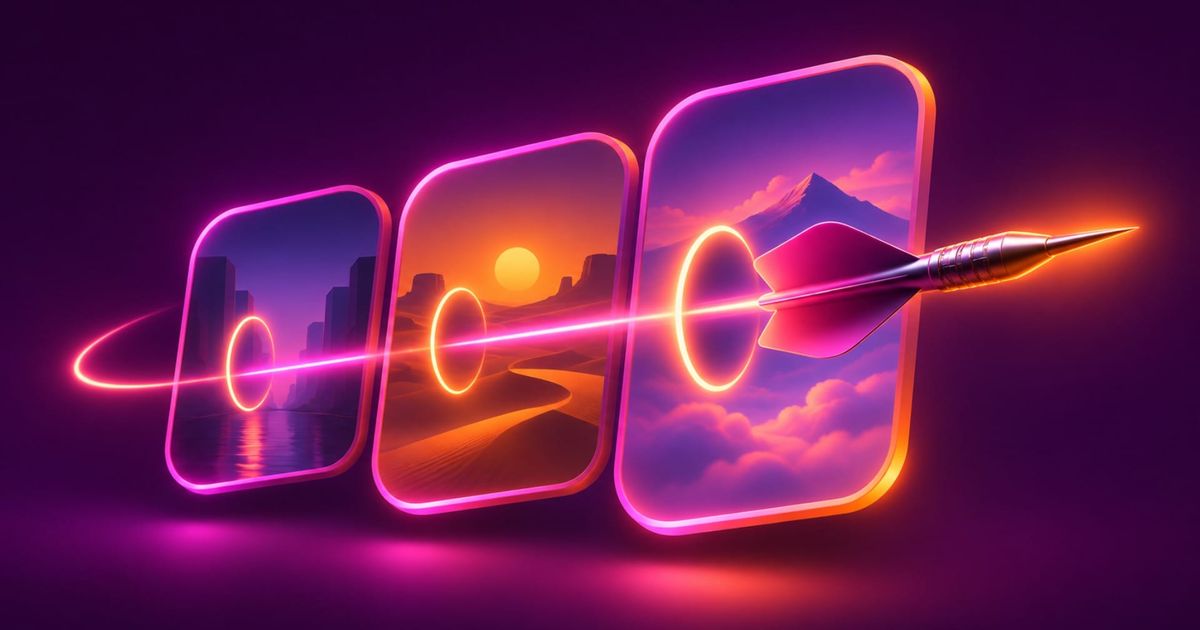
A single dart travels through the streets of Tokyo, narrowly missing a girl holding a balloon, passing through bus and taxi windows, and tearing through hanging decorations before landing on a target.
The AI dart throw trend, often titled "One Throw, All of [City]" on Instagram, has become a creative showcase for long-form AI video generation. While some creators recreate modern cities, others transport viewers to historical settings, using the same cinematic sequence to imagine what everyday life looked like decades or centuries ago.
Behind many of these videos is Seedance 2.5, ByteDance's AI video model capable of generating 30 seconds of continuous footage with synchronized audio. Unlike AI trends that rely on a preset effect or a simple image transformation, the dart throw trend requires careful coordination between camera movement, object consistency, environmental design, and the timing of individual events.
In this guide, I'll break down the anatomy of the viral dart throw video, how to recreate it in Kapwing, and how to write a reusable Seedance 2.5 prompt that can be adapted to virtually any city or historical period.
Table of Contents:
- What Is the AI Dart Throw Trend on Instagram?
- How to Make the AI Dart Throw Trend With Seedance 2.5
- AI Dart Throw Prompts for Different Cities and Historical Periods
- How to Write AI Dart Throw Prompts for Any City With Claude
- Frequently Asked Questions
What Is the AI Dart Throw Trend on Instagram?
The AI dart throw trend is a cinematic AI video trend in which a camera tracks a single dart through an elaborate, AI-generated urban environment. The videos typically begin with someone throwing a dart directly ahead of them, before the camera accelerates into a continuous tracking shot that follows the object until it reaches its destination.
The trend began circulating in early November 2026, with AI creator Anelia AI sharing a 30-second, single-prompt generation of a dart traveling through a Japanese shopping district on November 5. By November 18, similar video prompts recreating the effect in Paris had appeared online, followed by additional variations featuring different urban environments.
Unlike other AI video trends, where the subject or transformation is the main attraction, the dart throw format uses a recurring sequence of environmental interactions to structure the video.
These recurring elements serve a cinematic purpose:
| Platform | Recommended Approach |
|---|---|
| Job application | Submit a video file or link only where accepted or requested |
| Email application | Include a concise link alongside your written CV |
| Share a video post or link through your profile's available features | |
| Personal website | Embed the video alongside your portfolio and work samples |
| Creative portfolio | Place the video near relevant projects as a short introduction |
How to Make the AI Dart Throw Trend With Seedance 2.5
Seedance 2.5 is particularly well suited to the AI dart throw trend because it supports video generations of up to 30 seconds, considerably longer than the generation windows of many competing AI video models.
For this trend, the longer generation window is more important than simply generating higher-resolution footage. A substantial part of the effect depends on allowing the environment to develop around the dart without introducing cuts.
Step 1. Establish Your City, Time Period, and Visual Style
Start by choosing the location you want to recreate. This can be your hometown, a recognizable tourist destination, a historical civilization, or even a fictional interpretation of a familiar city.
Rather than prompting an entire city in broad terms, choose a visual identity that can be maintained throughout the generation. The model needs enough architectural and environmental consistency to make the sequence feel like one
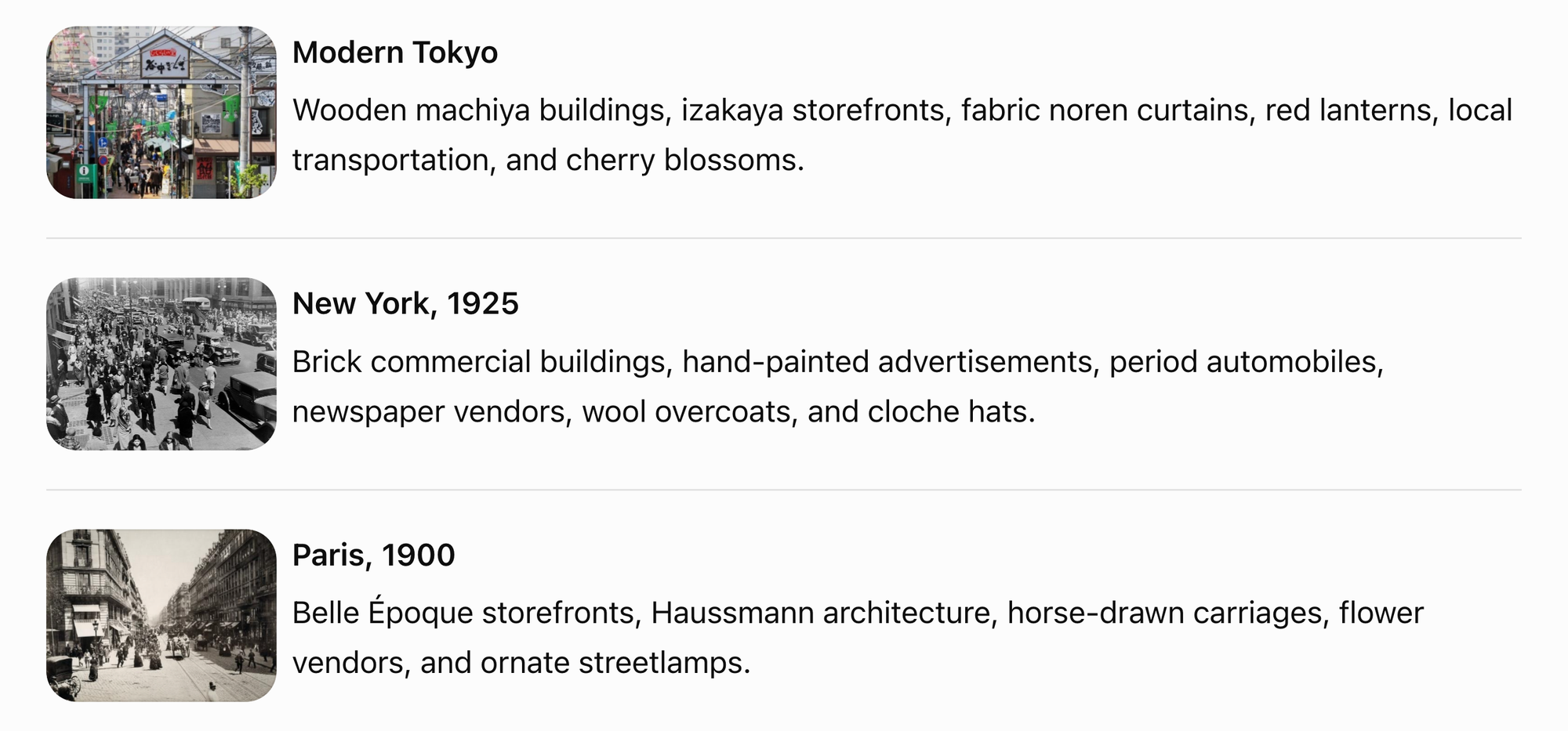
For a contemporary location, a sufficiently descriptive text prompt may be enough. Historical settings benefit more from visual references because AI models tend to combine features from different periods. You can use the Library of Congress, Wikimedia Commons, or Europeana to find material.
You don't necessarily need to generate a full storyboard before making the video. Unlike a multi-shot AI video, the dart throw format relies on a single camera perspective, so establishing the overall environment is often more valuable than generating a separate reference for every moment.
Step 2. Generate an Opening Frame and Dart Reference
Open Kai and use an AI image generator to establish the opening composition. This gives Seedance a clear visual foundation for the environment, lighting, thrower, and cinematic style.
For the opening image, prioritize depth. A street with a strong vanishing point, clearly defined foreground elements, and layered architecture will generally provide a more useful foundation than a flat portrait or a wide aerial image.
AI Dart Throw Opening Image Prompt Template
Create a photorealistic cinematic film still set in [CITY] in [YEAR].
A person holding a small metallic sports dart stands in the foreground of a lively neighborhood street. The city extends into the background with a strong central vanishing point and layered architectural detail.
The surrounding environment features [LOCATION-SPECIFIC ARCHITECTURE], [PERIOD-APPROPRIATE CLOTHING], [LOCAL STOREFRONTS], and [CULTURAL DETAILS].
Natural pedestrian activity, realistic materials, authentic environmental lighting, cinematic depth, documentary-level urban detail, restrained color grading.
The image should resemble a live-action film still with carefully considered production design rather than a stylized illustration or computer game.
16:9 composition. No text overlays or watermarks.
Step 3. Write Your AI Dart Throw Video Prompt
The key to recreating the AI dart throw effect is establishing a consistent relationship between the camera and the dart while controlling how the environment develops throughout the generation. A detailed prompt should specify not only what happens, but also the camera movement, object placement, environmental reactions, and sound design.
Divide your prompt into global instructions and timestamped events. Global instructions establish the visual rules that remain consistent throughout the video, while timestamps introduce new environmental details and cinematic moments without interrupting the continuous shot.
AI Dart Throw Prompt Template
OUTPUT FORMAT
30 seconds, 9:16 vertical, 24fps, photorealistic cinematic video, native synchronized audio. One uninterrupted take.
SETTING AND PRODUCTION DESIGN
[CITY], [COUNTRY], [YEAR], during [TIME OF DAY]. The environment features [ARCHITECTURAL STYLE], [LOCAL STOREFRONTS], [PERIOD-APPROPRIATE TRANSPORTATION], [CULTURAL DETAILS], and [CLOTHING STYLES]. Maintain geographic, architectural, and historical consistency throughout.
OPENING FRAME
Use #image_1 as the opening-frame reference. A person wearing [CLOTHING] holds a [DART MATERIAL, COLOR, AND DESIGN]. Establish the character, object, lighting, and surrounding city.
CAMERA AND LENS
Cinematic over-the-shoulder opening composition transitioning seamlessly into an object-tracking chase shot. Wide-angle 24mm lens aesthetic, natural depth of field, realistic motion blur, strong environmental parallax, stabilized continuous movement. The dart remains visible in the lower central portion of the frame. No independent camera cuts or perspective resets.
OBJECT CONSISTENCY
Maintain one identical dart throughout the video. Preserve its exact material, proportions, shaft, color, and flights. No duplication, disappearance, deformation, or changes in scale.
TIMESTAMPED SEQUENCE
0–3s: Establish the opening composition and transition into the continuous tracking shot.
3–8s: Reveal [FIRST DISTINCTIVE URBAN ENVIRONMENT], featuring natural pedestrian activity and local architectural details.
8–13s: Showcase [LOCAL TRANSPORTATION AND STREET LIFE], with realistic reflections and foreground movement.
13–18s: Introduce [CULTURAL LANDMARK OR STREET DECORATIONS], with flowing fabrics and lightweight decorative elements.
18–23s: Reveal [SECOND DISTINCTIVE URBAN ENVIRONMENT], including colorful unoccupied displays and environmental activity.
23–27s: Introduce a playful interaction with decorative balloons, paper ribbons, or confetti, safely separated from people.
27–30s: Reveal the final decorative dartboard, concluding with a satisfying impact and a brief final hold.
LIGHTING AND COLOR
[LIGHTING CONDITIONS], [COLOR PALETTE], [FILM STOCK OR CINEMATIC AESTHETIC]. Physically coherent shadows, realistic reflections, detailed surfaces, natural skin textures, restrained color grading.
SOUND DESIGN
Continuous [LOCATION-SPECIFIC AMBIENCE], [TRANSPORTATION SOUNDS], [BACKGROUND CONVERSATIONS], environmental movement, synchronized decorative sound effects, and a distinct final impact. No music or narration.
STRICT CONSTRAINTS
One continuous take. No cuts, montage, camera teleportation, duplicated objects, disappearing dart, inconsistent architecture, historical inaccuracies, injuries, threatening interactions, artificial motion trails, subtitles, title overlays, or watermarks.
One Throw, All of Hong Kong
OUTPUT FORMAT
Seedance 2.5. 30 seconds, 9:16 vertical, 24fps, photorealistic live-action period cinema, native synchronized audio. One uninterrupted take.
SETTING AND PRODUCTION DESIGN
Mong Kok, Hong Kong, summer 1985, late afternoon transitioning toward dusk. A densely layered commercial neighborhood with weathered concrete apartment buildings, projecting Cantonese neon signs, traditional medicine shops, red taxis, vintage double-decker buses, bamboo scaffolding, open-air fruit stalls, newspaper kiosks, and striped canvas awnings. Shopkeepers wear white undershirts and loose trousers; pedestrians wear period-appropriate patterned shirts, pleated skirts, and high-waisted denim.
OPENING FRAME
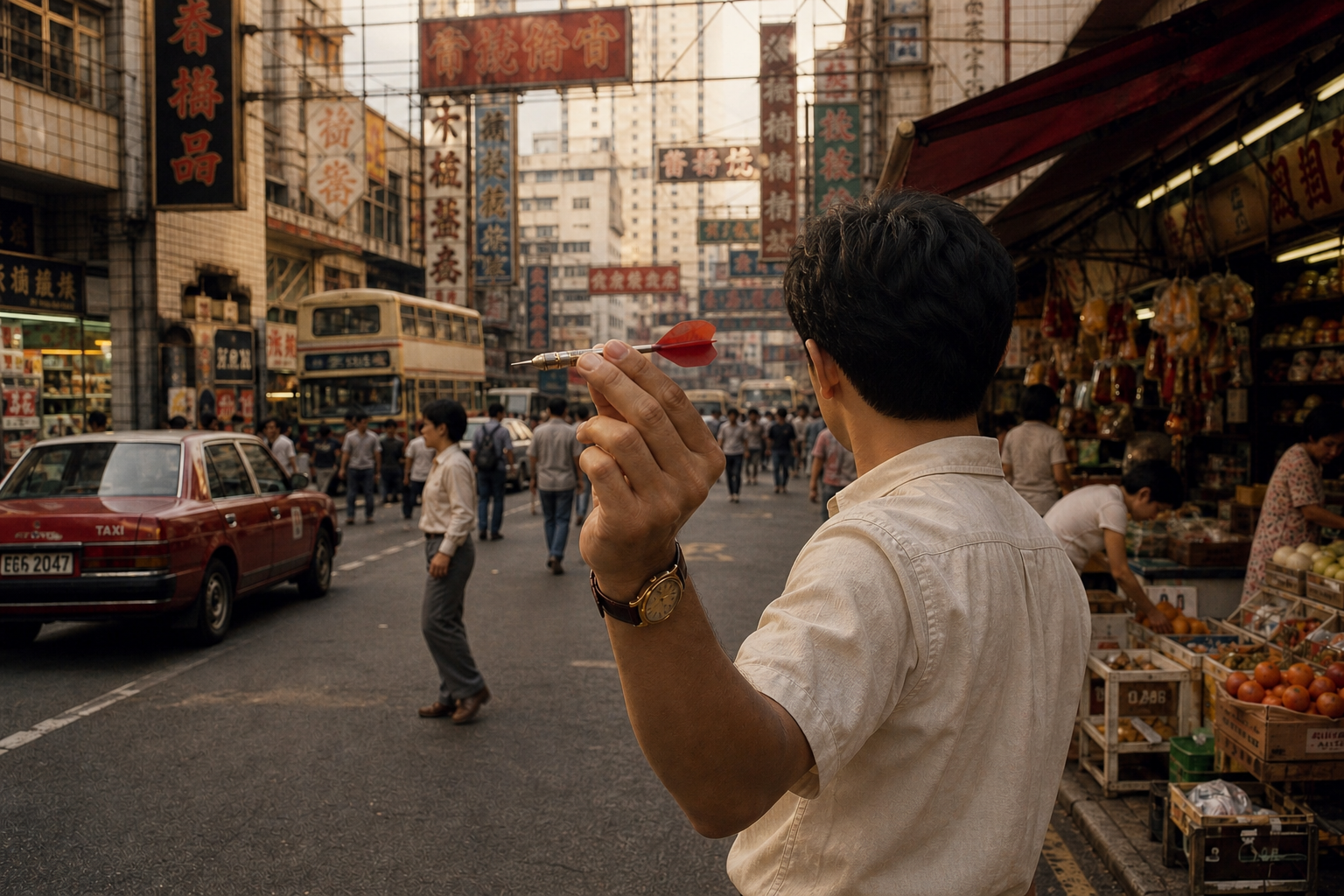
Use #image_1 as the exact opening-frame reference. A young Hong Kong man wearing a cream short-sleeved shirt, high-waisted charcoal trousers, and a vintage wristwatch holds a small brushed-silver sports dart with red flights. The composition establishes the character, dart, bustling street, and warm afternoon light.
CAMERA AND LENS
Begin in a three-quarter over-the-shoulder composition before transitioning seamlessly into a cinematic object-tracking shot. Wide-angle 24mm cinema lens aesthetic, moderate depth of field, natural peripheral motion blur, strong environmental parallax, realistic reflections, stabilized continuous movement. The dart remains recognizable in the lower central portion of the frame. The city remains the dominant visual environment. No cuts or perspective resets.
OBJECT CONSISTENCY
One brushed-silver sports dart with a narrow metallic shaft and three deep-red flights. Maintain identical geometry, material, color, and proportions throughout. No duplication, morphing, disappearance, or artificial glowing trails.
TIMESTAMPED SEQUENCE
0–3s: Establish the opening composition from #image_1. The surrounding street is alive with Cantonese conversation, distant traffic, and shop activity. Transition seamlessly into the fantastical object-tracking sequence.
3–8s: Reveal the dense commercial streets of Mong Kok. A girl holding a red balloon watches from the sidewalk, shopkeepers arrange fruit displays, and fabric awnings move gently in the humid breeze.
8–13s: Vintage double-decker buses and red taxis fill the urban background. Reflections of Cantonese shop signs ripple across their windows. Passengers and drivers react with brief expressions of curiosity as the cinematic sequence unfolds.
13–18s: Reveal a traditional shopping arcade decorated with red lanterns, handwritten banners, hanging textiles, and illuminated storefronts. Lightweight paper decorations flutter in the foreground.
18–23s: The surrounding environment opens into a lively evening market with stacked bamboo baskets, flower stalls, steaming food displays, glowing storefronts, and colorful decorative balloons.
23–27s: A playful cinematic interaction with an unoccupied festival balloon display creates a burst of colorful paper confetti. The same silver dart with red flights remains visible.
27–30s: Reveal a traditional decorative dartboard against a weathered wooden shopfront. Conclude with a satisfying impact and a brief final hold as the surrounding market activity continues naturally.
LIGHTING AND COLOR
Warm golden-hour sunlight filtering between tall buildings, contrasting with red, amber, and green neon illumination. Authentic 1980s Hong Kong cinema aesthetics, subtle 35mm film grain, gently halated highlights, warm skin tones, muted concrete surfaces, natural shadows, realistic glass reflections. No futuristic cyberpunk aesthetic.
SOUND DESIGN
Continuous Cantonese street chatter, vintage diesel engines, distant tram bells, bicycle bells, shop radios, market vendors, rustling fabric, fluttering paper, decorative balloon pops, and a distinct final wooden impact. Environmental audio remains continuous across the entire generation. No music or narration.
STRICT CONSTRAINTS
One uninterrupted cinematic take. No cuts, montage, slow-motion inserts, camera teleportation, duplicated darts, object deformation, modern smartphones, LED billboards, contemporary vehicles, futuristic architecture, injuries, threatening interactions, subtitles, generated titles, or watermarks.
The most important instruction is the one establishing continuity across the entire generation.
Avoid describing individual events as separate shots or scenes, since this can encourage the model to introduce cinematic cuts between them.
Step 4. Generate the Complete Video in Kapwing
Navigate to Kapwing's Seedance 2.5 video generator, upload your references, and paste your completed video prompt.
Use the following settings as a starting point:
| Setting | Recommended configuration |
|---|---|
| Model | Seedance 2.5 |
| Duration | 30 seconds |
| Aspect ratio | 9:16 |
| Resolution | 1080p |
| Generation mode | Reference-to-video or start frame |
| Audio | Enabled |
| Output | One continuous generation |
While Seedance 2.5 also supports shorter generations, the 30-second option provides more room for environmental development.
Compressing the same concept into a shorter video can lead to accelerated motion, abrupt transitions, or a sequence that ends before the viewer has time to register the city itself.
Step 5. Edit and Export Your AI Dart Throw Video
Once your video has generated, open it in Kapwing's video editor. Watch the entire sequence at normal playback speed, checking for changes in the dart's appearance, unnatural camera movements, distorted environmental details, and inconsistencies in the historical setting.
Because the continuous tracking shot is central to the trend, keep post-production light. Focus on refining the generated footage rather than restructuring it.
- Trim excess footage: Remove any unnecessary pauses before the initial throw or after the final impact.
- Adjust the playback speed: If the camera movement feels sluggish, subtly increase the speed while preserving the natural movement of the surrounding environment.
- Color grade the footage: For historical variations, use color correcting to refine the saturation, contrast, warmth, and exposure without relying on an exaggerated vintage filter.
- Export in 1080p: Maintain the original 9:16 aspect ratio for Instagram Reels, TikTok, and YouTube Shorts.
When publishing your video, use the recognizable "One Throw, All of [City]" caption format. For historical variations, include the year to establish the premise immediately, such as "One Throw, All of Hong Kong, 1985."
AI Dart Throw Prompts for Different Cities and Historical Periods
The dart throw trend lends itself particularly well to a recurring video series because the underlying camera technique remains consistent while the production design changes entirely. Rather than rewriting the full prompt for every video, customize the architecture, transportation, cultural details, lighting, and environmental sounds to reflect your chosen location.
Explore the examples below for different interpretations of the trend, including contemporary cities and historical reconstructions. Each includes an opening-frame image prompt and a corresponding Seedance 2.5 video prompt that you can copy directly into Kapwing.
AI Dart Throw Prompt Library
Choose a city and time period to explore customizable image and video prompts for the AI dart throw trend.
Hong Kong, 1985
How to Write AI Dart Throw Prompts for Any City With Claude
If you plan to turn the dart throw trend into a recurring content series, manually rewriting the environment and cinematic instructions for every city can become unnecessarily time-consuming.
Claude can help standardize this process by turning a location and historical period into a structured Seedance 2.5 prompt. Rather than asking Claude to simply write a cinematic video prompt, give it a defined framework that preserves the recognizable elements of the trend while adapting the production design.
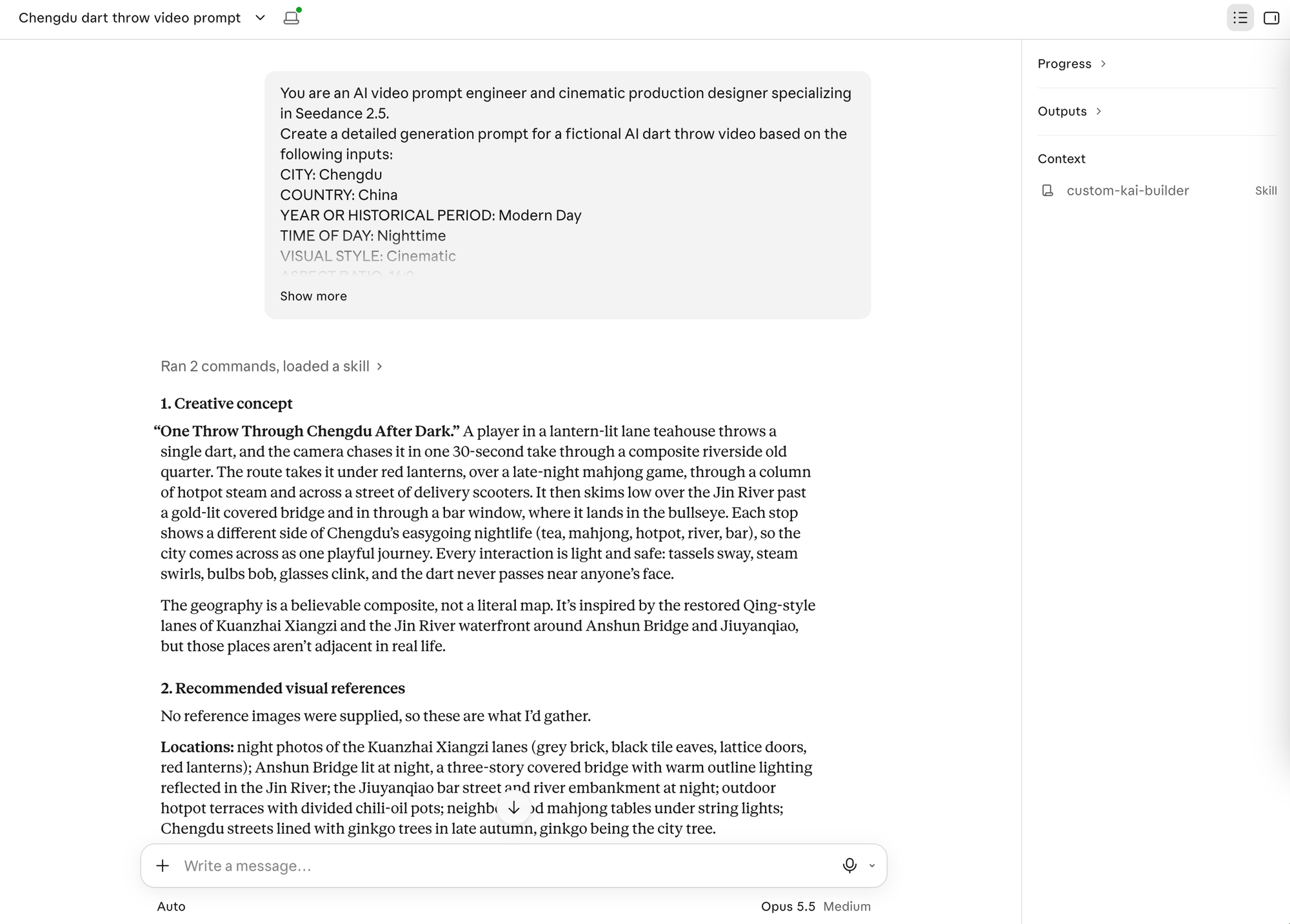
AI Dart Claude Prompt
You are an AI video prompt engineer and cinematic production designer specializing in Seedance 2.5.
Create a detailed generation prompt for a fictional AI dart throw video based on the following inputs:
CITY:
COUNTRY:
YEAR OR HISTORICAL PERIOD:
TIME OF DAY:
VISUAL STYLE:
ASPECT RATIO:
AVAILABLE REFERENCE IMAGES:
Research-informed production design is the priority. Identify the architectural styles, storefronts, transportation, clothing, street decorations, materials, lighting, and everyday cultural details appropriate to the location and period.
Preserve the following global characteristics across the complete video:
- One continuous 30-second object-tracking shot.
- One visually consistent sports dart.
- A coherent urban environment.
- No hard cuts or montage.
- Natural environmental movement and synchronized audio.
- Playful, fictional, non-injurious environmental interactions.
- A visually satisfying concluding target reveal.
Return:
- A brief creative concept.
- Recommended visual references.
- An opening-frame image prompt.
- A complete Seedance 2.5 video prompt.
- Historical or geographic inaccuracies to avoid.
- Five short social media title options.
Do not invent historical facts. Flag uncertain architectural or cultural details for verification.
Frequently Asked Questions
What AI video generator is used for the dart throw trend?
Seedance 2.5 is one of the AI video generators used to create viral dart throw videos. Its extended generation duration, reference-image capabilities, object consistency, and native audio generation make it particularly well suited to continuous cinematic tracking shots. You can access Seedance 2.5 through Kapwing's AI video generator.
How do you make the "One Throw, All of" AI video trend?
Generate an opening-frame image featuring a person holding a dart in your chosen city, then animate it using Seedance 2.5. Write a timestamped video prompt that establishes the dart's appearance, continuous camera movement, environmental interactions, and synchronized sound effects. Generate the footage as a single video, refine it in Kapwing, and publish it with the "One Throw, All of [City]" caption.
What is the best AI prompt for the dart throw trend?
An effective AI dart throw prompt specifies the city and time period, opening composition, dart design, camera perspective, timestamped visual events, lighting, and sound design. Use terms such as "continuous object-tracking shot," "consistent dart geometry," and "no camera cuts" to distinguish the effect from a conventional first-person POV video. You can customize the Seedance 2.5 prompt template above for different cities and historical periods.
Can you make the AI dart throw trend using just a text prompt?
Yes. You can create an AI dart throw video using text-to-video generation without uploading reference images. However, using an AI-generated opening frame or architectural reference can improve control over the composition, geographic details, and historical accuracy, particularly when recreating a specific neighborhood or time period.