Aggiungi Forme al Video
Carica video — aggiungi forme gratuitamente online

Coinvolgi il tuo pubblico con forme personalizzabili
Aggiungi frecce, linee, cerchi e callout ai video — gratuitamente
Annota e metti a fuoco i video, nessuna competenza di editing necessaria
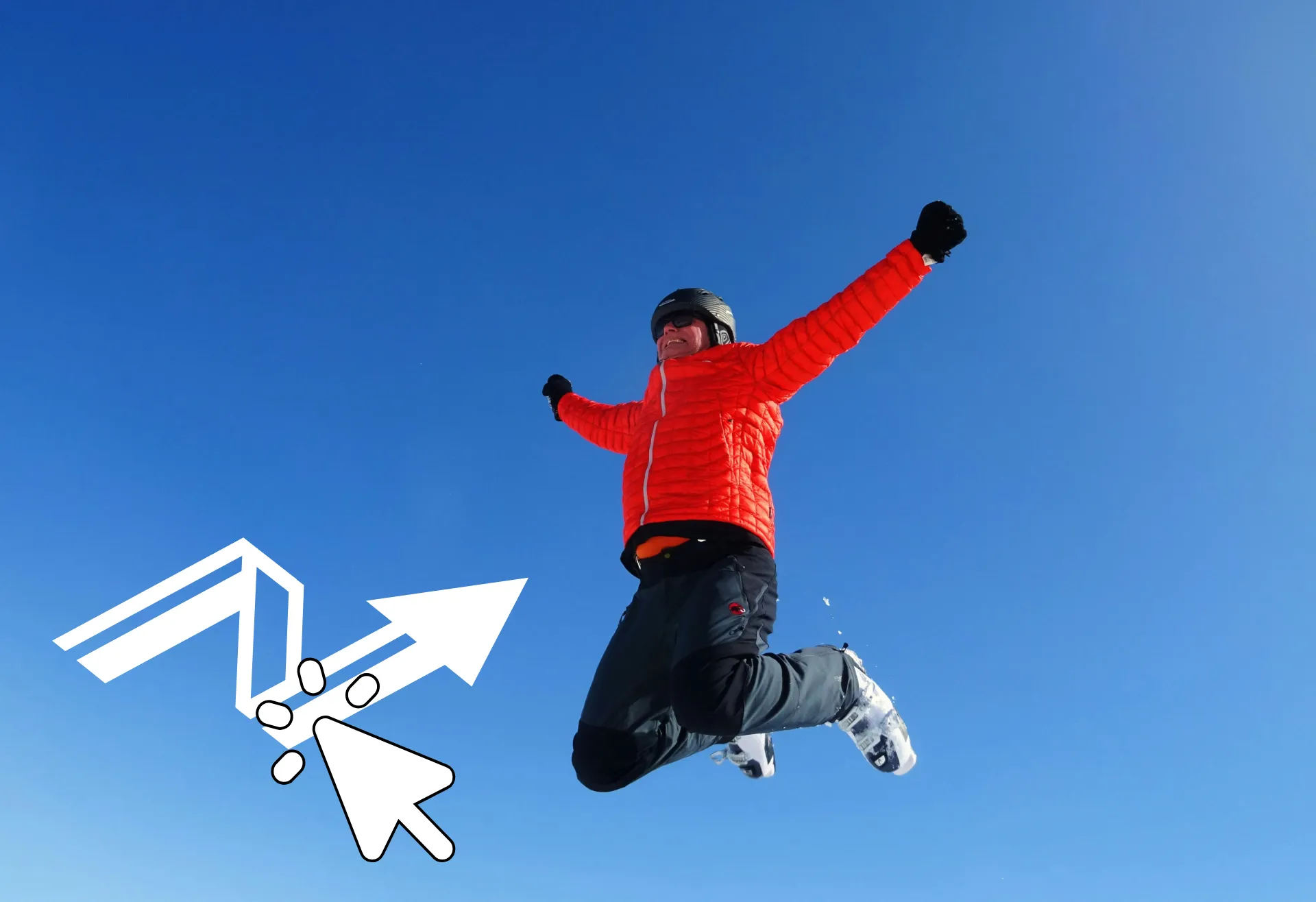
Keep the focus exactly where you want it. Add circles, arrows, social media logos, and icons to guide your viewers' attention and strengthen your message. Kapwing's Add Shapes to Video tool uses vector graphics, so every shape stays sharp at any size and exports in HD.
Start with hundreds of built-in shapes, then fine-tune the details. Adjust the color, stroke thickness, proportions, and size to match your brand. Add text or callouts, apply animations and transitions, or reduce opacity for subtle highlights and transparent overlays.
Use shapes to make product demos easier to follow, clarify steps in online lessons, or highlight key moments in gameplay and tutorials. Draw attention to polls, like and follow buttons, and social handles to boost engagement without distracting from your content.
Everything you need in one online editing studio
Kapwing è costruito per creare video in modo veloce e flessibile, che tu sia un creatore solista, una piccola azienda in crescita o un intero team di marketing. Aggiungi callout e frecce per catturare l'attenzione, poi aggiungi sovrapposizioni di testo, animazioni e effetti per realizzare tutorial bellissimi, demo di prodotti, thumbnail e post social, tutto in un editor video online.
Mantieni tutto sincronizzato mentre cresci. Usa spazi di lavoro condivisi per progetti organizzati, collabora con i tuoi compagni di squadra in tempo reale e lascia feedback con timestamp direttamente sulla timeline. Salva font, forme personalizzate, colori e immagini nel tuo Brand Kit così ogni video rimane coerente e pronto per essere pubblicato.
Che cosa rende Kapwing diverso?



Come Aggiungere Forme ai Video
- Step 1Carica video
Apri un nuovo progetto nello studio Kapwing e carica il tuo video.
- Step 2Aggiungi forme
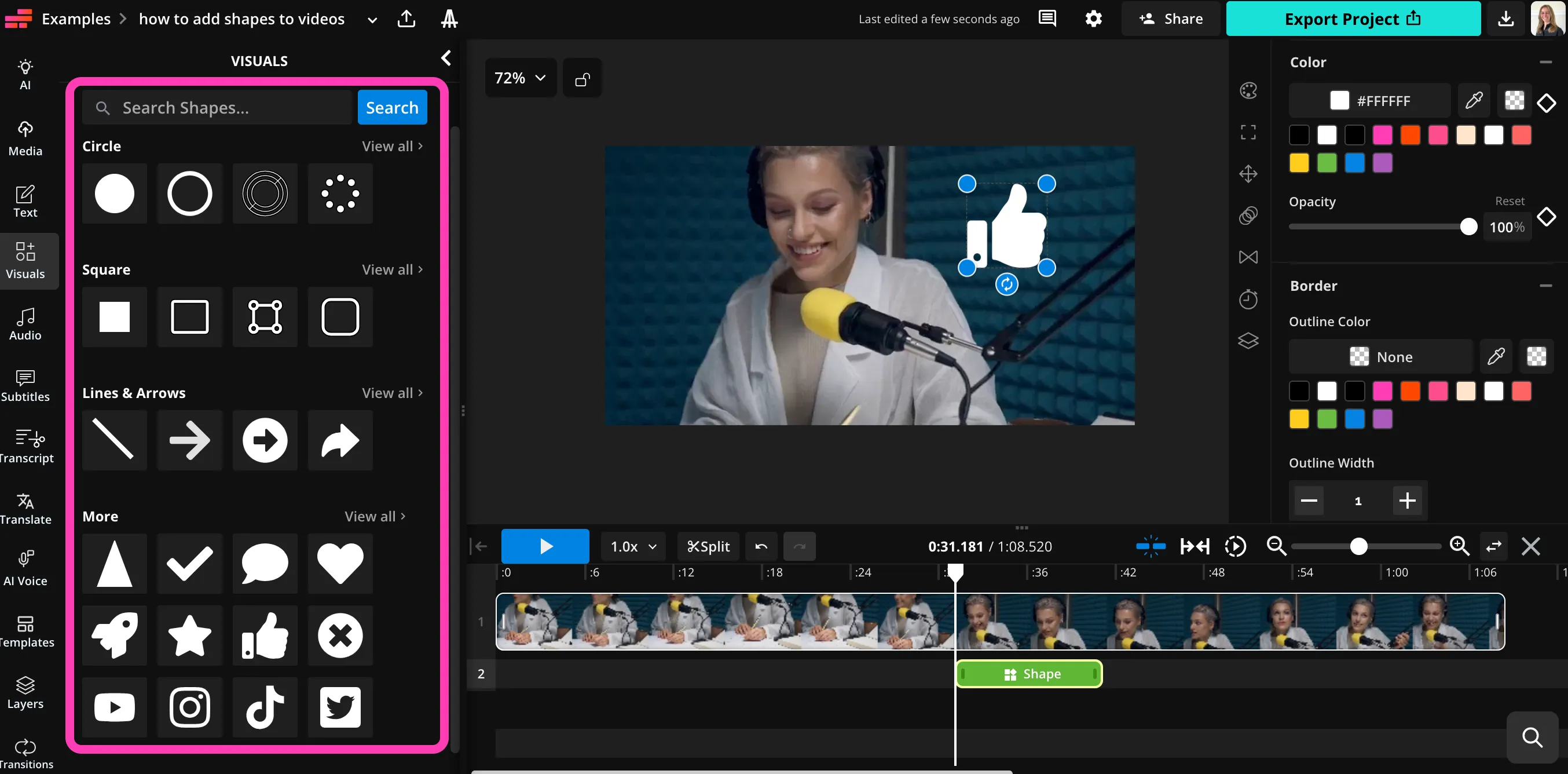
Fai clic su "Visuals" nella barra laterale sinistra, quindi scorri verso il basso fino a "Shapes". Fai clic per aggiungere qualsiasi forma al tuo video.
- Step 3Personalizza
Personalizza le dimensioni, il colore, la posizione e le proporzioni delle tue forme. Poi clicca su "Export Project" per scaricare e condividere il tuo video.
Già rivoluzionando la creazione di video in diversi settori
Ascolta direttamente dai team che pubblicano più velocemente, collaborano meglio e rimangono sempre avanti.


Domande Frequenti
Abbiamo le risposte alle domande più comuni che i nostri utenti ci fanno.
Is the Add Shapes to Videos tool on Kapwing free?
Yep, Kapwing's Add Shapes to Video tool is totally free for everyone!
Is there a watermark on exports?
If you use Kapwing with a free account, then all exports — including those from the Add Shapes to Video tool — contain a watermark. Once you upgrade to a Pro account, the watermark gets completely removed from your content.
Do I need design skills to add shapes to my videos?
Nope, Kapwing's editing studio is built for everyone, from beginners to pro designers and content creators. To add text and shape overlays to your video content, just use the tools with one click. Adjust the color, size, position, and duration of each shape. Make your shapes transparent or opaque.
What types of shapes can I add?
Kapwing ha centinaia di forme utili e divertenti integrate nello studio di editing video, incluse dozzine di stili di linee, cerchi, frecce e quadrati. Ci sono anche una serie di icone e loghi utili, oltre a forme comuni come cuori, fumetti, razzi, stelle, spunte e pollici in su.
Aggiungi forme ai video, poi rendile trasparenti, regola i colori, o modifica le proporzioni, il tutto nello stesso strumento online.
Can I use Kapwing to edit my video in other ways?
Yep, the Add Shapes tool is built right into Kapwing's full editing studio for images and videos, where you've got a whole bunch of video tools at your fingertips. It's also hooked up to Kapwing's AI assistant, so you can use simple prompts to generate and edit images, audio, and videos.
Can I add shapes to videos on my phone?
Yeah, you can use the Add Shape to Video tool on your mobile device, including iPhone and Android models.
Open Kapwing studio in your mobile browser and create a new project. Then click to upload your video. In the toolbar at the bottom, click on "Visuals," then scroll over to "Shapes." Click to add any shape you want, then tweak it using the simple settings. When you're ready, click on "Export Project" to save your edited video to your phone.
Quali tipi di file supporta Kapwing?
Kapwing supports all the most popular video formats, including MP4, MOV, and WebM. The shapes are vector-based, so you can resize and export them without worrying about resolution issues or blurriness.
Scopri le Risorse
Consigli, modelli e approfondimenti per aiutarti a creare più velocemente e condividere con sicurezza.
Visualizza tutto


Inizia con il tuo primo video in pochi click. Unisciti a oltre 35 milioni di creator che si fidano di Kapwing per creare più contenuti in meno tempo.