Aggiungi Adesivo al Video
Aggiungi adesivi ai video gratuitamente online. Nessuna filigrana su Pro.
Aggiungi adesivi ai video gratuitamente
Trascina e rilascia GIF, emoji, forme e loghi — completamente online
Attira istantaneamente l'attenzione con sticker coinvolgenti
Attira l'attenzione e dai più peso al tuo messaggio con lo strumento Add Sticker to Video di Kapwing. Che tu stia creando contenuti per i social, video di marketing, o tutorial, gli sticker rendono i tuoi contenuti più chiari e coinvolgenti senza rallentare il tuo flusso di lavoro.
Crea i tuoi sticker personalizzati, oppure scegli da un'ampia libreria di sticker con forme, emoji e GIF. Ridimensiona, ruota e riccolora facilmente gli sticker direttamente nello studio, con il pieno controllo su quando e come appaiono. Da highlight sottili a call-out audaci, ogni sticker può essere personalizzato per abbinare il tuo brand e la tua visione creativa.

Integrato in un editor video completo
Integrato direttamente nello studio di editing video professionale di Kapwing, lo strumento Aggiungi adesivo al video è veloce, intuitivo e abbastanza potente per creator di qualsiasi livello. Non sono richieste competenze di design: basta cliccare per aggiungere adesivi, personalizzare gratuitamente e scaricare o condividere, tutto senza lasciare il browser.
Aggiungi transizioni, applica animazioni con un clic e personalizza sovrapposizioni di testo. Oppure utilizza l'intera gamma di strumenti basati su intelligenza artificiale di Kapwing per migliorare istantaneamente il tuo video, ridurre le vibrazioni e pulire l'audio.
Già rivoluzionando la creazione di video in diversi settori
Ascolta direttamente dai team che pubblicano più velocemente, collaborano meglio e rimangono sempre avanti.


Come aggiungere un adesivo a un video
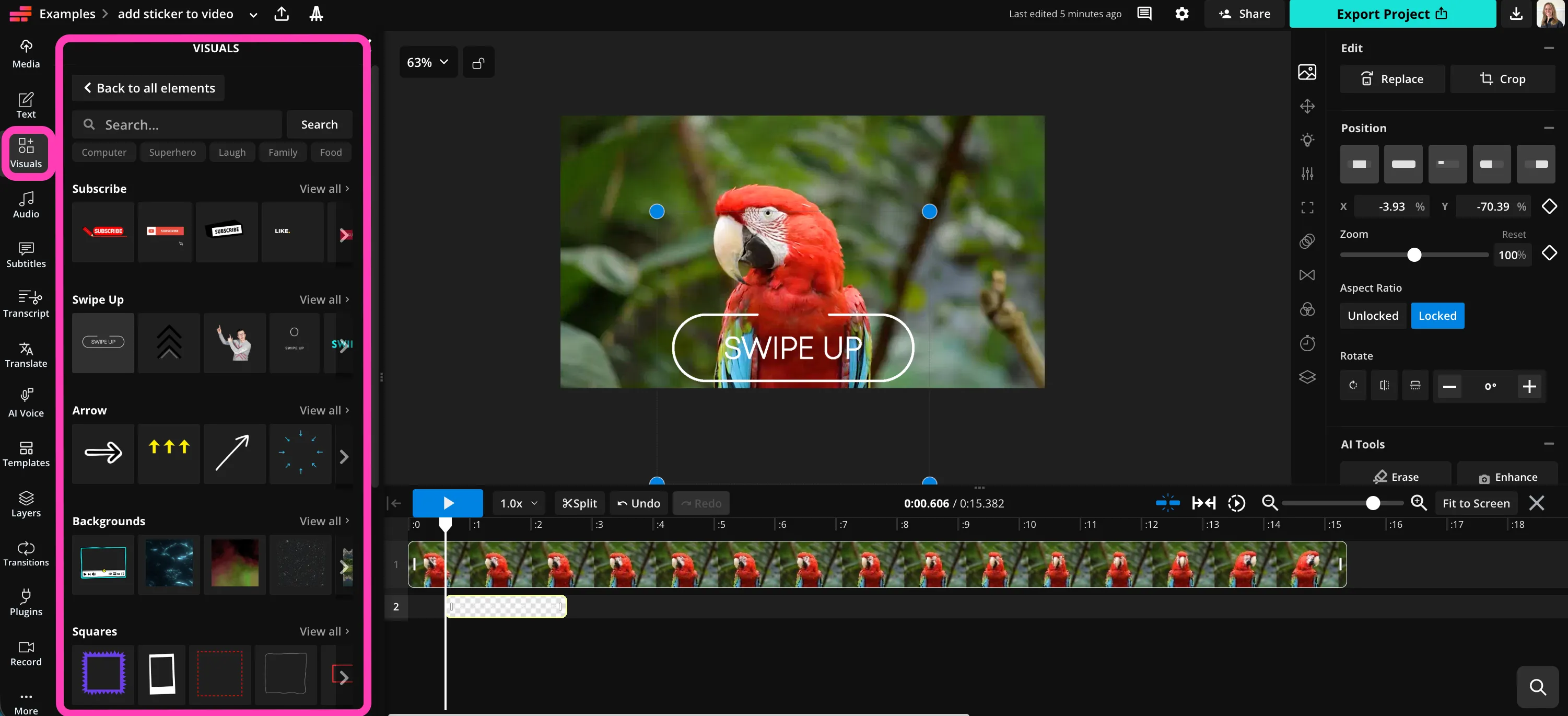
- Step 1Carica video
Apri un nuovo progetto in Kapwing studio e fai clic per caricare il tuo video.
- Step 2Aggiungi adesivo
Seleziona "Elementi visivi" nella barra laterale, quindi fai clic per aggiungere adesivi al tuo video.
- Step 3Scarica
Personalizza la dimensione, la posizione e la durata nella timeline e sul canvas. Quindi fai clic su "Export Project" per salvare il tuo video.
Che cosa rende Kapwing diverso?



Domande Frequenti
Abbiamo le risposte alle domande più comuni che i nostri utenti ci fanno.
Lo strumento Aggiungi adesivo al video è gratuito?
Sì, lo strumento Aggiungi adesivo a video di Kapwing è gratuito per tutti gli utenti.
C'è una filigrana sulle esportazioni?
Se usi Kapwing con un account gratuito, allora tutti gli export — incluso lo strumento Add Sticker to Video — contengono una filigrana. Una volta che fai l'upgrade a un account Pro, la filigrana viene completamente rimossa dai tuoi contenuti.
Come aggiungere adesivi ai video
Per aggiungere adesivi ai video con Kapwing, crea un nuovo progetto nello studio e fai clic per caricare il tuo video. Quindi seleziona "Visuals" dalla barra laterale sinistra e scegli gli adesivi che desideri aggiungere. La libreria di adesivi di Kapwing include migliaia di GIF, forme personalizzabili ed emoji. Una volta aggiunto un adesivo, puoi modificarne le dimensioni, la posizione e la durata prima di scaricare il video.
Posso aggiungere adesivi ai video su iPhone o Android?
Sì, puoi aggiungere sticker ai video sul tuo telefono o tablet aprendo Kapwing studio nel tuo browser mobile. Crea un nuovo progetto e fai clic per caricare il tuo video. Nella barra degli strumenti in basso, fai clic su "Visuals", quindi seleziona "Elements". Aggiungi sticker al video con iPhone facendo clic su una GIF, una barra di avanzamento, una forma o un emoji. Quindi modifica la posizione, la durata e la dimensione dello sticker utilizzando la timeline e lo studio.
Come aggiungere un adesivo animato a un video
Se vuoi aggiungere un adesivo animato o una GIF a un video, il processo è semplice. Carica il tuo video, quindi fai clic su "Visuals" nella barra laterale sinistra. Scorri verso il basso fino alla sezione GIF e fai clic su "Visualizza tutto" per vedere l'intera libreria di GIF trendy, classiche e coinvolgenti. Fai clic su qualsiasi GIF per aggiungerla al tuo video, oppure cerca nella libreria qualcosa di specifico.
Posso fissare l'adesivo a un oggetto nel video?
Sì, puoi facilmente usare lo strumento Pin Object to Video di Kapwing per allegare i tuoi sticker a una parte specifica del tuo video. Usando semplici keyframe, puoi mantenere gli sticker nello stesso punto anche mentre il video si muove.
Che tipo di adesivi posso aggiungere ai video?
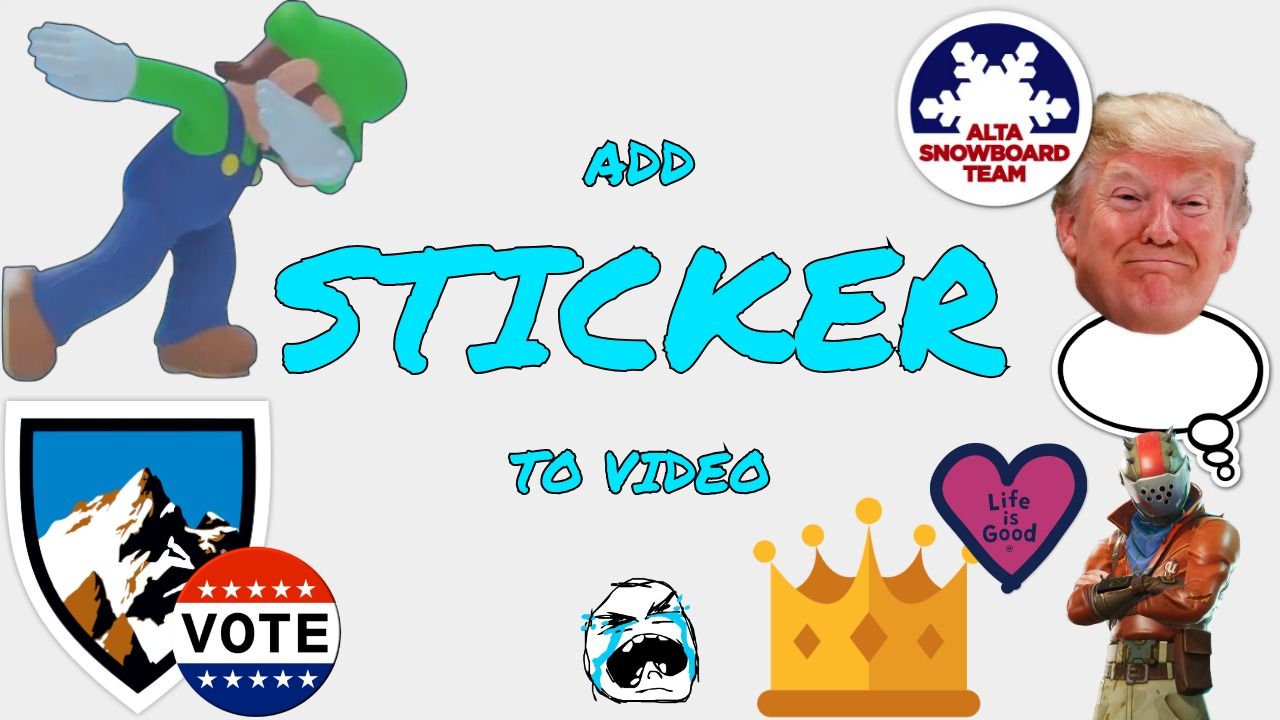
Kapwing ha una vasta libreria di sticker che puoi aggiungere a qualsiasi video gratuitamente, incluse GIF trendy e classiche, frecce, cerchi, barre di avanzamento e forme modificabili. Puoi aggiungere loghi dei social media, sticker animati "Iscriviti", "Mi piace" o "Scorri verso l'alto", e tutte le tue emoji preferite.
Quali tipi di file video supporta Kapwing?
Kapwing supporta tutti i formati video più popolari, inclusi MP4, WebM e MOV. Puoi anche scaricare video brevi come GIF di alta qualità.
Scopri le Risorse
Consigli, modelli e approfondimenti per aiutarti a creare più velocemente e condividere con sicurezza.
Visualizza tutto
Inizia con il tuo primo video in pochi click. Unisciti a oltre 35 milioni di creator che si fidano di Kapwing per creare più contenuti in meno tempo.