Best AI Video Models for Realistic Humans
4 AI video generators. 1 question: which one actually makes AI people feel real?
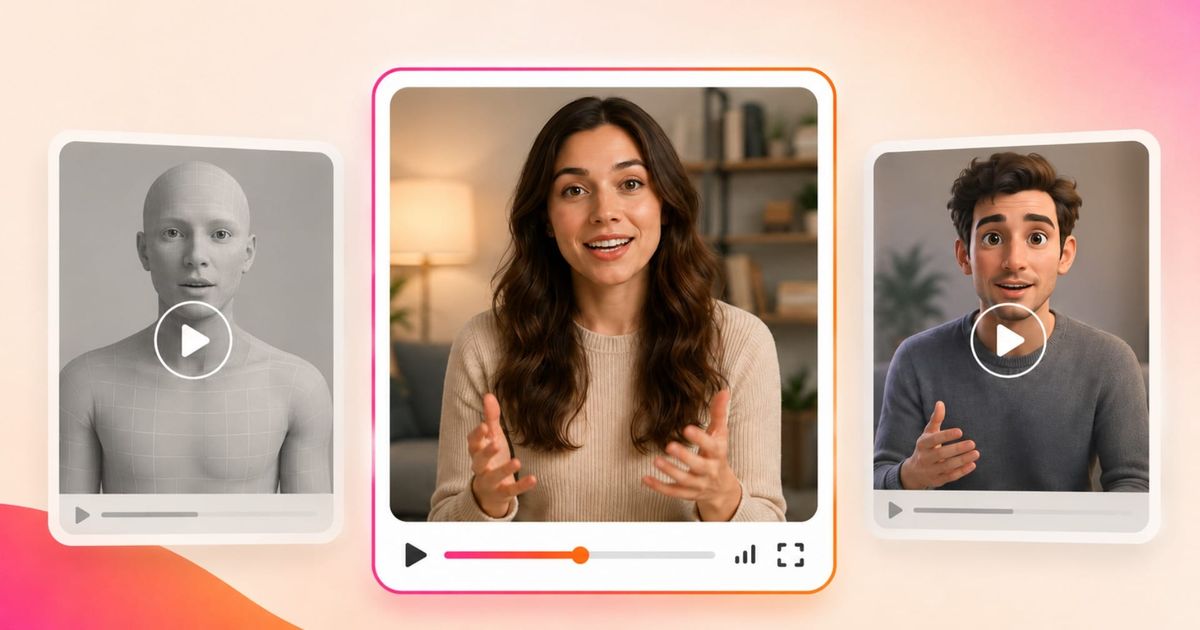
Most AI video generators can create realistic-looking human faces in a single frame. The real challenge is maintaining that realism once the person starts moving.
As expressions change and bodies move, common flaws quickly become noticeable: frozen faces, drifting eye contact, inconsistent body proportions, unnatural movement, and subjects that no longer feel physically grounded in the scene.
To find the best AI video generator for realistic humans, we tested leading tools across common use cases, including talking-head videos, full-body motion, product interaction, and short multi-shot dialogue scenes.
Our goal was to identify which AI video generators produced realistic AI people that were usable in real workflows, without requiring heavy cleanup or frame-by-frame fixes.
The best AI video generators did more than create a convincing start frame. They maintained realistic facial expressions, body mechanics, motion stability, and environment interaction from beginning to end.
Table of Contents:
- What Makes an AI Video Generator Good at Creating Realistic People?
- How We Tested
- Our Results
- Final Thoughts
- Frequently Asked Questions
What Makes an AI Video Generator Good at Creating Realistic People?
The answer depends on what “realistic” actually means in practice. Some tools generate sharper, more polished visuals, while others focus on more natural movement, dialogue, or behavior.
In reality, 'realism' is better analyzed when assigned to a combination of four factors.
- Facial behavior is usually where realism starts to break down. It’s not just how the face looks, but how it changes over time. Eye contact can feel slightly off, blinking can appear too regular, and expressions don’t always update naturally as the person speaks or reacts. Even when the face is visually sharp, a lack of subtle movement makes it feel artificial.
- Motion is where these issues become more obvious. Once a subject starts moving, problems with timing and coordination show up quickly. Movements can feel weightless, transitions between actions can be too smooth or disconnected, and small details don’t always carry through naturally.
- Object interactions introduce a different kind of challenge. When hands, objects, and the face need to line up precisely, small errors become much more noticeable. Actions like picking something up or applying a product often lose accuracy, with slight misalignment or timing issues that break the realism.
- Speech adds another layer. It’s not just about lip sync but about how the voice, timing, and delivery come together. Natural speech includes pauses, variations in tone, and imperfections.
How We Tested
Most AI models can handle one or two of these criteria in isolation. The stronger tools can maintain realism across facial behavior, motion, object interaction, and speech at the same time.
Those were the failure points we focused on during testing. To keep the comparison consistent, we used scenarios where AI-generated people tend to break down quickly:
On Camera Authenticity
An AI avatar speaking directly to camera is one of the simplest setups, but also one of the fastest ways to spot artificial behavior. With minimal movement or distractions, everything comes down to how the face behaves: eye contact, blinking patterns, and whether the delivery feels natural or overly controlled. Small issues in timing or expression are immediately noticeable in this format.
Prompt
Create an 8-second video of a person speaking directly to camera in a casual, social media style. The subject is a woman in her late 20s standing in a well-lit apartment. She maintains eye contact with the camera and speaks naturally with subtle head movement and blinking.
Script:
“Honestly, this is the easiest way I’ve found to stay consistent without overthinking it.”
Use realistic lighting and natural skin texture. Keep expressions subtle and avoid exaggerated movement. The tone should feel like a UGC-style video or short-form ad. No captions or text.
Full-body Motion
Once a subject moves through space, realism depends on how well the model handles physical behavior. This includes weight, balance, and how actions connect from one step to the next. Even when individual movements look correct, small issues in timing or coordination can make the motion feel slightly off.
Prompt
Create an 8-second video of a person moving naturally through a space. A man walks into a kitchen, reaches for a glass on the counter, turns slightly, and leans against the counter.
Script (spoken naturally during movement):
“Give me a second — I just need to grab this.”
Ensure body proportions remain realistic and movement has natural weight, balance, and timing. Transitions between actions should feel smooth and physically believable. Avoid distortion in limbs or unnatural motion. Use soft, natural indoor lighting. No captions or text.
Object Interaction
Interactions at close range — especially near the face — require a much higher level of precision. This is where models need to coordinate hand movement, facial alignment, and object behavior at the same time. Small errors in placement or timing become immediately obvious, making this one of the more difficult scenarios to get right.
Prompt
An 8-second video of a woman in her late 20s sitting near a window in a softly lit bedroom. She holds a lipstick in one hand and looks into the camera as if using it as a mirror. Mid-sentence, she applies the lipstick in a quick, practiced motion, presses her lips together, then glances back at the camera and continues speaking.
Script:
“I always do this last—it just pulls everything together.”
Use natural pacing with a slight pause as she applies the lipstick. The movement should feel routine and unforced, like something she’s done many times. Keep lighting soft and consistent, with realistic skin texture and subtle facial movement.
Voice and Lip Sync
When dialogue is introduced, realism depends on how well AI speech, timing, and facial movement stay aligned. This includes not just basic lip sync, but phrasing, pacing, and whether the delivery sounds natural. Even minor issues, like mispronunciations or slightly off timing, can quickly break the illusion.
Prompt
An 8-second video of a man in his late 20s in a startup-style office, shown across three cuts that feel like part of the same moment.
- Shot 1: Standing near a whiteboard, mid-explanation
- Shot 2: Walking toward the camera while continuing his point
- Shot 3: Leaning slightly on a desk, finishing the thought
Keep the delivery slightly faster and more animated than a typical talking-head video.
AI Video Generators Tested
- Seedance 1.8 – Seedance is a newer, less widely adopted AI video model that leans toward stylized, prompt-driven outputs.
- Sora 2 – Sora 2 is OpenAI’s flagship text-to-video model and one of the most advanced systems currently available.
- Veo 3.1 – Google DeepMind’s video generation model, Veo 3.1, focuses on strong cinematic quality and visual control.
- Kling – Kling comes from a newer generation of AI video models focused on dynamic, movement-based content.
Our Results
Overview
| Model | Best For | Strengths | Weaknesses |
|---|---|---|---|
|
Sora 2
Best Overal
|
Natural, human-feeling videos and believable delivery | Realistic dialogue, subtle timing, strong product interaction | Struggles with complex motion and object interaction over time |
|
Veo 3.1
Best for speech
|
Dialogue-heavy content and lip sync accuracy | Clear speech, strong timing, completes actions reliably | Feels overly polished or staged |
|
Kling
Best for motion
|
Smooth motion where dialogue is less important | Fluid movement, detailed visuals | Weak audio, sync issues, generic environments |
|
Seedance 1.8
Best for simple scenes
|
Simple, low-precision scenarios | Usable visuals in controlled scenes | Facial distortion, poor interaction, unstable output |
No single AI video generator won every test. Sora 2 was the strongest overall, but the best choice depended on the scene type: dialogue, motion, product interaction, or simple controlled shots.
On-Camera Authenticity
This is the easiest scenario to get mostly right, but also the one where weaknesses show up fastest over the course of a full clip.
With minimal movement, the evaluation is less about motion and more about whether the subject feels convincingly human on camera. In practice, that depends on timing, subtle facial behavior, and how natural the delivery feels.
- Sora 2 was the most convincing. What stood out was how natural it felt. The delivery had small timing quirks, including a slightly awkward pause after the line, but that made it feel more realistic. The video wasn't too directed or smoothed out, which is where most models start to look artificial.
- Veo 3.1 was strong technically, especially in dialogue clarity and lip sync. But it consistently felt too polished. The lighting, framing, and facial detail all leaned toward a studio-produced look, which made the subject come across more like a generated presenter than an actual person.
- Seedance 1.8 started to break pretty quickly. There was a slight facial distortion, and the “I’ve” → “I V” pronunciation error was enough to undermine the realism. The slow camera zoom also made the shot feel uncontrolled, as if the AI presenter were adding motion rather than capturing it.
- Kling had similar issues. At first glance, the subject looked detailed, but the realism didn’t hold up over time. The same dialogue issue appeared here, and the overall result felt generic — more like an AI stock character than a specific person.
👉 Takeaway: The AI video generators that preserved small imperfections felt more human, while anything overly polished quickly read as an AI presenter.
Full-Body Motion
This scenario exposed consistent weaknesses across all AI video generators, not just in movement but in how subjects interacted with their environment. Even when motion looked plausible at a glance, issues showed up in object interaction, scene logic, and background quality.
One pattern across all outputs was that backgrounds felt synthetic: often generic, slightly over-smoothed, or lacking the detail and variation you’d expect in a real environment.
- Sora 2 produced the most natural dialogue by a clear margin. The delivery felt closer to real speech than any other model, which helped ground the scene. However, the actual interaction failed. When the subject reached for the object, he didn’t meaningfully manipulate anything. The background was also the most realistic of the group, even though the interaction didn’t resolve.
- Veo 3.1 delivered the strongest overall result in terms of structure and visual quality. The subject completed the action successfully, but the movement felt unnatural, as if individual actions had been stitched together rather than performed fluidly. The behavior lacked intent. For example, the subject says “give me a second,” completes the action, and then pauses to stare at the camera, which breaks the natural flow. The environment was strong, but the logic of the scene didn’t fully hold together.
- Kling handled motion well overall, with smoother transitions between actions. However, small details began to shift during the sequence — subtle distortions in the subject and environment that made it feel generated. There were also issues in dialogue accuracy, with “give me a second” rendered as “give me a second sem,” indicating weaker alignment between speech and output.
- Seedance 1.8 struggled the most with interaction and scene coherence. In one case, the subject walked directly through a plant, ignoring physical boundaries, and attempted to pick up a glass without actually making contact. These failures point to weaker handling of spatial relationships and object permanence during motion.
👉 Takeaway: Full-body AI scenes were one of the hardest tests for AI video generators because they required realistic movement, believable environmental interaction, and clear intent throughout the sequence. Even when individual elements looked correct, small breakdowns in motion, background realism, or scene logic quickly made the video feel artificial.
Product Interaction
This scenario tested fine motor control and facial interaction, specifically how well each AI video generator handled precise movement near the face, where small errors were much more noticeable.
It also exposed differences in how each generator balanced visual realism against behavioral accuracy.
- Sora 2 produced the strongest result in this category, and arguably one of the most realistic clips across all tests. The backlit lighting and overall scene composition felt highly natural. The lipstick application was slightly faster than expected, but still believable, with the color changing consistently and staying aligned with the lips. Combined with strong, natural dialogue, this made the overall interaction feel grounded and usable.
- Veo 3 performed well on dialogue, which remained clear and natural throughout. However, visually, the clip was too polished. The subject and lighting felt more like a staged beauty shoot than a casual, real-world moment, which reduced the sense of authenticity despite the technical quality.
- Kling produced a high level of visual detail in the character, but struggled with dialogue. In some outputs, no dialogue was generated, or it didn’t align properly with the scene. This made the interaction feel incomplete, even when the visual side held up better.
- Seedance 1.8 had the most noticeable issues in this test. The overall look was overly polished, similar to Veo, but without the same level of coherence in interaction. The lipstick application itself was inaccurate as the product extended beyond the natural lip boundary, and the motion didn’t align cleanly with the face. This broke the realism quickly, especially given how precise this type of action needs to be.
👉 Takeaway: Product interaction, particularly around the face, remains one of the hardest problems in AI video generation. The challenge isn’t just visual quality but precision. Small misalignments in motion or placement (like lipstick going outside the lips) are immediately noticeable and quickly break the illusion of realism.
Voice and Lip Sync
This scenario isolated how well each AI video generator handled spoken dialogue, specifically the alignment between voice, timing, and facial movement.
It also revealed whether each generator could go beyond basic speech to include natural vocal behaviors like hesitation, breath, and emotional variation.
- Veo 3.1 delivered the most complete generation overall. Voice, lip sync, and timing were all highly convincing, and it went further by adding subtle non-verbal elements like sighs and hesitations. These details made the dialogue feel more grounded and emotionally responsive. The main limitation was visual: like in the other tests, the subject appeared slightly too polished.
- Kling produced strong visuals, with the subject looking realistic at a glance. However, it struggled significantly with audio. In some cases, voice was not generated at all, and when it was, synchronization with facial movement was unreliable. This made the output feel incomplete despite the visual quality.
- Sora 2 also performed well, particularly in voice quality. There was clear variation in tone and volume, along with realistic pauses and small vocal details like sighs. Lip sync held up for most of the clip, though there were occasional distortions or slight morphing during more complex facial movement.
- Seedance 1.8 was the least convincing. While lip sync was generally acceptable, the facial movement felt exaggerated. The voice lacked emotional range and sounded more synthetic, with no additional details like breath or hesitation. As a result, the performance felt more obviously generated.
👉 Takeaway: Differences between AI video generators showed up in more than lip sync. The best tools captured the natural rhythm of speech, including variations in tone, pacing, emphasis, and subtle vocal detail. Flatter delivery or poor synchronization quickly undermined realism.
Final Thoughts
Across all the AI video generators we tested, the biggest gap wasn’t whether they could generate a realistic-looking person. It was whether that realism held up for the full duration of a clip. Several tools produced outputs that looked convincing at first glance, but the subjects became too smooth, too static, or too disconnected once the video began.
At a scene level, the biggest issue was intent. The clips often looked correct frame by frame, but the behavior did not always feel motivated. Reactions did not fully connect to what came before, and actions did not always lead anywhere. Instead of a continuous moment, some outputs felt like a sequence of loosely connected steps.
What became clear was that realism was no longer limited by visual quality alone. It was limited by coordination. Generating a face, a voice, or a movement in isolation was not the hard part. The challenge was getting all of those elements to work together, in time, with clear intent.
In practice, these AI video generators were already usable, but only within certain boundaries. The most reliable results came from simpler scenarios where fewer elements had to align. As soon as we introduced motion, interaction, or more complex behavior, the likelihood of breakdown increased.
The takeaway was not that one AI video generator clearly won across the board. Sora 2 produced the strongest overall realism, especially for natural delivery and human-feeling details, but Veo 3.1 performed especially well for speech and lip sync, Kling handled some motion-heavy scenes well, and Seedance was more limited but usable in simpler, low-precision scenarios.
Choosing the right AI video generator is less about which one looks best overall and more about which one holds up best for the specific type of human video you are trying to create.
| Model | Best For | Strengths | Weaknesses |
|---|---|---|---|
|
Sora 2
Best overall:
|
Natural, human-feeling videos and believable delivery | Realistic dialogue, subtle timing, strong product interaction | Struggles with complex motion and object interaction over time |
|
Veo 3
Best for speech
|
Dialogue-heavy content and lip sync accuracy | Clear speech, strong timing, completes actions reliably | Feels overly polished or staged |
|
Kling
Best for motion
|
Smooth motion where dialogue is less important | Fluid movement, detailed visuals | Weak audio, sync issues, generic environments |
|
Seedance
Best for simple scenes
|
Simple, low-precision scenarios | Usable visuals in controlled scenes | Facial distortion, poor interaction, unstable output |
No single AI video generator won every test. Sora 2 was the strongest overall, but the best choice depended on the scene type: dialogue, motion, product interaction, or simple controlled shots.
Frequently Asked Questions
What is the most realistic AI video generator right now?
Based on testing, Sora 2 produces the most consistently realistic people overall, especially in close-up and dialogue-heavy scenarios. However, no single model is fully reliable across all use cases—each one breaks in different ways depending on motion, interaction, or scene complexity.
Why do AI-generated people still look fake?
Most AI video generators struggle with coordination rather than visuals. While faces can look realistic, issues appear in timing, movement, and behavior — like unnatural pauses, incorrect object interaction, or mismatched dialogue. These small inconsistencies make the person feel artificial over time.
Which AI video generator has the best voice and lip sync?
Veo 3.1 and Sora 2 perform best for voice and lip sync. They produce more natural pacing, tone variation, and better alignment between speech and facial movement. Other models often struggle with pronunciation, timing, or fail to generate usable audio altogether.
Are AI avatar tools more realistic than AI video models?
AI avatar tools (like Synthesia or HeyGen) are often more consistent, but less realistic overall. They work well for controlled, presentation-style videos. AI video models (like Sora or Veo) have higher realism potential, but are less reliable.