Best AI Video Generators for Character Consistency
Most AI video generators can make a good-looking clip. Very few can keep the same character consistent across scenes.
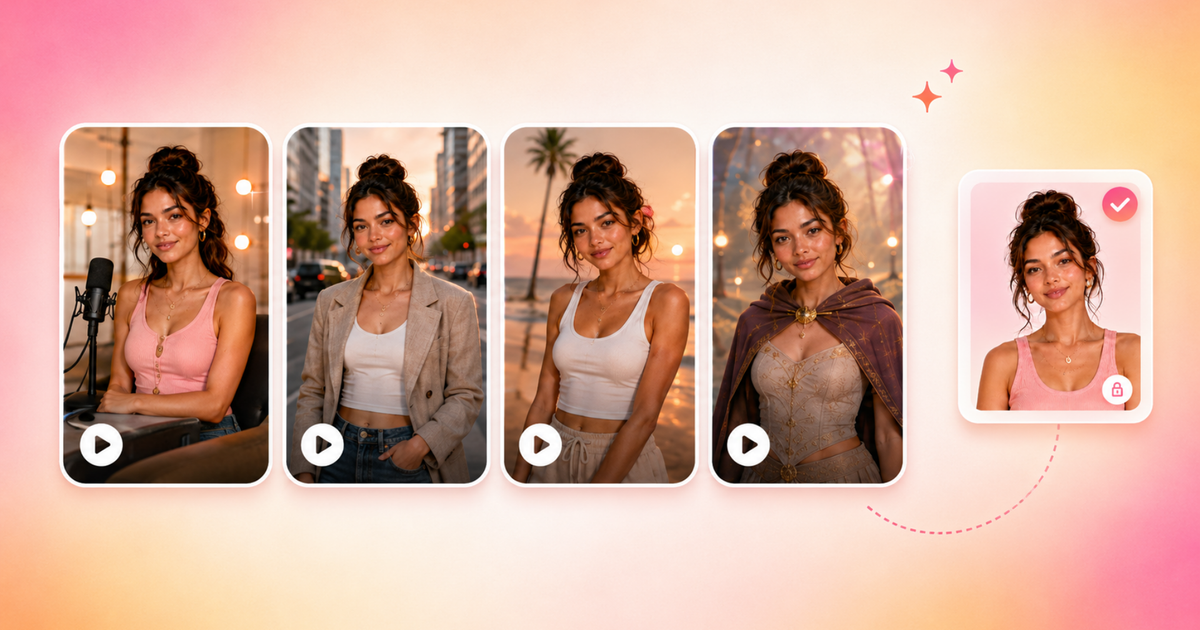
AI video generation has improved dramatically over the past year, but character consistency is still one of the hardest problems for creators to solve. While many AI tools can generate impressive individual clips, maintaining the same face, expressions, wardrobe, and overall identity across multiple scenes is where most workflows start to break down.
After testing a range of AI video generators hands-on, I found that each platform approaches consistency very differently. Some rely heavily on large reference datasets, others focus on editable workflows, while newer systems are experimenting with storyboards, character sheets, and persistent AI memory.
In practice, the best tool depends less on raw generation quality and more on what kind of consistency you actually need — whether that’s stylized AI influencers, business presenters, or recurring characters across long-form content.
In this guide, I’ll break down the strengths and weaknesses of the most popular AI video generators for character consistency based on real-world testing, including where each platform succeeds, where the workflows fall apart, and which tools are best suited for different types of creators.
Table of Contents
- What is the Best AI Video Generator for Character Consistency?
- Kapwing AI – Best AI Video Generator for Character Consistency
- Higgsfield Soul ID – Best AI Video Generator for Stylized AI Influencers
- Luma AI – Best AI Generator For Designing Custom Characters
- Synthesia AI – Best AI Generator For Professional Talking Head Videos
- InVideo AI – Best AI Video Generator for Cinematic AI Videos
- Frequently Asked Questions
What is the Best AI Video Generator for Character Consistency?
After testing the most popular AI video platforms hands-on, I found that each tool approaches character consistency very differently. Some platforms prioritize stylized visual identity through image-to-video workflows, while others focus more on editable timelines, AI presenters, or cinematic planning systems.
Overall, Kapwing delivered the strongest balance, consistency, and editable workflows, especially for recurring characters across multiple scenes. Higgsfield produced the most visually unique AI influencers, while Synthesia performed best for professional talking-head avatars. Luma worked well for iterative character design and ideation, and InVideo introduced advanced pre-production workflows.
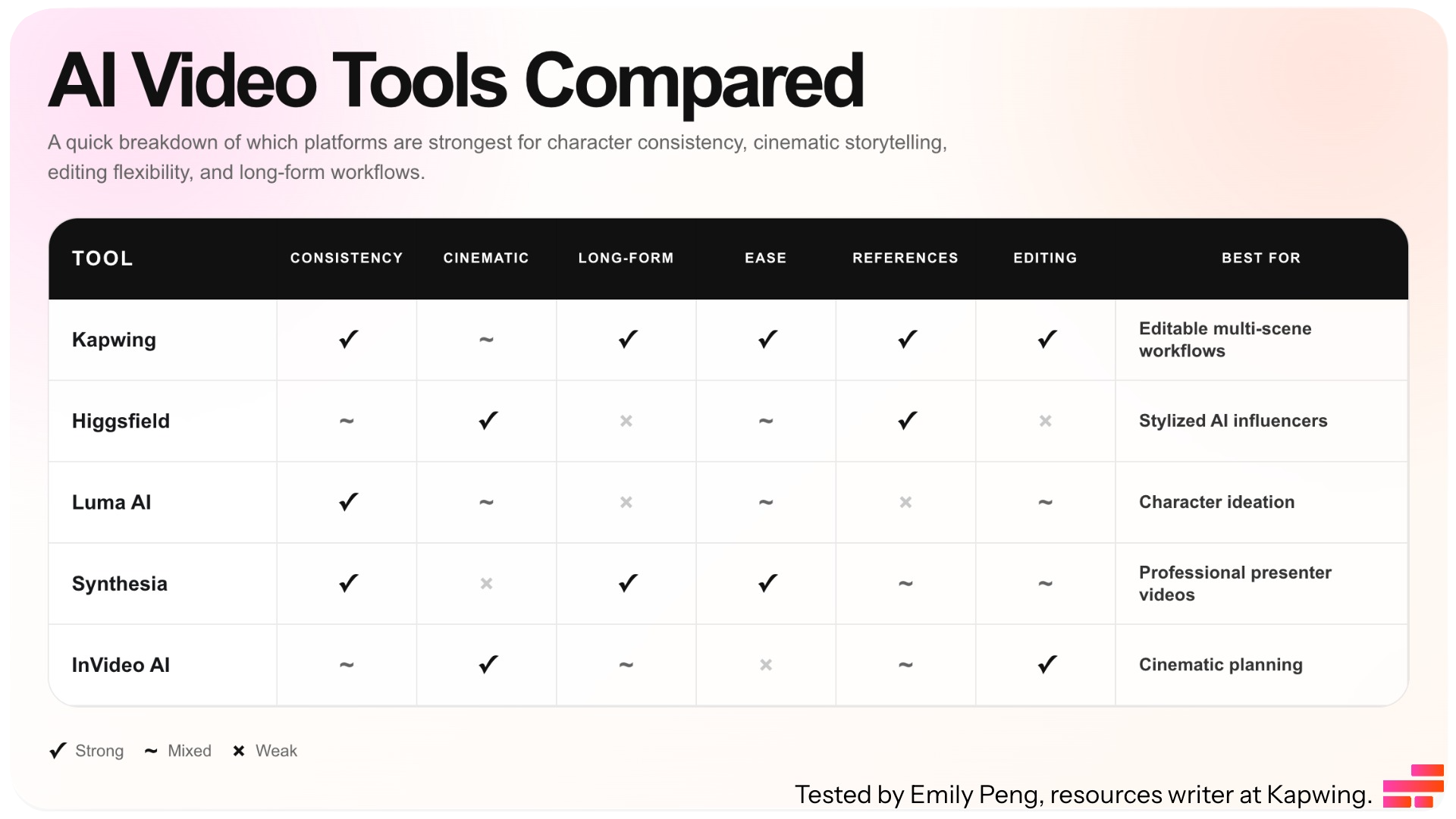
Kapwing AI: Best AI Video Generator for Character Consistency
What is Kapwing?
Kapwing is a full video editing studio with an AI video generator and editor studio built in. Unlike AI video platforms that only generate isolated clips, Kapwing combines generation with a timeline editor, making it easier to maintain continuity across longer projects.
The platform also includes tools for AI voice generation, voice cloning, lip sync, subtitles, and scene editing.
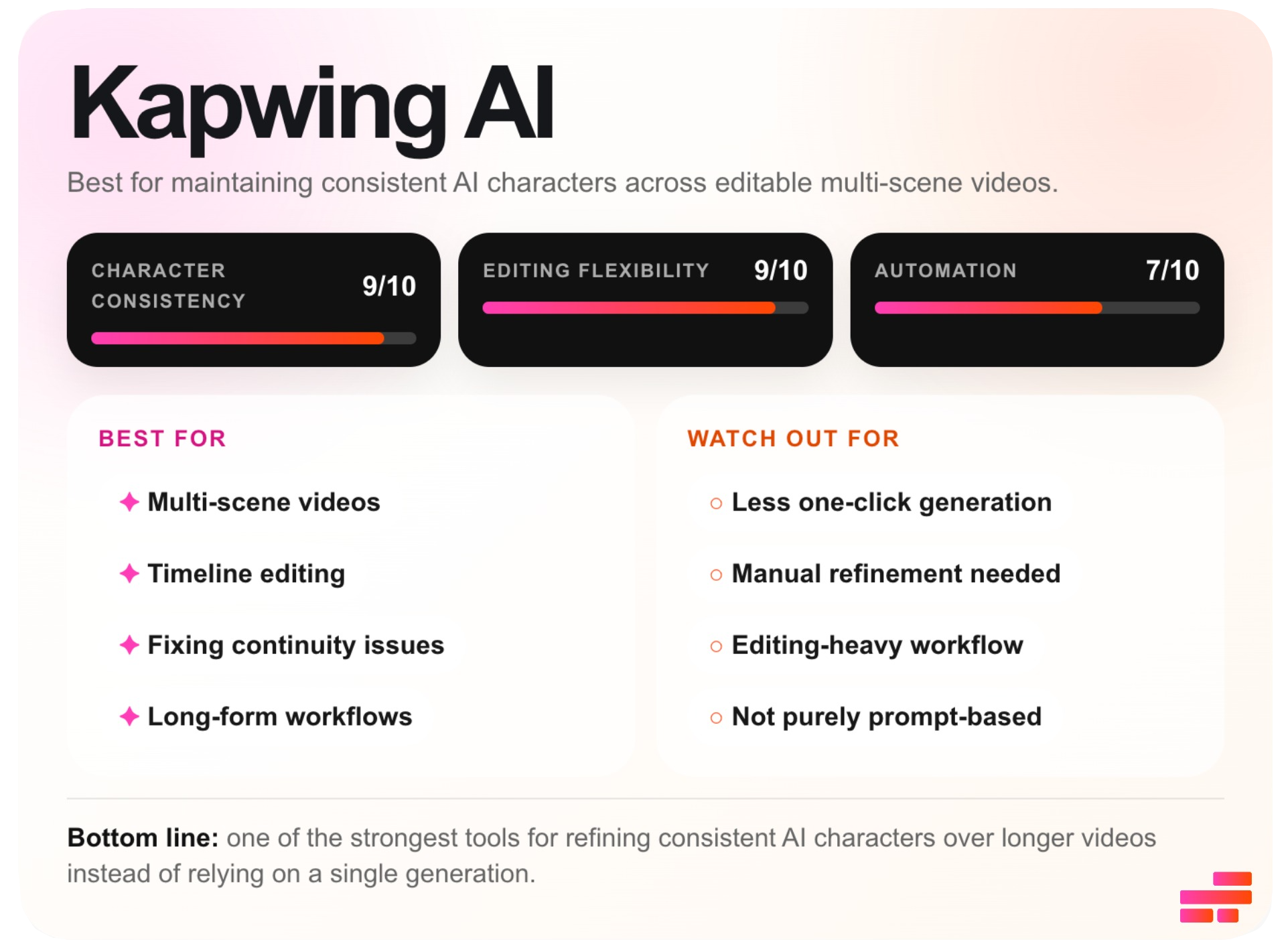
Kapwing's Character Consistency Workflow
Kapwing’s character consistency system is built around creating reusable AI characters that can persist across multiple prompts, scenes, images, and videos.
- Step 1: Click the @ button at the bottom of the AI prompt box to open the character menu.
- Step 2: Select Create Character and upload one or more reference images.
- Step 3: Add a character description, AI voice, or speaking style. Save the character.
- Step 4: Type @ inside any prompt and tag your saved character to generate content using that identity.
- Step 5: Refine continuity by trimming clips, replacing shots, editing captions, swapping audio, or regenerating scenes directly inside the timeline editor.
Kapwing Character Consistency Review
Kapwing stood out as the strongest platform for maintaining consistent AI characters across short-form and long-form videos. Most AI video generators can create a convincing character for one clip, but when you move into multiple scenes, different camera angles, or longer edits, the character starts to drift.
Kapwing performed noticeably better than most tools at preserving a character’s visual identity.
Hairstyles, outfits, accessories, makeup, and even smaller details like tattoos stayed relatively stable throughout multi-shot projects. In the video generation below, Kapwing preserved my tattoos and outfit perfectly.
A major reason for this is that Kapwing combines AI generation with an editable timeline. Instead of relying entirely on AI to preserve continuity, you can manually refine scenes inside the editor. This makes character consistency easier to maintain because you can preserve the strongest generations and fix weaker ones.
Audio workflows also help reinforce consistency. You can assign AI voices to characters, upload audio for voice cloning, and generate lip-synced dialogue in over 40+ languages. This helps maintain not just a recognizable visual identity, but also a consistent voice and speaking style across videos.
That said, the consistency still isn’t perfect. Like most current AI video systems, smaller facial details can drift once characters are in motion. Dynamic expressions, side profiles, fast movement, or camera angles sometimes caused inconsistencies in facial structure or expressions, even if the character is recognizable overall.
I also noticed that scene-to-scene lighting consistency can vary. While the character itself usually stayed stable, lighting and color tone sometimes shifted noticeably between generated shots, which could make scenes feel visually disconnected without manual correction.
Higgsfield: Best AI Video Generator for Stylized AI Influencers
What is Higgsfield?
Higgsfield is an AI image and video generation platform focused on creating stylized AI influencers and editorial-style visuals. Unlike most AI video generators that prioritize realism or storytelling, Higgsfield is optimized for art-directed content: fashion editorials, branded shoots, and short-form cinematic clips.
The platform is heavily reference-driven, combining image generation, moodboards, presets, and image-to-video workflows.
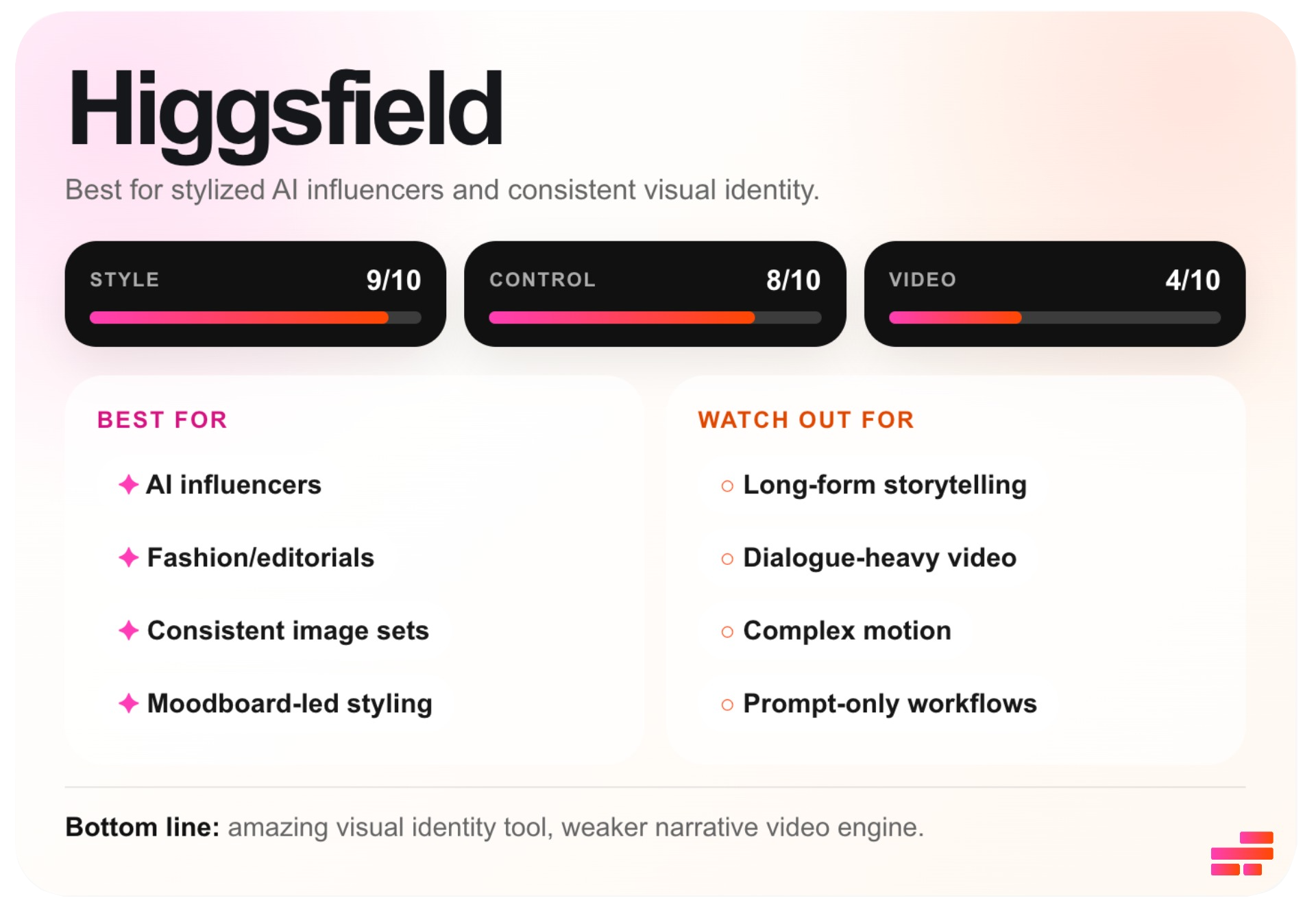
Higgsfield Soul ID Workfow.
Higgsfield works primarily as an image generation and image-to-video platform, not a generative AI video system.
- Step 1: Open Soul ID inside Higgsfield and click Create New Identity.
- Step 2: Upload a dataset of reference images of the same person (ideally 20–40+ images with varied angles, expressions, lighting, and outfits).
- Step 3: Open the image generator and select your trained Soul ID character.
- Step 4: Choose a preset style like Y2K Studio, editorial, cinematic, or film-inspired looks—or create a custom moodboard using your own references.
- Step 5: Select your strongest generated images and open the Image-to-Video workflow. Animate the image using prompts or motion presets.
Higgsfield Soul ID Review
Higgsfield stands out most when the goal is building stylized AI influencers with a consistent visual identity. This isn’t where I’d go for long-form or dialogue-heavy video content. It’s best suited for short outputs that feel creatively directed.
During testing, Higgsfield performed strongest as an image generation system feeding into short-form animated content. After uploading around 40 reference images of myself, I was able to generate versions of me across different poses, environments, outfits, and aesthetics.
The presets made it very easy to lock into a visual style. For fashion editorials, branded campaigns, beauty content, or AI influencer shoots, this workflow allows you to generate multiple variations while keeping the same overall vibe.
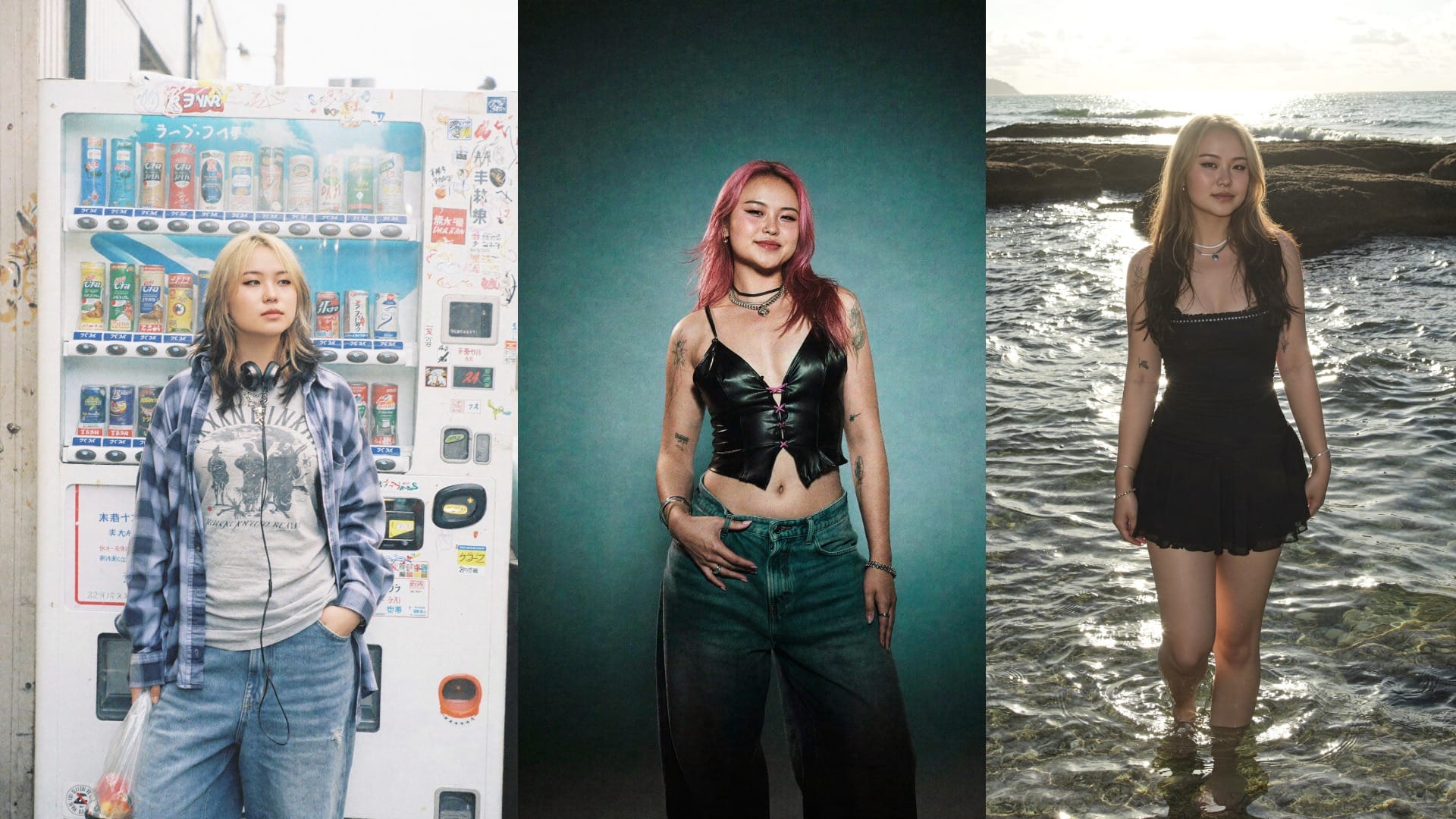
That said, the system is fundamentally image-first. The video side of Higgsfield works more like animating generated images than producing fully coherent videos.
In practice, the strongest results came from subtle cinematic movement: camera pushes, blinking, slow turns, fabric motion transitions, or atmospheric movement layered onto polished source images.
The limitations become obvious once you move beyond highly controlled shots. Because the system is fundamentally image-driven, it struggles with complex motion, long sequences, interactions, or narrative continuity. Characters don’t always maintain identity through movement, and scenes begin to break down if too much action is introduced between frames.
For example, in the multi-shot video below, the character’s hair and outfit not only drift from the original reference image, but also change subtly between scenes within the same sequence.
Luma AI: Best AI Generator For Designing Custom Characters
What is Luma AI?
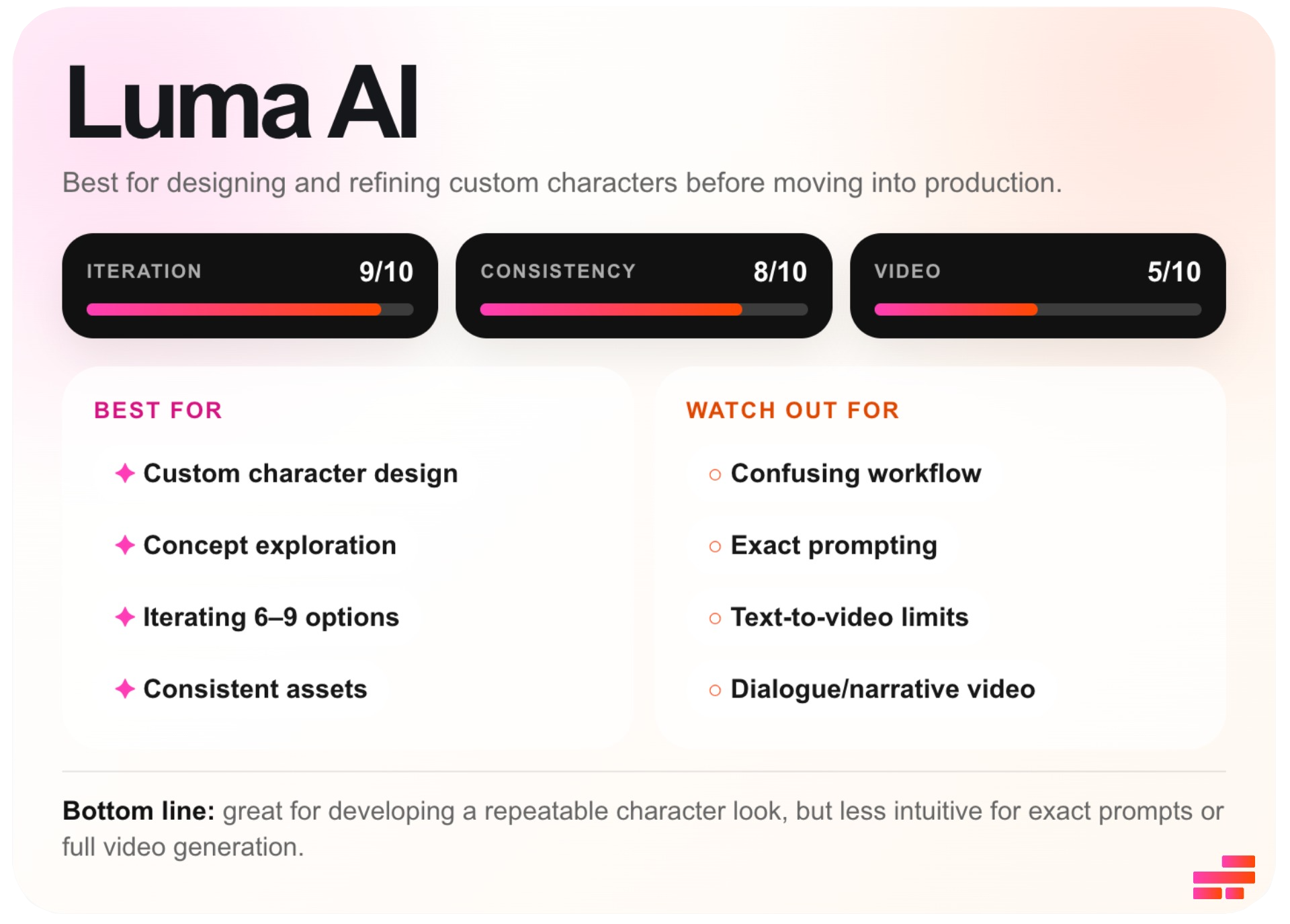
Luma AI is primarily an AI generator focused on character ideation, visual exploration, and concept development. Unlike most AI tools that prioritize fast one-shot outputs, Luma is built around refining and evolving characters through multiple iterations.
Rather than functioning as a traditional character training system, Luma works more like a creative sandbox for developing repeatable character aesthetics before moving into animation workflows.
Luma AI Character Creator Workflow
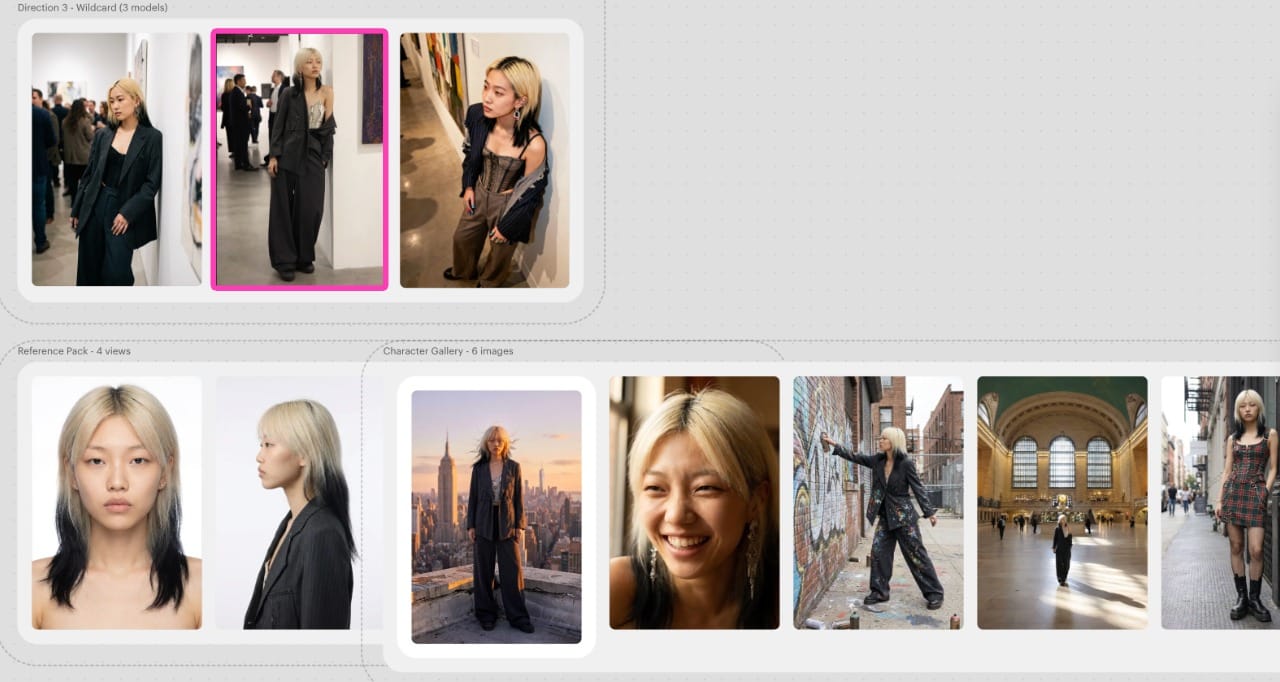
- Step 1: Enter a character description or upload a starter image inside Luma’s Character Creator.
- Step 2: Luma will generate 9 different character variations. Select the strongest one.
- Step 3: Generate additional images of the same character across different outfits, environments, lighting conditions, and cinematic scenes.
- Step 4: Continue refining the character by iterating on generations or combining elements from multiple outputs.
- Step 5: Move any standout images into Luma’s image-to-video workflow to animate scenes with cinematic camera movement and atmospheric motion.
Luma AI Review
Luma AI stands out most as a character design and concept development tool rather than a true AI video generator. During testing, its biggest strength was how naturally the workflow supports iteration and refinement. Luma generates several iterations of the initial character design, before locking one in. Compared to prompt-only systems, this makes the process feel much more controlled.
I also found that this iterative workflow helped significantly with character consistency inside the character ideation process. Once you land on a version of a character you like, Luma does a strong job maintaining that character’s facial structure, styling, and overall aesthetic direction across additional generations.
However, the workflow is still heavily prompt-driven. Luma doesn’t really let you build characters from uploaded reference images or train around a specific person. Because of this, the platform works better for discovering and developing original character concepts than recreating a highly controlled existing identity.
The video generation side of Luma is also more limited than the image workflow. Luma primarily works through image-to-video generation, meaning you first create a designed image or character concept, then animate that image into motion. The strongest outputs came from cinematic movement, or small candid movements layered onto already polished source images.
A short clip of my AI character, generated through image-to-video.
For short clips, the results can look impressive. However, once you move into longer sequences, dialogue, or persistent scene continuity, the limitations become more obvious.
Character consistency begins weakening during movement-heavy shots, and the system struggles to maintain stable identity across sequences.
Synthesia AI: Best AI Generator For Professional Talking Head Videos
What is Synthesia AI?
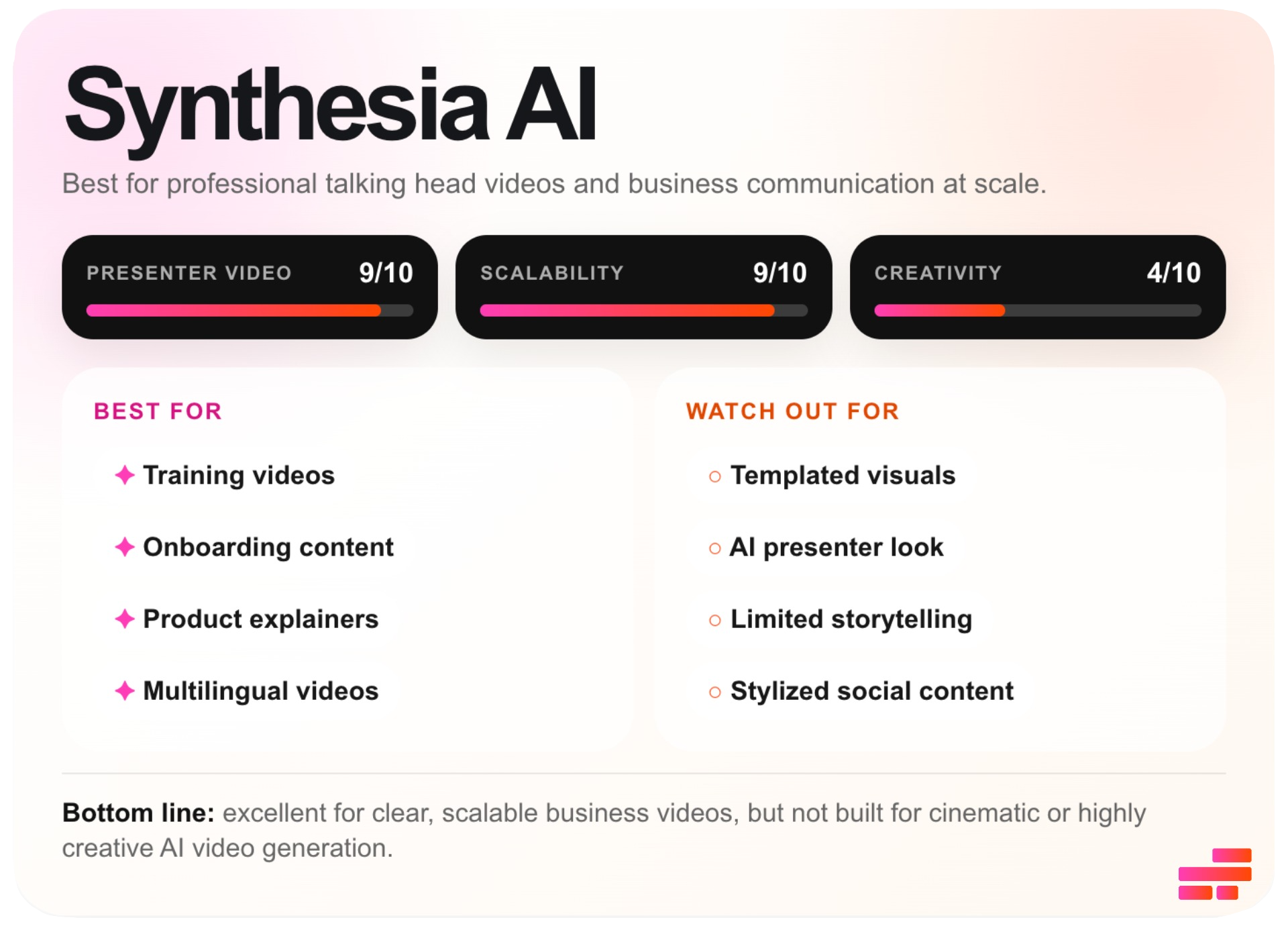
Synthesia is an AI avatar video generator built primarily for professional presenter content. The platform is designed around creating structured business videos like training modules, onboarding materials, product explainers, tutorials, internal updates, and multilingual corporate content.
Unlike most AI video generators that focus on visual experimentation, Synthesia prioritizes clarity, scalability, and consistency across large volumes of videos.
Synthesia AI Avatar Workflow
- Step 1: Open the Avatars tab and click Create Avatar.
- Step 2: Choose how you want to create the avatar. You can upload a photo, record a webcam video, or use pre-recorded footage.
- Step 3: Create a new video project and select your saved avatar from the avatar library.
- Step 4: To generate the final talking-head video, paste in a script, choose a language, voice, background, and presentation layout.
- Step 5: Reuse the same avatar across multiple videos while changing outfits, backgrounds, languages, and presentation styles.
Synthesia AI Avatar Review
While most AI generators struggle to preserve identity across projects, Synthesia’s avatars remain stable and repeatable over time. Because the avatars exist inside a structured presenter environment. Facial identity, lip sync, framing, and delivery remain relatively stable even across longer videos.
During testing, one of the biggest strengths was the script-to-video workflow. Because speech is emphasized, the lip sync, pacing, and multilingual voice worked better than most general-purpose AI video tools. The platform also currently supports over 140 languages and multilingual dubbing workflows
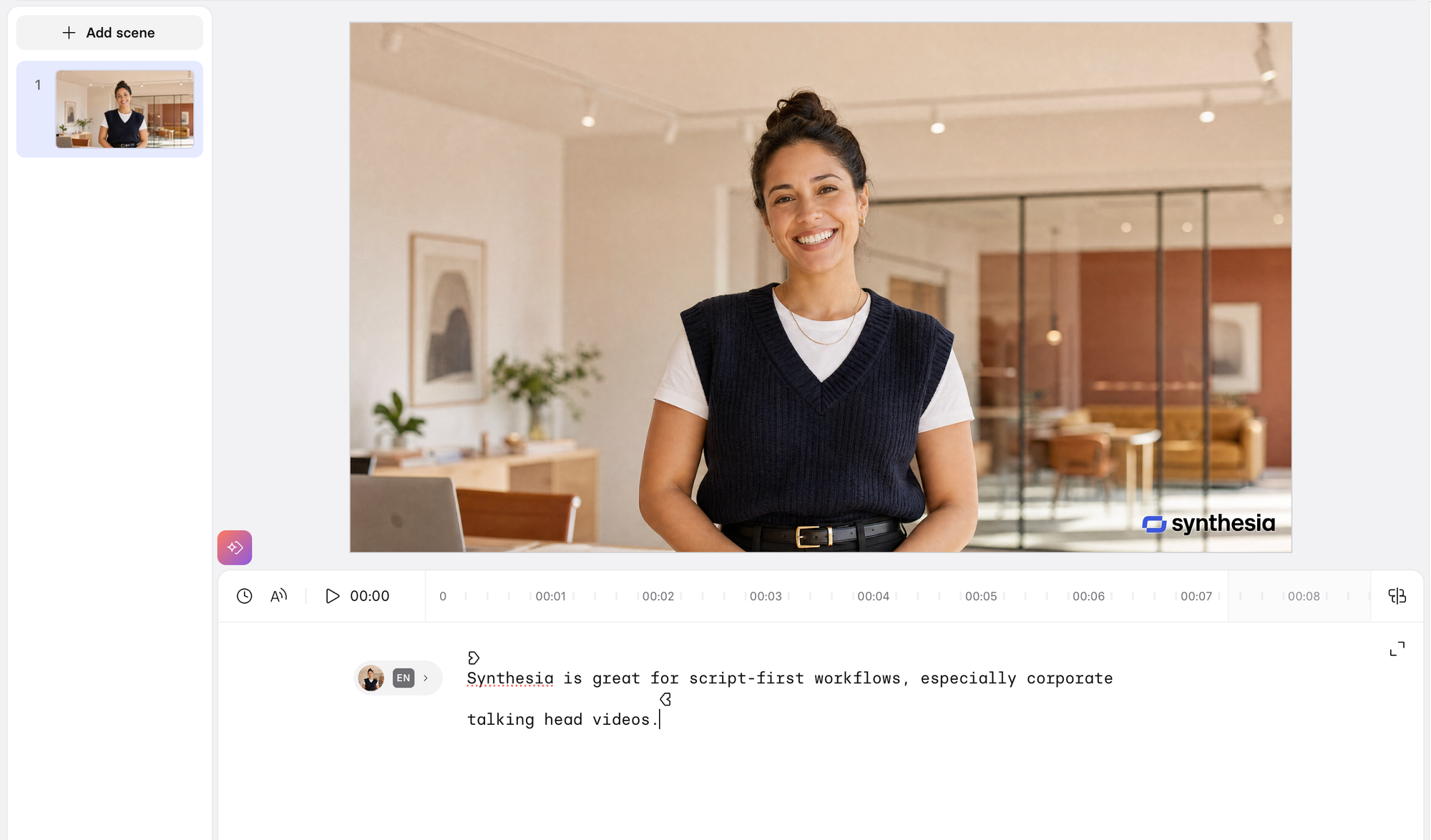
Synthesia also performs well when it comes to avatar consistency and scalability. Once you establish an AI presenter, you can reuse the same character across multiple videos while changing outfits, backgrounds, layouts, languages, and presentation styles.
In practice, this makes it easy to maintain a consistent on-screen identity across an entire content library without every video feeling visually identical.
That said, the tradeoff is creative flexibility. The videos tend to feel polished but highly templated, and there’s little to no room for cinematic storytelling or dynamic motion. The avatars still fall into the recognizable “AI presenter” look, especially during emotionally expressive moments or longer-form delivery.
The platform works best when the goal is professionalism, speed, multilingual scalability, and presenter consistency—not cinematic creativity.
InVideo AI: Best AI Video Generator for Cinematic AI Videos
What is InVideo AI?
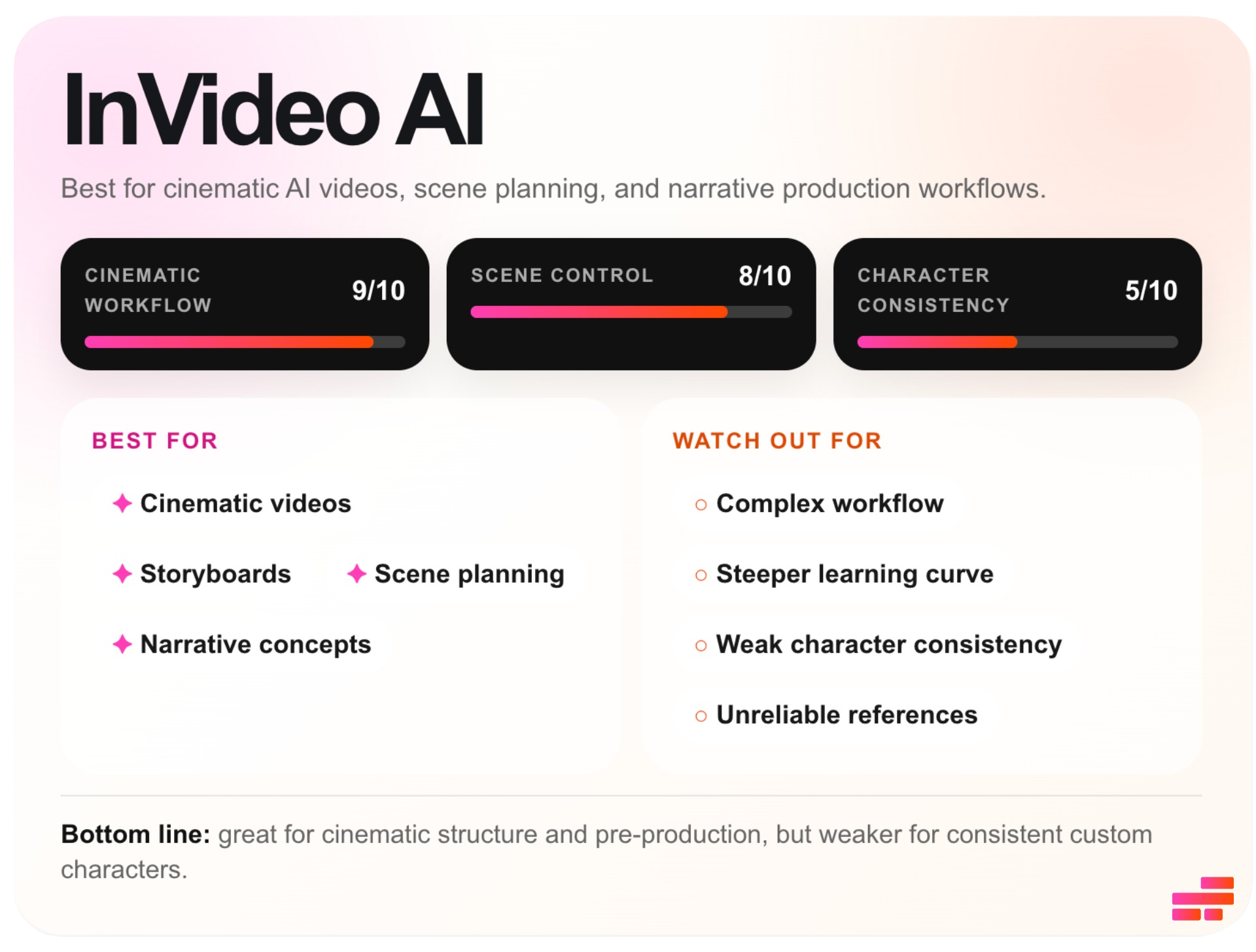
Unlike most AI video tools that immediately generate clips from prompts, InVideo approaches the process more like pre-production for a film or commercial.
The platform combines AI generation with storyboards, character sheets, scene structures, and editing workflows, making it feel closer to a creative planning environment than a traditional prompt-to-video tool.
InVideo AI Character Generator Workflow
- Step 1: Open InVideo AI and start a new Vision or storyboard project.
- Step 2: Enter a prompt describing your story, character, or cinematic scene. Optionally upload a reference image to guide the character’s appearance and visual identity.
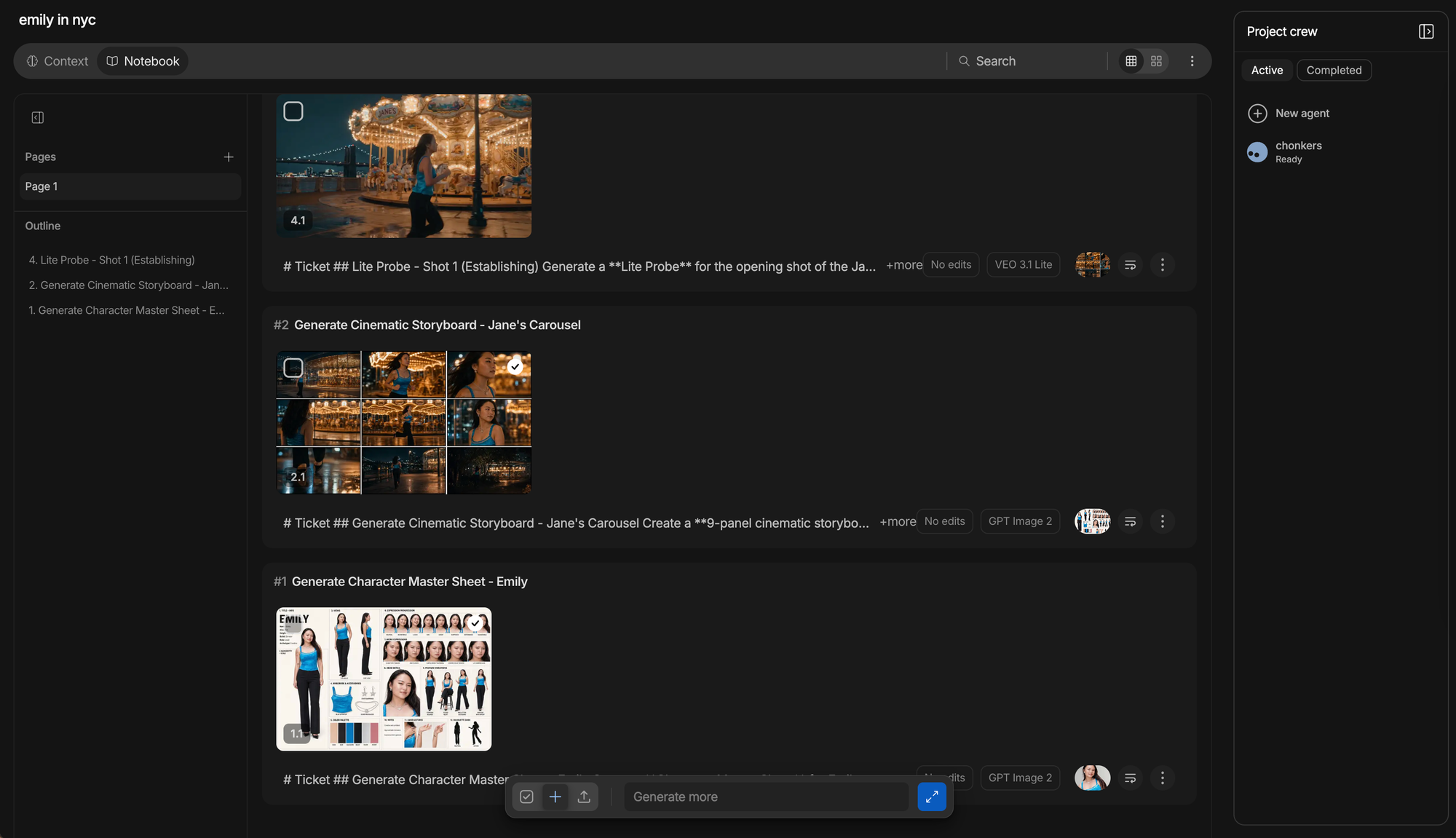
- Step 3: InVideo will generate a multi-shot storyboard, as well as a character sheet. Review and approve the generated material.
- Step 4: Generate the final asset.
InVideo AI Review
What stood out most was the emphasis on cinematic planning and pre-production workflows. Before generating a video, InVideo first creates supporting creative assets like character sheets, storyboards, and scene structures. I found this especially useful because it allows you to refine and edit both characters and scenes before committing to full video generation.
The character sheet feature is one of the more interesting approaches to character consistency I tested. It attempts to define the character across multiple facial expressions, camera angles, and profiles. In my own tests using reference images of myself, I was impressed by how well the platform preserved smaller details like tattoos, jewelry, and overall styling direction.
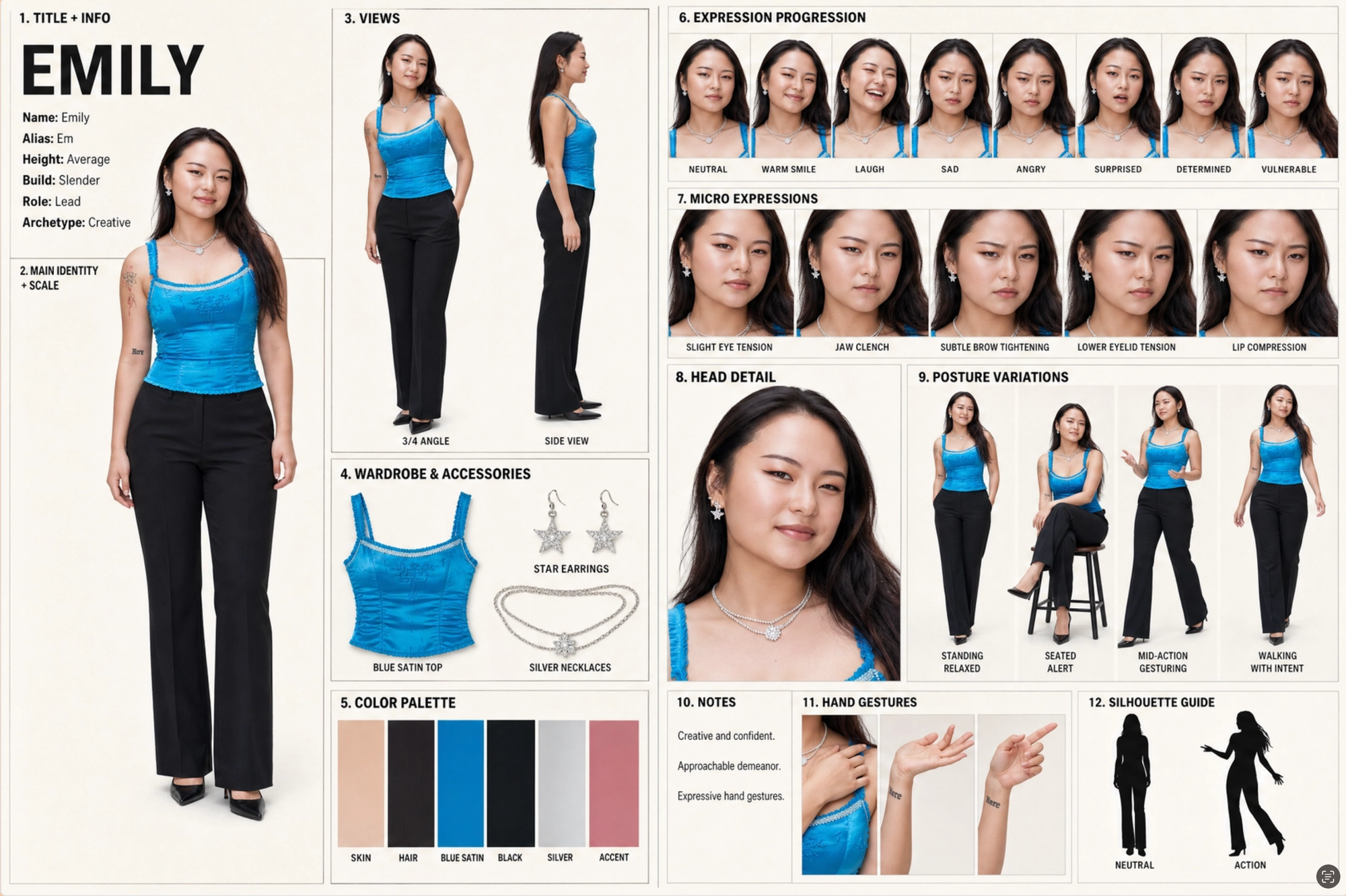
However, facial consistency itself was noticeably less reliable. In my testing, uploading multiple reference images caused facial features to blend together in strange ways. Using a single strong image produced more stable results, but introduced a different limitation: once the platform attempted wider expressions, or alternate angles, some expressions started feeling unnatural.
The biggest issue appeared once the storyboard was actually translated into generated video footage. While the planning materials looked cohesive, much of that consistency broke down during the final generation. Characters became distorted once movement, camera changes, and scene transitions were introduced.
In practice, InVideo did a much better job maintaining the overall cinematic direction and styling of a project than preserving exact facial identity across shots.
The platform creates the expectation of strong continuity because the pre-production workflow is so detailed, but the final generated footage often struggles to maintain the same level of likeness shown during the planning phase.
Frequently Asked Questions
Which AI video generator has the best character consistency?
The best platform depends on the type of content you’re creating. Kapwing performed best for editable long-form workflows and recurring characters, while Higgsfield produced the strongest stylized influencer visuals. Tools like Runway and InVideo offer more cinematic workflows but weaker facial consistency overall.
Why do AI-generated characters change between scenes?
Most AI video models generate scenes independently rather than fully understanding a persistent character. Once movement, new camera angles, or different lighting conditions are introduced, facial features and proportions can begin to drift.
Which AI video generator is best for AI influencers?
Higgsfield stood out most for creating stylized AI influencers because of its strong aesthetic control, moodboard workflows, and reference-driven generation system.
What’s the difference between image-to-video and true AI video generation?
Image-to-video workflows animate an existing image or interpolate between frames, while true AI video generation attempts to create entirely new scenes, motion, and continuity from prompts alone. Many current “AI video generators” still rely heavily on image-based workflows under the hood.
Do AI video generators work better with one reference image or multiple?
It depends on the platform. Some tools benefit from large reference datasets, while others actually perform better with a single strong reference image. In testing, certain generators blended facial features together when multiple references were uploaded, which weakened consistency.
Are AI video generators good for dialogue-heavy scenes?
Most current platforms still struggle with long-form dialogue, emotional expression, and persistent scene continuity. Tools like Synthesia work better for presenter-style dialogue, while cinematic AI generators are generally stronger at visuals than conversational realism.