How to Create an AI Influencer (2026)
The top AI influencers earn more than $2 million every year.
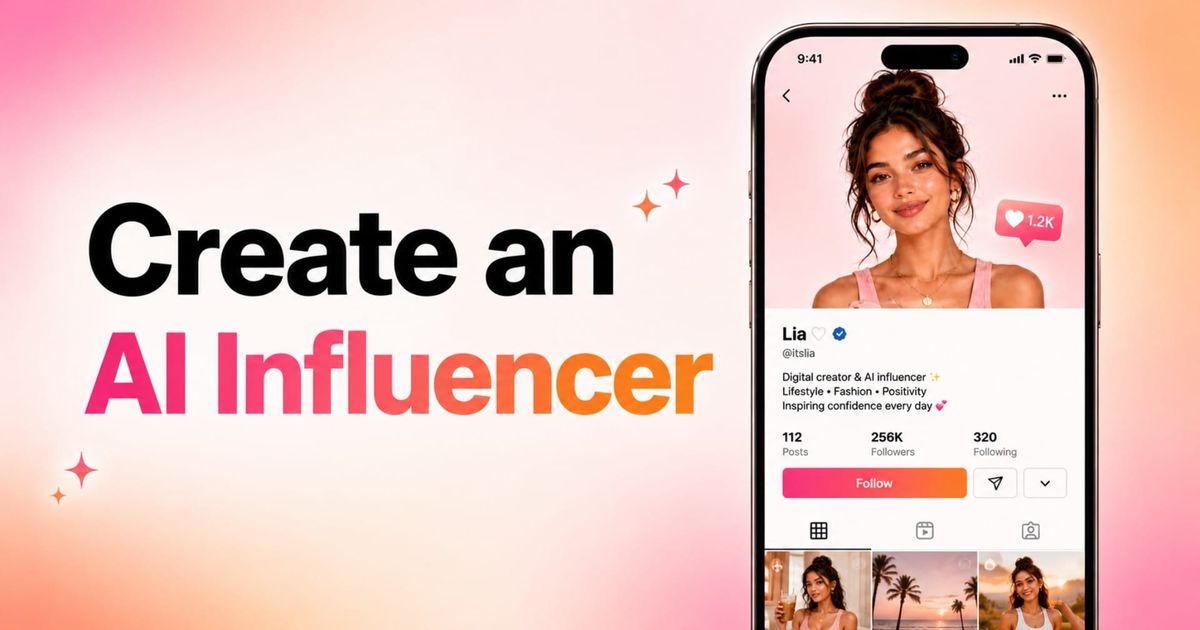
AI influencers are AI-generated characters designed to appear in photos, videos, and social media content. In 2026, creators and brands can build realistic virtual influencers using AI tools that generate consistent faces, voices, videos, and personalities across platforms like TikTok, Instagram, and YouTube.
Creating an AI influencer starts with designing the character itself. That includes defining the influencer’s appearance, voice, personality, niche, and visual style, then generating consistent images and videos that can be reused across future content.
This guide explains how to create an AI influencer step by step, including how to generate reference images, build a reusable AI character, create videos and social content, maintain visual consistency, and avoid common mistakes when using real people or existing characters as references.
Table of Contents:
- What Is an AI Influencer?
- How to Make an AI Influencer
- Tips for Making Your AI Influencer Feel Real
- Frequently Asked Questions
What Is an AI Influencer?
An AI influencer is a fictional or AI-assisted social media personality that creates content using generative AI. Some AI influencers look like realistic people, while others are stylized avatars, brand mascots, animated characters, or digital actors.
AI influencers can post photos, videos, tutorials, product content, entertainment clips, educational content, or branded campaigns. They can be used by individual creators, companies, agencies, or social teams that want a consistent virtual personality for social media.
One well-known example is Lil Miquela, a virtual influencer and singer who has appeared as a CGI social media personality since 2016. Brands have also experimented with virtual influencers. KFC, for example, created a computer-generated version of Colonel Sanders as a branded virtual influencer.
How to Make an AI Influencer
The process of making an AI influencer starts with defining the character and the kind of content they will create. From there, you can build the character, create visual assets, generate videos, edit for each platform, and develop a repeatable workflow for publishing new content.
Step 1: Choose a Niche and Purpose
Before creating the AI influencer’s appearance, decide what the influencer is for. Popular AI influencer niches include:
- Fashion
- Fitness
- Travel
- Lifestyle
- Product reviews
A niche gives the persona a reason to exist and helps guide every image, video, caption, and post. For example, a lifestyle AI influencer might post outfit photos, daily routines, “get ready with me” videos, or aesthetic photo dumps. A fitness AI influencer might focus more on short-form workout videos.
Step 2: Gather Reference Images
Before you create images, videos, or social posts, you need a reference image for your AI influencer. This reference acts as the foundation for the character’s appearance and helps keep future images and videos consistent. You can start with approved photos of an existing person or character. Or, you can create an original character from scratch using AI-generated reference images.
Use an Existing Person or Character as a Reference
This option uses an existing person, mascot, brand character, or fictional persona as the starting point for your AI influencer. For example, you might create an AI version of yourself, turn a company mascot into a social video host.
The most important rule is consent. You should only use this workflow if you own the character, have the rights to use the reference images, or have clear permission from the real person whose likeness you’re using.
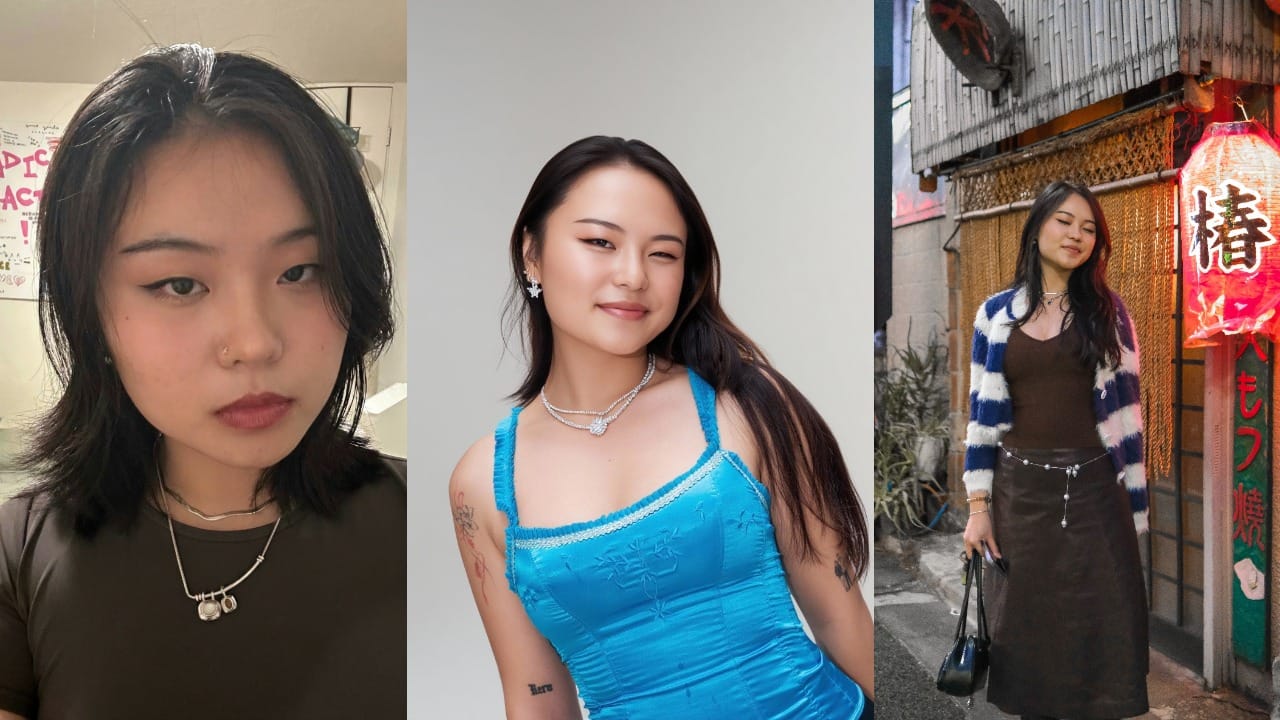
To start, collect a small set of approved reference images or brand assets. These should show the person or character from different angles and expressions, in good lighting, and with a consistent appearance. Below are some of the reference images that I used:
Create a New AI Reference Image From Scratch
If you are creating a completely original AI influencer, you will need to generate or design the reference image yourself.
Start by defining the character before generating images. Decide their niche, age, personality, visual style, clothing, hairstyle, and overall aesthetic. This makes the first image more intentional and helps avoid a generic AI-generated look.
Once you have a basic idea of the character, go to Kapwing AI to generate an initial headshot of your character. In your image prompt, be specific about who they are, what they look like, and what kind of content they will create. Below is a prompt template that you can follow:
AI Influencer Prompt Template
Generate a realistic vertical portrait headshot with natural lighting, and a clear face. The character is [age range] with [hairstyle], [clothing style], and a [visual aesthetic] look. Their personality is [personality traits], and their content focuses on [content topics].
Kapwing AI will generate an image in the chat. If the first version is not quite right, keep iterating in the same chat.
You can ask for changes to the hairstyle, outfit, expression, setting, lighting, or overall style until the character feels recognizable and aligned with your niche.
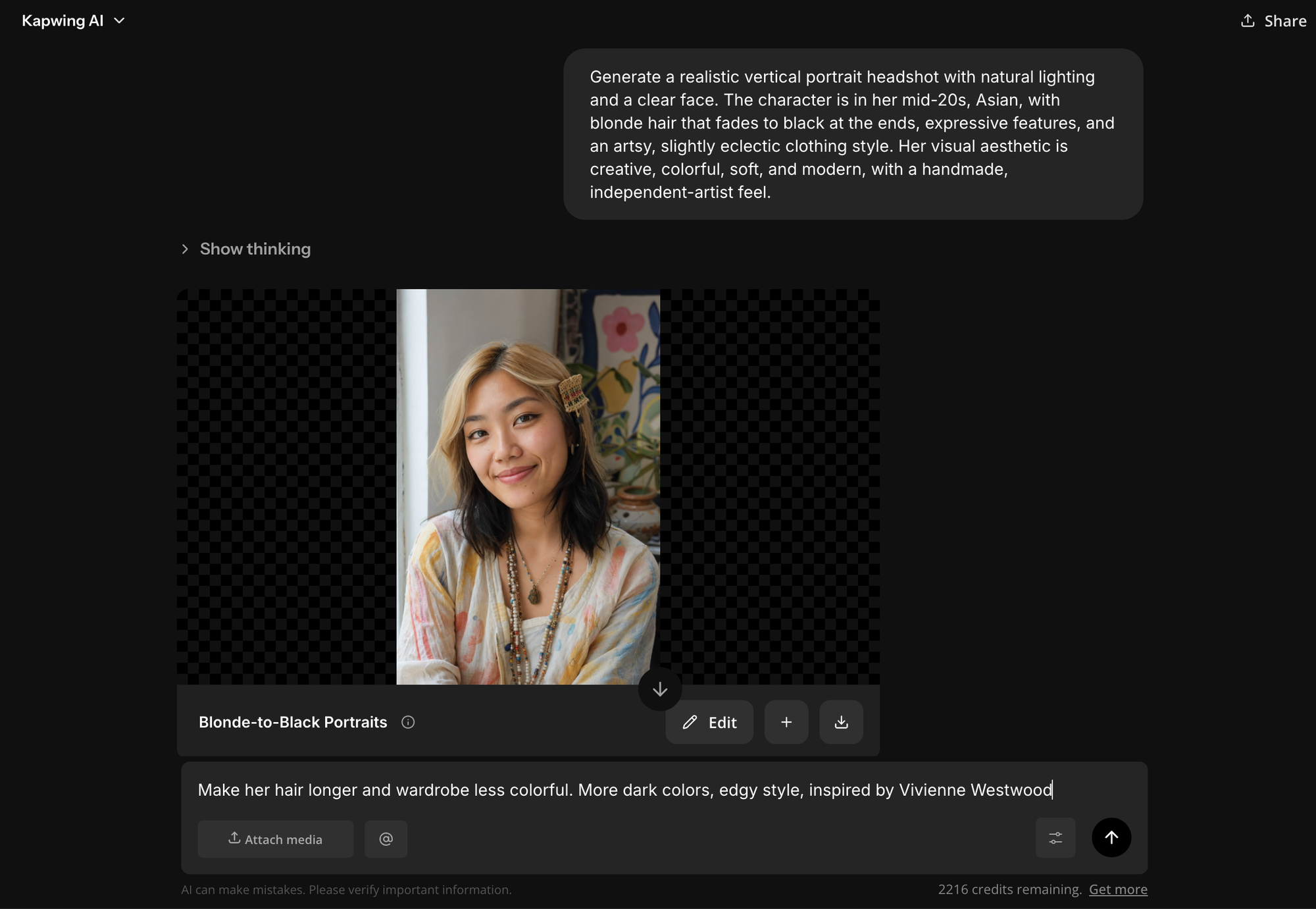
Once you generate an image you are happy with, you can use it to build a stronger reference set. Attach that image in a new chat and use it to generate a second or third image of the same character.
Try creating different angles, expressions, poses, and settings, so you have more visual material to guide future posts. For example, you might generate a front-facing portrait, a side profile portrait, and a smiling portrait.
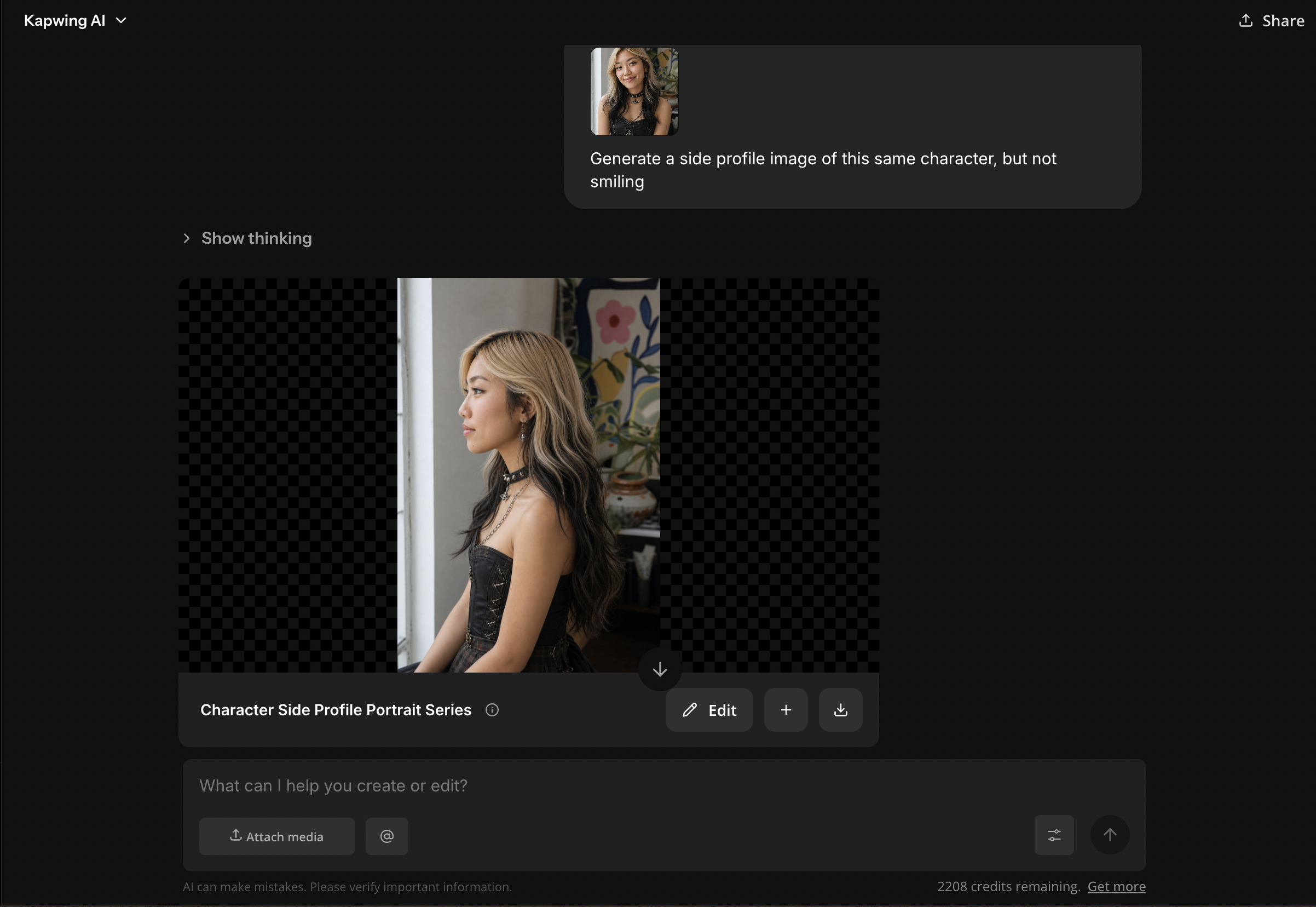
Step 3: Create an AI Character
Once you have your reference images, create a reusable AI character. This helps you generate future images and videos of the same influencer without having to rebuild the persona from scratch every time.
In Kapwing, open the chat box, type @, and click Add Character. This will open a menu where you can choose from stock characters or select characters you’ve already created.
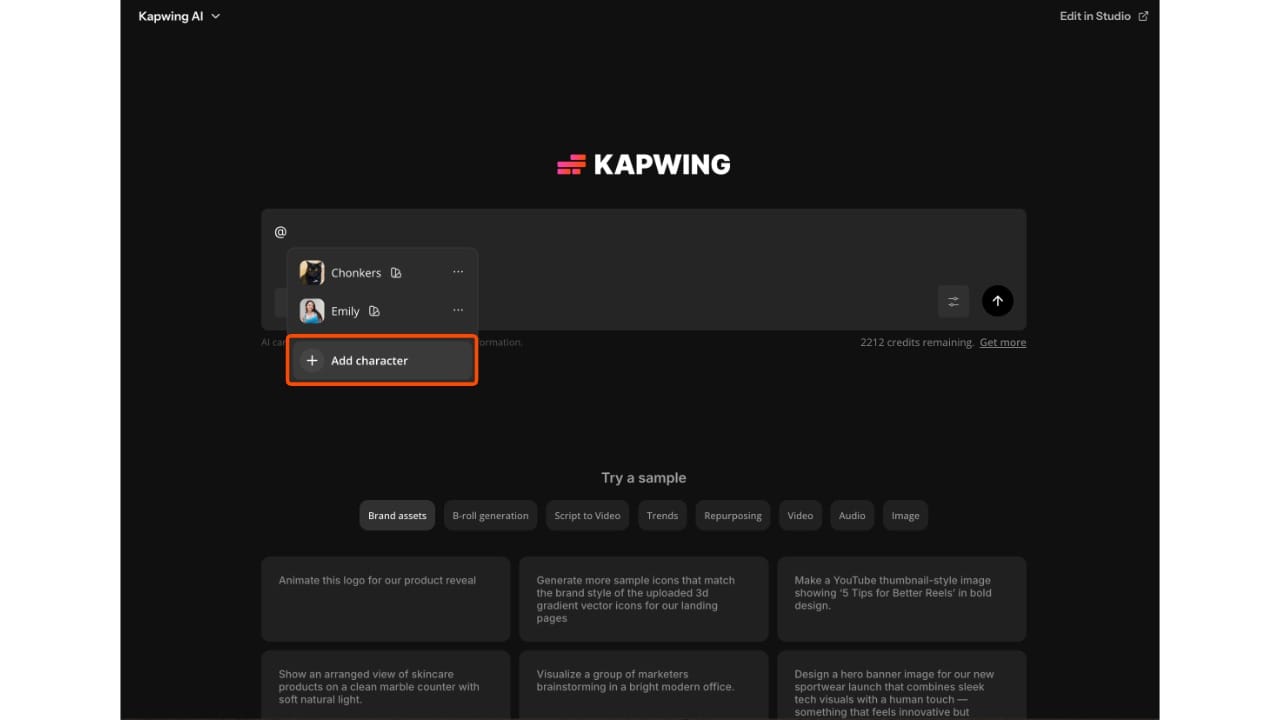
To make your own AI influencer, tap Create New Character.
From there, you can upload up to 10 reference photos, add an optional character description, and choose or define a voice.
If your AI influencer is based on an existing person or character, only use images you have permission to use.
If your influencer is original, use the reference images you generated in the previous step.
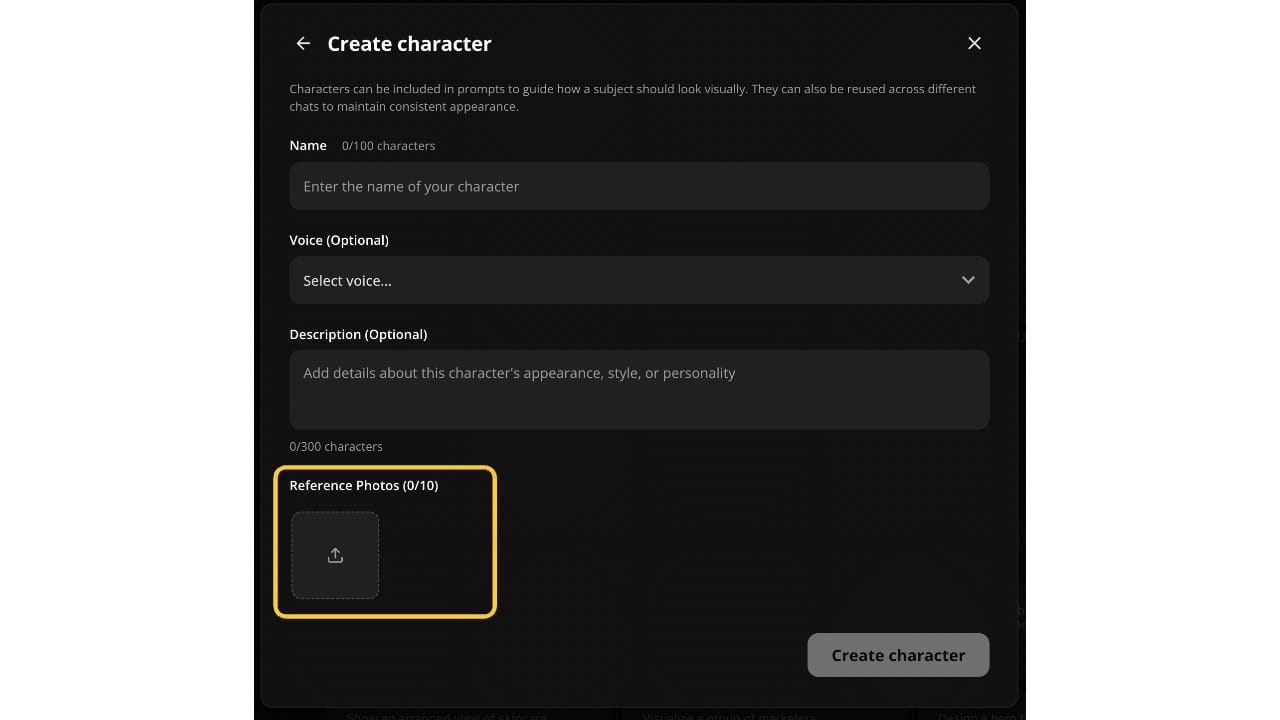
The optional description is worth filling out, especially if personality and recognizability matter. Use it to describe the character’s role, niche, style, and tone. For example:
An artsy, kind, quirky lifestyle creator who posts about sketchbook ideas, creative routines, personal style, and studio days. She has blonde hair with black ends, expressive features, and a colorful independent-artist aesthetic.
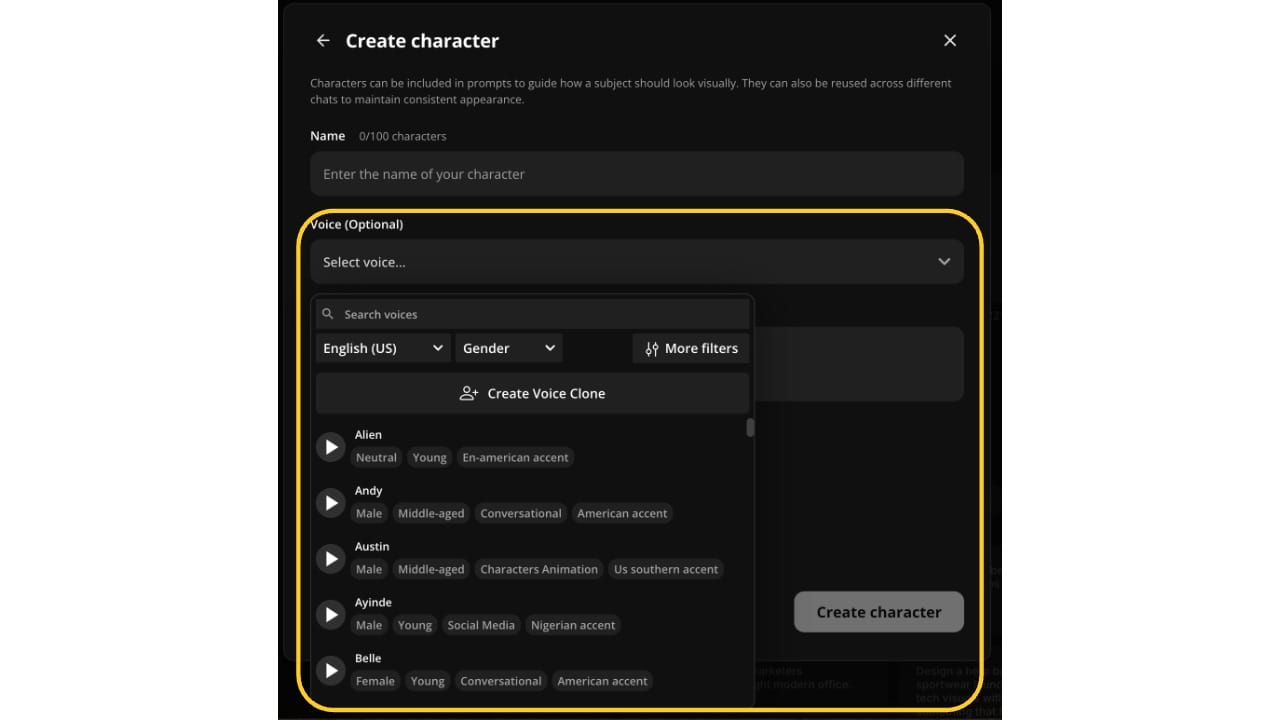
For video influencers, you want to choose an AI voice that matches the character’s personality and content style. A fitness influencer might need an energetic, direct voice, while a creator might need a calm, conversational voice.
You can find a specific type of voice by searching for traits or filtering in the menu.
Alternatively, you can upload a voice recording and use that instead.
Step 4: Generate Your Content
Once your AI character is set up, you can start generating content with that character directly in Kapwing.
To generate content with your character, open the prompt box and type @. Select the AI character you created in the previous step, then write a prompt describing what you want them to do, where they are, what they are wearing, and what kind of content you want to create.
For example:
@Maya Generate a realistic vertical Instagram post of Maya sitting in a bright art studio, holding a sketchbook and smiling at the camera. She is wearing colorful layered clothing with an artsy, quirky style. Use natural lighting, a soft creative atmosphere, and a clear face.
You can use this same workflow for both images and videos. For image generation, focus on the scene, pose, outfit, lighting, and platform format. For video generation, include the action, setting, camera movement, and any dialogue or voiceover you want the character to perform.
For example:
@Maya Create a short vertical video of Maya introducing three easy sketchbook prompts for beginners. She is sitting at her desk in a cozy art studio with markers, paper, and small paintings in the background.
If you want to keep editing the video, open the generation in a Kapwing project. From there, you can trim clips, add captions, adjust pacing, insert music, resize for TikTok or Instagram Reels, and generate a longer video.
Tips for Making Your AI Influencer Feel Real
Creating an AI influencer is only the first step. To make the character feel recognizable and worth following, treat them like a real creator with a consistent personality, visual style, and content strategy.
Keep the Character Visually Consistent
Use the same AI character, reference images, and style instructions whenever you generate new content. Small changes in outfit, setting, pose, or facial expression are fine, but the face, hairstyle, age range, and overall aesthetic should stay recognizable from post to post.
Give the Influencer a Clear Voice
The influencer’s captions, video scripts, and on-screen text should sound like they come from the same person. For example, a fitness influencer might sound encouraging and direct, while an artsy lifestyle influencer might sound warm, quirky, and reflective.
Create Repeatable Content Formats
Instead of generating random posts, build recurring series that the audience can recognize. Repeatable formats make the influencer feel more intentional and make it easier to plan future content.
Frequently Asked Questions
How do you create an AI influencer?
To create an AI influencer, start by choosing a niche and defining the character’s purpose. Then gather or generate reference images, create an AI character, and use that character to generate images, videos, captions, and social posts. The most important parts are consistency, a clear personality, and a repeatable content workflow.
Do I need reference images to create an AI influencer?
Yes, reference images are helpful because they give the AI influencer a consistent visual identity. You can use approved photos of an existing person or character, or you can generate a new original reference image from scratch. If you use a real person’s likeness, make sure you have permission.
Can I create an AI influencer based on myself?
Yes. Creating an AI version of yourself is one of the clearest use cases because you control your own likeness. You can use your own reference photos to create an AI character, then generate images or videos that look like a virtual version of you.
Can I create an AI influencer based on another person?
Only if you have clear permission to use that person’s likeness. You should not create AI versions of celebrities, influencers, private individuals, or anyone else without consent. This is especially important if the AI influencer will be used publicly, commercially, or in branded content.
What kind of content can an AI influencer make?
An AI influencer can make many types of content, including lifestyle posts, product photos, short-form videos, tutorials, educational content, talking avatar videos, product demos, reaction clips, and branded campaigns. The best content format depends on the influencer’s niche and the platform you’re posting on.
Can AI influencers make videos?
Yes. AI influencers can be used in short-form videos for TikTok, Instagram Reels, YouTube Shorts, ads, tutorials, and social posts. You can generate a video with the character, open it in a project, add captions, edit the pacing, resize it, and create longer videos when needed.
Do I have to disclose that my influencer is AI-generated?
In many cases, it is a good idea to disclose that the influencer is virtual or AI-generated, especially in sponsored content, product endorsements, advice content, or anything that could affect trust. Simple language like “virtual creator made with AI” or “AI-generated character” can help keep the content transparent.
Can AI influencers make money?
AI influencers can potentially be monetized through sponsored posts, affiliate links, UGC-style product videos, digital products, brand campaigns, merch, or licensing. However, monetization depends on the quality of the content, the niche, the audience, and how clearly the account builds trust over time.