Instagram First Draft, Tested: How Good Is Instagram’s Automatic Reels Editor?
Instagram can now make your first cut. I tested how good that cut actually is.
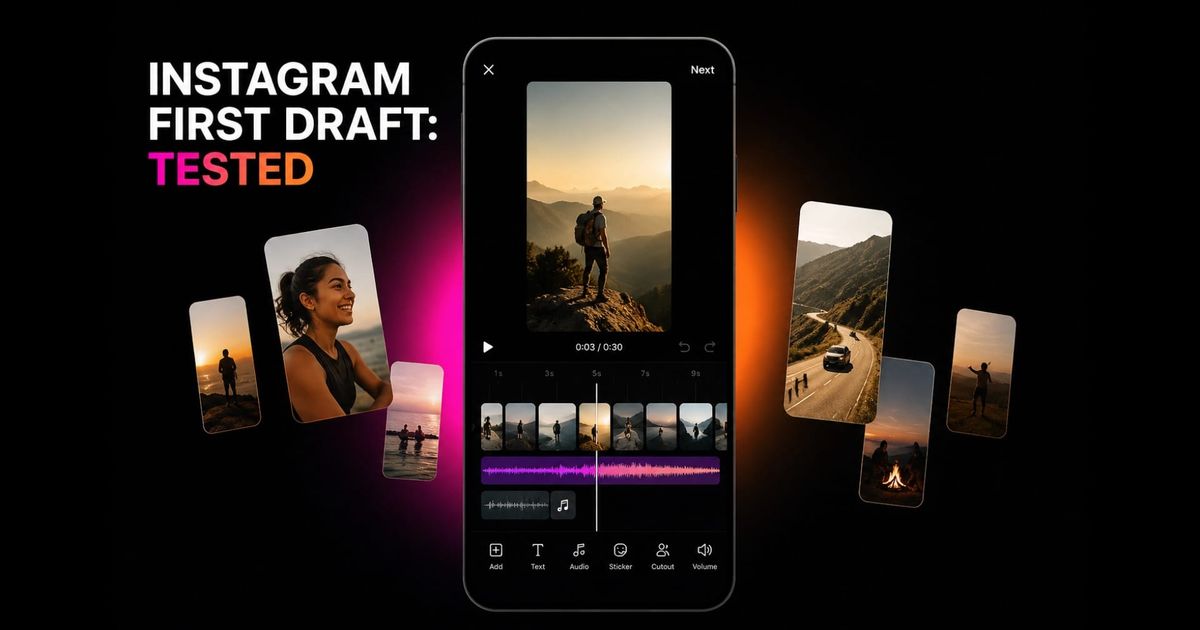
Instagram has a new shortcut for one of the most tedious parts of making a Reel: turning a camera roll full of raw footage into a usable first cut. Called First Draft, the feature automatically trims clips, removes pauses, and assembles the remaining footage into an editable Reel.
I wanted to see how much work First Draft actually removes. I tested it on a batch of casual, unscripted footage, then gave the same source clips to Kapwing AI and compared the resulting edits. Which moments did each editor keep? How aggressively did it cut? Did the clips flow together? And how much editing was still left afterward?
In a press conference, Instagram said that First Draft does not use AI. And after testing it, that distinction helps explain both what the feature does well and where its limitations become obvious.
Table of Contents
- What Is Instagram First Draft?
- How to Use Instagram First Draft
- Testing Instagram First Draft on Real Footage
- Instagram First Draft Test Results
- Is Instagram First Draft Worth Using?
- Frequently Asked Questions
What Is Instagram First Draft?
Instagram First Draft is an new automatic rough-cut tool for Reels. According to Instagram, the feature is designed to cut pauses and reduce clips to useful sections so creators have a starting point without manually scrubbing through every file.
Importantly, First Draft does not create a locked edit. The result opens as an editable Reel, so you can adjust, remove, or reorder clips before continuing into Instagram’s regular editor. Instagram has specifically positioned the feature as a starting point rather than a finished creative decision.
As of September 2026, First Draft is rolling out in the Instagram app on iPhone. Instagram has not announced an Android release date.
Is Instagram First Draft AI?
No. Instagram says First Draft does not use AI to create its edits.
That makes First Draft notably different from AI video editors that analyze footage and make strategic decisions about what content to keep, how scenes relate to one another, or which sections could work as highlights.
View on Threads
How to Use Instagram First Draft
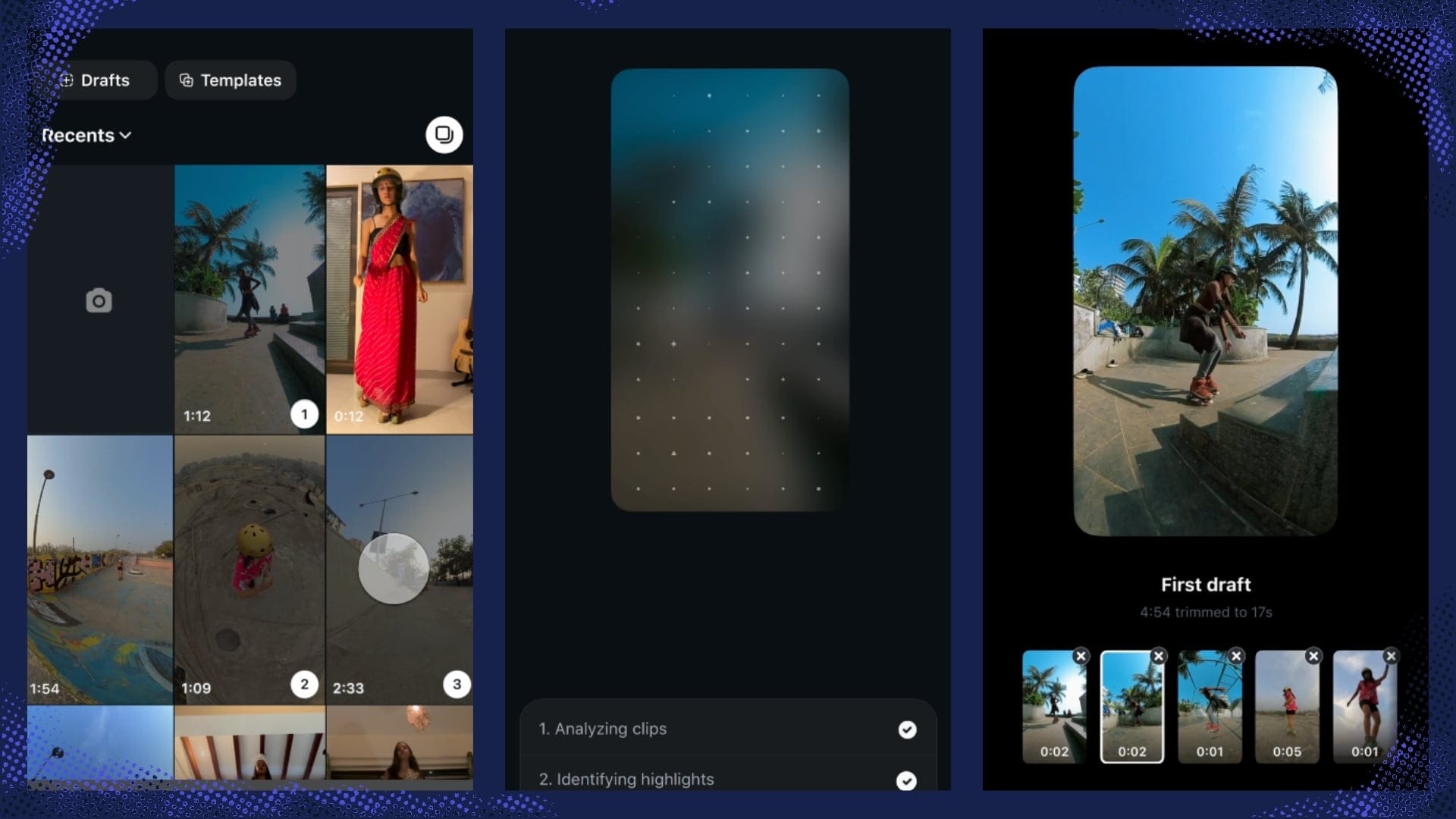
Open Instagram, create a new Reel, and either select videos from your iPhone’s camera roll or record new footage.
Then tap First Draft at the bottom of the screen.
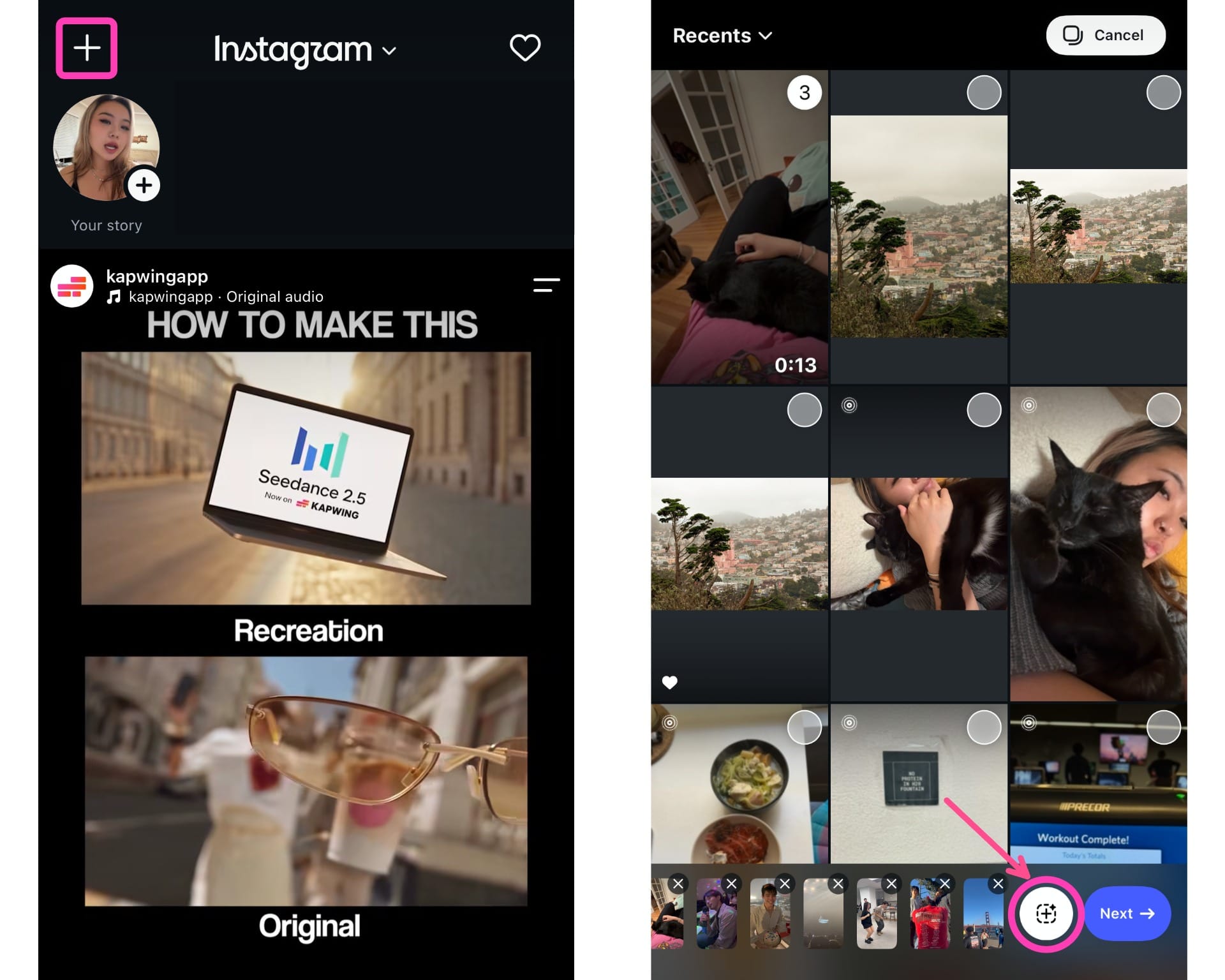
Instagram will automatically trim the footage, remove some pauses or less useful sections, and assemble the clips into a rough Reel.
This process usually only takes a few seconds.
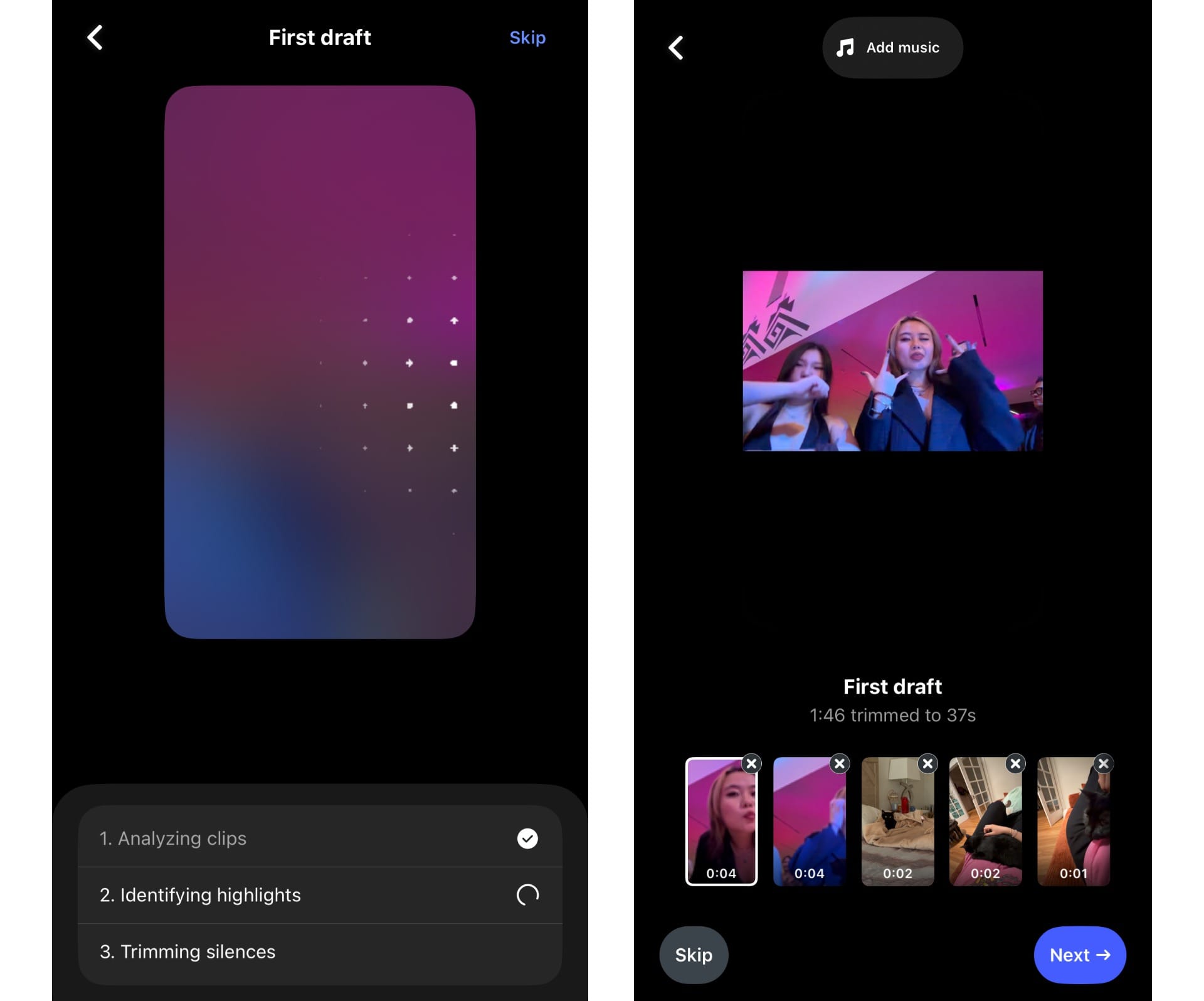
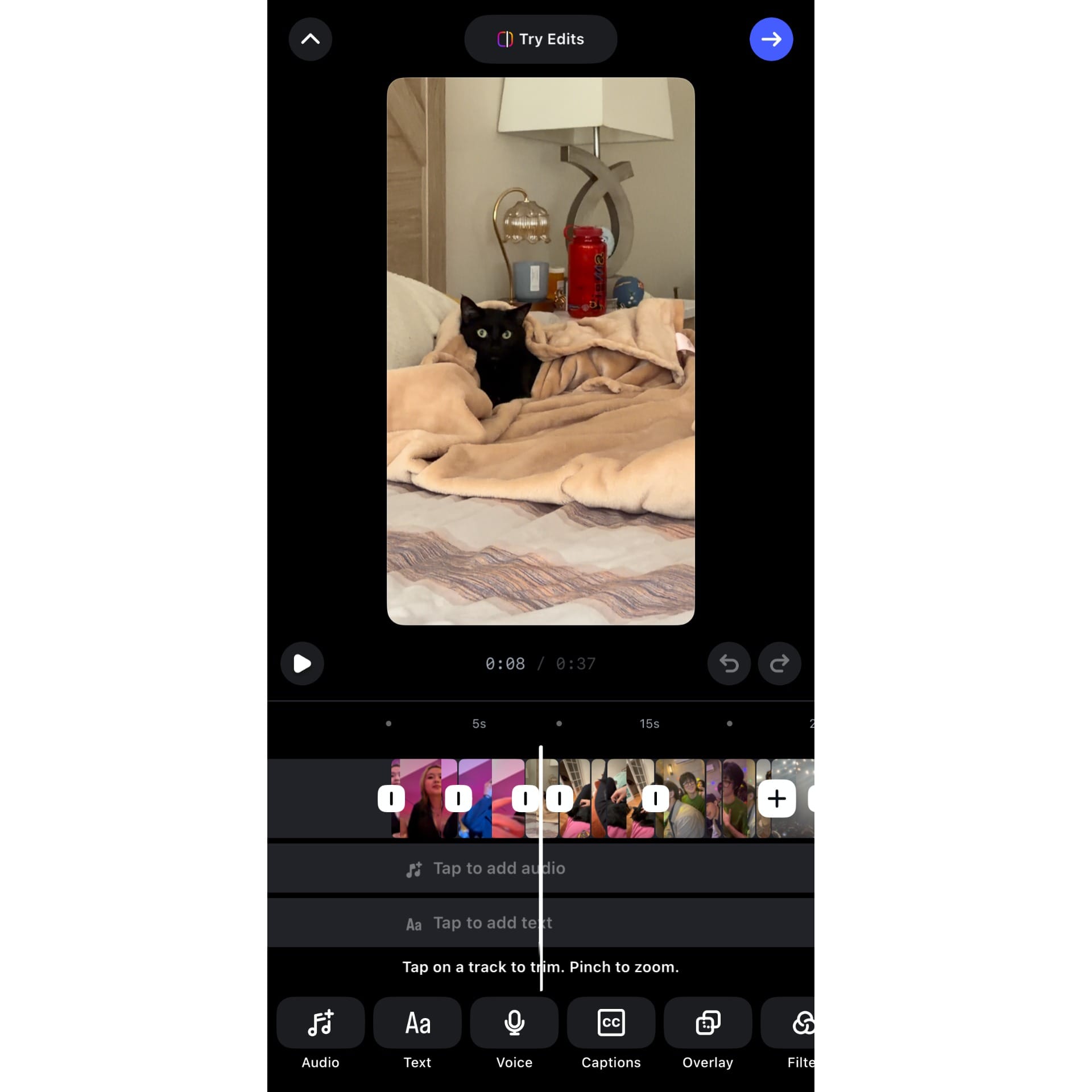
Once it’s ready, you can review the sequence, remove clips, adjust the timing, and continue editing in Instagram’s regular Reels editor before posting.
First Draft is not a one-tap path from raw footage to a finished Reel. It is a quick starting point that removes some repetitive trimming work but still needs a human review before it is ready to post.
Testing Instagram First Draft on Real Footage
A feature like First Draft is extremely useful in getting creators past the hardest stage of editing: grappling with the blank timeline. It is able to produce something watchable quickly, while offering creators high levels of customization.
However, I wanted to test the harder question: how does First Draft behave when the footage itself still needs editorial judgment?
I ran three separate tests, each designed around a different kind of Reel and a different editing problem. For every test, I gave Instagram the untouched source footage first, then ran the same files through Kai.
Test 1: Short, dialogue-free daily-life montage
For the first test, I used a batch of short, casual clips from throughout the day: food, environmental B-roll, my pet cat, and other small moments that could reasonably become a lifestyle Reel.
This test was primarily about clip selection and sequencing. Since there was no dialogue or obvious narrative, the challenge was to identify the strongest moments and arrange the clips into a montage that didn't feel too long or choppy.
Below is an example of a high quality montage edit:
Test 2: A talking-head/dialogue driven clip
For the second test, I used a few longer talking-head recordings. I deliberately left in pauses between sentences, filler words, a false start, and a few moments where I stopped to collect my thoughts.
Here I was looking at pause detection and conversational pacing: Did First Draft remove genuine dead space? Did it recognize where one thought ended and the next began? And, just as importantly, did it leave enough breathing room for the speech to still sound human?
Below is an example of a high quality talking head clip edit:
Test 3: A multi-clip sequence with a narrative
For the third test, I used several longer clips that together formed a small sequence: an establishing shot, an action unfolding across multiple clips, and a clear final moment. Within some of those clips, the most useful section happened several seconds in rather than immediately at the start.
For this test, I focused on continuity and story structure. Did First Draft preserve complete moments, or split them into fragments? Did the sequence still make sense after trimming? Was the editor able to understand the narrative?
Below is an example of a high multi-clip sequence edit:
Across all three tests, I compared the same five things:
- Selection: Did it find the strongest parts of the raw footage?
- Trimming: Did it remove genuinely disposable material without over-cutting?
- Pacing: Did individual shots and spoken moments last an appropriate amount of time?
- Sequencing: Did the resulting clips work together as a coherent Reel?
- Remaining work: How much editing would I still need to do before I would actually publish it?
Instagram First Draft Test Results
Overall, First Draft is strongest inside individual clips.
However, Kapwing is the better video editor overall, and is more willing to make decisions about the structure and purpose of the video as a whole.
| Test | Instagram First Draft | Kapwing AI |
|---|---|---|
| Daily-life montage | Shorter, more fragmented cuts; occasionally found a stronger individual moment | Better overall highlight selection and more coherent clips |
| Talking head | Removed pauses while preserving the content | Created a much tighter edit when asked to make an engaging Reel |
| Out-of-order hike | Mostly preserved the supplied clip order | Reordered footage into a clearer beginning, middle, and end |
First Draft Cuts More Aggressively, With Mixed Results
The montage test was about how editors handled the rhythm of a clip. A strong short-form edit needs pace, but faster does not always mean better. Sometimes the right decision is to shorten a shot aggressively; other times, cutting too often interrupts an action that would read more clearly if it were allowed to play out.
This was where Instagram and Kapwing showed noticeably different instincts. Kapwing generally found one useful stretch of a source clip and kept it intact. First Draft often broke the same clip into two or three short segments.
First Draft's edit is below:
Across the montage, I usually preferred Kapwing's approach.
Kai tended to preserve a clip once it identifies a useful section, which helps continuity but can occasionally leave a shot on screen longer than the edit needs. Kai's edit is below:
There were also cases where Instagram's approach worked better. For footage built around one continuous movement, I preferred continuity. For a clip with multiple distinct visual moments, or an edit that needed to move faster, Instagram's more aggressive cut could be the better choice.
The larger limitation was consistency. First Draft could make an excellent short cut, but it was harder to predict when its fragmentation would improve the pacing and when it would simply make the sequence feel busier. That means I would still expect to review its montage closely.
First Draft Is Better at Trimming Than Finding Highlights
The talking-head test was designed to test two editing jobs: removing dead space and deciding what content is worth keeping. A good silence-removal tool should make a recording tighter without changing its substance. A highlight editor has to go further, making judgments about which ideas should be prioritized.
First Draft behaved like the first kind of editor. My original recording was 3:43, and Instagram reduced it to 3:11. Most of that difference came from shortening pauses between sentences. The actual content remained completely intact.
First Draft's edit is below:
I then gave the same 3:43 recording to Kapwing and asked it to make an engaging Reel. That produced a 34-second edit with subtitles automatically added.
Instead of preserving the full recording, Kapwing selected a set of highlights and built the edit around them. Kai's edit is below:
I ran the footage through Kapwing again, this time with the instruction to remove the silences.
The resulting edit was much closer to Instagram's:
That distinction is important when deciding whether First Draft will actually save you work. If you've recorded a tutorial, announcement, or explanation and want to preserve everything you said while removing awkward gaps, First Draft's conservative approach is useful.
If the assignment is instead to turn several minutes of footage into the strongest 30 or 45 seconds, First Draft left that editorial decision to me.
First Draft Doesn't Restructure Footage Around a Story
Does First Draft only edit the clips individually, or can it make decisions about how those clips relate to one another?
To test that, I used footage with an obvious chronological progression: driving to a hike, moving through different landscapes, and reaching the end, but deliberately supplied those clips in the wrong order. The footage itself contained enough visual information to suggest a simple narrative, so the challenge was whether either editor would recognize and reconstruct it.
First Draft largely preserved the order I gave it. It shortened individual clips and again split longer shots into segments, but it did not reorganize the sequence. First Draft's edit is below:
Kapwing made a more substantial intervention. It reordered the same clips into a rough progression of car → hiking landscapes → ending, which gave the edit a clearer beginning, middle, and end without me manually arranging the timeline.
For me, this was the clearest distinction between trimming footage and structuring an edit. Kai's edit is below:
That difference matters whenever the raw footage has been captured opportunistically rather than in final story order, which is common with travel videos, day-in-the-life content, and other casual footage.
In those cases, cutting individual clips more tightly only solves part of the problem; the editor also has to decide what belongs first, what should follow, and what gives the video a sense of progression.
Instagram First Drafts VS Kai
Clip level
Trim clips · Remove pauses
Strong at basic cleanup. It trimmed aggressively and handled pauses well.
Equally strong at cleanup, especially when specifically prompted to remove silences.
Content level
Find highlights · Decide what to cut
Occasionally found a stronger individual highlight, but the quality was less consistent across the full edit.
Better at preserving useful actions and condensing footage around the strongest moments.
Story level
Reorder footage · Build narrative
Mostly preserved the supplied order, including the deliberately scrambled hiking sequence.
Reordered the footage into a clearer sequence: car → hike → ending.
Is Instagram First Draft Worth Using?
Yes, as long as you treat First Draft as a rough-cut tool rather than an editor that will figure out the Reel for you.
Across my tests, it was most useful when the important editorial decisions had already been made. If the footage contained the right material, was already in a sensible order, and mainly needed pauses or excess frames removed, First Draft handled that first pass quickly. The talking-head test was a good example: it took a 3:43 recording down to 3:11 without cutting away the substance.
The same applies to montages. First Draft can save you from opening every clip and manually finding an in and out point, although I would still review its choices closely. It tended to cut more aggressively than I would.
Where First Draft became less useful was when the footage still required editorial direction. It did not turn my longer talking-head recording into a concise highlight Reel, and when I intentionally scrambled the order of clips from a hike, it largely preserved that order rather than reconstructing the sequence.
For creators who already make Reels entirely inside Instagram, that narrower capability can still remove a meaningful amount of friction. If First Draft saves ten minutes of repetitive trimming on a video that otherwise needed very little editorial work, it has done its job.
Frequently Asked Questions
What is Instagram First Draft?
Instagram First Draft is an automatic editing feature for Reels that trims footage and removes pauses to create an editable rough cut. It is designed to give you a starting point before you continue editing and publishing the Reel yourself.
Is Instagram First Draft AI?
No. Instagram has said that First Draft is not AI-powered. Unlike an AI editor that can work from a prompt or creative instruction, First Draft does not ask what kind of final video you want to create.
How do you use Instagram First Draft?
Start creating a Reel in Instagram and either record new footage or select videos from your camera roll. After selecting the footage, tap First draft to generate an automatically trimmed edit. You can then adjust the clips, change their order or timing, and continue editing before publishing.
Does Instagram First Draft remove silences?
Yes. Silence and pause removal was one of the clearest behaviors in my testing. A 3:43 talking-head recording became 3:11 after First Draft tightened pauses while retaining essentially all of the spoken content.
Does Instagram First Draft find highlights?
Not reliably in the way I would expect from a dedicated highlight editor. First Draft occasionally selected an individual moment that I preferred to Kapwing's choice, particularly in short montage footage, but it did not substantially condense my longer talking-head recording around its strongest ideas.
If you want to turn several minutes of footage into a 30- or 60-second highlight Reel, you should expect to make those selections yourself or use an editor designed to work toward that goal.
Does Instagram First Draft reorder clips?
It did not meaningfully reorder clips in my test. I deliberately supplied footage from a hike out of sequence, and First Draft largely preserved the order I provided while trimming the clips themselves. Kapwing AI, using the same footage, reorganized it into a clearer progression from arriving by car through the hike and its ending.
Is Instagram First Draft good for talking-head videos?
It is particularly useful for talking-head footage when your goal is to preserve the full recording but make the delivery tighter. In my test, it removed pauses without substantially cutting the content itself.
If you instead want to extract a short set of highlights from a much longer recording, First Draft does not appear to make those higher-level content selections for you.
Is Instagram First Draft good for montages?
It can be. First Draft was able to identify useful portions of my daily-life footage and sometimes found particularly strong individual moments. However, it also frequently divided clips into two or three very short segments, which made the overall montage choppier than I preferred.
For fast, energetic edits, that aggressive trimming can occasionally work well. For footage where the action benefits from playing out continuously, you may need to restore longer sections manually.
Is Instagram First Draft available on Android?
As of September 2026, First Draft is rolling out on iPhone, and Instagram has not announced an Android release date.
What's the difference between Instagram First Draft and a regular Instagram draft?
A regular Instagram draft is an unfinished post or Reel that you have saved so you can return to it later. First Draft is an editing feature: it automatically trims your footage to create the first version of a Reel.
What's the difference between Instagram First Draft and Instagram Edits?
First Draft automates a narrow part of the editing process inside Instagram by trimming footage into a rough cut. Edits is Meta's separate video editing app and provides a broader set of hands-on editing tools.
First Draft is useful when you want Instagram to do some of the initial cutting for you; Edits is designed for creators who want more control over the edit themselves.
Can Instagram First Draft make a Reel automatically?
It can automatically create a rough cut, but I would not describe the result as a finished Reel. First Draft can shorten clips, remove pauses, and assemble footage, but my testing showed that decisions such as identifying the most important ideas, restructuring a story, and choosing the overall direction of the video may still require manual editing.