How To Do The Alors On Danse AI Trend
The viral Stromae meme is getting an AI makeover. Here's how to put yourself and anyone else in the video using just two photos.

The Alors on Danse AI trend is taking over TikTok and Instagram, turning photos of friends, couples, celebrities, and even fictional characters into an unlikely musical duo.
The trend recreates a viral comedy sketch featuring Belgian musician Stromae and French comedian Jamel Debbouze performing “Alors on danse” in a minimalist white studio. While Stromae plays the keyboard, Jamel dances, gestures, and enthusiastically hypes him up.
The clip had already circulated as a meme for years, but resurfaced in 2026 before AI-generated remakes introduced an entirely new format. Creators are swapping the original performers for unexpected pairings, from famous rivals to fictional characters from completely different universes.
You can recreate the video using just two photos and a Alors on Danse AI video generator. Here's how.
Table of Contents:
- What Is the Alors on Danse AI Trend?
- How to Make an Alors on Danse AI Video
- Frequently Asked Questions
What Is the Alors on Danse AI Trend?
The Alors on Danse AI trend is a viral AI video meme that recreates a 2010 comedy sketch starring Stromae and Jamel Debbouze. In the original scene, the pair perform Stromae's hit song “Alors on danse” in a simple white recording studio, with Stromae a small keyboard while Jamel Debbouze enthusiastically directs the performance.
The clip comes from Made in Jamel, a collection of scripted sketches rom 2010. In the scene, Jamel jokingly takes credit for creating Stromae's famous song, offering increasingly ridiculous suggestions while Stromae play.
The sketch circulated online for years before getting renewed attention on Tiktok and Instagram in 2026. By early October, creators had begun using AI video tools to replace both performers with entirely different people while preserving the original choreography, camera movements, and studio setting.
One widely shared remake featured AI-generated versions of Sam Altman and Dario Amodei, as a joke about their competing AI companies.
How to Do the Alors on Danse AI Trend
The easiest way to recreate the trend is with a custom Alors on Danse AI generator. Rather than building the entire scene from scratch, you'll use a custom Kai workflow designed for this specific meme.
The process involves selecting your two characters, providing clear reference images, generating the performance, and checking the result before publishing.
Step 1: Open the Custom Alors on Danse AI Generator
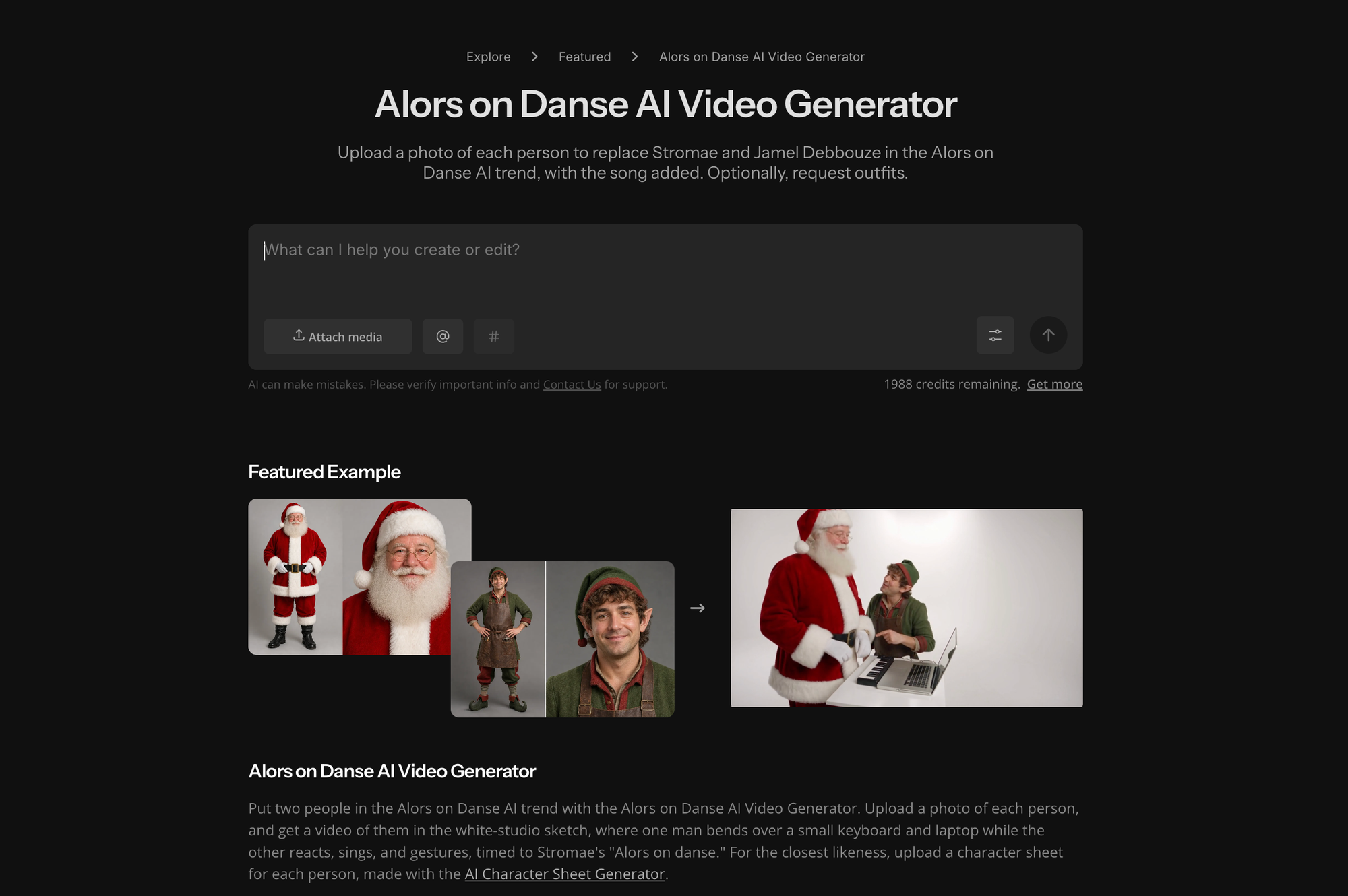
Open the Alors on Danse AI generator in Kapwing.
The advantage of using a dedicated generator is that it already establishes the creative direction, allowing you to focus on which characters appear in the video. This is particularly useful for a motion-transfer AI video generation.
Step 2: Choose Two Characters and Prepare Their Photos
The original scene has two distinct roles, so start by deciding who you want in each position.
- Keyboard player (Stromae's role): The more focused performer, who plays the small keyboard and drives the musical performance.
- Animated partner (Jamel's role): The more expressive character, who gestures toward the keyboard, reacts to the music, and hypes up the performance.
For the funniest result, choose two people whose relationship viewers will immediately recognize. That could be two friends, a creator and their favorite celebrity, or an unexpected fictional duo.
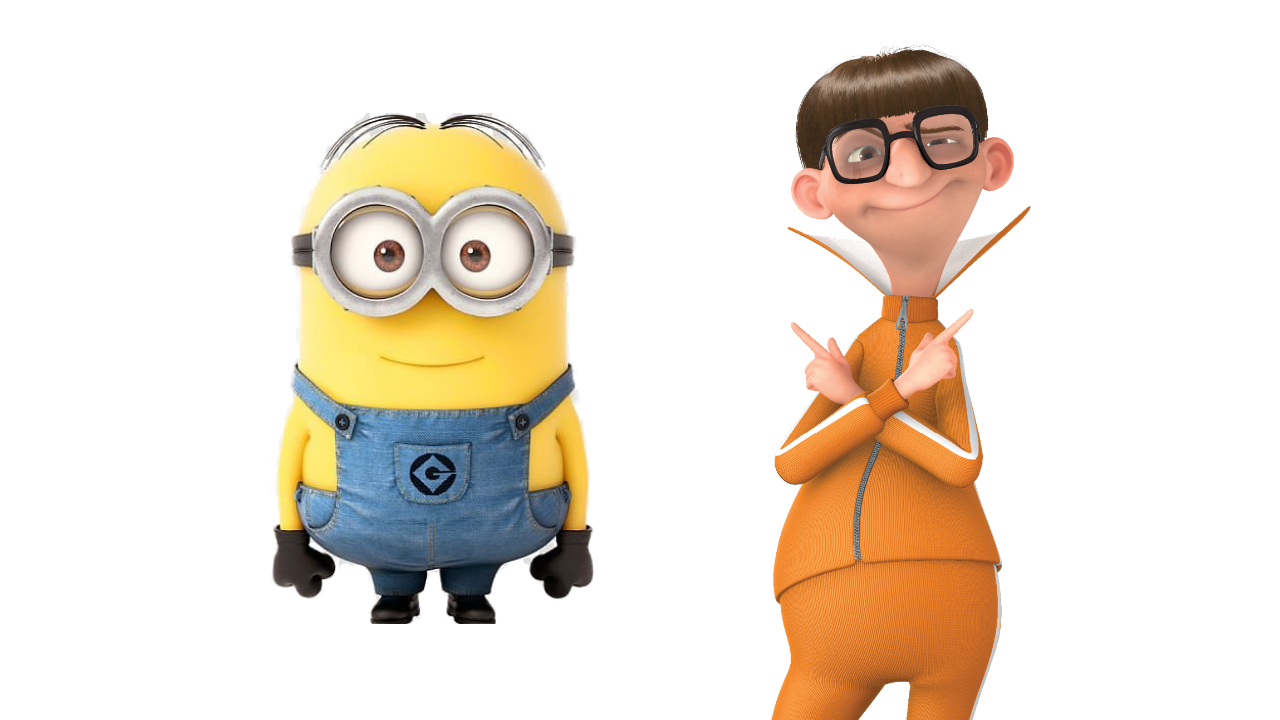
Next, prepare a reference photo for each character. Ideally, use a clear, front-facing or three-quarter portrait with good lighting and easily visible facial features.
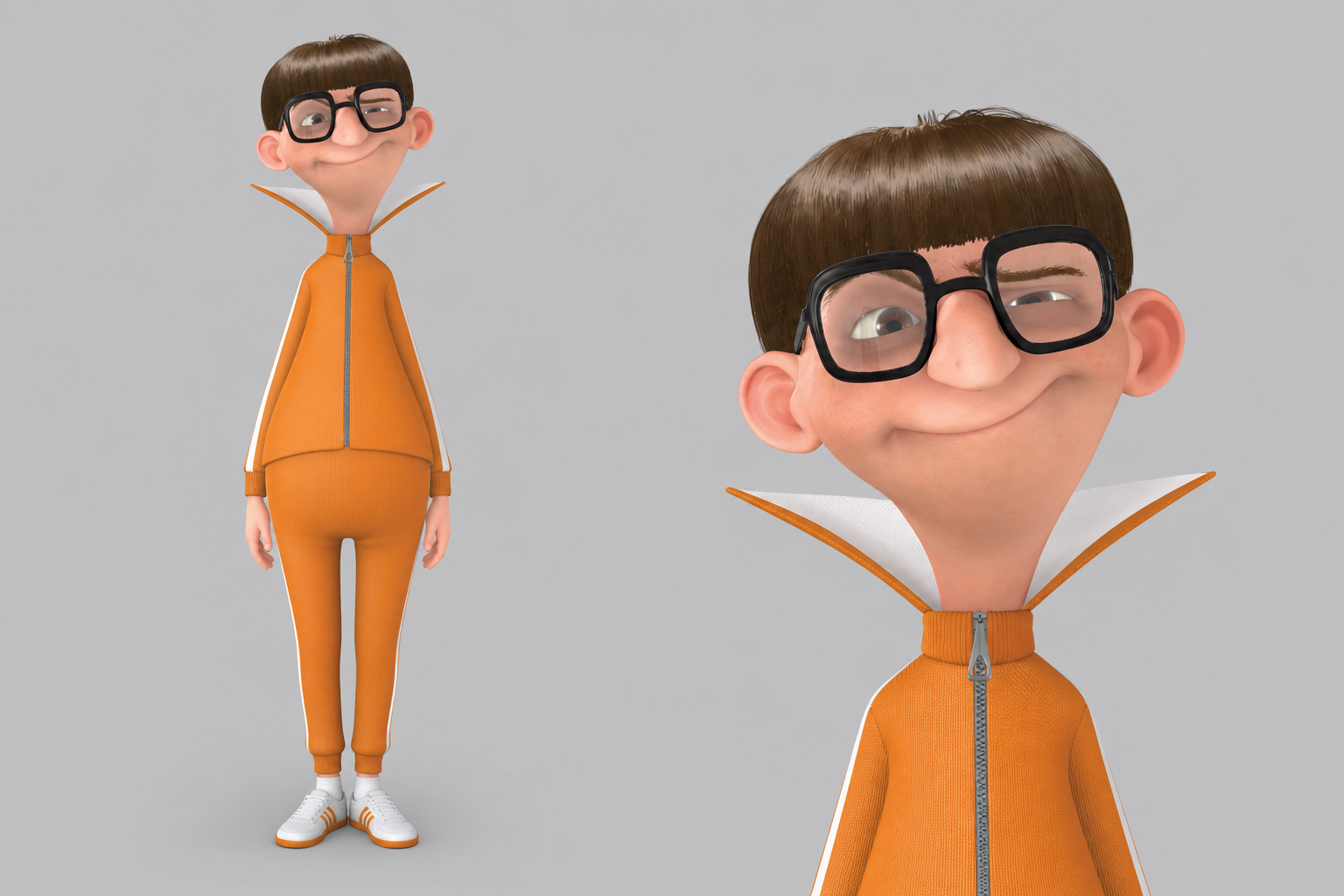
For better character consistency, consider creating an AI character reference sheet first.
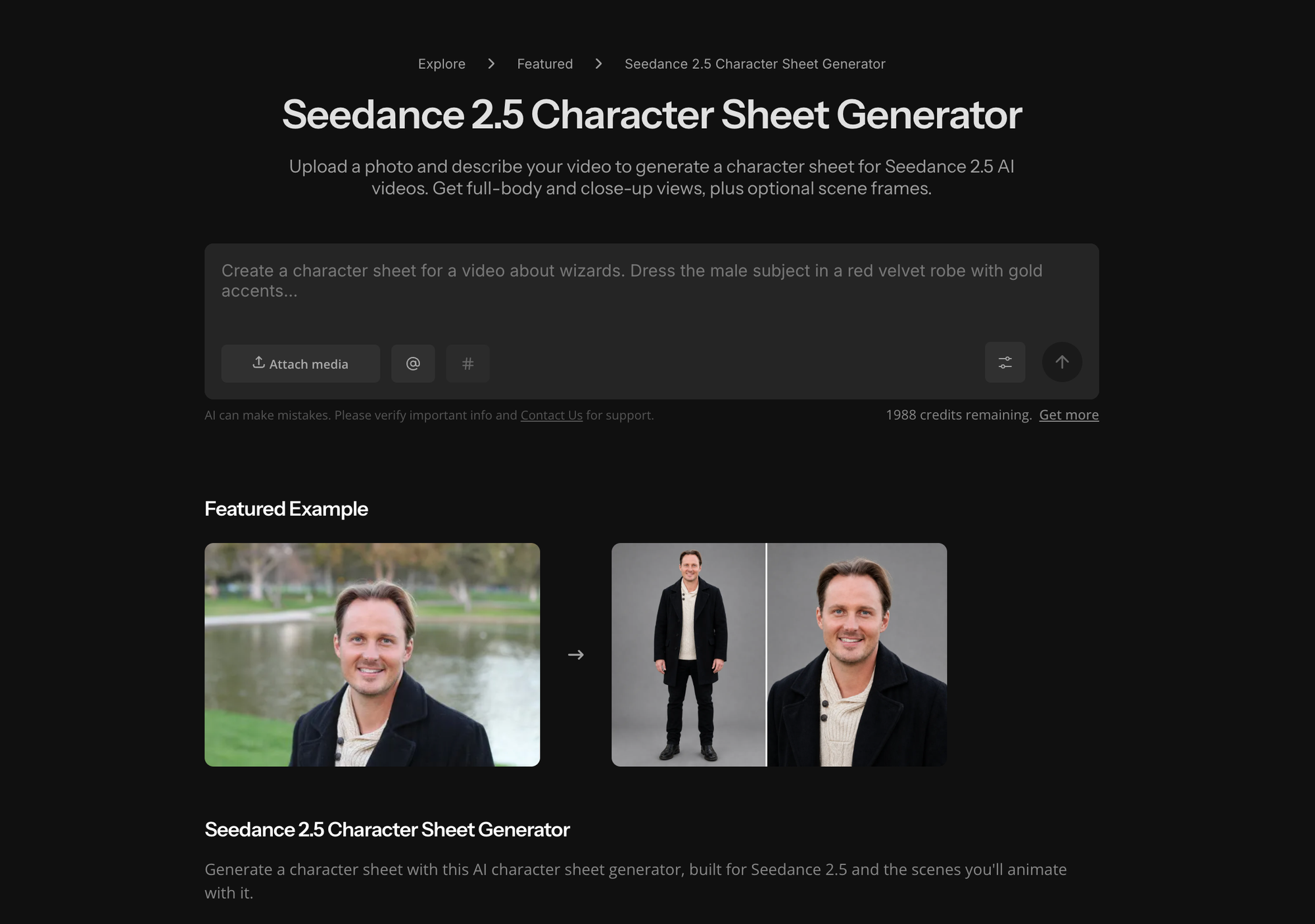
You can use an AI Character Sheet Generator to turn an existing photo into a set of consistent character views.
This is particularly useful for the Alors on Danse trend because both performers move their heads, turn toward each other, and change expressions.
Step 3: Upload Your Photos and Generate the Performance
Return to the custom Kai and attach your two reference images. If the interface provides separate character positions, assign each person to their intended role.
With a custom generator, you generally don't need to write a long prompt. However, if you want to clarify the characters' roles or make a specific adjustment, you can describe it conversationally.
Use Image 1 as the keyboard player and Image 2 as the animated partner.
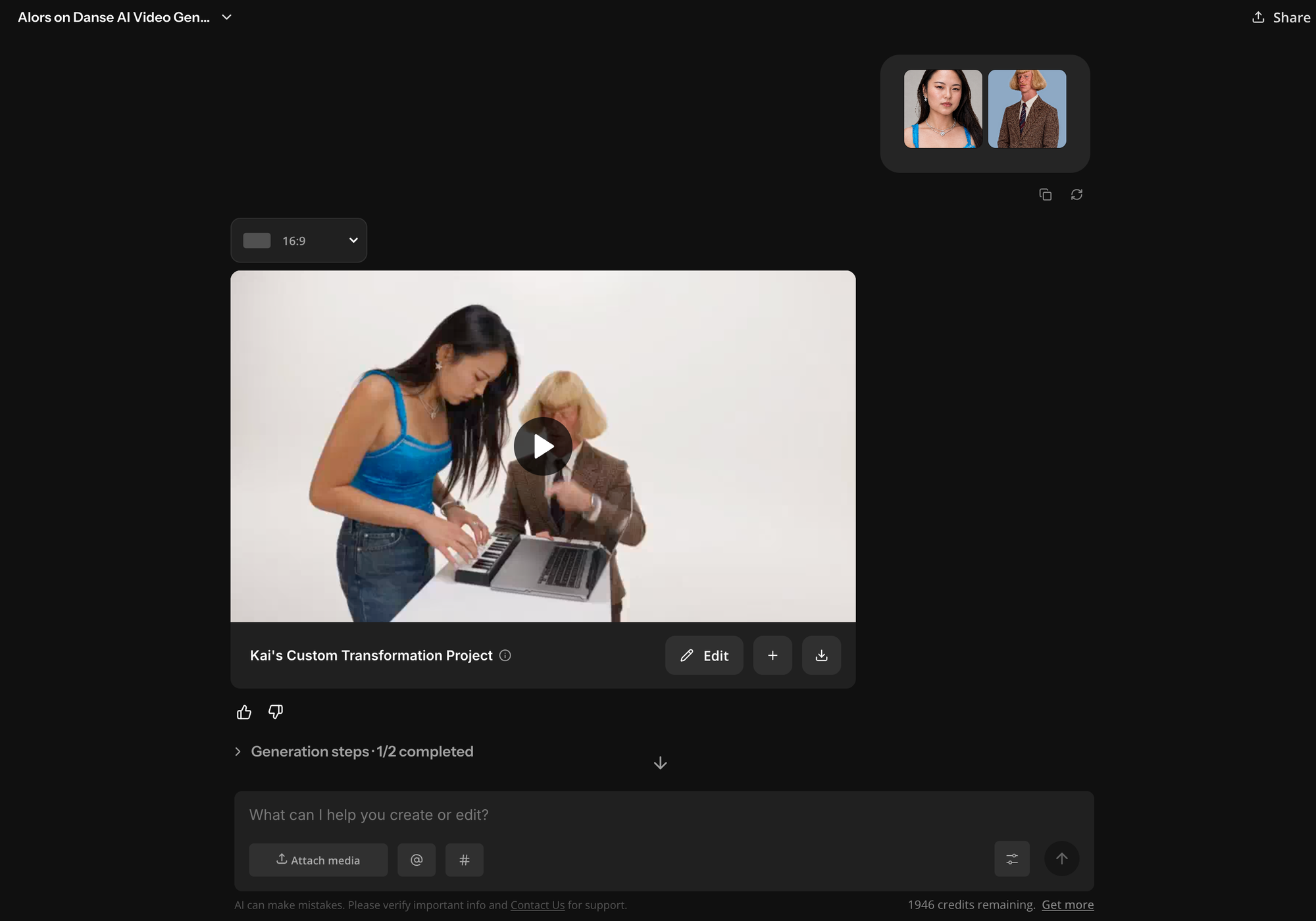
Submit your generation request and review the resulting video.
The exact duration, audio, and generation controls may depend on the settings available in Kai.
Step 4: Review the Results and Fix Common Problems
The custom Kai generator already includes the original “Alors on danse” audio, so you don't need to add the soundtrack yourself.
Before exporting, you can pay particular attention to facial consistency. Two-person AI videos are more complicated than single-character generations because the model must maintain two separate identities while animating both subjects.
Watch for three common issues:
| Problem | What to try |
|---|---|
| The two faces look too similar | Use more visually distinct reference photos and explicitly ask Kai to keep the identities separate. |
| One character becomes unrecognizable during movement | Replace their reference with a clearer, higher-resolution portrait that shows more facial structure. |
| The characters appear in the wrong roles | Specify which image should represent the keyboard player and which should represent the animated partner, if the workflow supports role instructions. |
Step 5: Make Final Edits and Share Your Video
Once you're happy with the generation, open your video in the studio to make any finishing adjustments. Here are a few ways you could customize your video:
- Add a funny caption: Introduce your unlikely duo with a caption like "POV: Your two most chaotic coworkers start a band."
- Adjust the framing: Resize the video to 9:16 for TikTok or Instagram Reels, making sure both characters and the keyboard remain visible.
- Create a reaction edit: Combine the AI video with a real reaction clip, or place it alongside the original sketch for a side-by-side comparison.
You can also generate multiple versions with different character pairings and combine the best moments into a short compilation.
Once you're finished, export your video and share it on TikTok, Instagram Reels, or YouTube Shorts. Since the original choreography and audio are already recognizable, the biggest opportunity to make your version stand out is choosing an unexpected duo and adding your own humor.
Frequently Asked Questions
What is the original Alors on Danse video?
The original video is a comedy sketch from Made in Jamel (2010), featuring Belgian musician Stromae and French comedian Jamel Debbouze. In the sketch, Jamel jokingly claims to have helped create Stromae's hit song “Alors on danse.” The clip became a meme before being repurposed into an AI video trend in 2026.
How do you make the Alors on Danse AI trend?
You can recreate the trend using Kapwing's custom Alors on Danse AI generator. Upload two reference photos, assign your characters to the performance, and let Kai generate the video. The custom workflow includes the original audio, so you don't need to synchronize the music manually.
What song is playing in the viral Alors on Danse AI video?
The song is “Alors on danse” by Belgian musician Stromae. Originally released in 2009, the French-language dance track became an international hit in 2010. Its title translates roughly to “So we dance,” and the lyrics explore escaping everyday problems through music and dancing.
What AI generator is used for the Alors on Danse trend?
Several AI video tools can generate character-replacement videos, but Kapwing's custom Alors on Danse AI generator is specifically designed to recreate this trend. You can upload reference photos and generate the recognizable performance without manually describing the choreography or supplying a separate motion-reference video.
Is the Alors on Danse video AI-generated or real?
The original Stromae and Jamel Debbouze video is real footage from a scripted 2010 comedy sketch. However, the viral versions featuring different celebrities, fictional characters, or internet personalities are AI-generated recreations that replace the original performers.