Rimuovi le filigrane dalle immagini online.
Gratuito per iniziare. Nessun prompt necessario.
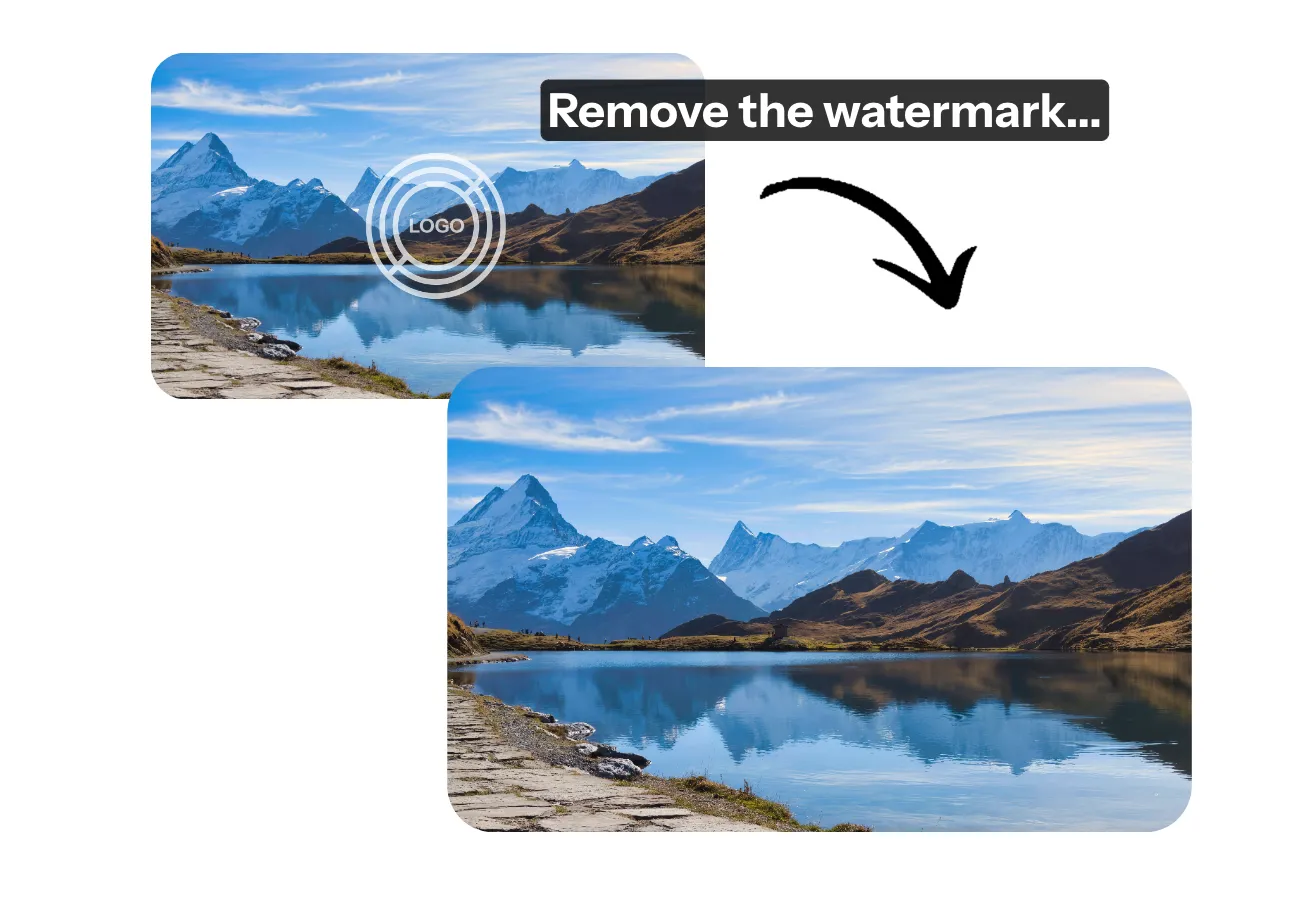
Elimina istantaneamente i watermark da qualsiasi immagine
Cancella loghi e filigrane mantenendo la qualità dell'immagine
Rimuovi qualsiasi filigrana in pochi secondi
Mantieni ogni pixel della tua immagine mentre cancelli loghi indesiderati, adesivi, didascalie o filigrane usando il Watermark Remover AI di Kapwing.
Alimentato da AI Inpainting, l'AI Assistant di Kapwing ripristina intelligentemente le parti nascoste della tua immagine, offrendo un risultato nitido e di alta qualità privo di branding e disordine visivo.
Niente sfocatura. Niente prompt o strumenti complessi. Carica semplicemente la tua immagine, chiedi al chatbot di rimuovere la filigrana e scarica il tuo JPEG pulito e raffinato in pochi secondi.

Aggiungi modifiche personalizzate in un singolo flusso di lavoro
Che tu sia un content creator, un marketer o un proprietario di una piccola azienda, Kapwing può semplificare il tuo flusso di lavoro per la rimozione di filigrane. Chatta con Kai, l'assistente AI di Kapwing, direttamente dal tuo telefono, tablet o computer per pulire istantaneamente le tue immagini mentre sei in movimento.
Crea visual di marca raffinati per le tue campagne o dai nuova vita ai vecchi shooting fotografici con una creatività infinita — rimuovi, sostituisci o ridisegna le filigrane all'interno dello studio di editing completo di Kapwing.
Hai bisogno di elaborare più immagini contemporaneamente? Crea un Custom Kai che automatizza la rimozione delle filigrane insieme ad altri editing — come aggiungere filtri, effetti o ritocchi creativi — il tutto in un unico flusso di lavoro perfetto.
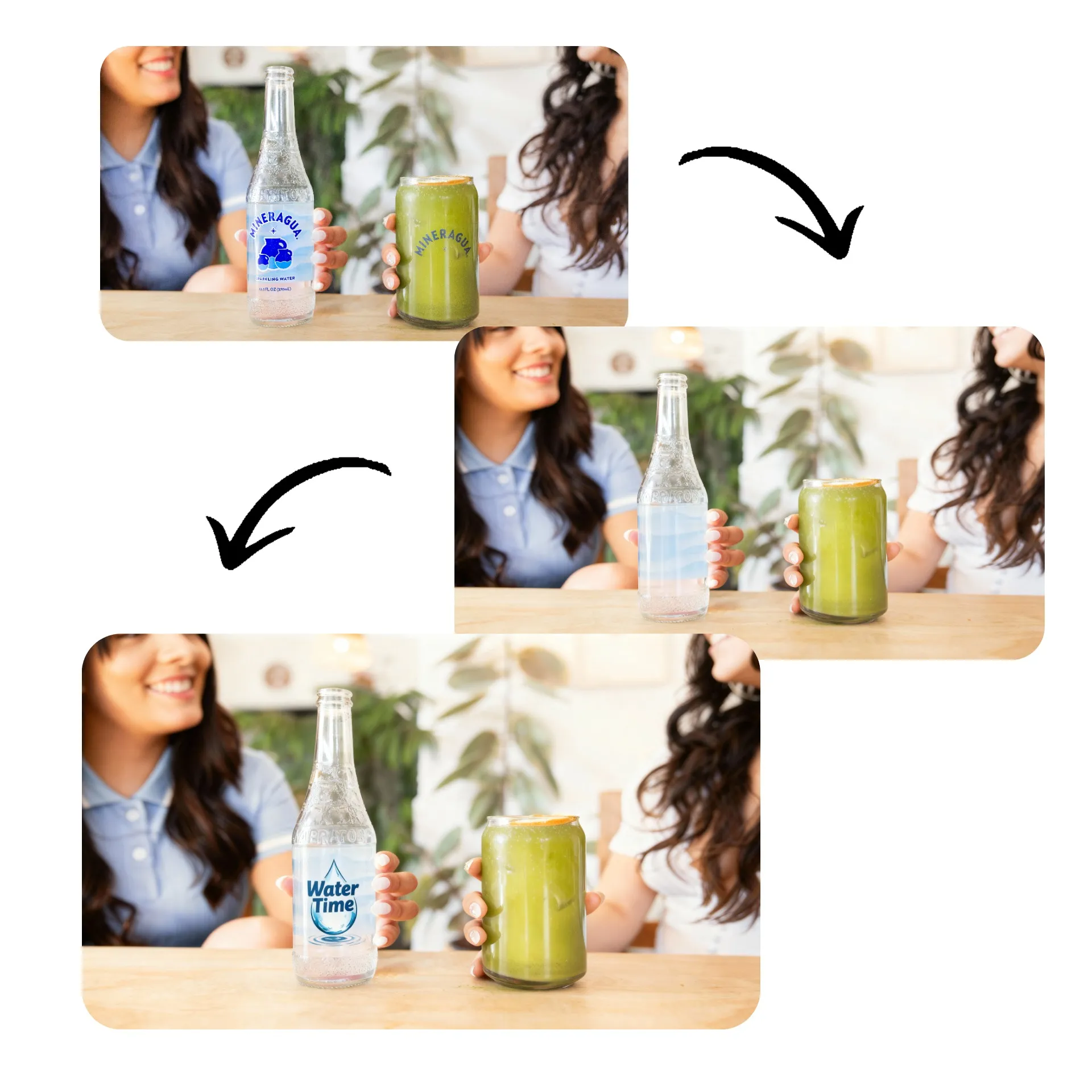
Pulisci le immagini con precisione da studio
Carica, modifica ed esporta — tutto senza lasciare la scheda del browser
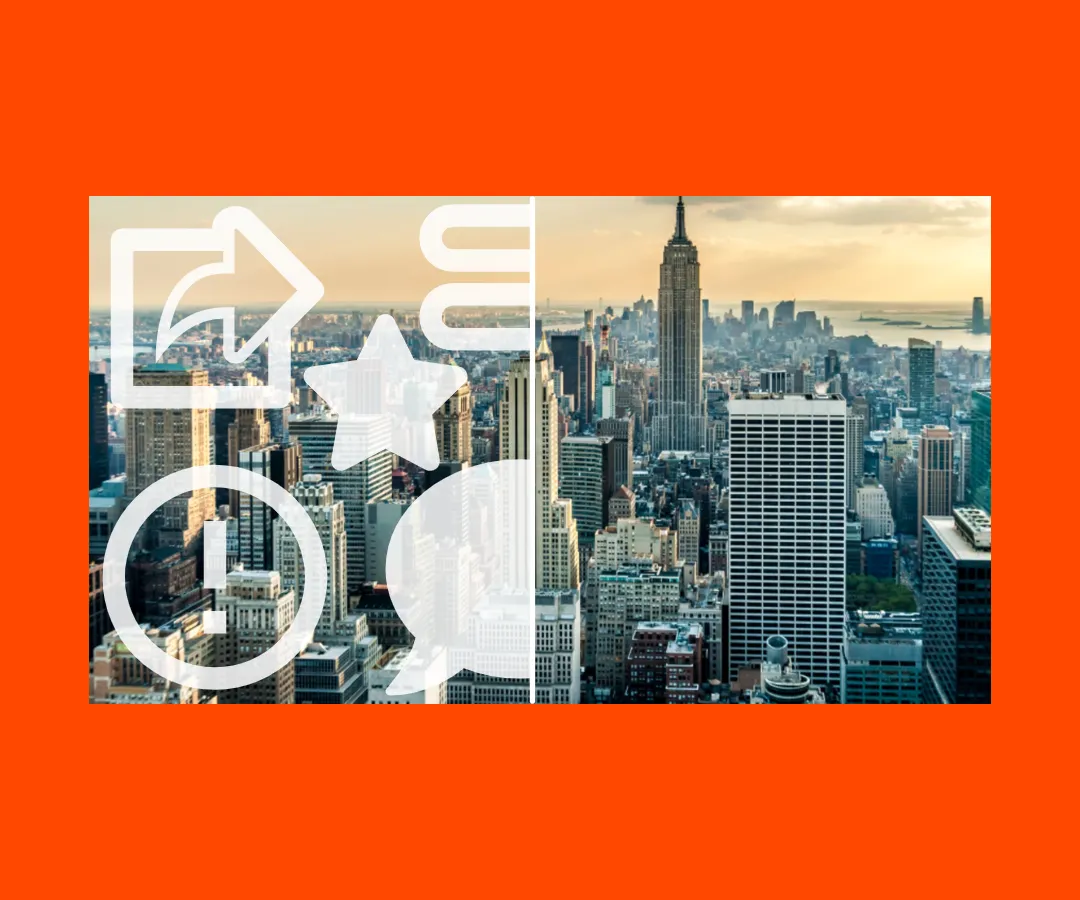
Rimuovi le Distrazioni
I creator, i marketer, at i PR team ay mabilis na nakakatanggal ng mga hindi gustong sticker, logo, at watermark mula sa visual. Panatilihin ang atensyon kung saan ito dapat: sa iyong kuwento, hindi sa mga abala.
.webp)
Riutilizza i Contenuti
Adatta i tuoi contenuti per nuove piattaforme rimuovendo loghi o testo incorporati. Pubblica la stessa immagine senza problemi da Instagram al tuo sito web senza mal di testa nel design.

Sostituisci i Vecchi Logo
I proprietari di aziende e i team pubblicitari sostituiscono i vecchi loghi con nuovi utilizzando lo strumento di rimozione della filigrana. Aggiorna gli elementi visivi per i rebranding o le campagne, senza necessità di nuovi scatti o modifiche manuali.
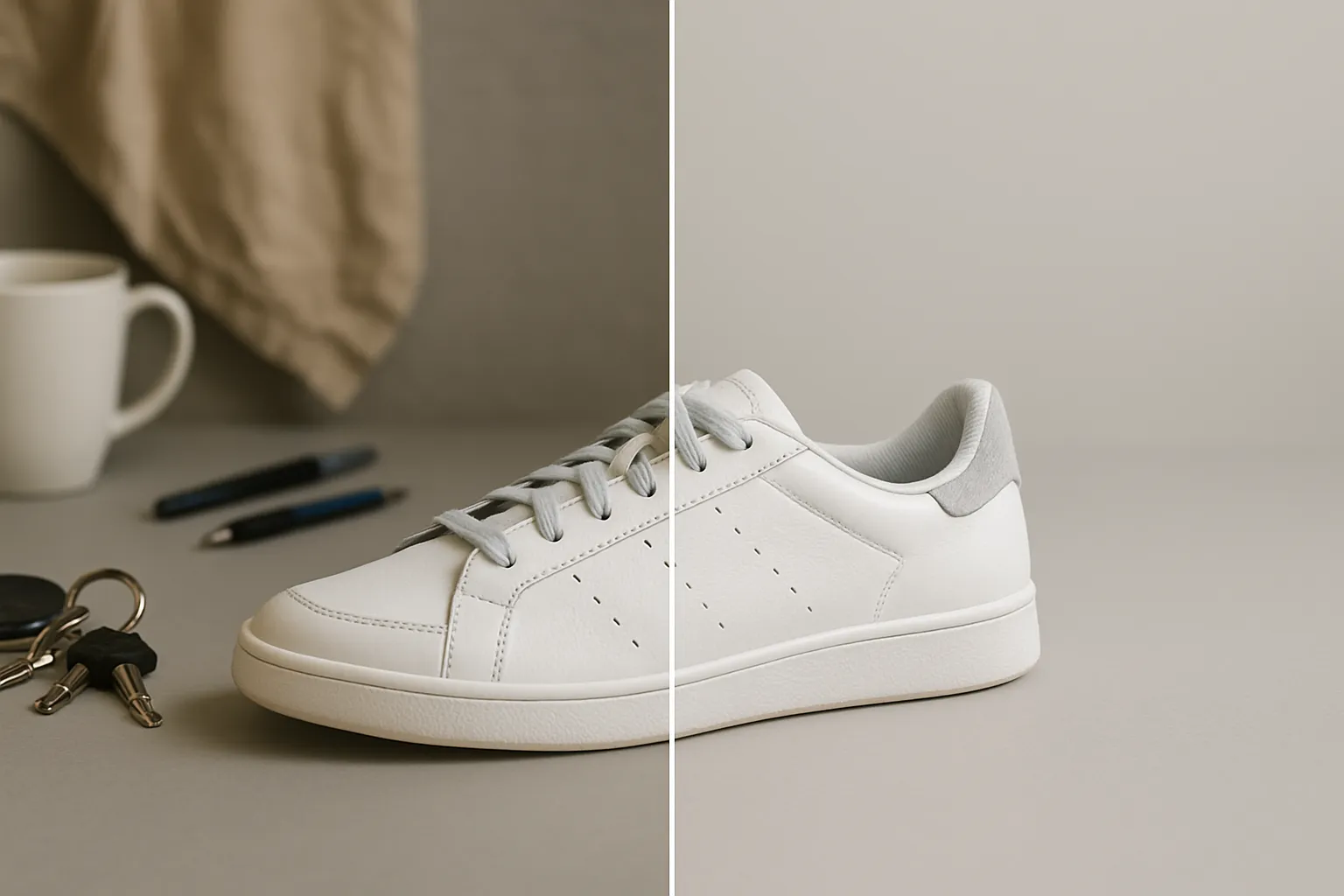
Lucida le foto dei prodotti
Usa lo strumento di rimozione della filigrana per pulire le foto dei prodotti, assicurando che ogni immagine appaia nitida e professionale. Distinguiti negli annunci, nei post social e negli annunci con una presentazione di qualità da studio.
Come Rimuovere i Watermark dalle Foto
- Step 1Apri Kapwing
Apri una nuova chat nell'Assistente AI di Kapwing.
- Step 2Carica immagine
Trascina e rilascia o fai clic su "Allega media" per caricare la tua immagine.
- Step 3Rimuovi filigrana
Fai clic sulla freccia per generare, quindi fai clic su download per salvare l'immagine sul tuo dispositivo.
Già rivoluzionando la creazione di video in diversi settori
Ascolta direttamente dai team che pubblicano più velocemente, collaborano meglio e rimangono sempre avanti.


Domande Frequenti
Abbiamo le risposte alle domande più comuni che i nostri utenti ci fanno.
L'AI Image Watermark Remover è gratuito?
Sì, chiunque può provare gratuitamente gli strumenti AI di Kapwing. I nostri strumenti AI funzionano con un sistema di crediti, e ogni funzione costa un numero fisso di crediti. Per massimizzare la creatività e ottenere il miglior valore, passa a un account Pro per sbloccare tutta la potenza della creazione di contenuti basata su AI.
Posso rimuovere filigrane da un lotto di immagini?
Sì, puoi usare la funzione di caricamento in blocco di Kapwing per aggiungere un lotto di immagini alla tua libreria multimediale. Poi chiedi all'Assistente AI di Kapwing di rimuovere i watermark dalle immagini. Se hai esigenze più specifiche di rimozione o sostituzione dei watermark, crea un Custom Kai per applicare gli stessi modifiche a tutte le foto del lotto.
Come rimuovo i watermark dalle foto usando l'AI?
Per rimuovere i watermark dalle foto con AI Image Watermark Remover, basta aprire una nuova chat e caricare l'immagine facendo clic su "Attach Media". Premi la freccia per generare. Poi fai clic su Download per salvare l'immagine senza watermark.
Lo strumento funziona su qualsiasi filigrana?
Sì, lo strumento AI per rimuovere filigrane può eliminare filigrane di tutti i tipi, inclusi loghi ripetuti e tratteggi incrociati. Carica semplicemente la tua immagine per iniziare.
Quali formati di file posso caricare?
Kapwing funziona con la maggior parte dei tipi di file immagine più popolari, inclusi JPEG e PNG. Puoi anche scaricare le tue immagini senza filigrana come JPEG, PNG o WEBP.
Come aggiungere una filigrana
Puoi progettare e aggiungere filigrane alle tue immagini usando lo studio di editing delle immagini di Kapwing. Rimuovi eventuali filigrane, loghi o adesivi indesiderati, poi sposta la tua immagine nello studio per continuare a modificarla.
Come rimuovere i watermark su mobile
Per rimuovere i watermark da un'immagine usando il tuo telefono o tablet, basta creare una nuova chat usando il tuo browser mobile. Da lì, puoi inserire il tuo prompt, caricare l'immagine e generare la versione senza watermark. Fai clic su "Download" per salvare l'immagine sul tuo telefono.
Scopri le Risorse
Consigli, modelli e approfondimenti per aiutarti a creare più velocemente e condividere con sicurezza.
Visualizza tutto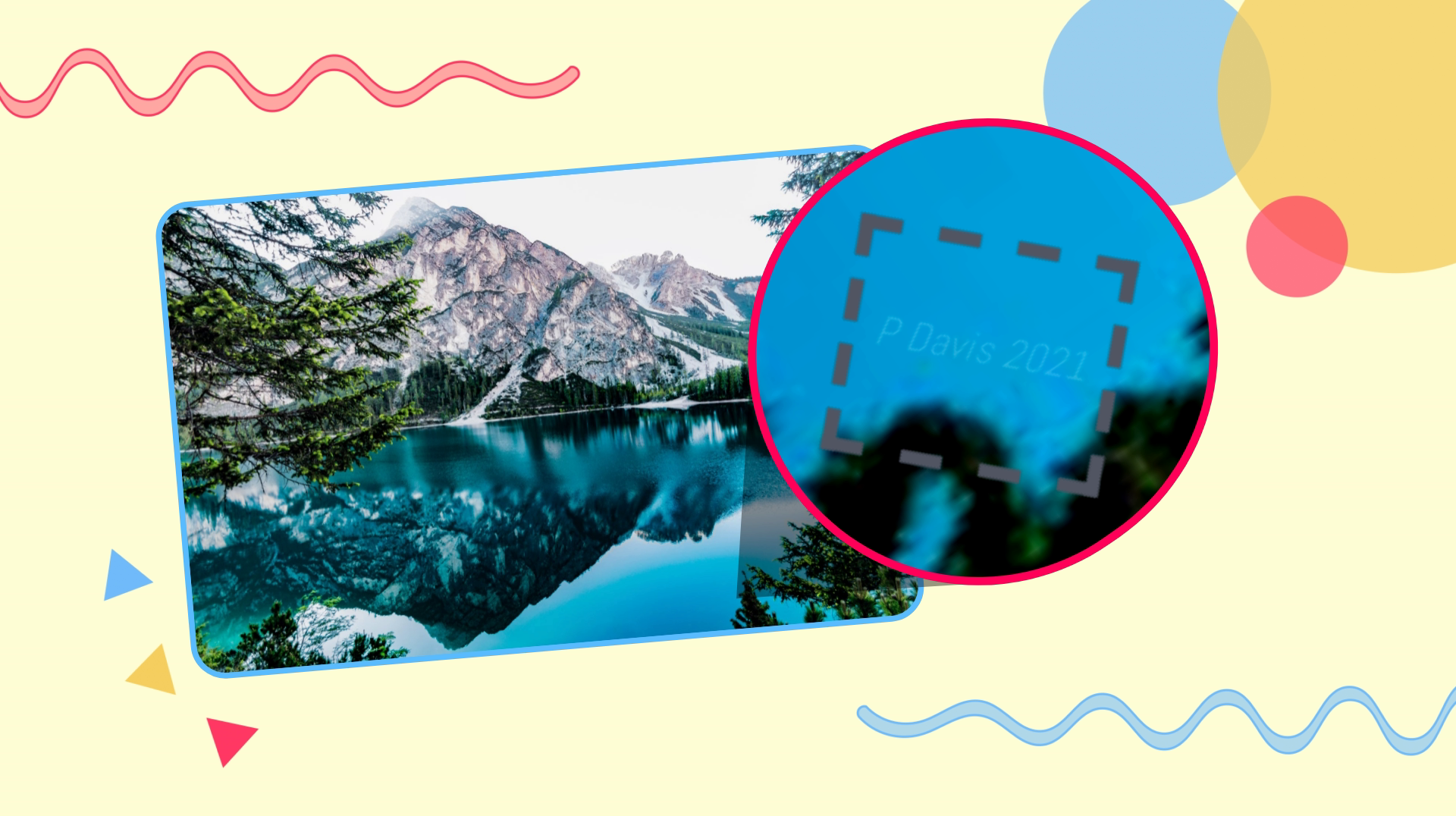
Che cosa rende Kapwing diverso?



Inizia con il tuo primo video in pochi click. Unisciti a oltre 35 milioni di creator che si fidano di Kapwing per creare più contenuti in meno tempo.