December 2025 AI Trends — For Creators + Brands
Nearly 40% of social media creators now use AI in their workflow.
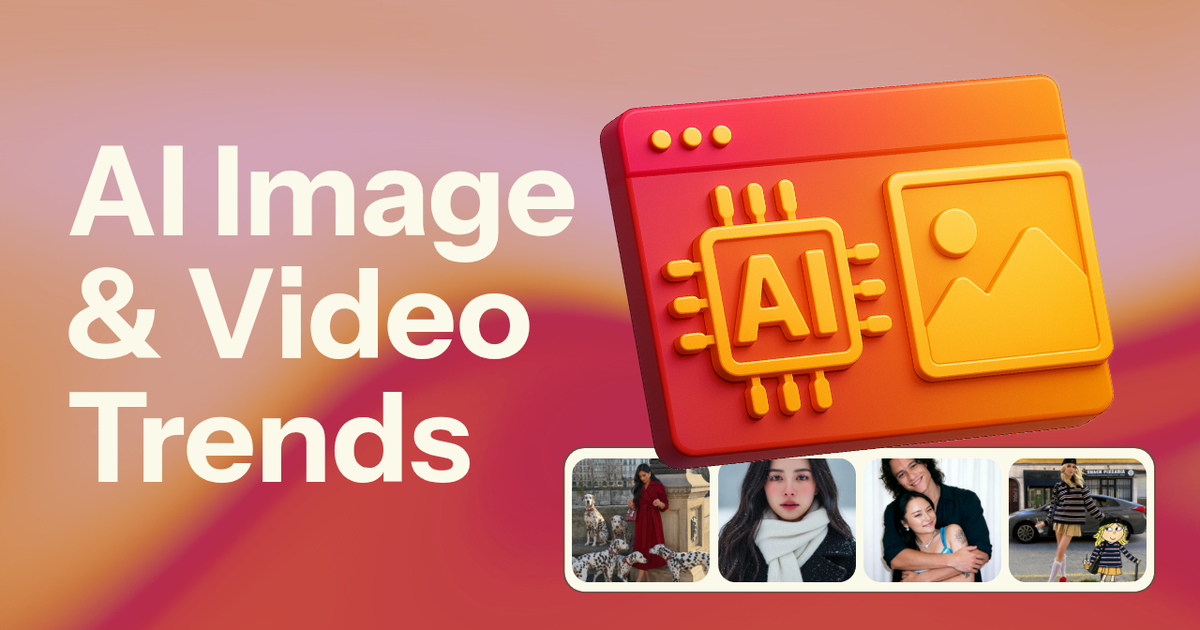
AI-generated content is reshaping TikTok, and staying ahead of these fast-moving trends is now essential for creators who want to remain relevant. Over the last 2 months year, trends like AI Ghostface portraits and the AI Handyman prank have dominated feeds across TikTok, Instagram and YouTube.
While the right AI trend can boost discoverability and refresh your content strategy, you also don’t want to fall into producing low-effort “AI slop” that replaces creativity instead of enhancing it.
This article breaks down the biggest AI trends gaining traction right now, explaining how each one works, and how you can adapt it for your own videos. Whether you’re a creator exploring new ideas, a marketer planning campaigns or a brand looking to connect with culture, this guide will keep you ahead of the AI formats driving social media.
Trending AI Image and Videos – December 2025
From the AI snow portrait to animal dash-cam footage, here are December's popular AI image and video trends.
AI Celebrity Parent Challenge
A viral TikTok AI filter is convincing people it’s found their celebrity parents. The results are scarily accurate, with AI placing A-list “mum and dad” next to users’ photos, and sometimes even posing with them like a real family portrait.
@cass_1028 Letting ai choose my celebrity parents did not disappoint 😂❤️#CapCut #fyp #ai #celebrityparents #patrickdempsey ♬ original sound - Metal Moth
How To Do It: Download CapCut and upload a clear photo of yourself. Search for the “Celebrity Parent” template or tap “Try this template” on a TikTok that’s already used it, which opens CapCut directly. The app generates your celebrity mum and dad automatically, ready to export and post.
Best For: This trend is perfect for face-focused creators, glow-up accounts, and anyone whose features spark comment debates. It also works well for engagement-driven brands and creators because viewers can’t resist arguing whether the AI got it right.
Hashtags: #CelebrityParents #CapCutTrend #ForYou #ViralFilter
AI Selfie With Celebrities on Set
This viral trend uses AI to create hyper-realistic selfies with celebrities on set, making it look like you’re part of a film shoot, music video, or live performance. Some creators have animated these images into videos, making it seem like they met several celebrities at once.
@sferro21 Comment “AI” on Instagram (@Sferro21) and I’ll send you a full guide to make this happen on @Higgsfield AI This Selfie video with celebrities is going viral everywhere and I wanted to give my spin on it, it’s been fun. You should try it yourself :) just comment “AI” and I’ll send you a full Guide 🤩 #aicontent #higgsfield #contentcreation ♬ original sound - Simone Ferretti
How To Do It: Start with a clear, front-facing selfie and choose a recognisable filming or performance setting featuring a celebrity. Use an AI image tool and prompt it to place you on set with the celebrity, matching lighting, angle, and perspective for realism.
Sample Prompt
“A realistic selfie of me standing on set with [celebrity name] while they are filming or performing [show, concert, or movie]. The scene looks candid and behind-the-scenes, with natural lighting, realistic shadows, and accurate proportions. I look like I genuinely belong there, not edited or staged. Shot on a smartphone, documentary-style, high realism.”
AI Christmas Ornament Trend
The AI Christmas ornament trend is trending as creators turn themselves, pets, and everyday objects into realistic personalised tree ornaments. The hyper-detailed, gift-like finish makes the images feel custom-made, which is why they’re performing so well in December.
@magically.kaelyn Artificial intelligence, real holiday magic 🎁🤖🎄 My friend Jenna @anewhopeco made this and I’m obsessed! These AI made ornaments are literally so beautiful! I wish they were real 😭✨ #aivideos #fyp #disneystyle #christmas #couplegoals ♬ original sound - mary ♱
How To Do It: Start with a clear photo of yourself, your pet, or a specific subject like a couple or baby. While the original trend uses different AI image tools, the easiest way is with this Custom Kai, where you don’t need to write a prompt at all. Upload your image, let the AI generate the ornament automatically.
Best For: This trend works best for lifestyle creators, pet accounts, families, and small businesses leaning into festive content. It’s especially effective for gift ideas, sentimental posts, and seasonal storytelling.
Hashtags: #AIChristmasOrnament #AIChristmas #ChristmasTok
Trending AI Image and Videos – November 2025
From the AI snow portrait to animal dash-cam footage, here are November's popular AI image and video trends.
AI Fat Pet Prank
The AI Fat Pet Prank is a TikTok trend where pet sitters send owners an AI-edited photo of their dog or cat looking suddenly huge, pretending the pet “got fat” overnight. The humor comes from the dramatic, obviously exaggerated transformation paired with a straight-faced text message.
@laur8670 lol she got so mad #ai #aiprank ♬ Mozart/Requiem "Lacrimosa"(1394506) - Mint
How To Do It:
Take a normal picture of the pet and use an AI editor to inflate the body into an unrealistically chunky version. Send the edited image with a straight-faced message like “Hey, [...] is doing really well” and stage the text exchange for TikTok.
Best For:
Pet sitters, comedy creators, lifestyle accounts and pet brands that want a light, low-stakes humor format that still feels personal and believable.
Hashtags: #AIFatPetPrank #PetSittingPrank #AI
AI Outfit Transition TikTok Trend
The AI Outfit Transition trend lets fashion creators snap clean outfit changes using AI to morph one look into the next while keeping the same background. Higgsfield makes the transition seamless, turning simple stills into smooth, high-fashion swaps that feel polished and editorial.
@camillemontagnac dites moi votre préf :))
♬ lấy thoải mái đê - lốp dự phòng
How To Do It:
Shoot each outfit in the exact same spot with consistent framing and lighting. Upload the shots to Higgsfield and let the model generate the transition so the clothes shift while the background stays locked. For more details, watch the tutorial below.
For more creative flexibility, you could also generate your own outfits using an AI Outfit generator.
@stevenwommack Here is how to do this amazing outfit transition like @cam ✨🎥 I used @Higgsfield AI ♬ Travis Scott_Type beat - Type beats to the world
Best For:
Fashion creators who want elevated transitions without complex editing. Brands showcasing new drops, stylists sharing lookbooks, and creators focusing on capsule wardrobes or styling tips get the most value because the effect feels premium and scroll-stopping.
Hashtags:
#AIOutfitTransition #HiggsfieldAI
AI Baby Laughing Meme
The AI Baby Laughing Meme is a viral TikTok reaction trend built around an uncanny AI-generated baby trying to hold in a laugh, hand over its mouth and eyes squinting. The blue-tinted, alien-baby look makes it the perfect reaction for anything awkward, chaotic, or unexpectedly funny.
How To Do It: The viral edit started as a video of Chinese influencer Xiucai singing “Sweet Love,” later remixed with the AI baby and color-tinted by @gazevfx. To recreate the trend, you can use an AI Baby Laughing Meme greenscreen template and layer it over your footage like a reaction sticker. Add brief on-screen text describing the scenario, then let the baby’s expression deliver the punchline.
Hashtags: #AIBabyLaughingMeme #LaughingBabyMeme
AI Snow Portrait
The AI Snow Portrait trend lets users upload any clear portrait and instantly convert it into a cinematic, snow-filled winter scene with falling snowflakes, frosty lighting and a romantic “holiday movie” aesthetic. The look has exploded across TikTok and Instagram, driven by apps like Meitu and BeautyPlus, which use wintry backdrops, soft glows and atmospheric snow overlays to create a dreamy, K-drama-style effect.
How To Do It:
To create the AI Snow Portrait effect, start with a clear, well-lit portrait. Upload your photo and Kai will generate the snow-filled image, no prompting required. If you are unhappy with the output, you can edit the image directly in the chat.
Best For:
Beauty and fashion creators who want a high-style seasonal aesthetic, lifestyle influencers looking for mood-driven content, pet brands or photographers seeking a fresh take on storytelling visuals, and any creator seeking share-worthy “visual effect” posts without complex editing.
Hashtags:
#AISnowPortrait #WinterPhotoTrend #AIPhoto
AI Animals Driving Dash-Cam Footage
The Animals Driving trend uses AI video tools to turn ordinary dash-cam or POV driving footage into surreal clips where a dog, cat or other animal appears behind the wheel. The humor comes from how realistic the motion, lighting and camera shake look, making the videos feel like accidental “caught on camera” moments. A popular subset of the trend shows these AI animals getting pulled over by police.
@bodycamfootage051 Cat gets pulled over! #bodycam #cam #cat #police #policeofficer ♬ original sound - bodycamfootage
How To Do It:
Most creators originally made these clips in Sora or the Sora app, where you enter a short prompt describing the scene. For creators using Sora, the best prompts describe the camera style, animal behavior and lighting in clear, simple phrases.
Short, direct prompts like “dash-cam footage of a golden retriever driving a car, natural camera shake, realistic reflections on windshield, daytime city traffic” tend to produce the most believable results.
Best For:
Comedy pages, POV creators, car accounts, and brands that want surreal visuals without shooting new footage.
Hashtags:
#AIAnimals #DrivingCat #AIVideoTrend #DashCamAI
AI Ring/Security Camera Footage
The AI Ring Camera Footage trend uses generative video tools to mimic low-resolution security camera feeds, creating “caught-on-camera” moments, like aliens appearing, or celebrities shoplifting. One of the most viral examples is the TikTok video of bunnies jumping on a trampoline, a clip that looked so realistic many viewers freaked out when learning it was AI.
@festivesorai Cute baby tries to steal all the candy 🎃 #soraai #ai #doorbellcamera #halloween #viral ♬ origineel geluid - FestiveSorai
How To Do It:
Creators typically make these videos directly in Sora or the Sora app by writing a simple prompt that describes the security camera style and the specific scenario. Short, direct prompts such as “grainy security camera footage, timestamp in corner, backyard at night, low resolution, bunny jumping on a trampoline” produce the most convincing results.
Best For:
Horror comedy accounts, prank creators, paranormal pages and brands leaning into Halloween or mystery-driven storytelling.
Hashtags:
#AIRingCam #SecurityFootageAI #CaughtOnCamera
AI Celebrity Cameos
AI Celebrity Cameos is a Sora trend where creators generate realistic clips of celebrities and historical figures in everyday, often ridiculous situations. In the Sora app, a cameo is a reusable character built from the likeness of a person or object, which allows for it to appear consistently across multiple videos. This means creators can run the same skit or joke with different actors, musicians or iconic figures.
@jfkizzy #fyp #soraai #sora #ai ♬ original sound - JFKizzy
How To Do It:
Create a cameo character inside Sora. Once the cameo is built, you can reuse it across a full series.
Best For:
Comedy accounts, pop-culture pages, brand storytelling, and creators who publish multi-part series with recurring characters.
Hashtags:
#AICelebrityCameo #SoraAI
AI Surrounded by Puppies Portrait
The AI Puppy trend transforms any uploaded portrait into a hyper-cute scene packed with puppies crowding around the subject. The most popular versions use clean, well-lit, posed portraits that give the AI room to build a believable, high-impact composition. Dogs are the default, but the effect works with any animal you want feature.
How To Do It:
Creators should pick a clean, well-lit image with plenty of negative space to make room for your furry friends. Google Gemini popularized the effect, but you don’t certainly need it to recreate it. With this Custom Kai, you can upload a photo or frame and get the puppy-surround effect instantly, no prompt required.
Best For:
Pet creators, pet brands, photographers, beauty influencers and lifestyle pages looking for high-impact, cute visual content.
Hashtags:
#AISurroundedByPuppies #AIPuppyPortrait