How To Replicate 16 Popular ChatGPT Image Styles
ChatGPT users generated over 700 million images in the first week after the image‑generation feature launched.
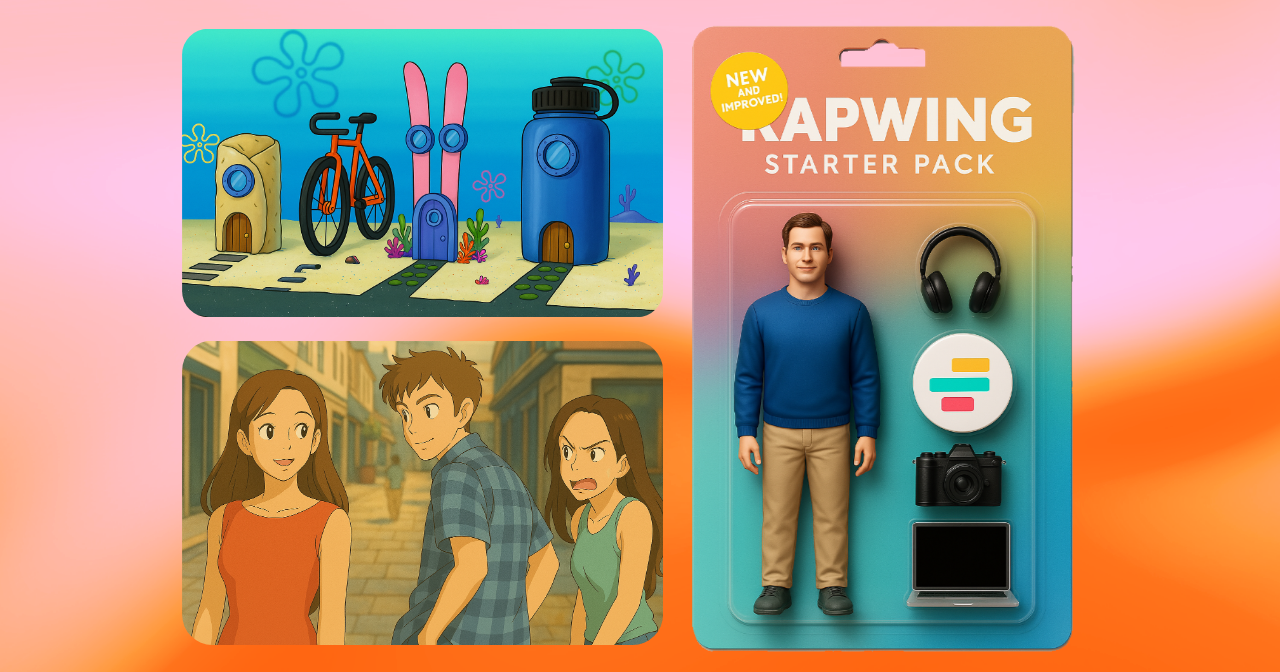
ChatGPT has become a go-to tool for creating viral image styles, with creators using it to generate everything from stylized portraits to playful, hyper-specific worlds. Across TikTok, Instagram, and Reddit, these visuals are showing up everywhere — from action-figure versions of real people to illustrations inspired by Studio Ghibli and Pixar.
However, replicating these image styles consistently isn’t just about naming the trend. It requires knowing the right prompts, style modifiers, and strategies that lead to high-quality results.
In this article, you’ll learn how to recreate the most popular viral ChatGPT image styles with ready-to-use prompt templates, style breakdowns, and advanced tips to help you get consistent, shareable results every time. Whether you're a digital creator, social media manager, or just experimenting for fun, this guide will help you master the visual language behind today’s biggest AI art trends.
Table of Contents:
- How To Generate Images With ChatGPT
- How to Replicate Popular ChatGPT Image Styles
- Pros and Cons of the ChatGPT Image Style
- Frequently Asked Questions
How To Generate Images With ChatGPT
To create images with ChatGPT, you’ll need access to a version of ChatGPT that supports image generation, specifically GPT-4 with vision. However, ChatGPT's free tier only allows 2-3 images per day with a 24-hour rolling reset, which is restrictive for creators working on projects that may need multiple iterations.
The good news is: you don’t need direct access to ChatGPT Plus to replicate its image styles. Platforms like Kapwing offer built-in ChatGPT image generation, letting you use similar prompt structures and styles. In this section, we’ll walk you through both methods for generating AI images in trending styles.
How to Generate Images in ChatGPT
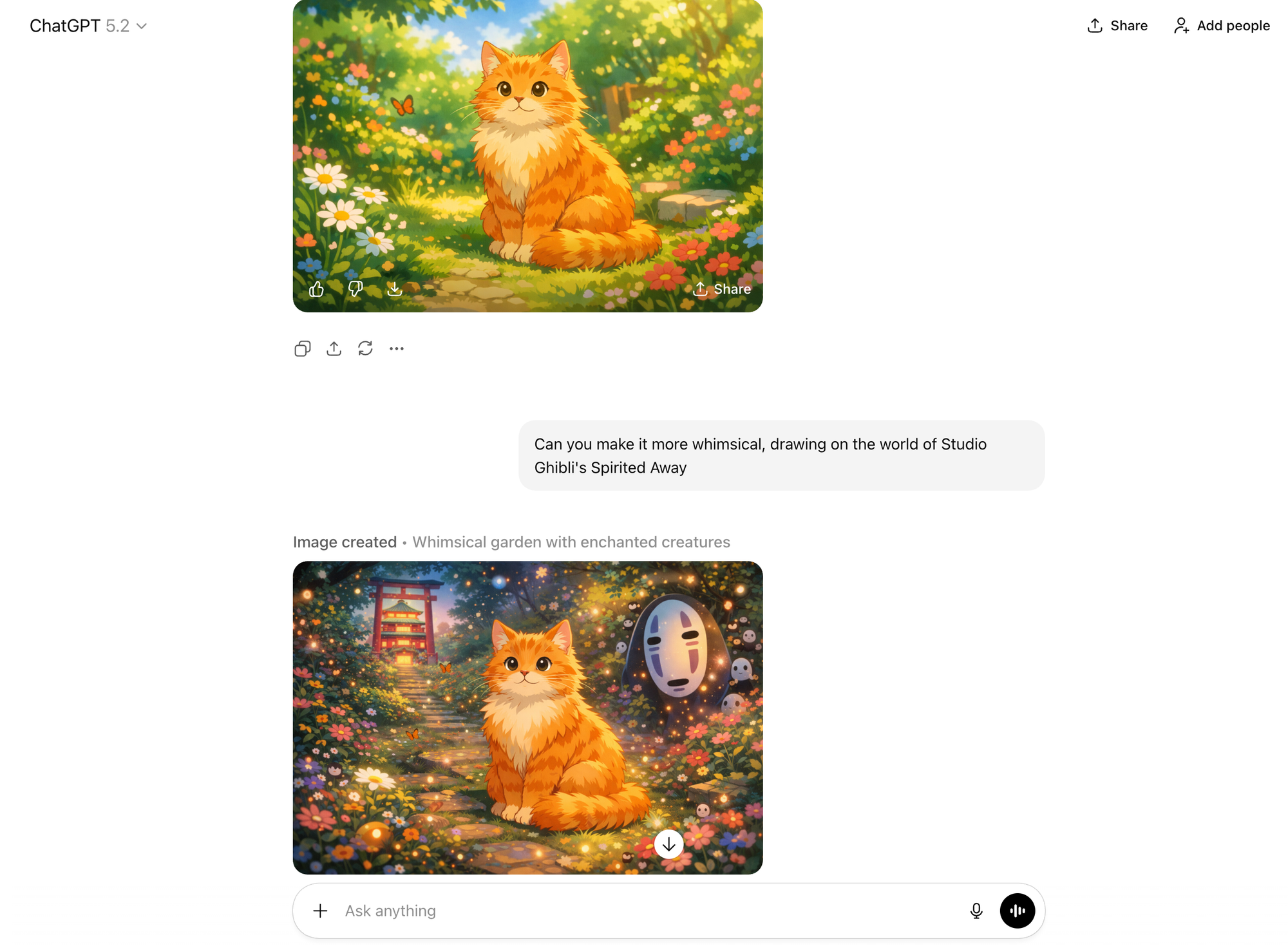
To generate images in ChatGPT, open a new chat and type your image prompt directly into the message box.
A strong ChatGPT prompt should be clear and descriptive. The best image prompts not only describe what you want to see, but also guide how it should look, including the art style, lighting, camera angle, composition, and aspect ratio.
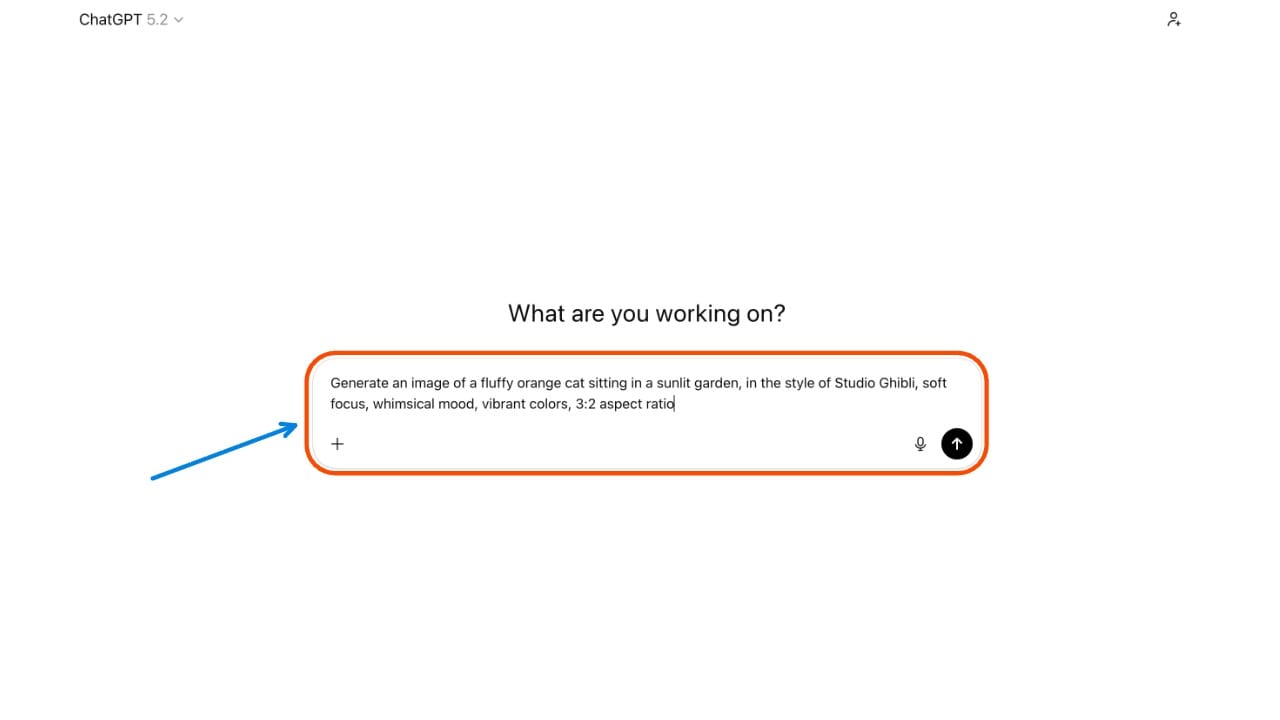
Wait a few seconds, and ChatGPT will respond with a generated image. Click to view or download the image as needed.
If the result isn’t quite right, revise the prompt with more specific style modifiers. Free users can try this, but image generation is limited to 2–3 images every 24 hours.
How to Generate ChatGPT Images in Kapwing
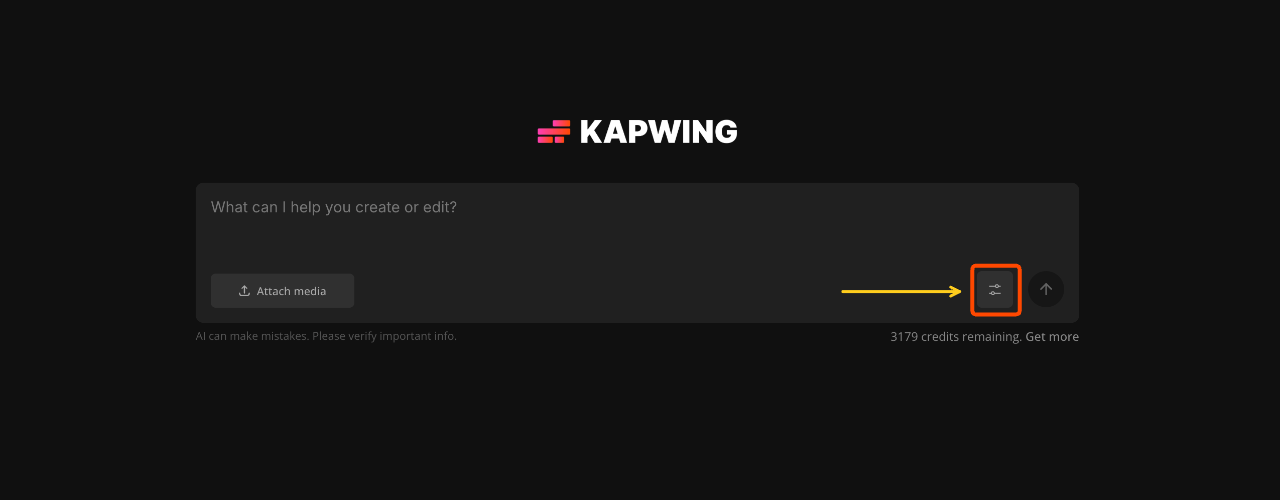
The easiest way to replicate the ChatGPT images outside of the platform is to use Kapwing’s built-in GPT-4 AI Image Generator, which gives you direct access to the same model and visual tendencies, without needing any manual styling or processing.
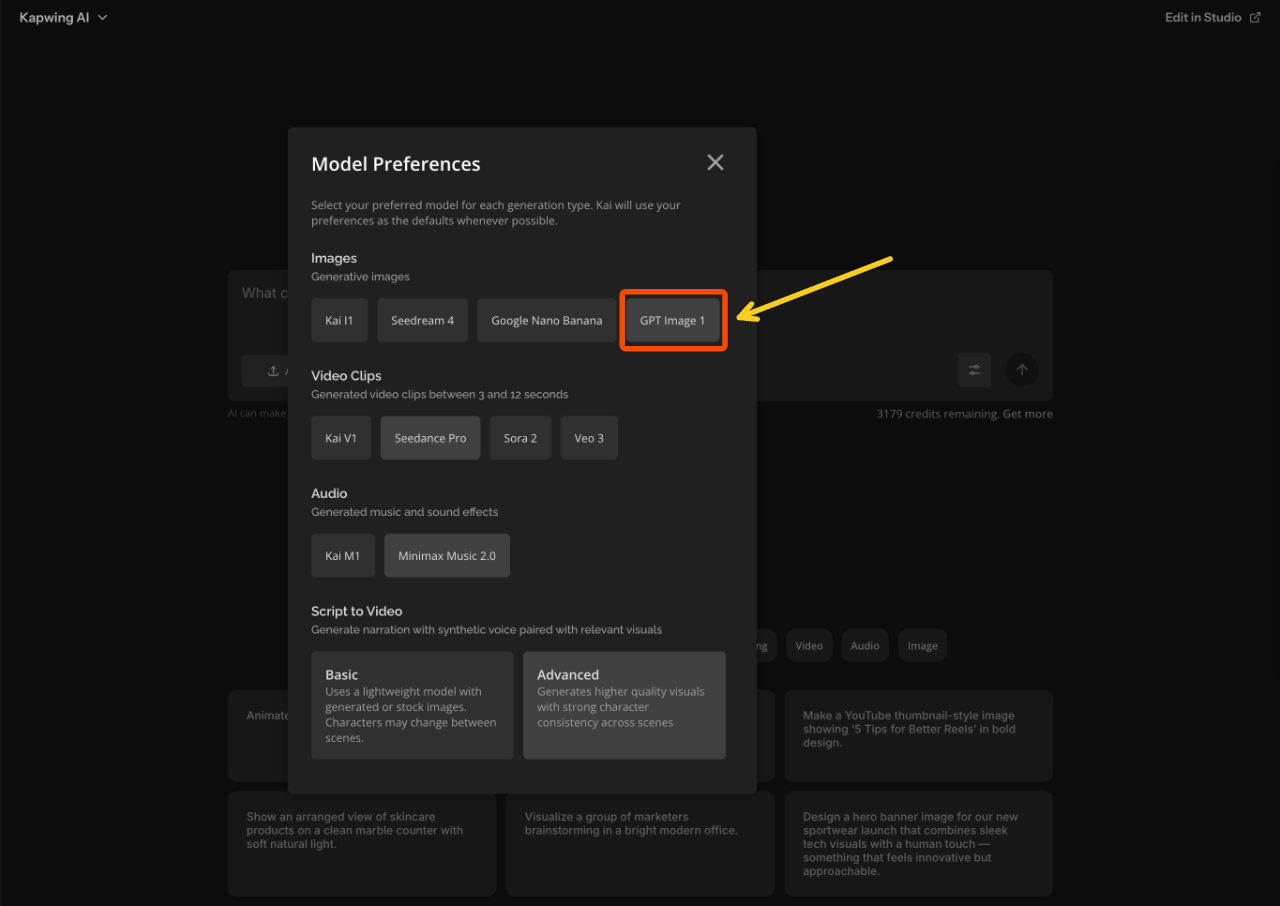
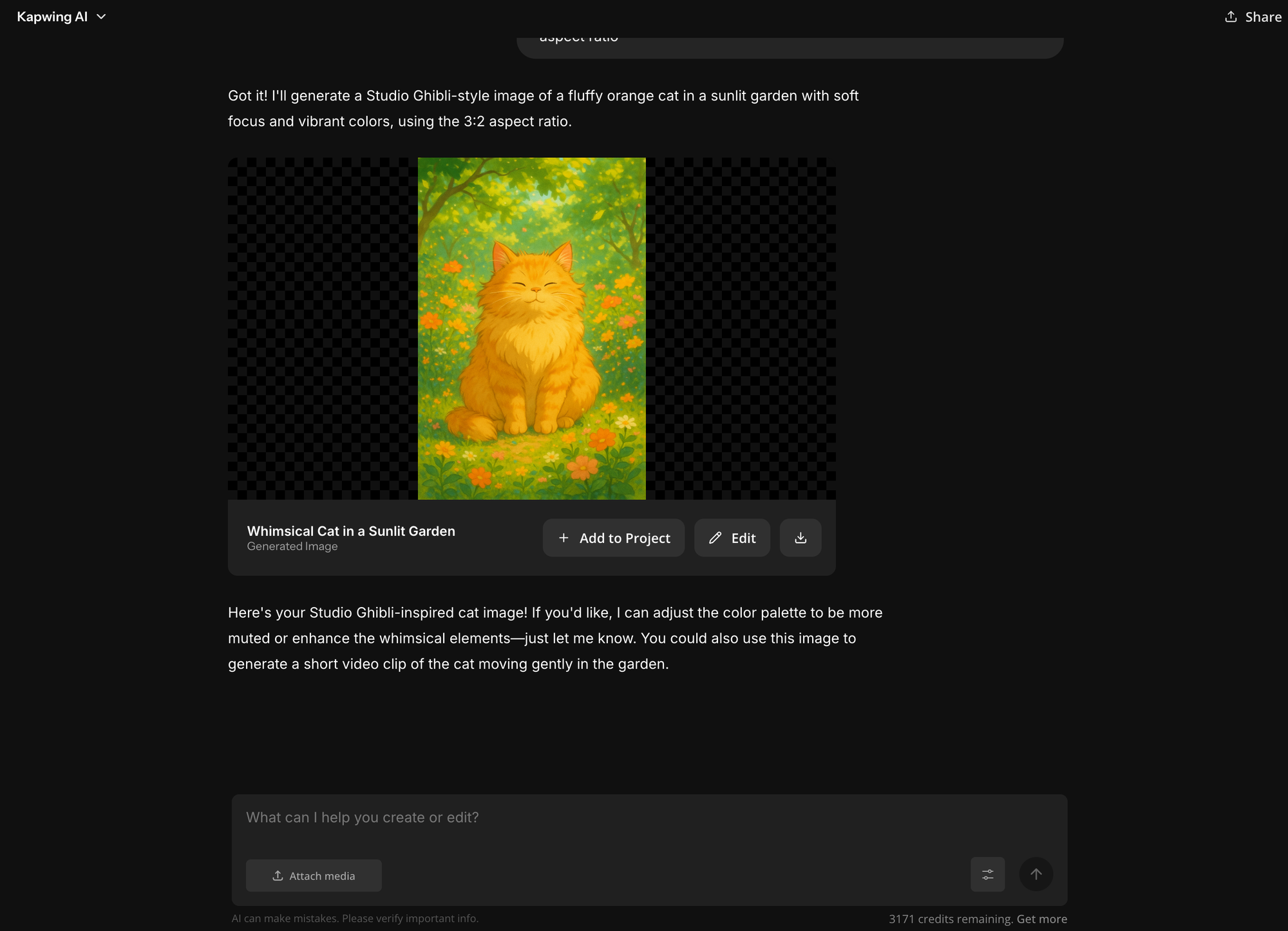
To begin, open Kapwing AI and start a new chat. At the bottom right of the chat box, you’ll see a settings icon. Click it to open the model selection options.
From there, select "GPT Image 1" as your image generator.
Once you’ve done so, the AI assistant will generate images using the same model that powers ChatGPT’s visuals.
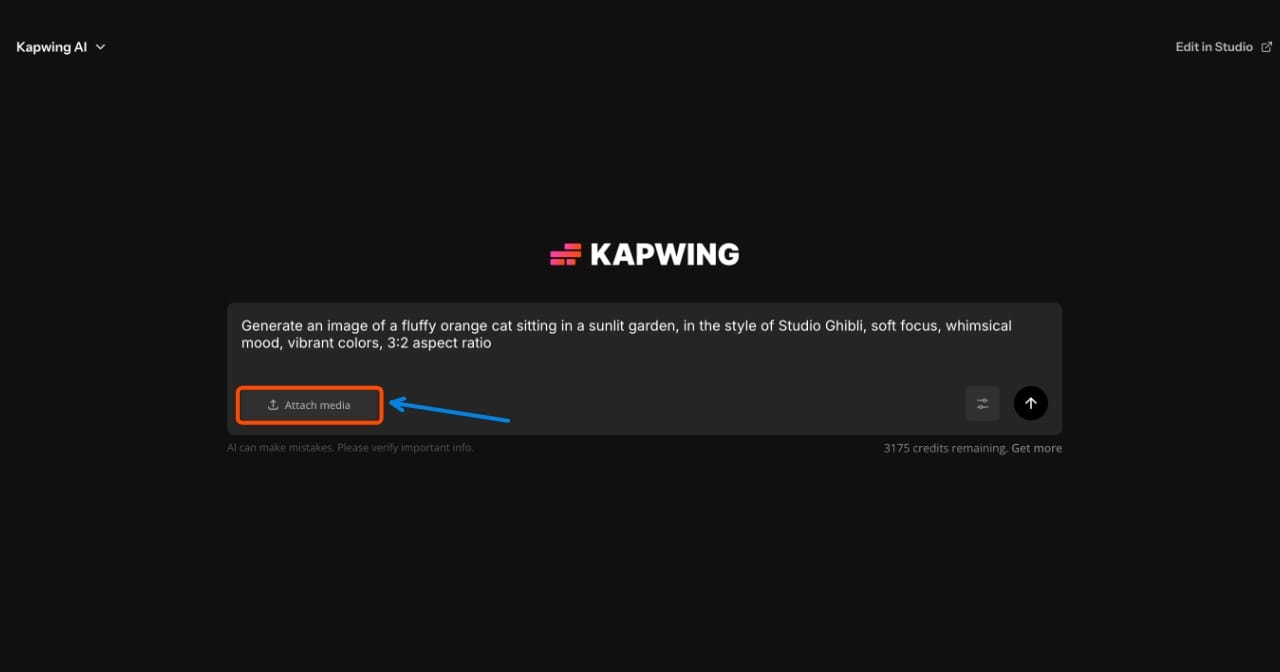
You'll also want to use a reference image, which gives the model clearer guidance on layout, character framing, and stylistic details.
To add one, click the "Attach Media" button and select the file from your device.
Click the generate button to create your image. The result will appear in chat, where you can tweak details, adjust the style, or regenerate variations.
You can also add it to the editing studio, where you can add stickers, texts, or create a video project with your image.
How to Replicate Popular ChatGPT Image Styles
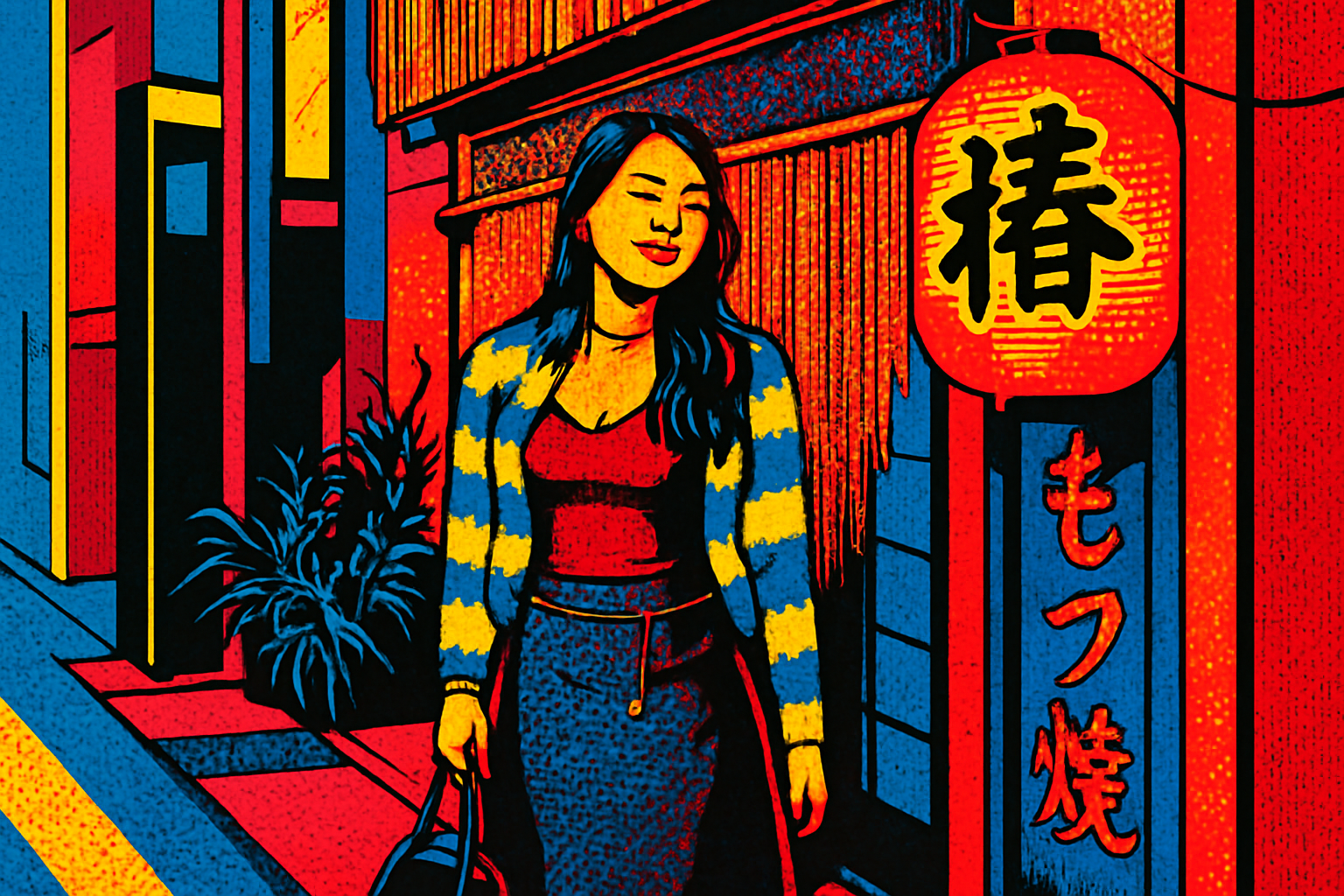
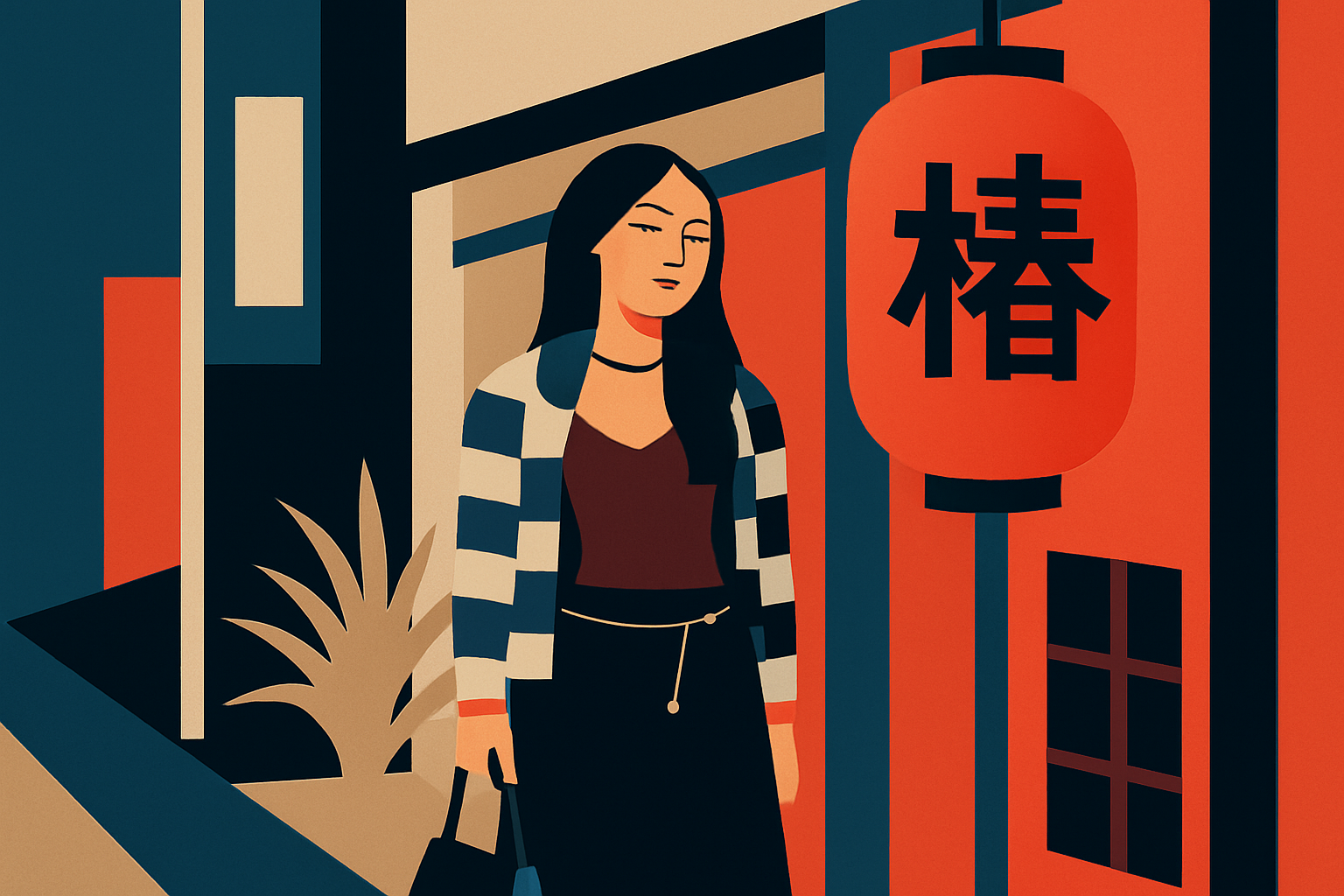
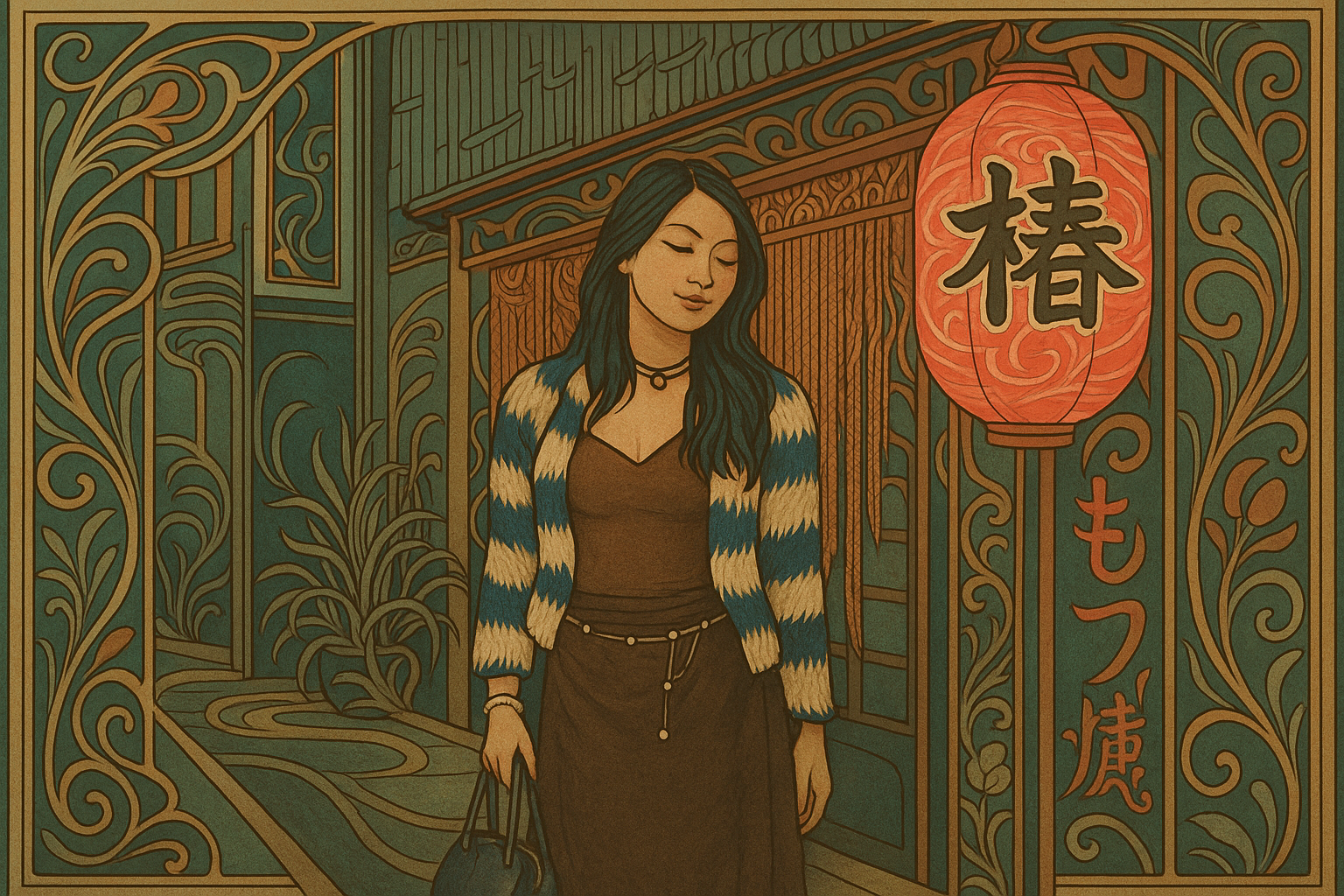
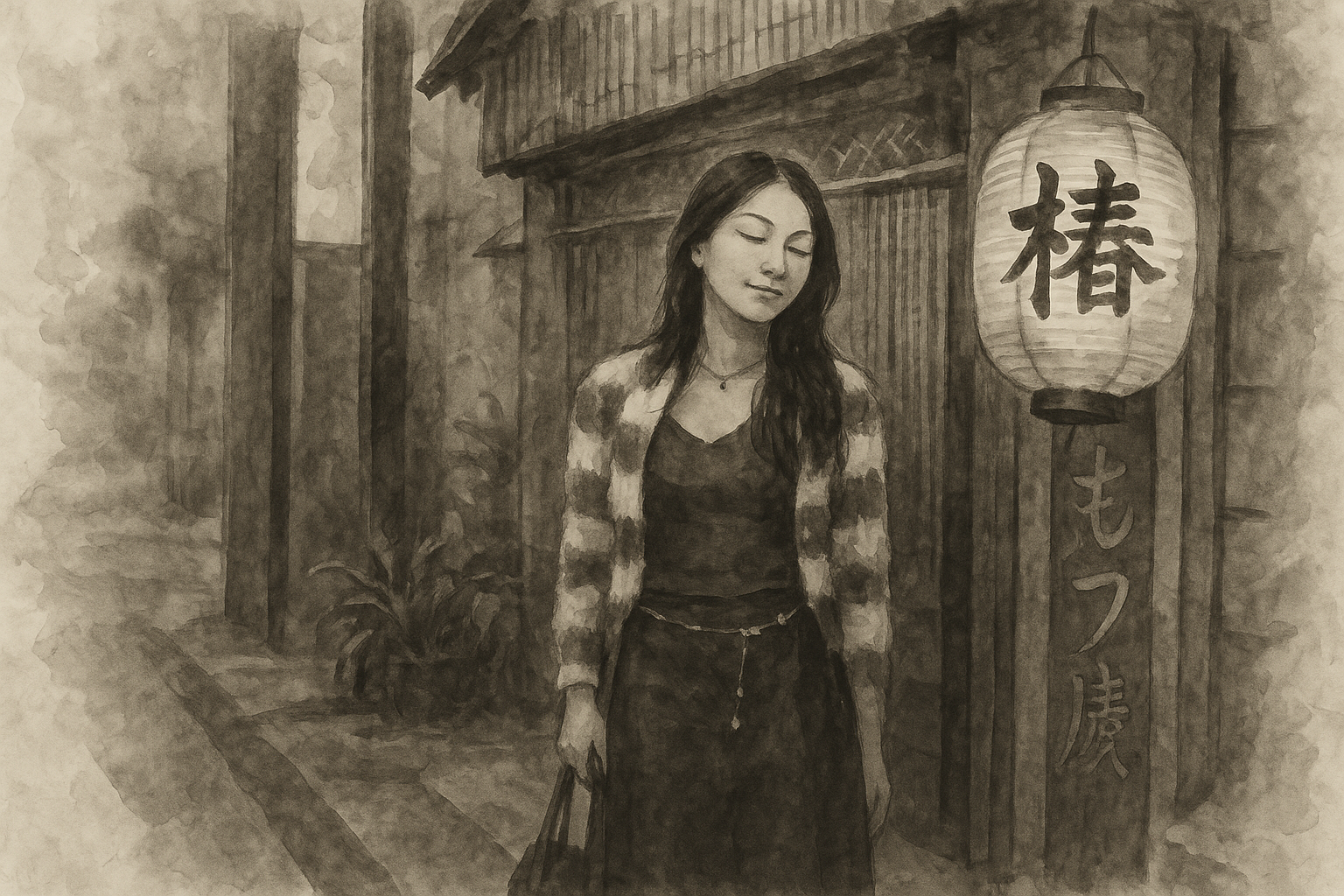
Below, we’ve collected the most popular ChatGPT image styles and paired each one with a ready-to-copy prompt. You can paste these prompts directly into ChatGPT, Sora, or any compatible AI image generator and swap out the subject details to fit your project.
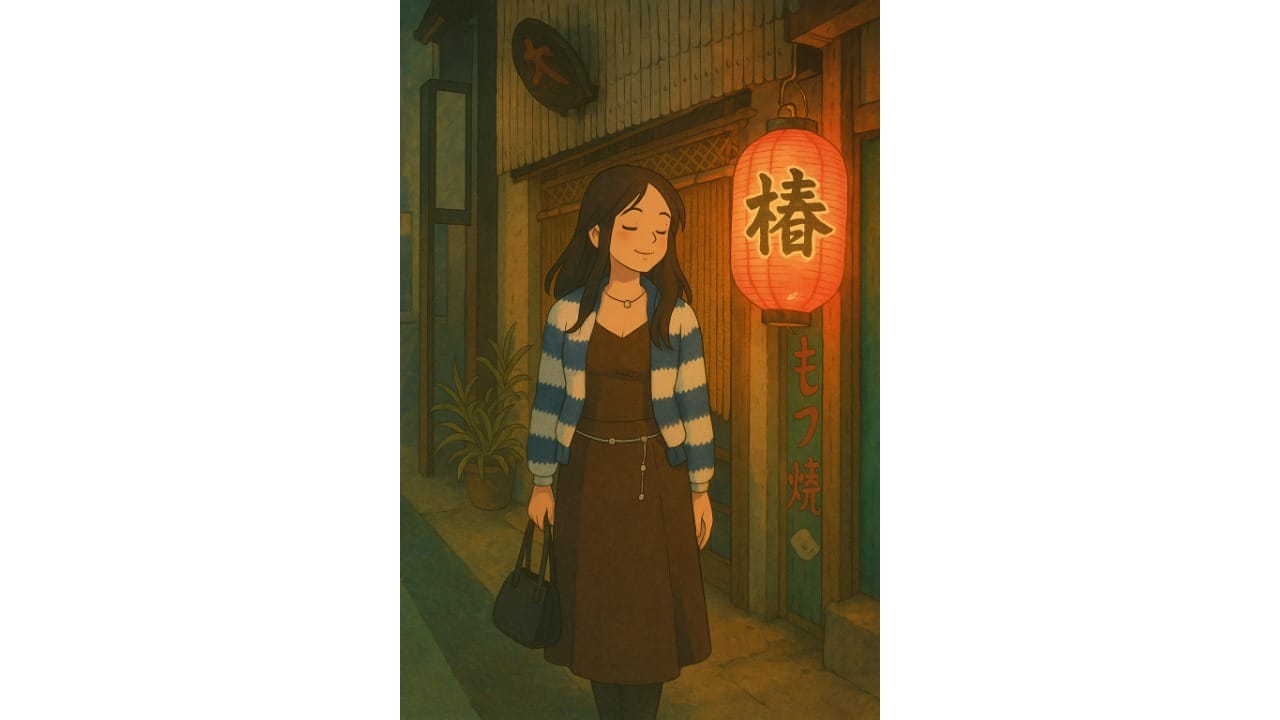
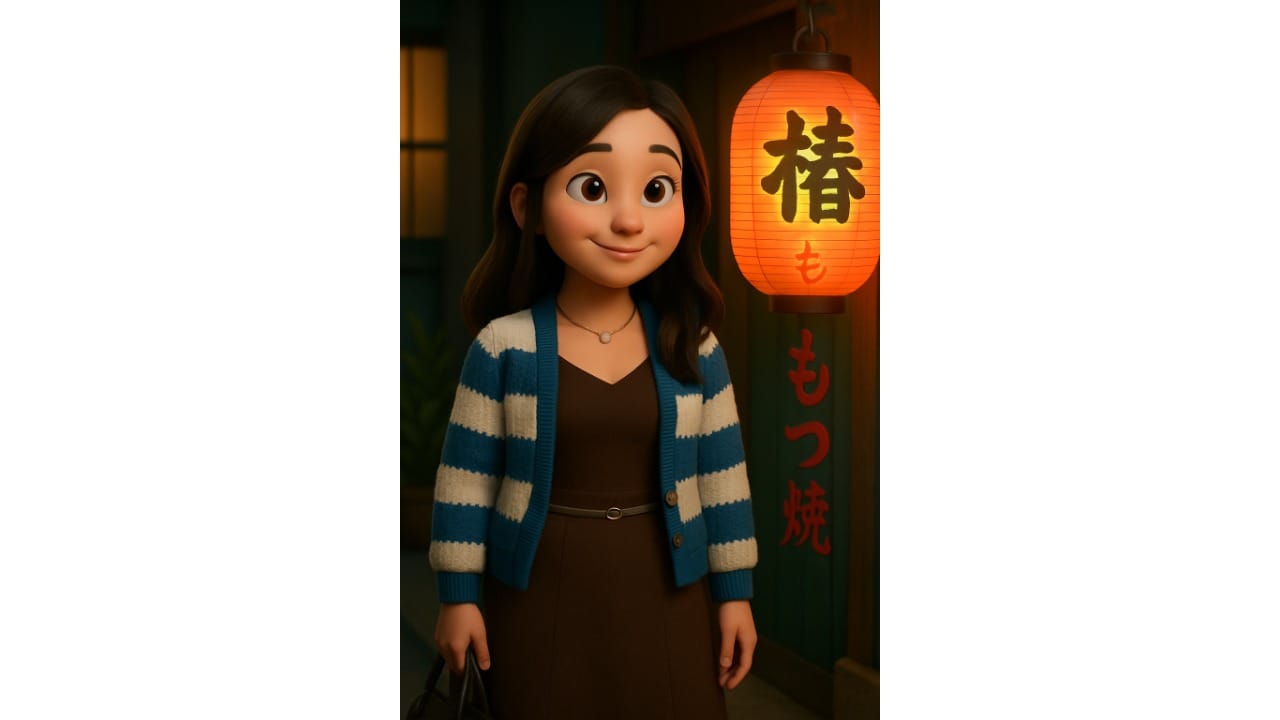
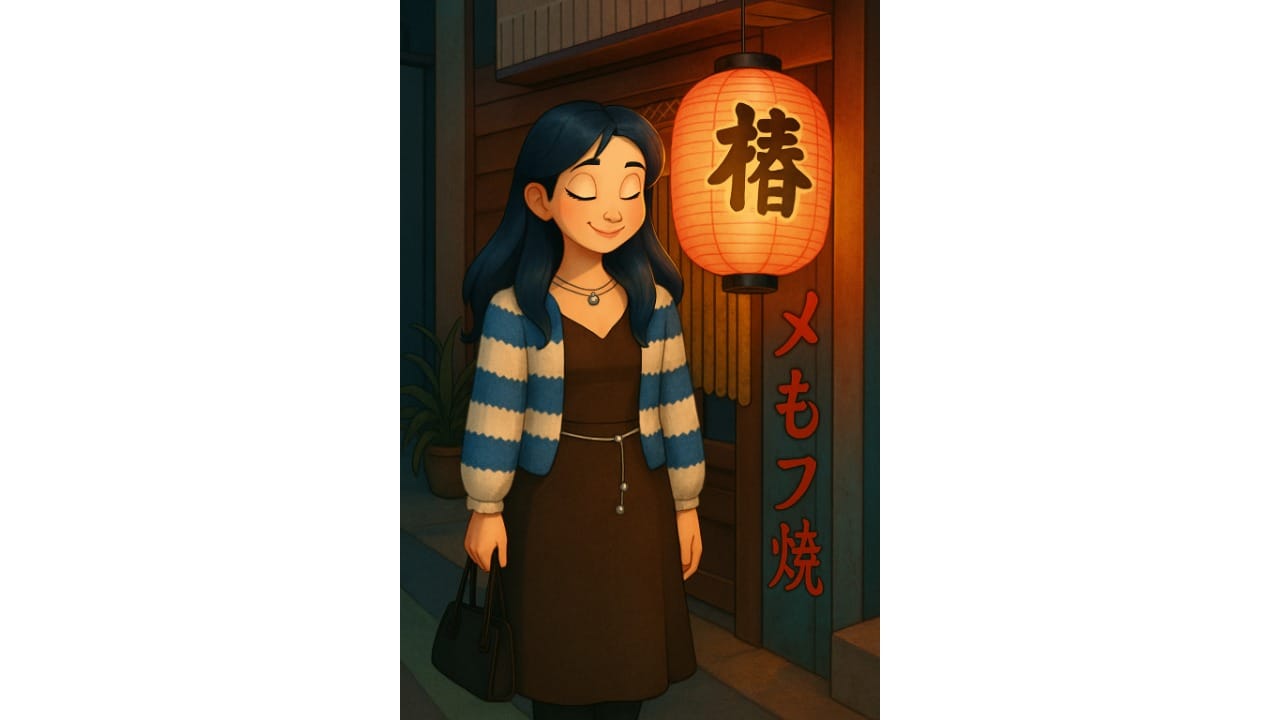
For best results, use a reference image alongside the prompt to help guide composition and style. When using a reference image, replace [subject] with "the subject in the reference image".
Studio Ghibli Style
Pixar Style
Disney-Style Animation
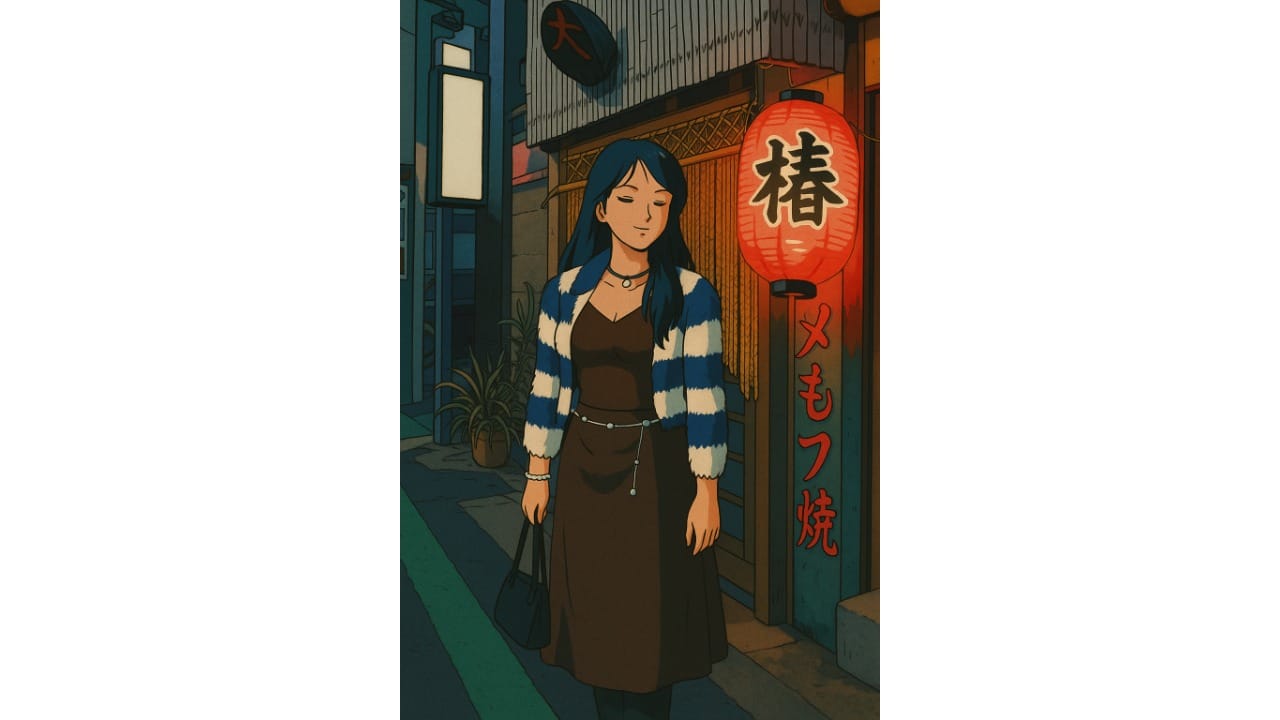
Retro Anime Style
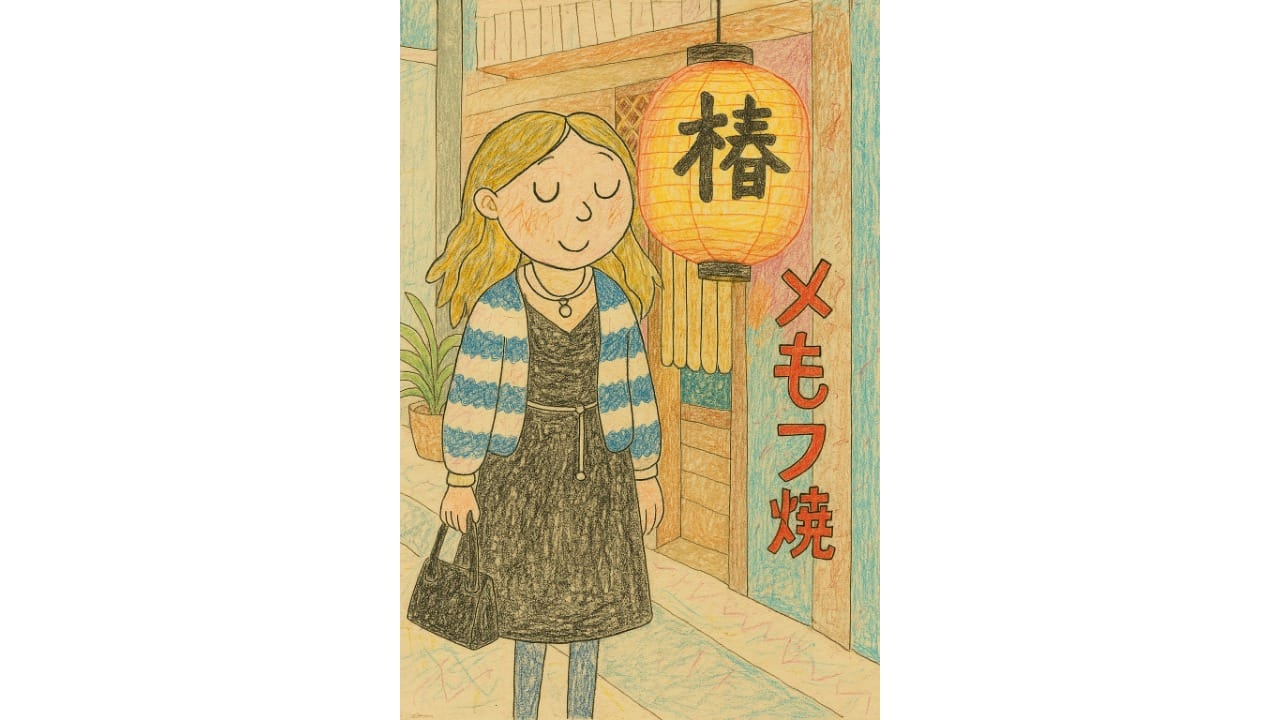
Charlie and Lola Style
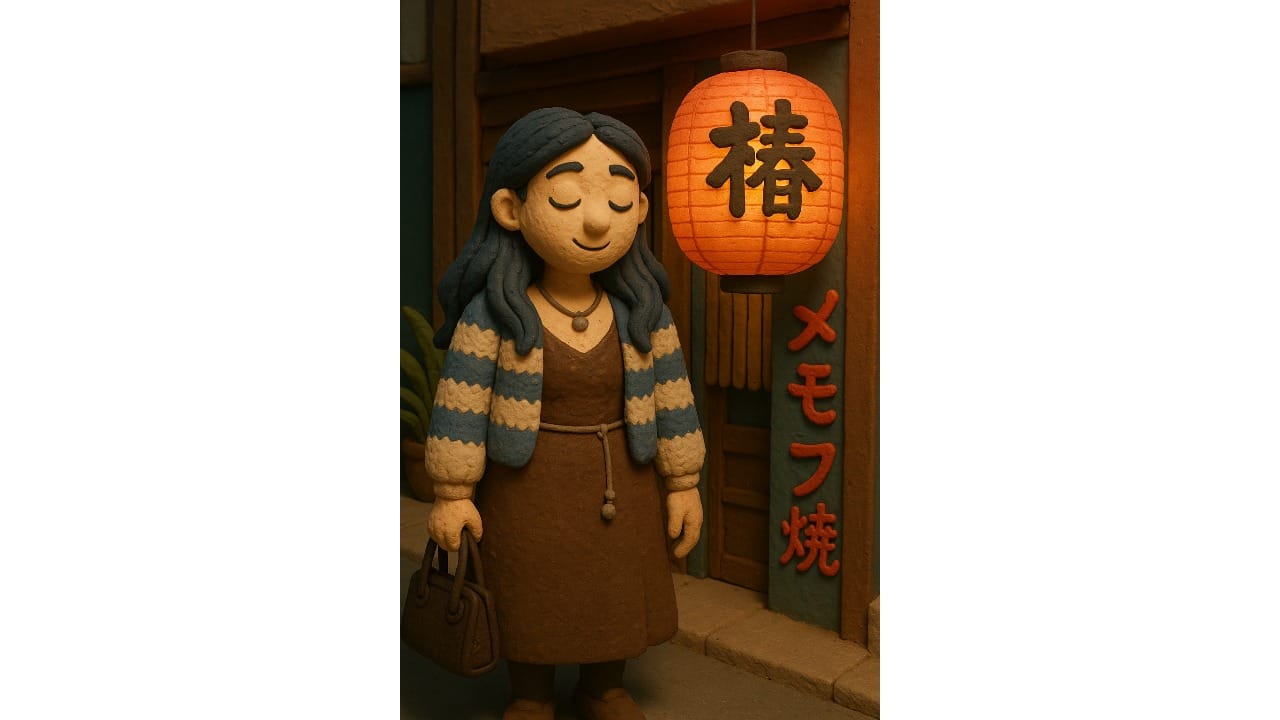
Claymation Style
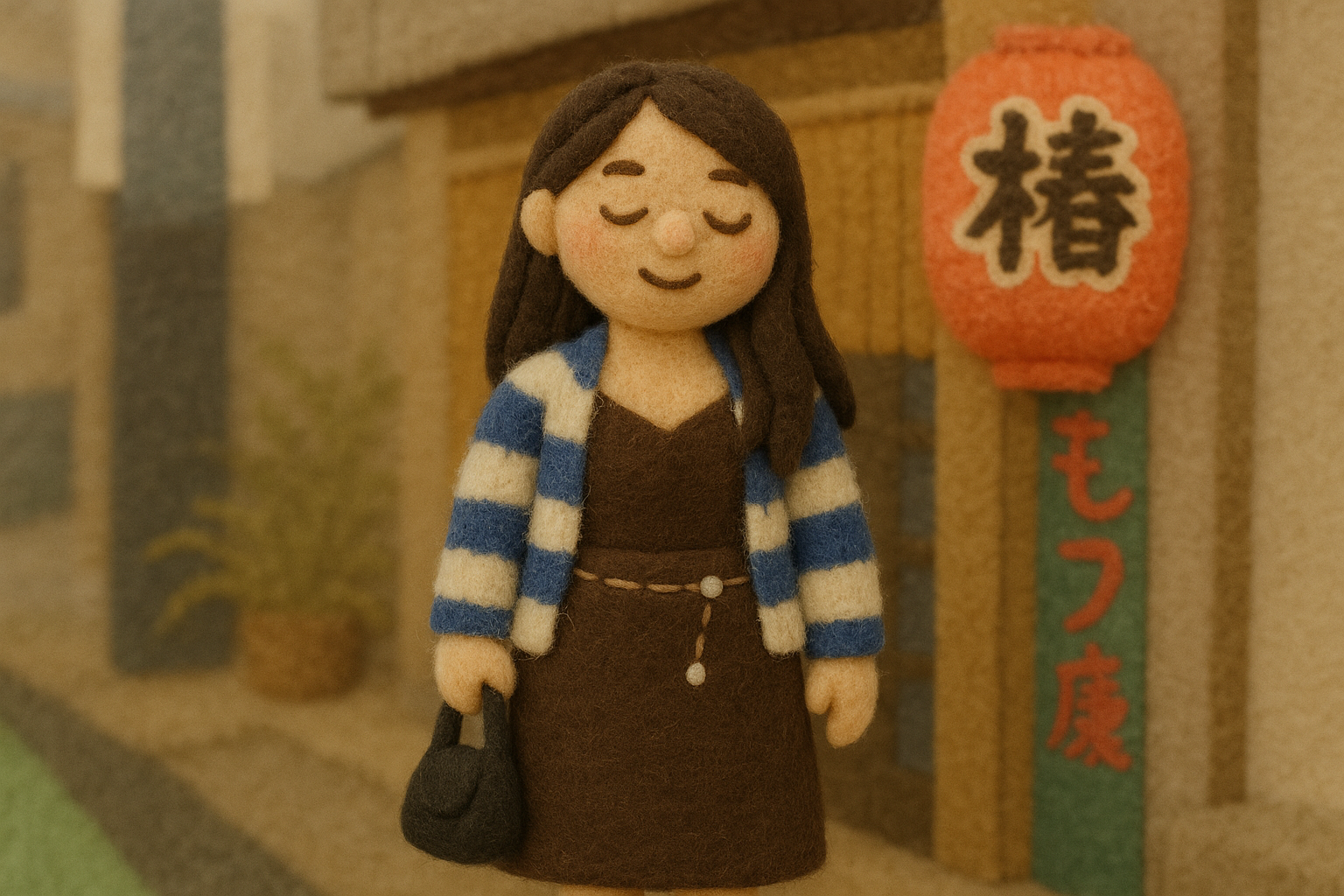
Felt Toy Style
Lego Style
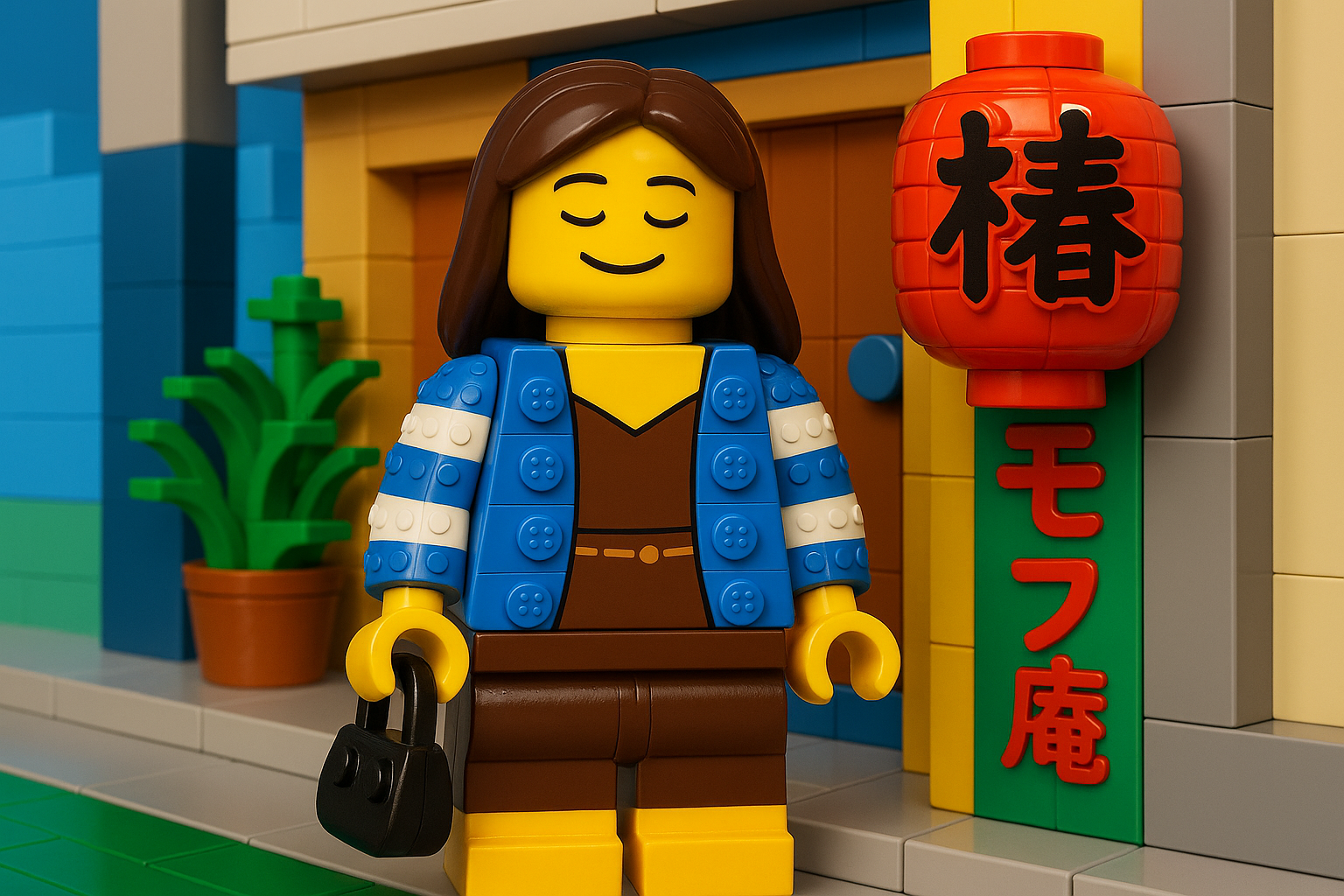
Muppet Style
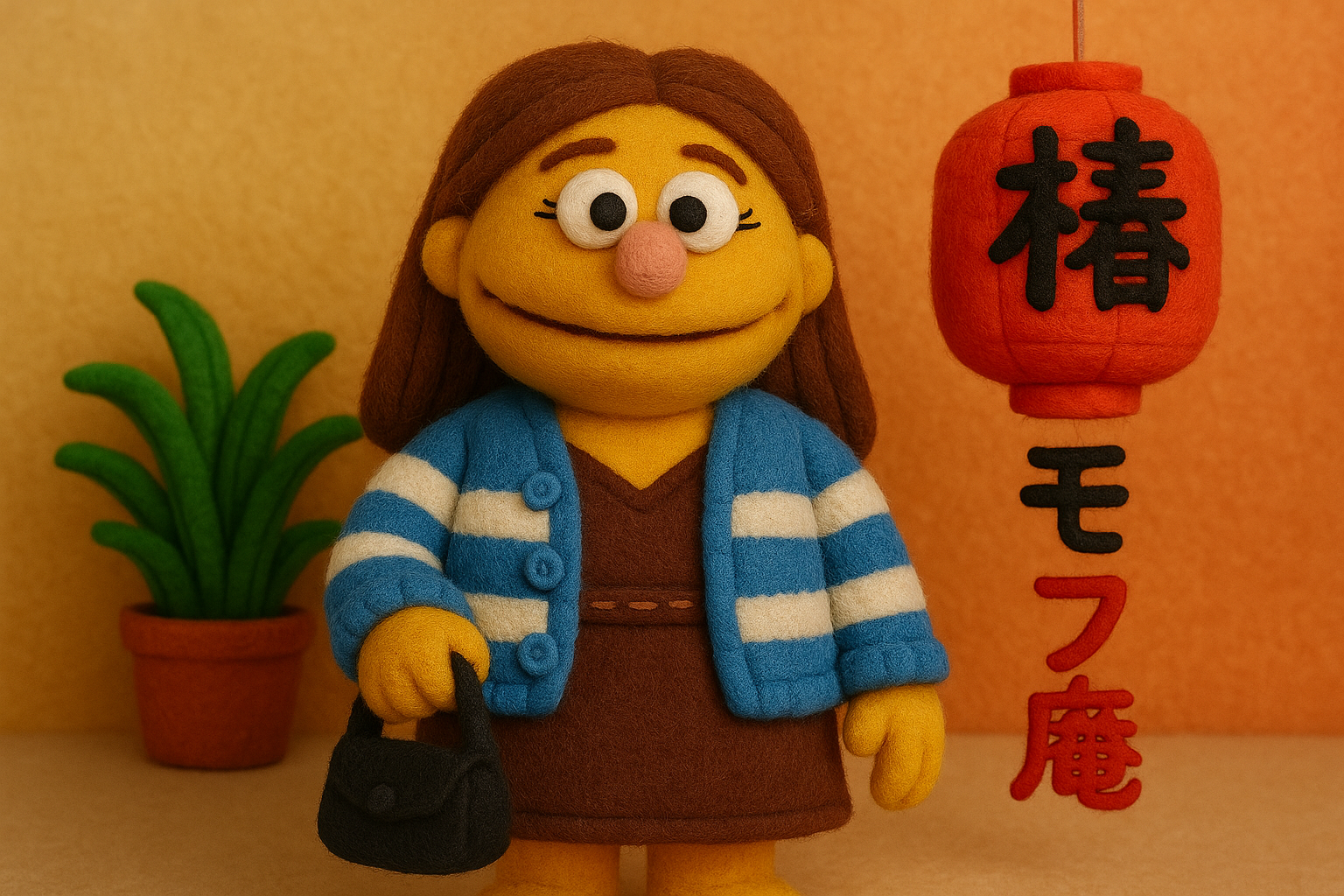
Cyberpunk Style
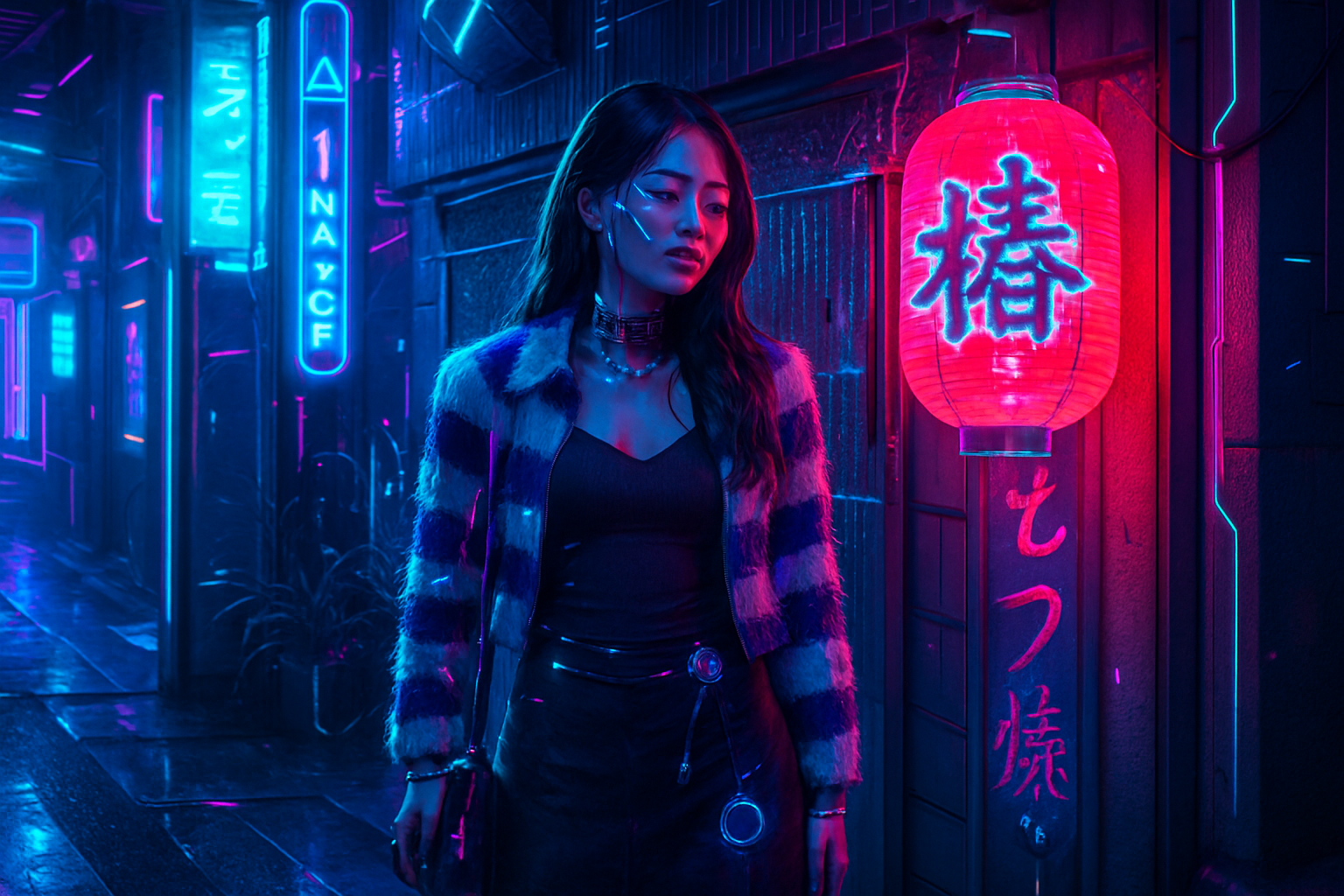
Watercolor Style
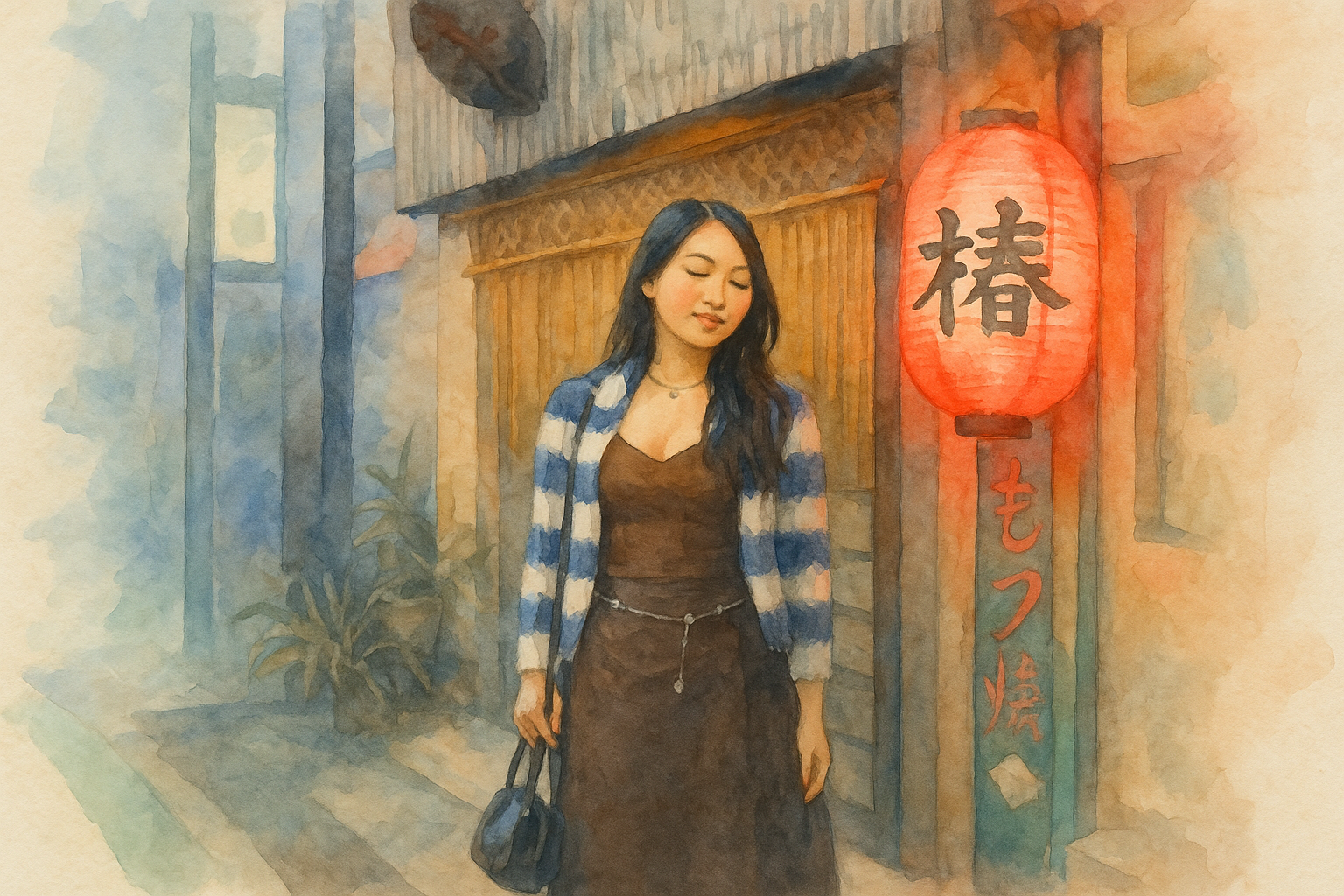
Pop Art Style
Bauhaus Style
Art Nouveau Style
Traditional Chinese Ink Painting
Wes Anderson Style
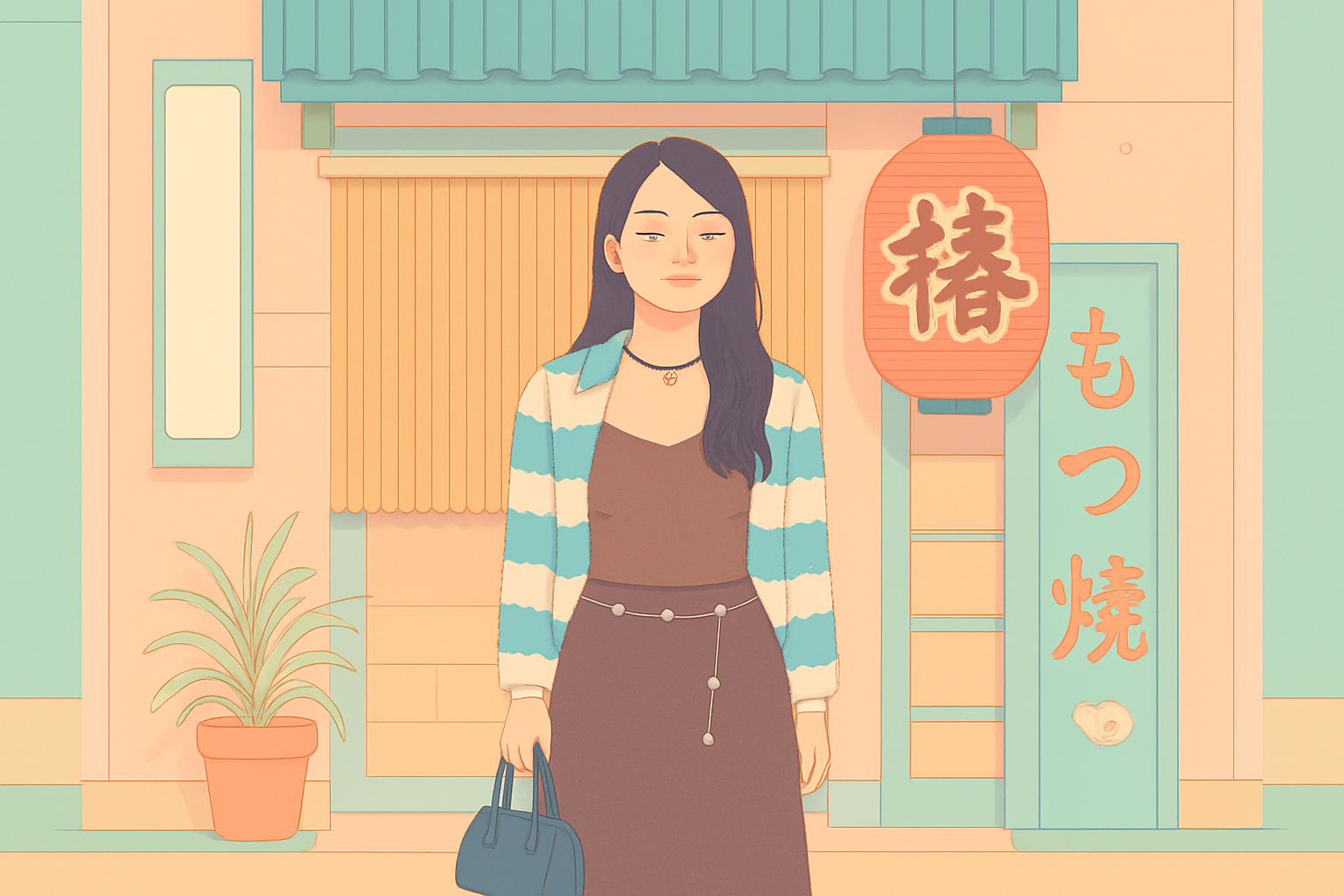
Pros and Cons of the ChatGPT Image Style
ChatGPT’s image generator has a recognizable aesthetic that appeals to many creators, but it also comes with certain stylistic biases and limitations:
Pros of the ChatGPT Image Style
Warm, Neutral Color Palette
ChatGPT tends to color grade with warm tones, with beige being particularly prominent. Skin tones lean warm, lighting often has golden qualities, and even cooler scenes tend to have warm color casts in their highlights or mid-tones.
When colors aren’t explicitly defined, the model naturally gravitates toward beige, cream, and tan, creating cohesive and aesthetically pleasing backgrounds
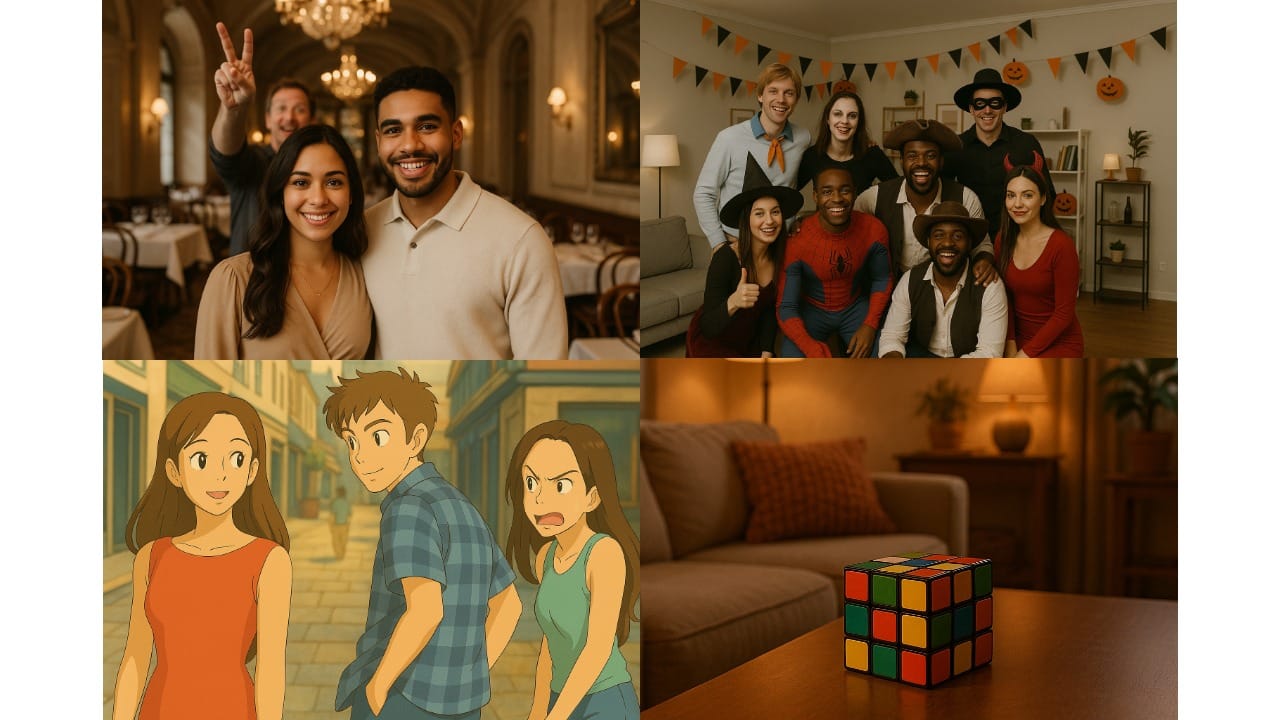
Stylistic Film Grain:
ChatGPT-generated images often include a subtle, fine-grain texture reminiscent of film. This grain adds depth and softness to the image without overwhelming details, helping visuals feel more organic and less digitally sharp.
Polished, Camera-Ready Aesthetic
Another major strength is how photogenic and production-ready ChatGPT images appear. Subjects, clothing, props, and environments are clean, balanced, and visually appealing, reducing the need for post-processing.
Cons of the ChatGPT Image Style
Posed, Artificial Staging
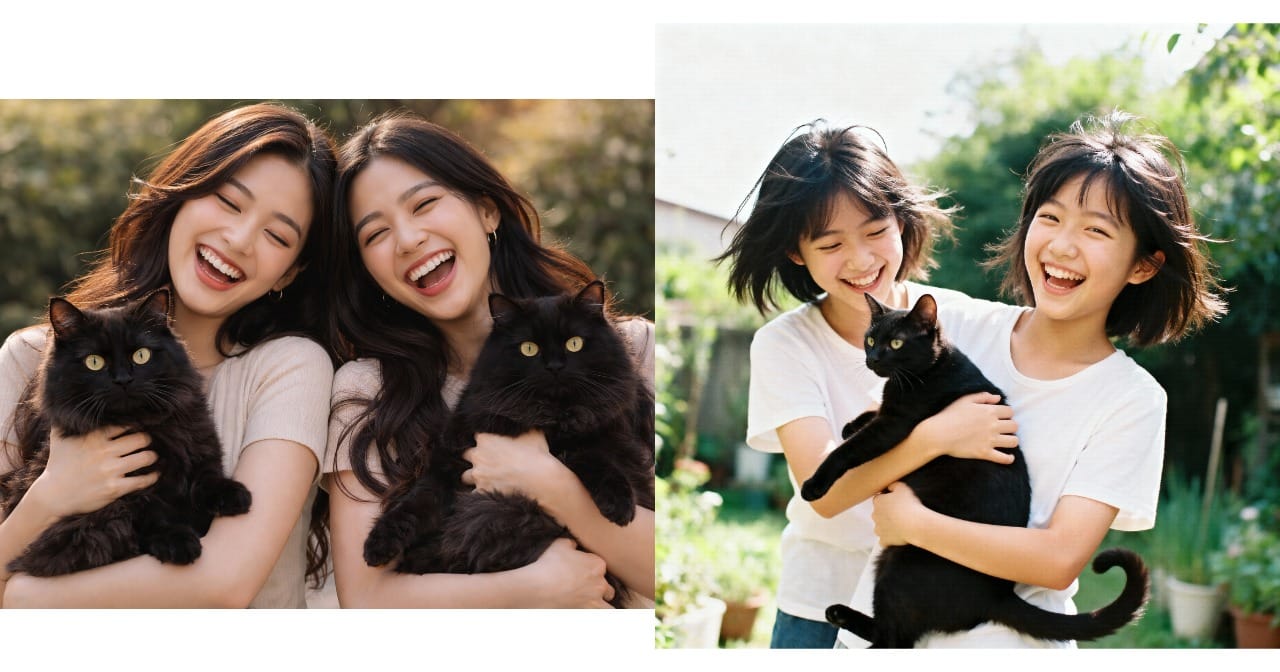
ChatGPT often generates subjects looking directly at the viewer, regardless of the prompt’s intention. Movement and spontaneity are harder to achieve.
For example, in the ChatGPT-generated image (left) for the prompt "a candid photo of 2 girls holding a black cat and laughing," both girls are facing the viewer, and the cats appear nearly identical. In contrast, the Seedance image is more candid: the frame is tilted, and one girl seems unaware of the "camera".
Generic Props and Details
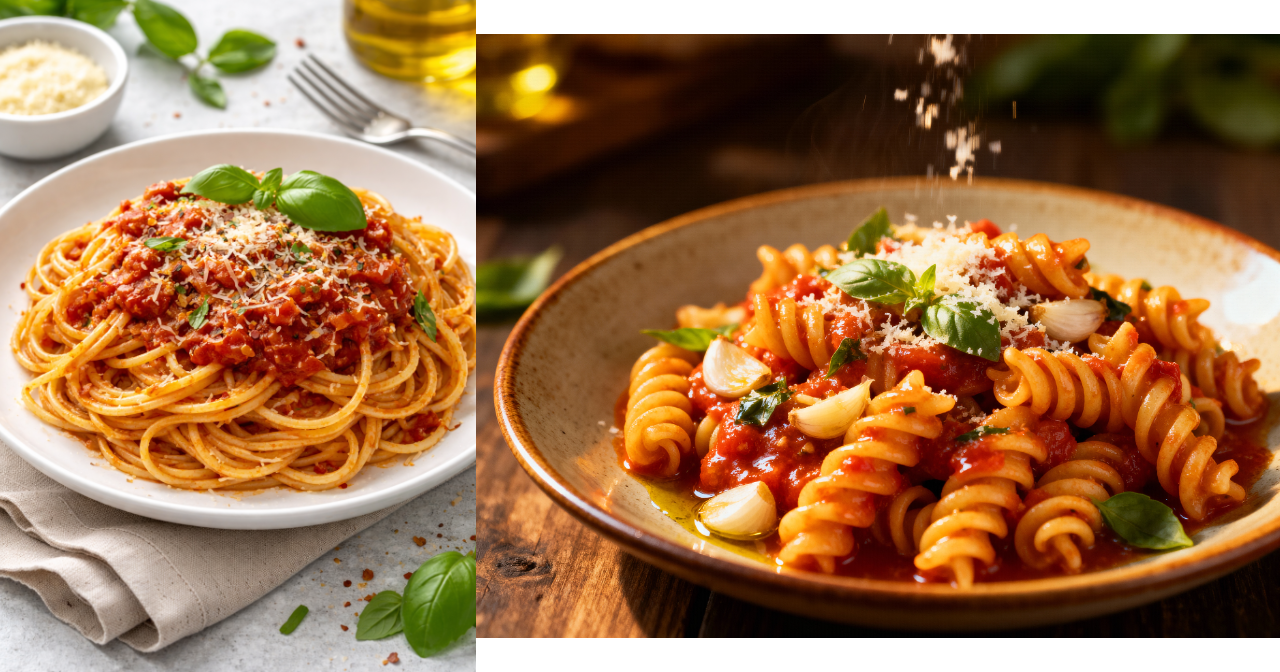
ChatGPT's image details are invariably photogenic and tend toward solid, clean colors. Props, clothing, and environmental elements look like they came from a curated stock photo library.
For example, in the ChatGPT-generated image (left) for the prompt "a plate of red sauce pasta at a fancy restaurant", the scene is perfectly styled and every element appears camera-ready. In contrast, the Seedream image (right) feels more candid: the composition is slightly off-center, cheese is caught mid-sprinkle, and the overall scene captures more visual texture.
Frequently Asked Questions
What makes ChatGPT-generated images look different from other AI models like Midjourney or Seedream?
ChatGPT images tend to be more posed, centered, and minimal in texture, with warm tones and simplified backgrounds, while models like Midjourney often lean into stylization or mood.
Can I change the default aesthetic of ChatGPT's images?
Yes. You can override the neutral, photogenic style by being specific in your prompt about mood, color, composition, and texture.
How do I make ChatGPT-generated images look more dynamic or candid?
Use prompt terms like “off-center,” “tilted angle,” “mid-motion,” “caught off guard,” or “natural lighting” to reduce the staged look.
Do ChatGPT image outputs include built-in stylistic grain or blur?
Yes — images often have a subtle grain or blur effect that mimics a soft-focus or filmic quality, especially in backgrounds.
Is the “Sora style” different from ChatGPT’s image style?
Yes. Sora is focused on video generation, while GPT-4o powers still image generation in ChatGPT. They may share visual principles, but they serve different use cases.
Can I upload a reference image to match styles in ChatGPT?
Yes. You can upload an image and prompt ChatGPT to generate similar outputs, which is helpful for achieving consistency or replicating a specific look.