UpScrolled Creator Guide: How to Post, Video Sizes, Aspect Ratios, and Monetization
UpScrolled surged with 41,000 installs in just 72 hours at its App Store peak.
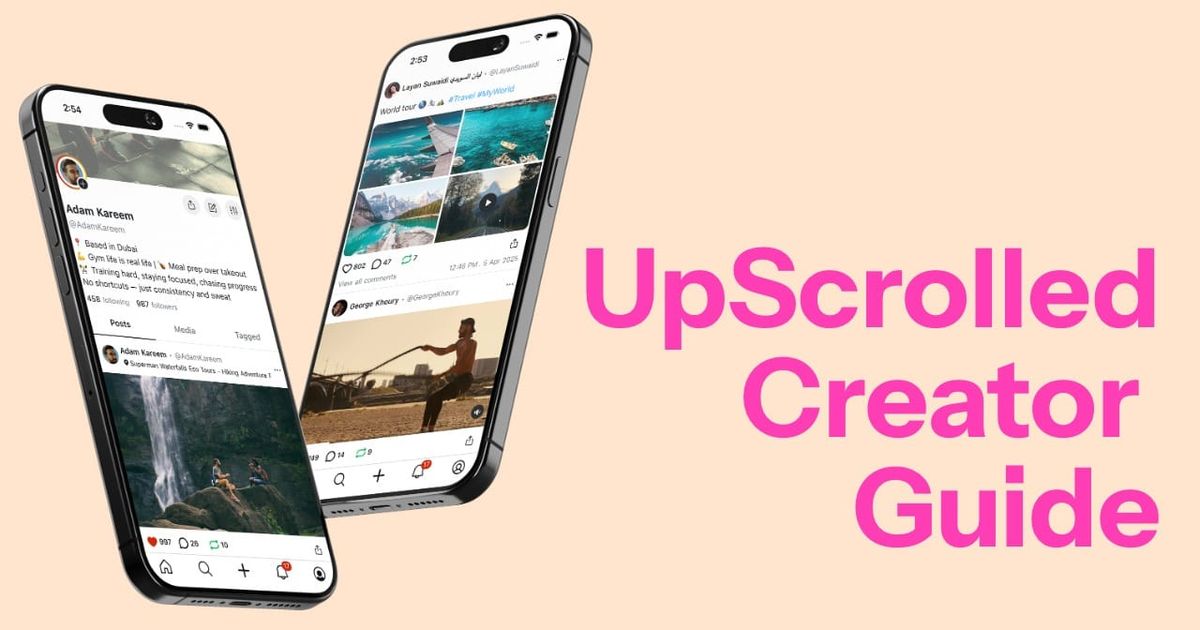
UpScrolled is quickly emerging as one of the most talked-about new social media platforms for creators in 2026. Built as an alternative to algorithm-driven feeds on apps like TikTok, Instagram, and X, UpScrolled puts chronological posting, visibility, and creator control front and center. Whether you’re sharing short-form video, photo carousels, or text posts, the platform is designed to help your content reach real people — not disappear into an algorithmic void.
In this guide, we’ll break down exactly what UpScrolled is, how to post on it, and the photo and video specifications you need to know to make your content look its best.
You’ll also learn practical tips for increasing visibility and engagement, plus what to expect from UpScrolled’s upcoming monetization features. If you’re a creator, brand, or early adopter looking to grow on UpScrolled, this article covers everything you need to get started — and get noticed.
Table of Contents
- What is UpScrolled?
- How to Post on UpScrolled
- UpScrolled Video & Photo Specifications
- Optimizing for Visibility and Engagement on UpScrolled
- Monetization on UpScrolled
What is UpScrolled?
UpScrolled is a new social media platform built for creators who are tired of algorithmic black boxes and want their content actually to reach people. Launched in mid-2025, it’s part short-form video app, part photo feed, part microblog.
The platform supports text, photo, and video posts, with a major focus on chronological feeds. That means when you post something, your followers actually see it: no algorithm roulette, no shadow-banning.
Creators are paying attention. In early 2026, UpScrolled shot to the top of the App Store’s social networking charts, gaining traction as an alternative to platforms like TikTok, X (formerly Twitter), and Instagram. It’s especially appealing to early adopters and niche creators who want to grow without competing against saturated feeds and ad-heavy content ecosystems.
How to Post on UpScrolled
Posting on UpScrolled is straightforward, whether you want to share text, photos, or videos — and it’ll immediately feel familiar if you’ve used Instagram, Threads, or TikTok before.
At the bottom center of the app, tap the plus icon (+) to start creating. You'll be prompted to choose from Text, Photo, Video.
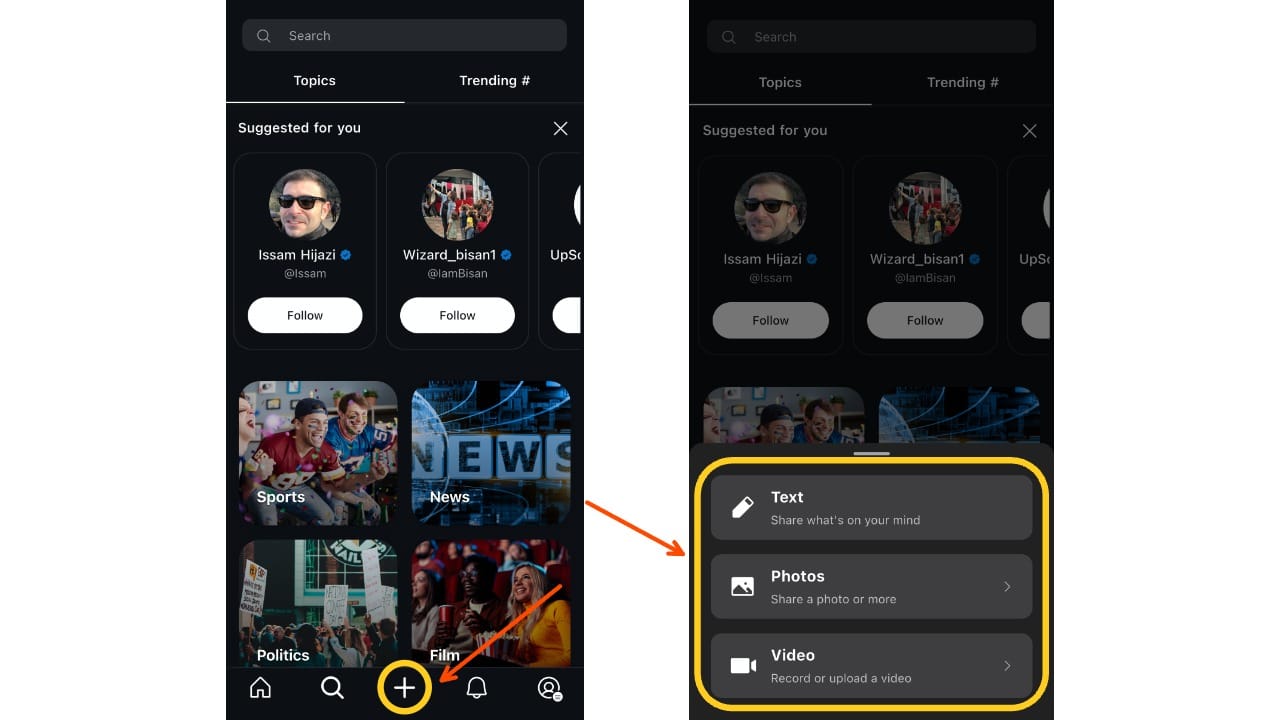
You can post just text or combine it with media. Here’s what’s supported:
📱 Media Specifications
| Media Type | Specs & Limits |
|---|---|
| Text only | No character limit; supports emojis, mentions, hashtags |
| Photos | Up to 10 images per post; supports 1:1, 4:5, 16:9, 9:16 |
| Video | 1 video per post, between 6 seconds and 10 minutes |
Upload from your camera roll or use the in-app camera. You can pinch to crop, reorder photos, and preview your post before publishing.
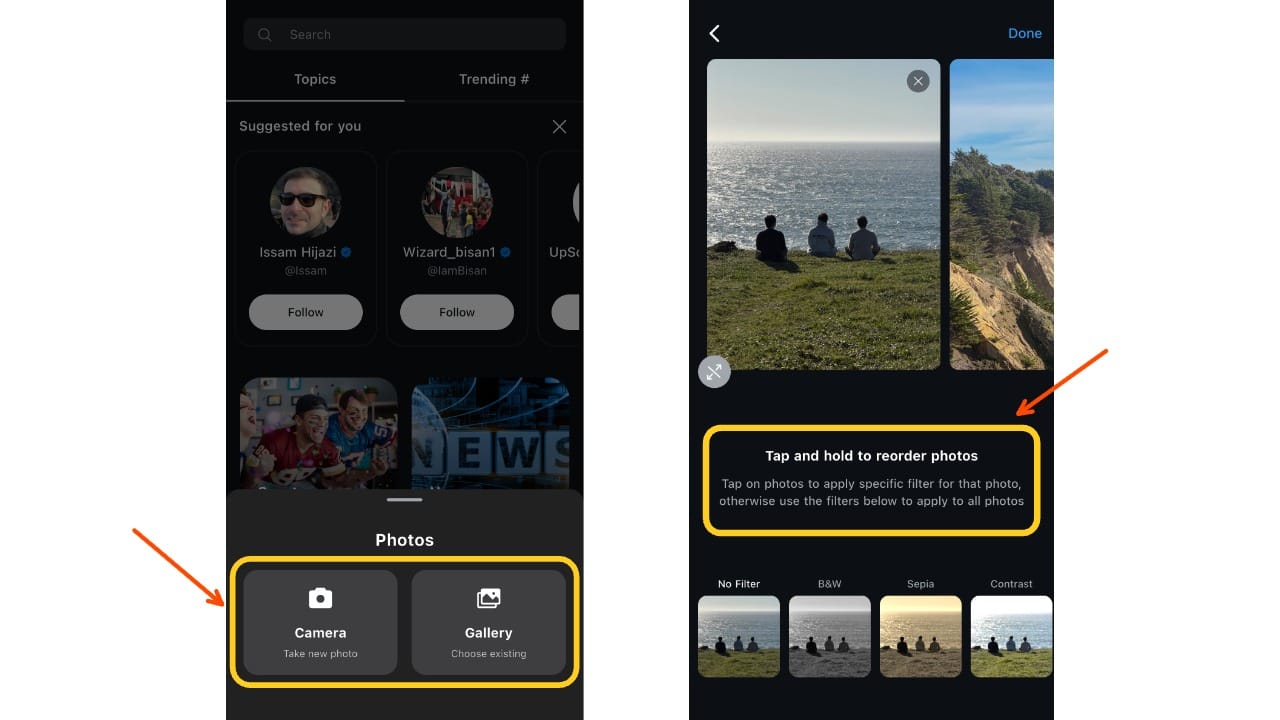
Next, write a caption. Your caption can include:
- Text with line breaks
- Links (they’re clickable)
- @Mentions and #Hashtags
- A Topic to boost discovery
- A Location
Posts without media are treated as text posts. If you attach at least one image or video, it becomes a media post with a caption.
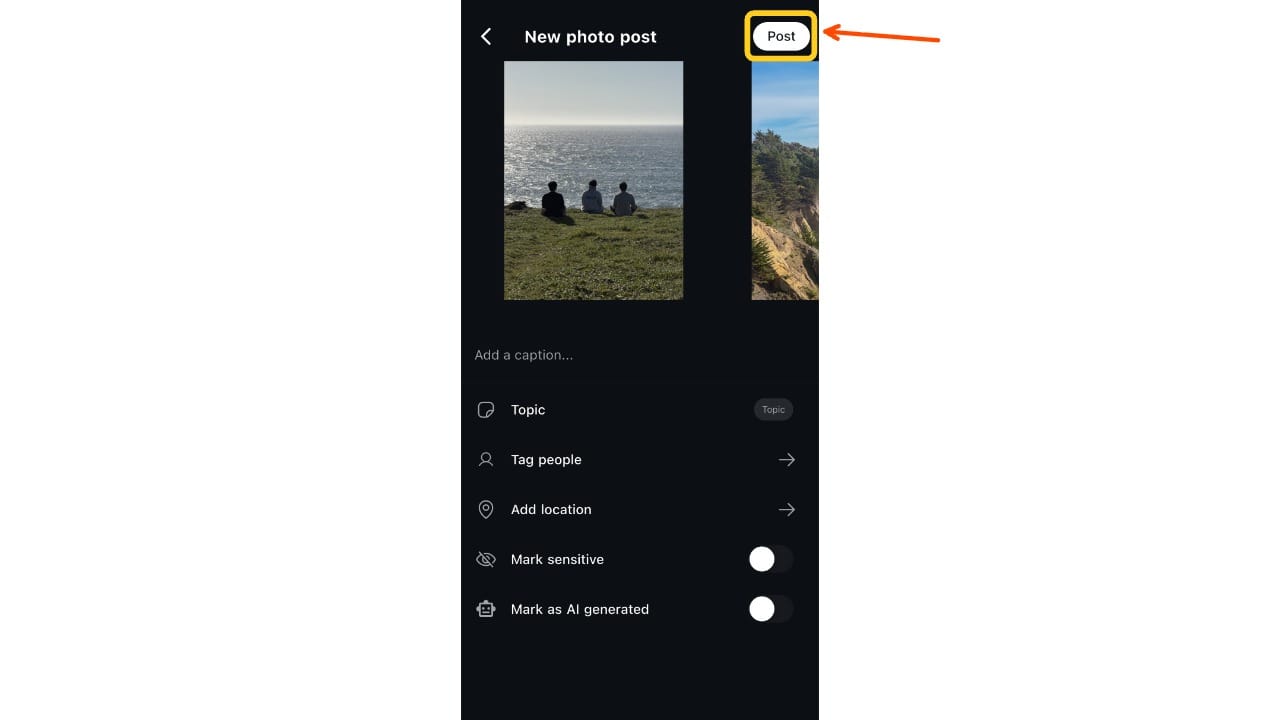
Once everything’s ready, hit Post. Stay in the app until upload completes — closing the app may cancel it.
UpScrolled Video & Photo Specifications
Understanding the right photo and video specs on UpScrolled helps your posts look crisp, display correctly, and avoid awkward cropping or formatting issues. UpScrolled automatically adjusts media that doesn’t fit its supported ratios, but controlling framing before you post gives you the best results.
Photo Specs
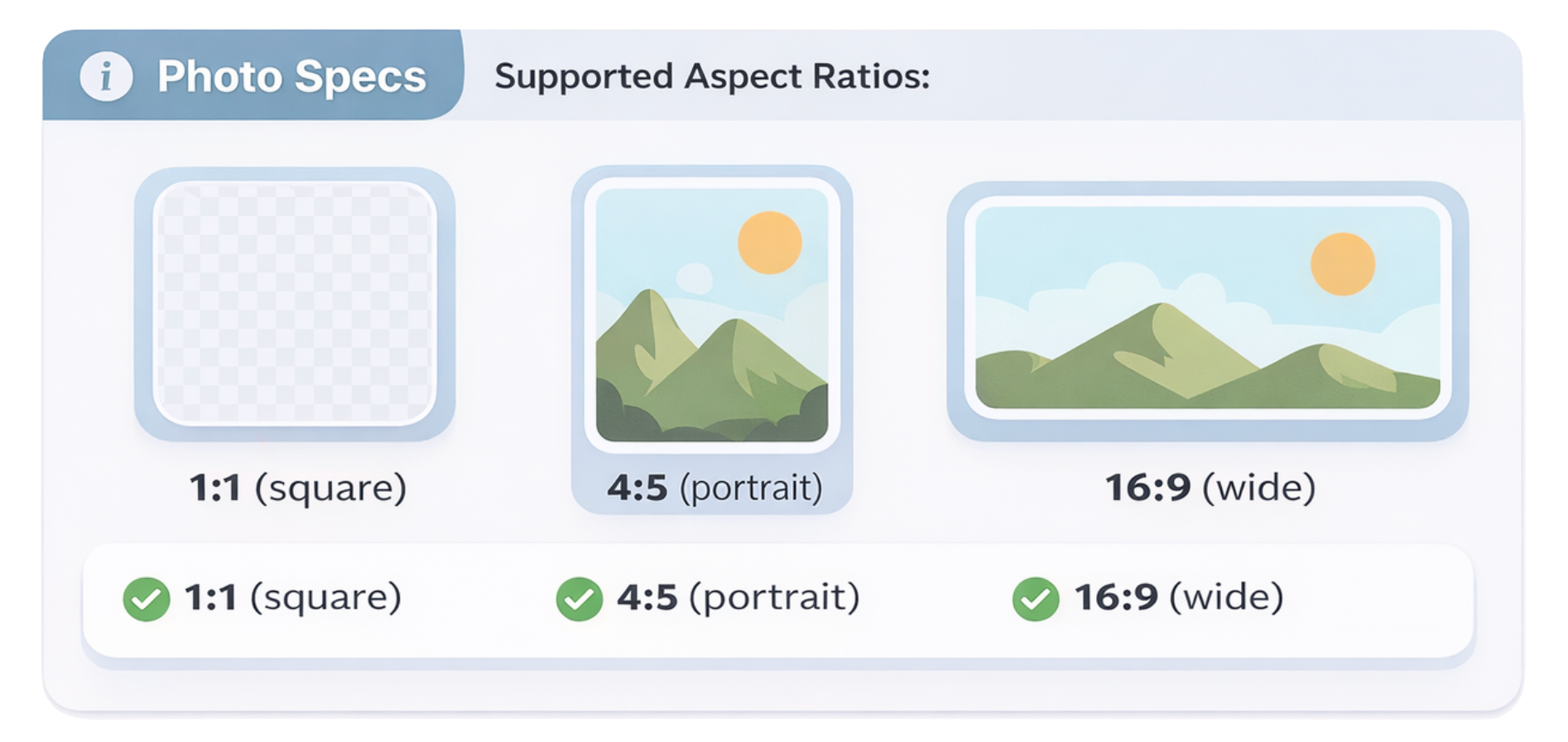
Supported Aspect Ratios:
- 1:1 (square)
- 4:5 (portrait)
- 16:9 (wide)
If an image doesn’t match these ratios, UpScrolled will fit it as best as possible, but parts of the edges may be cropped.
Tips for Photos:
- Zoom and reposition each photo before posting so important content isn’t cut off.
- High‑resolution uploads work best — the platform compresses photos for preview and performance, so starting with quality originals helps preserve detail.
Video Specs
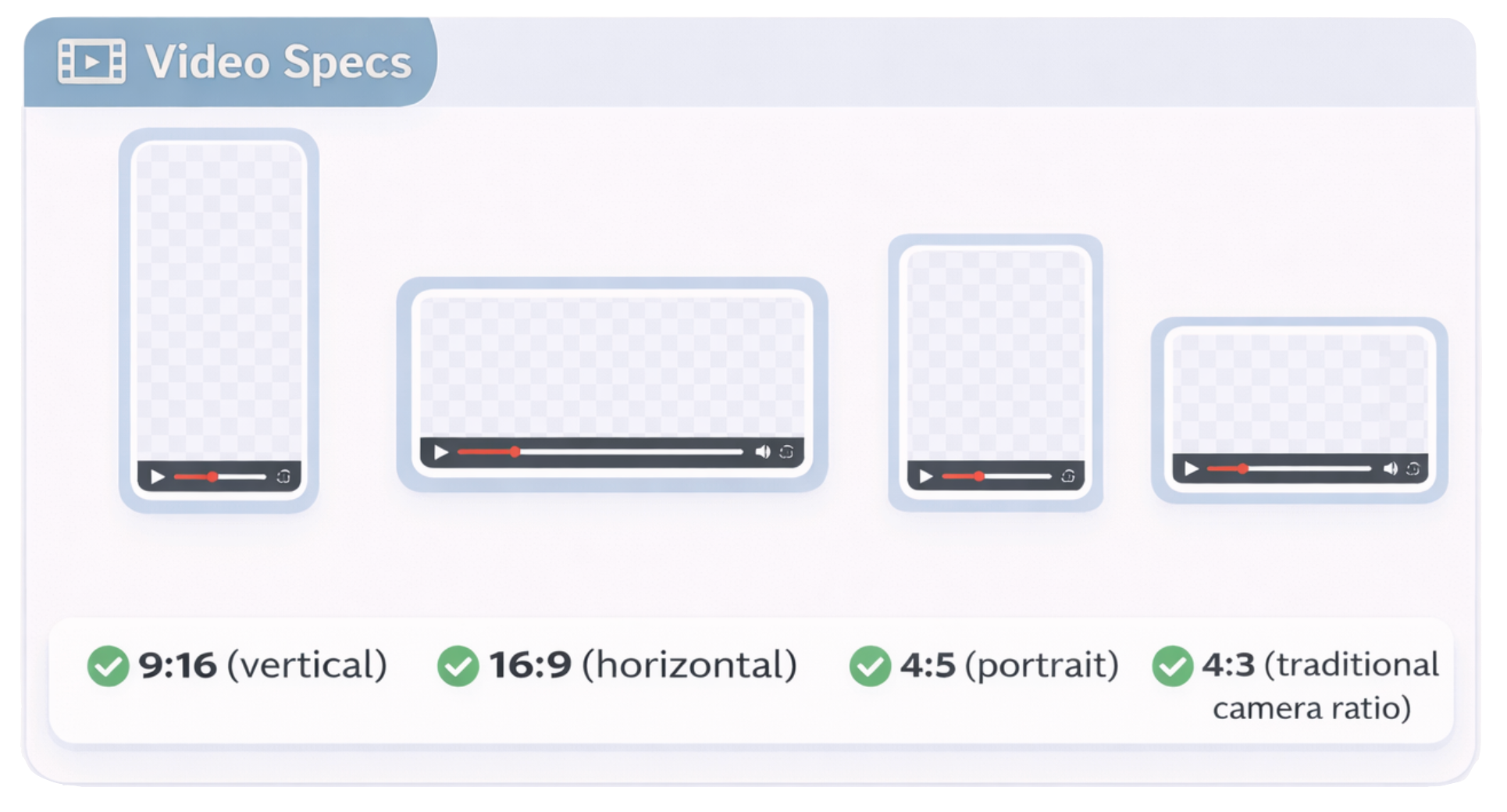
Supported Aspect Ratios:
- 9:16 (vertical)
- 16:9 (horizontal)
- 4:5 (portrait)
- 4:3 (traditional camera ratio)
Videos that fall outside these ratios may be cropped or padded to fit the player.
Resolution & Playback:
- UpScrolled accepts videos at essentially any resolution or bitrate, depending on your device’s recording settings.
- Behind the scenes, multiple playback versions are created so the video adapts to different network speeds for smoother viewing.
Optimizing for Visibility and Engagement on UpScrolled
On UpScrolled, reach is shaped by how you use the platform. Because posts appear in chronological order in the Following feed, and are surfaced in Discover feeds based on Topics and engagement, creators have more direct control over how (and how many) people see their content.
Here’s how to give your posts the best chance at being seen and interacted with.
Use Topics and Hashtags with Intention
When creating a post, UpScrolled lets you assign it to a Topic (like “Art,” “Fashion,” “Gaming,” or “Vibes”). This functions a lot like a content category — and is one of the few ways posts are featured outside your follower circle.
Best practices:
- Choose 1 relevant Topic that matches your post’s content
- Add 3–5 targeted hashtags in your caption to improve search visibility
Timing Still Matters
Because the Following feed is chronological, timing your posts matters more than on other platforms. There’s no algorithm to "resurrect" your post hours later.
Best practices:
- Post when your audience is likely to be scrolling: morning, lunch break, early evening
- Test posting on different days to see what gets early engagement
- Consider your niche’s rhythms: creatives and nightlife users are active later, tech or news readers earlier
Mix Up Your Formats
UpScrolled lets you post:
- Text-only posts (great for quick takes or prompts)
- Photo carousels (up to 10 images)
- Vertical videos (6 seconds to 10 minutes)
Switching up your format keeps your feed interesting and shows your range — plus, different formats may perform differently with your audience.
Monetization on UpScrolled
Right now, UpScrolled does not offer a fully live monetization system like YouTube or TikTok’s creator funds. That said, the platform has made its intentions clear: creator monetization is on the roadmap.
According to UpScrolled’s official FAQ, the platform plans to introduce tools that let creators earn money directly through the app. Planned features include:
- Payouts for creators based on either platform activity or other future mechanisms
- Branded content opportunities and ways for communities to support creators they love
The company frames these as future additions rather than current features, so joining early and building an engaged audience puts you in a better position for monetization.