How to Write a Newsletter on LinkedIn
Over 36,000 newsletters are published on LinkedIn each month — perhaps it's time to join the trend

Over the past couple of years, newsletters have enjoyed rising popularity through media and marketing trends. As more brands leverage this direct-to-inbox publishing channel, some might dismiss it as the content strategy community’s flavor of the week.
But the truth is, newsletters have always been a potent component of every marketer’s and business owner’s advertising toolkit — including Kapwing's!
You could say that the first email newsletter ever sent set the tone for how significant its role would be in our current digital marketing landscape. In 1978, Gary Thuerk of Digital Equipment Corp. sent what’s considered the world’s first marketing email. It went out to 400 people via ARPANET — and generated $13 million in sales. That single campaign hinted at how powerful direct email communication would become in the decades that followed.
The moral of the story: newsletters persist as one of the most powerful ways to market content, promote products, and share value-driven insights directly with your audience. Their strength is twofold:
- They have very high personalization potential.
- They reach readers through the algorithm-free channel of the email inbox.
The email inbox is a relatively quiet place in today’s hyper-digitalized world. There are no endless feeds, no influencers shouting at you, and no “recommended” video thumbnails crowding the screen. It’s just your content and your reader.
On one hand, newsletters — like social media influencers — aim to build a loyal audience that keeps coming back. On the other hand, while influencers might post multiple times a week (or even daily), newsletters typically run on a steadier cadence (think weekly, biweekly, or monthly), prioritizing depth, consistency, and community-building.
The medium has evolved from plain-text promotions to polished, story-driven editions and beyond, but the principle remains the same: email builds relationships that last.
One way to balance the intimacy of email with the reach of social media is to publish your newsletter on LinkedIn. This can serve as a dedicated LinkedIn series or as a double-distribution strategy. Either way, using LinkedIn for newsletter publishing can expand your readership and even help grow your traditional email list, depending on how you structure your channels.
You might be wondering: aren’t there a lot of restrictions around who can publish newsletters on LinkedIn? Well, there were, but recent updates have lowered the barrier to entry, making newsletters far more accessible to smaller creators and businesses than before.
In this guide, you’ll learn everything you need to know about writing a LinkedIn newsletter, including:
- What is a LinkedIn Newsletter?
- Who Can Create a Newsletter on LinkedIn
- How LinkedIn Newsletter Distribution Works
- Technical Specifications & Limits
- How to Write a Newsletter on LinkedIn (Step-by-Step)
- How to Write a Newsletter Edition That Gets Read
- LinkedIn Newsletter Examples
- Pros & Cons
- Strategic Roadmap: 30-60-90 Days
- A Closing Thought
Without further ado, let’s get into it.
1. What is a LinkedIn Newsletter?
At its most basic, a newsletter is a periodic publication that speaks to a specific audience. On LinkedIn, this takes the form of an article series you publish under your profile or company page. Each new edition triggers notifications to subscribers upon publication and is archived on your profile, creating an easily browsable back catalog that doubles as a thought leadership hub.
Why Publish a Newsletter on LinkedIn?
The primary benefit of publishing a newsletter on LinkedIn is the distribution advantages it offers. First, subscribers get in-app notifications when you publish. Second, depending on user settings (and how you decide to structure your delivery methods), editions can hit their inbox via email. Third, every edition lives on your profile indefinitely, creating the permanent archive I’ve already mentioned.
What Happened to Creator Mode?
You may have heard that LinkedIn newsletters previously required “Creator Mode” or special status. That was true for quite some time, but back in March 2024, LinkedIn removed the Creator Mode toggle, effectively democratizing access to creator features, including newsletters.
Before this, only select creators with thousands of followers and special permissions could publish newsletters. Now, newsletter access is granted automatically to users who meet basic eligibility criteria (we’ll cover that in the next section).
This means you no longer need any special “top creator” status or to toggle a mode on. If you meet the requirements, you’ll see newsletter access in your Creator Tools. Now, newsletter publishing is available to hundreds of thousands of creators and businesses who were previously locked out.
2. Who Can Create a Newsletter on LinkedIn?
When LinkedIn removed the Creator Mode, its features were absorbed into the standard platform. Newsletter access is now granted based on the following basic eligibility criteria:
- Have at least 150 followers or connections on your profile.
- Have a history of sharing original content (LinkedIn doesn’t specify exactly how much, but regular posting helps establish this).
- Maintain good account standing with no community violations.
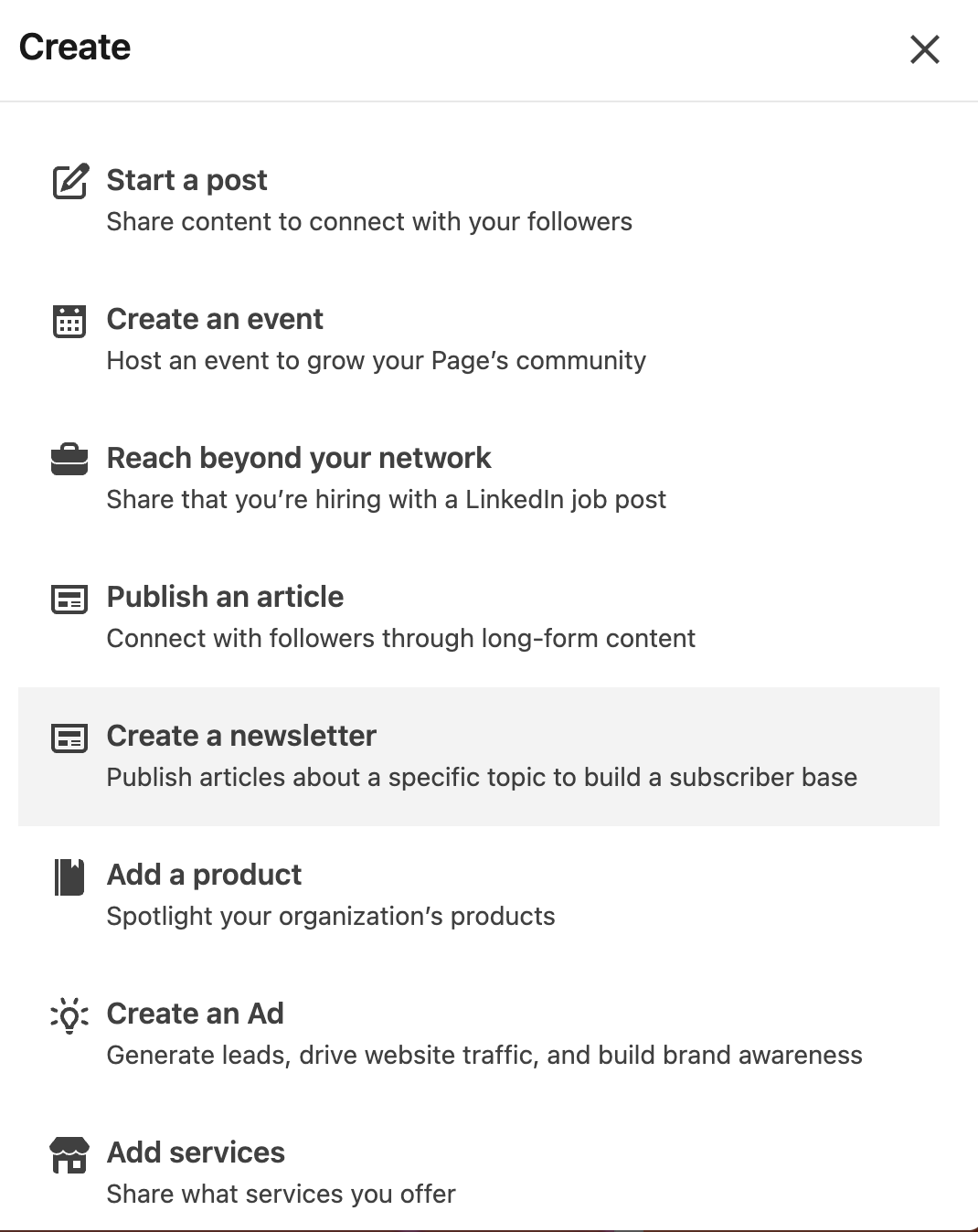
To check if you have access, go to Analytics & Tools > Creator Tools and look for Newsletters.
If you want the “Follow” button to be primary on your profile (which was a key Creator Mode feature), you can enable this through Settings & Privacy > Visibility > Followers > “Make follow primary” toggle. This prioritizes “Follow” over “Connect” on your profile, making it easier for people to subscribe to your updates without needing to send connection requests.
Company Pages have similar newsletter access, though some features require specific admin roles.
Keep in mind that, like every social platform, LinkedIn rolls out updates in waves. This means your interface might look slightly different from someone else’s. If you meet the criteria but don’t see newsletter access yet, it may still be rolling out to your account.
3. How LinkedIn Newsletter Distribution Works
When you hit “Publish,” LinkedIn handles the delivery. Subscribers receive in-app and email notifications simultaneously, and the edition also surfaces in their feed alongside regular posts.
When launching your first edition, LinkedIn invites many of your followers and first-degree connections to subscribe. This is a built-in boost and explains why new LinkedIn newsletters tend to see a subscriber surge in the first week.
Analytics: What You Get (and What You Don’t)
Your analytics dashboard shows you impressions, views, reactions, and comments for each new edition you publish. In February 2025, LinkedIn added email sends and open-rate estimates, helping you gauge actual reach beyond just in-app views. And if you’re interested in deeper analysis, it’s also possible to export your analytics in XLS format.
That said, the analytics capabilities here are still relatively primitive compared to what you find in dedicated email tools like Mailchimp, Klaviyo, or SendGrid. You can see opens and clicks, but not deeper reader behaviors like time spent, scroll depth, click patterns, and so on.
LinkedIn also makes it clear that open rates are estimates and may not be entirely precise, which mirrors some of the challenges email platforms face due to privacy features like Apple’s Mail Privacy Protection.
The Ownership Trade-Off
While these analytics limitations are worth considering, there’s another, more fundamental constraint to understand: LinkedIn doesn’t provide subscriber email addresses, so the platform essentially “owns” your list, and you can’t export it. This is the basic, very important trade-off at the core of LinkedIn newsletters.
This makes LinkedIn newsletters a hybrid format. While you absolutely retain ownership of your content, LinkedIn effectively controls the subscriber list and the delivery mechanism (in-app and email alerts). Your newsletter is also subject to prioritization via LinkedIn’s algorithm. All of this means that your audience is still a “borrowed asset,” so to speak, on a platform you do not wholly control.
In contrast, using an email service provider like Mailchimp, Klaviyo, or SendGrid means you fully own and export your subscriber list, manage delivery, and have direct access to granular data without interference from an algorithm’s filtering (outside of basic delivery filtering in Gmail, Apple Mail, Outlook, etc.). So, these providers offer a truly “owned” channel where you control the relationship, unlike LinkedIn’s mediated distribution and “rented” audience.
How to Bridge the Gap
Taking all of this into account, one strategic approach to integrating LinkedIn into your newsletter strategy is to use LinkedIn primarily for reach and visibility. Then, the newsletter itself can drive readers to off-platform landing pages with UTM tags, where you capture data with greater control and measure conversions more precisely.
In other words, you can use LinkedIn to get more eyes on your content, but use well-placed outbound links to lead readers to your blog, a sales page, or even a simple incentivized signup form for your primary email list. By doing this, you both leverage LinkedIn’s distribution power while building your newsletter audience, which is an asset that can survive almost any platform changes.
4. Technical Specifications & Limits
Before publishing, you need to understand LinkedIn’s technical constraints. A critical one is that titles should stay under 30 characters to avoid mobile truncation, not under 100 as is often misunderstood. While not an official hard limit, this is the best practice recommended by many platform experts to ensure your entire headline remains visible across devices. Descriptions cap at 120 characters. Content length maxes out around 125,000 characters, though most successful newsletters are much shorter.
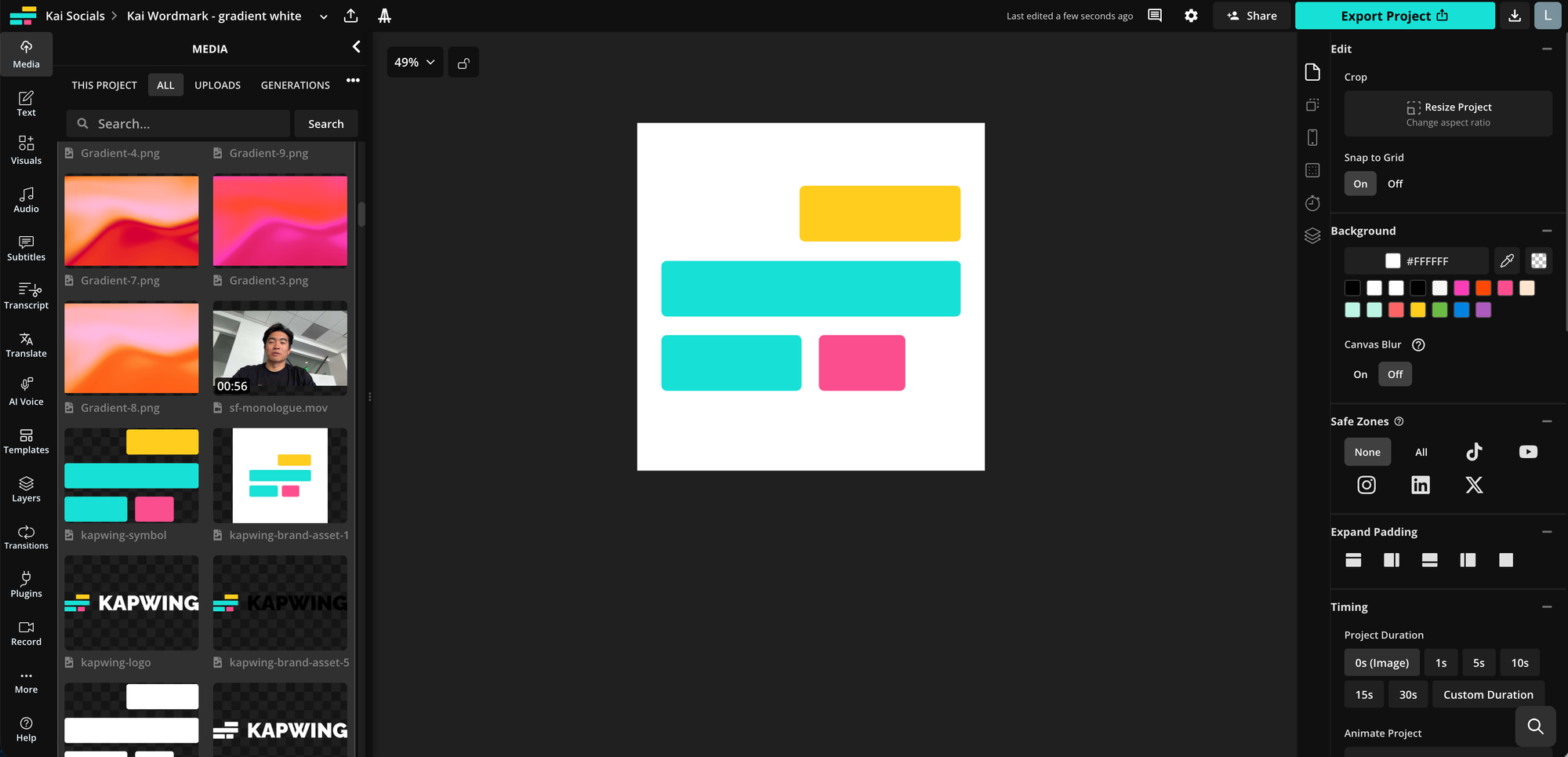
Your newsletter logo should be a 300×300-pixel PNG or JPEG. The cover image works best at 1920×1080 pixels in a 16:9 ratio. Try to keep key visuals away from the edges, since different placements can crop differently.
You can publish immediately or schedule editions in advance, an option that can help maintain a consistent cadence over time. Remember that most members read on mobile, so it’s important to always preview your formatting on a phone before publishing.
5. How to Write a Newsletter on LinkedIn (Step-by-Step)
Before You Launch Checklist
- Pick a Niche: “AI product strategy for B2B SaaS” will attract a more loyal readership than “business tips.”
- Plan Ahead: Draft 3 to 6 edition topics upfront to maintain momentum (and give yourself a little wiggle room).
- Prepare Assets: Have a 300×300 pixel logo and 1920×1080 pixel cover image templates ready.
Initial Setup
- On LinkedIn, click Write article.
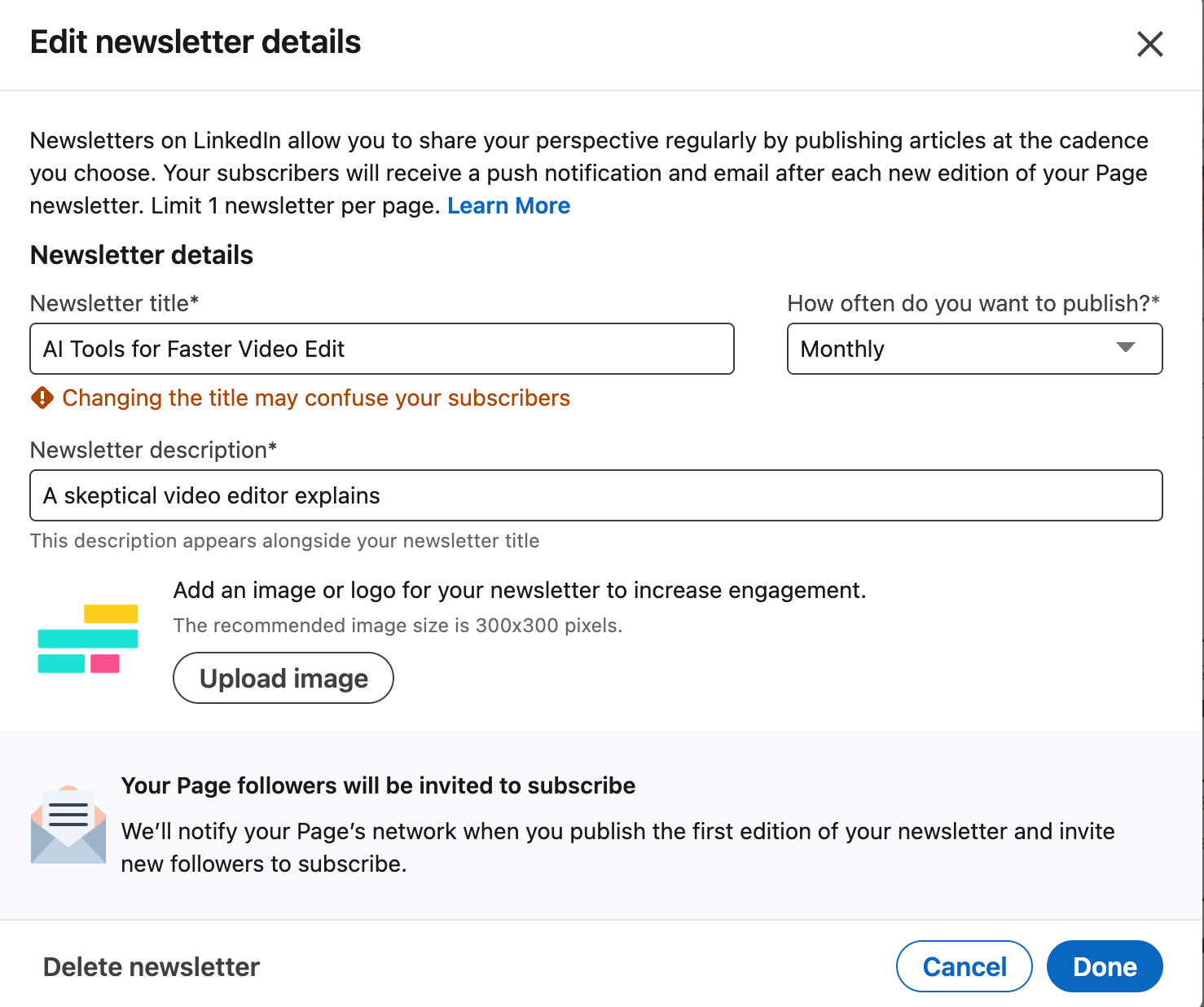
- Select Manage, then Create newsletter.
- Fill in your newsletter name, description, logo, and publishing frequency.
- Preview how everything looks on both desktop and mobile before finalizing.
Publishing an Edition
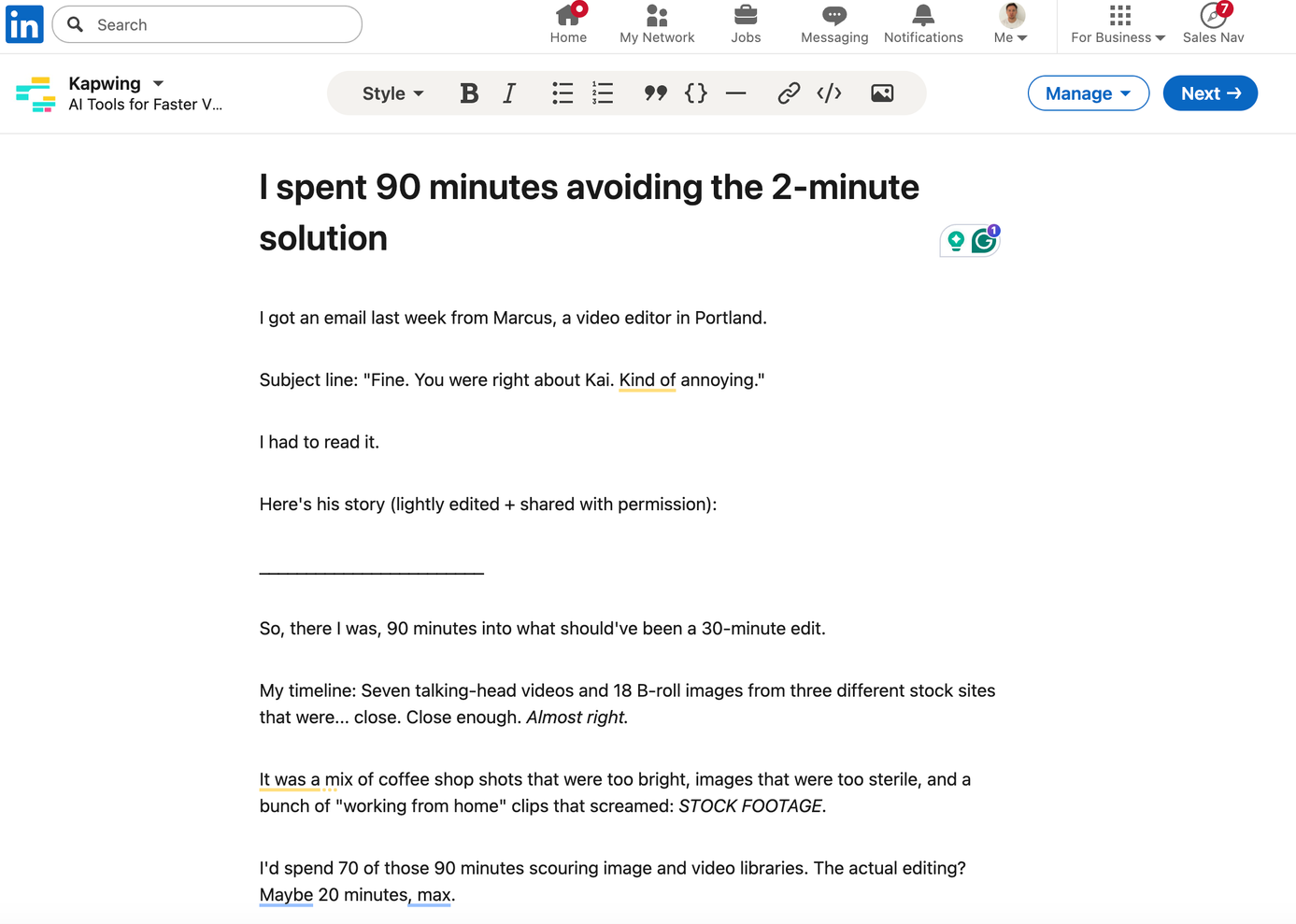
- Select your newsletter and click Write article.
- Add your headline (remember: under 30 characters) and upload your cover image.
- Structure content for skimmers: use H2 subheads, keep paragraphs to 2-3 sentences, and front-load key information.
- Insert CTAs with UTM-tagged links to track off-platform conversions.
- Preview on mobile, then publish immediately or schedule for when your audience is most active (typically Tuesday-Thursday, mid-morning).
After You Publish
- Share highlights from your edition in your main feed.
- Reply to comments within 24-48 hours; early engagement boosts algorithmic reach.
- Monitor LinkedIn’s analytics and your UTM parameters to measure real business impact.
6. How to Write a Newsletter Edition That Gets Read
When working on Kapwing’s email newsletter, I was able to improve average click-through rate from 0.83% to 2.5% in six months by overhauling the process. The framework I created works because it treats email like a story, not a product announcement.
Although mostly plain-text, narrative-forward newsletters often do well in general, the “correct” approach can vary by industry. For example, in eCommerce businesses, highly designed newsletters are good at foregrounding new products in memorable ways, which don’t always require stories for decent click-through.
Here, I’ll share a bit about what worked for us and what didn’t, so you can consider applying it in your LinkedIn newsletter editions.
A Structure That Worked For Us
- Subject Line & Preheader: Create curiosity without venturing into clickbait. “The AI video that made us rethink everything” with the preheader “He has better continuity than most influencers. We figured out exactly why” hit a 27% open rate for Kapwing.
- Hook with a Mental Movie: Start with a specific, relatable scene. I depicted the Kapwing mascot, Bob the Cat, walking into the office muttering about AI tool overload. This approach is far more engaging than a generic product statement or flashy hero image.
- Weave in the Solution and Social Proof: Don’t transition abruptly to a sales pitch. Instead, naturally introduce your product, resource, or insight, backed by data or expert quotes. In a newsletter about AI influencers, I mentioned one influencer with 429,000 followers sharing his strategy, which built credibility before I shared his unique tips and tricks.
- Deliver Actionable Value: Solve the reader’s problem with concise, scannable steps. Bullet points and clear headings can help, but don’t mistake form for substance. Focus on the ideas behind the bullet points and nail them, ensuring they clearly speak to your reader’s wants and needs.
- Use Curiosity Gaps: End sections with unanswered questions or on cliffhangers to help naturally pull readers forward, a technique borrowed from serialized content.
A “Less Is More” Approach to Our Design
One of Kapwing’s most significant findings over the past 6 or so months was that polished templates underperformed for us. The early newsletters with hero images and heavy design were hovering below a 0.5% click-through rate.
When we switched to plain text that flowed directly from the subject line, using minimal emojis and placing CTAs mid-body after providing context, click-through rates jumped to over 2.25%. The lesson for our industry is: make it feel like a personal message, not a corporate broadcast, and focus on conveying ideas that speak to the audience’s real wants and needs.
7. LinkedIn Newsletter Examples
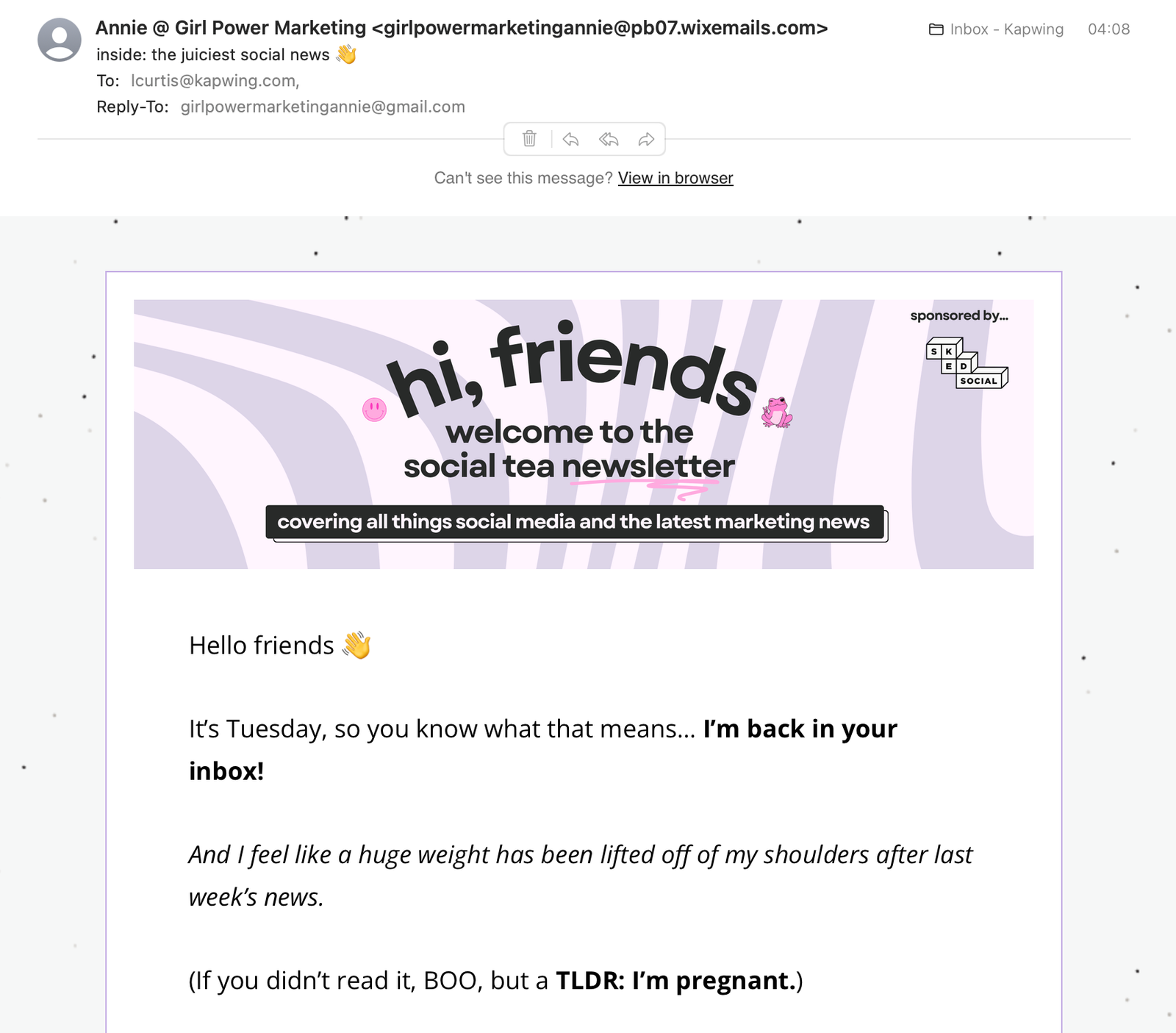
- Annie-Mai Hodge: Built a 5,000-subscriber newsletter by condensing dozens of industry updates into digestible weekly takeaways, adding personality with inside jokes.
- Katriona Lee’s “Sketch Strategy”: Translates business strategy into creative insight, breaking down how the smartest companies frame value, pitch vision, and make complex ideas irresistible.
- The LinkedIn Newsletter: Takes a meta-lens to the platform’s fastest-growing content format. It highlights standout creators, breaks down what makes their newsletters work, and offers practical tips for growing and engaging an audience.
- Josh Turner’s “The Marketing Minute”: Each edition distills a proven growth or conversion insight into something you can actually apply that day, drawn from Turner’s years in lead generation and B2B marketing.
8. Pros & Cons
Pros:
- Built-in Distribution: LinkedIn auto-invites your network to subscribe upon launch and uses multi-channel notifications (feed, in-app, email).
- Profile Archive: Every edition lives permanently on your profile, creating a valuable back catalog for new visitors.
- Algorithm Favoritism: Consistent publishing can boost your overall profile visibility.
Cons:
- Rented Audience: You cannot export subscriber emails. LinkedIn owns the relationship.
- Basic Analytics: You get opens and clicks, but not deeper behavioral data like scroll depth.
- UI & Design Limitations: Titles and descriptions are truncated, and you must work within LinkedIn’s template constraints.
9. Strategic Roadmap: 30-60-90 Days
This roadmap is a good starting place for developing your newsletter strategy. From initial launch, through growth and ongoing optimization, it’s a useful blueprint for the budding newsletter writer.
Phase 1 — Launch (0–30 days)
- Focus: Setup and First Impression.
- Define your niche with well-researched specificity.
- Publish your first 1 to 2 editions using the framework in Section 6 above. Alternatively, try one lesser-designed edition followed by a more highly designed edition and see what gets engagement.
- Engage heavily for the first 48 hours by replying to every comment.
Phase 2 — Growth (30–60 days)
- Focus: Data-Driven Refinement.
- Analyze which headlines and topics drive the highest open and click-through rates.
- Systematically promote your newsletter outside of LinkedIn (e.g., X, Bluesky, email signature, through related blog content).
- Ensure all CTAs use UTM parameters to track off-platform conversions.
Phase 3 — Optimization (60–90 days)
- Focus: Leveraging Insights.
- Look beyond the vanity metrics. Low opens mean your subject lines and preheader text aren’t piquing your audience’s interest enough. High opens with low clicks likely means your content didn’t deliver on the headline’s promise, or your intro hooks are lacking in some way.
- Double down on the content types and formats that resonate most.
- Reach out to readers who engage directly and offer them something free or small compensation for a low-stakes, structured interview to help build up a strong reader profile over time.
- Use the newsletter to build your owned email list by offering lead magnets (e.g., templates, exclusive content) in exchange for email signups.
A Closing Thought on Reach vs. Relationship
LinkedIn newsletters have one nearly unequaled benefit: they get your ideas in front of people who wouldn't otherwise see them. The platform also simplifies the newsletter publishing and distribution process, sends notifications, and archives your work where future prospects can discover it months later. That's undeniably valuable.
But the key to LinkedIn newsletters is to consistently treat every subscriber as a potential relationship, instead of a metric. Your larger goal shouldn’t begin and end with building a LinkedIn audience. Build it, of course, but then convert that new visibility into owned assets: regular email list subscribers, website visitors, customers. Every edition should include a clear path off-platform, whether that's a unique lead magnet, a limited-time resource download, or simply foregrounding your best new content.
The readers who click those links are telling you they want more. Give them a way to stay connected that doesn't depend on LinkedIn's algorithm or policy shifts.
Start publishing this week. Test what resonates. Then build the bridge from borrowed attention to owned relationships. That's how your LinkedIn newsletter becomes a business asset instead of just another content channel.