How to Change the Order of an Instagram Carousel Post (2026)
Carousel posts can earn 12% more engagement on average

Instagram has rolled out one of its most requested carousel features.
You can now change the order of photos and videos in a carousel post after it has already been published.
For creators and social media managers, it means you no longer need to delete a carousel and re-upload it you want a different cover image, a stronger first slide, or a better sequence.
For anyone using Instagram to share photo dumps, campaign content, product posts, portfolios, or creator content, here's how you can follow the simple but meaningful update.
Can You Reorder an Instagram Carousel After Posting?
Yes. As of March 24th, 2026, Instagram now allows users to reorder photos and videos inside a carousel post after publishing.
However, the feature appears to be rolling out gradually. Some users may not see it immediately. If the option is not showing up for you yet, it may simply not have reached your account or region.
Instagram says the feature gives users more flexibility to make sure their carousel “always reflects your creative vision.” In practice, it solves a very common problem: realizing after posting that the first image is not the strongest one, the narrative order feels off, or the carousel would perform better with a different opening slide.
How to Change the Order of Photos on An Instagram Carousel
If the feature has rolled out to your account, the process is simple:
- Click on the carousel post you want to edit.
- Tap the three-dot menu on the post.
- Select Edit.
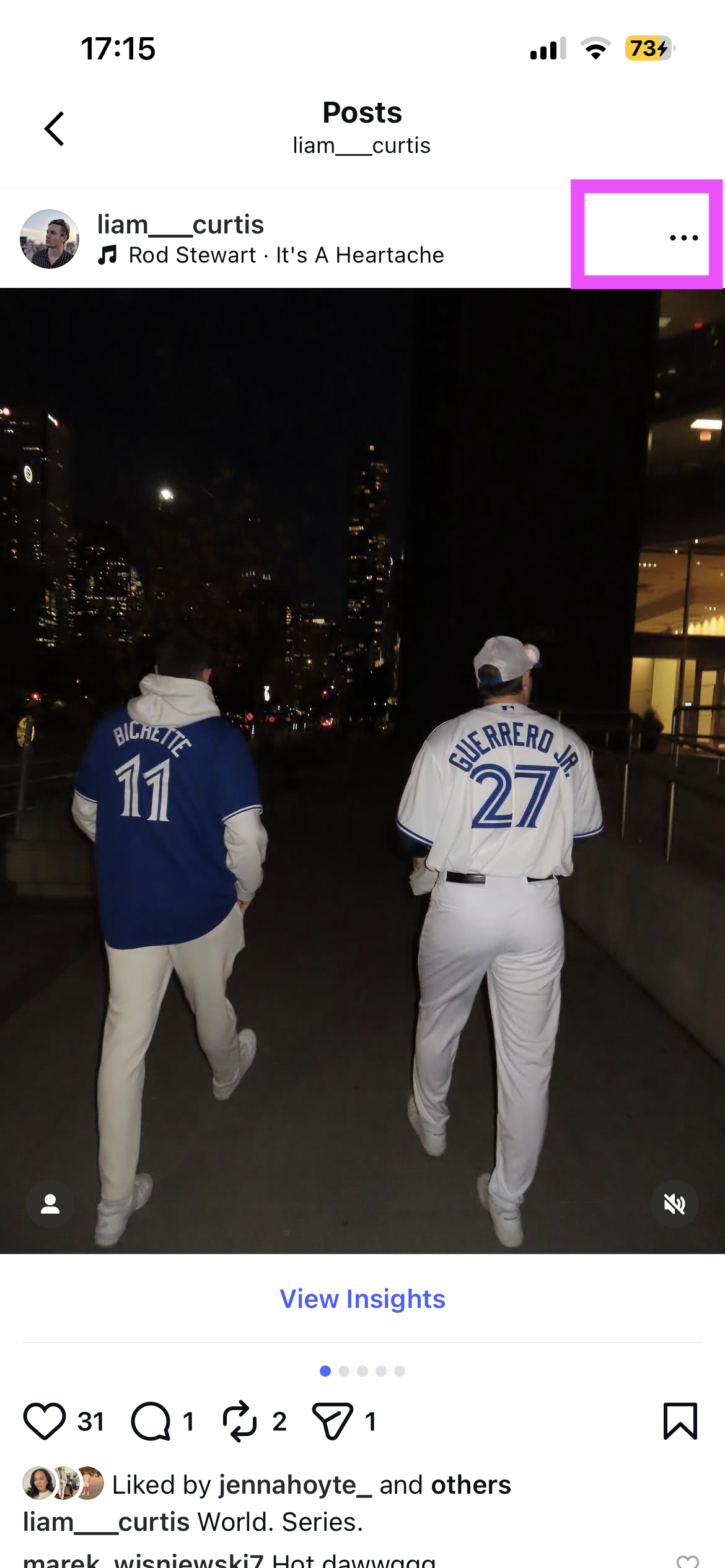
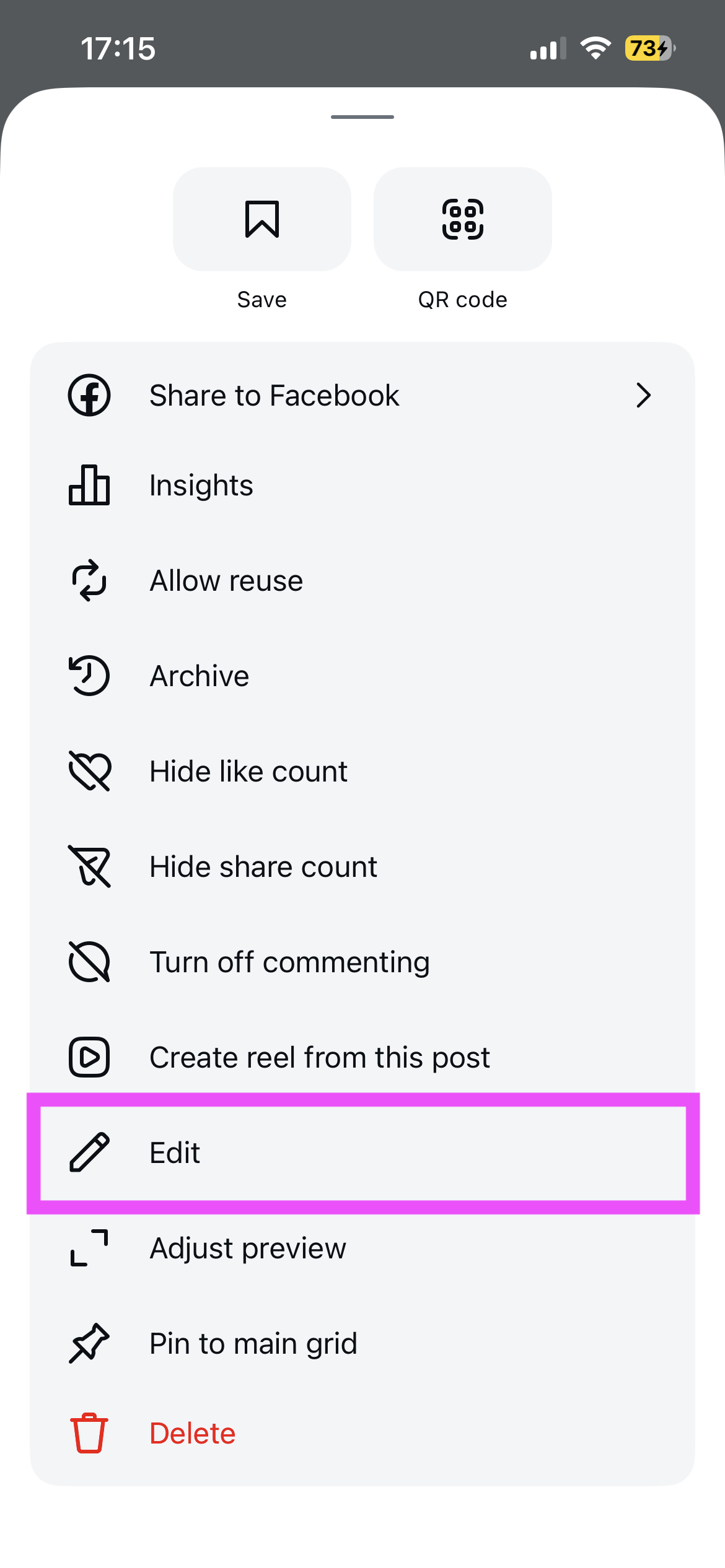
Select the three dot menu, the click "Edit" when the panel of editing options open
- Long-press the photo or video you want to move.
- Drag it to a new position in the carousel.
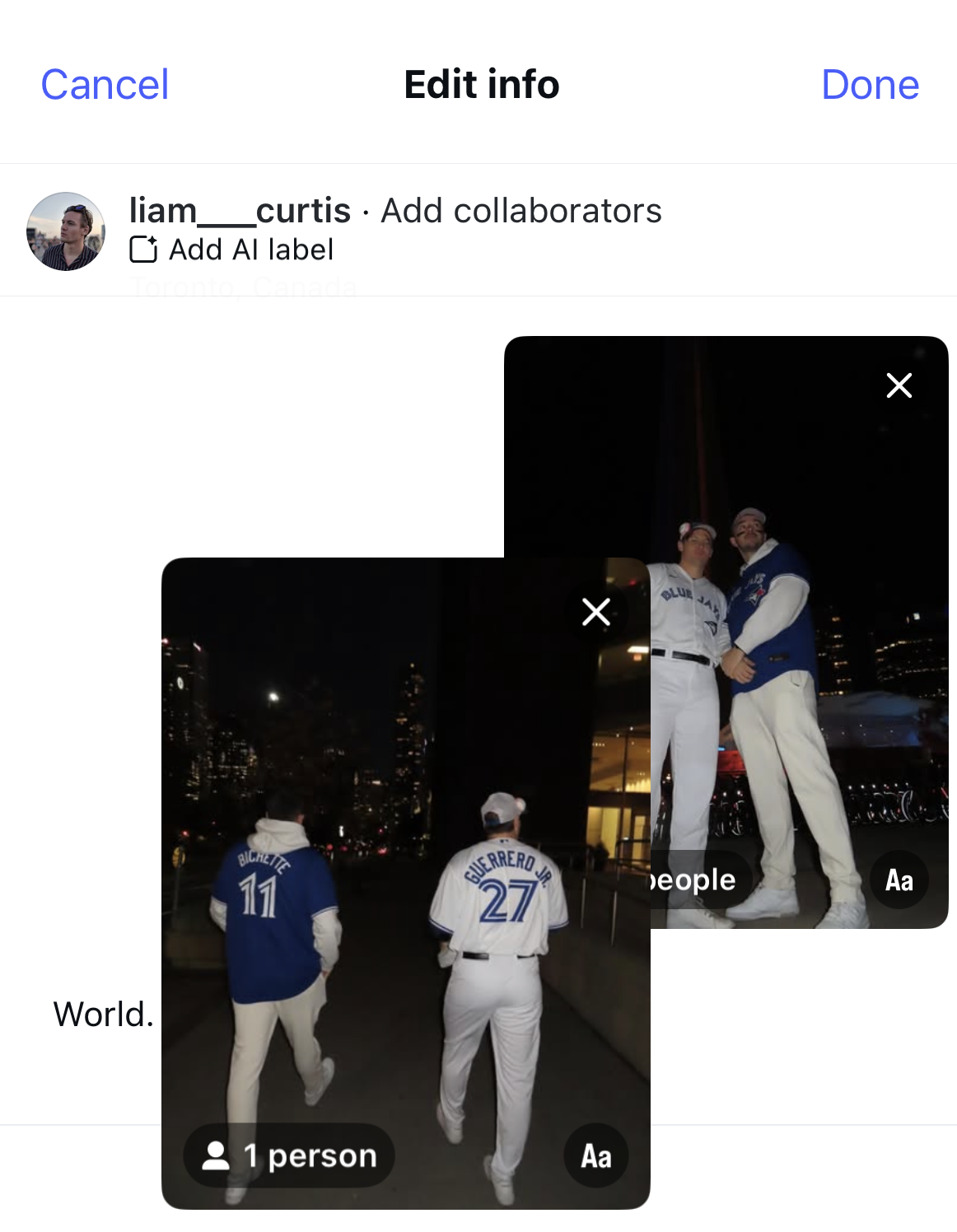
- Tap Done to save your changes.
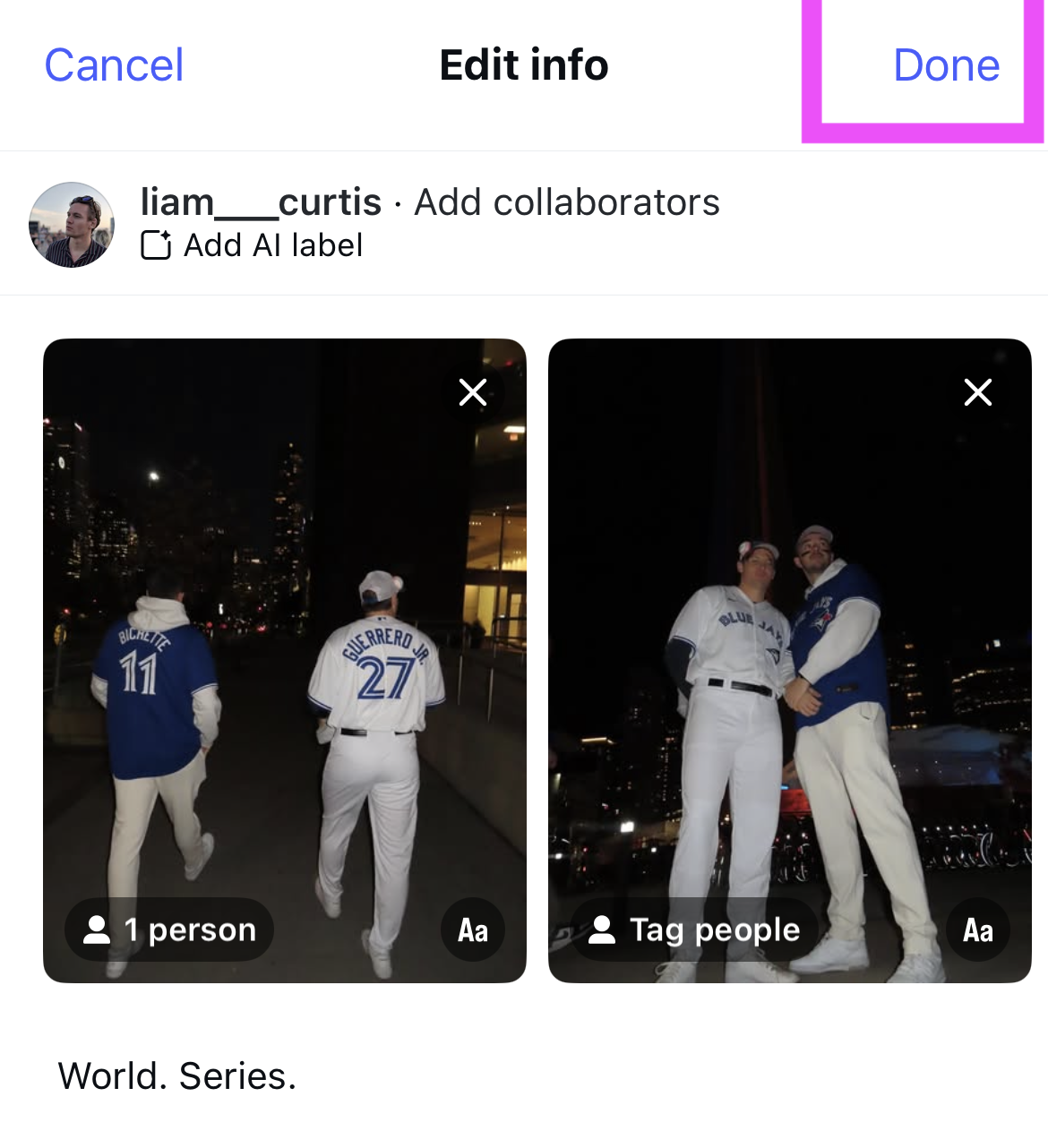
That’s it. Once saved, the carousel will reflect the new order without deleting the post or resetting engagement.
This gives you the freedom to:
- Change the first image in your carousel
- Improve storytelling across slides
- Put the strongest visual first
- Better match the post to your profile grid
- Experiment with what gets more engagement
For photographers, this is especially valuable because the first image in a carousel often functions like a cover.
For brands and marketers, it creates more room to optimize the hook, leading product shot, or call-to-action frame.
Can You Change the Carousel Order of Old Posts?
Yes, the update affects all of your old posts as well as new posts.
You can apply the same six-step process to both carousels you have already posted on Instagram and new posts you wish to adapt.
Can You Add New Images or Videos to the Carousel?
No.
You still cannot add new photos or videos to an existing carousel after publishing. If you want to include additional media, you’ll need to create a new post.
For more Instagram guidance, you can follow our tutorial on posting images with multiple sizes and how to post full photos without cropping them.
Can you Reorder an Instagram Carousel Multiple Times?
Yes. You can reorder an Instagram carousel multiple times.
Should You Reorder Your Carousel Posts?
In many cases, yes.
Buffer reported that carousel posts can earn roughly 12% more engagement on average, while other studies have found that carousels often outperform single-image posts.
In other words, if carousels are already one of the better-performing post types on Instagram, having more control over their order is a meaningful advantage.
If the first slide is not your strongest image, the order feels awkward, or your story flows better in a different sequence, reordering is an easy win. The first frame in a carousel does a lot of work: it grabs attention, influences whether someone keeps swiping, and shapes how the post appears on your profile.
This new feature also makes it easier to test and improve content after publishing. Instead of treating a carousel as final the moment it goes live, creators can now refine it based on how it looks, how it reads, or how they want the post to represent their work.
That flexibility is especially helpful for:
- Creators posting photo dumps
- Photographers curating portfolio-style content
- Brands optimizing campaign posts
- Social teams testing different hooks
- Anyone who wants a cleaner, more intentional carousel