GTA 6 AI Clipping: Free Skill to Turn Any Stream Into Viral Shorts
A free Claude skill that finds the best moments in a long GTA 6 stream and cuts them into captioned vertical Shorts you can edit in Kapwing.
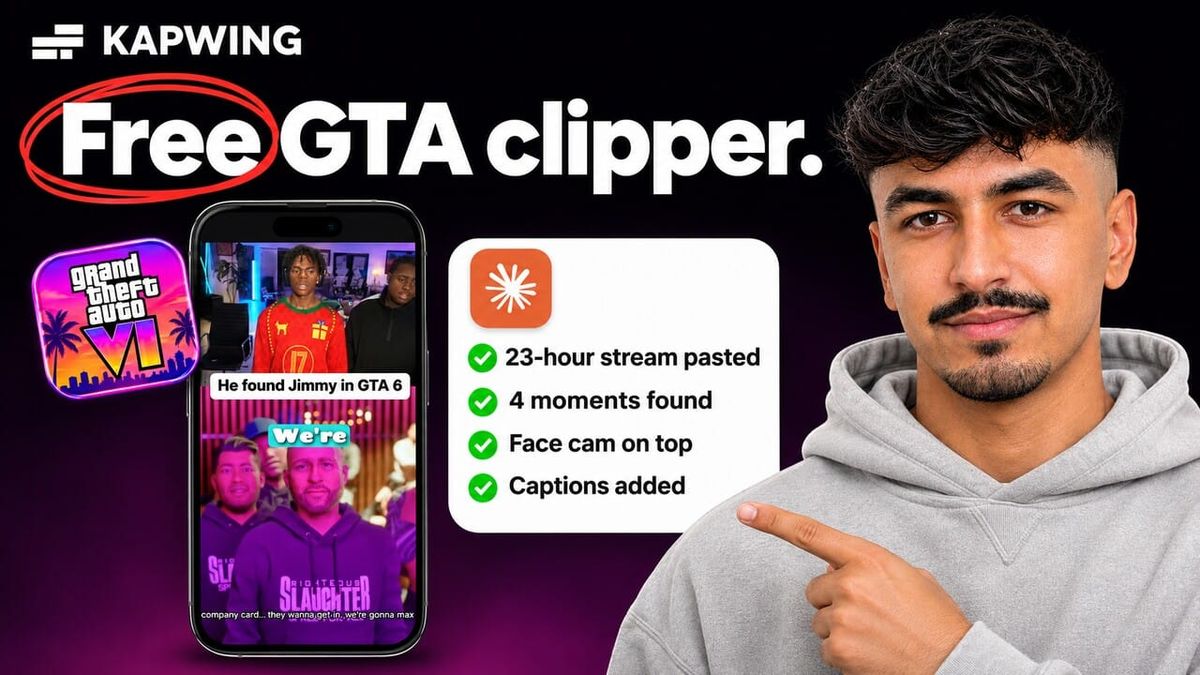
GTA 6 came out on November 19, and the biggest streamers play it live for hours. Their streams hold thousands of moments people want to watch. Almost nobody has time to find them.
This free Claude skill does the finding for you. Paste in the link to a finished stream. Claude picks the best moments, cuts each one vertically with the streamer's face on top and the game underneath, and sends it to Kapwing for word-by-word captions.
You get 3 to 6 Shorts. Each one is a normal Kapwing project, so you can change anything in the Kapwing editor. We built and tested the skill on 2 real GTA 6 streams, and a full run takes a few minutes.
It will not post for you, and it will not get you permission to use a streamer's footage. The last section covers the rules for that.
Table of Contents
- What Is Clipping, and What Does This Skill Do?
- What You Need Before You Start
- How to Download and Install the Free GTA Clipper Skill
- Step 1: Choose Your GTA 6 Footage
- Step 2: Find the Best Moments in a GTA 6 Stream
- Step 3: Cut the Shorts With the Streamer's Face on Top
- Step 4: Finish Your Shorts in Kapwing
- How to Make GTA 6 Clips Earn: 3 Rules Before You Post
- How Much Does It Cost to Run?
- What Do You Do If Something Goes Wrong?
- What Is in the Skill Folder?
- Can You Use It for Other Games?
- Frequently Asked Questions
What Is Clipping, and What Does This Skill Do?
Clipping means taking the best minute out of a long stream and posting it as a YouTube Short. People search YouTube for "gta 6 clips" about 1.3 million times a month (vidIQ estimate, November 2026). Some clipping platforms also pay per 1,000 views, with a rate set by each campaign.
A good clip needs two things. You need to know which minute is worth clipping, and you need to edit it the way viral clips are edited. The skill handles both.
Here is what you give it and what you get back:
- You give it: a link to a finished YouTube stream, or a recording of your own gameplay.
- Claude finds: 3 to 6 moments worth clipping, shown in a table for you to approve first.
- The skill cuts: a vertical Short for each pick, with the streamer's face on top and the game underneath.
- Kapwing finishes: word-by-word captions in your saved caption style, then an export and an editable project.
What You Need Before You Start
You need 3 things:
- Claude Code on a paid Claude plan. You can use the terminal app or the Code tab in the Claude desktop app. The skill runs inside Claude Code.
- A computer. The skill runs on your own machine, so it will not work from your phone.
- A Kapwing account connected to Claude. Captions, the editable project and the export all happen in Kapwing.
You need Python 3 on your computer. A Mac already has it, and on Windows you install it from python.org first. You do not need to install anything else by hand. The first time you run the skill, Claude checks your computer and installs the free tools it needs. You only set it up once.
How to Download and Install the Free GTA Clipper Skill
Download The GTA Clipper Claude Skill
The free skill folder: scripts, sound effects, a caption font and a face-finding model. Setup takes about 10 minutes the first time.
ZIP archive
Download the ZIP, then follow the steps below. The skill is free, and you do not have to join anything to get it. It works on Mac, Windows and Linux, and you need about 5 GB of free space for a long stream.
Step 1: Connect Kapwing to Claude
If you have not connected Kapwing yet, add it as a custom connector in the Claude desktop app. Go to Plugins, then Connectors, then Add, then Or add a custom connector by URL. Name it Kapwing and paste in https://www.kapwing.com/mcp exactly, with the www. Without the www, the address redirects and the connection check fails. Click Allow access on the Kapwing screen that opens, and sign in to your Kapwing account if it asks. The Kapwing MCP page has the full setup if you get stuck.
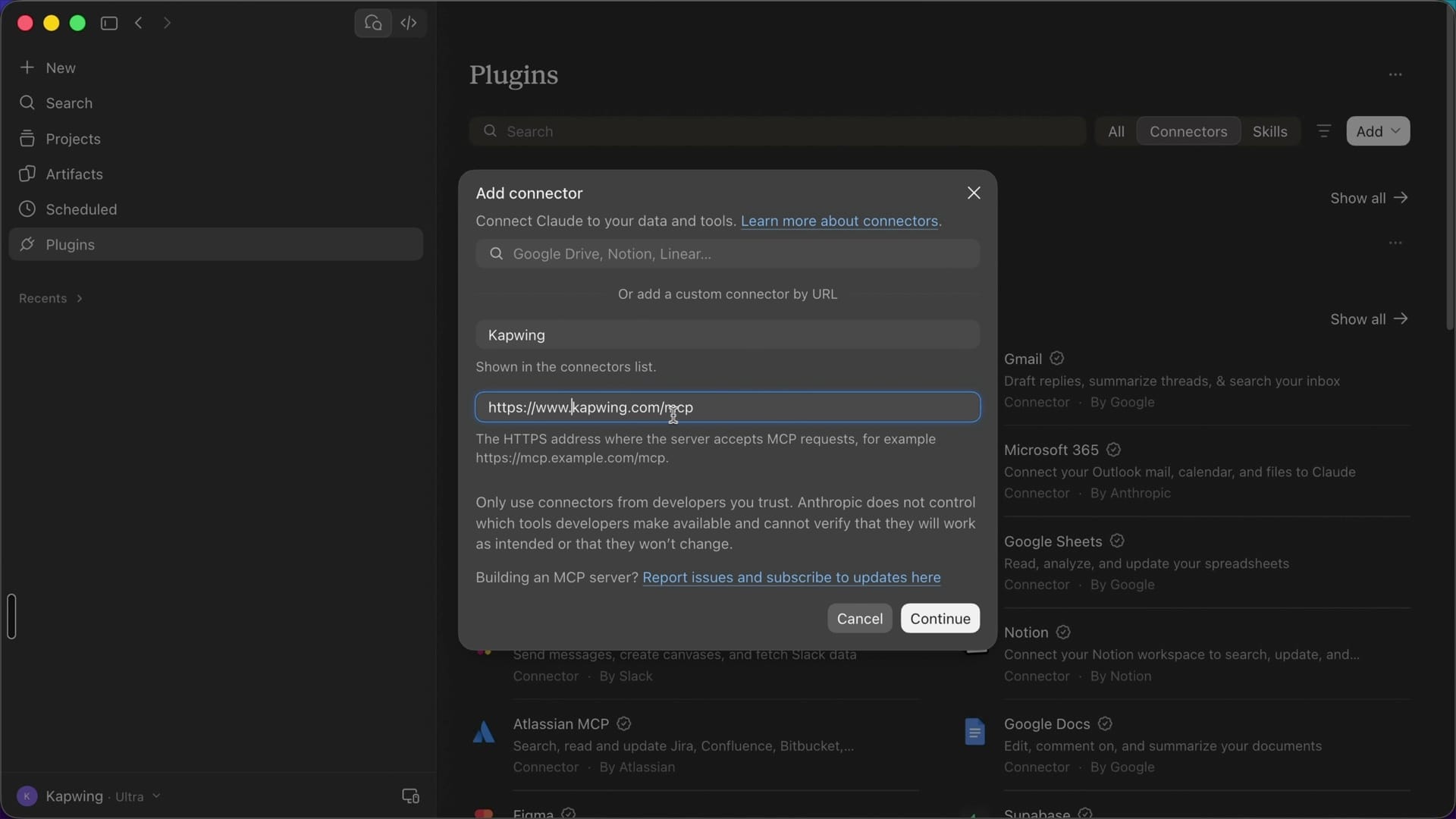
https://www.kapwing.com/mcp.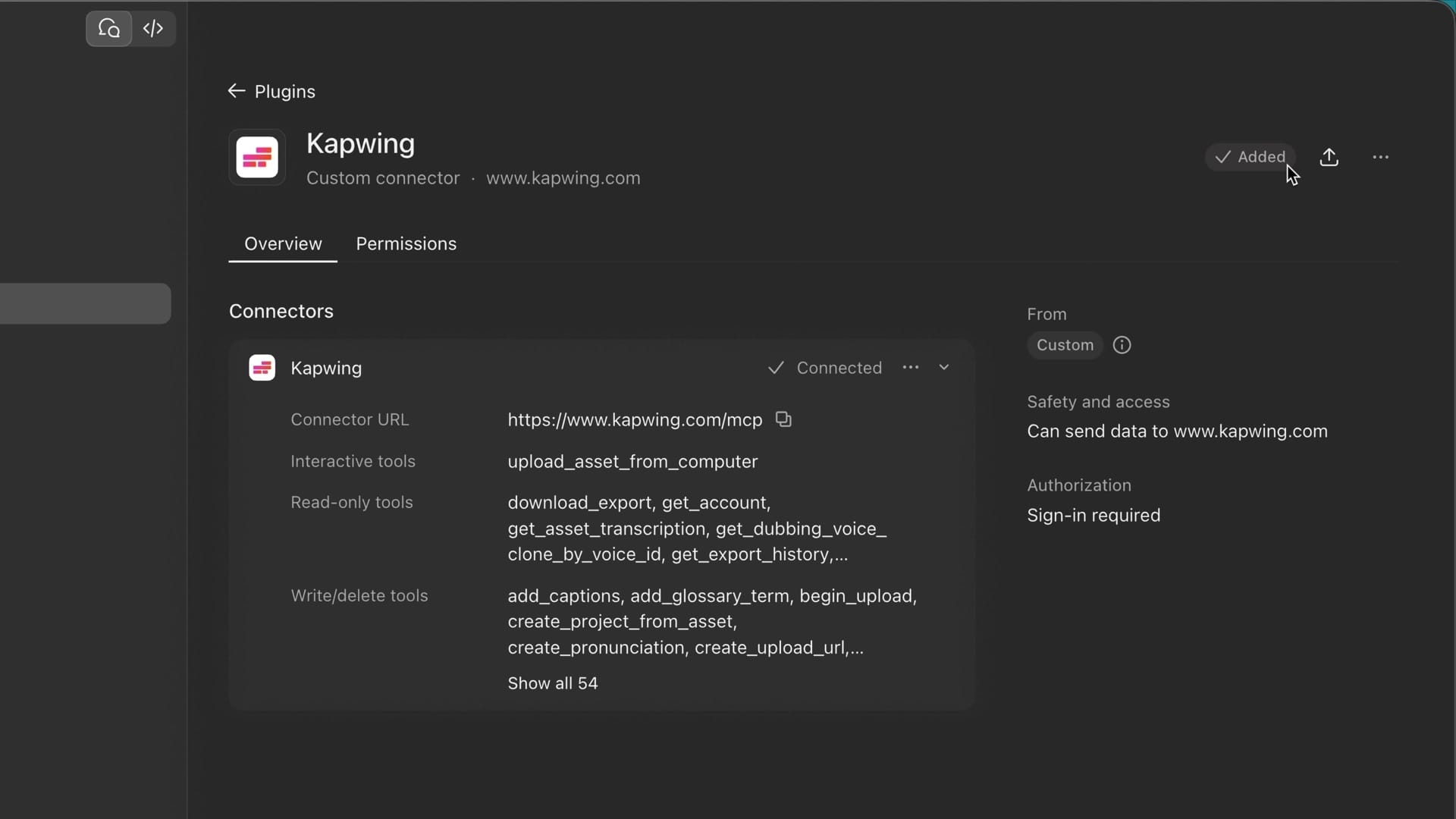
Step 2: Put the Skill in Your Claude Skills Folder
Unzip the download. You get one folder called gta-clipper. Put it in your Claude skills folder:
- Mac or Linux:
~/.claude/skills/. The.claudefolder is hidden, so in Finder pressCmd + Shift + .to see it. - Windows:
C:\Users\<you>\.claude\skills\.
If the skills folder is not there yet, create it. Restart Claude Code so it picks the skill up.
Step 3: Run It Once to Finish the Setup
Open Claude Code in any empty folder, where your work files will go. Type /gta-clipper and the link to a finished YouTube stream. For your own gameplay, type /gta-clipper and the path to the file.
The first time you run the skill, Claude checks for the tools it needs: yt-dlp, ffmpeg, and Python with OpenCV and Pillow. It installs anything that is missing, then checks that the Kapwing connector is on. Say yes when Claude asks to install. This is the slow part, and you only do it once. To check the connection, ask Claude is the Kapwing connector connected?. To test it quickly, ask for just one hour of the stream, for example only the hour from 1:00:00 to 2:00:00.
Step 1: Choose Your GTA 6 Footage
You have 2 options.
Option 1: Clip a Streamer's Finished YouTube Stream
Copy the link to the finished stream on YouTube. The skill works best here, because a finished YouTube stream keeps its chat replay and its comments. Claude reads both.
Only clip streamers who allow it. Many say so on their channel, and some run paid clipping campaigns, which is the safest way in.
Option 2: Clip Your Own GTA 6 Gameplay
Before you start recording, open the pause menu. Go to Settings, then Audio, then turn on Mute Licensed Music. The songs on the in-game radio are licensed. Rockstar's support page says this setting helps you avoid copyright claims when you capture footage.
Then record your session and copy the file to your computer. A recording has no chat or comments, so Claude finds the moments from what you say and what happens on screen.
Step 2: Find the Best Moments in a GTA 6 Stream
Type /gta-clipper, paste the link, and add clip this and show me the picks first.
The skill does not download the whole video. It downloads only the audio, the chat replay and the comments, and it writes down every word on your own computer. A 6-hour stream is about 270 MB of audio.
Then Claude looks in 3 places. Each one finds moments the other 2 miss, so the skill uses all of them.
Place 1: The Comments
Viewers type timestamps under the moments they loved. In our tests, these were the most precise signal of all.
Place 2: The Chat
When messages come in much faster than normal, or the chat fills with laughing and clip it, something just happened. This catches moments where the streamer barely says a word.
Place 3: The Stream Itself
Claude reads every word and judges it against 3 rules. A clip has to make sense to someone who has never seen the stream. It has to open on the hook in the first 2 seconds. It has to end right after the payoff.
On a 23-hour stream, Claude reading the transcript found 6 of the 9 moments that clip channels actually posted. That was more than any other signal we tested.
The skill does not go by how loud the streamer gets. In GTA, the loudest moments are usually cutscenes and music.
Claude Looks at the Frames Before It Picks
For every moment on the list, the skill grabs 4 frames. Claude sees what happened instead of only reading about it. That is how it throws out menus and loading screens that got a big chat reaction, and anything you could not post, like nudity.
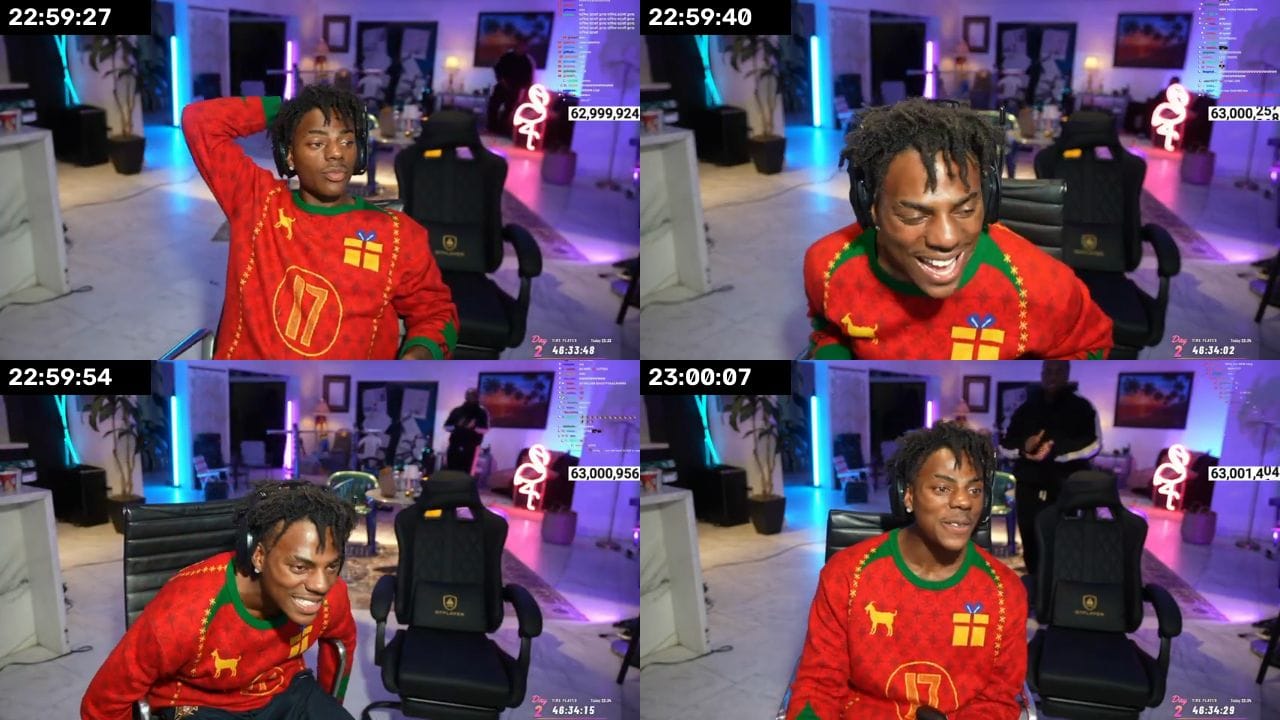
Read the Picks Table, Then Type make them
Before anything gets cut, Claude shows a table of its 3 to 6 best picks. Each row has the time in the stream, a hook title, and the reason it was picked. Drop any pick you do not want, then type make them.
| Stream time | Hook title | Why Claude picked it |
|---|---|---|
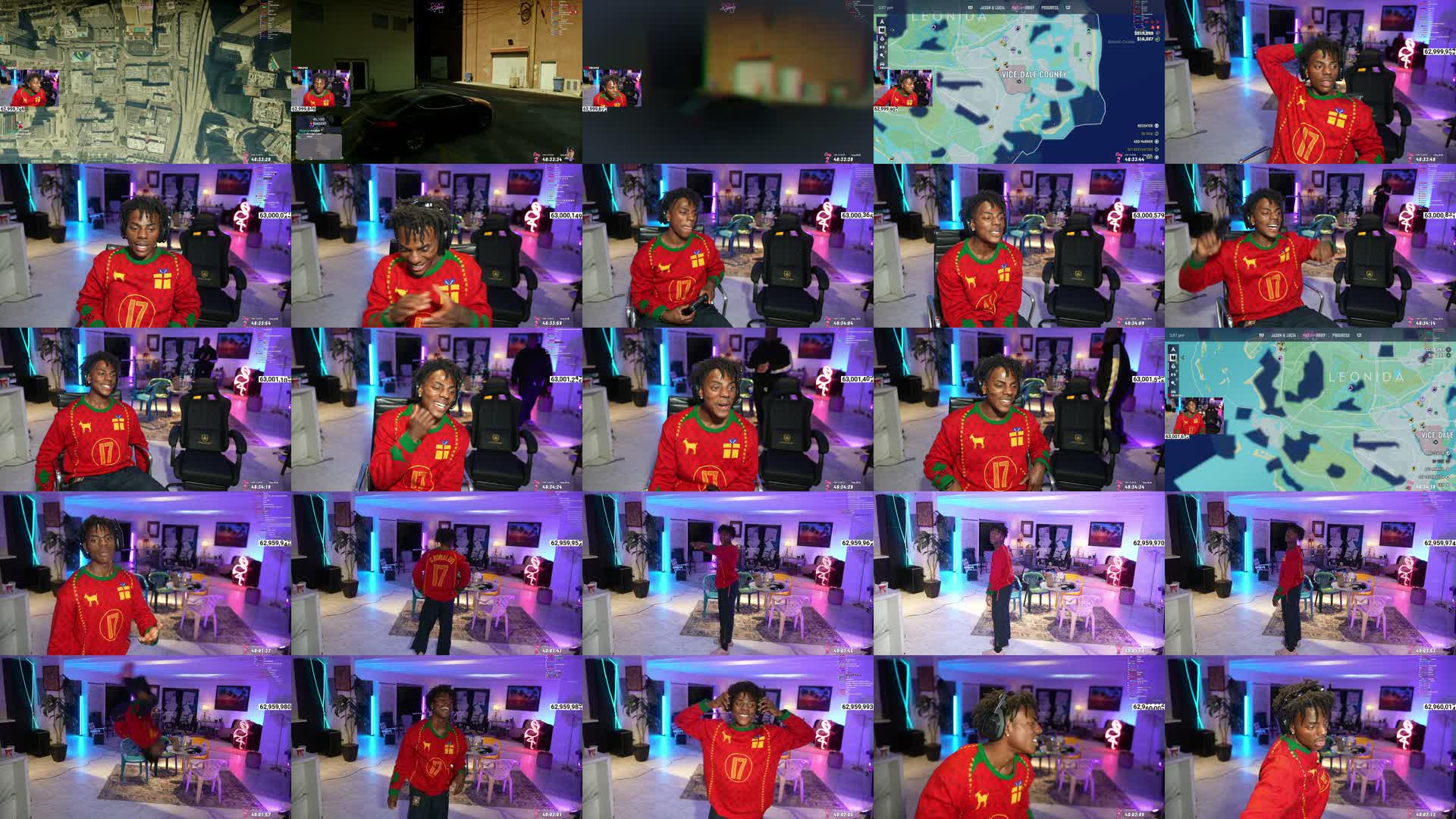
22:59:05 | He hits 63 million live | A big personal moment with real emotion. His face fills the frame, and the live counter crossing 63,000,000 explains itself. |
19:25:35 | He spots Jimmy from GTA 5 | A surprise cameo of a GTA 5 character: a clear recognition beat and the biggest chat spike on the list. |
20:53:24 | The door was a bad idea | Moved up after Claude read the frames, because you can only understand it by seeing it. It is graphic after the 7-second line, so it needs a cut. |
16:27:14 | 40 hours awake, then the countdown | A built-in hook and payoff: a 5 to 1 countdown, all on his camera, understood with no context. |
This is a real table from our test run on a 23-hour stream. Claude read 54 candidate moments with the frames in front of it, and these were the 4 picks we cut.
Step 3: Cut the Shorts With the Streamer's Face on Top
The hardest part is the face. In GTA, the biggest face on screen is often a game character, so a normal auto-reframe follows the wrong person.
The skill finds the webcam a different way. It looks for the face that stays in the same spot for hours, then for the edges of the webcam box around it. Every Short gets the streamer's face on top and the game underneath.
- Full-screen camera: if the streamer switches to a full-screen camera, the Short follows their face. It switches back when the game returns.
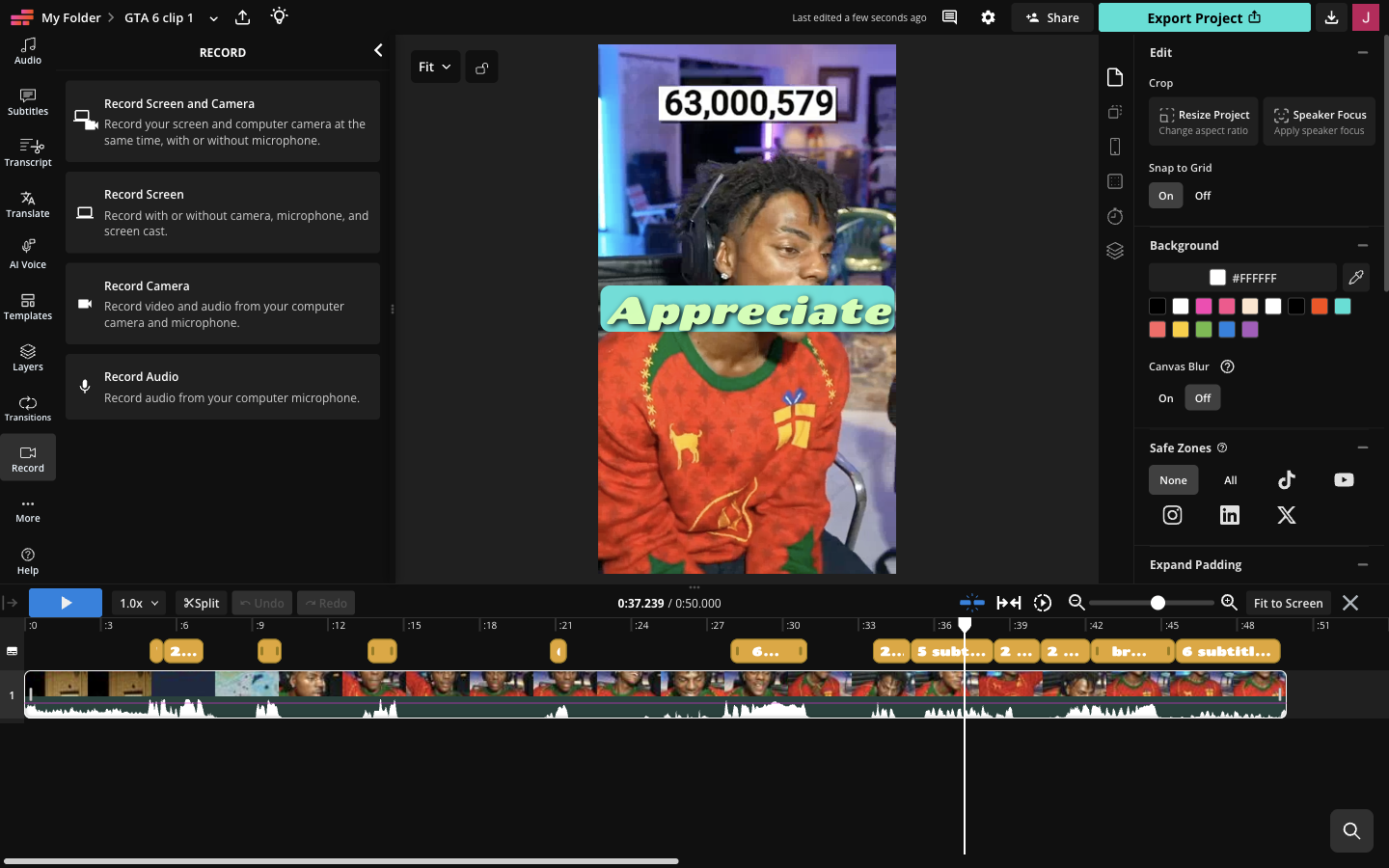
- Counter pin: if the moment is a number going up on stream, like a live subscriber counter, the skill can pin it to the top of the Short.
- Hook title: the hook appears on screen for the first 3 seconds.
- TikTok title line: for TikTok, the skill can add a title line across the middle. 8 of the 10 viral TikToks we looked at had one.
Edit Each Short Like the Most Viral GTA Clips
We went through 70 of the most viewed GTA stream clips from 14 streamers, frame by frame. The edits land on the reaction. The skill copies the moves.
- Flash: a quick flash on the reaction. The color shows the kind of moment: green for something good, red for bad or dramatic, and white for a shock.
- Punch zoom: a fast zoom into the streamer's face.
- Action caption: when nobody is talking, a caption like
*STARES*in capitals.
Sound effects matter less than you might think. Only 10 of the 70 clips used one, almost all of them a vine boom, landing on the flash or zoom once or twice. None put a whoosh on a cut. So the skill puts the flashes and zooms on the reactions and one boom on the biggest moment.
On a big win, like a subscriber milestone, it adds a green flash, confetti and a cheer, so the clip ends on a high. It leaves the stream's own sound alone, because most viral clips add no music. If a moment needs music, such as an emotional turn, Claude suggests a free track that is safe to use on YouTube.
Step 4: Finish Your Shorts in Kapwing
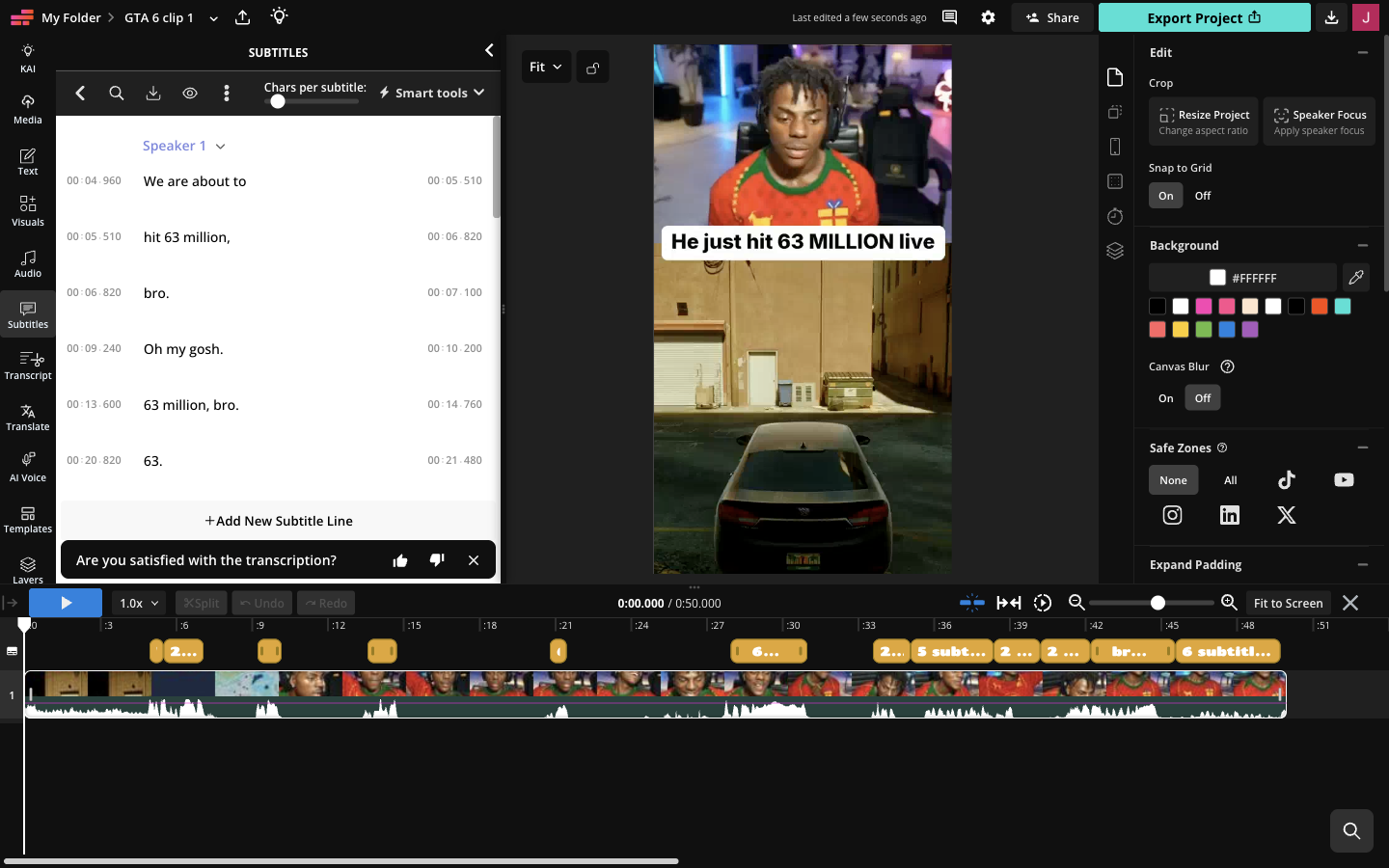
The skill uploads each Short to Kapwing and adds captions that come in word by word, in your own saved caption style. Then it exports each one. You get an editor link for each Short.
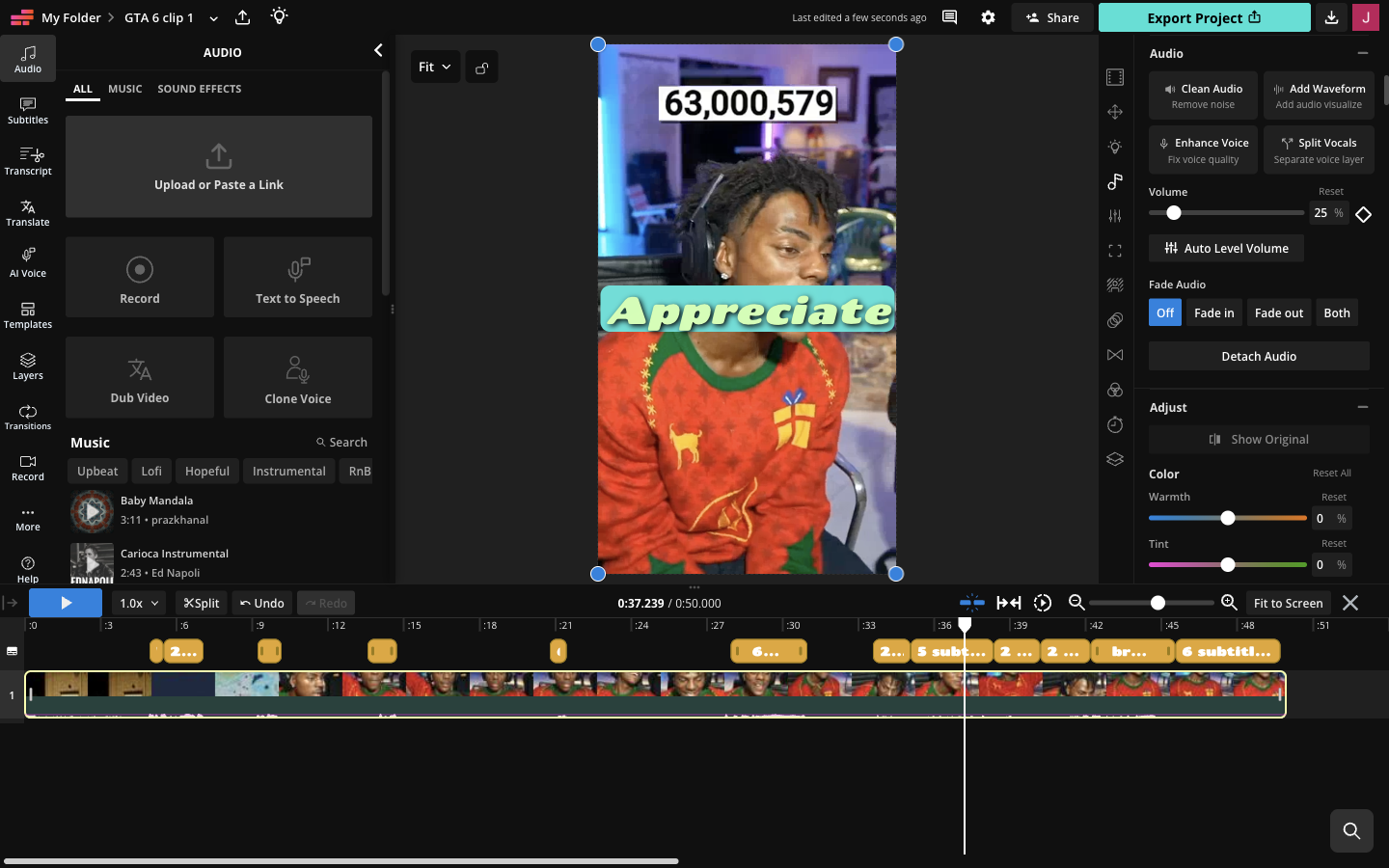
You do not just get a video file. Every Short is a normal Kapwing project, so you can open it and change anything.
AI will not pick or cut every clip perfectly. Play each Short through before you post it.
- A cut lands a second late: drag the edge of the clip on the timeline.
- A caption has the wrong word: click it and fix it.
How to Make GTA 6 Clips Earn: 3 Rules Before You Post
This step decides whether your clips can earn. Check the sources yourself, because policies change.
Rule 1: Add Your Own Voice
YouTube's monetization policy says channels that repost other people's content without significant original commentary can lose monetization across the whole channel. It says this applies even with permission from the original creator. Reaction and commentary edits are allowed.
So add one line in your own voice. Open the Short in Kapwing and record one sentence about the moment as a voiceover. Then turn the game's volume down while you talk.
Rule 2: Start on the Reaction, Not the Blood
YouTube's advertiser-friendly guidelines list graphic game violence in the thumbnail or the first 7 seconds of a video as earning no ad revenue. Start your Short on the reaction.
Rule 3: Mute the In-Game Radio
If a clip has in-game radio music, mute that part or cut it out. Otherwise your Short can get claimed.
How Much Does It Cost to Run?
The skill is free. The only part that uses your Claude plan is the reading. On a 6-hour stream, Claude reading every word used about 215,000 tokens.
There is a smart mode that skips the full read and uses only the comments and the chat. On our 6-hour stream, smart mode still found both moments that got clipped. On the 23-hour stream, it found 3 of the 9 instead of 6. Use deep mode when you can. To save plan usage, add smart mode to your request.
What Do You Do If Something Goes Wrong?
- A `command not found` or Python error: tell Claude exactly what you see. It will fix the install.
- The webcam is cropped wrong: ask Claude to show you
webcam-check.jpg, then run the webcam step again. - The chat download is slow: the chat of a big streamer is a very large file. Ask for a shorter stretch of the stream.
What Is in the Skill Folder?
The skill's scripts, 9 free sound effects, a caption font, a face-finding model, and notes on what the viral clips do. Every part is free to use, and a licences file in the folder lists each one.
Can You Use It for Other Games?
Yes. We built and tested it on GTA 6 streams, but nothing in how Claude finds the moments or builds the Shorts is tied to the game. Point it at a stream of any game, or at your own gameplay.
Frequently Asked Questions
How do you clip GTA 6 streams with Claude Code?
Install the free gta-clipper skill, connect Kapwing to Claude, and paste in the link to a finished YouTube stream. Type clip this and show me the picks first. Claude finds the best moments, shows you a table, and cuts the ones you approve.
Is the GTA 6 clipping skill really free?
Yes. The skill is a free download, and you do not have to join anything to get it. You need Claude Code on a paid Claude plan and a Kapwing account connected to Claude.
How does Claude find the best moments in a long stream?
It looks in 3 places: the comment timestamps, the chat replay, and the transcript of the stream. It also looks at 4 frames of each moment before picking. Each source finds moments the others miss.
Can Claude Code clip a stream without downloading the whole video?
Yes. The skill downloads only the audio, the chat replay and the comments. A 6-hour stream is about 270 MB of audio. It writes down every word on your own computer.
Can I use my own GTA 6 gameplay instead of a stream?
Yes. Turn on Mute Licensed Music in the pause menu audio settings, record your session, and copy the file to your computer. A recording has no chat or comments, so Claude finds moments from what you say and what happens on screen.
How does the skill keep the streamer's face on screen?
It finds the webcam box by looking for the face that stays in the same spot for hours. Every Short stacks that face over the game. If the streamer goes full-screen on camera, the Short follows their face.
Can I edit the Shorts after Claude makes them?
Yes. Every Short is a normal Kapwing project. Drag a clip edge to fix a cut, click a caption to fix a word, or record a voiceover line and turn the game down under it.
Can I get monetized clipping GTA 6 streams?
It depends on the rules. YouTube's reused content policy can remove monetization from a whole channel, even with permission, unless you add significant commentary or editing. Add your own voice, clip only streamers who allow it, and check the policy pages yourself.
Does it work on games other than GTA 6?
Yes. We tested it on GTA 6 streams, but how Claude finds the moments and builds the Shorts is not tied to the game. Point it at a stream of any game.
How much does it cost to run?
The skill is free. The reading uses your Claude plan: about 215,000 tokens for a 6-hour stream in deep mode. Smart mode skips the full read to save usage, but finds fewer moments on very long streams.