Giving AI a Canvas to Paint On
Introducing Kai, the AI assistant for creative assets, now accessible behind the "Generate" button on Kapwing. Kai will change how marketing and creative teams integrate generative AI into their workflows.
Today, we've introduced a new product, Kai, within Kapwing. Kai - or Kapwing AI - is an AI assistant for creative assets. From a prompt and a set of uploads, it creates images and videos for you based on your instructions.
Embedded into the Kapwing Studio, every project you make with Kai can be edited layer-by-layer. In this way, we think Kai makes the experience better for every creator on Kapwing and furthers our mission of empowering storytellers.
Try it out at kapwing.com/kai and read our Kai Help Center article to get started.
Kai: An AI Assistant for Creative Assets
In any given vertical, people get the fullest value from AI when they teach it to work with them and learn from them. Effective assistants need:
- Expertise: Data about what works well and what does not, plus good "taste" informed by the user and general judgment.
- Tools: Ability to manipulate and assemble data to best express a point of view.
- Canvas: A medium of expression
Right now, popular chatbots like ChatGPT and Claude do not have the expertise, tools, or medium for bringing creative assets to life. They know nothing about typography and often introduce noticeable typos in text layers. They can't assemble layers from different generative models in a timeline or make changes to the assets post-generation. Without an understanding of layout and design, they can't animate or collage pieces together.
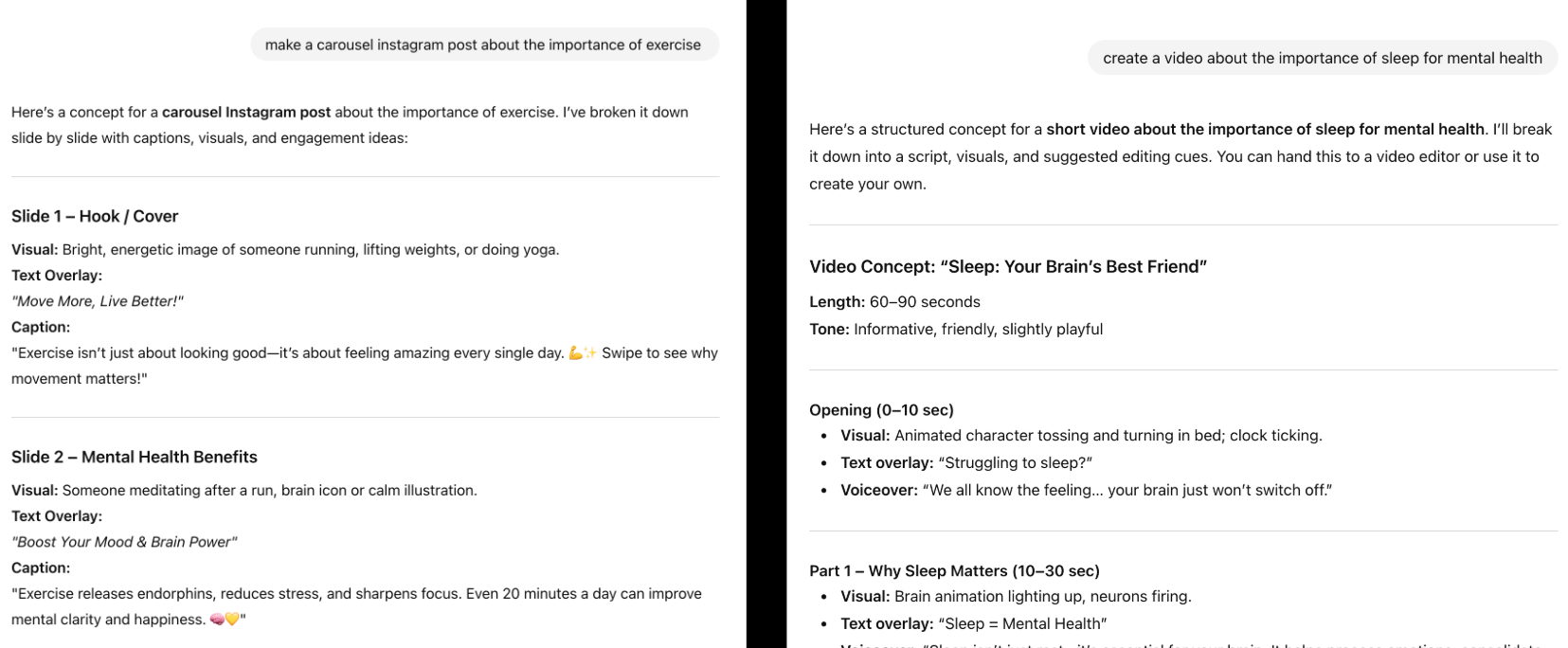
Kai is the first chatbot that has the expertise, tools, and canvas needed to generate creative videos and assets for you. Where ChatGPT will respond with text, Kai responds with videos, images, and audio. It has:
- Expertise: Fine-tuned on insights from more than 25 million Kapwing creators, Kai understand what looks good and how to bring media together in a layout. It's plugged into your brand kit, so it knows about your styles, voices, and formats.
- Tools: Kai has access to dozens of editing tools and several world-class agents, and we're expanding its toolkit every day.
- Canvas: Kai can bring videos, images, and audio together into a single project, timing things out relative to each other. Bring a creative vision to Kai, and it will give you the full version, ready to tweak and edit.
Video edited on Kapwing
Kai Can Make Multi-Scene Videos and Multi-Layer Projects
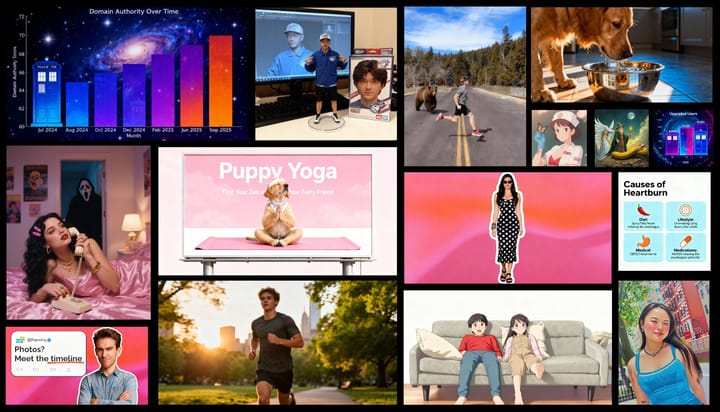
Kai was designed for marketers and creative workers first. We launched Kai quietly about three weeks ago into production, and now more than 100,000 people use it every week. Here's the top 9 use cases that our creators leverage Kai for:
- Edit videos: Combine clips, make subtitles, make montages, remove words, shift between speakers, resize, and more.
- Turn a script or idea into a video
- Animate images
- Generate images, videos, music, sound effects, and voiceovers
- Get ideas: Brainstorm different layouts, colors, cuts, styles, and scenes
- Generate in your style: Prompt in reference to a set of uploaded or saved images
- Iterate through chat: Refine what you want using natural language
- Access many generative AI models under one subscription
- Repurpose content with ease
Video edited on Kapwing
On Kai, upload your own video, pictures, or audio to reference it in the prompt. Create characters that consistently show up in videos. Find highlights in a long video or ask Kai to make an Instagram Reel version for you. Kai has the judgment of a social media manager who can collaborate with you.
How Kai Works
Kai is an expert in generative AI models for video, audio, and images. Based on your prompt, Kai will choose the best model suited for your task or construct a pipeline of agents to edit for you. It will construct the prompt to fill in details you left out, giving you higher-quality generations than other video generators.
In addition to Sora, Veo, ElevenLabs, and NanoBanana, your team can explore the latest models for visual and audio tasks like audio leveling, background removal, sound effects, and blurring from within Kai. Enterprises can configure which models their teams have access to and set up data security practices to ensure that marketing teams can move quickly without exposing sensitive uploads.
Chat and Edit Side-by-Side
If you make something in ChatGPT, it's difficult for creative collaborators to tweak or edit one part of the generation. GenAI is all or nothing when it comes to visual and timeline design. Since generative AI is rarely 100% correct, it's difficult for marketing teams to leverage it for customer-facing assets.
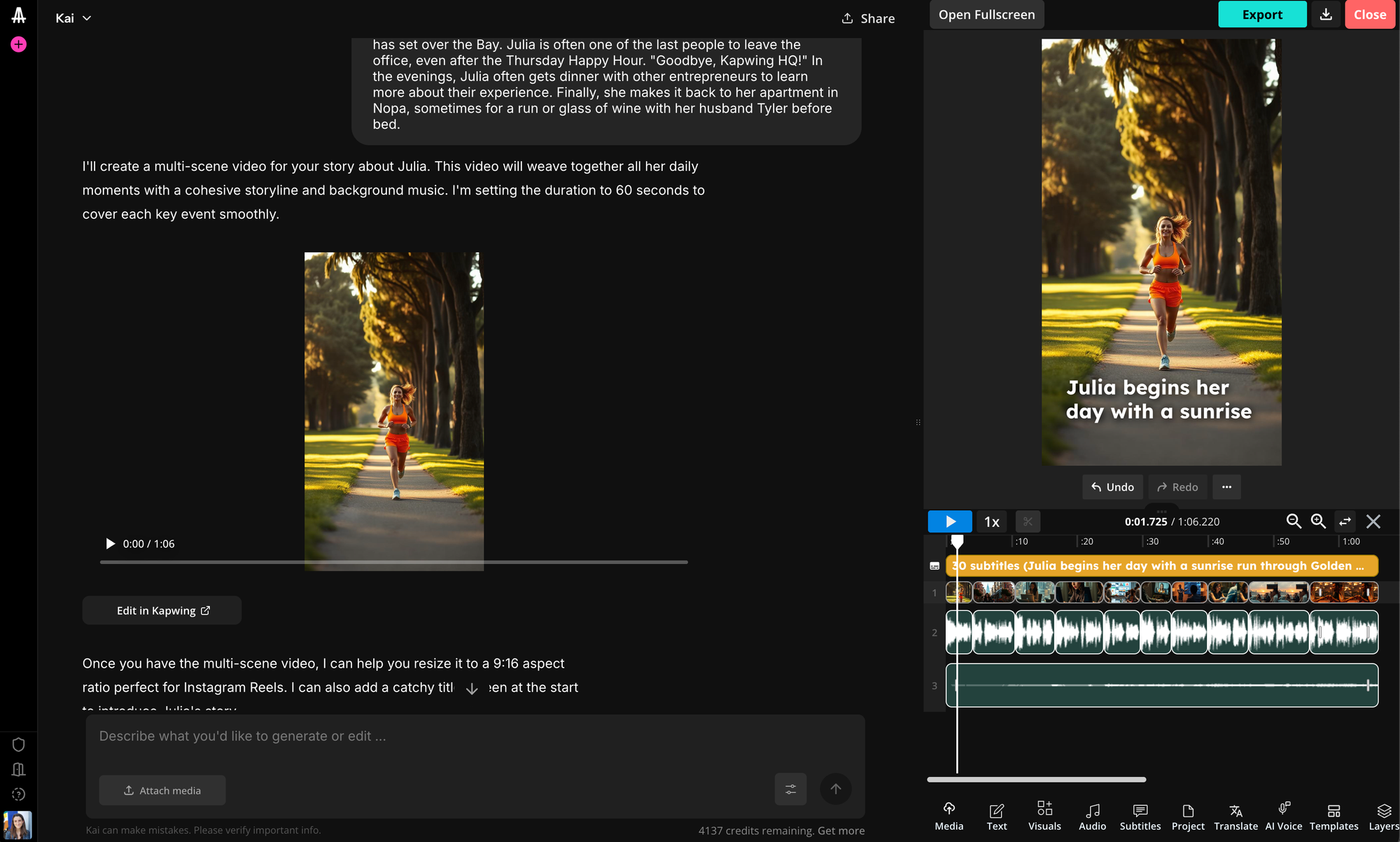
In contrast, once you've made something on Kai, it's editable in the Kapwing Studio. Creators can choose assets to regenerate, replace, or tweak; correct mistakes; and add their own creative flair. Kai gives teams more control over their outputs and learns from your edits. Everything is shareable and secure in the cloud along the way.
Access to Many Models
ChatGPT and Gemini give users access to their first party models, made by OpenAI and Google. But it's clear that for video and audio foundational models, there will not be "one winner take all." In the future, dozens of frontier models will serve different aspects of content creation, and teams will need a platform that gives them access to them all under one subscription.
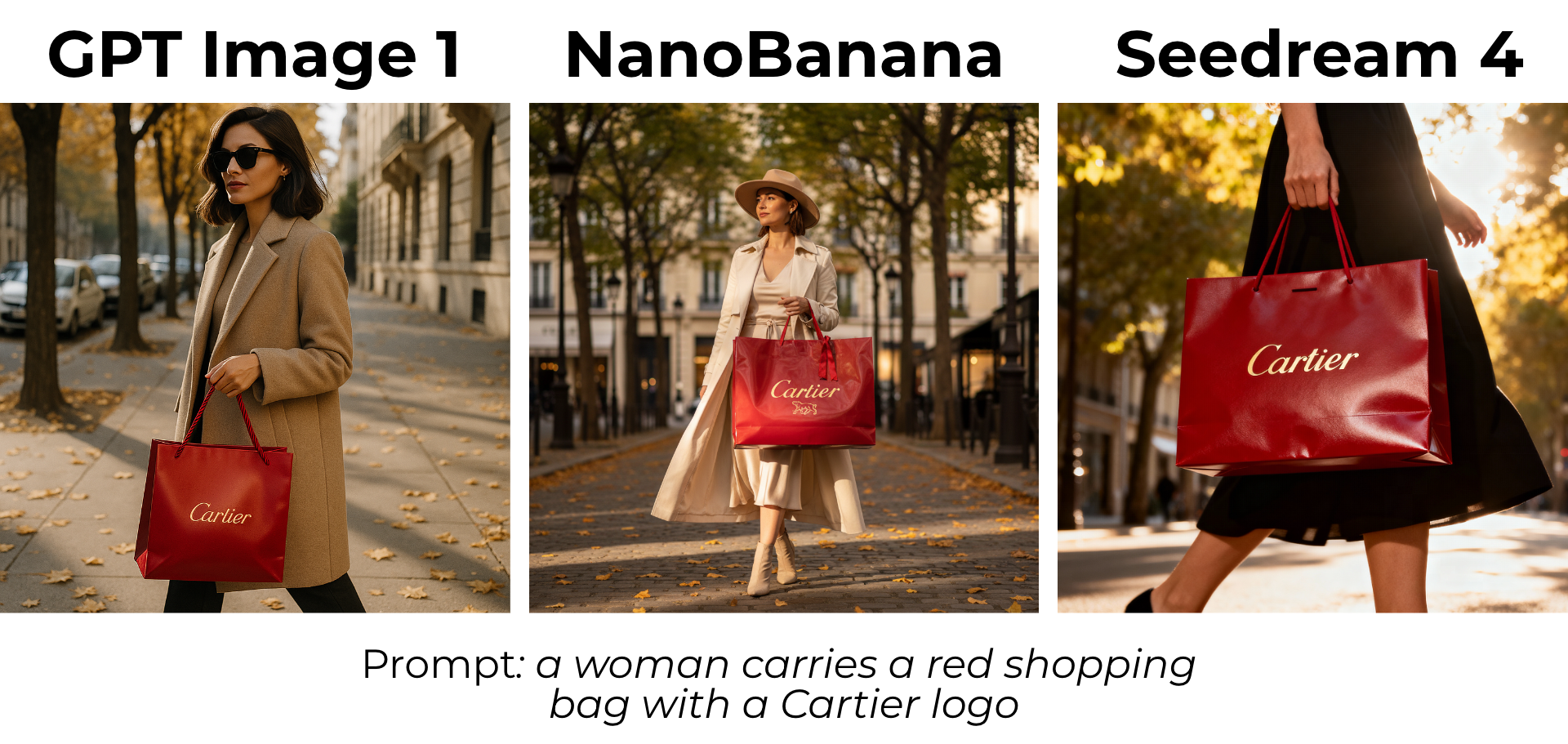
We've been using ChatGPT and Gemini for many aspects of creative work at Kapwing. We've tried Gamma for presentation and Loveable for websites. Kai will be the AI assistant for creative workers who often express ideas visually.
Set Up a Custom Workflow
To teach Kai how to create in your brand format, you can create a Custom Kai with a specific system prompt, model preferences, reference images, and instructions for your team. Every Custom Kai is shareable so that you can make the same formats repeatedly and consistently.
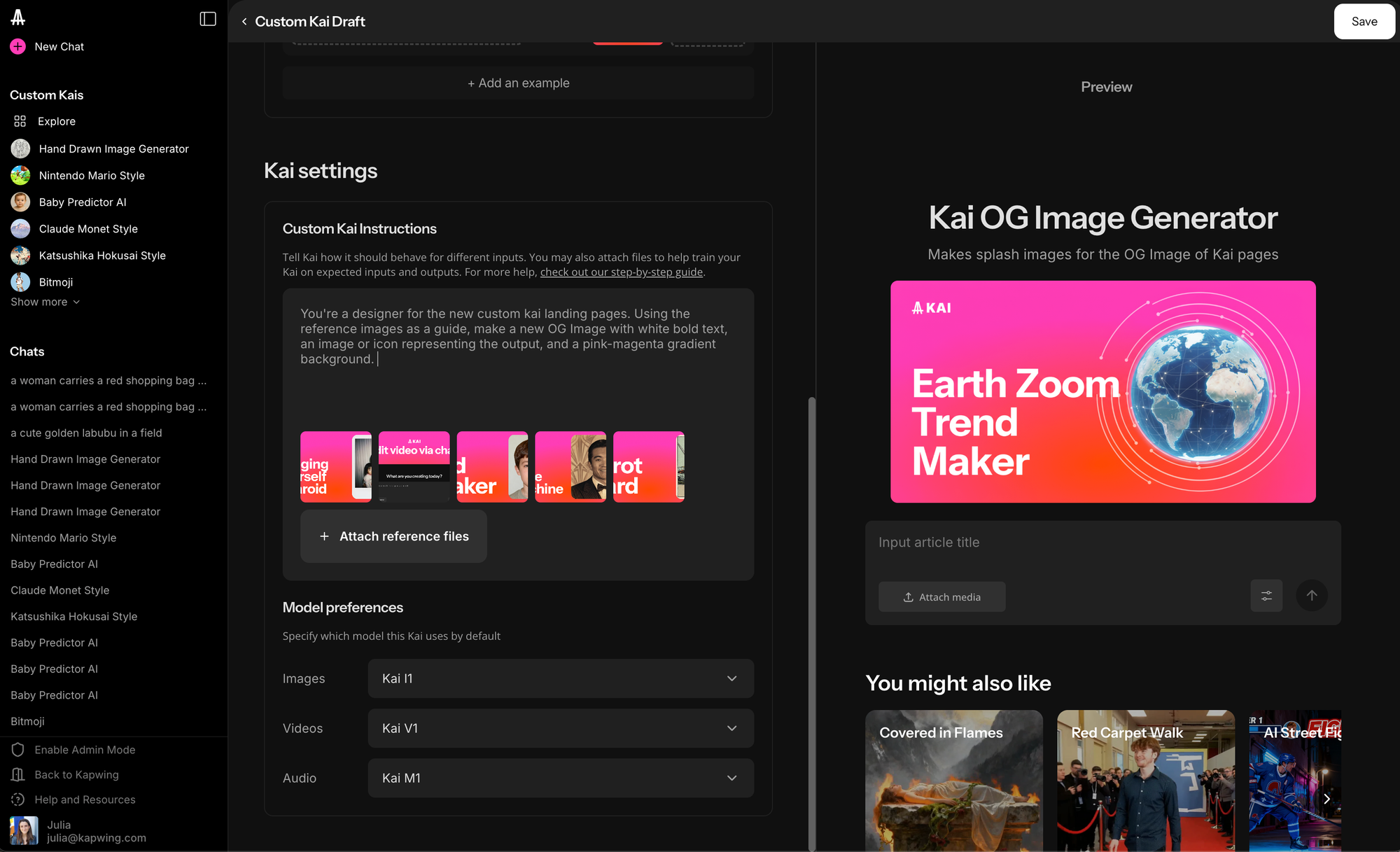
You can also explore our gallery of Custom Kais, each representing a popular AI stunt or trend. After all, AI is the new meme.
Custom Kais also serve marketing teams by helping your design team scale themselves with repeatable instructions and formats. For example, our content team uses a Custom Kai for our website icons and Resources article graphics. Because Kai and Kapwing are collaborative at every stage, our designer can still review outputs before they go live.
Welcoming Chat as an Interface
When we started Kapwing eight years ago, it only did one thing: make memes. People came to Google, asked for a "video meme maker" and found Kapwing. In our first six months, we built twelve different tools that did a single function and were extremely easy to use. Later on, we shifted towards the unified studio that brought all of these functions together.
In this way, building chat is a return to our roots. Instead of learning to navigate the powerful editor, users ask directly for what they need. Kai responds directly to the user's need, bringing that vision to life and making video storytelling more accessible for all.
We've spent nearly a decade building the canvas for multimedia: a timeline that supports thousands of layers, text-to-speech, precise timing and positioning, animations, filters, and more. Now, we've enable AI to paint on that canvas.
Help us spread the word about Kai by sharing this blog post! If you have feedback, we would love to hear it – DM us on X @kapwingapp.