What Fonts Does TikTok Use and How Can You Get Them?
Typography influences user perception by up to 75%. Fonts don’t just style your content, they shape how it’s received.

If you’re editing TikToks outside the app, you might still want your videos to look like they were made natively. Matching TikTok’s fonts is an easy way to make your content feel familiar and on-brand. Whether you're creating a skit, meme, or a viral-style edit, using the right fonts helps your video instantly register as “TikTok-native” to viewers.
TikTok actually uses two main types of fonts: TikTok Sans, its official brand font used in the logo and marketing, and a set of in-app fonts available in the text editor. The brand font is paramount to TikTok's corporate identity, while the in-app fonts are available for users to use in their content.
In this guide, we’ll show you how to use TikTok’s official brand font for free, highlight the five most popular in-app fonts, and share royalty-free lookalikes you can use in Kapwing, a browser-based editing software.
Table of Contents
What Font Does TikTok Use?
TikTok uses a custom-designed font called TikTok Sans, created to improve readability and create a more cohesive brand identity across languages and platforms. Before this update, the default font was called Classic, which was actually just Proxima Nova under a different name.
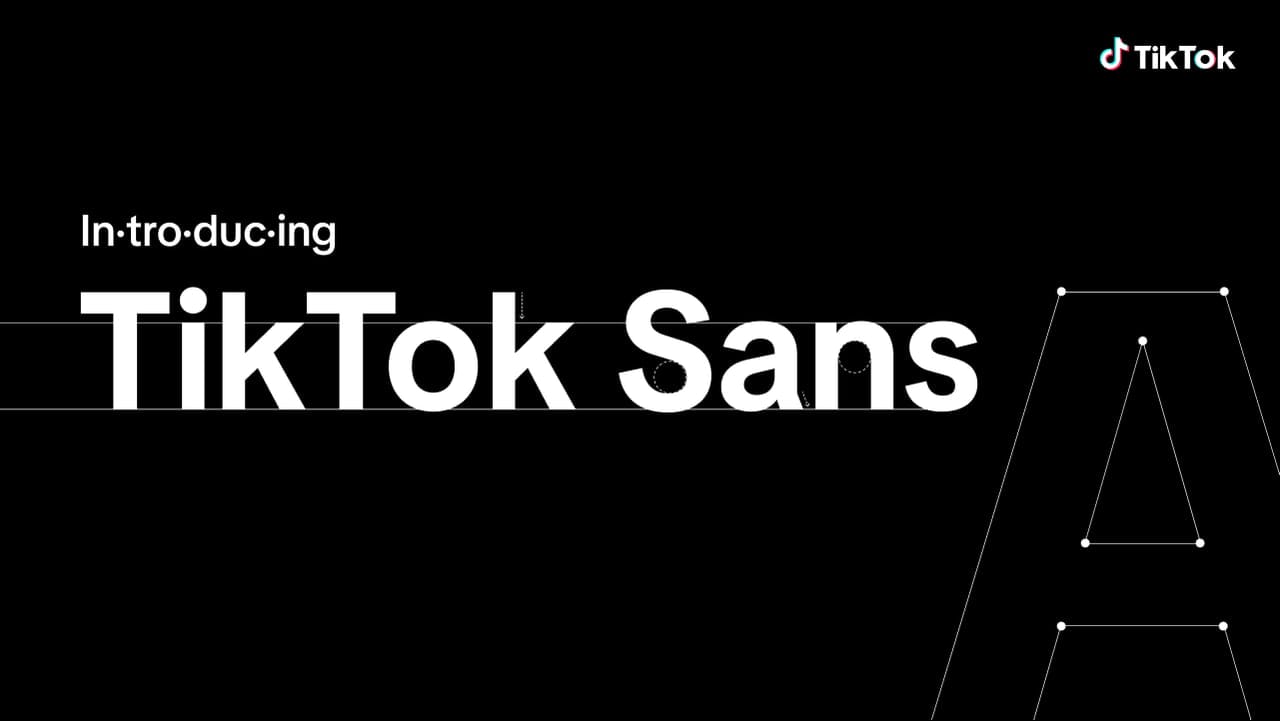
In their press release, TikTok says they developed the TikTok Sans font to address the following:
- Spacing: The new font features larger, clearer strokes to make each letter more distinguishable at a glance.
- Readability: With increased line height and larger lettering, TikTok Sans is optimized for mobile viewing. The company even developed a “special formula” to fine-tune letter spacing.
- Multi-language support: TikTok Sans works with over 460 languages that use the Latin, Greek, and Cyrillic alphabets. That includes most major languages like English, Spanish, French (Latin), Greek (Greek), and Russian or Ukrainian (Cyrillic).
How To Use TikTok Sans Font
As of July 2025, TikTok has officially released its signature font, TikTok Sans, for open-source use. If you’re a content creator, brand, or designer looking to maintain consistency across platforms, using the same font as TikTok’s branding helps your content feel recognizable and aligned with the platform’s aesthetic. It’s also a great way to tap into TikTok’s visual identity without infringing on copyright or relying on bootleg font files.
You can download TikTok Sans to use in personal projects or graphic design work on your computer. But if you want to use TikTok Sans specifically in photo or video content, you don’t need to install anything: you can access and use it for free directly within a browser based editor. Here’s how:
Begin by uploading your content, either by selecting a file from your device or pasting a link. Once your content is uploaded, go to the Text section in the left toolbar and click Add Text.

A text box will appear on your media. To edit the text, simply double-click inside the box. To change the font, select the text box, then go to the Style menu in the right-hand toolbar. You’ll see a font dropdown menu. Click it to view all available fonts, including the full list of Google Fonts.
If you don’t see TikTok Sans in the dropdown, click Browse More Fonts.

In the font menu, search for TikTok Sans, and select it to apply.

How Can You Get TikTok Fonts?
Now that we’ve covered TikTok’s official brand font, let’s talk about the other fonts you’ve definitely seen in videos. These are the in-app text styles that creators use for their content. If you’re editing outside the TikTok app, matching these fonts can help your content feel native to the platform and more familiar to viewers.
Below, we’ll break down the most popular fonts in TikTok’s text editor, and show you how to get free, royalty-free alternatives to use in your own projects.
TikTok Font #1: Classic
As mentioned, TikTok’s old default font is called Classic. It has a nostalgic feel, especially with the rounded, blocky backgrounds that were common early on. Even though it’s tied to TikTok’s early days around 2020, it remains a favorite among many creators.
The Classic font is actually Proxima Nova Semibold, part of the Proxima Nova family. While it’s free for personal use, commercial use requires a license. If you already have permission to use Proxima Nova, you’re all set. If not, you’ll want a royalty-free alternative to avoid any legal issues.
Good substitutes include Montserrat and Montserrat Semibold, both of which are free for commercial use and closely resemble the Classic TikTok font.
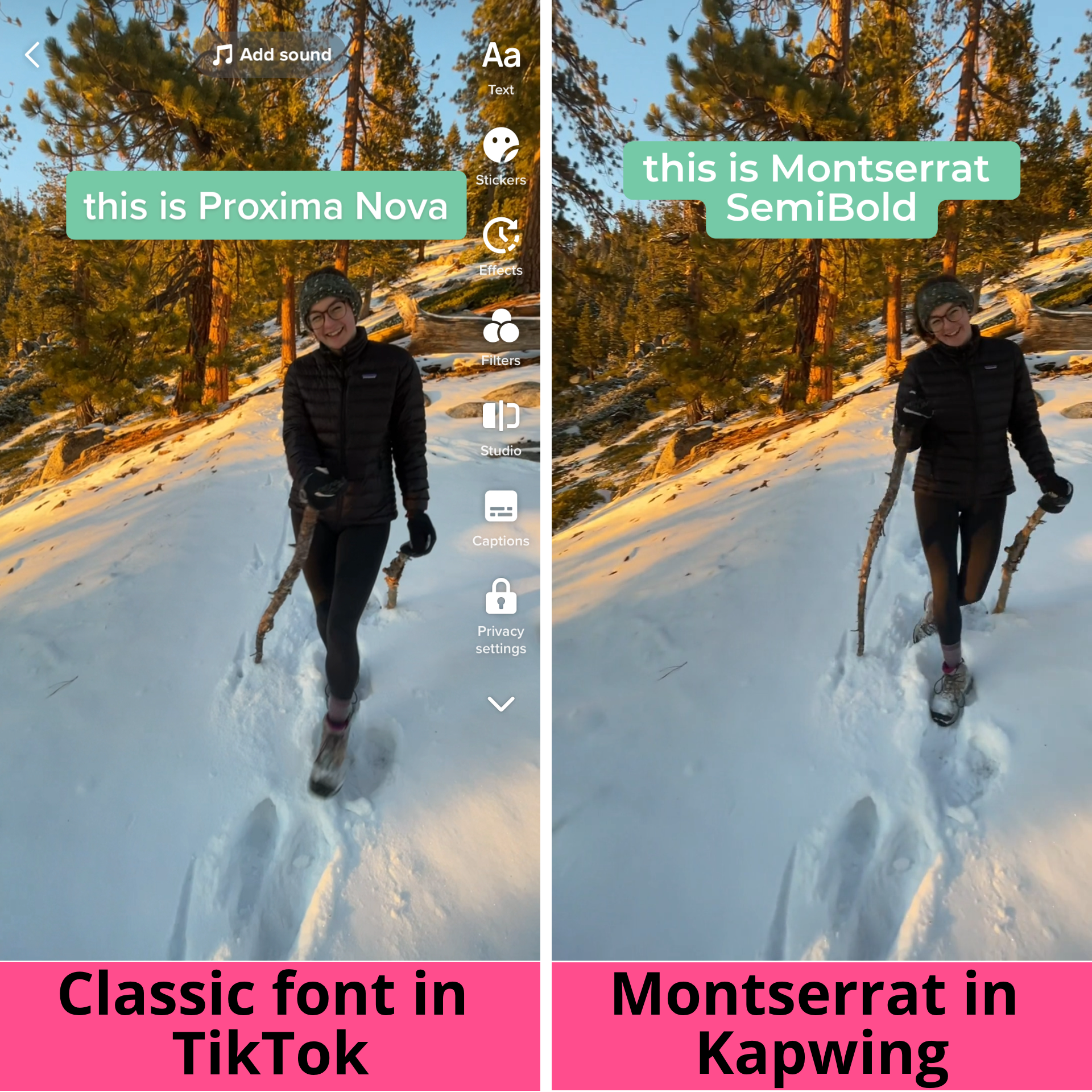
To truly capture the TikTok Classic look, it’s important to add a rounded corner background behind your text. This design element is a big part of what makes the style so recognizable. You can easily recreate this effect using video editing tools like Kapwing. Here's a brief guide on how:
Follow the same steps as above, but this time search for Montserrat in the font menu. Once you’ve selected your text box, head to the right-hand toolbar.
In the Background section, change the background color to your liking. Just below that, you’ll find a slider labeled Corners. Dragging it to the right will increase the roundness of your text background’s corners.

TikTok Font #2: Typewriter
Next up, there’s TikTok’s Typewriter font. This clean, sans-serif font features generous spacing between characters, giving it a classic, easy-to-read feel. It's perfect for storytelling, dramatic captions, or retro-themed content.
A great dupe for Typewriter is Source Code Pro Bold. The bold weight is key here, as it provides the heavier line thickness that captures the font’s distinct look.
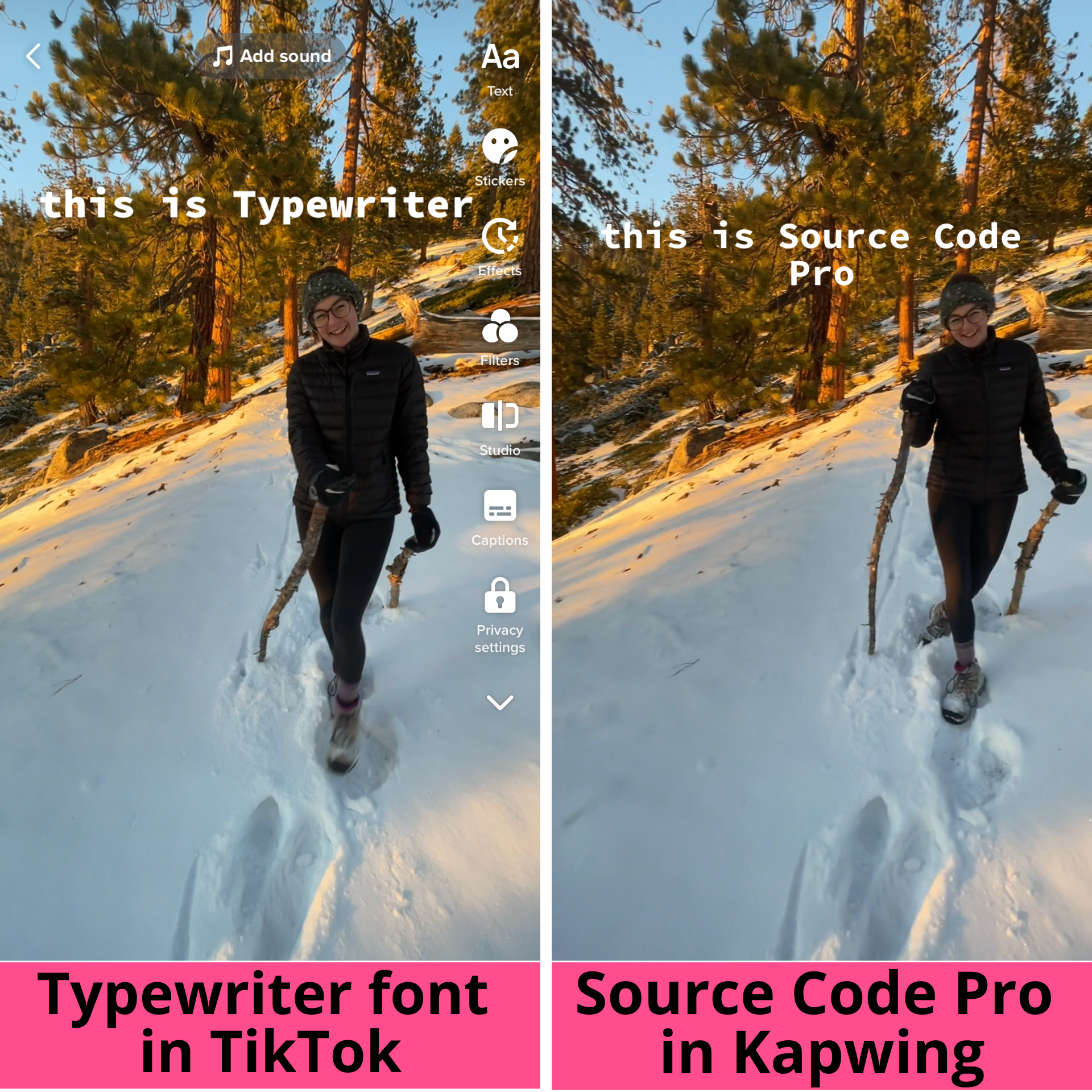
Not only does it look nearly identical to TikTok’s Typewriter font, but Source Code Pro is also a completely free-to-use font. That makes it an excellent choice for both personal projects and commercial work.
TikTok Font #3: Handwriting
TikTok’s Handwriting font can be tricky to read when the text is small, so it’s best used sparingly. It works great for titles, emphasis, or adding a little cottagecore charm.
Kaufmann and Cafe Script are often seen as the best matches, but neither is free. For a royalty-free alternative, Yesteryear from Google Fonts is a great choice. While there are some differences, Yesteryear is also handwritten and cursive, with the i and s characters closely matching TikTok’s Handwriting font
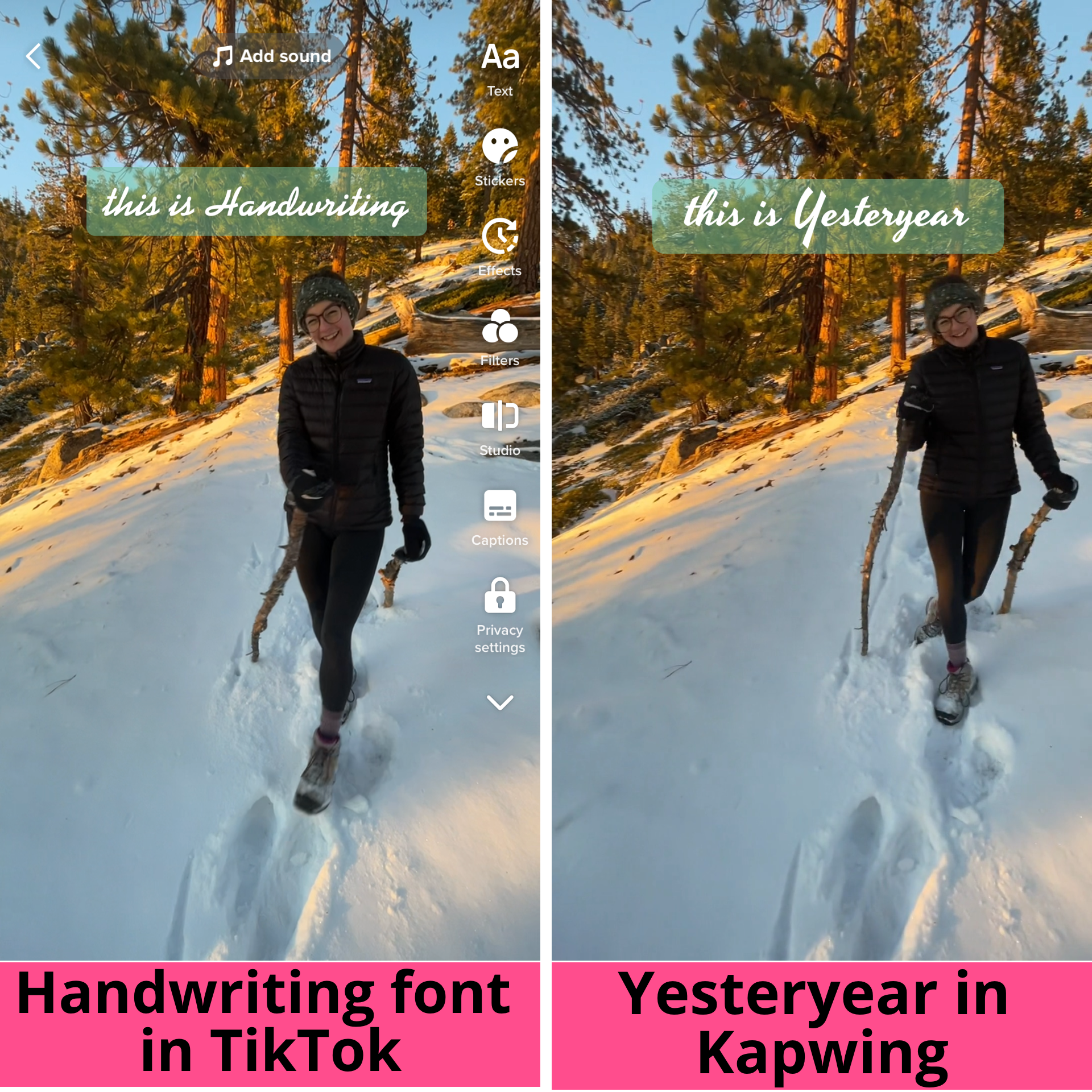
Use this font at larger sizes to keep it legible, and pair it with clean, simple fonts like Montserrat or Source Sans Pro for balance. Adding a subtle shadow or outline can also help the text stand out against busy backgrounds.
TikTok Font #4: Serif
Last up is TikTok’s Serif font. While it might not be everyone's go-to, we've seen it crop up in a few TikTok trends. You’ll might see it used in “book quote” edits or even aesthetic videos.
This is the only serif font in TikTok’s editor, meaning it has the small decorative strokes at the ends of letters that give it a more traditional, bookish look. The best match is Georgia Bold, a royalty-free font you can use in personal and commercial projects. Just make sure to bold your text so it holds the same line weight as TikTok's Serif font.
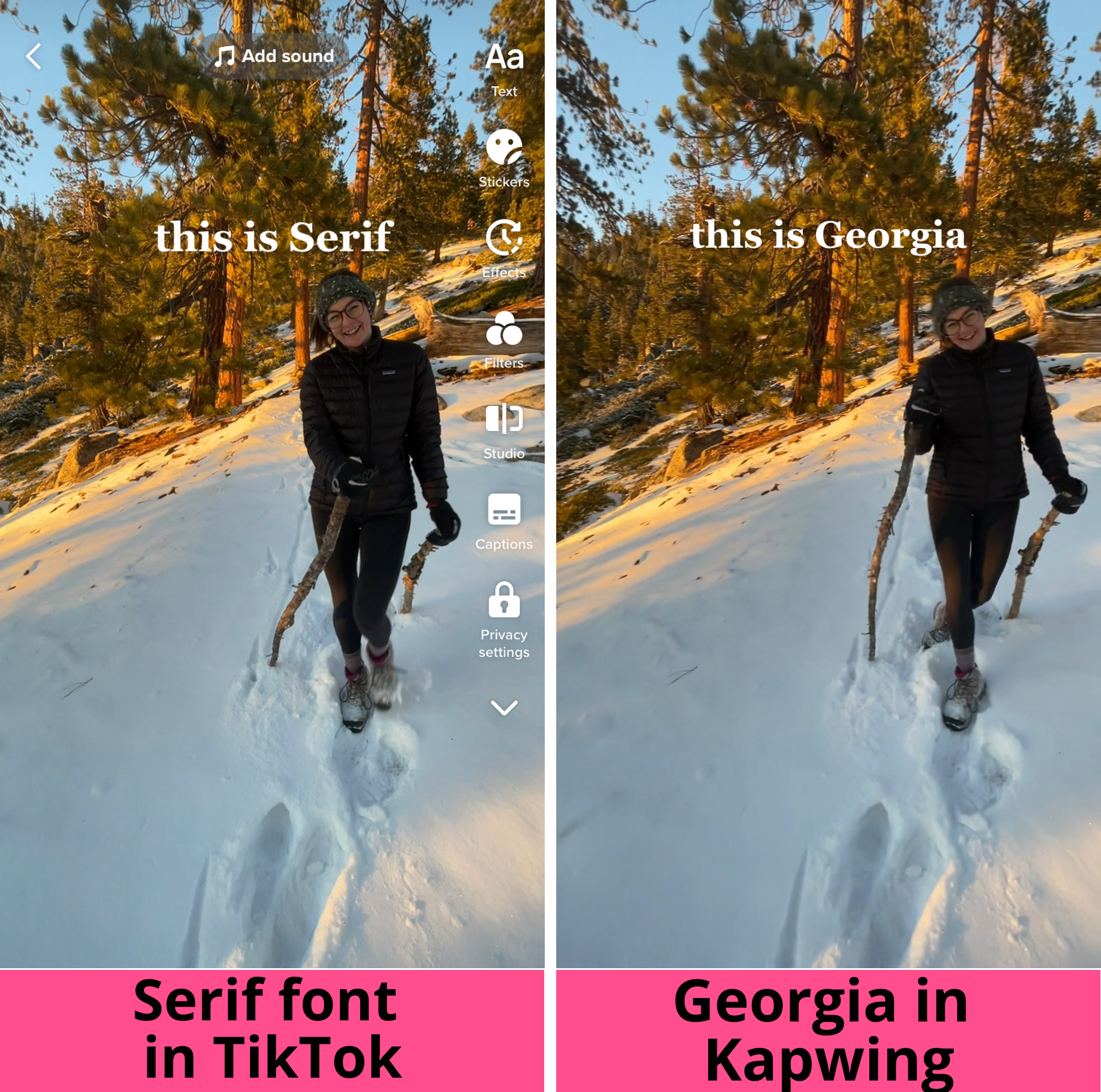
To style it like the TikTok version, use white or black text on a clean background, keep it centered or top-aligned, and try using sentence case or all caps, depending on the tone you're going for.
TikTok Font #5: Neon
TikTok’s Neon font is an all-caps typeface with a glowing background that mimics the look of neon lights. The font itself is distinctly geometric, with rounded ends on the character strokes.
Aveny-T is a near-perfect match for this style. While the glowing, diffuse background is unique to TikTok, Aveny-T has been widely used across social media, appearing in Meta advertising and Instagram’s Type font. However, Aveny-T isn’t free to use.
For a free alternative, the Google font Abel is a solid choice. It shares a similar line weight and soft geometric feel, featuring tall, slightly condensed letters with rounded line ends. Since TikTok’s Neon font is all caps by default, be sure to set Abel to all caps as well to match the look.
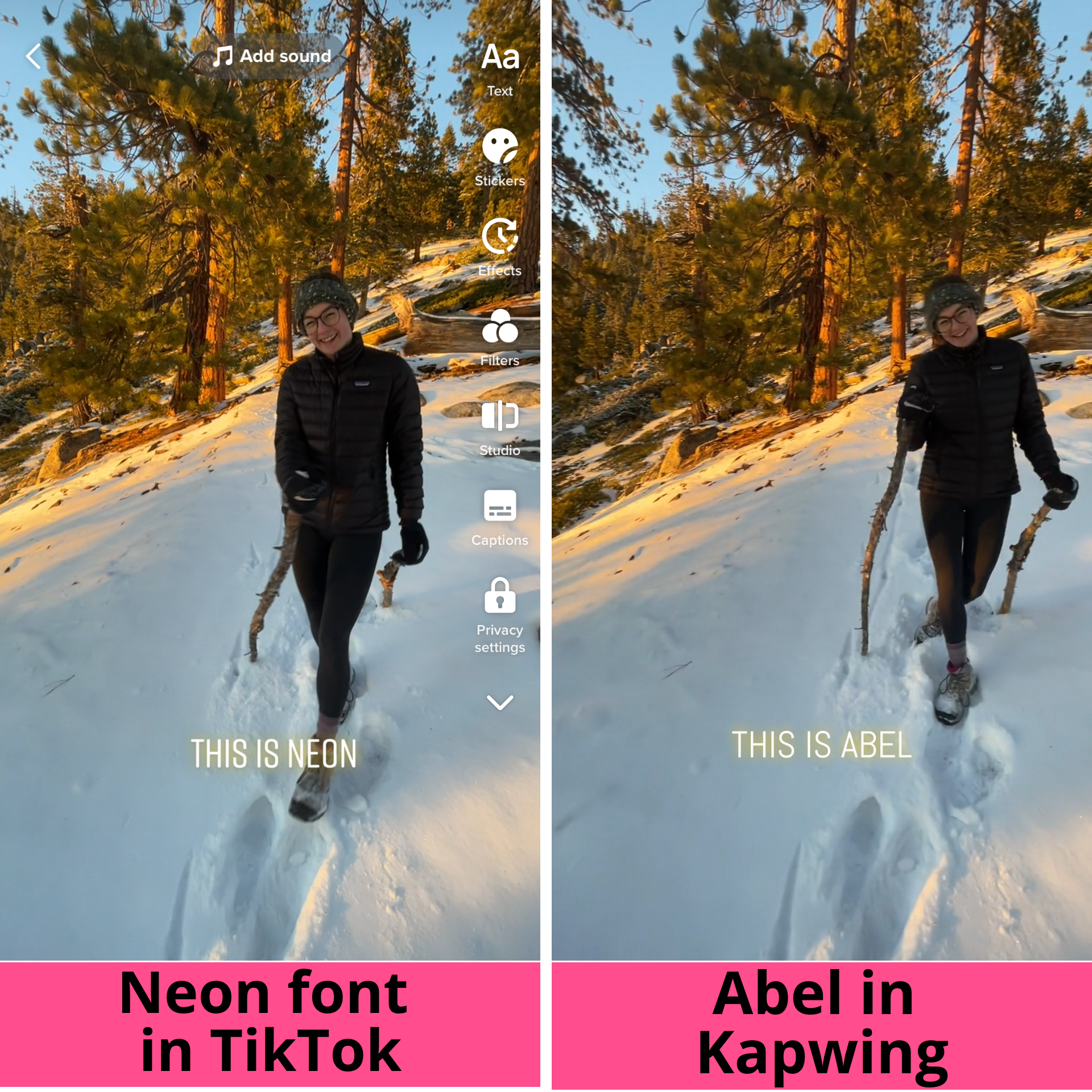
However, Abel doesn’t come with the built-in neon glow that gives TikTok’s Neon font its signature vibrant effect. Luckily, you can easily recreate it on Kapwing. Here's how:
Follow the same steps as above, but this time search for Abel in the font menu. Start by typing your text in all caps, since the Neon font is uppercase by default. Then, go to the right toolbar and set the text color to white—this will be the top layer.

Next, duplicate the text. You can do this by right-clicking on the text box, selecting Copy, then right-clicking on the canvas and selecting Paste. You can also select the text box, scroll to the bottom of the right-hand menu, and click Duplicate.

Make the new text box the color you want the glow effect to be. Select the colored text, then scroll to the Adjust section in the right-hand toolbar. You'll see a slider labeled Blur. Drag the slider to around 0.6 to create a soft, glowing effect.

Finally, move the blurred colored text directly behind the white text so they line up perfectly. This layering creates the glowing effect, with the blurred color peeking out from behind the white letters.

TikTok Text Background Colors
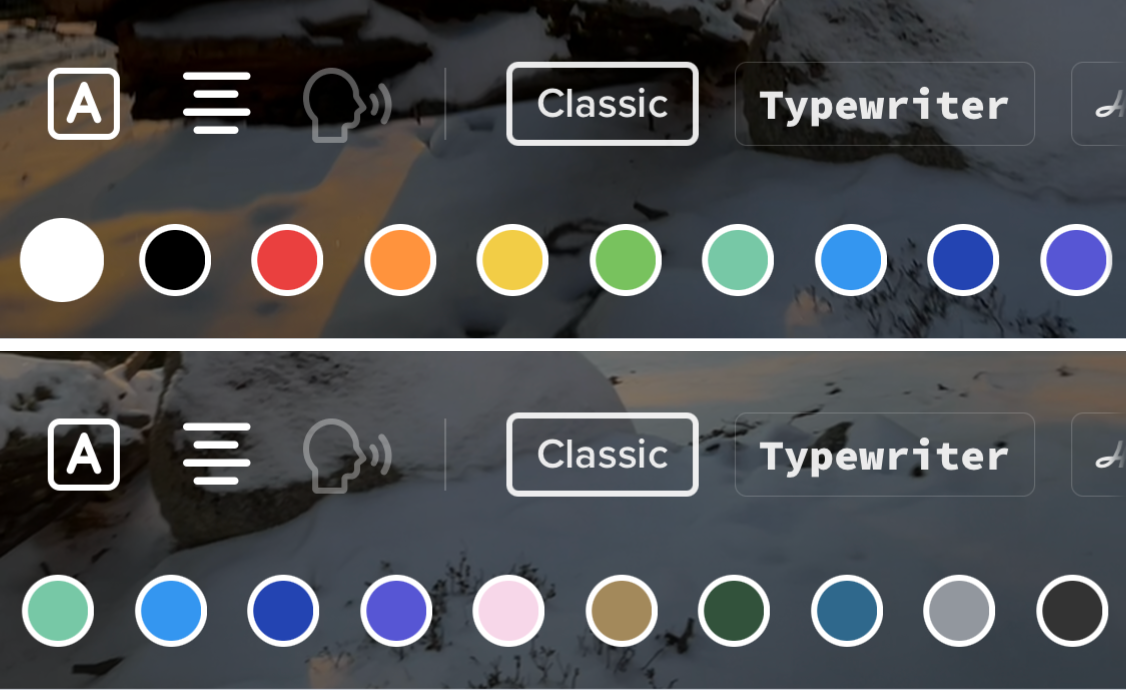
If you want to match the TikTok style even closer, here are the official colors used for text backgrounds. You can use these as a reference when customizing your text background in Kapwing or any other editor:
- Black — #000000
- Red — #EA403F
- Orange — #FF933D
- Yellow — #F2CD46
- Lime Green — #78C25E
- Teal — #77C8A6
- Light Blue — #3496F0
- Dark Blue — #3496F0
- Violet — #5756D4
- Pink — #F7D7E9
- Brown — #A3895B
- Dark Green — #32523B
- Blue Gray — #2F688C
- Light Gray — #92979E
- Dark Gray — #333333
Now you know TikTok’s key fonts and the best royalty-free alternatives to use in your own projects.
Remember: choosing the right fonts is just one part of the equation. Pair them with great content, put your own creative spin on it, and make sure to post when your audience is most active.