
How to Play 'Say the Word on the Beat' (Christmas Special)
Short-form video content generates over 120 billion daily views across TikTok, Instagram Reels, and YouTube Shorts
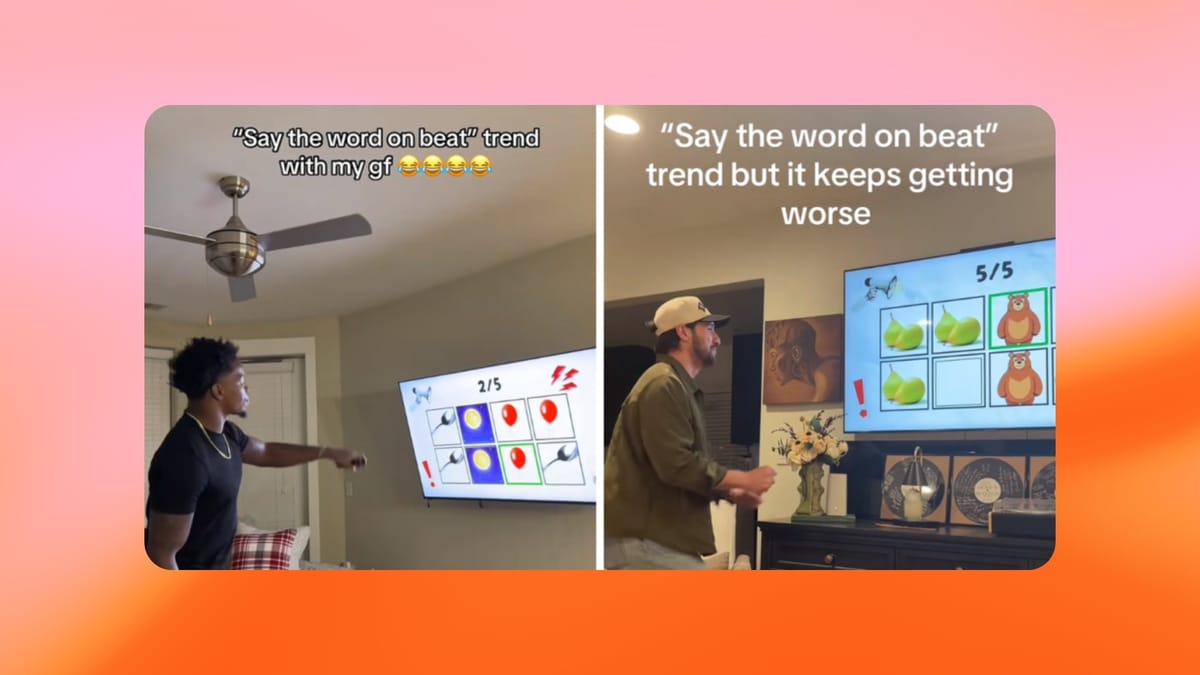
The viral “Say the Word on the Beat” game has taken over TikTok, Instagram Reels, and YouTube, becoming one of the most addictive rhythm-based challenges on social media since the Pitch Perfect Challenge.
The rules are simple, but the execution is brutally difficult. You have to say a word exactly on the beat of the song, following a rhyme or sound pattern, without hesitating or slipping up.
After trying it myself (and failing spectacularly), I realized this was the perfect challenge to unleash on my family this Christmas.
So for the holidays, I teamed up with the clever engineers at Kapwing to create a Christmas Special version of “Say the Word on the Beat.”
Below you'll find how to play the game (for free) — and how you can design your own version with custom rhymes, images, and inside jokes.
@saniyaxej_ 😂😂😂😂😂😂😂😂 #saniyaxej #couple #fyp #funny #challenge
♬ original sound - saniyaxej
What Is the ‘Say the Word on the Beat’ Trend?
“Say the Word on the Beat” is a fast-paced audio game built around a repeating song or beat. As the music plays, images or words appear on screen. Your job is to say each word out loud in perfect time with the beat.
The challenge gets harder because:
- The words usually rhyme or sound very similar
- The tempo increases
- One mistake ends the run
Where to Play ‘Say the Word on the Beat’ (Christmas Special)
The easiest way to play the game is via the video link below, which lets you play along instantly, for free.
This version of the challenge was created using Kapwing, and it’s designed so anyone can jump in without editing or setup.
- Open the YouTube video link
- Press play
- Listen to the song
- Say each word exactly on the beat as it appears
How to Create Your Own ‘Say the Word on the Beat’
Playing is fun, but creating your own version is where this trend really shines — especially for Christmas content.
Kapwing makes this easy by providing a ready-to-use “Say the Word on the Beat” template.
Step 1: Open the Kapwing Template
Click this video template to open it in Kapwing’s editor.
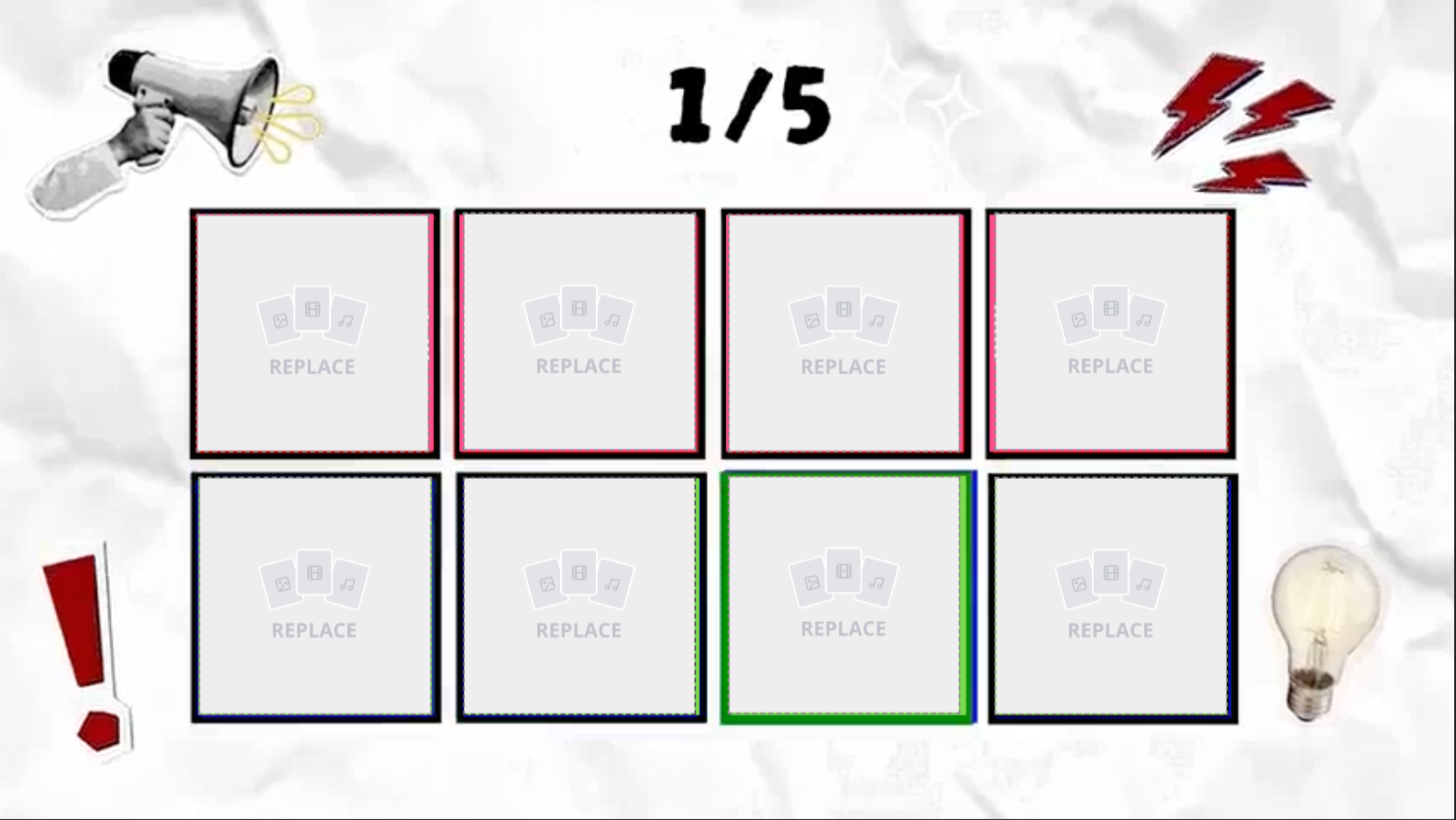
Inside, you’ll find:
- A video template with the song already added
- The beat timing set
- A pre-built layout (you can keep it as 16:9 or change the aspect ratio to 9:16 for mobile)
- Empty image frame boxes for your words
You don’t need to edit the audio or timing unless you want to customize it. It's super easy!
Step 2: Choose a Rhyme Scheme
Next, decide on your word pattern. The closer the words sound, the harder the challenge becomes.
You can also personalize it by using:
- Brand names (for company challenges)
- Friends’ or family members’ names
- Inside jokes for group games
Step 3: Add Images to the Empty Frames
Each word should be represented visually.
To do this:
- Click an empty image frame
- Upload a photo or graphic (or use Kapwing's free stock library)
- Adjust size or position if needed

Step 4: Export and Download
Once finished:
- Click Export
- Select a vertical resolution (9:16 is best)
- Download your video
Your special “Say the Word on the Beat” challenge is now ready to share.
For more TikTok trend ideas, check out our 'Trends of the month" article.