
Kapwing November 2025 Release Notes

Kapwing AI – Public Launch
This month, we introduced Kapwing AI - our chat-to-create surface – publicly at Kapwing.com/kai. Read more about the launch on our blog.
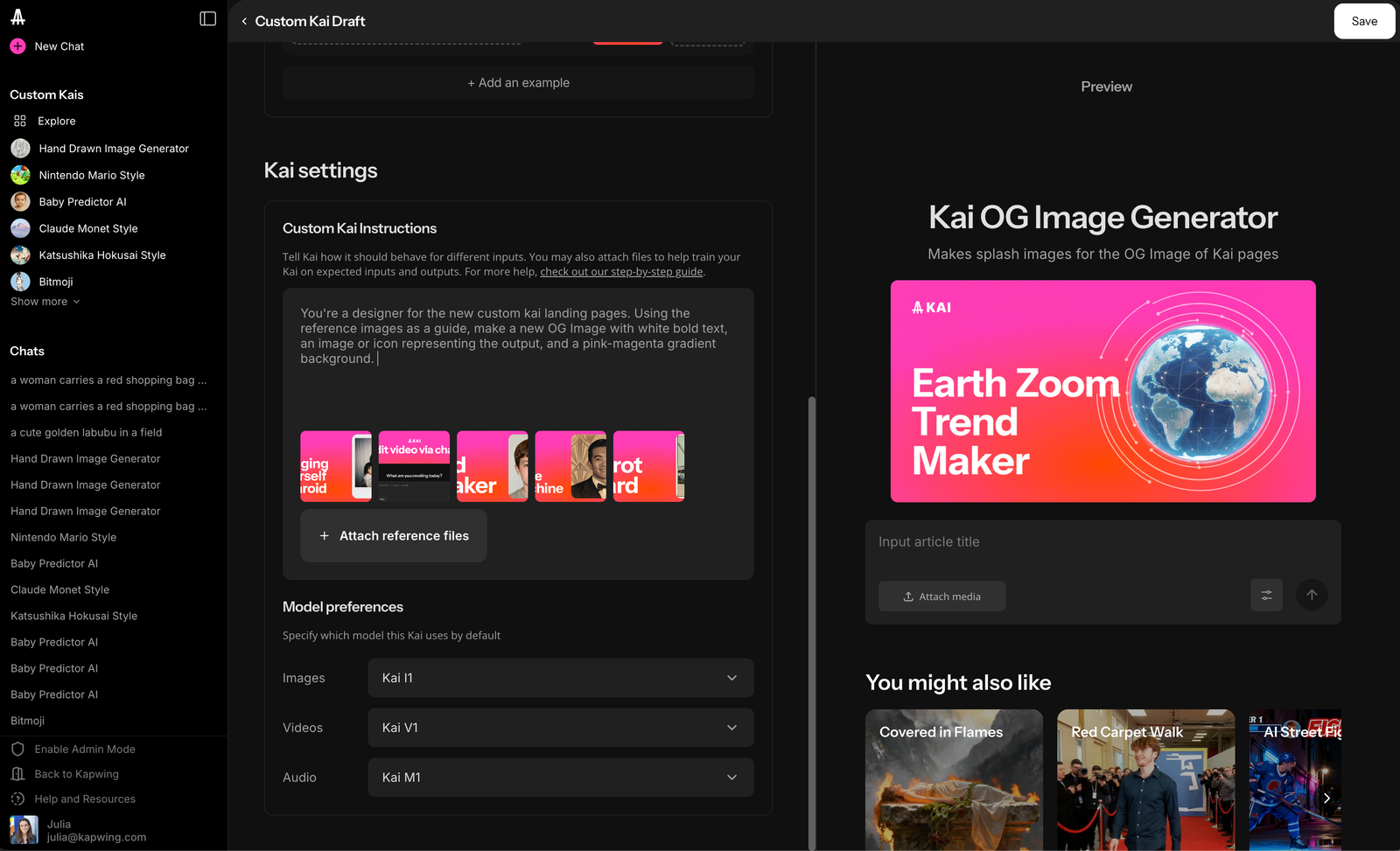
The launch includes Custom Kais, a set of featured pre-configured AI workflows to make trending formats like a selfie with a celebrity, predict a couple's baby, or a gender swap. Brands can use Custom Kais to set up internal formats; for example, we use a team Custom Kai trained on our cover image style to make splash graphics for blog posts.
Kapwing AI added support for Veo3 and Sora into Kapwing AI following major updates to these foundational video generation models. Kapwing also supports the latest minimax model - Minimax Music 2.0 - for song generation and prints lyrics when users prompt for a song.
Kapwing AI continues to get smarter with new capabilities:
- Remove background from an image
- Repurpose a long video into smaller clips
- Merge videos together into a montage-style video
New, More Accurate Waveforms
Kapwing introduced two new styles of waveforms on Kapwing, making it easier for creators to visualize an audio track, podcast, or song. We also fixed several bugs to ensure that the preview matches the waveform output. Find the new waveform options in the Visuals tab or convert an audio layer in Kapwing into a waveform.
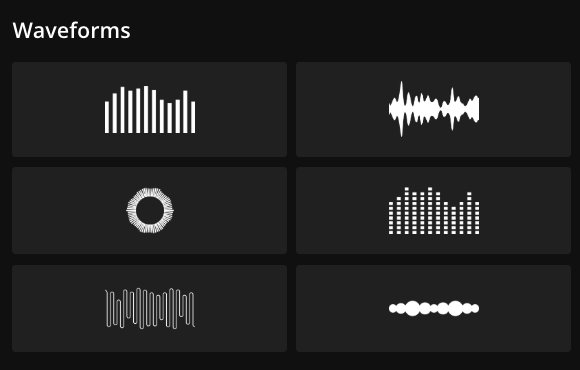
Waveforms are elements which respond to the frequency of the volume in your timeline. Try using it for podcast episodes, voice memos, recordings, or any type of MP3 to convert that soundtrack into an animated video. The new styles are:
- Circle: A sun-shaped audiogram that radiates out, like a spinning album
- Dotted bar graph: Uses small squares instead of continuous bars. It's a digital, segmented version of a frequency spectrum display, giving a retro or pixelated feel.
- Bubble line: These horizontal orbs represents sound with varying size or intensity. It suggests a calm, liquid, or ambient representation, often found in minimalistic audio players.
- Line art style: This minimal line art gives an organic, rippling effect. It suggests movement and vibration.
Level Volume for a Single Layer
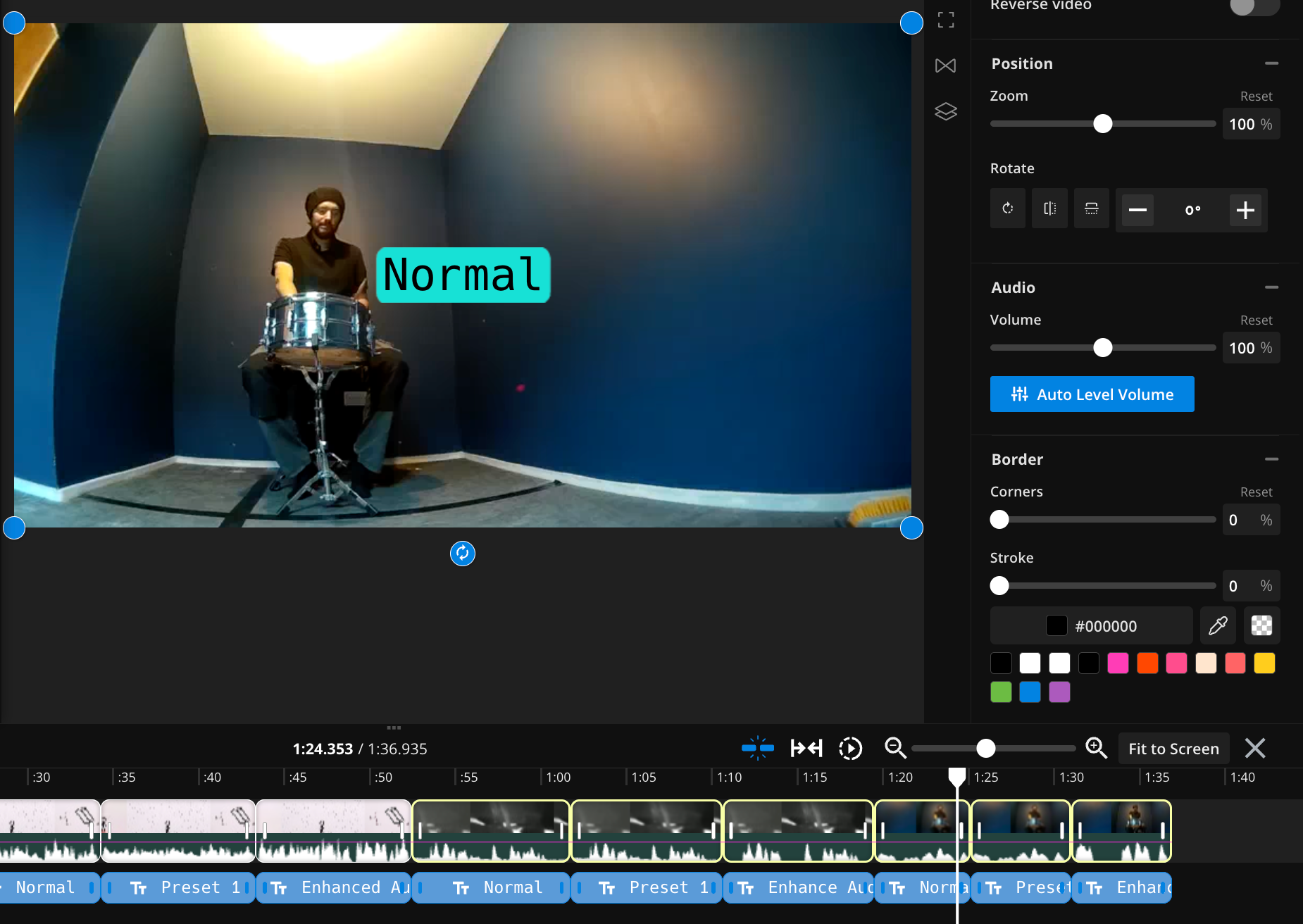
Reduce glitches and bring the volume of the audio into the same range with auto-volume leveling. Kapwing added a new technology that smooths out the sound from one or multiple tracks. If your audio is too loud or too quiet in parts, use the auto level volume button to equalize the loudness.
Bug Fixes and Small Features
- Pasted link support: Kapwing integrated with a new vendor to power import from a URL.
- Responded to an abuser leveraging Kapwing's email system to invite creators to our system. Within 24 hours, we shipped a patch to prevent clickable links in emails and validate the Workspace Name to close this abuse vector. See this Reddit thread.
- Completed a refactor of text to speech voices to make them more reliable and robust
- Added a new tab in My Media for Generated Assets
- Introduced a new black lightbox UI to review videos which a user has uploaded to a Kapwing AI chat
- Show more results when someone searches for a GIF in the Visuals tab



