
Closed vs Open Captioning on Kapwing

Your video can have captions added in one of two ways. One method gives viewers the option to select whether or not they want the captions to appear. Styled subtitles have also been added to your video in another manner. On Kapwing, you can make both styles of captions!
Closed Captioning (CC)
Closed captions are captions that viewers can toggle on and off and are a feature of the hosting website (like YouTube or Facebook).
To use closed captions, you would upload an SRT file to your video when uploading the video onto another video hosting site. An SRT file is a text file that has specific formatting to indicate the timing and the words with each line of subtitle. SRT files do not save font formatting (like size, weight, font, color, etc). The format that the captions appear in and are toggled will be dependent upon that hosting platform.
To create closed captions on Kapwing:
- Upload your video
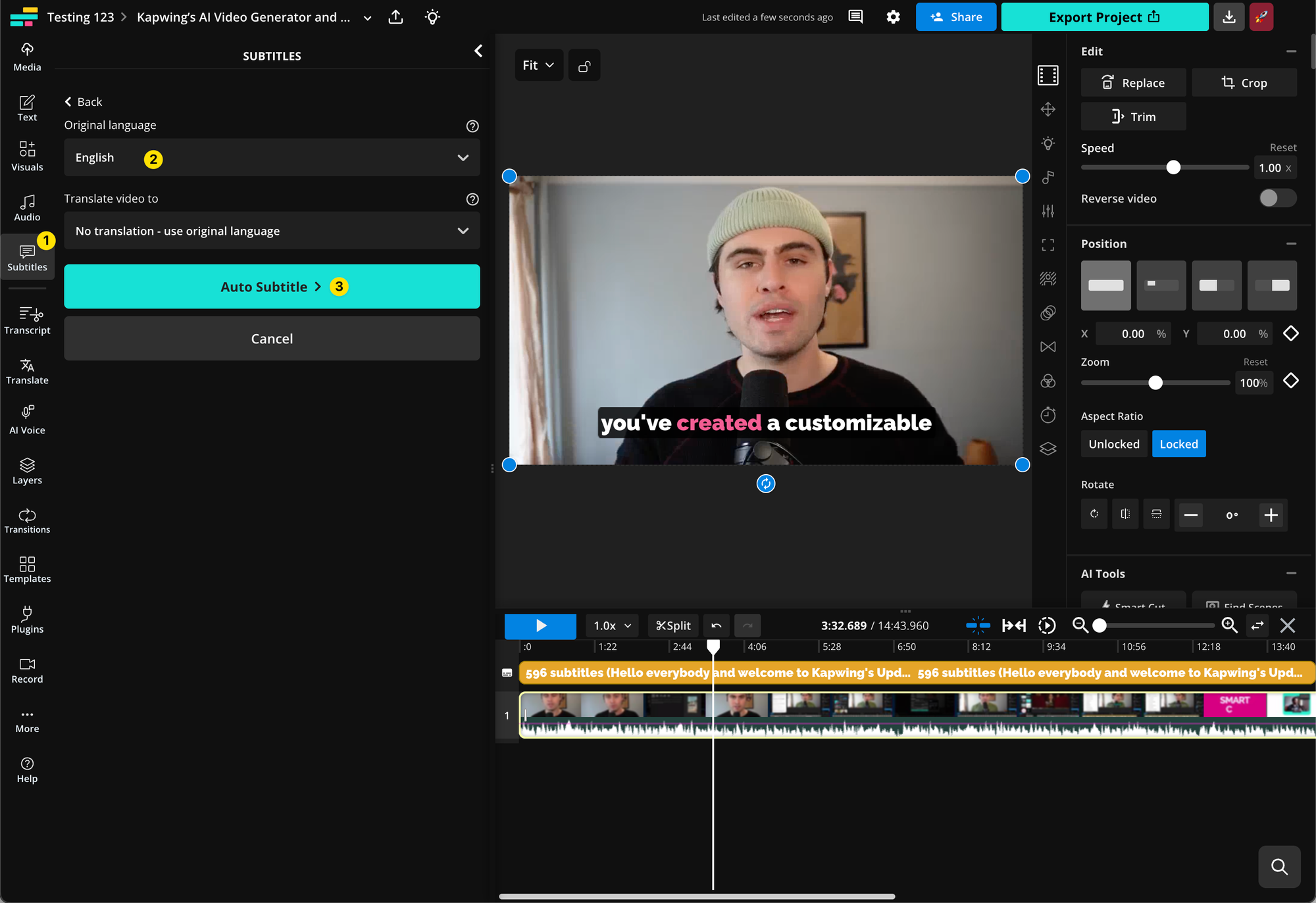
- Select the “Subtitles” option on the left-hand toolbar (1y)
- A side panel will appear so you can select the input/output language of your subtitles and auto-generate them (2y&3y)
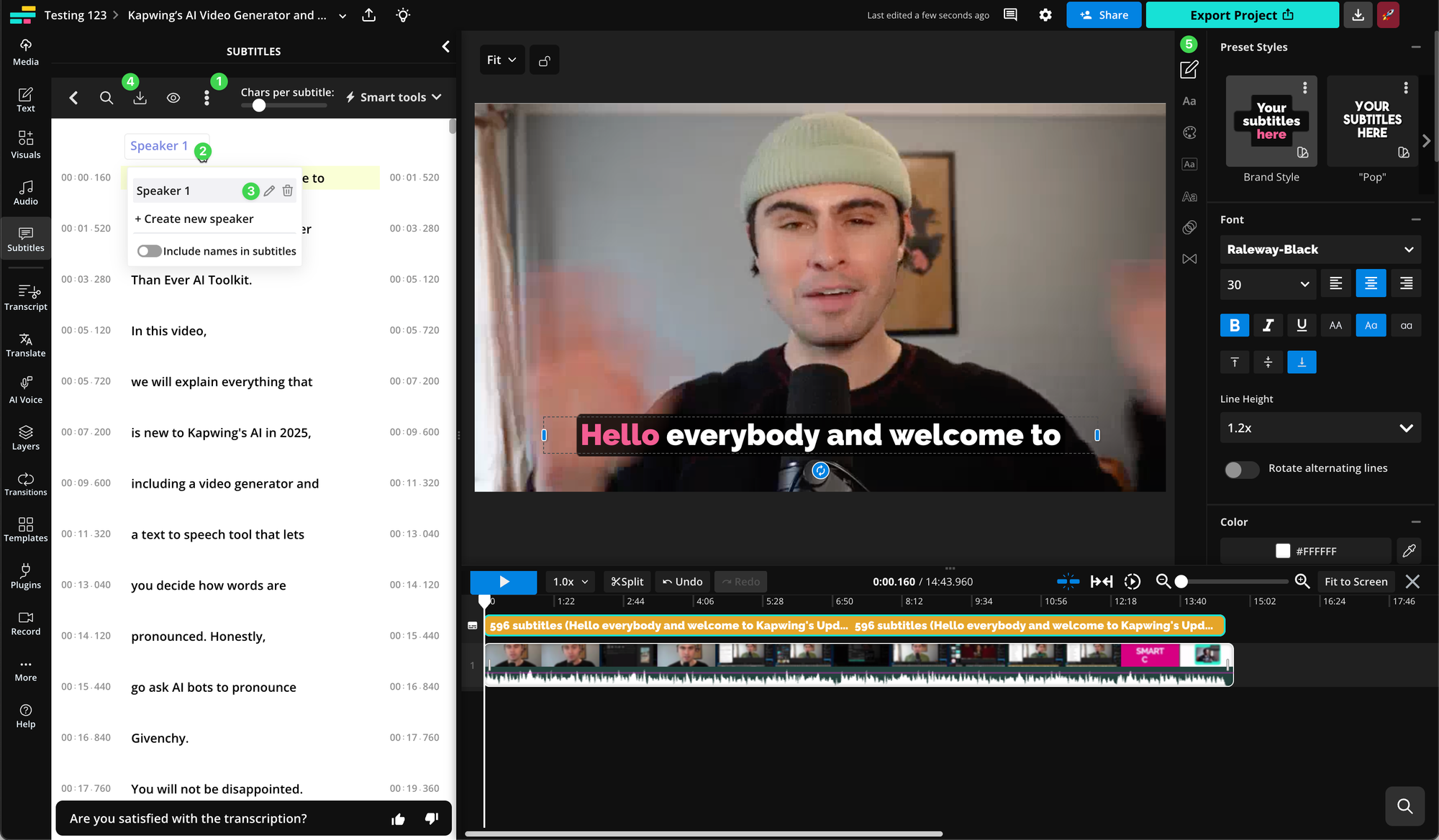
- Following this, you can add details such as sound effects and speaker labels to turn them into closed captions.
- To add speaker labels click the kebab menu icon (1g). To edit speaker labels click the carrot next to the speaker (2g) then edit the speakers with the pencil icon (3g).
- Edit your subtitles on the canvas as desired using the right-side panel options (5g) which appear when you are clicked on the subtitles in the left panel or the timeline.
- Once you're happy with the subtitles you've created, click "Download SRT" (4g) Note: The ability to download your subtitles as an SRT file is a paid feature on Kapwing
- Finally you can upload the closed captions along with your video on other sites.
Open Captioning
Captions that are permanently processed onto a video file, which cannot be turned off, are called Open captions.
When you export a project from Kapwing with captions, you are also adding open captions. If you want to create a certain branding look and feel, you can use this to specify the size, font, color, and weight of your subtitles. The drawback is that they cannot be turned off or removed. They are an indelible component of that video.
To create open captions on Kapwing:
- Upload your video
- Add Subtitles in the "Subtitles" tab
- Once you're happy with the subtitles you've created, click "Export Video"
For a more detailed guide on our Subtitle experience, check out this Help Center article.



