How To Get The 'Your Algorithm' Feature On Instagram
Instagram's "Your Algorithm" trend is turning Reels data into a viral storytelling moment
In December 2025, Instagram rolled out a new feature called Your Algorithm: a tool that allows users to control how their Reels feed is curated. With this feature, users can view the topics that they’ve been interested in, and adjust or remove those interests.
Not only can you manage your feed, but you can also share your personalized algorithm directly on your Story. This feature sparked a viral trend, with users sharing their algorithmic interests or turning them into custom memes and recaps using templates.
In this article, we’ll show you how to check your Instagram algorithm, how to share Your Algorithm on Instagram, and how to customize and post your own version — whether you’re using it for fun, long-press, or as a creative way to reflect your 2026 internet personality.
Table of Contents
- How To Check 'Your Algorithm' On Instagram
- How To Post 'Your Algorithm' On Instagram
- How To Do The 'Your Algorithm' Story Trend
How To Check 'Your Algorithm' On Instagram
To view and manage your personalized Reels recommendations, open Instagram and start watching Reels.
In the top-right corner of the screen, you’ll see a small icon that looks like two lines with hearts. Tap that icon to open a list of topics that Instagram’s AI believes you're most interested in, based on your recent activity.
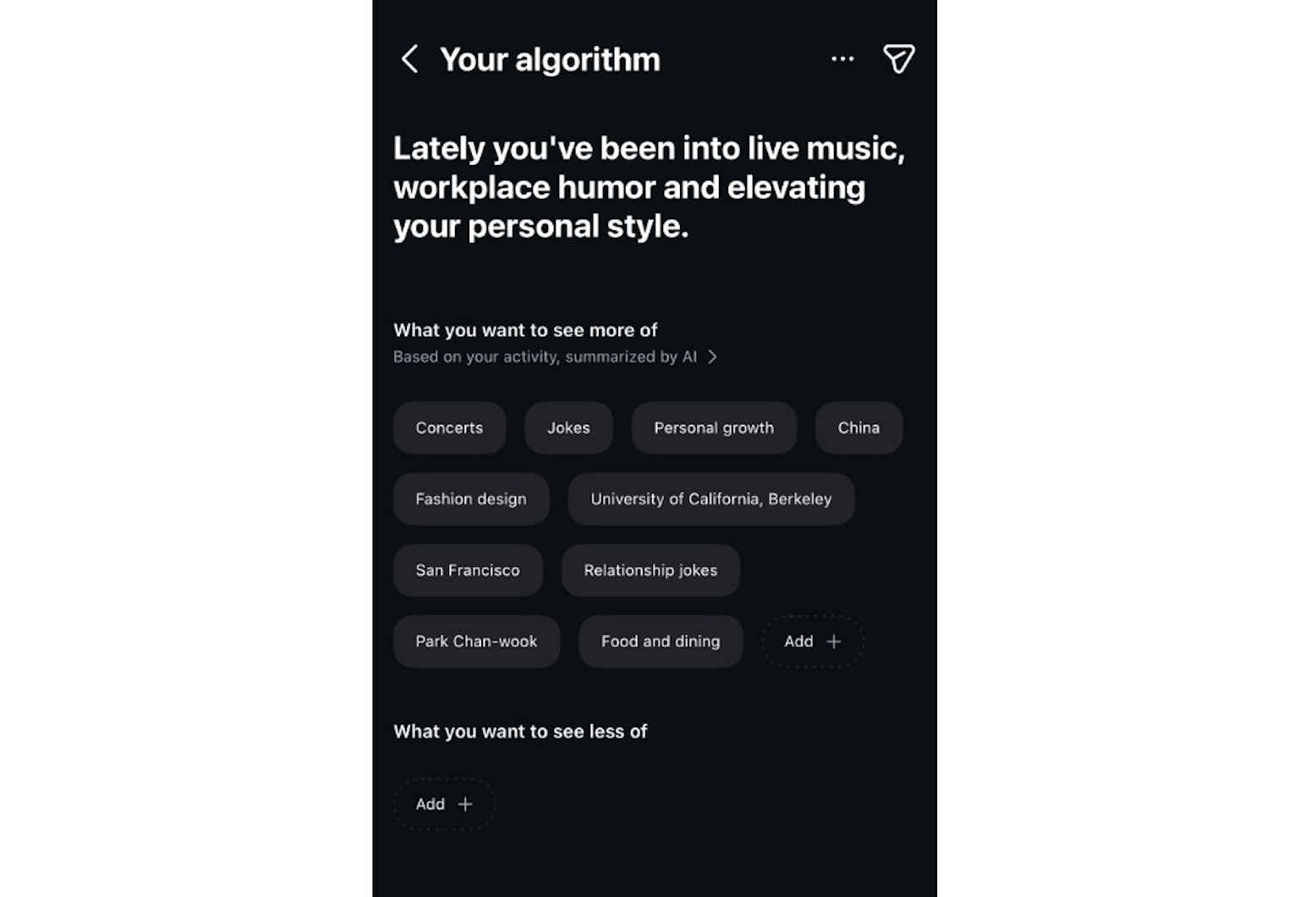
Once inside, you’ll see two lists:
- What You’re Into: A personalized list of topics Instagram thinks you enjoy, such as “Home Organizing,” “BookTok,” “Sneaker Culture,” or “POV Humor.”
- What You Don’t Want to See: A separate list of topics you’ve previously marked as “Not Interested,” which Instagram will deprioritize in your feed.
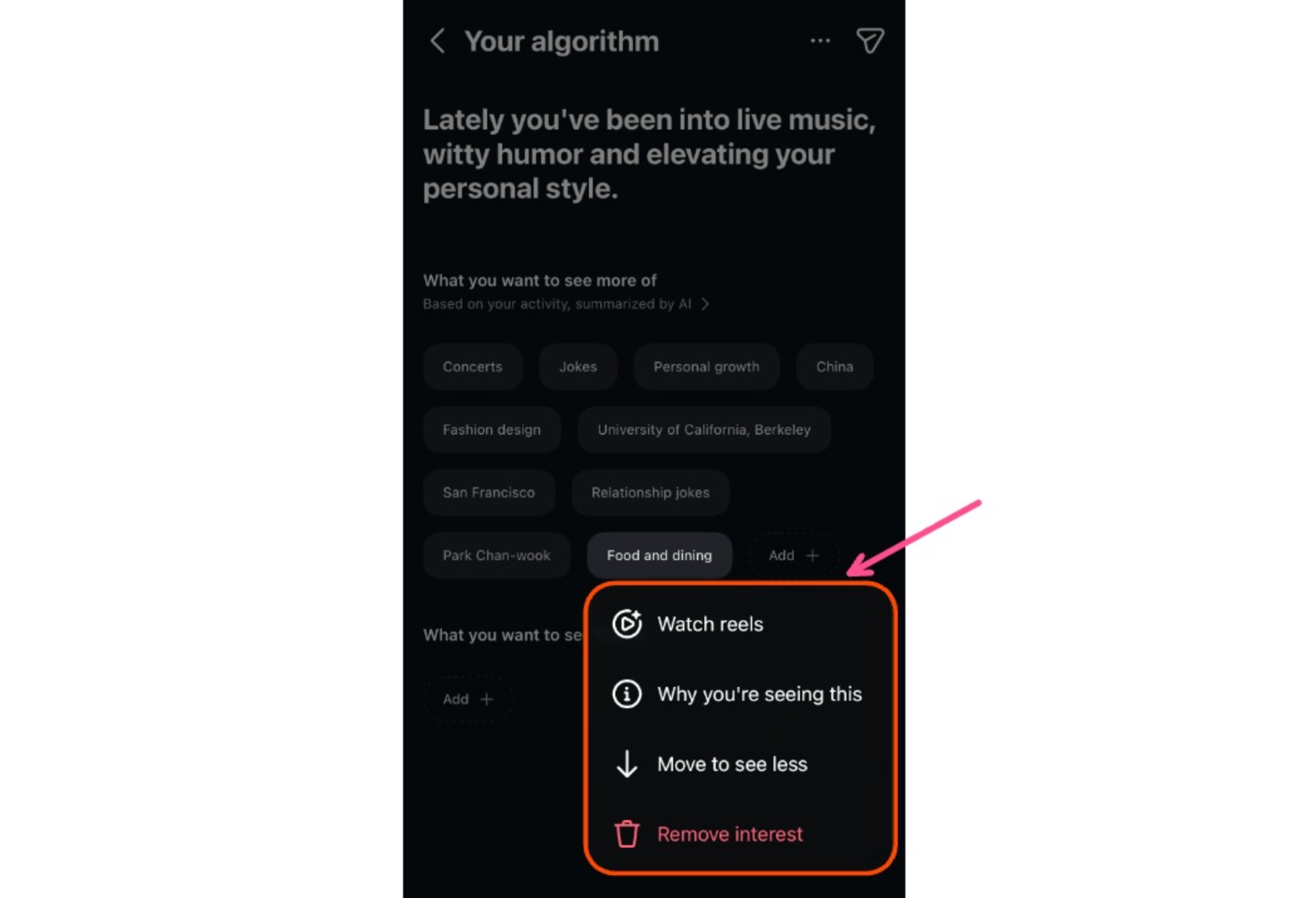
To manage your preferences more specifically, you can long-press on any topic in your list. This gives you several options:
- Move it between lists (from “interested” to “not interested,” or vice versa)
- Watch more Reels from that topic to explore before deciding
- Remove it entirely from your algorithm preferences
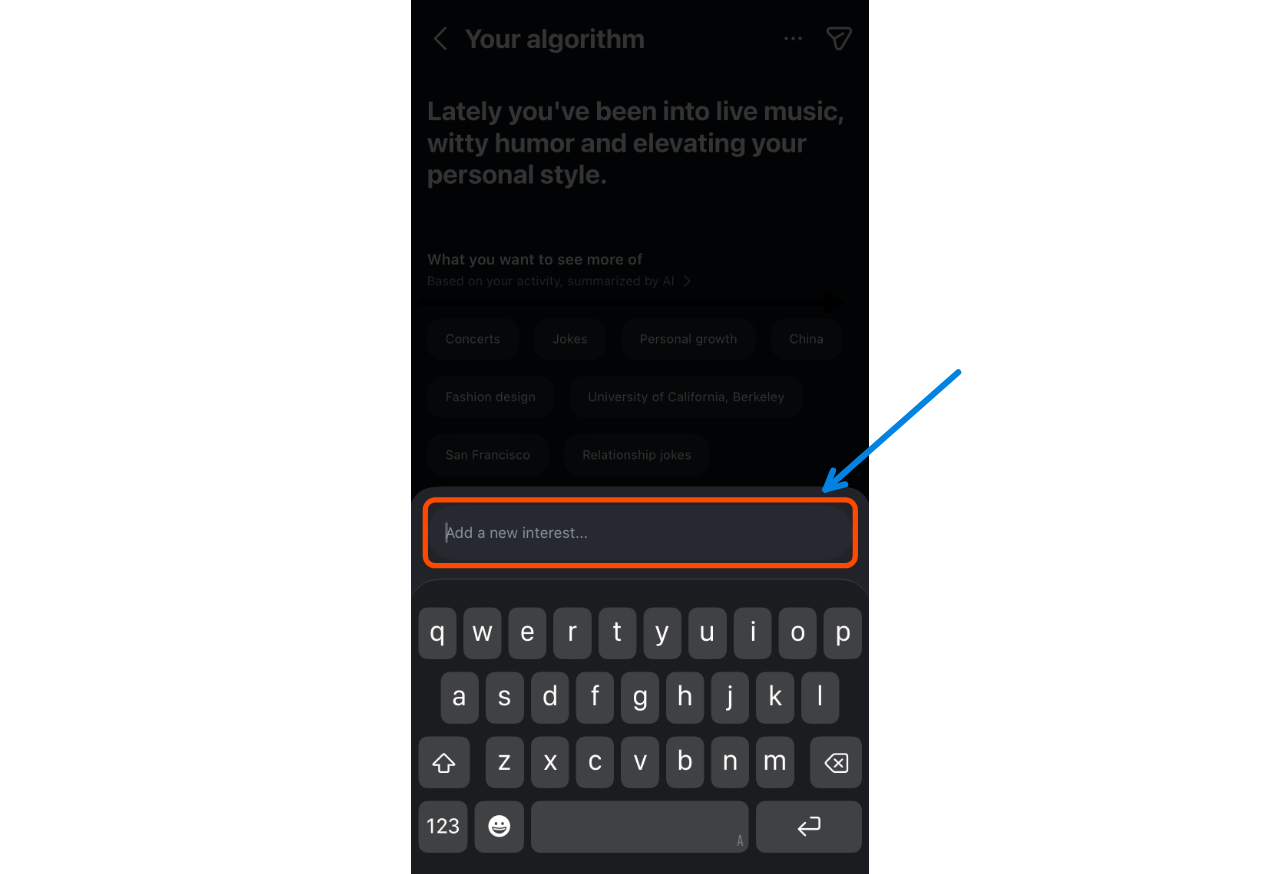
If you want to add something new, just tap the 'Add' button to enter a custom topic. You’re not limited to preset categories; you can type in any subject you want Instagram to show you more of.
If you’d like some inspiration, here are 25 trending topic ideas you can try:
25 Popular Algorithm Topics
- Daily routines
- Digital journaling
- Cozy home decor
- Streetwear fashion
- Minimalist living
- Travel photography
- Skincare tips
- Study motivation
- Mental health check-ins
- Creative writing prompts
- Dance tutorials
- BookTok reviews
- Meal prep ideas
- Indie music edits
- Small business tips
- DIY room makeovers
- Career advice
- Soft girl aesthetic
- AI tools & tutorials
- Gym girl content
- Nature walks
- Couples vlogs
- Digital planning
- Comedy skits
- Clean girl beauty
How To Post Your Algorithm On Instagram
Instagram lets you share your Your Algorithm results directly to your Story, and it’s quickly become viral, known as the Your Algorithm Story trend.
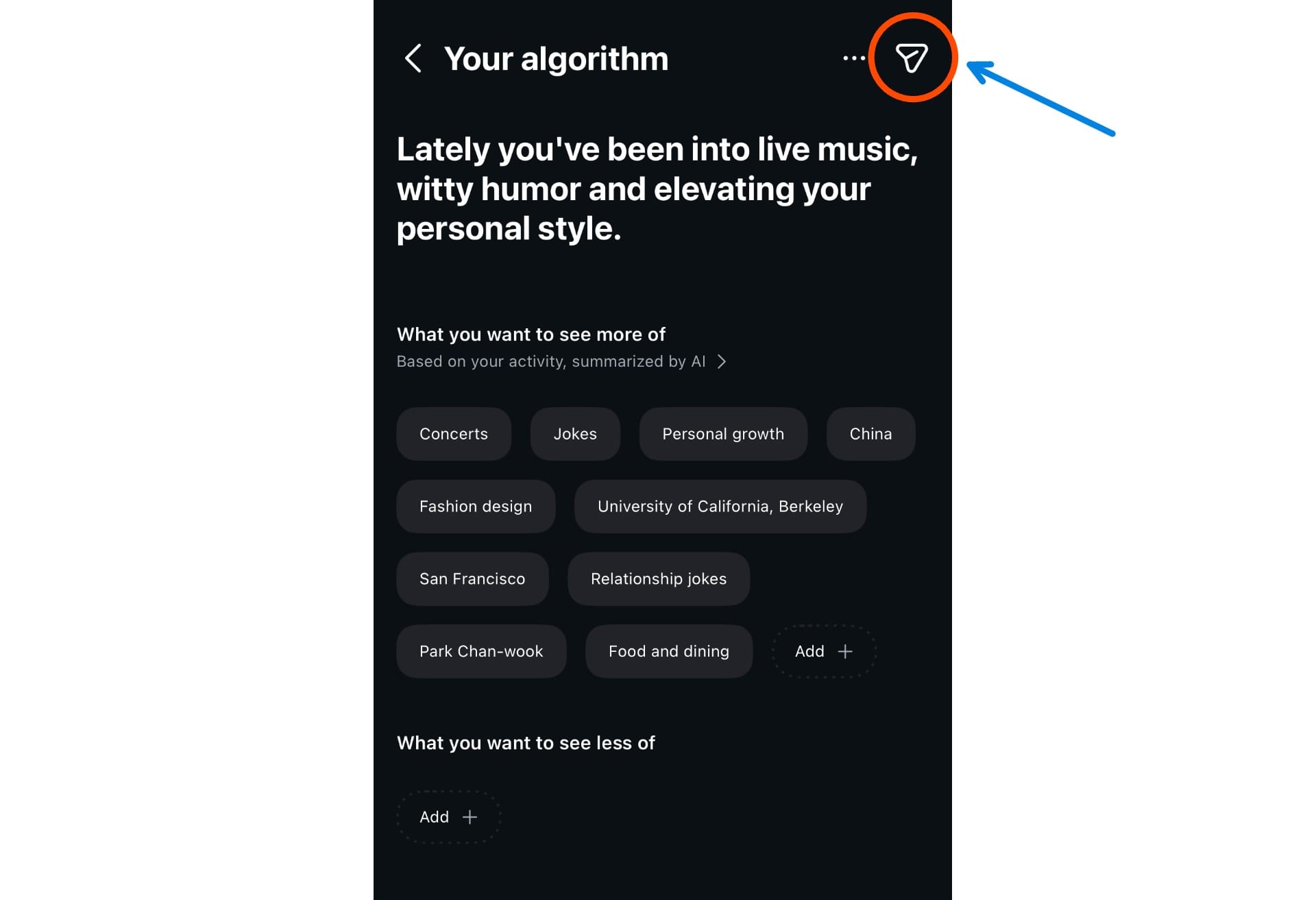
To post your algorithm to your Story, tap the arrow icon in the top-right corner of the Your Algorithm screen.
This opens the Instagram Story editor, where you can customize your share. You can:
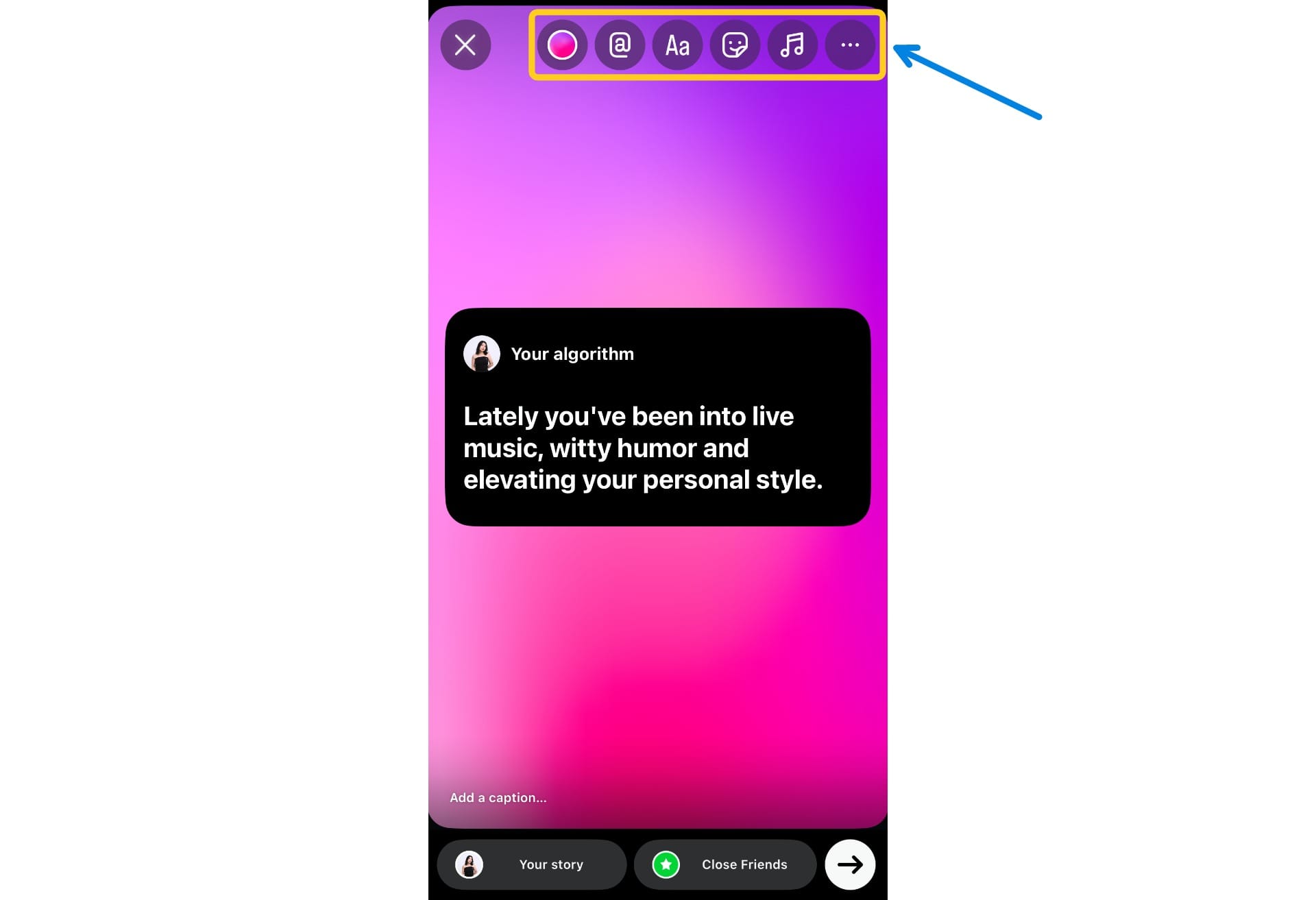
Once you're done customizing, you can share it with your followers from there.
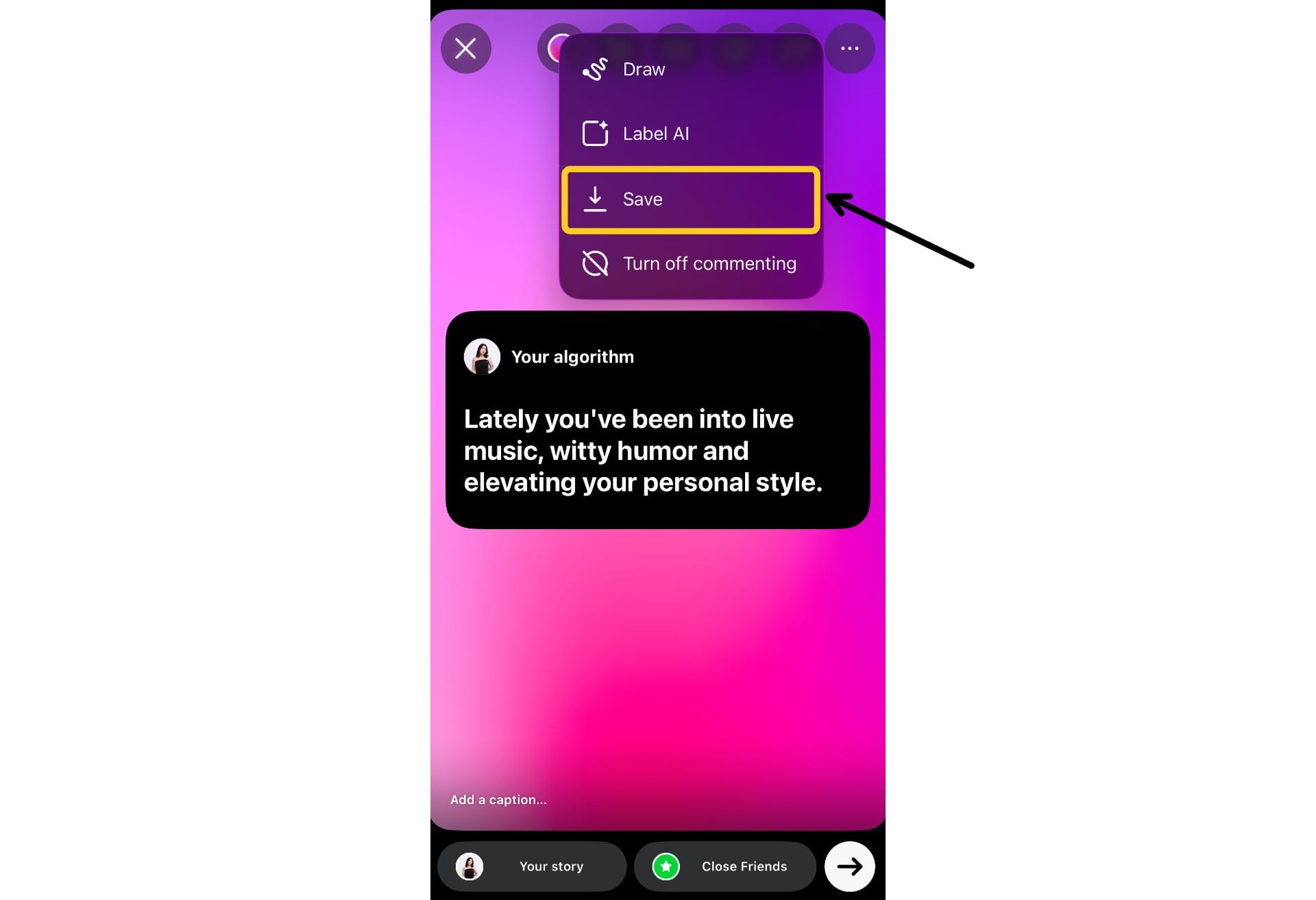
If you'd prefer to post it to your Instagram feed, you can download the image from the Story screen before sharing. Simply tap the '...' icon and select 'Save' from the dropdown menu.
How To Do The 'Your Algorithm' Story Trend
While Instagram lets you share your actual algorithm directly from the app, another popular way to join the 'Your Algorithm' story trend is by using a customizable template.
This version of the trend is perfect if you want to:
- Make a meme of your real algorithm (e.g. “frogs wearing hats, late-night niche edits, drama I don’t care about but still click on”)
- Create a fictional algorithm for a character, pet, or even a friend
- Curate your “ideal” algorithm based on the content you wish you were seeing
- Match your board to a specific aesthetic, color palette, or mood board
To use the template, simply click on the text boxes and type in your own algorithm topics, whether they’re real, funny, or completely made up. You can also edit the fonts, colors, and background to match your vibe or aesthetic. Add emojis, inside jokes, or trending references to make it even more personal.
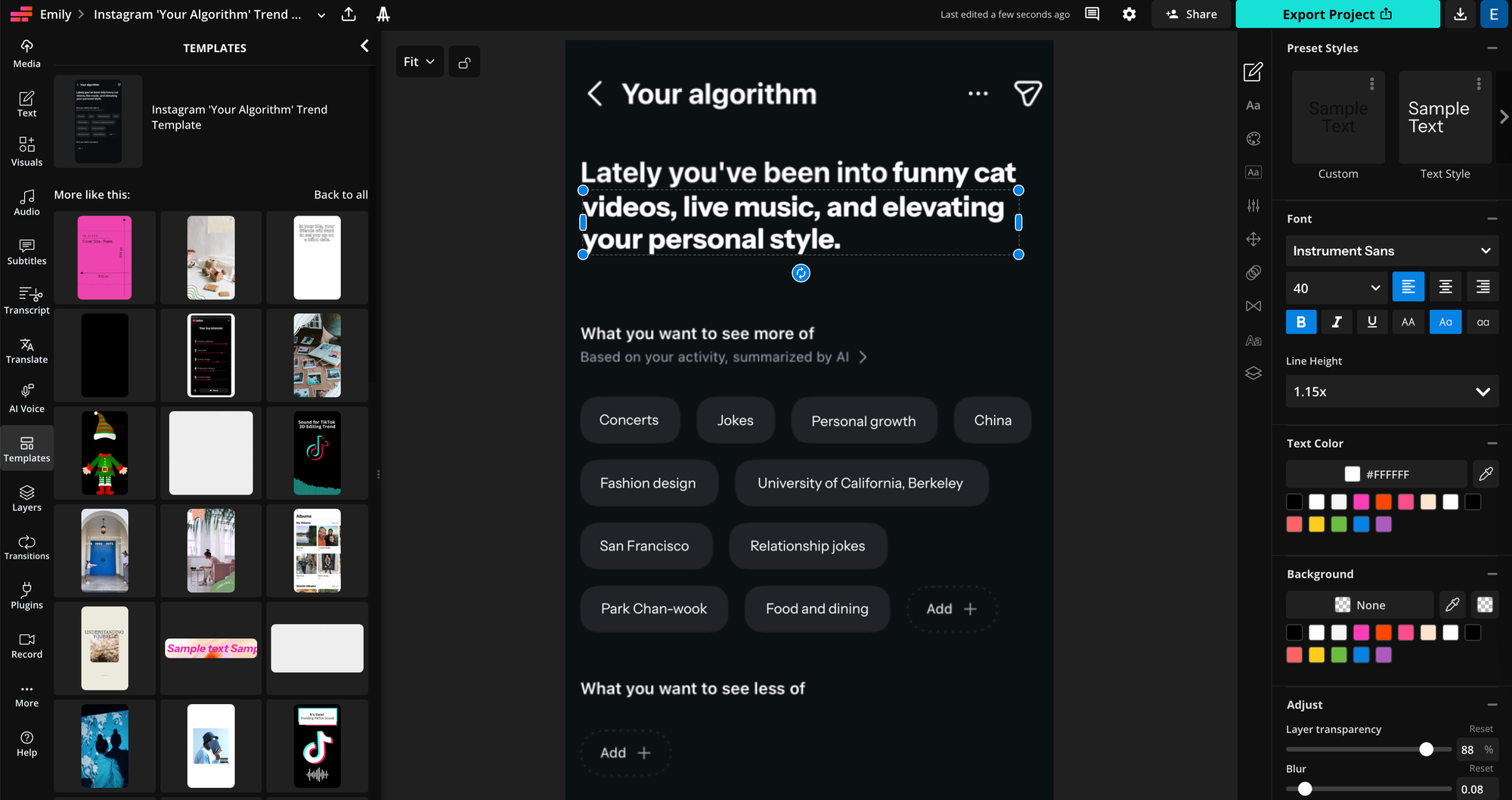
When you're finished designing, click the blue "Export" button in the top right corner of the editor.
From there, you can download the final image and post it directly to your Instagram Story, feed, or anywhere else you share content.