How To Get The Stranger Things Font On Instagram
Searches for “Stranger Things font” spike more than 800% every time a new season drops
After more than three years, Stranger Things is finally back for its final season, and fans are celebrating across social media. Running for nearly a decade, the show has become a pop‑culture phenomenon. One of its most unexpected impacts? Following the cameo of Eggo waffles as Eleven’s favorite treat in Season 1, the brand saw a 14% increase in sales.
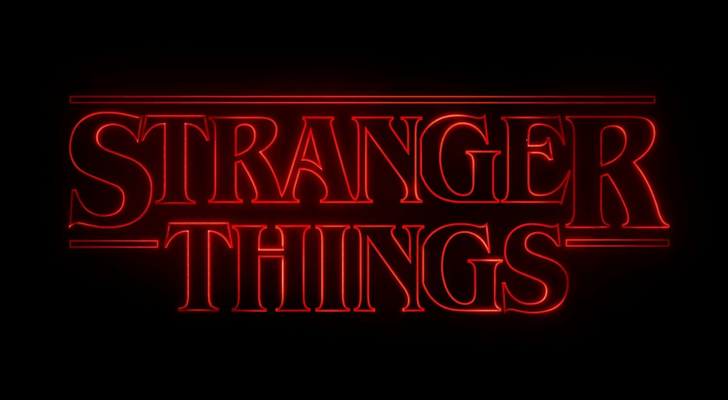
One of the most recognizable elements of Stranger Things is the font used in its title card sequence. Based on the ITC Benguiat typeface, it’s become a visual shorthand for the show. It’s been widely used in fan art, Halloween invites, and even unofficial merchandise
And now, for a limited time, you can use it directly in Instagram Stories and Reels. Whether you're posting fan edits, countdowns, or themed photos, here’s how to get the Stranger Things font on Instagram before it disappears.s
Is the Stranger Things Font Available on Instagram?
The Stranger Things font is currently available on Instagram, but only until December 7, 2025. Released as part of a limited-time promotion tied to the show’s final season, this custom font recreates the look of the iconic Stranger Things title sequence. Styled after the ITC Benguiat typeface, it features bold, retro serif lettering with a glowing red outline.
You can access the Stranger Things font directly within Instagram Stories, Reels, and text posts. If you're planning to post fan edits, countdown graphics, or themed content, be sure to use the Stranger Things font on Instagram before the feature is removed.
How to Add the Stranger Things Font to Instagram Stories and Reels
Using the Stranger Things font on Instagram is simple. Here’s how to find and use the font in your Stories, Reels, or text-based posts:
Open the Instagram app and tap the + icon to start creating a Story, Reel, or regular post.
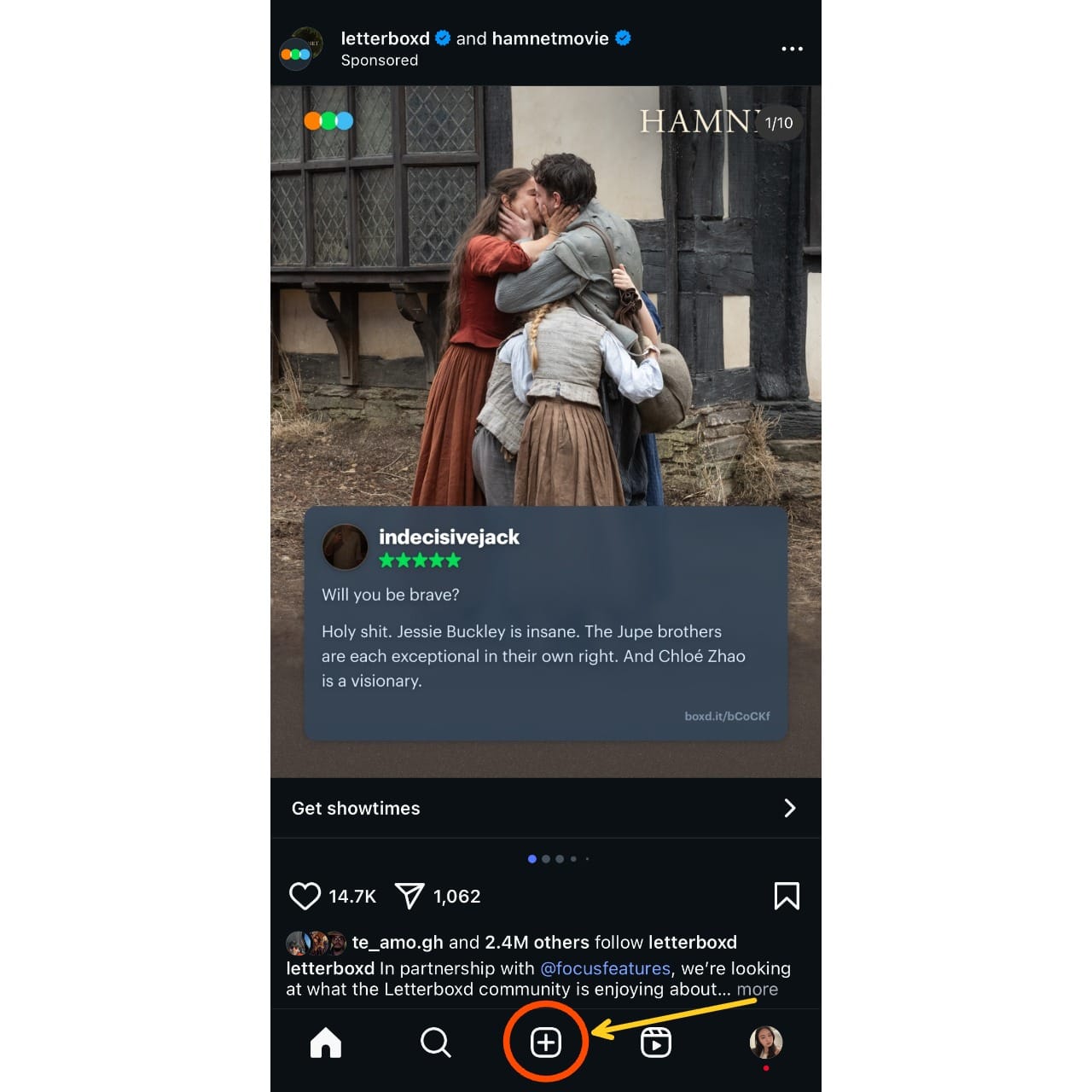
Once you've uploaded or capture your image/video, tap the “Aa” text icon to enter the text editor.
Type directly in the interface to enter your caption.
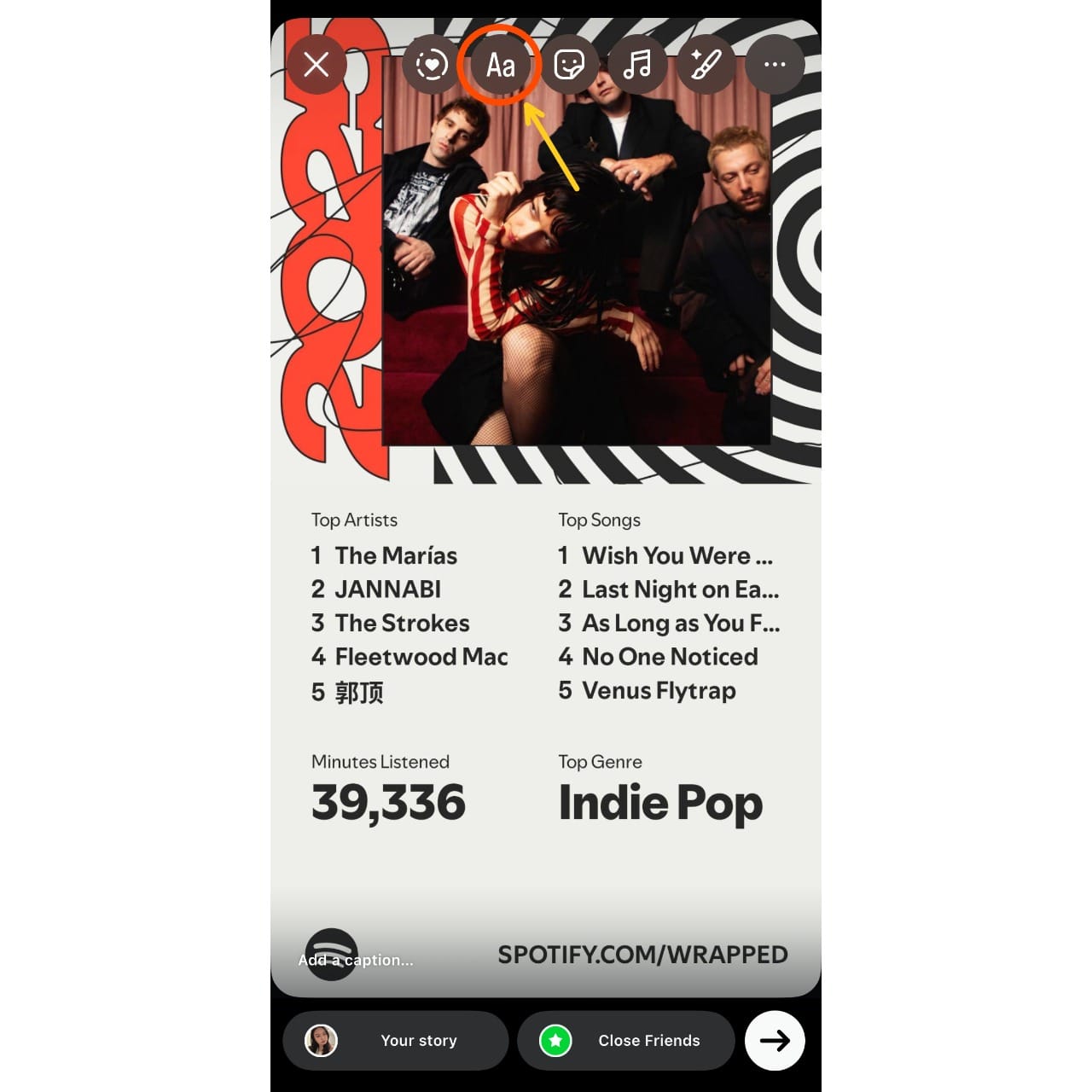
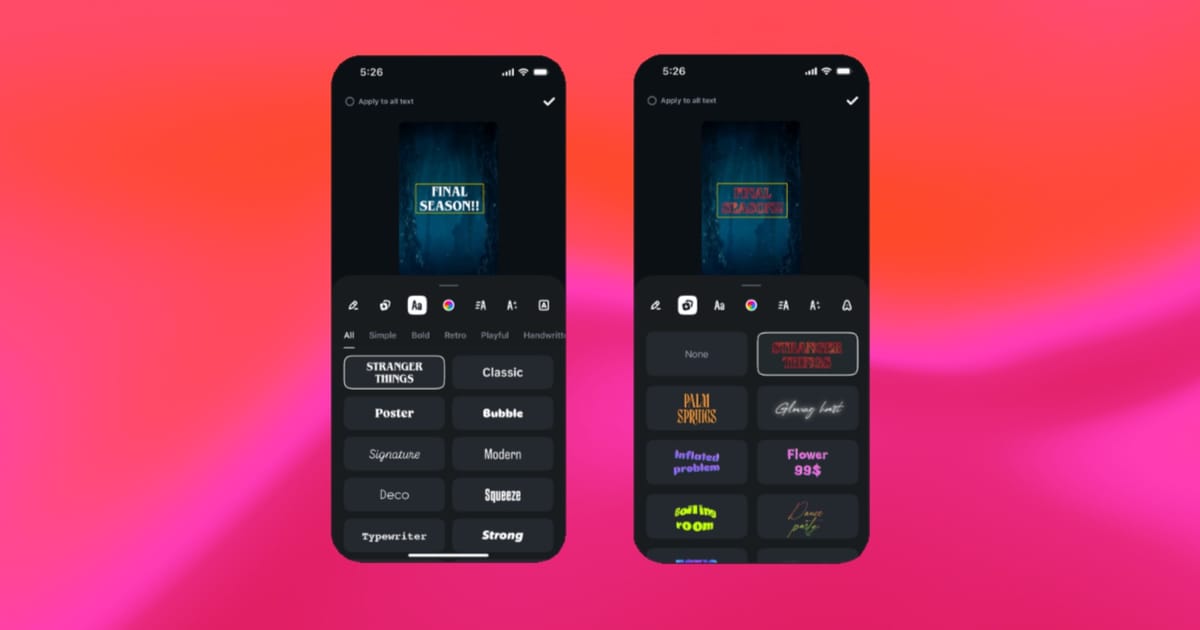
Once your text is entered, swipe through the font options at the bottom of the screen until you find the Stranger Things font.
It should be the left-most font.
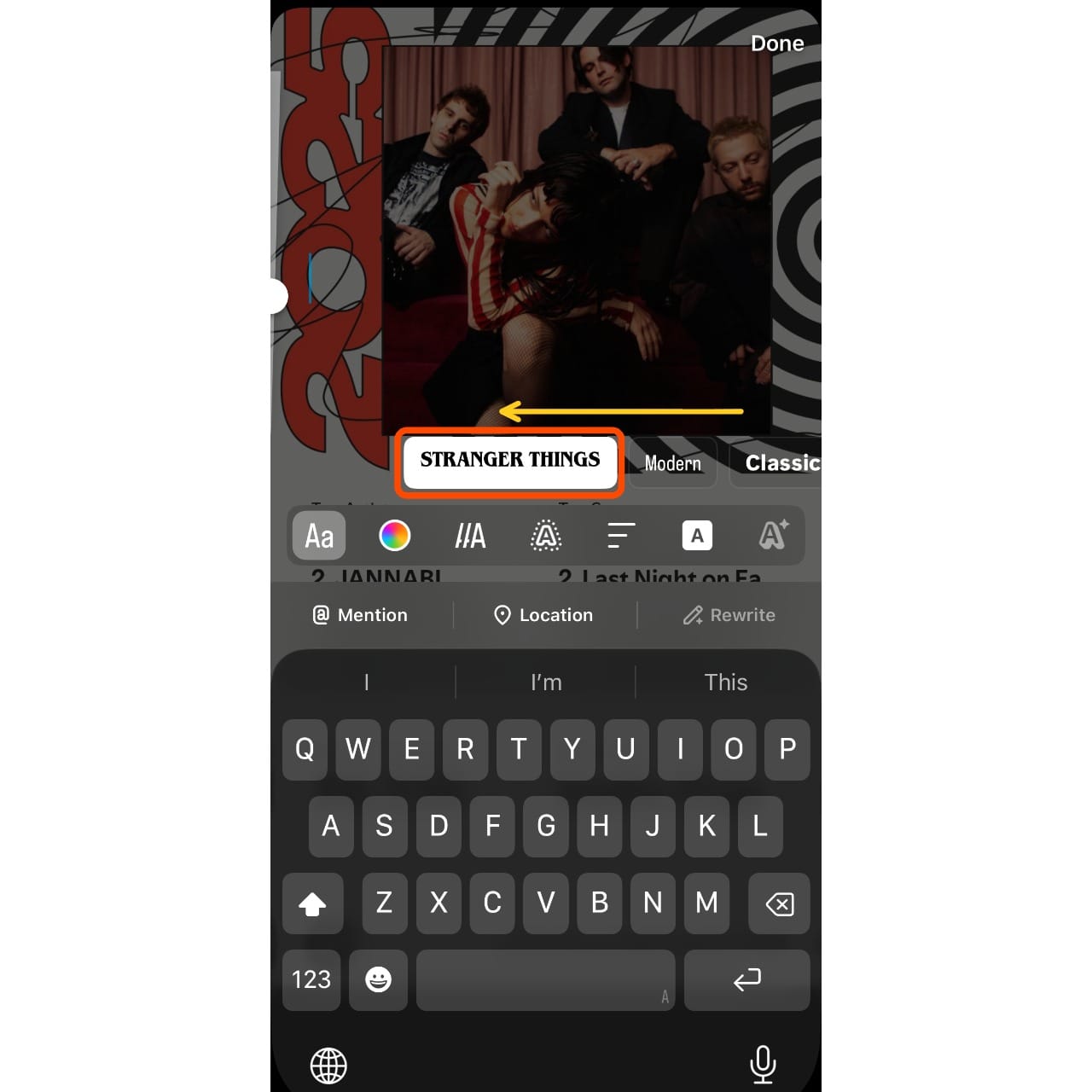
You can drag and resize the text box to customize its size and placement on your Story or Reel.
Once you're happy with how it looks, you can post it to your main Story, share it with your Close Friends, or export it to use elsewhere.
How to Get The Stranger Things Font After Decembr 7
If you're looking to continue the Stranger Things theme beyond December 7 (which you should be, considering the second batch of Season 5 episodes doesn’t drop until Christmas Day), you can use Kapwing’s Stranger Things AI tool to generate the iconic neon red font. Built into a full video and image editing studio, the AI tool can create a Stranger Things–styled font on demand.
All you need to do is open the AI chatbot, describe the style you want, and include the exact words you want transformed inside quotation marks. For example, you could enter the prompt:
"Write the word 'horror' in the Stranger Things font style."
For best results, we recommend selecting the Nano Banana AI model in the bottom-right corner.

You can make requests with the AI tool such as adding a black transparent, or themed background. From there, you can download the text or add it to the Kapwing studio to use as part of your video, image, or audio projects.
Creative Ways to Use the Stranger Things Font
The Stranger Things font isn’t just a fun nod to the show, it’s a design tool that lets fans recreate the show's aesthetic in their own content. Whether you’re building a themed countdown, promoting a viewing party, or just showing off your fandom, there are endless ways to use the font across Instagram and beyond.
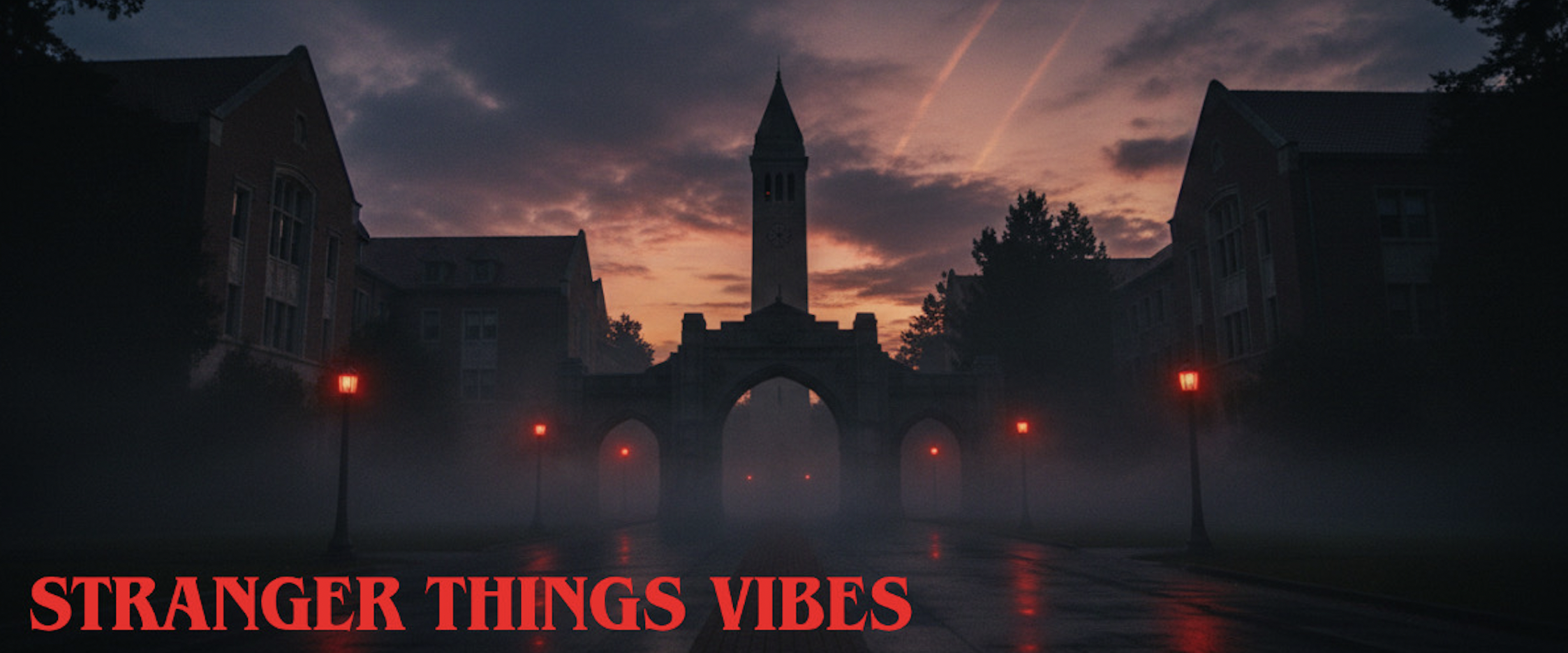
One popular idea is to create a countdown to the final season premiere using bold, red-glow text over moody background images from the show. Want to recreate Joyce’s alphabet wall from Season 1? You can generate a version of it using simple design tools online, then overlay your own message. Other fans are making Stranger Things: themed wallpapers or song lyric graphics.
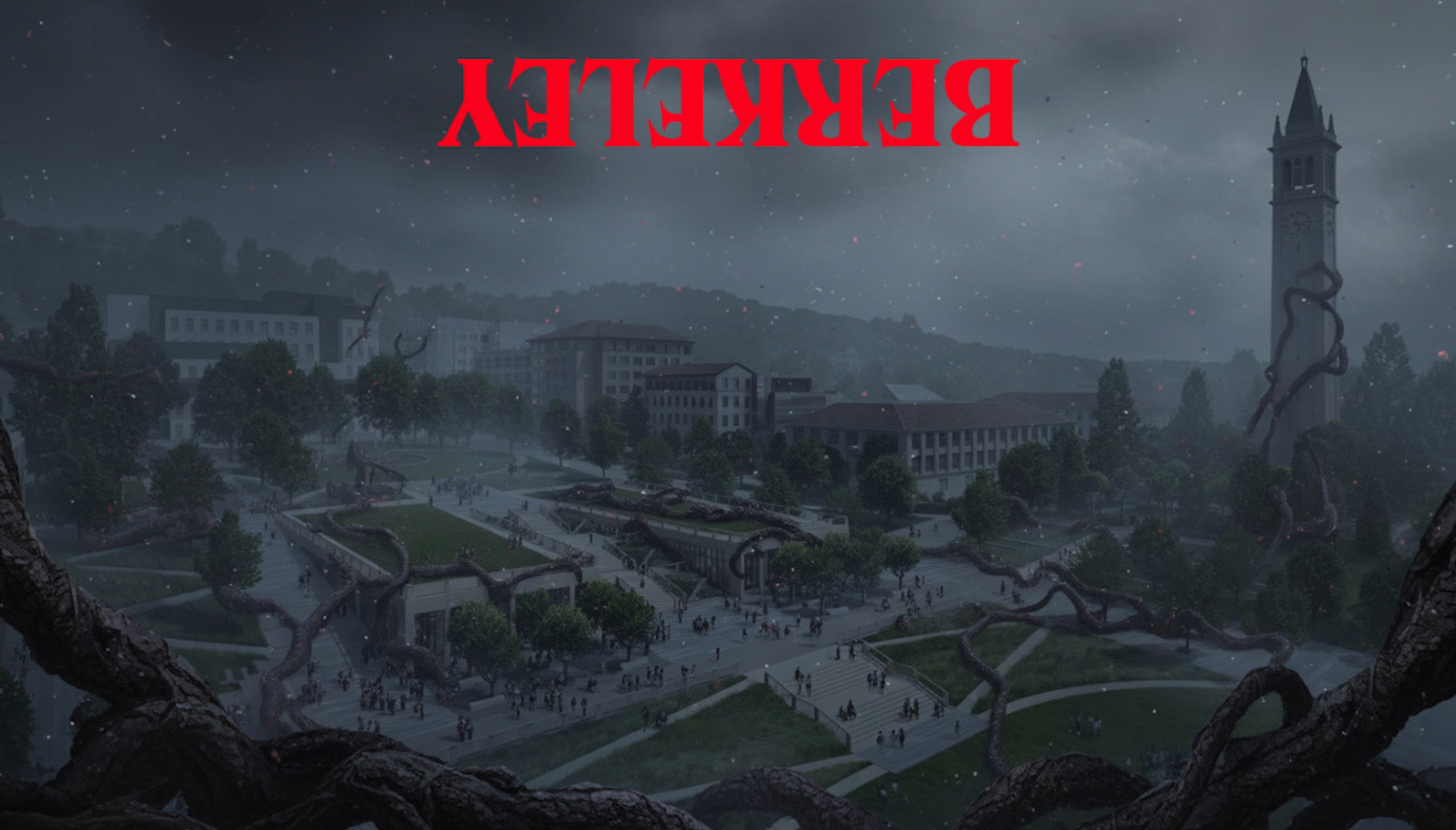
For something more playful, try flipping your captions upside down to channel the show’s alternate dimension. This works great for cryptic Reels, Stories, or memes.
You can pair the text with an AI-generated image of the Upside Down.
Frequently Asked Questions
How long is the Stranger Things font available on Instagram?
The font is only available for a limited time, as part of a special promotion tied to the final season of Stranger Things. According to Instagram, it will be removed after December 7, 2025.
Where can I find the Stranger Things font in the Instagram app?
You can access the font by creating a Story, Reel, or post, then tapping the “Aa” text icon. Scroll through the available font styles until you see the one that resembles the Stranger Things title font — bold, serif, and outlined with a red glow.
Why don’t I see the Stranger Things font in my Instagram app?
Make sure your app is updated to the latest version. If the font still isn’t appearing, it may be due to a regional rollout delay or the feature may no longer be active, depending on the date.
Can I use the Stranger Things font after the Instagram promotion ends?
Not directly within Instagram. However, you can still use online font generators, text overlay tools, or design apps to recreate the look and upload it as an image or video.