
Release Notes - June 2026

June 2026 was a big month for making Kapwing more creative, more intelligent, and more reliable. We introduced a new Draw tool, made Kapwing AI better at understanding uploaded media and following up on previous edits, improved subtitles and Side Kai, and shipped a long list of fixes across AI generation, storage, transcription, and exports.
Draw directly on your videos
You can now draw custom PNG elements directly on top of an image, GIF, or video within Kapwing. Open the Draw tool from the Visuals tab, then use a pencil, marker, crayon, shapes, colors, opacity controls, and an eraser to make a custom shape.
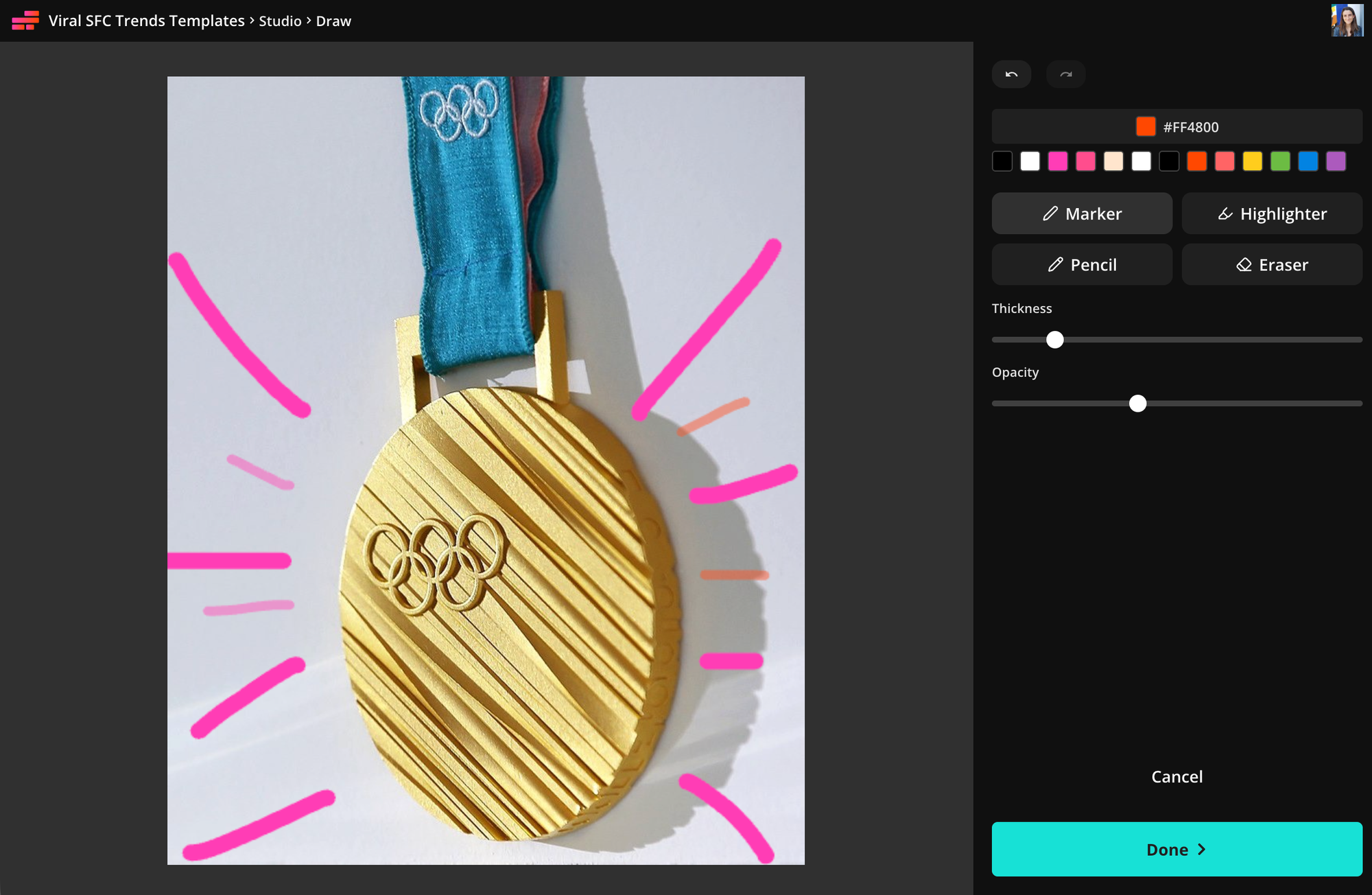
Drawings become editable layers in your project, so you can reposition them, change their timing, add animations, duplicate, and export them with the rest of your video. Try it out for circling an important detail, sketching annotations, adding handwritten notes, coloring, creating simple animations, or creating original art.
Kapwing AI Editing Improvements
This month, we made dozens of changes to make Kai smarter at editing and arranging your assets. Kapwing AI can now inspect more information about the files you upload, like the filename, audio activity, waveform peaks, and transcript, before making and executing a plan.
This makes prompts like “find the most important moments in these interviews,” “make a 30-second highlight reel,” or “cut around the quiet sections” more useful. Kai also carries more context forward, so a follow-up request can refine the previous result instead of starting the edit over from scratch.
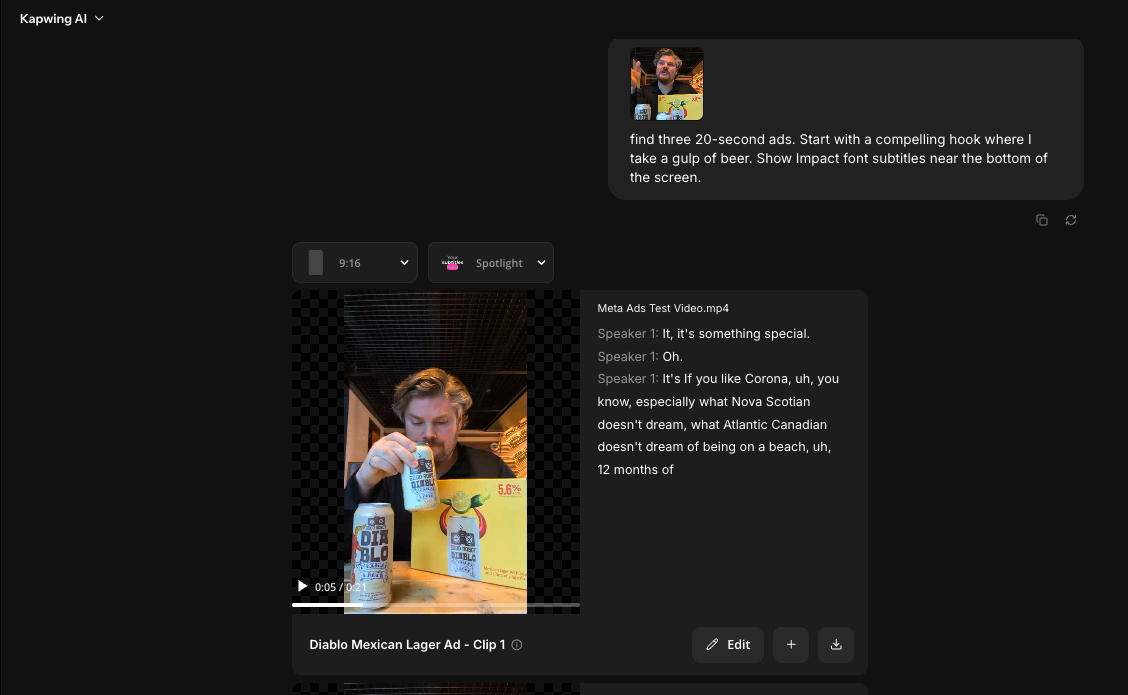
Smarter Subtitle Placement: Kai can now choose whether subtitles should appear at the top or bottom of a video based on the visual content in your project. For vertical videos, Kai also accounts for platform safe zones so subtitles are less likely to sit behind app controls. Brand Kit subtitle styles still take priority when they are available.
More Context for Kai in the Editor: From the AI Tab in the editor, Kai has better awareness of the open project and can add or replace layers, make transcript edits, generate new media, and apply changes directly to the timeline. We also made changes to the "New Chat" behavior in the AI tab, showing the prompt input box with chat history below.
More control over project size: You can ask Kai to resize a video project to a custom size, like "1920 x 1080." This is helpful when you need an exact canvas size for a social platform, presentation, display, or other publishing destination instead of a standard aspect-ratio preset.
AI generation and reliability improvements
We shipped a number of bug fixes to make Kai generations more dependable:
- Image-to-video requests with unusual source dimensions are automatically padded to a supported aspect ratio, reducing failed generations
- Talking-head character videos retry more gracefully when the generation provider fails.
- Seedream image sizes stay within the model’s supported output limits.
- Nano Banana image edits no longer receive unsupported JPEG inputs.
- Moderation and generation errors are classified more accurately, with protections against repeated abusive requests.
- Generated projects preserve the intended canvas size and media references more reliably.
Fairer workspace storage limits
With more feedback from users, we've improved our storage limits on Free, Pro, and Business Workspacs. We fixed an issue that could cause deleted assets to reappear in storage records, making workspace usage more accurate and predictable.
Other Small Feature and Bug Fixes
We also shipped smaller fixes across the editor and production pipeline:
- Fixed a transcription issue that could interrupt editing workflows.
- Fixed a waveform display issue in the timeline.
- Prevented transparent PNG-frame renders from creating white backgrounds in video exports.
- Improved export recovery when distributed rendering tasks are interrupted during a deploy.
- Reduced setup and per-frame overhead in the canvas rendering pipeline for faster, more reliable exports.
- Fixed several Side Kai layering, sizing, subtitle, and duration issues.
- Improved storage usage handling when assets are deleted or removed.
Together, these updates make Kapwing more flexible for hands-on creation and more dependable when you ask AI to understand, generate, or edit your media.



