
Release Notes - May 2026
May 2026 was a big month for making Kapwing AI more useful, more reliable, and easier to control. We shipped improvements across AI Characters, workspace storage, uploads, media management, and editor reliability. Kapwing's video editing agent which takes footage you upload and turns it into the first version of an edited project got smarter, more reliable, and more powerful this month, making it the best product of its kind in the market.
New and improved AI Characters
Kapwing AI Characters are now easier to discover and use. If you do not have saved characters yet, Kai can suggest default stock characters directly from the character dropdown. You can also browse a gallery of available characters and use them in Kapwing AI chats to generate consistent character videos. Mention one using the @ character when you submit a prompt.
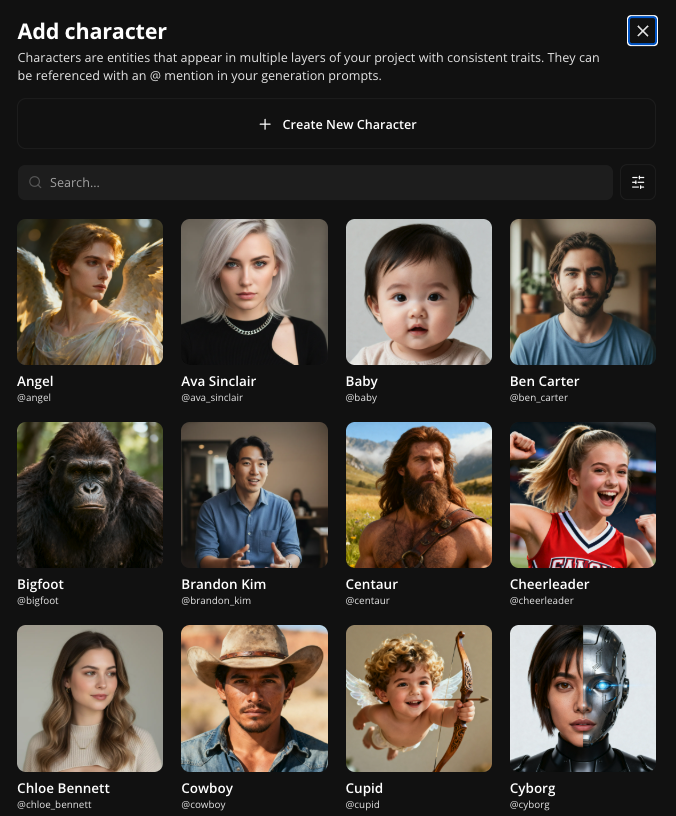
We also added a public AI Characters page so creators can discover stock characters by category, including casual, professional, and fictional characters.
More editing control in Kapwing AI
Expanded Editing Tools
Kai learned a much broader set of editing actions this month. You can now ask Kai to do things like:
- Make a clip brighter, blurrier, or higher contrast
- Apply preset filters like black and white or sepia
- Add outlines, rounded corners, borders, or drop shadows
- Move a layer to the top right, center, full screen, or another preset position
- Bring a layer forward or send it backward
- Fade audio in or out
- Detach audio from a video
- Remove or blur a background
- Delete layers from a project
These improvements make Kai feel less like a generator and more like an editing assistant that can make direct changes to your project.
Better support for larger projects
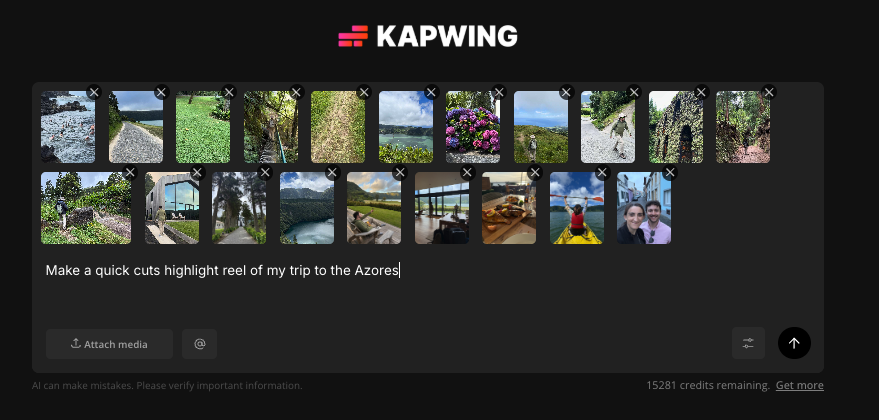
With Kapwing AI, users can attach more than 10 uploaded videos or images in a single chat, giving the agent more context to make the video. This makes Kai a better AI assistant for create something from a larger folder of footage, photos, or references.
There are still limits to keep quality and cost manageable, but this is a major step toward Kai being useful for real content workflows, not just small demos.
Smarter model routing and AI generation options
Kai’s model routing got smarter for music, images, and video generation. For music requests, Kai can better choose the right provider when users ask for a song without supplying lyrics. For image generation, Kai can automatically route between model options based on the prompt.
Better Text Handling
One of the major quality complaints we got in the past from our customers was about mangled or deformed text in Kapwing AI projects. Now, text is generated more reliably:
- Kai can now add timed text overlays directly into generated projects. You can ask for text at a specific moment, choose placement like top, middle, or bottom, and resize the canvas while keeping the text layout intact. Creators can now rely on Kapwing AI to add captions, callouts, titles, or on-screen text without manually opening every Studio control.
- Creators can now use a lower-cost GPT Image 2 model to generate and edit images with fewer credits. GPT Image 2 is especially helpful for text-related AI image generations, like signs, posters, and cards.


Workspace storage warnings
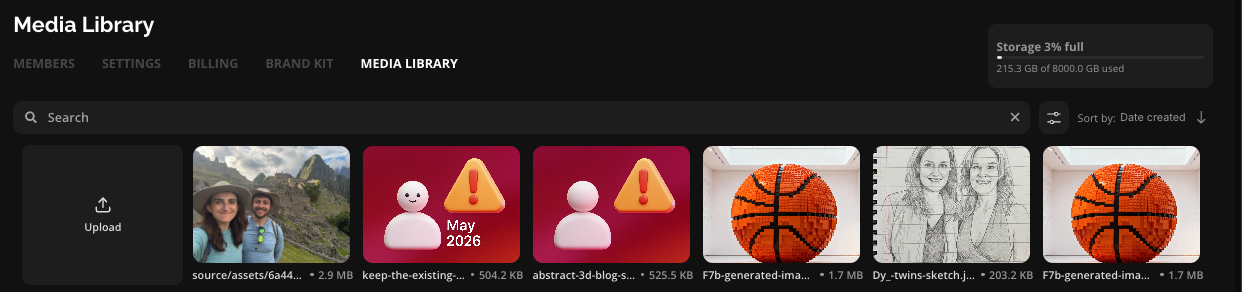
Kapwing now has clearer workspace storage warnings that correspond to our new storage policy. Teams can see when they are approaching or exceeding storage limits, and storage usage updates after adding or deleting media. We also updated the pricing page to show plan-specific cloud storage limits.
Media Library improvements
In May, we made the Workspace Media Library faster and easier to manage. Teams can manage their storage with a select-all keyboard shortcut and navigate the media library with tabs.
Editor polish and bug fixes
We shipped a number of small but important editor improvements, including:
- Deleted audio waveforms no longer reappear after refresh
- Preset filter changes are now undoable
- Fixed several upload and conversion issues, including HEIC and MOV conversion flows that could leave broken thumbnails or missing media in the Workspace Media Library.
- Moved to a new infrastructure provider for SAM3, the model behind masking. This should make "Blur" and "Redact" prompts in Kai more reliable.
- Kai voice selector scrolling and filter overlays work more reliably
- TTS layers avoid incorrect audio fade behavior
- Aspect ratios for video generation when using start frames now matches the aspect ratio of the start frame
- Sign-in is now required before opening recording routes, preventing users from recording media and then losing it during a later sign-in step.
Together, these fixes make Kapwing more predictable, especially for teams using AI features, shared media libraries, and advanced editing workflows.



