AI Object Remover

Remove objects and people from photos — instantly, online
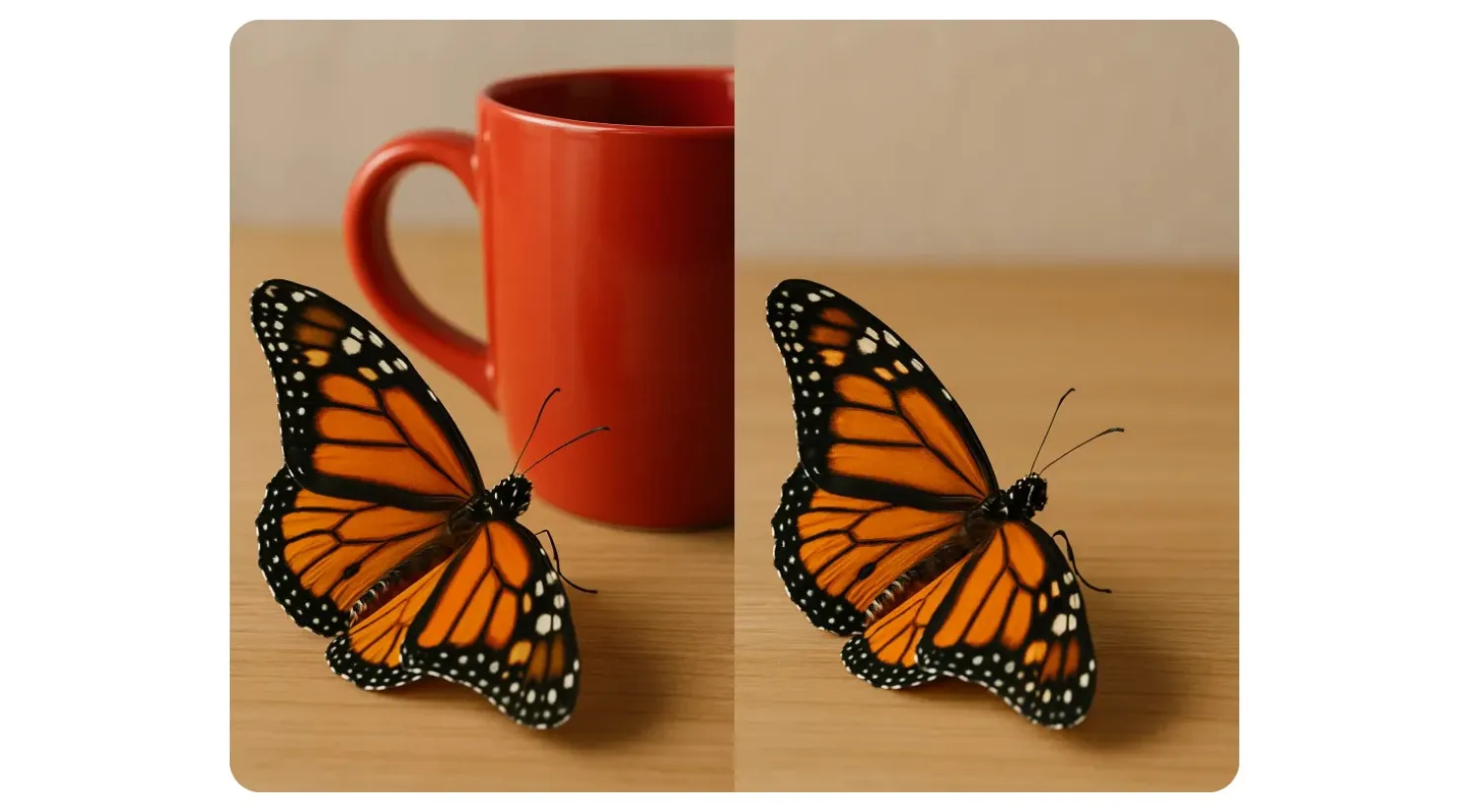
A side-by-side image comparison showing the results of an AI object remover to remove objects from photos.
Spotify
Google
Code.Org
Dyson
NYU
Facebook
Columbia
Whole Foods
Verizon
Harvard
UK Parliament
Louis Vuitton
Alberta

Instant object removal from any device

Simple, quick, and beginner-friendly image editing in your browser

Precision object removal in under 10 seconds

Remove unwanted objects from photos on any device with Kapwing’s AI Object Remover, built for both mobile and desktop. Simply enter a prompt, and the chatbot will instantly erase anything you choose — from watermarks and clutter to people and background distractions.


All projects save in the cloud, so you can revisit edits anytime or collaborate seamlessly with your team. Keep your workflow streamlined with our fully online AI Photo Editor — no downloads, no installs, anyone can get started for free.
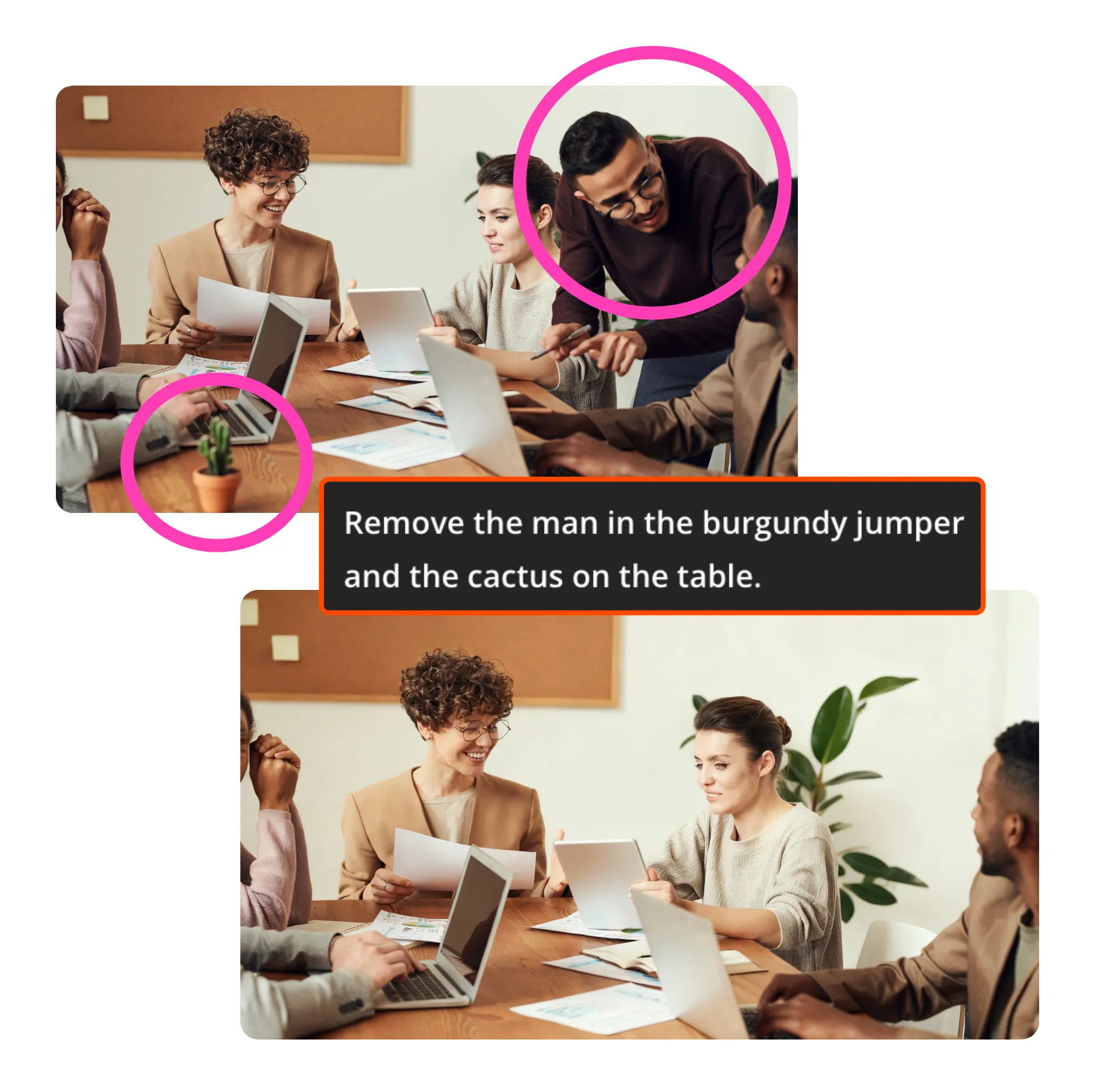
Remove Object
Precision object removal in under 10 seconds

Get realistic results, effortlessly

Fix photos with photorealistic quality and have them ready to share in seconds, without losing resolution.


Kapwing's AI Assistant delivers edits that always look natural and match your original photo. If you can enter a prompt, you can remove objects — no advanced skills or experience needed.


It's the ultimate solution for iPhone creators without an iPhone 15, who still want accurate object removal.

Get Started
Video Poster

Remove, add, and edit in one

Remove objects and turn your images into social-ready content, marketing materials, or ads — all from one browser-based editor.


Want to replace something you’ve removed? Just ask AI.


Adjust colors, resize, and add text without switching platforms. Since everything runs online, you can access projects anywhere and collaborate with your team in real time
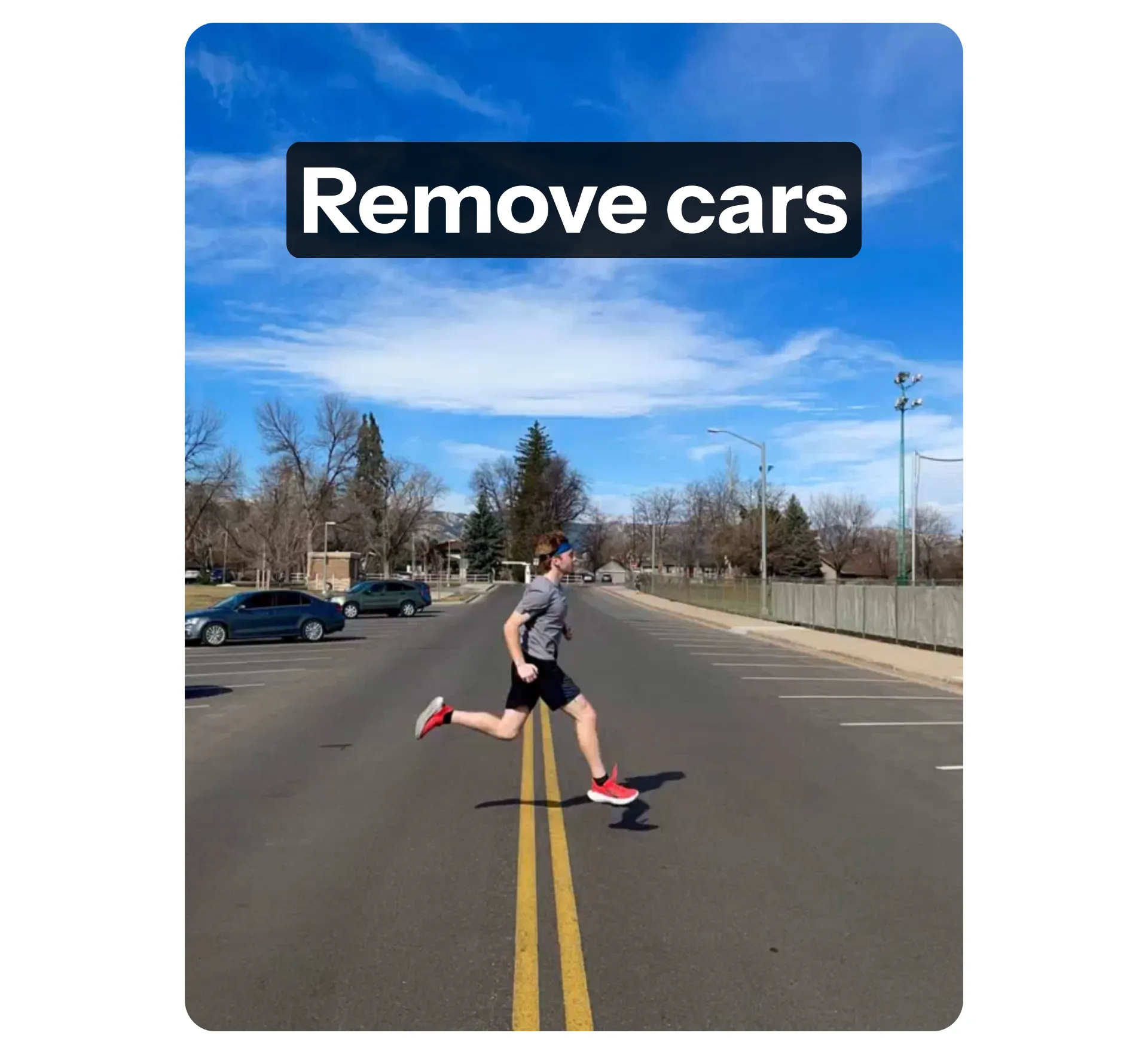
Edit Image
Video Poster
Reivews Gradient Background
Trusted by millions of creators all over the world
Headshot of Michael Trader
Best online video service ever. And a miracle for deaf people.
[Subtitler] is able to autogenerate subtitles for video in almost any language. I'm deaf (or almost deaf, to be correct) and thanks to Kapwing I'm now able understand and react on videos from my friends :)
Michael Trader
Information Services Freelancer
Headshot of Dina Segovia
This tool should be in every social media account managers' bookmark list.
I use this daily to help with video editing. Even if you're a pro video editor, there is no need to be spending hours trying to get the format correct. Kapwing does the hard work for you.
Dina Segovia
Virtual Freelance Worker
Headshot of Eunice Park
It just works!
Kapwing is incredibly intuitive. Many of our marketers were able to get on the platform and use it right away with little to no instruction. No need for downloads or installations - it just works.
Eunice Park
Studio Production Manager at Formlabs
Headshot of Vannesia Darby
With Kapwing, we're always ready to create.
Kapwing is an essential tool that we use in MOXIE Nashville every day. As a social media agency owner, there's a variety of video needs that my clients have. From adding subtitles to resizing videos for various platforms, Kapwing makes it possible for us to create incredible content that consistently exceeds client expectations. With Kapwing, we're always ready to create - from anywhere!
Vannesia Darby
CEO at MOXIE Nashville
Headshot of Grant Taleck
Spend less time learning... and more time crafting stories.
Kapwing helps you spend less time learning complex video editing platforms and more time crafting stories that will connect with your audience and customers. We've used the platform to help create engaging social media clips from our clients' podcasts and we can't wait to see how the platform simplifies this process going forward. If you've learned graphic design with Canva, you can learn video editing with Kapwing.
Grant Taleck
Co-Founder at AuthentIQMarketing.com
Headshot of Panos Papagapiou
It keeps getting better!
Kapwing is probably the most important tool for me and my team. It’s always there to meet our everyday needs in creating scroll-stopping and engaging videos for us and our clients. Kapwing is smart, fast, easy to use and full of features that are exactly what we need to make our workflow faster and more effective. We love it more each day and it keeps getting better.
Panos Papagapiou
Managing Partner at EPATHLON
Headshot of Kerry-lee Farla
By the far the most user friendly software to use.
As a housewife at home looking to start a YouTube channel for fun with absolutely zero editing experience, it was so easy for me to teach myself via their YouTube channel. It takes the tediousness out of editing and encourages creativity. As long as Kapwing is around, I will be using their software.
Kerry-lee Farla
Youtuber
Headshot of Gracie Peng
Kapwing is my secret weapon!
This is one of the most powerful, yet inexpensive and easy-to-use video editing software I've found. I blow my team away with how fast and efficiently I can edit and turnaround video projects.
Gracie Peng
Director of Content
Headshot of Martin James
Kapwing is king.
When I use this software, I feel all sorts of creative juices flowing because of how jam-packed with features the software really is. A very well-made product that will keep you enticed for hours.
Martin James
Video Editor
Headshot of Heidi Rae
Love this site.
As an English Foreign Language Teacher, this site helps me to quickly subtitle interesting videos that I can use in class. The students love the videos, and the subtitles really help them to learn new vocabulary as well as better understand and follow the video.
Heidi Rae
Education
Headshot of Natasha Ball
Excellent subtitling features
[It] works perfectly for me. Have been using Kapwing for a year or so, and their automatic subtitle tool gets better and better every week, it's rare that I have to correct a word. Keep up the good work!
Natasha Ball
Consultant
Headshot of Mitch Rawlings
Best online video service ever. And a miracle for deaf people.
[Subtitler] is able to autogenerate subtitles for video in almost any language. I'm deaf (or almost deaf, to be correct) and thanks to Kapwing I'm now able understand and react on videos from my friends :)
Mitch Rawlings
Information Services Freelancer

From quick fixes to full transformations all in one editor

Professional-quality results, powered by AI

A travel photo edited with an AI object remover to instantly remove objects from vacation photos.

Travel Photos

Remove distractions like strangers, cars, or clutter that sneak into your shots. Keep the focus on what matters most.
Video showing a watermark being removed by a free to try AI object remover.

Watermarks

Erase unwanted watermarks, logos, or overlays in seconds. Clean up stock images, old photos, or digital files that need a professional finish.
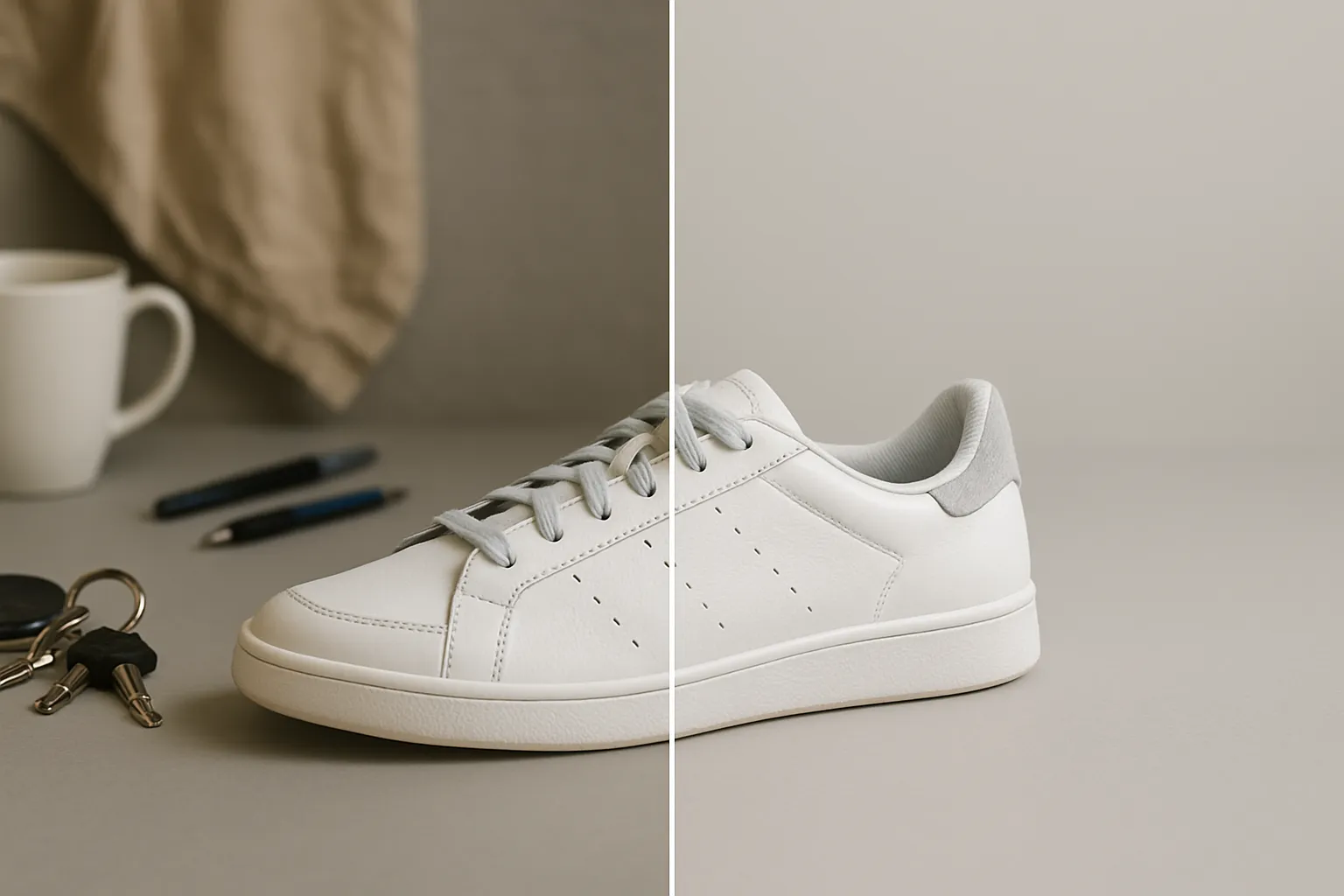
A product photo comparison showing background clutter removed with an online object remover.

Product Photos

Highlight your items by removing messy backgrounds and distracting objects. Create natural-looking promotional, even without a studio setup.
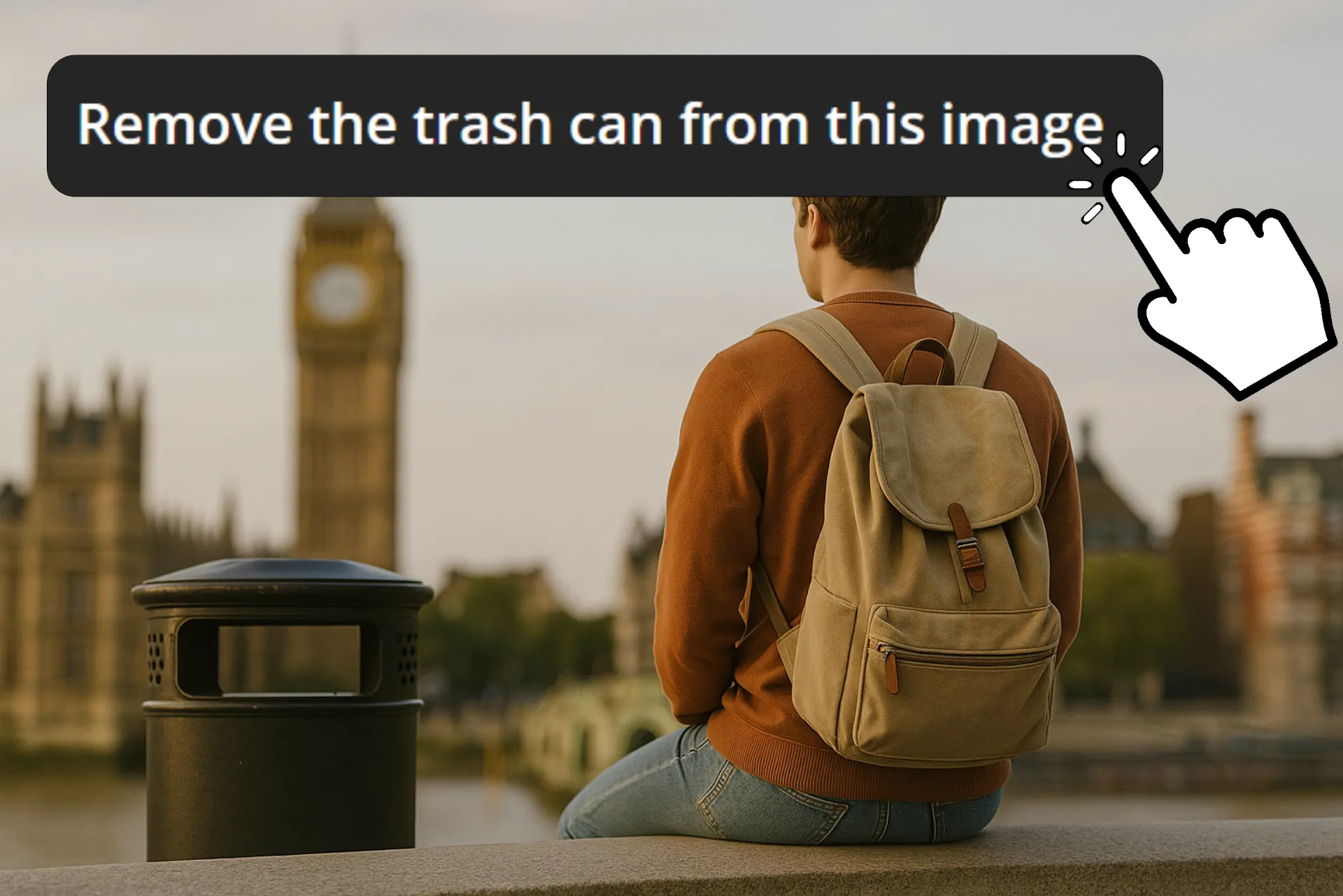
Graphic showing how to remove objects from photos without photoshop.

Social Media Posts

Clear out background noise, emphasize your subject, and share polished social media content that stands out from the crowd
A document cleaned up with an AI object remover so it is ready to design online.

Design Images

Streamline your workflow by cleaning up images before adding text, graphics, or overlays. Start with a distraction-free canvas for every design project.

Example portrait picture with a photobomber in the background that will be removed using an AI object remover to touch up the image.

Personal Portraits

Take out photobombers, signs, or clutter that ruin a shot. Create headshots, family portraits, or albums that keep attention where it belongs.

An event photo taken at a concert using an AI object remover to remove a person from the photo without photoshop.

Event Photos

Instantly improve photos taken at weddings, parties, concerts, and events where small details have a big affect
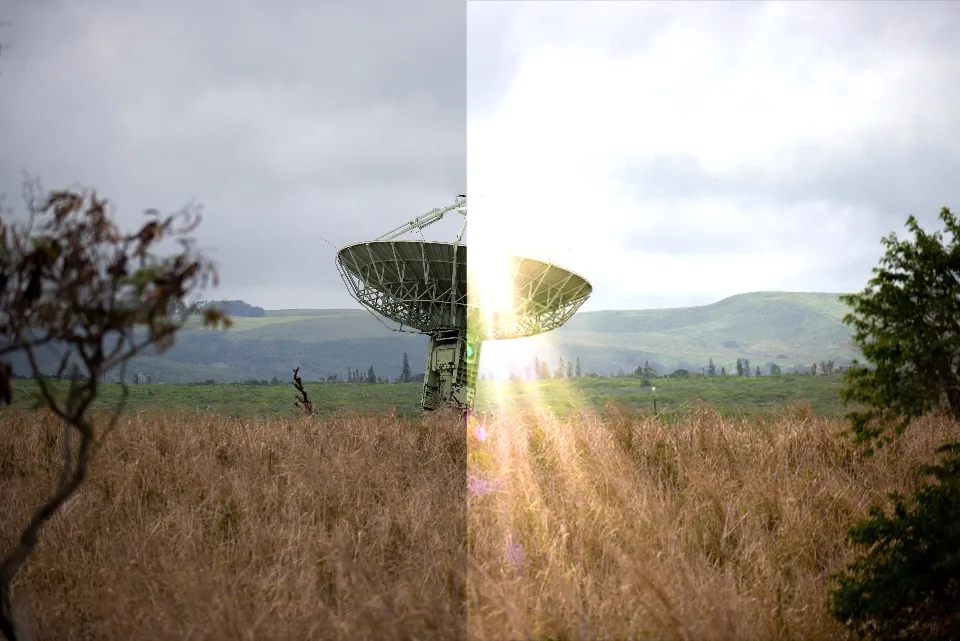
A photo restored by removing glare and scratches using an AI object remover.

Photo Restoration

Breathe new life into old or damaged images. Remove scratches, stains, and unwanted marks to digitally preserve memories in their best form.

How to Remove objects from images

  1. Upload image

    Open Kapwing's AI Assistant, Kai. From there, upload the photo you want to edit.

  2. Add prompt

    Tell the AI what you’d like changed by typing a short prompt. For example: “Remove the red umbrella from the background.”

  3. Edit and export

    Add any further edits you may want to add, either by asking AI or by using manual image editing tools. When you’re ready, hit "Export" to save the picture to your device.

What's different about Kapwing?

Easy
Easy
Start creating immediately with thousands of templates and copyright free videos, images, music, and GIFs. Repurpose content from the internet by pasting a link.
Free
Free
Kapwing is completely free to start. Just upload a video and start editing. Supercharge your editing workflow with our powerful online tools.
Accessible
Accessible
Automatically subtitle and translate videos with our AI-powered Subtitler tool. Caption your videos in seconds, so that no viewers get left behind.
Online
Online
Kapwing is cloud based, which means your videos are wherever you are. Use it on any device and access your content anywhere in the world.
No spam or ads
No spam or ads
We don't serve ads: we're committed to building a quality, trustworthy website. And we will never spam you nor sell your information to anyone.
Powerful
Powerful
Kapwing works hard to help make the content you want, when you want it. Get started on your project today.

Frequently Asked Questions

Bob, our kitten, thinking

Is the AI Object Remover free?

Anyone can try Kapwing's AI Object Remover for free, without watermarks. All our AI tools run on a credit system, with each feature costing a set number of credits. For the best experience, upgrade to a Pro account to unlock the full power of the AI studio.

Is Kapwing's AI safe?

Kapwing takes data privacy and safety seriously. We have strict moderation guidelines, ethics policies, and security measures in place to protect user data. For detailed information, you can refer to Kapwing's Terms of Service and Privacy Policy on our website.

Can I remove objects from photos without photoshop?

Yes, you can use Kapwing’s integrated AI Object Remover to erase unwanted details from images. Simply upload your photo, add an editing prompt, and receive instant results online without needing any extra software.

Do I need editing experience to use an object remover?

No experience is required. With Kapwing, you can remove objects by simply highlighting them or writing a short text prompt. The process is designed to be beginner-friendly.

Will the background look natural after removing an object?

Yes, images are edited with a high level of accuracy, and Kapwing's AI editor offers multiple leading image editing models so you can choose which is best for your edit depending on the use case.

What types of objects can be erased with AI?

AI can remove a wide range of objects, from people and signs to watermarks and clutter. Whether you’re cleaning up personal photos, product images, or designs, the tool adapts to the task.

What image types are supported for object removing?

Kapwing supports common file types including JPG, PNG, HEIC (Apple format), and WebP. You can upload these formats directly into the AI editor, remove unwanted objects, and then export the finished photo in the format that works best for your project.

Which devices and browsers are supported?

Kapwing works on any device and browser, though we recommend Chromium-based browsers like Google Chrome and Microsoft Edge. Kapwing also works on iOS and Android mobile devices. Since Kapwing is an online web-based software, it also works across Windows, Mac, and other desktop devices.

How do I remove objects on my iPhone?

Apple’s ‘Clean Up’ tool is limited to select devices and requires the latest software. To use it, you’ll need an iPhone 15 Pro (not the base iPhone 15) or newer, running at least iOS 18 to access Clean Up and other Apple Intelligence features.

With Kapwing, you don’t need the newest iPhone or software update. Just open our online Object Removal tool, enter a simple prompt into the AI chatbot, and remove any object instantly.

Ready? Let's do this.

Kapwing is free to use for teams of any size. We also offer paid plans with additional features, storage, and support.